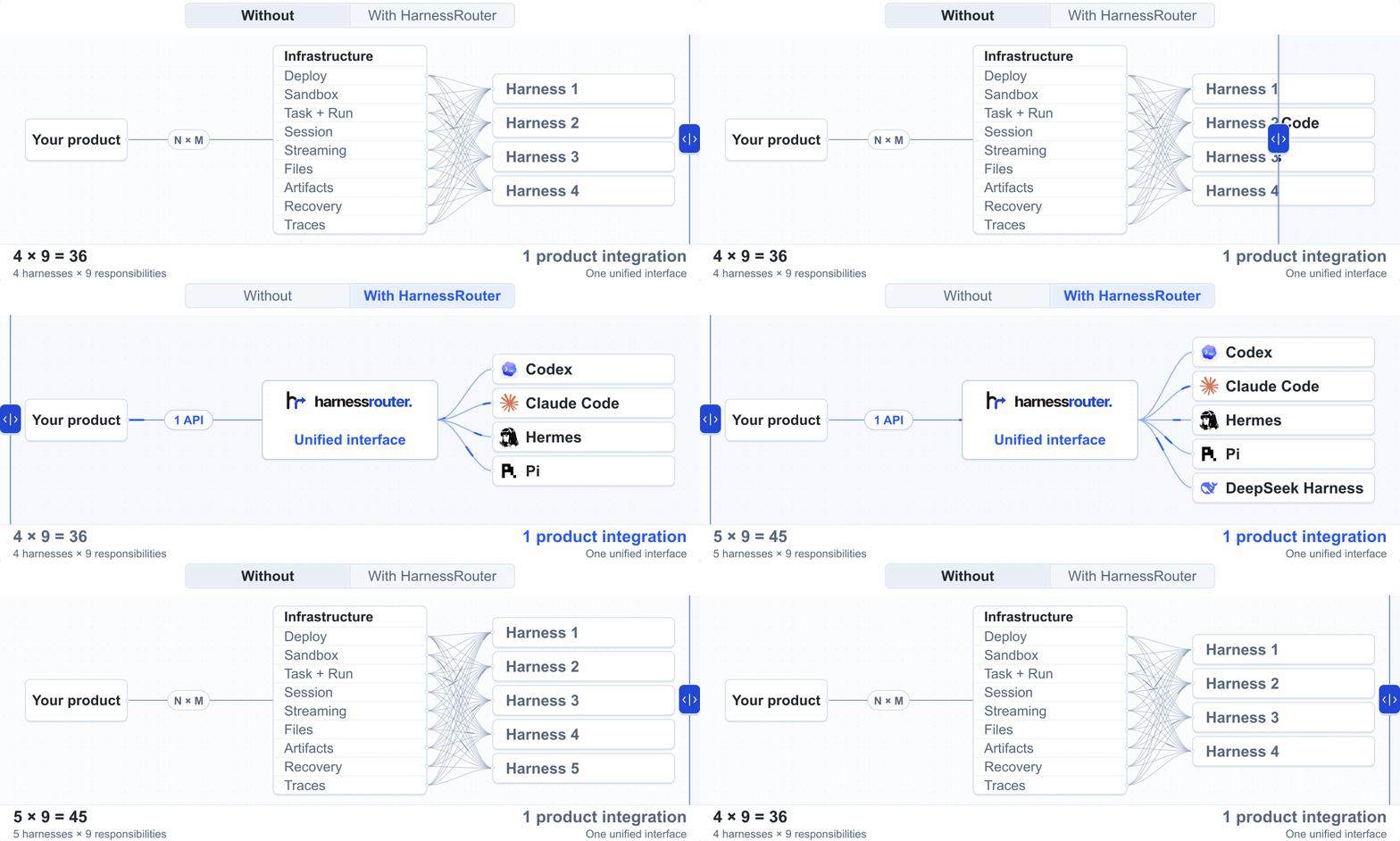
Build agent products without handling harness engineering. HarnessRouter is the infrastructure layer that turns existing harnesses like Codex and Claude Code into plug-and-play agent backends, letting your product run tasks, retrieve results, and switch harnesses through one API.
HarnessRouter implements the Unified Harness Protocol (UHP) and provides an OpenAI Responses-compatible API, handling persistent sessions, streaming progress, files, artifacts, cancellation, and structured failures.
Switch harnesses. Optimize cost and latency.
Eight harness × model configurations on the same task. Each metric compares its best and worst results. The lowest-cost and fastest configurations vary by task. Methodology
Docker pulls the image if needed. The named volume preserves your database, files, installed harness CLIs, and workspaces between restarts.
Existing installation or custom setup
Already installed?docker pull harnessrouter/harnessrouter downloads the latest image but does not upgrade a running container. Follow the upgrade and backup guide.
Port 3000 busy? Use -p 127.0.0.1:3100:3000 and open port 3100 instead. Keep the loopback binding while using the initial credentials.
Do not add --user. The entrypoint and Runner need root to manage per-session users. The Console and Gateway run unprivileged; agent processes run as their session’s user.
For version pinning, Compose, and scripted setup, see the setup guide.
2. Wait for the first launch
docker logs -f harnessrouter
The first launch installs the enabled harness CLIs. Continue when the logs show:
[harnessrouter] ready on :3000
Press Ctrl+C to stop following logs. The container keeps running.
Console not ready or a harness missing?
If the browser refuses the connection, retry after a few seconds while the Console finishes starting. For a missing harness, check backends available: and any requested but not installed warning in the logs.
[!WARNING]
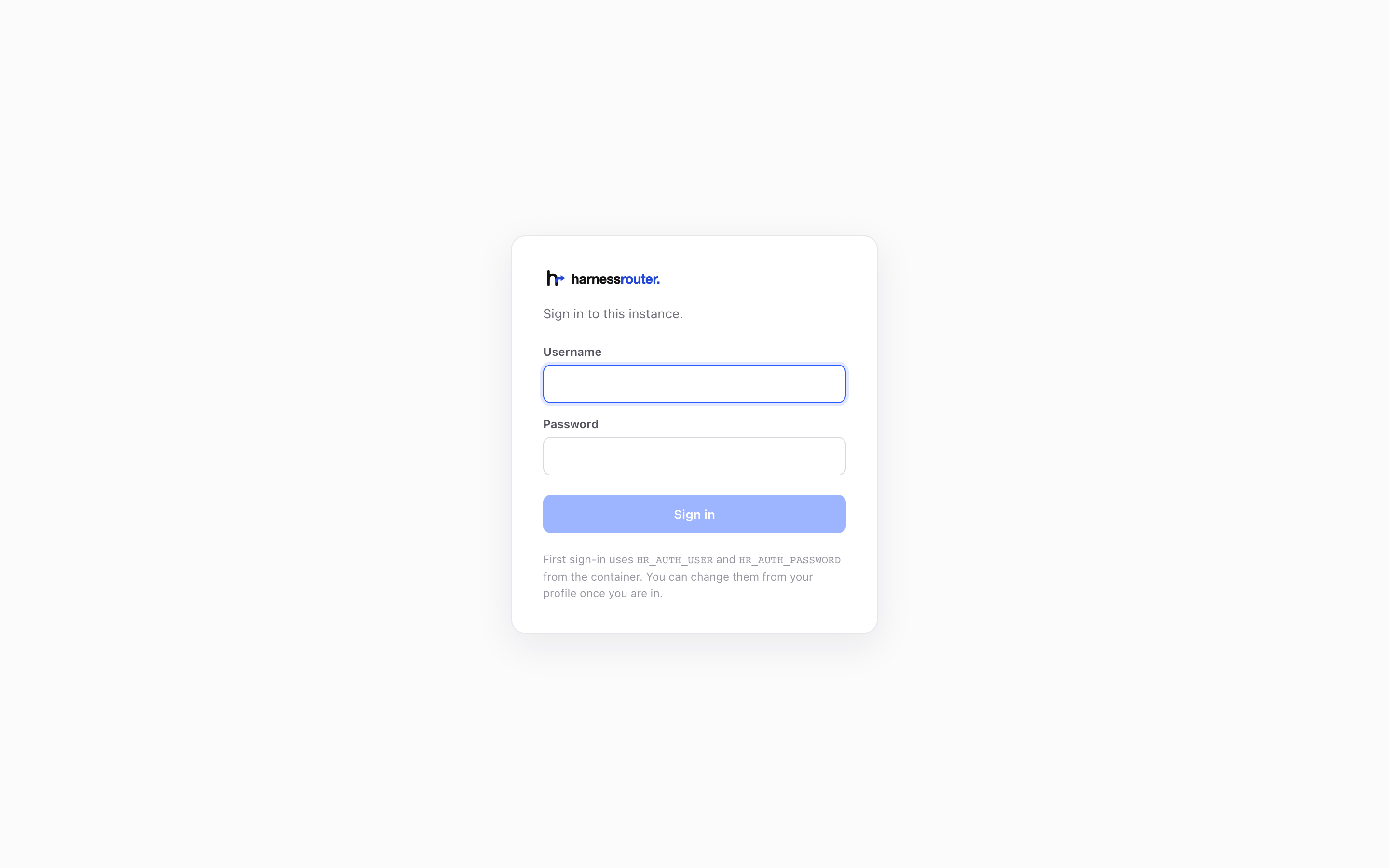
Change the default password in Profile. Keep the instance local until you change it. Saving briefly restarts the Console and signs out other browsers.
These credentials sign you into the Console. You do not need a HarnessRouter API key to run tasks here.
4. Connect a model provider
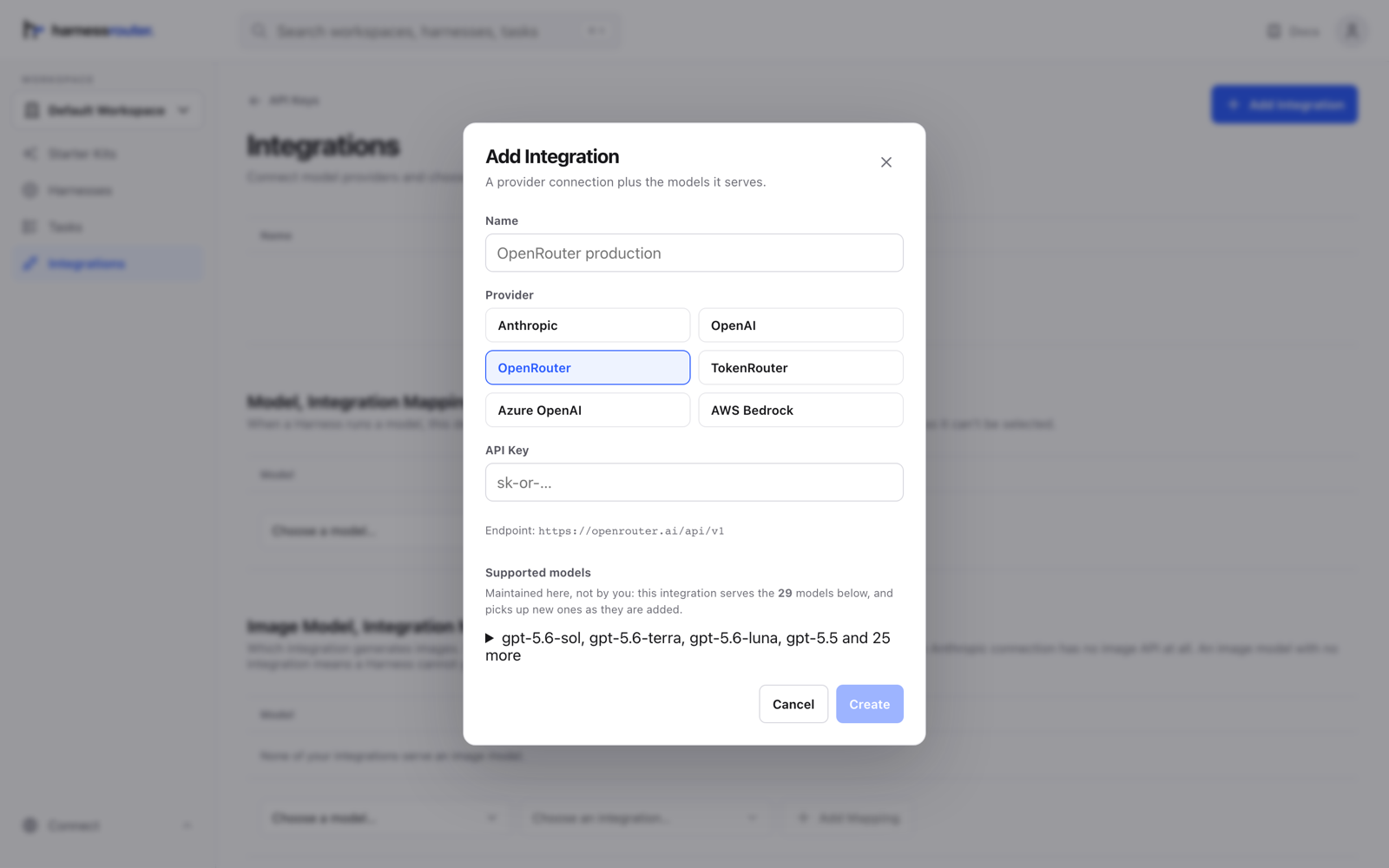
Open Bring Your Own Key in the sidebar and press Add Integration. Choose a provider, give the integration a name, and add its API key. Its supported models become available in the Console.
This provider key authorizes model requests. It is separate from the HarnessRouter API key used for product integration below.
See the provider setup screen
5. Run your first task
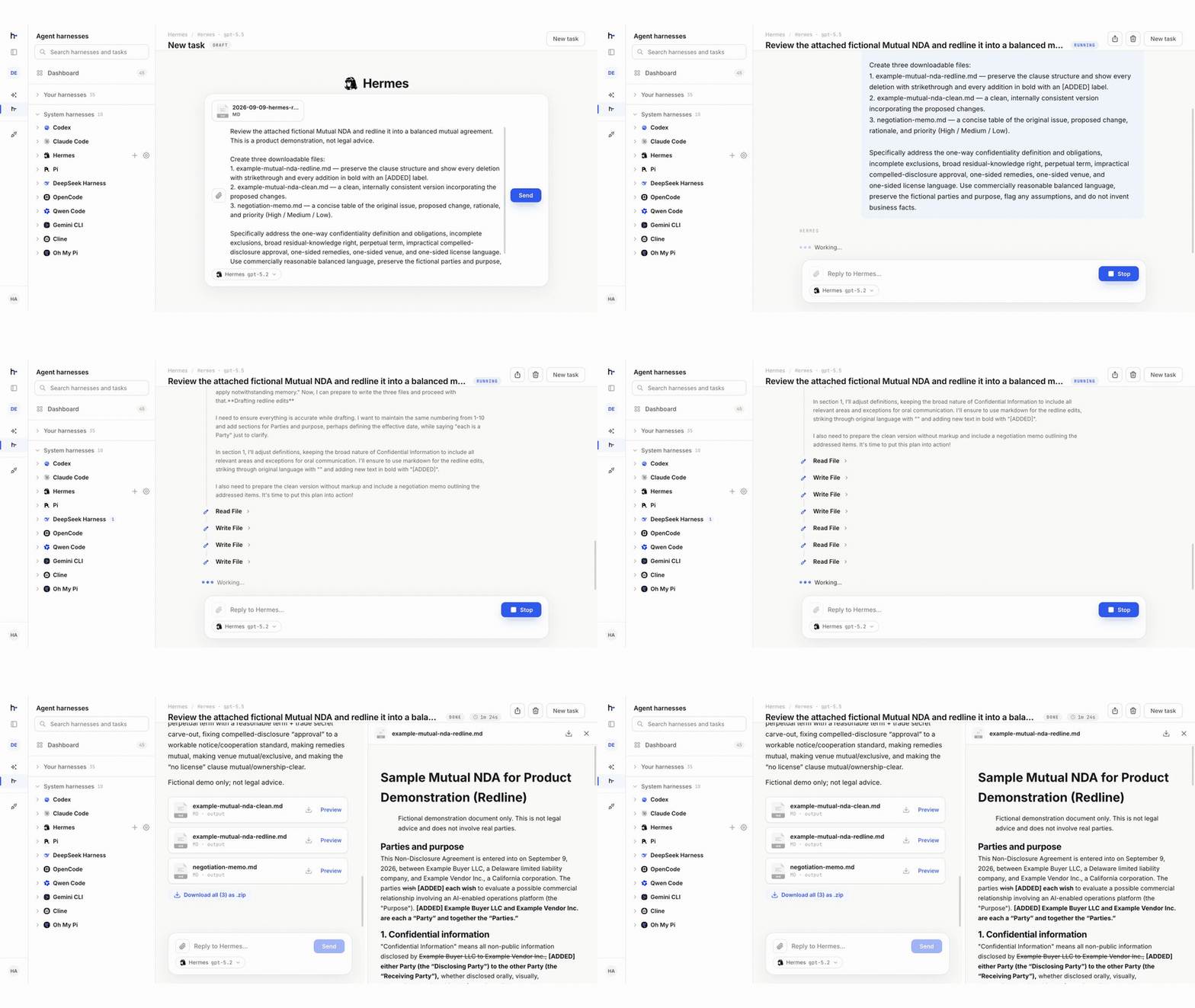
Open Agent harnesses, choose a supported harness, and select New task. Pick an available model and give the agent a concrete task. Follow live progress and open the files it produces in the same session.
In the illustrative run above, Hermes reviews a fictional NDA and produces a redlined version, a clean copy, and a negotiation memo.
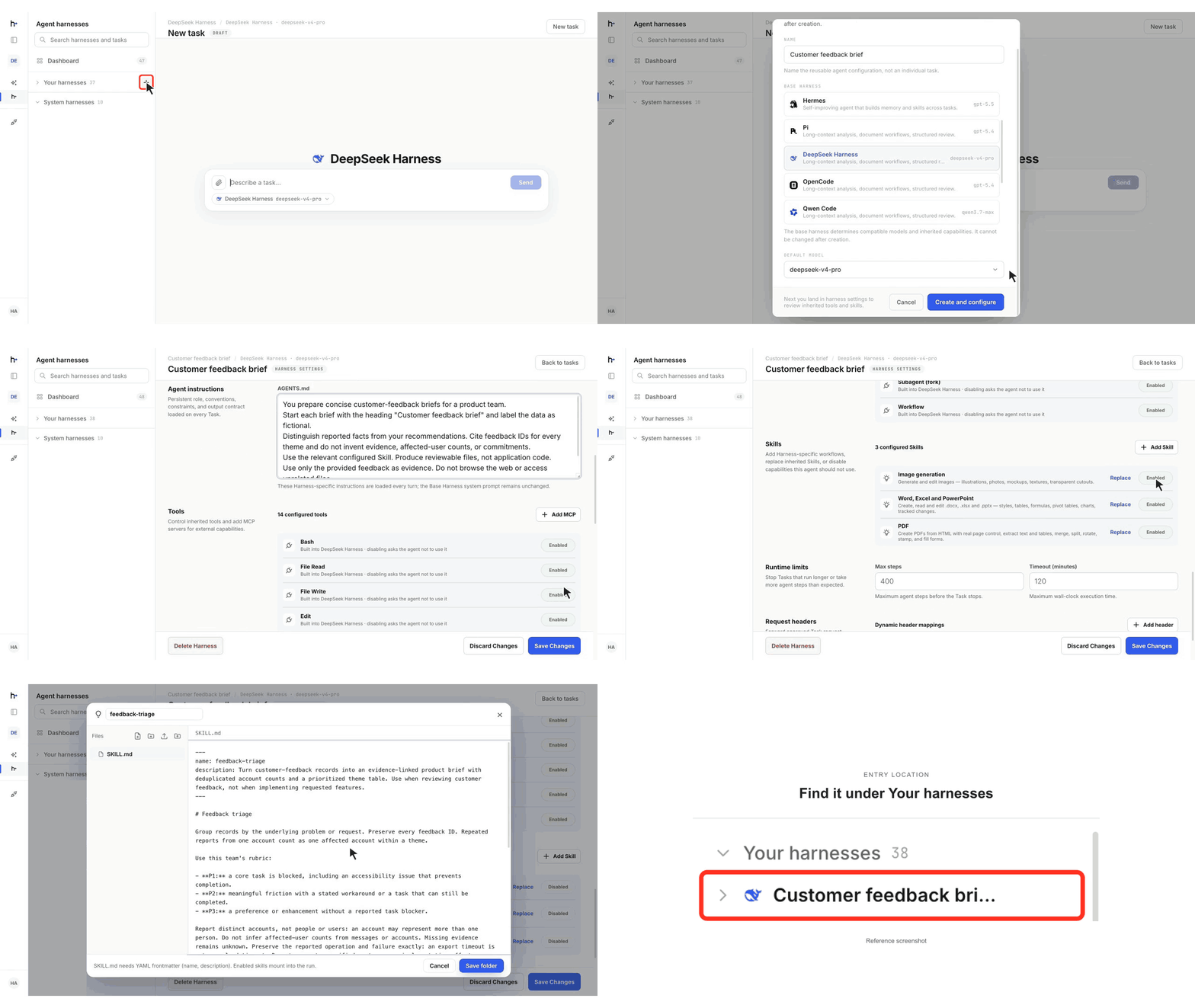
Configure a custom harness (optional)
Built-in harnesses work without this step. Create a custom harness when you want reusable behavior tailored to your product.
Create. Select New harness in Agent harnesses. In Add harness, set the Name, Base harness, and Default model together, then select Create and configure.
Customize. In Harness Settings, add Agent instructions, configure Tools (use Add MCP for an optional MCP server), and add Skills as needed.
Save and test. Select Save Changes, then Run Task to test the saved configuration.
You can change the default model later in Settings, but the base harness cannot be changed after creation.
Watch the configuration walkthrough · 48 seconds
Configure DeepSeek Harness for customer-feedback analysis.
Integrate your harness into your product backend with one API
Run product tasks with built-in or custom harnesses as pluggable agent backends. Call your self-hosted instance’s OpenAI Responses-compatible API and select the harness with metadata.harness_id. No Cloud deployment is required.
Once your harness runs successfully in the Console:
Open API Keys in the Console sidebar of the same CE instance (default local address) and choose Create API key.
Store the secret shown once as HARNESSROUTER_API_KEY in your product backend. Never expose it in browser code. This CE-issued key is separate from your Console password and provider key.
Call the API with the Harness ID shown in the Console and a model served by your connected provider.
The task and its transcript appear in the same workspace in the Console. Set "stream": true to receive server-sent events.
Never put a long exact value such as a token, an id or a hash in the prompt: the agent retypes what it reads, and a model drops and swaps characters in strings like that. Attach it as a file (POST /v1/files, then an input_file block; the file lands in the agent's working directory under its filename before every turn that carries it) or hand it to the agent through the harness's environment. A harness takes an env map whose values resolve on every turn: $headers.X-Name takes that header from the request (declare it in additional_headers), vault:name takes a stored secret, anything else is used as written. The agent's shell and tools start with those variables set, so a task can say "the token is in $DEPLOY_TOKEN", and a value that came through a reference is redacted from everything that leaves the sandbox, the response, the stream, the trace and the stored record, even when the agent prints it. A vault: reference reads only a secret your own workspace stored through PUT /v1/mcp-secrets/{ref}. The redaction protects the record, not the agent: a value the agent can read it can also send elsewhere if a prompt or a page tells it to, so hand it a token scoped to the user and the task, short-lived and least privilege.
The whole API is described at $HARNESSROUTER_BASE_URL/v1/openapi.json, generated from the routes, with a browsable copy at /v1/docs.
Send follow-up instructions with previous_response_id
Stream progress
Receive live updates as the agent works
Work with files
Attach input files and retrieve generated outputs
Cancel tasks
Stop work that is no longer needed
Inspect execution
Review structured errors and execution traces
Agent harnesses as pluggable backends for your product
Power agentic features in your product with agent harnesses, including knowledge-work tasks such as creating content and analyzing data. Explore these ready-to-use kits to see harnesses in action as pluggable backends.
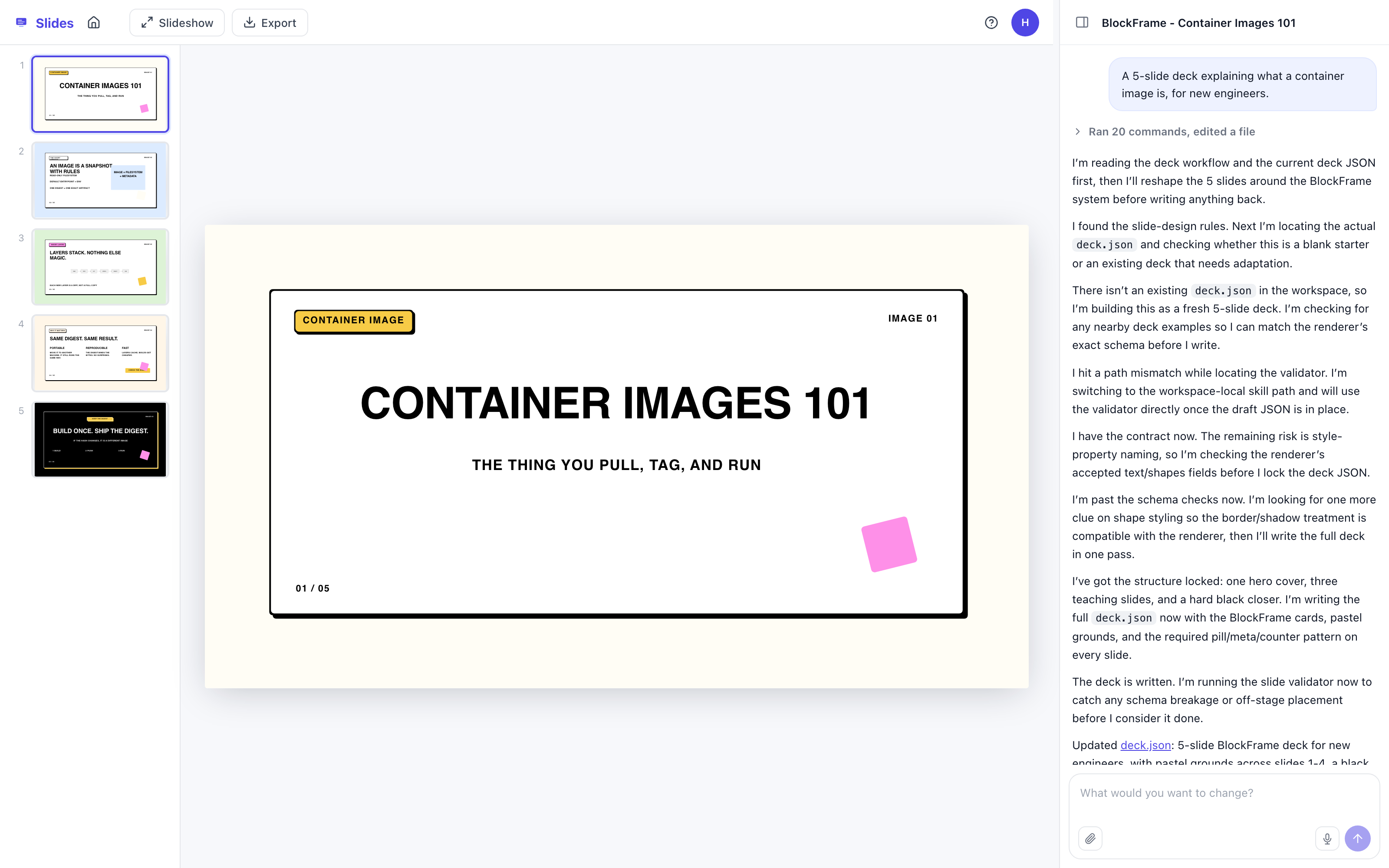
Slides
An agent harness turns your brief into slide content and layouts for an editable deck.
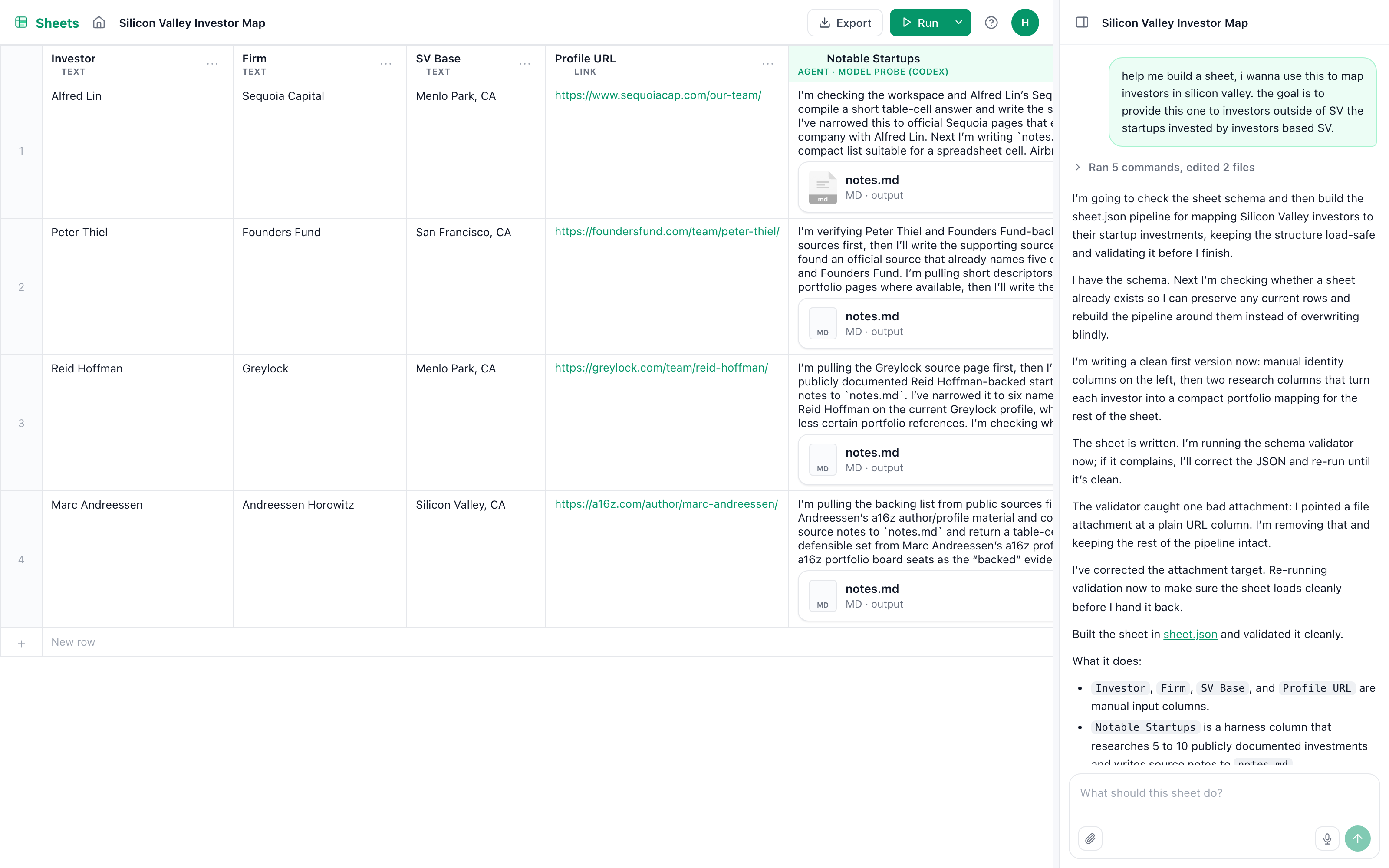
Sheets
An agent harness uses each row’s data to execute a task and writes the result back into the sheet.
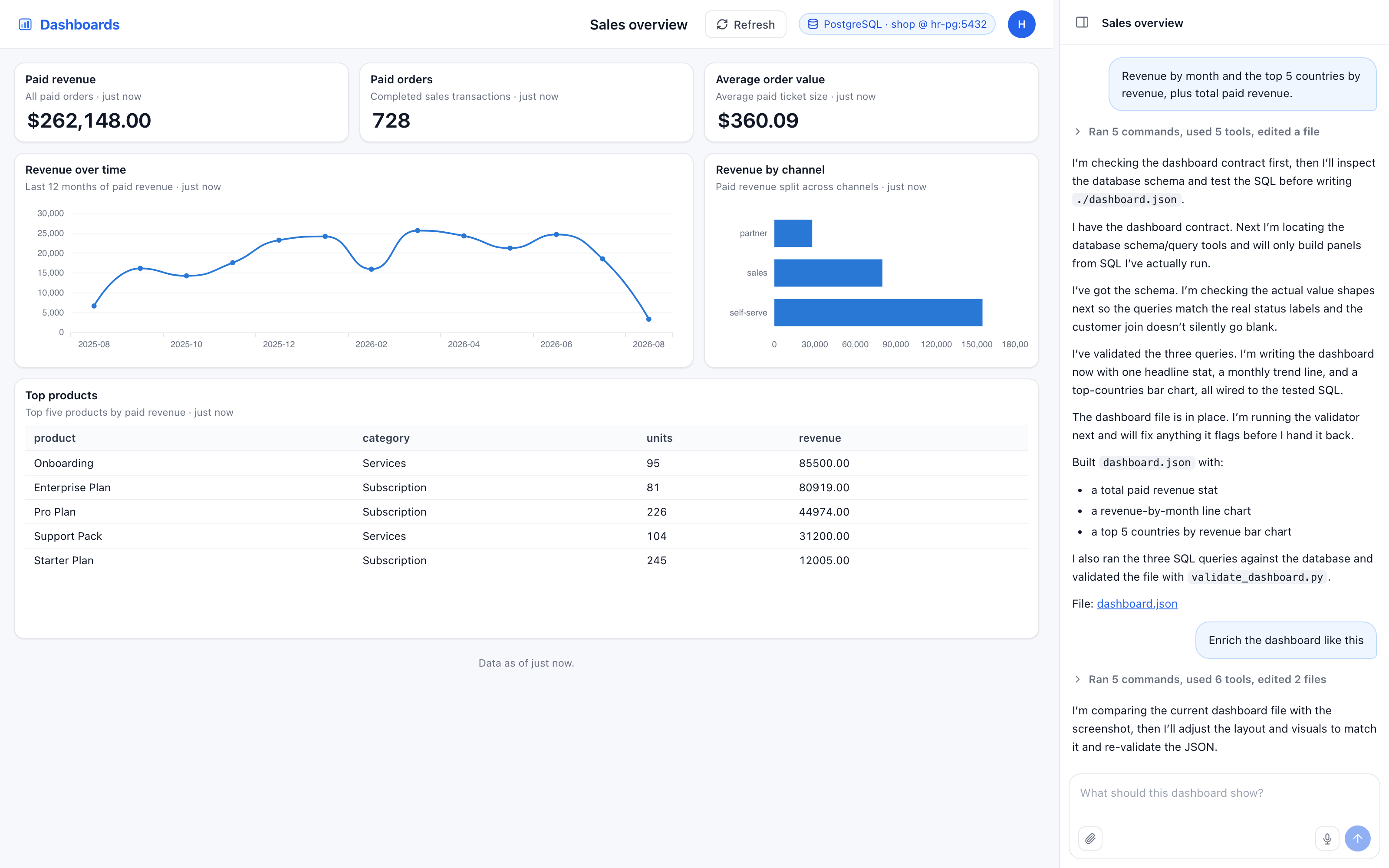
Dashboards
An agent harness reads your database schema and writes SQL queries to power dashboard charts.
Videos
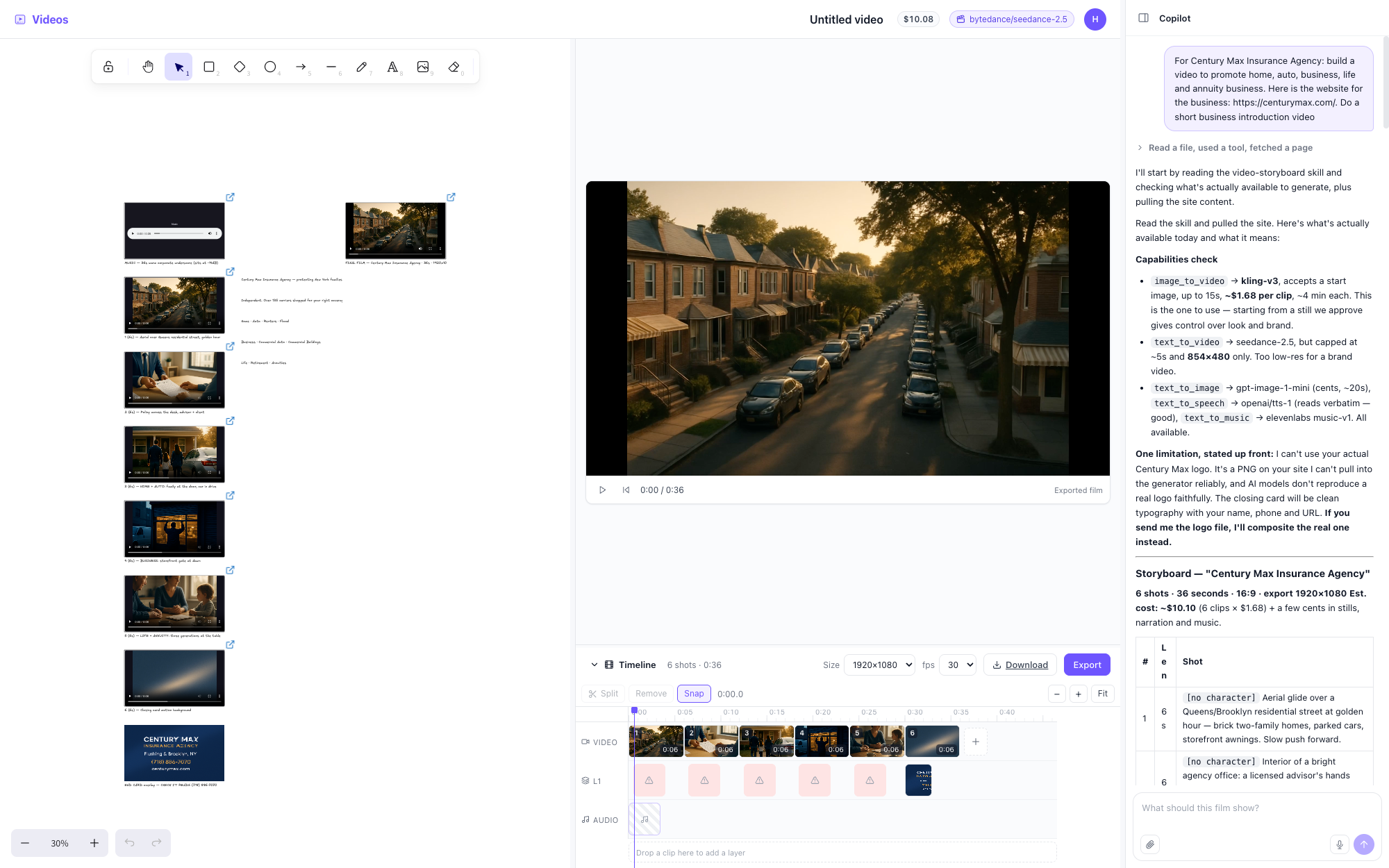
An agent harness turns your brief into a shot plan and calls video tools to generate clips for the timeline.
Start: Open Starter Kits in the Console and select a harness and model supported by your connected providers.
Dashboards: use a reachable database and a read-only database account. Set HR_SECRET_KEY to encrypt stored connections, and review the sample-row setting before connecting.
Licensing: Starter Kits use different terms from Community Edition.
Your infrastructure. One Docker deployment for the Console, Gateway, and Runner.
Your credentials and state. Provider keys, sessions, files, and workspaces stay under your control. Model requests still go to your configured provider.
Real workspaces. Native filesystem, shell, and Git workflows, with separate session workspaces.
No Console product analytics. Community Edition disables the Console analytics pipeline.
Choose your path to Cloud
Choose HarnessRouter Cloud for managed deployment, maintenance, and scaling, with tasks running in serverless, isolated sandboxes through the same API contract.
For local uploads: set HR_SECRET_KEY on your local instance to encrypt the saved destination key. Save your custom harness in Settings, select Upload to Cloud, then connect a destination using its Cloud workspace API key.
Uploads copy harness configuration, not provider keys, sessions, or generated files. Uploading again replaces that destination’s hosted copy.
The Gateway and Runner listen on loopback inside the container. Sessions use separate workspaces and operating-system users, not separate containers. The Console is the entry point for both UI and API.
Unified Harness Protocol (UHP) is the public, versioned contract implemented by Community Edition and HarnessRouter Cloud. Its task surface is deliberately compatible with the OpenAI Responses API, so existing Responses SDKs, streaming parsers, and UI components can work with a UHP server. UHP defines harness execution semantics for harness selection, persistent sessions, files, cancellation, and harness-managed tools and skills.
This repository contains the Apache 2.0 reference implementation, machine-readable schemas, and the conformance suite.
HarnessRouter Community Edition is licensed under Apache 2.0. Agent harness CLIs are installed on first launch and remain subject to their respective upstream licenses. See NOTICE for third-party notices and the Starter Kits repository for its separate licensing terms.
HarnessRouter is the world's first unified interface for agent harnesses.
harnessrouter (HarnessRouter/harnessrouter)
Choose a tag and it will appear here. With no tags selected, all catalog projects are shown.
Searching Database…
Choose a tag and it will appear here. With no tags selected, all catalog projects are shown.
Что это?HarnessRouter — self-hosted шлюз, превращающий существующие agent harness вроде Codex, Claude Code, Hermes, PI и DSH в единый унифицированный API, чтобы продукт мог запускать задачи, транслировать прогресс и переключать harness, не занимаясь специфичной для каждого harness инженерией.
Это библиотека для импорта или запускаемый сервис для развёртывания?Это self-hosted сервис, разворачиваемый через Docker (Console, Gateway и Runner), а не импортируемая библиотека; общение с ним идёт через HTTP API, совместимый с OpenAI Responses.
Как это запустить?Запустите одной Docker-командой, дождитесь, пока при первом запуске установятся CLI включённых harness, откройте Console в браузере, войдите с учётными данными по умолчанию, подключите провайдера моделей в разделе Bring Your Own Key, затем запустите задачу из Agent harnesses.
Что нужно перед запуском?Нужны Docker, около 4 ГБ свободного места на диске и API-ключ от провайдера моделей; аккаунт HarnessRouter или комплектный ключ модели не требуются.
Есть ли подводные камни установки, о которых стоит знать?Entrypoint и Runner требуют root для управления пользовательскими ОС-аккаунтами сессий (сами Console и Gateway работают без привилегий), а перед открытием инстанса наружу нужно сменить логин по умолчанию harnessrouter/harnessrouter.
Что такое Unified Harness Protocol (UHP)?UHP — публичный версионированный протокол, который этот репозиторий реализует как референсный сервер; он повторяет форму OpenAI Responses API, так что существующие Responses SDK и стриминговые парсеры работают из коробки, и стандартизирует сессии, файлы, отмену и инструменты harness между разными agent harness.
Что такое Starter Kits?Это готовые подключаемые harness-бэкенды для продуктовых функций вроде Slides, Sheets, Dashboards и Videos (например, превратить бриф в содержимое слайдов или написать SQL по схеме базы данных), лицензируемые отдельно от Community Edition.
Чем Community Edition отличается от HarnessRouter Cloud?Community Edition — self-hosted на собственной Docker-инфраструктуре с вашими ключами провайдеров и без продуктовой аналитики, а Cloud исполняет тот же API-контракт в управляемых бессерверных изолированных песочницах и позволяет загружать в него собранный локально кастомный harness.
Можно ли добавить свою собственную конфигурацию harness?Да — создайте harness на базе базового, добавьте агентные инструкции, MCP-инструменты и навыки в Harness Settings, затем сохраните и протестируйте, прежде чем использовать как подключаемый бэкенд в своём продукте.








 HarnessRouter — self-hosted шлюз, превращающий существующие agent harness вроде Codex, Claude Code, Hermes, PI и DSH в единый унифицированный API, чтобы продукт мог запускать задачи, транслировать прогресс и переключать harness, не занимаясь специфичной для каждого harness инженерией.