 AutoSwarm: Unify All Your Agents. Break Context Barriers.











What is this?
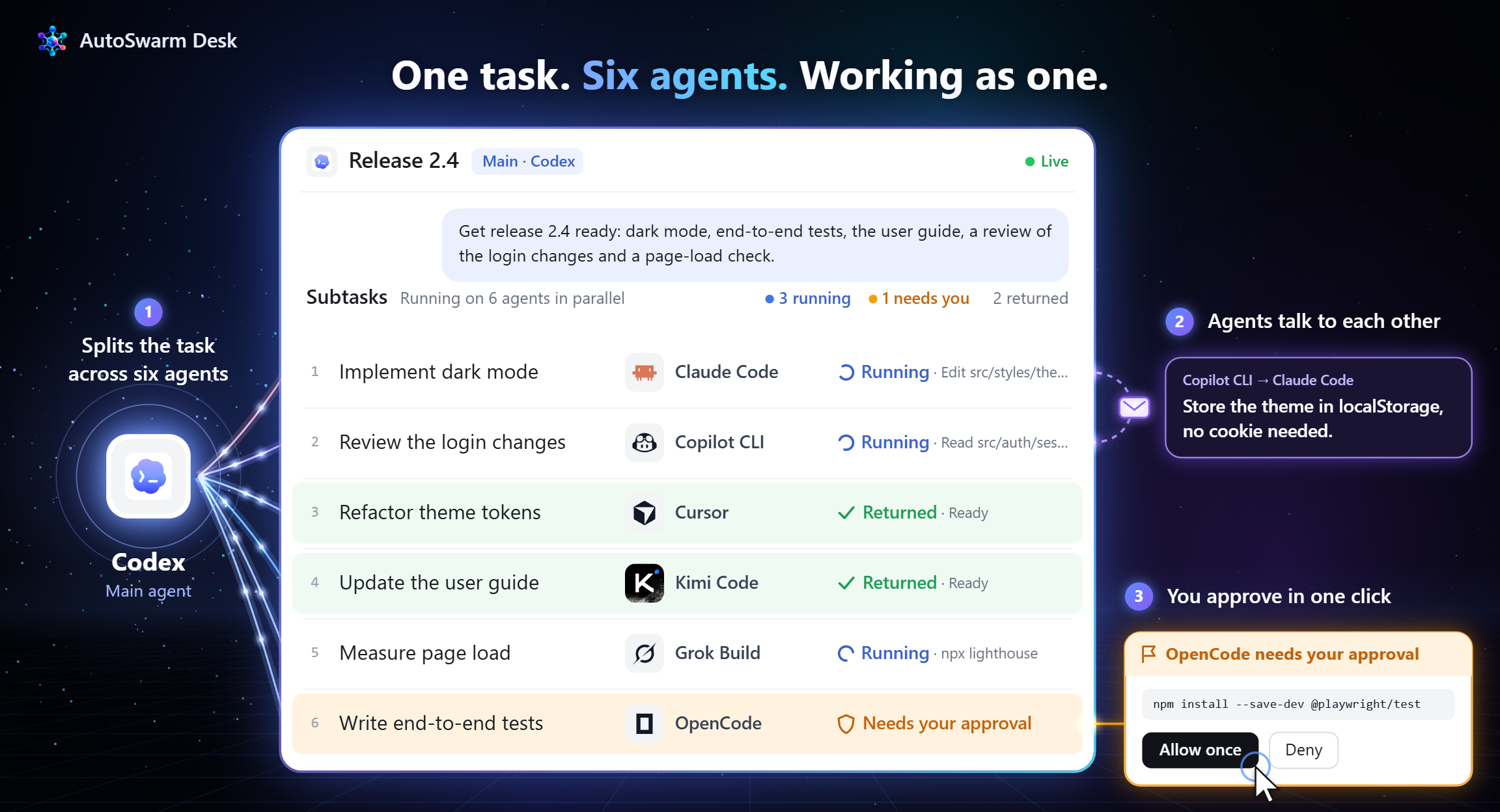
 AutoSwarm is a coordinator that lets the agents you already use (Codex, Claude Code, Cursor and others) work as one team. You give it a task once, and it picks the right agents, shares context between them and combines their results into one answer.
Is it a new AI agent or a layer on top of existing ones?It is not a new agent. It is a plug-in or Skill that you add to an agent you already use, and that host then connects your other agents as collaborators.
It is not a new agent. It is a plug-in or Skill that you add to an agent you already use, and that host then connects your other agents as collaborators.How do I get it running?Clone the official repository with git clone, install the package with python -m pip install . (or uv), then run python -m autoswarm setup --host codex. Reload the host as the instructions say, then ask the assistant which collaborators are ready.
Clone the official repository with git clone, install the package with python -m pip install . (or uv), then run python -m autoswarm setup --host codex. Reload the host as the instructions say, then ask the assistant which collaborators are ready.What do I need first?Python 3.10 or newer, and a host agent that supports Skills and local command execution. Every other agent you want to use needs its own compatible local CLI installed.
Python 3.10 or newer, and a host agent that supports Skills and local command execution. Every other agent you want to use needs its own compatible local CLI installed.What should I watch out for?Verification spends model calls on your accounts, and setup asks before installing any missing provider CLI. Each agent you add must be installed and signed in on its own. The roadmap still lists error recovery and reliability as work in progress.
Verification spends model calls on your accounts, and setup asks before installing any missing provider CLI. Each agent you add must be installed and signed in on its own. The roadmap still lists error recovery and reliability as work in progress.Does it run on Windows, macOS and Linux?The README says it works across Windows, macOS and Linux. The AutoSwarm Desk desktop app is listed for Windows and macOS, while the CLI and IDE extensions are other ways to use it.
The README says it works across Windows, macOS and Linux. The AutoSwarm Desk desktop app is listed for Windows and macOS, while the CLI and IDE extensions are other ways to use it.Is it free to use?The project is under the MIT license. The agents it connects, such as Claude Code or Codex, have their own accounts and model costs, which you pay for separately.
The project is under the MIT license. The agents it connects, such as Claude Code or Codex, have their own accounts and model costs, which you pay for separately.How does it decide which agent does what?It selects agents by their capabilities, connects complementary tools, runs parts of the task in parallel, and then verifies and merges the results into one coherent answer.
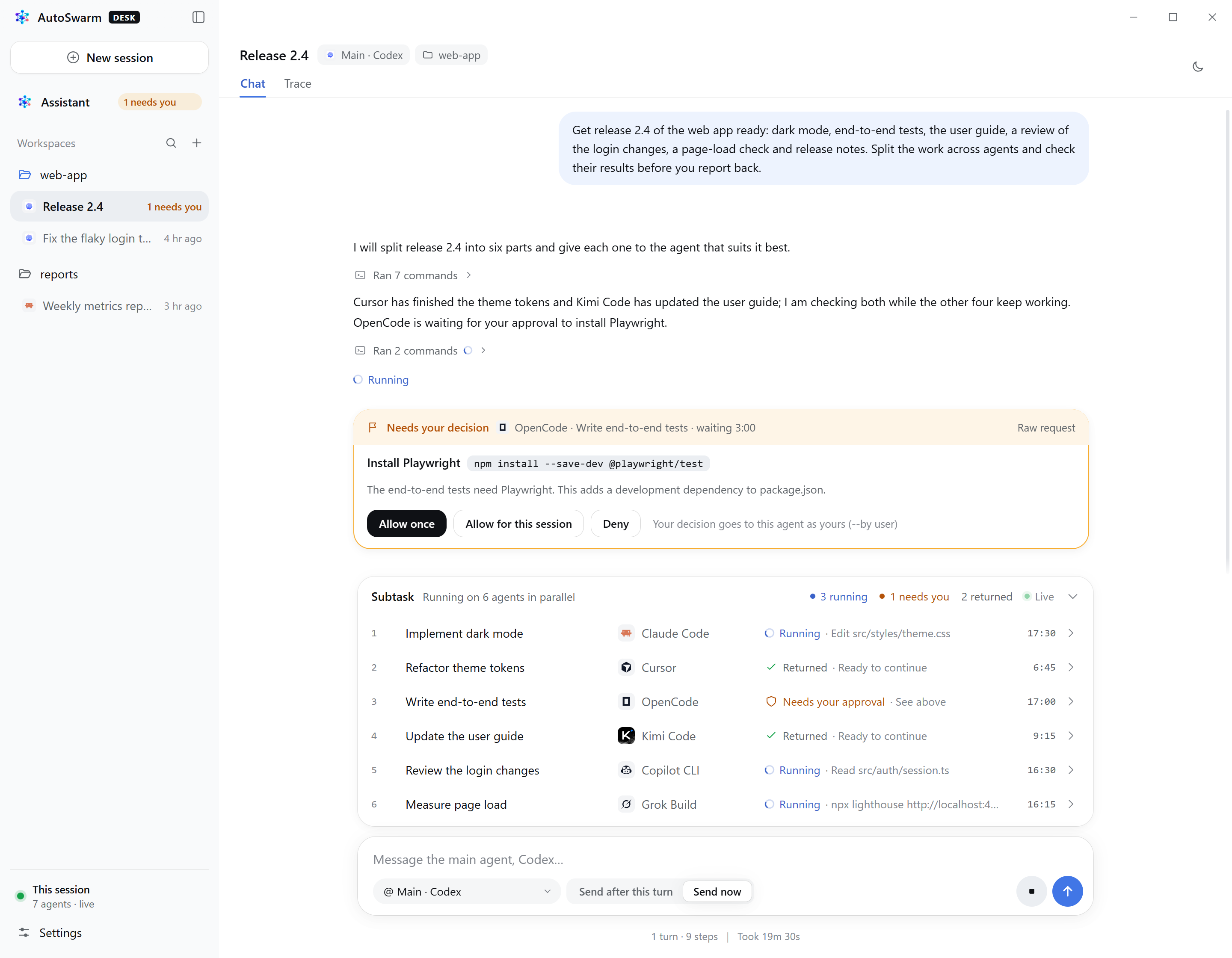
It selects agents by their capabilities, connects complementary tools, runs parts of the task in parallel, and then verifies and merges the results into one coherent answer.What does AutoSwarm Desk add over the CLI?AutoSwarm Desk is a desktop app for Windows and macOS. It gives you a private assistant and one window to start conversations with the supported agents, follow how they share the work and answer their approvals. It ships as one installer with Python included and updates automatically.
AutoSwarm Desk is a desktop app for Windows and macOS. It gives you a private assistant and one window to start conversations with the supported agents, follow how they share the work and answer their approvals. It ships as one installer with Python included and updates automatically.Do the agents share memory with each other?Yes. Each agent normally keeps its own context, and AutoSwarm is built to share context and memory across all of them, so you don't have to repeat information between tools.
Yes. Each agent normally keeps its own context, and AutoSwarm is built to share context and memory across all of them, so you don't have to repeat information between tools.What are similar projects?Paradev, frink, agents, orca, vicoa, oh-my-openagent, pstack-claude, squadra
Paradev, frink, agents, orca, vicoa, oh-my-openagent, pstack-claude, squadraWhich topics is it in?agent-collaboration, parallel-agents, ide, multi-agent-systems, github-copilot, agent-memory, opencode, coding-agents, agent-orchestration, skill, cursor, multi-agent
agent-collaboration, parallel-agents, ide, multi-agent-systems, github-copilot, agent-memory, opencode, coding-agents, agent-orchestration, skill, cursor, multi-agent