What is this?
Handing a go-to-market tool to an agent means digging through docs written for
people: which key to create, which endpoint to call, whether there is an MCP
server, what a call costs. And a growth play that works usually lives in
someone's notes, where no agent can run it.
growth.engineer writes both down as markdown files an agent can follow:
| Entry |
Example key |
What the file holds |
| Company |
apollo |
Who the company is and how an agent reaches it: MCP server, CLI or API, and the credential each one needs. |
| Tool |
apollo/enrich-person |
One function an agent can call: the exact MCP tool, CLI command or API endpoint, and the docs page that names it. |
| Workflow |
funding-signal-outbound |
Up to ten steps across tools that reach a result: the one motion it serves, the outcome the user gets, the inputs to ask for, how to set up each tool, and the steps. |
Paste a workflow file into Claude, ChatGPT, Cursor or any other agent and it
can run the play. The file tells the agent to ask before it sends a message,
spends money or changes data.
Facts come from each vendor's own documentation, and every tool links the page
that documents its call.
Connect your agent
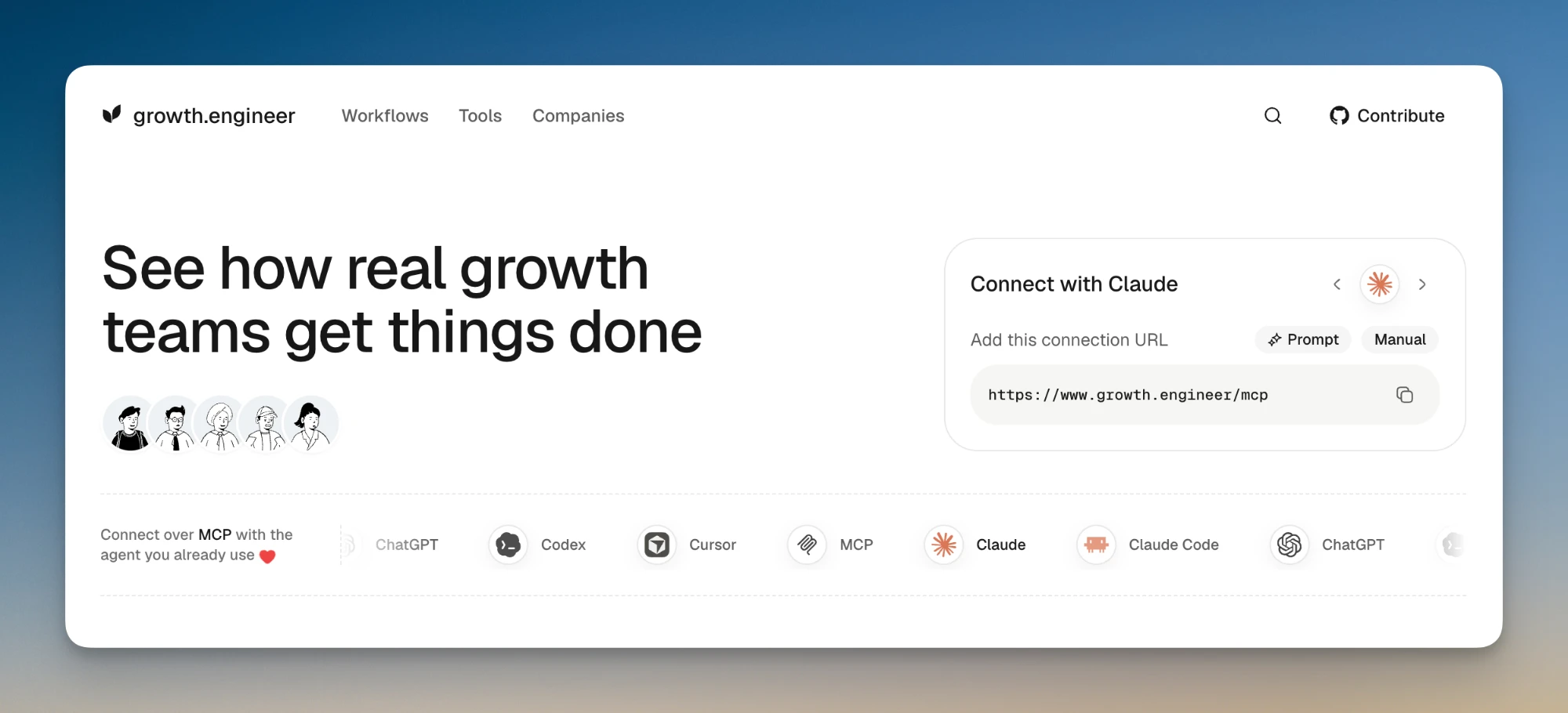
The site runs an MCP server at https://www.growth.engineer/mcp
(Streamable HTTP, no sign-in). Its search tool finds workflows, tools and
companies, and get returns a file; neither changes anything. A third tool,
submit_feedback, sends a bug report, request or question to the
maintainers. Every workflow is also an MCP prompt that
takes the workflow's inputs as arguments, and three more prompts
(contribute-workflow, contribute-tool, contribute-company) walk an agent
through adding to the catalog.
| Client |
How to add it |
| Claude |
Settings → Connectors → Add custom connector, then paste the URL. |
| Claude Code |
claude mcp add --transport http growth-engineer https://www.growth.engineer/mcp |
| ChatGPT |
Settings → Apps & Connectors → Advanced settings, turn on Developer mode, then Create. Paste the URL and pick No authentication. |
| Codex |
In ~/.codex/config.toml, add a [mcp_servers.growth-engineer] table with url = "https://www.growth.engineer/mcp". |
| Cursor |
In mcp.json, add "growth-engineer": { "url": "https://www.growth.engineer/mcp" } under mcpServers. |
Or fetch the files
Every file is public. There is no key and no sign-in.
| URL |
Returns |
/workflows/<name>.md |
A workflow, ready to paste into an agent |
/tools/<company>/<name>.md |
One tool |
/companies/<handle>.md |
A company and its tools |
/tags/<namespace>/<slug>.md |
Everything with a tag, such as /tags/capability/enrich-contacts.md |
/llms.txt |
The catalog's definitions and an index of every file |
/llms-full.txt |
Every company, tool and workflow file in one document |
/sitemap.xml |
Every page, with the date it last changed |
A company, tool or workflow page also returns its file to a request with
Accept: text/markdown.
# A workflow file
curl https://www.growth.engineer/workflows/funding-signal-outbound.md

# The same file, by content negotiation
curl -H 'Accept: text/markdown' https://www.growth.engineer/workflows/funding-signal-outbound
Contribute
The catalog lives in this repository, and every addition or fix is a pull
request.
Check your work before you open the pull request. CI runs the same check.
pnpm content:check # every problem in the catalog, each with its file
CONTRIBUTING.md covers the few rules worth knowing first.
How it works
There is no backend and no database. At build time, a compiler in
lib/content/ reads every file, validates it against a strict schema and
resolves every reference. One renderer turns each company, tool and workflow
into the file agents fetch, and Next.js prerenders every page from the same
data. Deploying the site publishes the catalog.
companies/  workflows/  tags.yml
        │
        ▼
lib/content/                     read, validate, resolve, derive
        │
        ▼
lib/catalog/render-markdown.ts   one renderer, golden-tested
        │
        ├─▶ pages, prerendered at build
        ├─▶ .md files, /llms.txt, /llms-full.txt
        └─▶ /mcp, the MCP server
The one runtime store is optional: an Upstash Redis that counts how often each
workflow is copied, for its "Uses" and the Hot and Popular lists. Without it,
the counts are hidden.
Visits are measured with Vercel Web Analytics and Speed Insights, and AI
crawlers and AI-referred visits with Notra. See
docs/setup.md.
Project layout
growth-engineer/
├─ companies/<handle>/    company.md and tools/<name>.md (logos live on the CDN)
├─ workflows/<name>.md    one file per workflow
├─ tags.yml               the tag vocabulary
├─ app/                   Next.js routes: pages, .md files, /mcp, llms.txt, sitemap
├─ components/            layout, catalog lists, detail pages, UI primitives
├─ lib/
│  ├─ content/            the build-time compiler
│  ├─ catalog/            keys, the markdown renderer, search, loaders
│  ├─ mcp/                the MCP server's tools and prompts
│  ├─ seo/                metadata, structured data, llms.txt
│  └─ usage/              the optional copy counter
├─ tests/                 Vitest: golden files, the content suite, schema checks
├─ docs/                  architecture, data model, file format, setup
└─ .agents/skills/        add-workflow, research-company
Local development
Prerequisites: Node 22+ and pnpm 11 (corepack enable installs the pinned
version).
pnpm install
pnpm dev             # http://localhost:3000
Edits to companies/, workflows/ and tags.yml show on the next refresh.
Add .md to a company, tool or workflow URL to see the file an agent gets.
Nothing needs configuring. .env.example lists the optional
variables:
| Variable |
Used for |
NEXT_PUBLIC_SITE_URL |
The origin printed in /llms.txt and page metadata. On Vercel it defaults to the deployment's hostname. |
KV_REST_API_URL, KV_REST_API_TOKEN, KV_REST_API_READ_ONLY_TOKEN |
The copy counter. Without them, the counts are hidden. |
GITHUB_TOKEN |
The star count in the header. Without it, GitHub allows 60 unauthenticated requests an hour. |
NOTRA_GEO_TOKEN |
AI-traffic analytics: the proxy reports AI crawlers and AI-referred visits to Notra. Without it, nothing is sent. |
Scripts
| Script |
Does |
pnpm dev |
Starts the dev server |
pnpm content:check |
Parses, validates and renders the whole catalog |
pnpm check |
Biome and a fast typecheck |
pnpm test:run |
The unit suite, including the content checks |
pnpm tsc / pnpm lint |
The full typecheck and lint |
pnpm build |
Production build |
pnpm validate |
Lint, typecheck and tests together |
pnpm hygiene |
Docs links, the content tree, unused code, duplicate dependencies |
Heavy commands wait their turn behind a lock, so several worktrees can run
checks without running out of memory. See
docs/maintainers/validation.md.
Deploy
The site runs on Vercel with the settings in vercel.json.
Every page and file is generated at build time, so merging to main publishes
the catalog. docs/setup.md has the details.
Docs
License
MIT © Brew






 growth.engineer —— 一个开源的 go-to-market 工具与打法目录,全部以 markdown 文件编写,任何 AI 智能体都能直接执行:包括公司信息、每个公司可调用的功能,以及把这些功能串成成果的工作流。