
LayerFS
Ephemeral Workspaces. Durable Shared History.
LayerFS is the substrate under your agents. Each one mounts a complete, writable
Workspace over shared committed history, does its work, commits what it changed,
and goes away.
Get started ·
Website ·
Docs ·
Benchmarks ·
Video ·
LayerFS × DSH ·
Community




[!NOTE]
LayerFS 2.0.0 development happens on the
layerfs_v2_0_0 branch.
Check there for the latest 2.0.0 work.
https://github.com/user-attachments/assets/70c25887-86a1-4d81-bd78-571cf1c09a18
Status: LayerFS 1.1.0,
released as source: the JavaScript API split into @layerfs/agent, @layerfs/backend
and @layerfs/runtime under api/, plus the layerfs command. It breaks
code written for 1.0.0; see the release record.
The results below are 1.0.0's, measured on main at e5c7aaae05. The Store runs in its Disposable profile only, with no
crash or power-loss durability: use LayerFS for agent work and its history, not
as the only copy of data you cannot rebuild.
Since 1.1.0, LayerFS also supports native Windows dsh Live through WSL2 and its own Linux Docker Engine; see the Windows setup.
Try it with LayerFS × DSH
LayerFS runs today through LayerFS × DSH, the dsh-layerfs plugin for
DeepSeek Harness. Agents in a dsh
session fork Branches, test them in Sandboxes, merge and publish, and the Work and
History tabs show every agent's Branch, live.

Core ideas
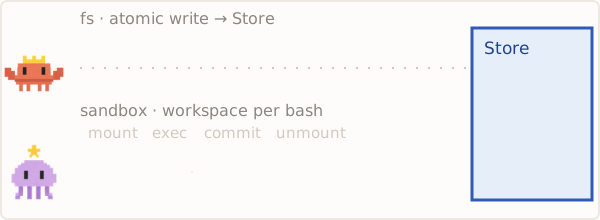
 01 · Ephemeral Computing
Compute exists only while a command runs.
|
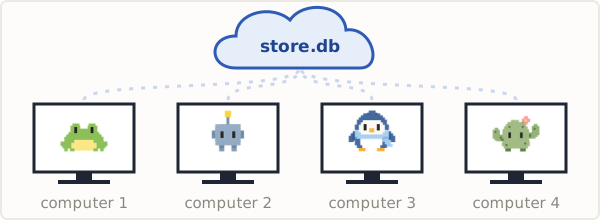
 02 · Decentralized Agents
Agents on different computers share one serverless Store.
|
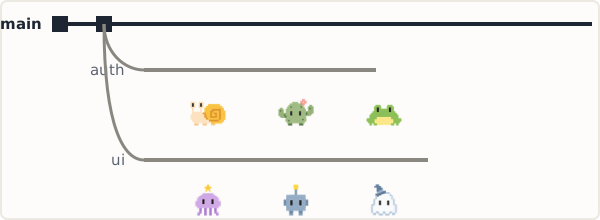
 03 · Multiagent Coordination
One project, many Branches. One Branch, many agents.
|
 04 · Recursive Filesystem
Fork recursively any Commit, at any depth.
|
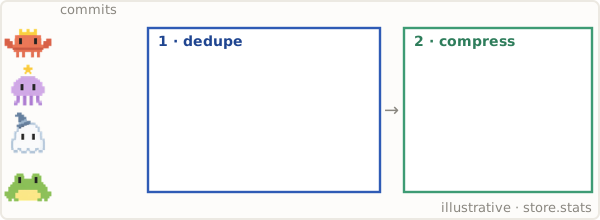
 05 · Ultra Storage Optimization
157 snapshots of a real project in 100 MB, 19.9× smaller than Btrfs + zstd.
|

 06 · Instant Bootstrap
Dependencies come with every mount. No time lost reinstalling.
|
And underneath them
See it run
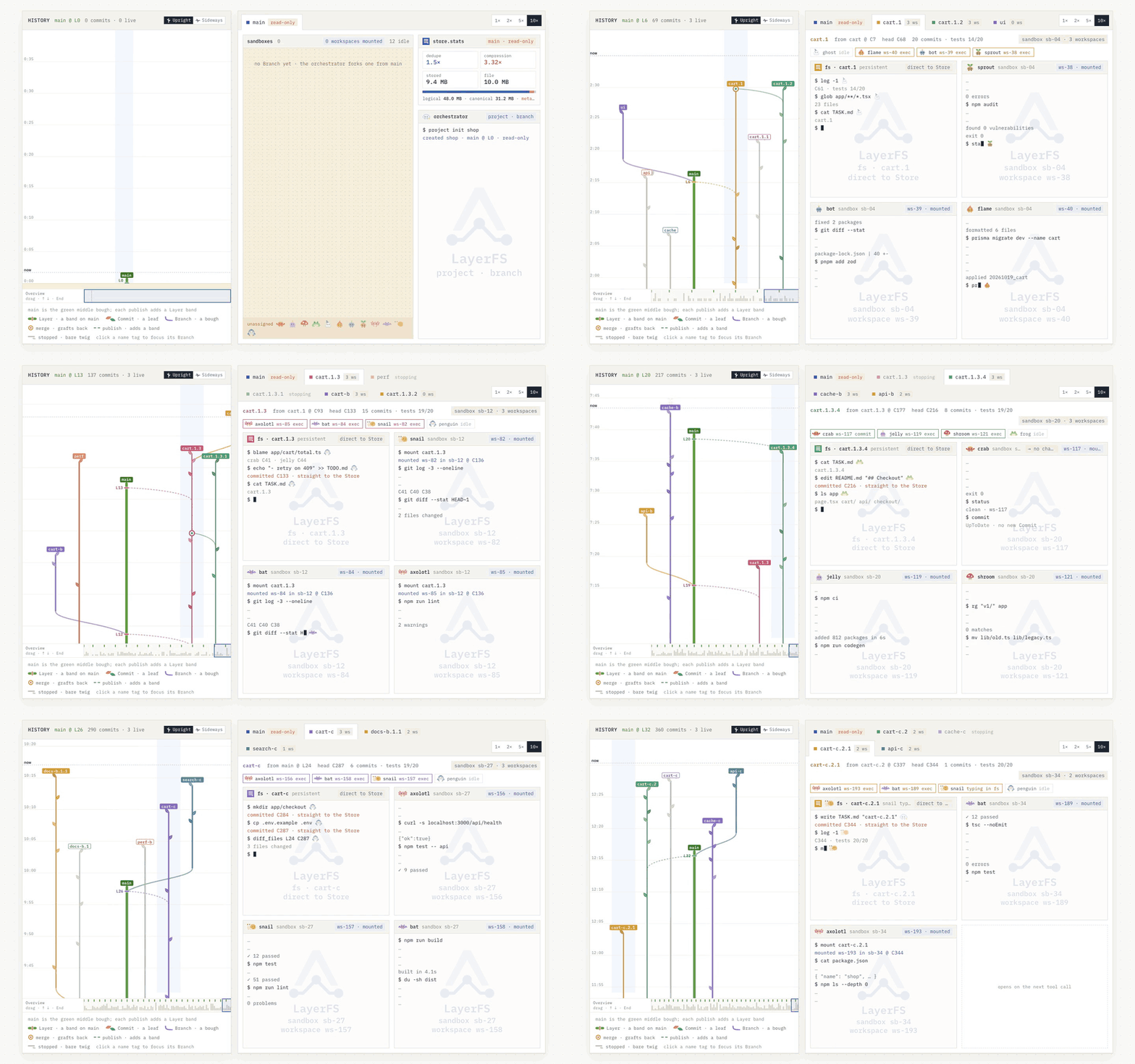
Agents fork Branches, work in Workspaces inside Sandboxes, commit, merge and publish to main. The history grows as they go.
Results
Every suite ran once on main at e5c7aaae05 through the JavaScript SDK. Each
row links to its method, environment and receipts.
| Suite |
What it measures |
LayerFS 1.0.0 |
| fs-bench |
Cloudflare Computer's own twelve-scenario filesystem benchmark, unchanged, same image |
5.20 s vs 8.88 s, 1.71× faster; faster in 10 of 12 scenarios |
| dsh-dedup |
A real project's history, 157 snapshots (4.94 GB of trees), kept as mountable Commits |
100.1 MB vs 1,994.6 MB, 19.9× smaller than Btrfs + zstd; 156/156 read back |
| pjdfstest |
POSIX conformance, 8,798 assertions, against kernel overlayfs |
0 unexpected failures; keeps 76% of overlayfs's passes, every other failure a deliberate format limit |
| fsx |
Random reads, writes, mapped I/O and truncates, every byte checked |
14/14 pass, 3.06 M ops, 0 miscompares |
| fsstress |
Four concurrent processes, then Commit, remount and compare |
3,755/3,755 entries identical; 5.21 GB captured by one Commit in 4.9 s |
| smallfile |
100,000 files of 4 KiB, four threads, against libfuse passthrough |
Faster in 9 of 9 operations, 1.27×–10.71× |
| mdtest |
Metadata create, rename and remove, against libfuse passthrough |
0.86–1.28× with 1 process, 1.21–4.22× with 4 |
| fio |
Data I/O bandwidth, against libfuse passthrough |
Random read/write mixes 1.49–2.23×; slower on sequential write (0.31×), sequential read (0.81×) and random write (0.40×) |
One sample per case, seed 1, no best-of. Host: arm64 Mac, Docker Desktop
linux/arm64, 8 CPUs, 8.3 GB; host load is recorded per suite. These are release
measurements, not a guarantee for your workload. Earlier fs-bench-pro results:
v0.1.4 ·
v0.1.5 ·
v0.1.6.
How it works
agent tool call
 ├─ file tool (read, write, edit, grep …) ── SDK, in process ──────► Store
 └─ Bash ── mount ─► exec ─► commit ─► unmount                       ▲
             └─ Workspace: FUSE view in a Sandbox's daemon ───────────┘
                (committed root + its own overlay)
- Store. One SQLite file holds every Branch, Commit and content object. Each
daemon and SDK process opens it directly; there is no database server.
- Branch, Commit, Layer. A Branch is a writable line of Commits. Publishing a
Branch to
main adds a Layer. Content is chunked and stored once.
- Workspace. A mount binds the whole committed tree without copying it. Writes
go to the Workspace's own overlay until a Commit saves them. Unmount deletes
the overlay, never history.
- Conflict. Two Commits that change the same file are refused with
Conflict, unless a .lww rule says the newest edit wins. Publishing a
stale Branch is different: it may skip newer main Layers; merge main into
the Branch first (publish semantics).
Prior art
LayerFS builds on well-known ideas: layered and union filesystems, copy-on-write
snapshots, content-addressed storage and throwaway execution environments. What
it adds is putting them together for agents: every tool call gets a full
writable tree, and every result becomes a Commit on a Branch in one shared Store.
| Prior work |
What it shares with LayerFS |
Where LayerFS differs |
| overlayfs, UnionFS, container image layers |
A read-only lower tree with a writable upper layer, which is also where the "layer" name comes from |
The upper layer is not just thrown away or kept as a directory: Commit turns it into an immutable snapshot on a Branch, with history, merge and Conflict. overlayfs is in the kernel and more complete; LayerFS's FUSE view deliberately omits FIFOs, sockets, device nodes, set-id bits and separate atime/ctime (pjdfstest) |
| Btrfs and ZFS snapshots, reflinks |
Cheap copy-on-write snapshots that share unchanged data |
Sharing is by content, not by extent, so a file that is rewritten in full still stores only its new chunks. On a small-file history of 157 snapshots that gives 19.9× less space than Btrfs + zstd. Btrfs and ZFS also stay cheap for in-place edits of large files, and they are durable, mature kernel filesystems; LayerFS is not (why Btrfs used more space here) |
| Git worktrees |
One repository, many working copies and branches |
A Workspace holds the whole tree, including .git, ignored files, dependencies and build output, so a new mount needs no reinstall. Commits happen per tool call, not when someone runs git commit |
| try |
Run a command against an overlay of your system, then inspect, apply or discard what it changed |
try works on one machine with one overlay at a time. LayerFS keeps every result as a Commit, and lets many agents branch from any of them and share one Store |
| Apiary and virtual layered file systems (Potter and Nieh, USENIX ATC 2010, LISA 2011) |
Ephemeral containers that start instantly over shared layered filesystems |
Apiary isolates desktop applications. LayerFS's target is agent tool calls whose results are kept, branched and merged as history |
Use something else if you need crash or power-loss durability (the Store runs
in its Disposable profile only), full POSIX node types, or top sequential I/O
bandwidth (fio). For a few long-lived
checkouts on one machine, Btrfs snapshots or Git worktrees may be all you need.
Learn more
Questions, ideas and show-and-tell are welcome in either place.
License
LayerFS is licensed under the MIT License.





 LayerFS 是为 AI 智能体打造的文件系统:每个智能体都能获得一个完整、可写的工作区,所有工作区都挂载在同一份已提交的历史记录之上,且无需复制基础数据。因此智能体可以并行工作、为自己的修改设置检查点,之后还能分支、回退或合并。