


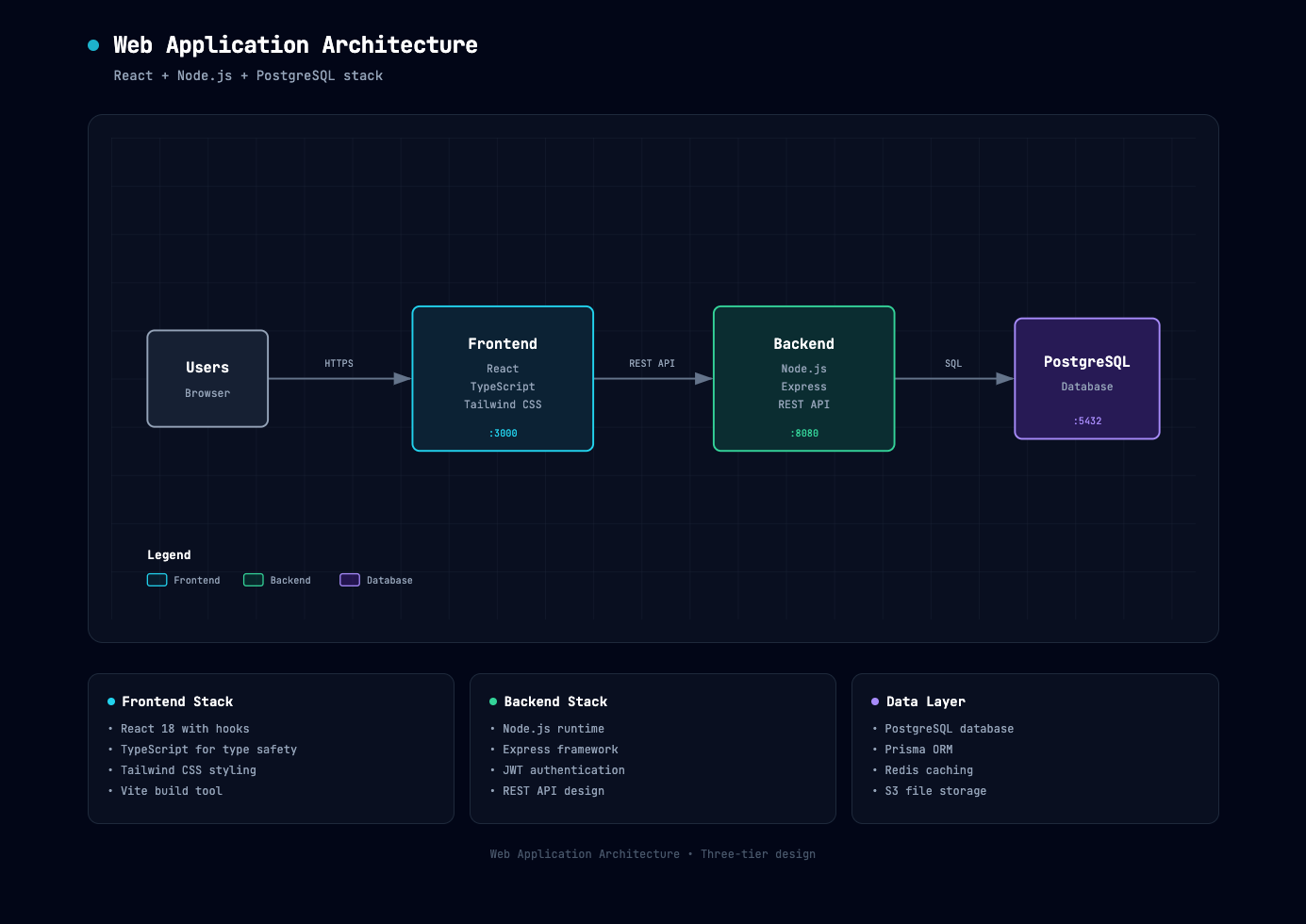
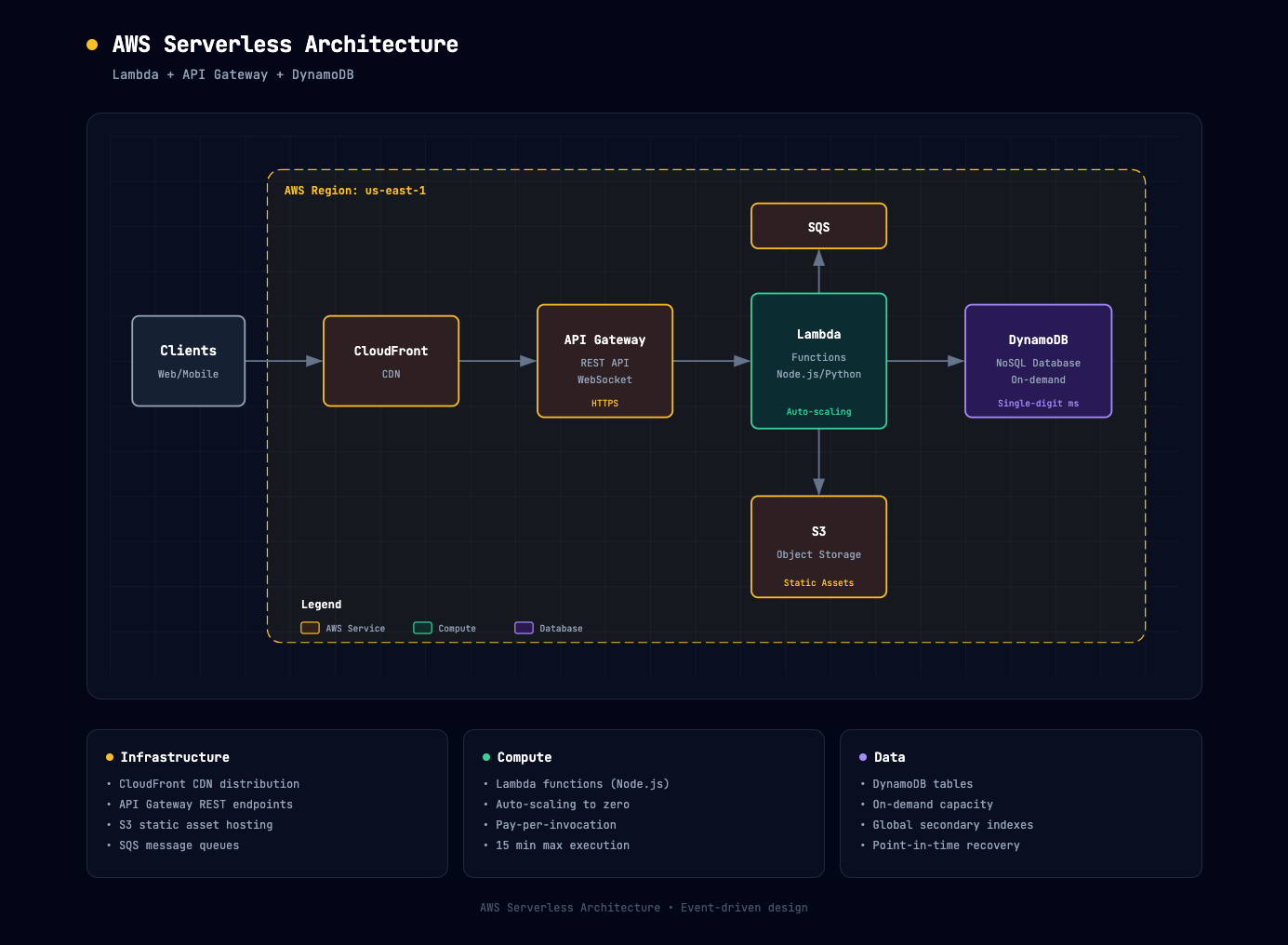
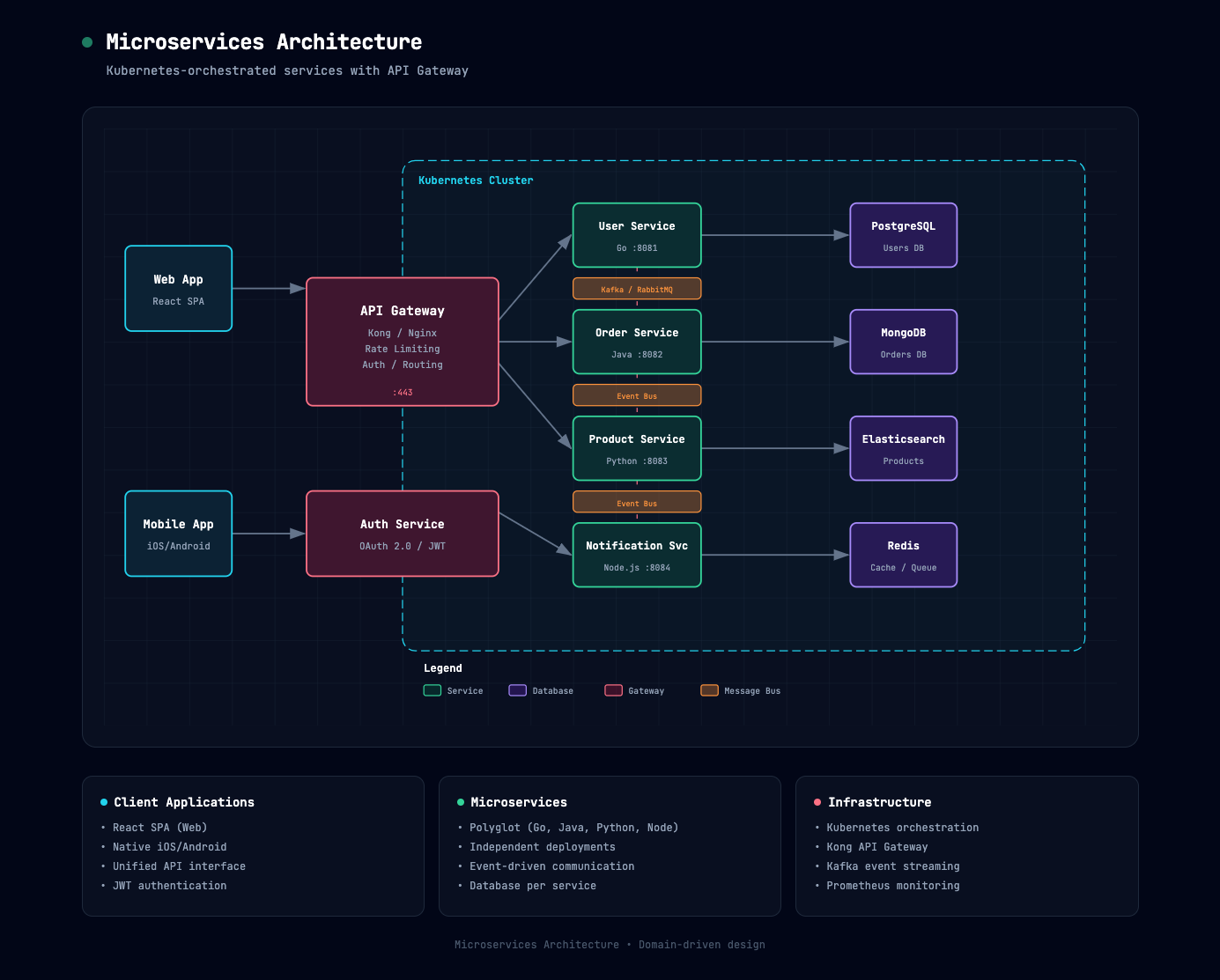
What is this?
 It's a Claude AI skill that turns a plain-English description of your system into a beautiful, dark-themed architecture diagram, rendered as a standalone HTML/SVG file you can open in any browser.
It's a Claude AI skill that turns a plain-English description of your system into a beautiful, dark-themed architecture diagram, rendered as a standalone HTML/SVG file you can open in any browser.Is this a standalone app or something I install into Claude?It's a Claude Skill package (a zip file) that you upload into claude.ai, Claude.ai Projects, or Claude Code CLI — not a separate application.
It's a Claude Skill package (a zip file) that you upload into claude.ai, Claude.ai Projects, or Claude Code CLI — not a separate application.How do I install and use this skill?Download architecture-diagram.zip, go to Customize → Skills on claude.ai, create/upload the skill from the zip, toggle it on, then describe your system (or paste codebase analysis) and ask Claude to generate the diagram.
Download architecture-diagram.zip, go to Customize → Skills on claude.ai, create/upload the skill from the zip, toggle it on, then describe your system (or paste codebase analysis) and ask Claude to generate the diagram.What do I need before I can use it?You need a claude.ai account on any plan (Free, Pro, Max, Team, or Enterprise) with Code Execution enabled in Settings → Capabilities before uploading custom skills.
You need a claude.ai account on any plan (Free, Pro, Max, Team, or Enterprise) with Code Execution enabled in Settings → Capabilities before uploading custom skills.Can I edit the diagram after it's generated?Yes — you iterate entirely through chat, asking Claude to add components, change layouts, update styles, or fix issues, and the HTML file updates accordingly; there's no separate visual editor.
Yes — you iterate entirely through chat, asking Claude to add components, change layouts, update styles, or fix issues, and the HTML file updates accordingly; there's no separate visual editor.How does the color coding work in generated diagrams?Each component type gets a fixed semantic color: cyan for frontend, emerald for backend, violet for database/storage, amber for cloud/AWS, rose for security, and slate for generic external systems.
Each component type gets a fixed semantic color: cyan for frontend, emerald for backend, violet for database/storage, amber for cloud/AWS, rose for security, and slate for generic external systems.Is there a related skill for workflows instead of architecture?Yes — a sister skill called process-flow-diagram-generator uses the same dark design language but for step-by-step flows like approval processes, runbooks, and automation pipelines.
Yes — a sister skill called process-flow-diagram-generator uses the same dark design language but for step-by-step flows like approval processes, runbooks, and automation pipelines.What font and visual style does the output use?Diagrams use JetBrains Mono typography on a slate-950 (#020617) background with a subtle 40px grid pattern, and arrows are drawn first so they render cleanly behind component boxes.
Diagrams use JetBrains Mono typography on a slate-950 (#020617) background with a subtle 40px grid pattern, and arrows are drawn first so they render cleanly behind component boxes.What are similar projects?live-panel-skill, system-atlas, drawio-skill, d2, archify, draw-architecture, diagram-design, answer-me-with-html
live-panel-skill, system-atlas, drawio-skill, d2, archify, draw-architecture, diagram-design, answer-me-with-htmlWhich topics is it in?dark-theme, diagramming, architecture-diagram, diagram, claude-skill, no-code, dark-mode, architecture, svg, visualization, claude-skills, skill
dark-theme, diagramming, architecture-diagram, diagram, claude-skill, no-code, dark-mode, architecture, svg, visualization, claude-skills, skill