
Kelivo
An open-source LLM client for mobile and desktop.
Use every major model in one app, give it a workspace to get real work done, and keep your data on your own device.








Website · User Guide · Download · Report an Issue
English · 简体中文
💡 Overview
Kelivo is a cross-platform LLM client built with Flutter for Android, iOS, macOS, Windows and Linux. Connect your own API keys or sign in with a supported subscription, and switch between OpenAI, Gemini, Claude, DeepSeek, OpenRouter and any OpenAI-compatible service without switching apps.
Kelivo goes beyond chat. Models can search the web, call MCP servers, follow skills and remember what matters to you. Bind a conversation to a workspace and the model can read and edit files and run commands: inside a Linux sandbox on your phone, or in a native shell on your computer.
Conversations, settings and files are stored locally. Kelivo has no account system of its own; back up to WebDAV or S3-compatible storage whenever you choose.

STA1N API🍪
|
Thanks to STA1N API🍪 for sponsoring Kelivo! An API service focused on roleplay (RP) and character chat. |

10dian-API
|
Thanks to 10dian-API for sponsoring Kelivo! 10dian-API provides secure, fast and stable API services for developers and AI enthusiasts, with transparent, affordable pricing and a focus on user experience. It promises 100% genuine models with no substitution. One key to unlock a world of AI! |

随想AI中转
|
感谢随想AI中转对本项目的赞助!随想AI中转 是一家可靠高效的 API 中继服务提供商,提供 Claude、Codex、Gemini 等的中继服务。注重隐私的中转站·无数据倒卖·无模型掺水,隐私,透明,极速售后。新账户注册每日签到就送 0.5 元测试额度,充值额度 1:1,无需订阅,按量付费。多线路冗余、跨区域容灾、自动故障切换,长链路 SSE 不中断。99.9% 可用性,关键调用从不掉队。 |
|
MaruCode 是一家偶尔做做慈善的小破站 API,自营号池,主要提供 Codex、Claude Code、GPT Image 等主流模型,支持 Websocket 协议,明码标价(Codex 0.25x, CC 1.5x),透明汇率(1:1),新用户注册送 2 刀。生图工作台🖼️ |
|
砂糖酒馆
|
Thanks to 砂糖酒馆 for sponsoring Kelivo! Focused on character chat with transparent, per-request pricing. Offers mainstream text models including Gemini, Claude, DeepSeek and GLM, plus NAI image generation, TTS and video models. Prioritizes privacy, with no data reselling or model substitution, and a 1:1 recharge credit ratio. Purchase credits. |
If Kelivo is useful to you, you can also support the project on WeChat.
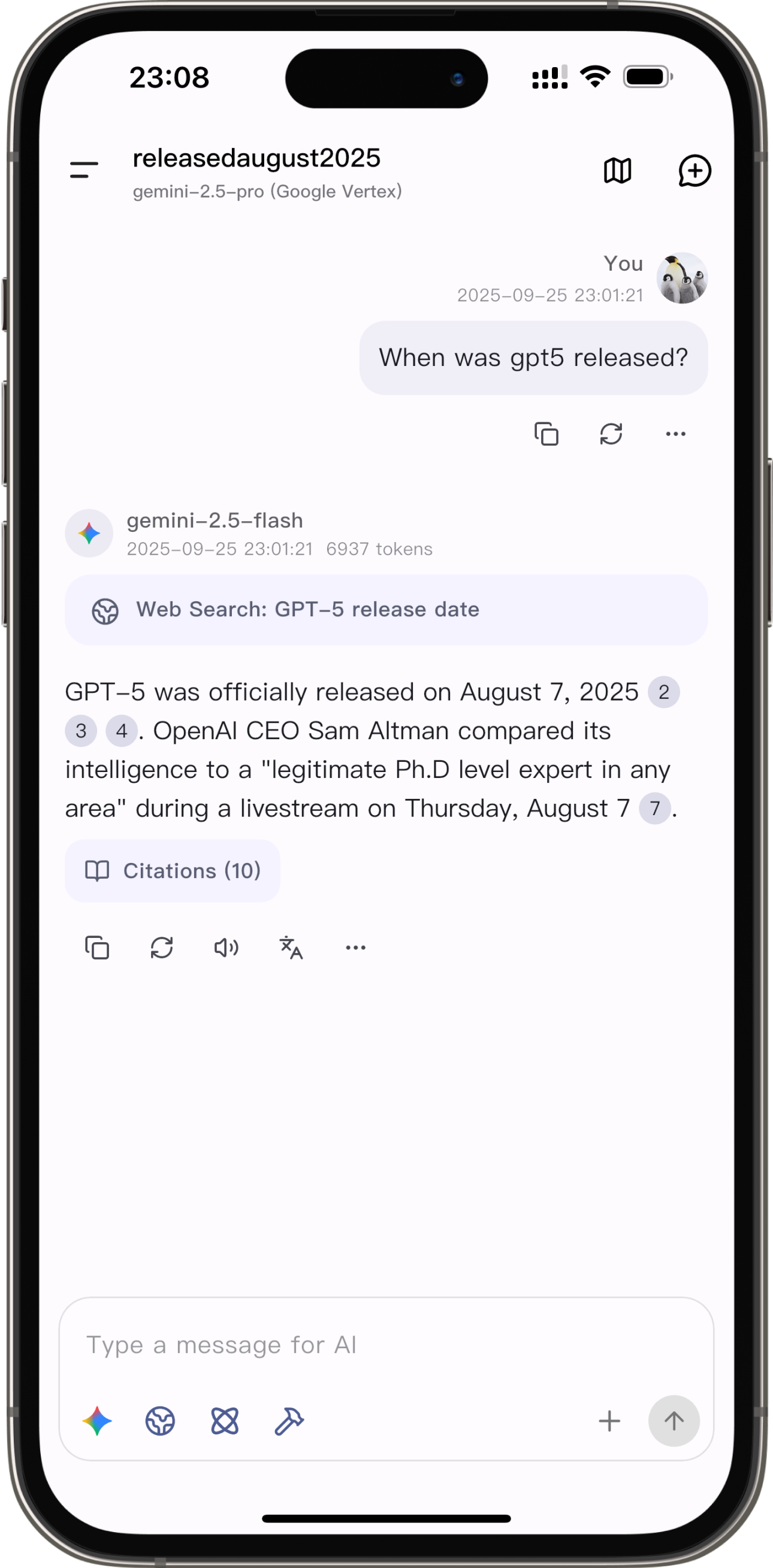
📸 Screenshots
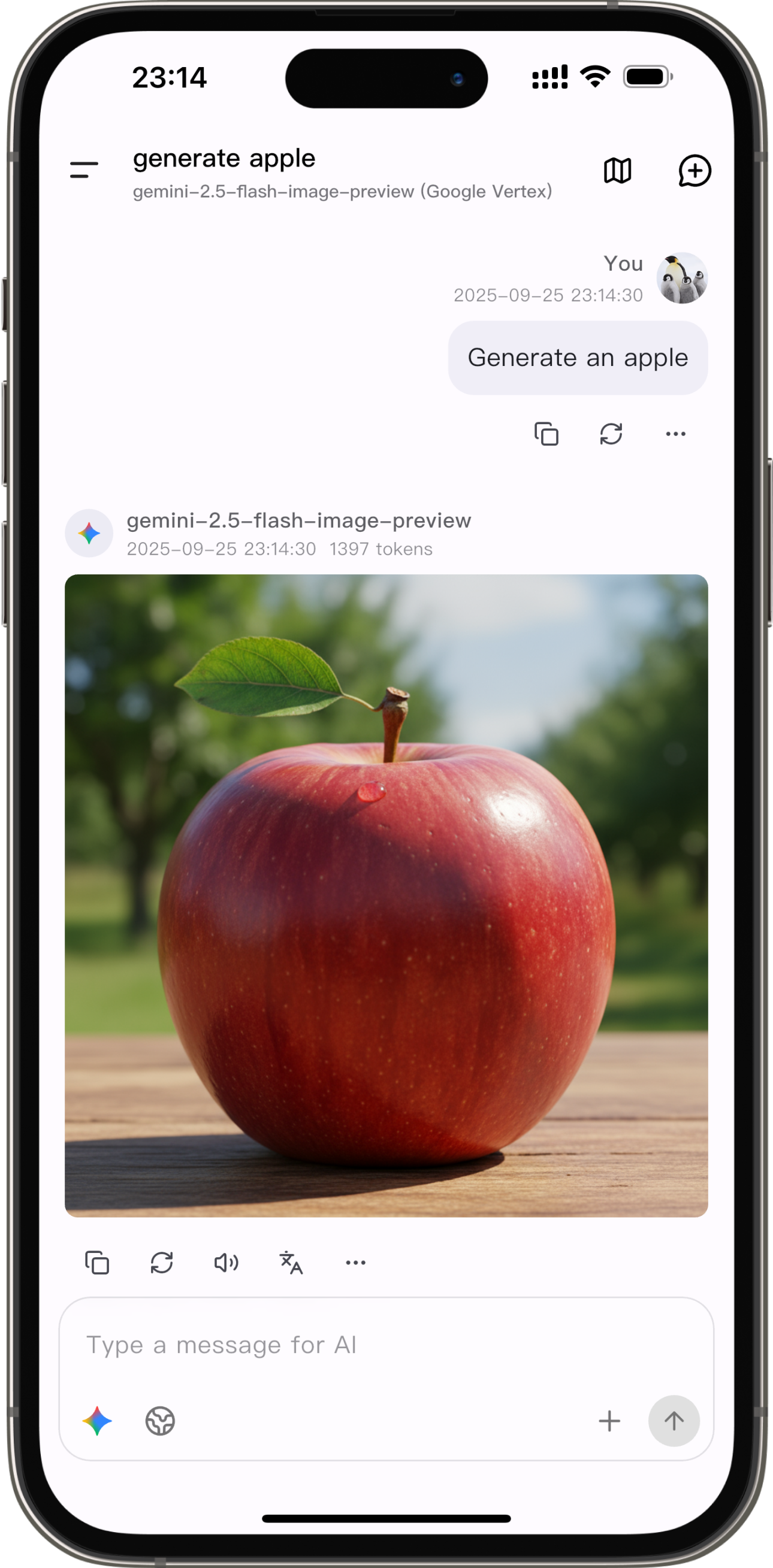
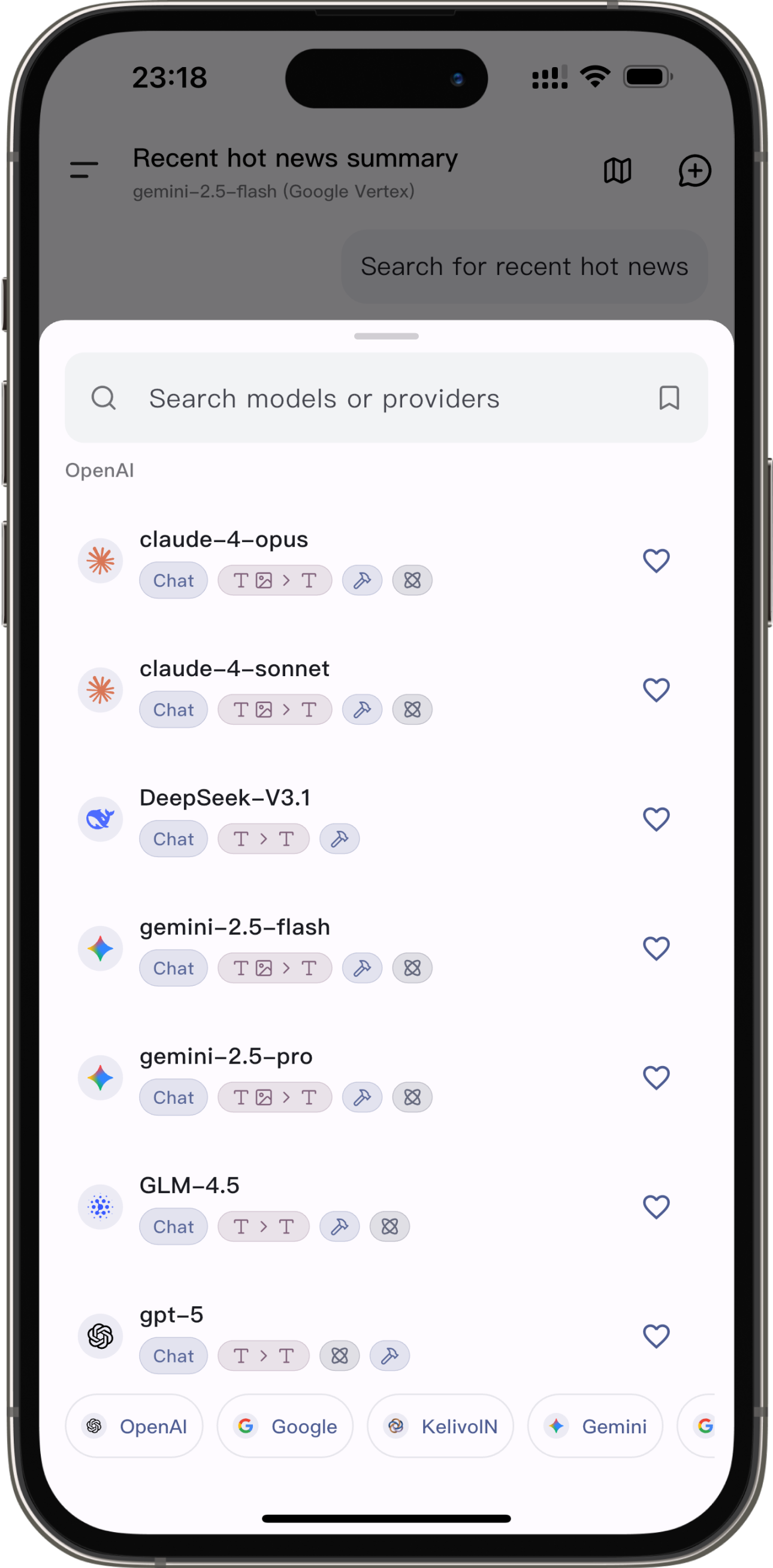
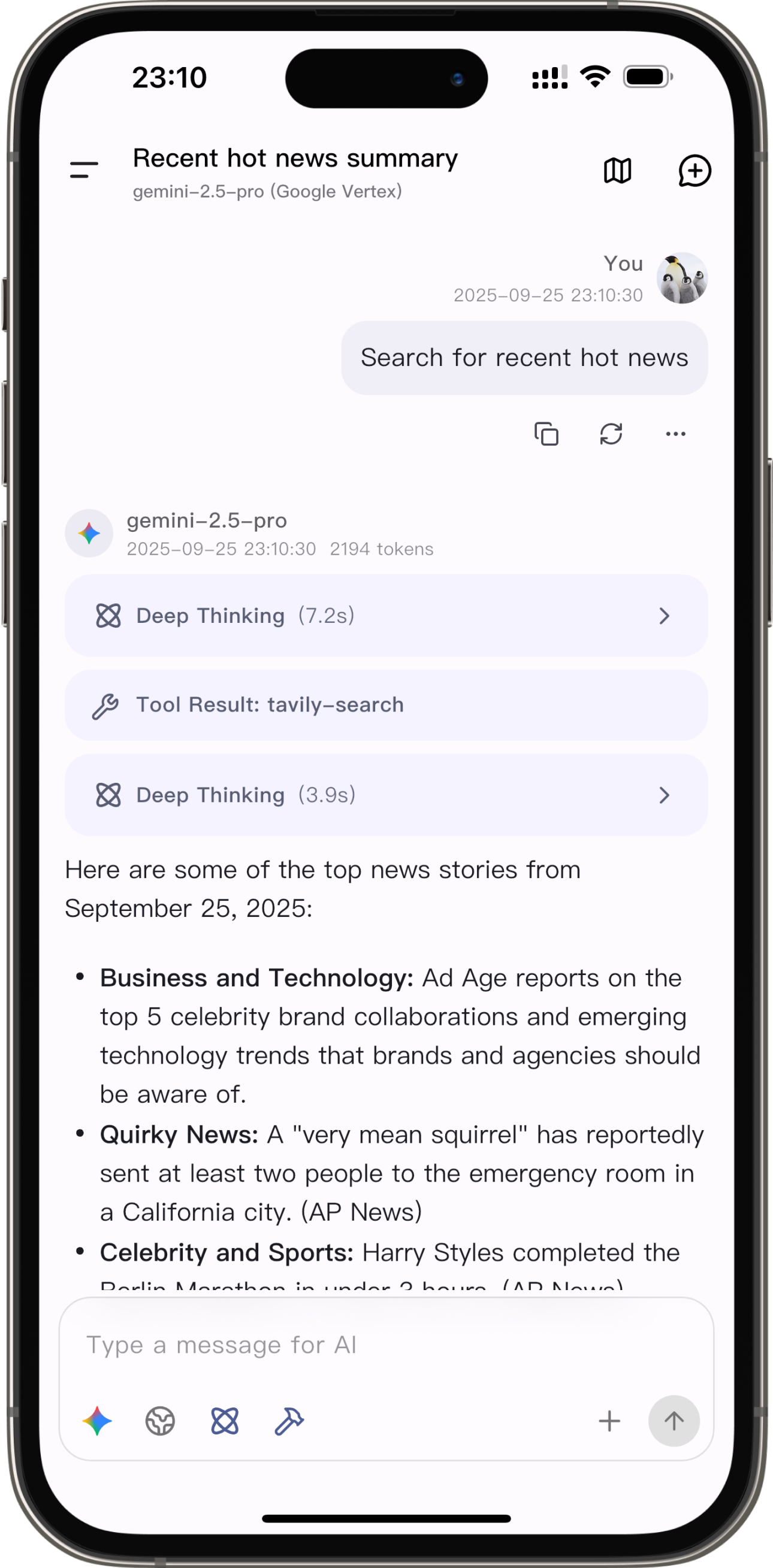
🚀 Download
The download page on the website lists the same builds.
🧭 Getting Started
- Add a model provider. Open Settings → Providers, enter an API key for a preset provider or add your own endpoint, then fetch its model list. To use a ChatGPT, Grok or Kimi Code account instead, sign in from the Accounts tab under Add Provider.
- Start a conversation. Select a model from the input bar. Turn on web search, MCP servers, tools or reasoning for the current chat from the same bar.
- Let the model work with files (optional). Open Settings → Workspace & environment and create a workspace, then bind it to a conversation from the chat. On Android and iOS, install the Linux environment on the same page first; the iOS environment is bundled with the app, so nothing is downloaded.
The User Guide (Chinese) covers providers, memory, world books and more.
✨ Features
🧠 Models and Providers
- Native protocols: OpenAI Chat Completions and Responses API, Google Gemini and Vertex AI, and Anthropic Claude, plus any OpenAI-compatible endpoint, including self-hosted models.
- Built-in presets for OpenAI, Gemini, Claude, DeepSeek, OpenRouter, SiliconFlow, Alibaba Cloud, Zhipu AI, xAI, ByteDance and more.
- Account sign-in: use a ChatGPT (Codex), Grok or Kimi Code account directly. Kelivo syncs the available models and shows your usage limits.
- Model capabilities: set input and output modalities, tool use and reasoning per model. Choose a reasoning level from off to maximum, or set a custom token budget.
- Provider-side tools, where supported: native web search, URL context, code execution, code interpreter and image generation.
- Multiple API keys per provider, with round-robin, priority, least-used or random load balancing and automatic error tracking.
- Request control: custom headers and request body at the provider, model or assistant level; HTTP, HTTPS or SOCKS5 proxy per provider; Claude prompt caching; balance lookup; automatic retry with exponential backoff.
- Organization and sharing: group providers, and share or import provider configurations as a QR code or text.
🤖 Agent and Workspaces
- Workspaces: bind a conversation to a workspace to give the model eight tools:
shell, read_file, view_image, write_file, edit_file, list_dir, glob and grep. Command output streams live, file edits appear as diffs, and file access outside authorized folders and desktop commands ask for approval. A conversation can explicitly enable Full access to skip ordinary tool approvals, including MCP and supported local actions.
- A Linux sandbox on your phone: Android runs Ubuntu, Debian or Alpine Linux through PRoot, or a rootfs image you import. iOS includes Alpine Linux based on iSH, so nothing needs to be downloaded. Install Python, Node.js, Git, SSH and other common tools from the app, and choose the fastest apt/apk, pip and npm mirrors after a speed test.
- Native on desktop: on macOS, Windows and Linux, tools run in your system shell, in an app-managed folder or a folder you link from your computer.
- Files and terminal: browse workspace files with previews for Markdown, HTML, CSV, images and text. Mobile has an in-app terminal; on desktop, open the workspace in your system terminal. On mobile, you can also mount up to 10 external folders into the sandbox, read-only or read-write.
- Environment variables shared by all workspaces, with controls that keep their values out of command output.
- Skills: import skills (a folder with a
SKILL.md) from pasted Markdown, a .md or .zip file, or a GitHub URL. Enable them per assistant or per conversation. The bundled skill-creator skill helps the model write new ones.
- MCP: connect Model Context Protocol servers over Streamable HTTP, SSE or STDIO, with OAuth sign-in, JSON import, per-tool approval and a built-in fetch server. STDIO servers run natively on desktop and inside the Linux sandbox on mobile.
- Ask user: the model can pause to ask you multiple-choice or open questions, then continue with your answers.
- Device tools: time, clipboard, calculator and text-to-speech on every platform; calendar and location on Android and iOS; screen time on Android; weather, reminders and Apple Health data on iOS.
- Scheduled tasks: run a prompt with a chosen assistant on a schedule, such as a morning briefing. Results are saved as conversations. Available on Android and desktop.
🧩 Assistants, Memory and Context
- Assistants: each assistant has its own model, system prompt with template variables, preset messages, sampling parameters, context limit, custom request, tools, MCP servers, skills, default workspace, quick phrases, regex replacement rules, avatar and chat background. Organize assistants with tags.
- Long-term memory: with auto-organize turned on, a background pipeline decides after each conversation what is worth remembering, then extracts, deduplicates and merges it into four types: identity, workflow, voice and instructions. Memories can be global or limited to one assistant. You can browse, edit and archive every memory, maintain a structured user profile, and inspect each background run step by step. Injected memories stay stable so prompt caching keeps working.
- World books: entries triggered by keywords or regular expressions, injected at a configurable position, role and depth.
- Instruction injection: reusable prompt cards, such as the built-in Learning Mode, applied before you send a message.
- Conversation tools: context compression into a new chat, branches, response versions, temporary chats that are never saved, follow-up suggestions, and a per-chat model and system prompt. The descriptions of built-in tools can also be edited.
🔍 Search, Voice and Vision
- Web search with 24 services: Bing, DuckDuckGo, SearXNG, Brave, Exa, Tavily, Jina, Perplexity, Serper, Firecrawl, You.com, LinkUp, Parallel, Querit, TinyFish, AnySearch, Grok, Ollama, Bocha, Metaso, Zhipu, Doubao, StepFun and Kelivo. Multiple API keys are rotated automatically, and answers show their cited sources.
- Text-to-speech: the system voice, or OpenAI, Gemini, Azure, ElevenLabs, MiniMax, Qwen, Groq, xAI, MiMo, StepFun and Fish Audio.
- Speech recognition: the system recognizer, offline on-device models, or cloud services from OpenAI (Realtime), DashScope, Volcengine, MiMo and StepFun.
- Multimodal input: images, PDF and Word documents, text and code files, and audio for models that accept it. OCR with a dedicated vision model, and configurable image compression.
- Image generation with image-output models and provider tools, and an image mode in the input bar.
- Translation: translate a message in place, or use the dedicated translation page.
📝 Reading and Organizing
- Rendering: Markdown, syntax-highlighted code, LaTeX math, tables, Mermaid diagrams with PNG export, and HTML preview.
- Export: save a message or a selection as Markdown, plain text or a rendered image.
- Navigation: a minimap for long conversations, search across all conversations, pinning, and moving conversations between assistants.
- Statistics: an activity heatmap, token usage (input, output and cached), and rankings by model and assistant.
🎨 Appearance
- Light and dark mode, Android 12+ dynamic color, built-in palettes, and custom themes that can be shared as JSON.
- Chat wallpapers and gradient backgrounds. Message bubbles can use the theme default, frosted glass or a solid fill, with adjustable colors, borders, corner radius and blur.
- System fonts, imported font files, or Google Fonts downloaded on demand, set separately for the interface and for code.
- Interface in English, Simplified Chinese and Traditional Chinese.
🔒 Data and Privacy
- Local storage: conversations, settings and attachments stay on your device.
- Backup and restore: WebDAV, S3-compatible storage, or a local file. Restore by overwriting or merging.
- Local copies: automatic on-device snapshots with weekly and monthly retention. A copy is always saved before a restore.
- Import from Cherry Studio and Chatbox.
- Diagnostics: request logs, context logs that show exactly what was sent to the model, and a storage usage breakdown.
🔗 System Integration
- Mobile: generation continues in the background with completion notifications, Live Activities on iOS, and Live Updates or a floating status capsule on Android. Share text and files to Kelivo from other apps, or send selected text to it from the Android text selection menu.
- Desktop: a multi-pane layout, customizable keyboard shortcuts including a global shortcut to show or hide Kelivo, system tray, drag-and-drop attachments, and window size and position restored between launches.
Most features work on every platform. These depend on the operating system:
| Capability |
Android |
iOS |
macOS / Windows / Linux |
| Workspace runtime |
Linux sandbox (PRoot) |
Linux sandbox (iSH) |
Native shell |
| Linux distributions |
Ubuntu, Debian, Alpine or imported rootfs |
Alpine (included) |
— |
| Terminal |
In-app |
In-app |
System terminal |
| Access to outside folders |
Up to 10 mounted folders |
Up to 10 mounted folders |
Link any local folder |
| MCP over STDIO |
In sandbox |
In sandbox |
Native |
| Scheduled tasks |
✓ |
— |
✓ |
| Background generation |
Notification, Live Updates, floating capsule |
Extra background time, Live Activities |
While Kelivo is running |
| Platform-specific device tools |
Calendar, location, screen time |
Calendar, location, weather, reminders, Health |
— |
| Global shortcut and system tray |
— |
— |
✓ |
On desktop, workspace commands run with your user account's permissions and are not sandboxed. Keep command approval turned on for workspaces that contain important files.
🔧 Building from Source
Requirements
- Flutter 3.47.6 (Dart 3.13, matching CI)
- The toolchain for your target platform: Android SDK, Xcode, or Visual Studio with the "Desktop development with C++" workload
- Linux only (Debian/Ubuntu package names):
clang cmake ninja-build pkg-config libgtk-3-dev libgstreamer1.0-dev libgstreamer-plugins-base1.0-dev libkeybinder-3.0-dev libayatana-appindicator3-dev
- iOS only:
brew install meson ninja llvm lld. The Xcode build compiles the iSH sandbox and prepares the Alpine Linux image automatically.
- Android only:
python3, curl and tar. The Gradle build downloads the PRoot binaries automatically.
git clone https://github.com/Chevey339/kelivo.git
cd kelivo
flutter pub get
flutter run
Several packages are vendored under dependencies/ and referenced by path, so no extra setup is needed for them. See AGENTS.md for the project structure and code conventions.
🤝 Contributing
Issues and pull requests are welcome. Before opening a pull request, run the same checks as CI:
dart format lib test
dart analyze --fatal-infos lib test
flutter test
- Bug reports and feature requests: use the issue templates.
- UI changes: follow the UI guidelines in AGENTS.md, including separate mobile and desktop layouts for new pages.
- Localization: strings live in
lib/l10n, with app_en.arb as the template. Run flutter gen-l10n after editing and commit the generated files.
- Questions and discussion: join us on Discord or in the QQ group.
🙏 Acknowledgements
- RikkaHub, whose beautiful and practical design inspired Kelivo's interface.
- Minis: Kelivo's iOS Linux sandbox is built on its iSH-ARM64 port, and much of the workspace feature draws on its design.
- iSH, the upstream Linux shell for iOS behind the iOS sandbox.
- PRoot and Termux, which power the Android Linux sandbox.
- sherpa-onnx, which provides offline speech recognition.
- Every open-source package Kelivo depends on, listed in
pubspec.yaml.
Full third-party notices for the sandbox components are in ios/sandbox/NOTICE and android/app/src/main/jniLibs/NOTICE.
⭐ Star History
📄 License
Kelivo is licensed under the GNU Affero General Public License v3.0.

 Kelivo 是用 Flutter 构建的开源大语言模型聊天客户端。它可在 Android、iOS、macOS、Windows 和 Linux 上运行,并通过你自己的 API 密钥进行连接。