Download · How to use · What it fixes · How it works · FAQ
pc-game-fps-doctor (Centiplatrap/pc-game-fps-doctor)
Searching Database…
The project's README from github.com/Centiplatrap/pc-game-fps-doctor. As one markdown file: README.md.





Download · How to use · What it fixes · How it works · FAQ
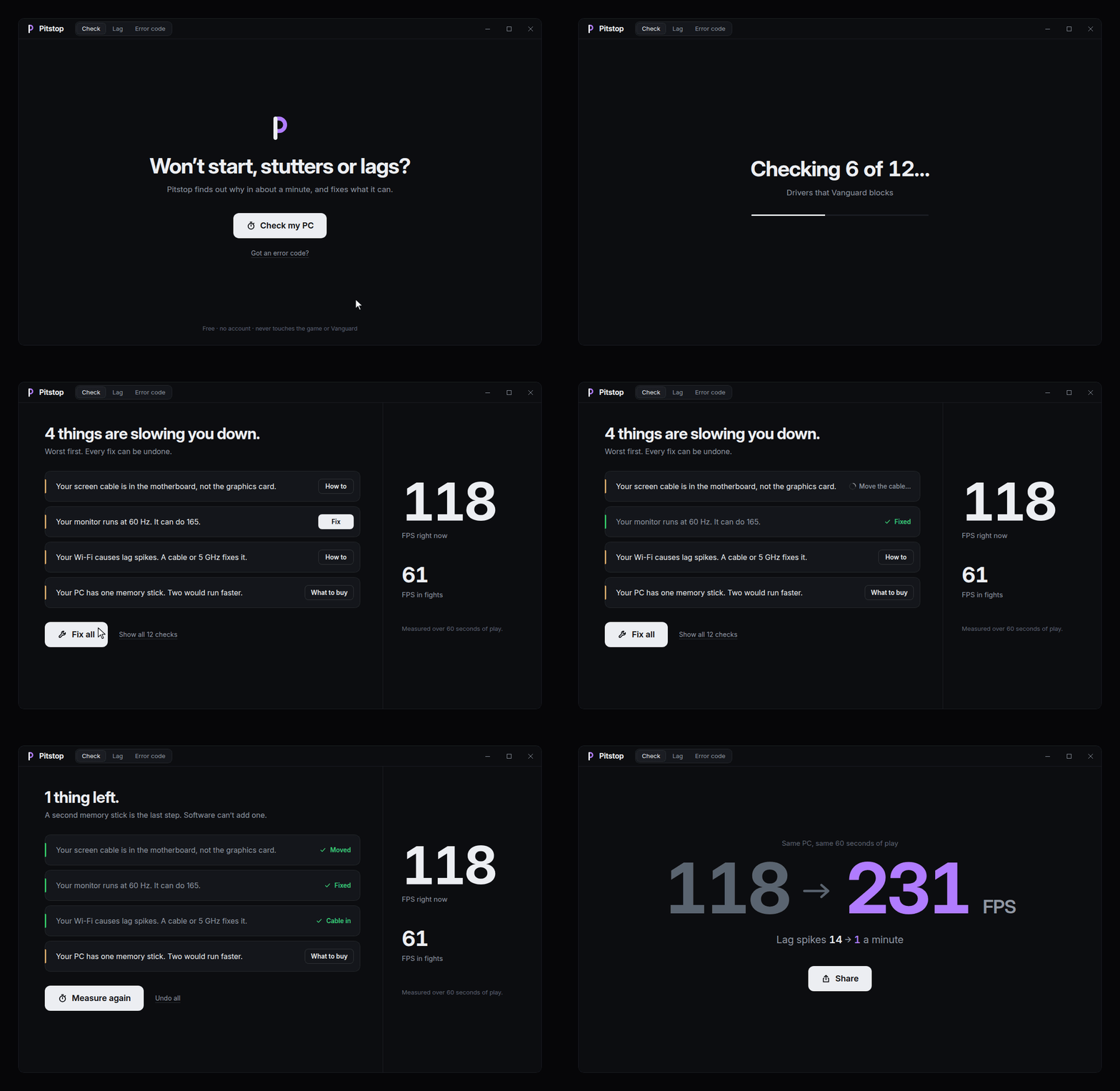
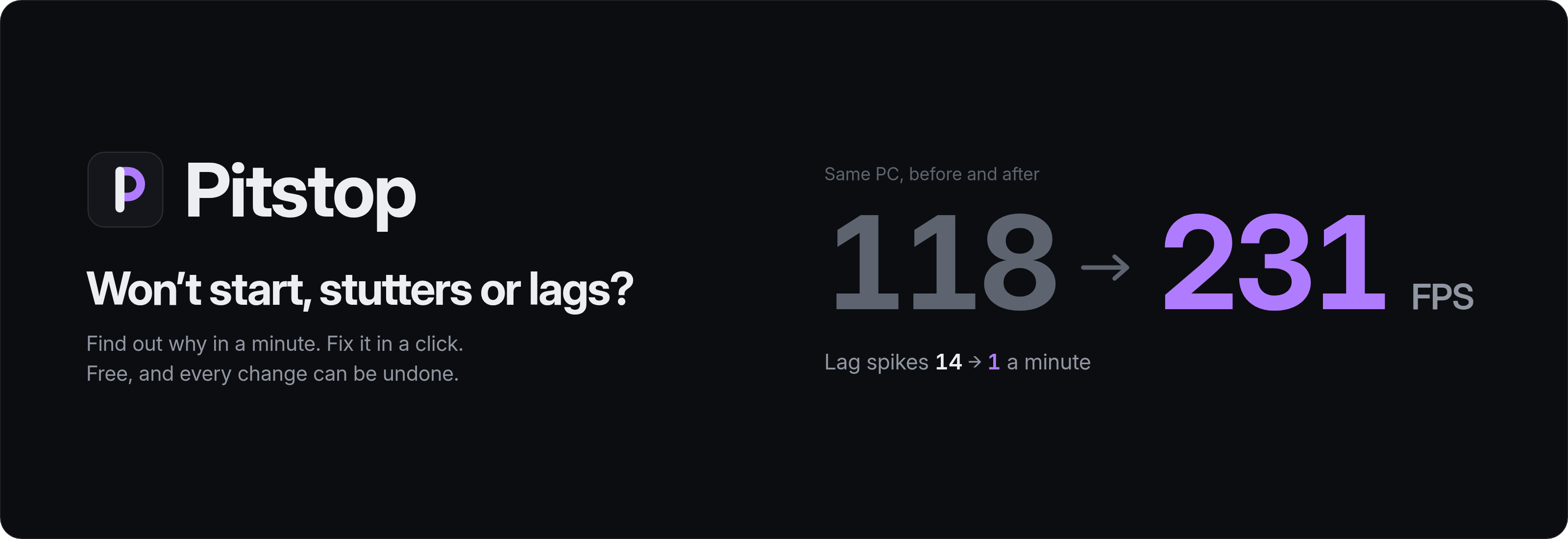
Your game won't start, stutters or lags? Pitstop finds out why in about a minute and fixes what it can, with one-click undo. It never touches the game, Vanguard or Windows security.
| System | File | |
|---|---|---|
| Windows 10 and 11 | Pitstop-1.2.2-portable-x64.exe |
One file. No installer, no admin rights |
[!NOTE] The build isn't code-signed yet, so SmartScreen may warn you the first time. Choose More info, then Run anyway.
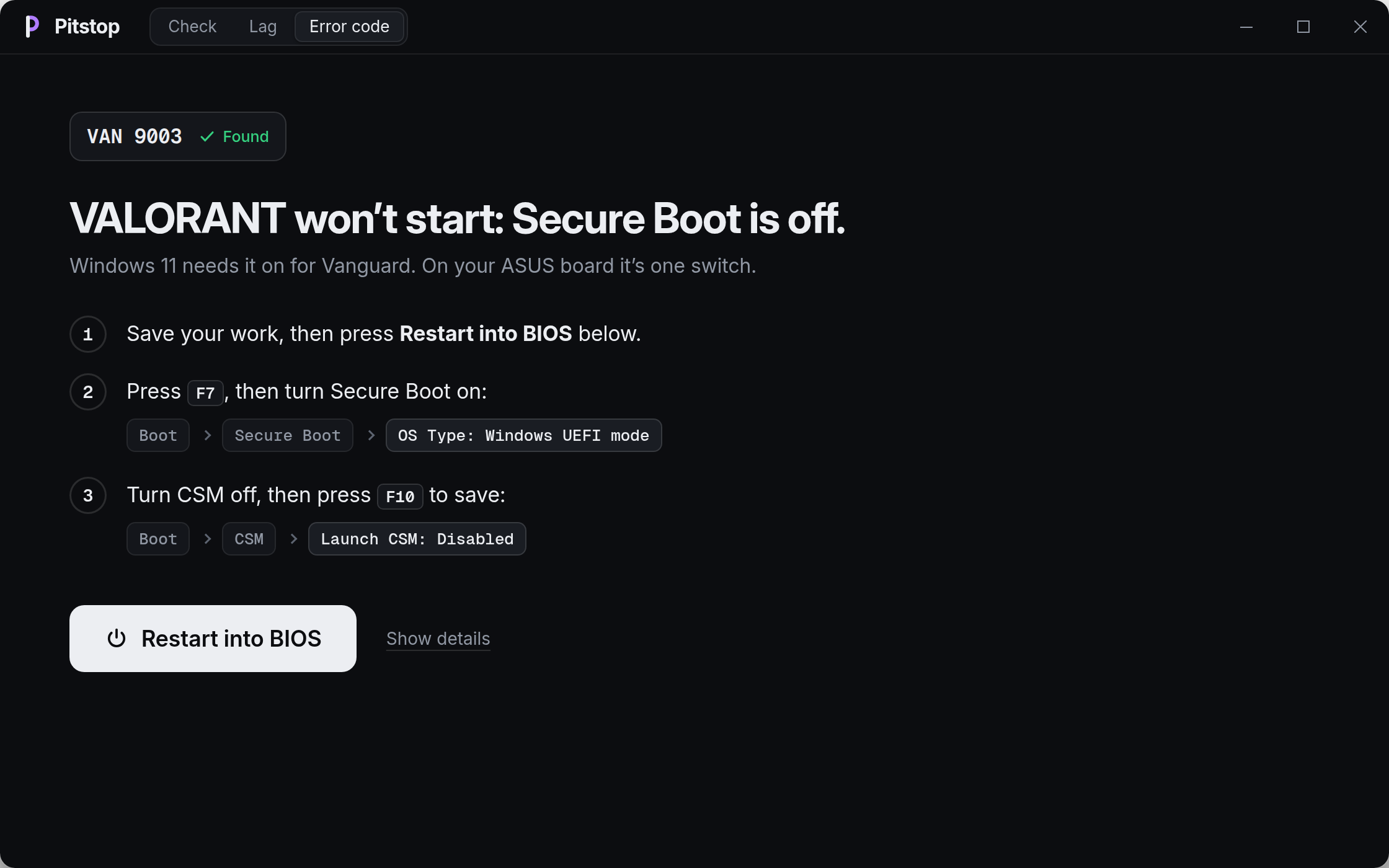
Type the error code and get three plain steps, down to where the switch sits in your BIOS. Restart into BIOS takes you straight there, no key-mashing at boot.
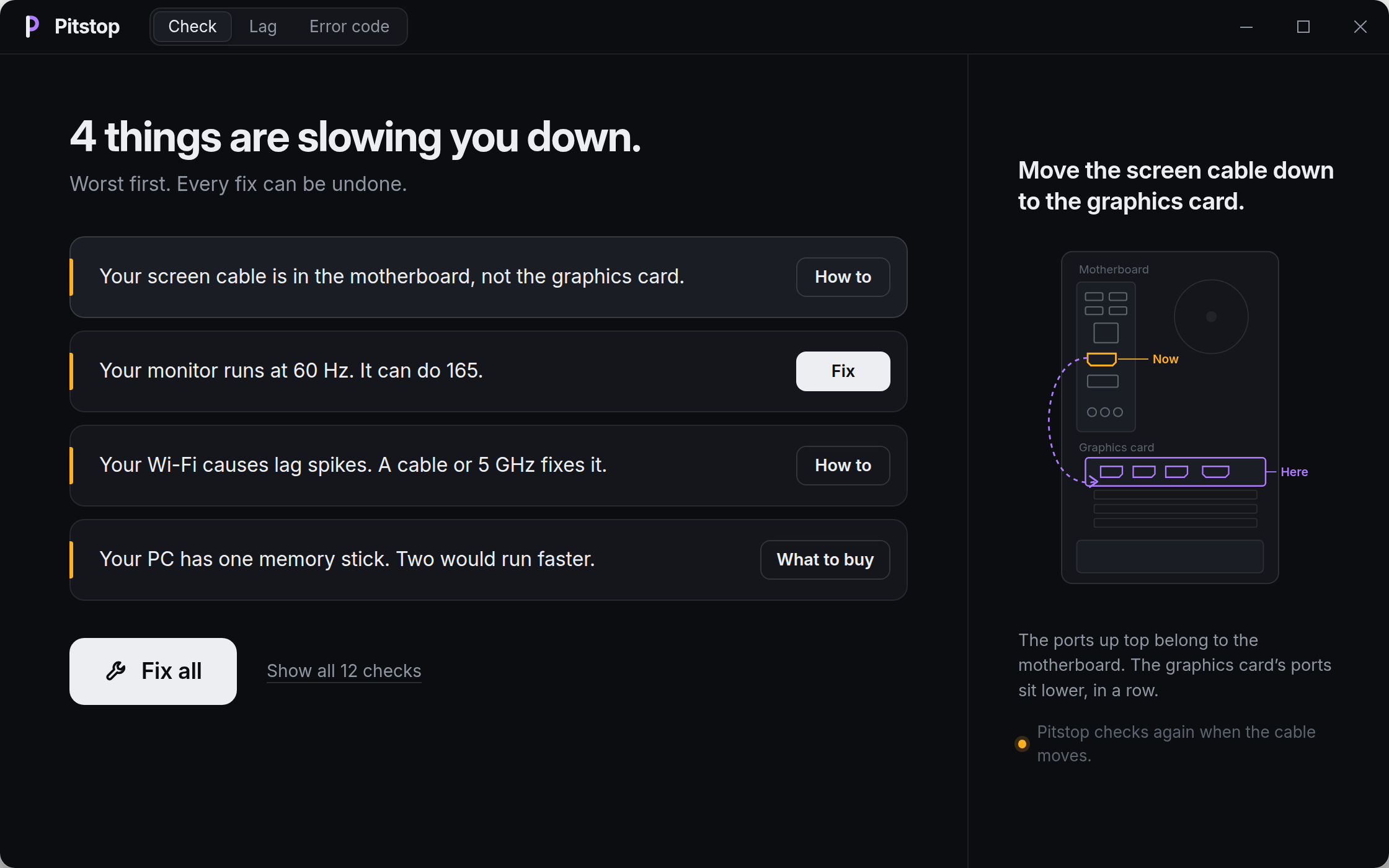
Pitstop names what's slowing you down, worst first: a monitor stuck at 60 Hz, a cable in the wrong port, one memory stick. Fix all does what software can and shows you the rest with a picture.
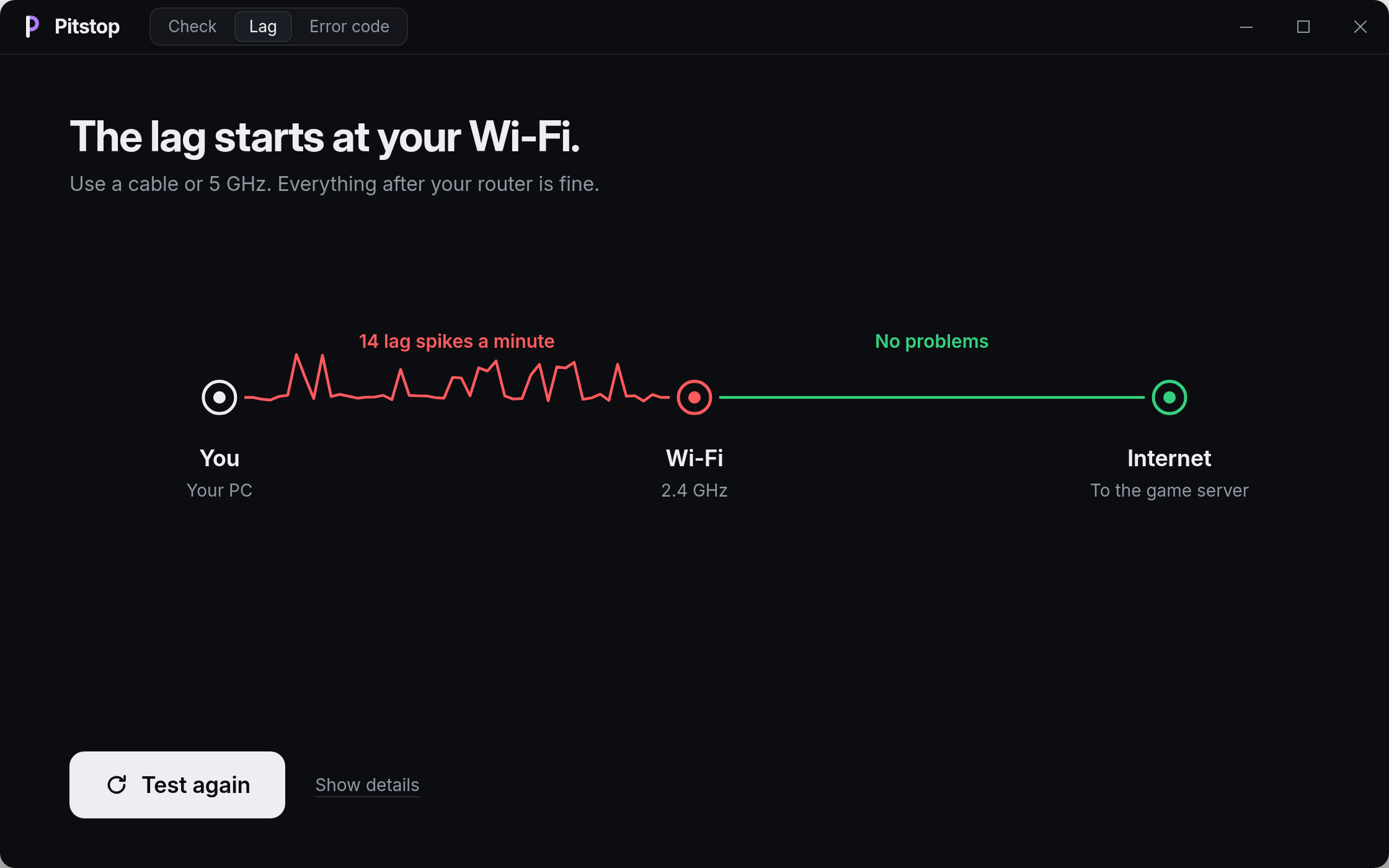
One sentence tells you where the lag starts: your Wi-Fi, your router or your internet. Then it tells you what helps.
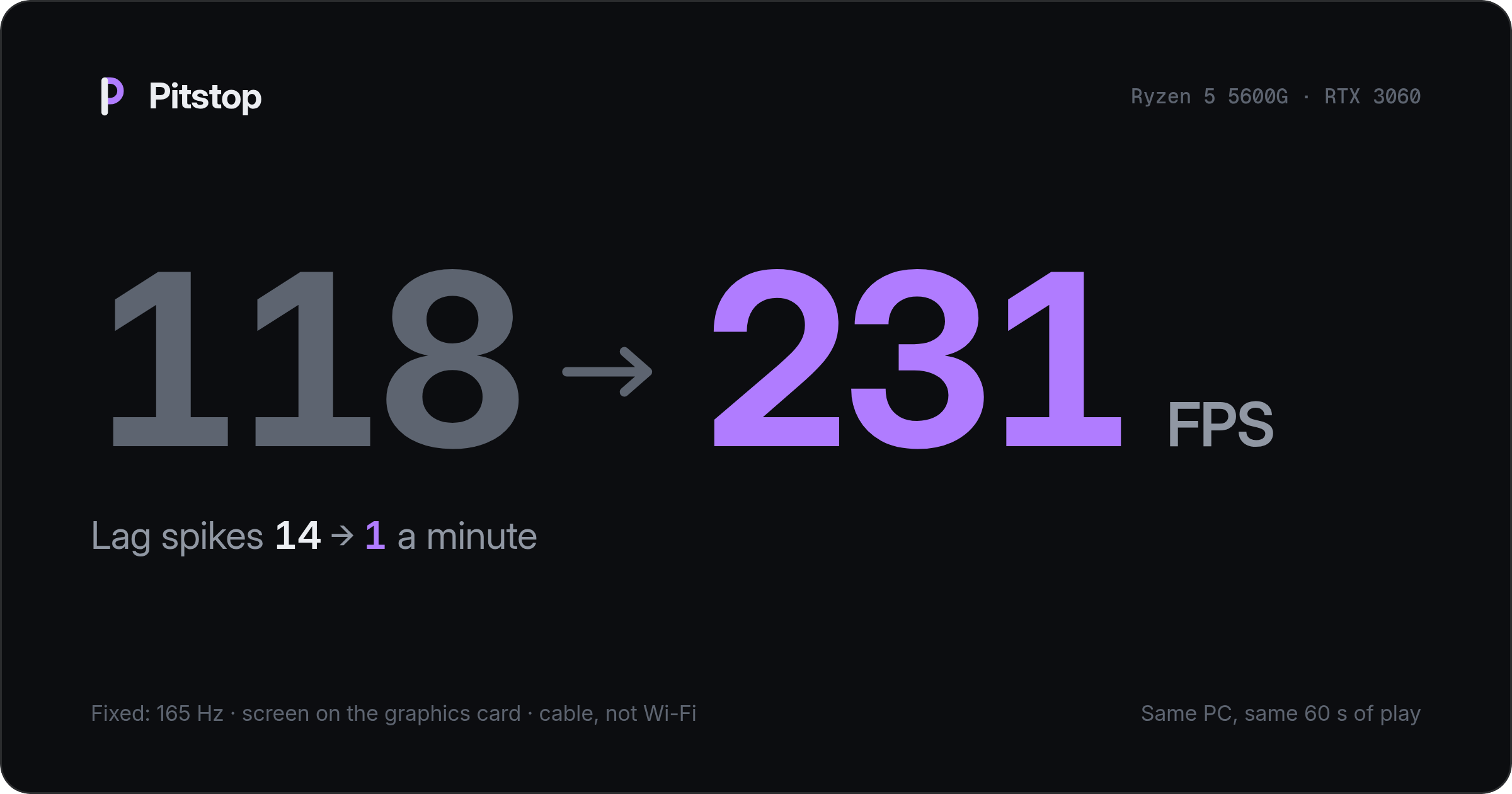
Pitstop measures the same minute of play again and makes a card you can share. The numbers are yours; it never promises a gain.
rules/errors.toml holds every Vanguard and VALORANT code, checked against Riot's support pages, and the ASUS BIOS paths. Pitstop checks what Vanguard needs on the PC (TPM 2.0, Secure Boot, Memory integrity, IOMMU, Windows build) and the drivers it blocks, listed in rules/drivers.toml. Restart into BIOS runs shutdown /r /fw /t 0.rules/regions.toml.crates/pitstop-core does the error-code lookup, frametime stats, checks and the undo journal, with tests. You need Rust 1.85 or newer and the Tauri prerequisites.git clone https://github.com/Centiplatrap/pc-game-fps-doctor.git
cd pitstop
cargo test --workspace
cargo tauri build
No. Pitstop never touches the game, its files, Vanguard or its driver. It changes Windows settings you could change yourself, and logs each one so it can be undone.
Nobody can promise a number. Pitstop finds what's holding your PC back and measures before and after. If nothing is wrong, it says so.
No. VAN 152 is a hardware ban, typically about 4 months, and no tool can lift it. "HWID spoofers" get the PC banned again. If you have questions, submit a ticket to Riot support.
Never. On Windows 11, Vanguard needs TPM 2.0 and Secure Boot, and may ask for Memory integrity and IOMMU. Pitstop helps you turn them on. Riot says enabling IOMMU has a negligible performance impact.
Close. Riot doesn't publish its server addresses, so Pitstop measures a public host in each server city. The number in the game can differ by a few ms.
For VALORANT, yes, and it works differently. Boosters apply a long list of tweaks. Pitstop measures first, fixes only what it found and undoes any of it in one click. It never switches off Windows security that Vanguard may need.
Pitstop is MIT licensed. The UI prefers the system font where it has one (SF Pro on Apple devices) and bundles Inter and Geist Mono, both under the SIL Open Font License 1.1.
VALORANT, Riot Games and Riot Vanguard are trademarks of Riot Games, Inc. Pitstop isn't affiliated with or endorsed by Riot Games. Hone and Razer Cortex are named for comparison only.
Download · How to use · What it fixes · How it works · FAQ