Broot





Broot is a better way to navigate directories, find files, and launch commands.
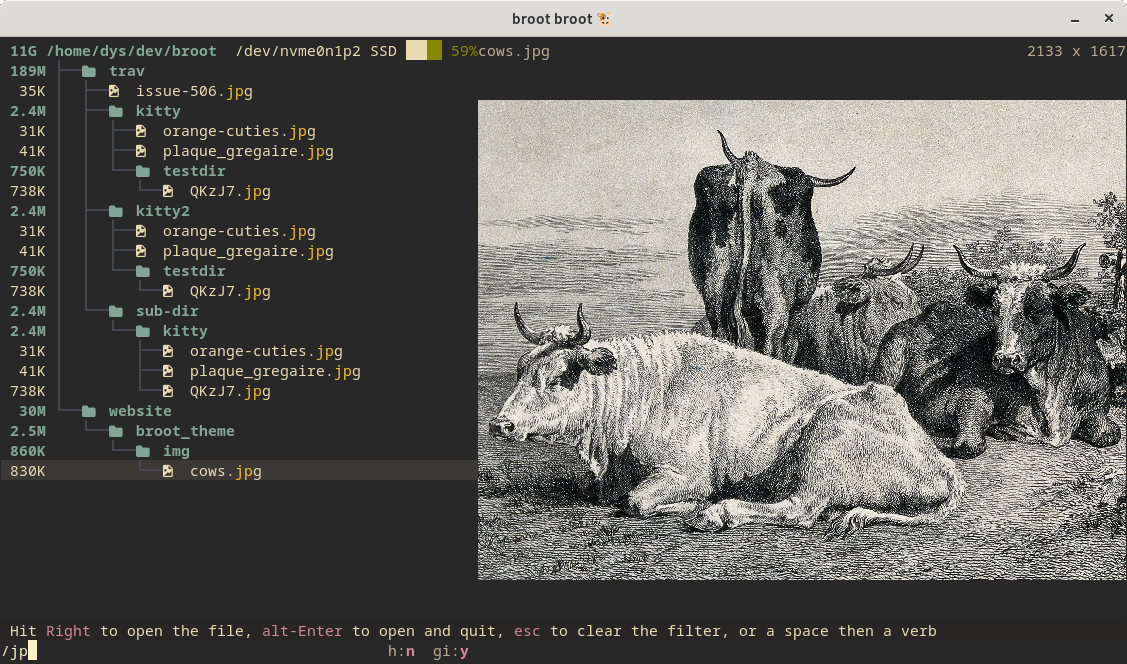
Complete Documentation -
Installation Instructions -
Contributing or Getting Help
Get an overview of a directory, even a big one
Hit br -s
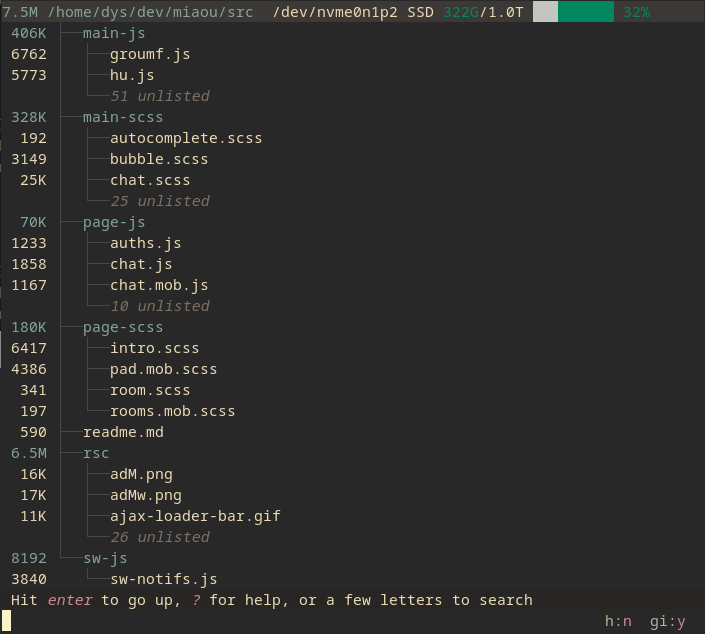
Notice the unlisted?
That's what makes it usable, where the old tree command would produce pages of output.
.gitignore files are properly dealt with to put unwanted files out of your way.
As you sometimes want to see gitignored files, or hidden ones, you'll soon get used to the alti and alth shortcuts to toggle those visibilities.
(you can ignore them though, see documentation).
Find a directory, then cd to it
type a few letters
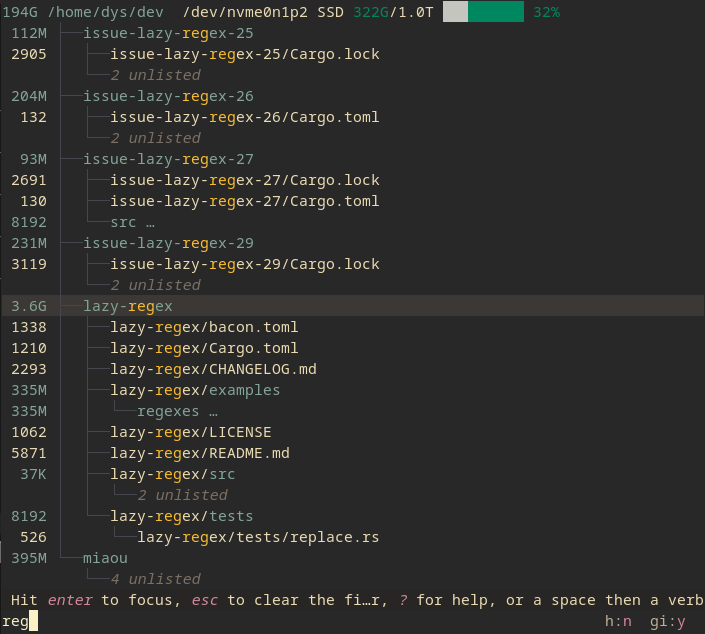
Hit altenter and you're back to the terminal in the desired location.
This way, you can navigate to a directory with the minimum amount of keystrokes, even if you don't exactly remember where it is.
Broot is fast and doesn't block (any keystroke interrupts the current search to start the next one).
Most useful keys for this:
- the letters of what you're looking for
- enter on the root line to go up to the parent (staying in broot)
- enter to focus a directory (staying in broot)
- esc to get back to the previous state or clear your search
- ↓ and ↑ may be used to move the selection
- altenter to get back to the shell, having
cd to the selected directory
- alth to toggle showing hidden files (the ones whose name starts with a dot)
- alti to toggle showing gitignored files
:q if you just want to quit (you can use ctrlq if you prefer)
Never lose track of file hierarchy while you search
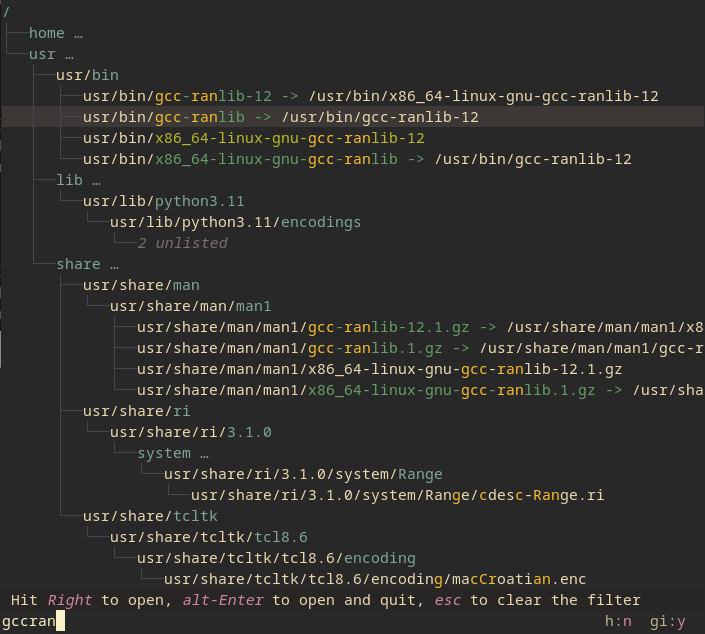
Broot tries to select the most relevant file. You can still go from one match to another one using tab or arrow keys.
You may also search with a regular expression. To do this, add a / before the pattern.
And you have other types of searches, for example, searching on file content (start with c/):
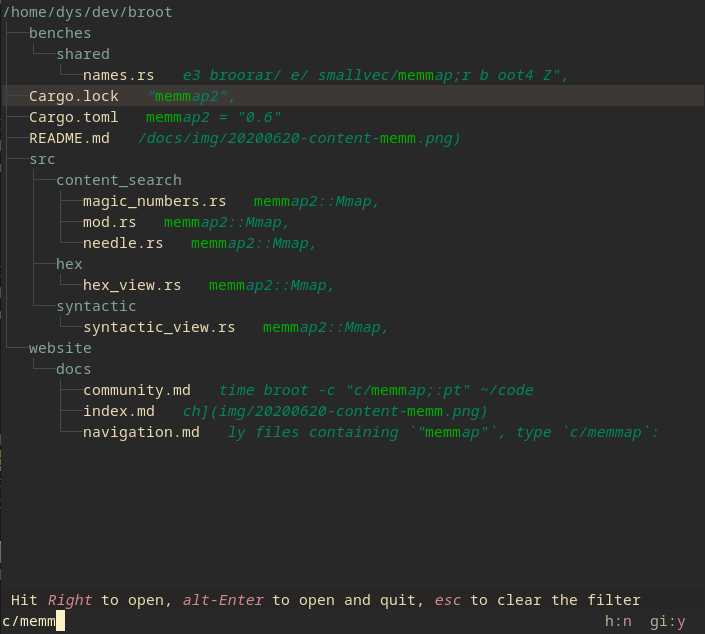
You may also apply logical operators or combine patterns, for example, searching test in all files except JSON ones could be !/json$/&c/test and searching carg both in file names and file contents would be carg|c/carg.
Once the file you want is selected, you can
- hit enter (or double-click) to open it in your system's default program
- hit altenter to open it in your system's default program and close broot
- hit ctrl→ (or alt→ on macOS) to preview it (and then a second time to go inside the preview)
- type a verb. For example,
:e opens the file in your preferred editor (which may be a terminal one)
blog: a broot content search workflow
Manipulate your files
Most often, when not using broot, you move your files in the blind. You do a few ls before, then your manipulation, and maybe you check after.
You can instead do it without losing the view of the file hierarchy.
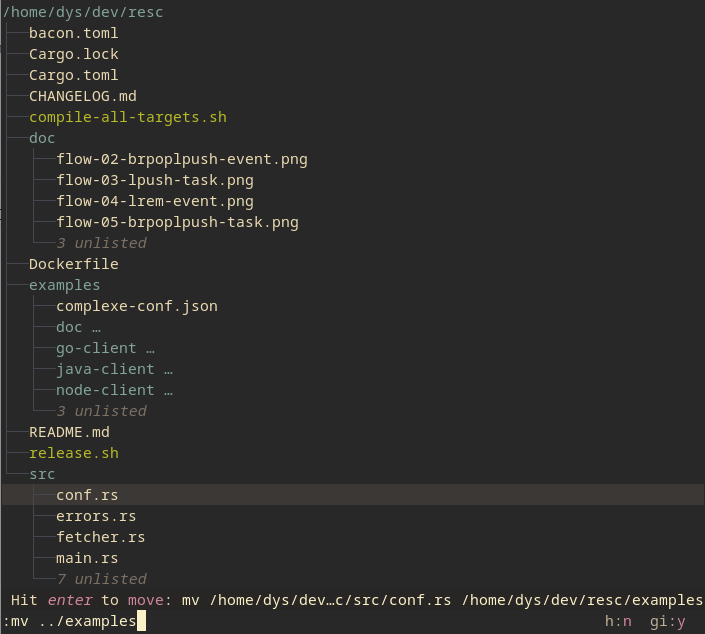
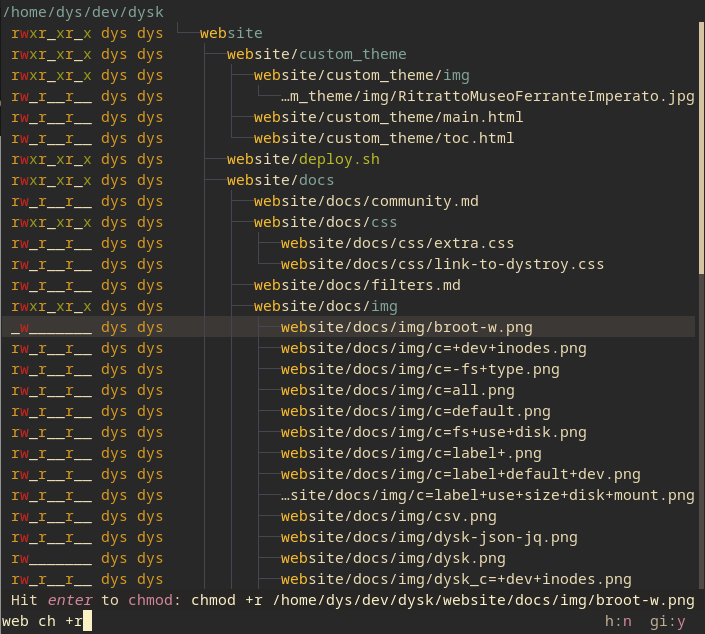
Move, copy, rm, mkdir, are built in, and you can add your own shortcuts.
Here's chmod:
Manage files with panels
When a directory is selected, do ctrl→ and you open another panel (you may open other ones, or navigate between them, with ctrl← and ctrl→).
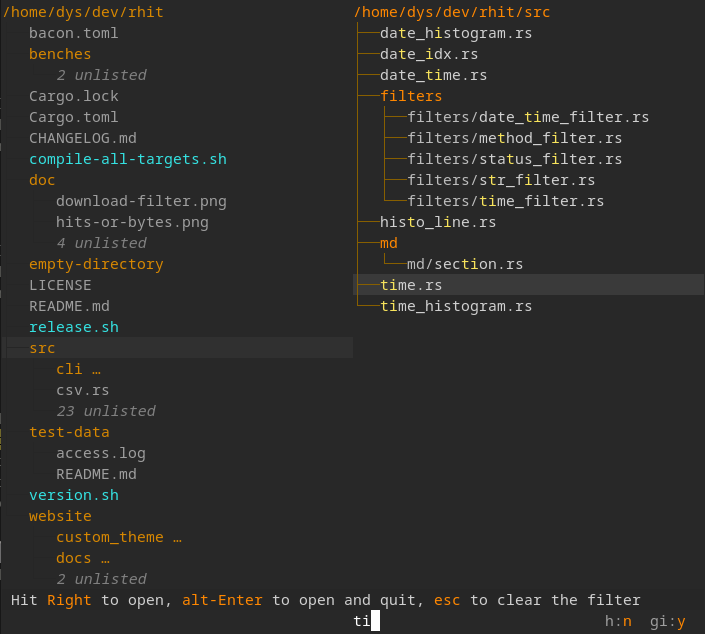
(yes, colors are fully customizable)
You can, for example, copy or move elements between panels:
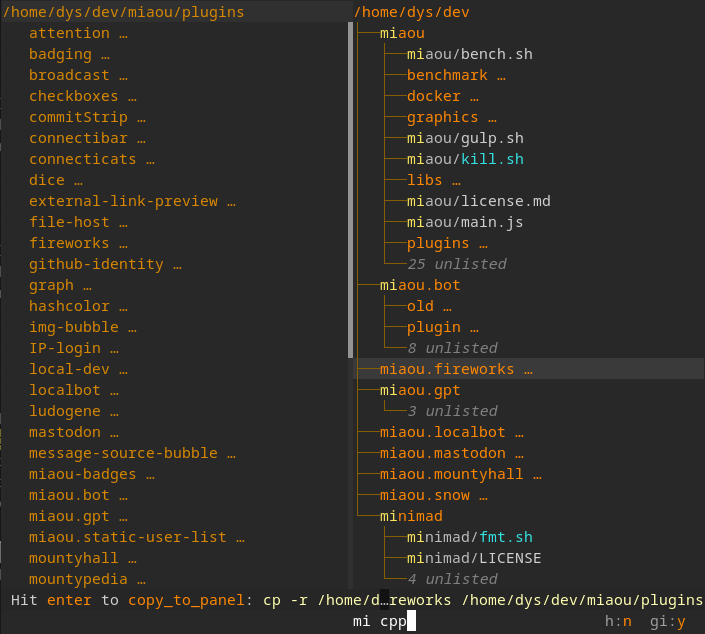
If you like, you may do it Norton Commander style by binding :copy_to_panel to F5 and :move_to_panel to F6.
Preview files
Hit ctrl→ when a file is selected, and the preview panel appears.
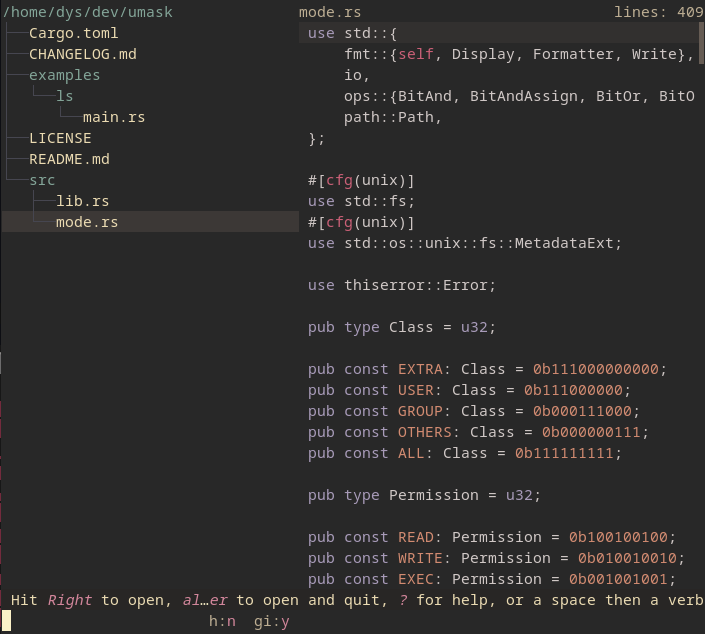
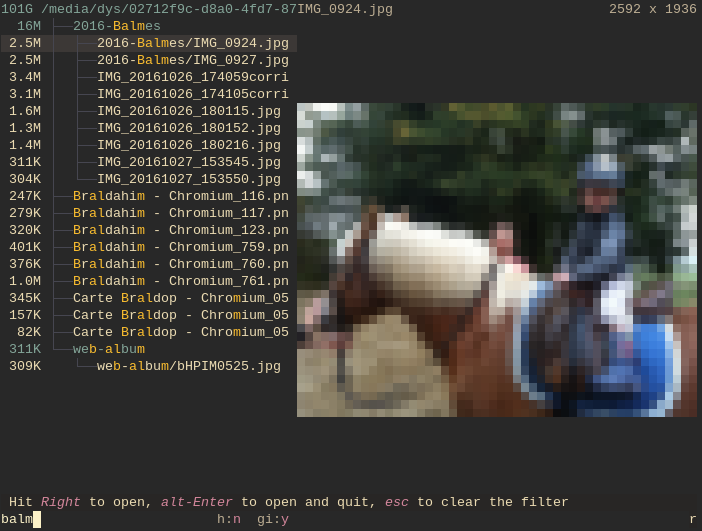
The preview panel stays synchronized with the selection in the tree panels.
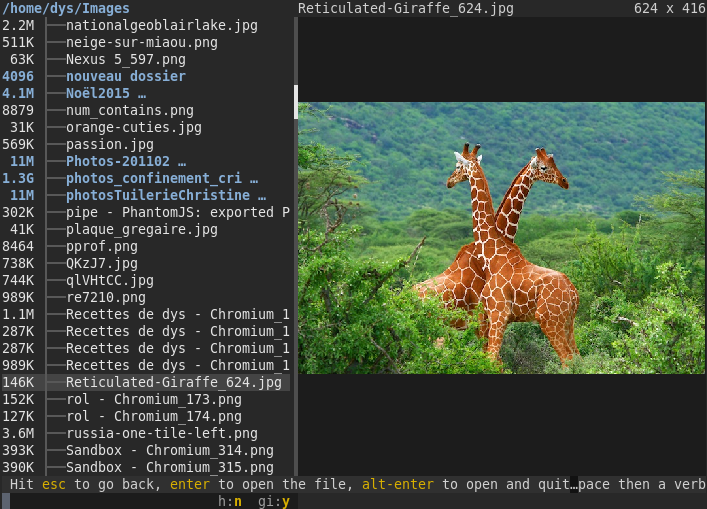
Broot displays images in high resolution when the terminal supports Kitty's graphics protocol
(compatible terminals: Kitty, WezTerm):
Apply a standard or personal command to a file
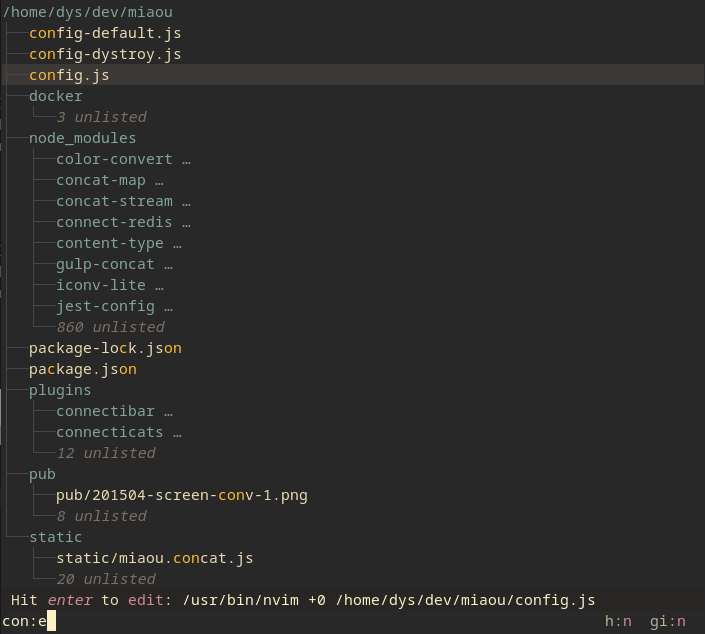
Just find the file you want to edit with a few keystrokes, type :e, then enter.
You can add verbs or configure the existing ones; see documentation.
And you can add shortcuts, for example, a ctrl sequence or a function key
Apply commands on several files
Add files to the staging area, then execute any command on all of them.
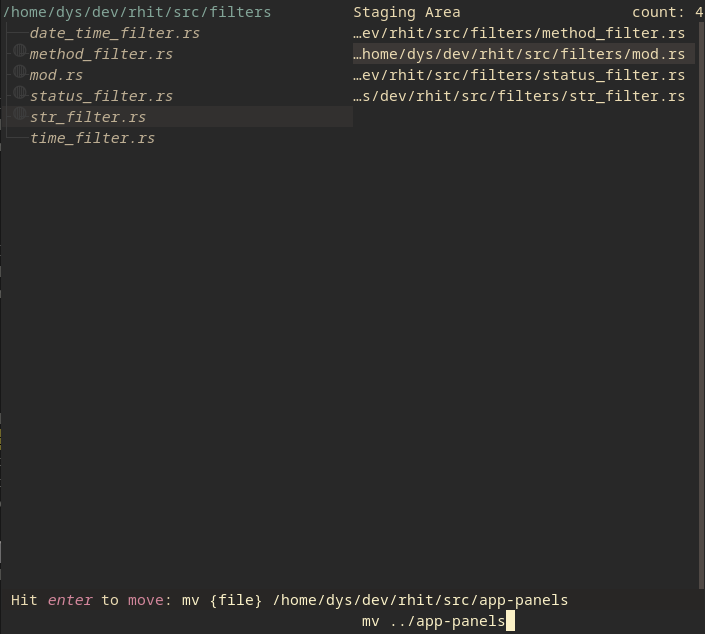
Replace ls (and its clones):
If you want to display sizes, dates, and permissions, do br -sdp which gets you this:
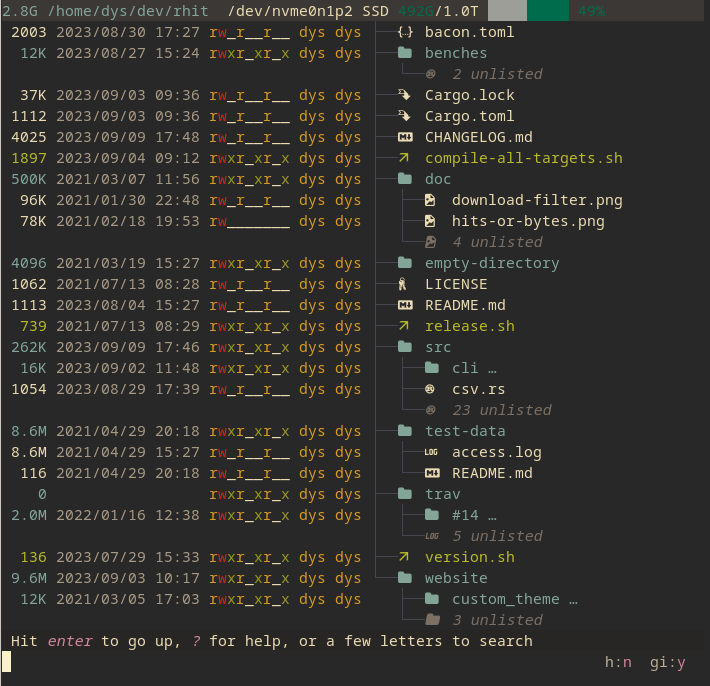
You may also toggle options with a few keystrokes while inside broot.
For example, you could have typed this -sdp while in broot.
Or hit alth and you see hidden files.
Sort, see what takes space:
You may sort by launching broot with --sort-by-size or --sort-by-date. Or you may, inside broot, type a space, then sd, and enter and you toggled the :sort_by_date mode.
When sorting, the whole content of the directories is taken into account. So if you want to find on Monday morning the most recently modified files, launch br --sort-by-date ~.
If you start broot with the --whale-spotting option (or its shortcut -w), you get a mode tailored to "whale spotting" navigation, making it easy to determine what files or folders take space.
Sizes, dates, and file counts are computed in the background; you don't have to wait for them when you navigate.
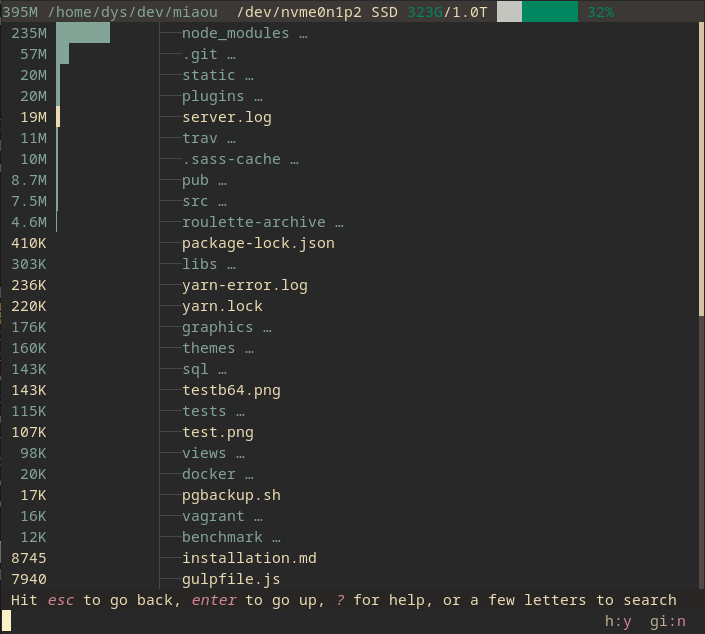
And you keep all broot tools, like filtering or the ability to delete or open files and directories.
If you hit :fs, you can check the usage of all filesystems, so that you focus on cleaning the full ones.
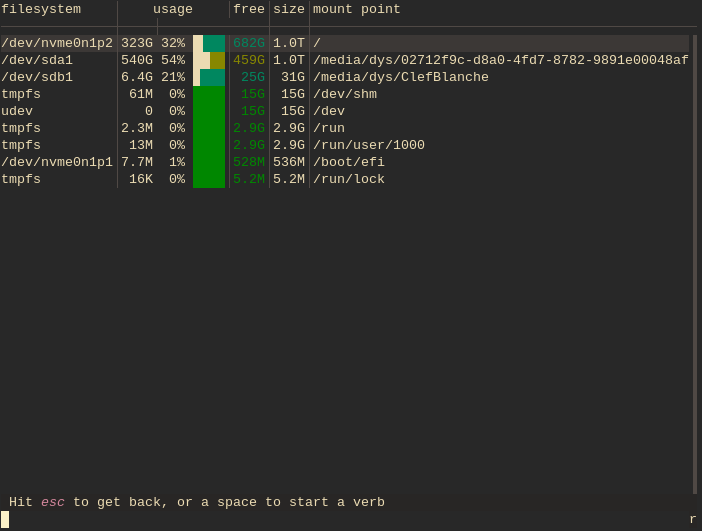
Check git statuses:
Use :gf to display the statuses of files (what are the new ones, the modified ones, etc.), the current branch name, how many commits it is ahead (↑) or behind (↓) its upstream branch, and the change statistics.
The letter tells the state of the file: N untracked, A staged addition, S staged modification, M modified in the working tree, R staged rename, C conflict, I ignored, ? other change (for example a file replaced by a symlink).
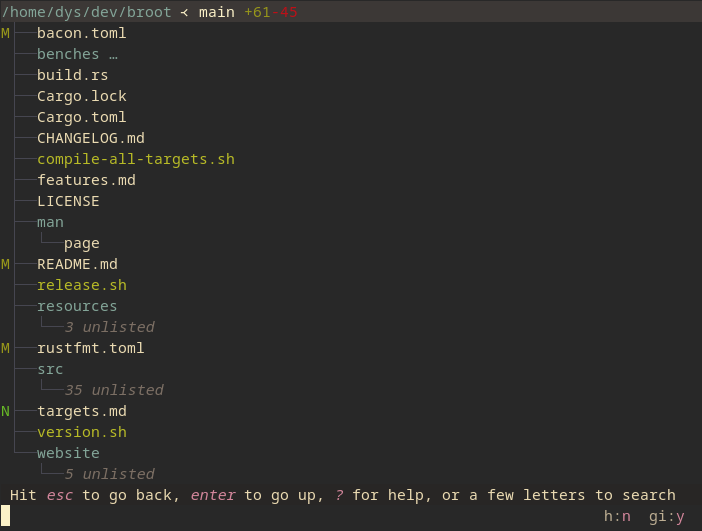
And if you want to see only the files which would be displayed by the git status command, do :gs.
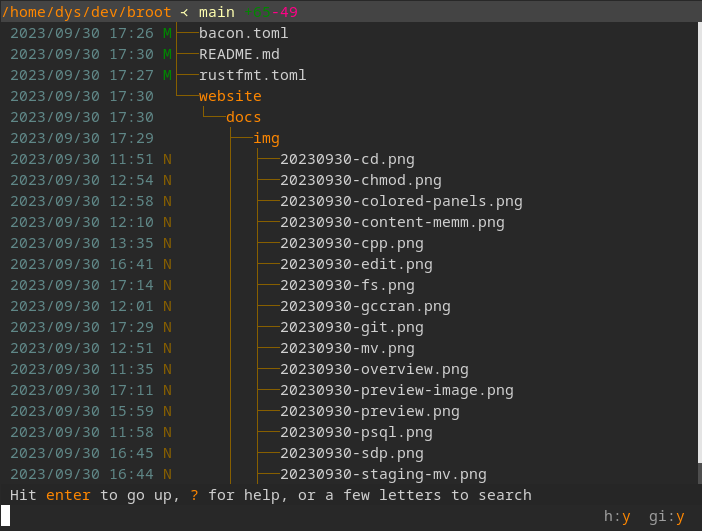
From there, it's easy to edit, diff, or revert selected files.
blog: use broot and meld to diff before commit
Further Reading
See Broot's web site for instructions regarding installation and usage.

 Broot 是一个终端工具,它以紧凑、可导航的方式展示目录树概览,支持模糊搜索文件和文件内容,然后可以进入目录、打开或操作找到的内容。日常浏览时,它可以替代 tree、ls、find 和 cd。