> Open source under the AGPL, with commercial licenses available. Want to > build ScanRuler into closed-source software, or host a modified version > without publishing its source? md.
ScanRuler (CNCKitchen/ScanRuler)
Searching Database…
The project's README from github.com/CNCKitchen/ScanRuler. As one markdown file: README.md.

Use it live at https://scanruler.com/ — nothing to install.
Open source under the AGPL, with commercial licenses available. Want to build ScanRuler into closed-source software, or host a modified version without publishing its source? Write to [email protected], see COMMERCIAL.md.
Check a 3D scan against what it should have been, entirely in your browser: fit spheres, cylinders and planes to the scan and measure between them, paint its deviation from the CAD part, map its wall thickness, or measure a flatbed scan the way a measuring microscope would. You can also model the scan into a solid STEP body and clean up or reduce the mesh.
Everything runs locally. Your files are processed in your browser and never leave your computer, unless you connect an AI agent.
The full reference, with every option and how each measurement is computed, is the manual, and for the two modelling and mesh workspaces Reverse engineer and Mesh Tools.
All workspaces work on the same loaded scan.
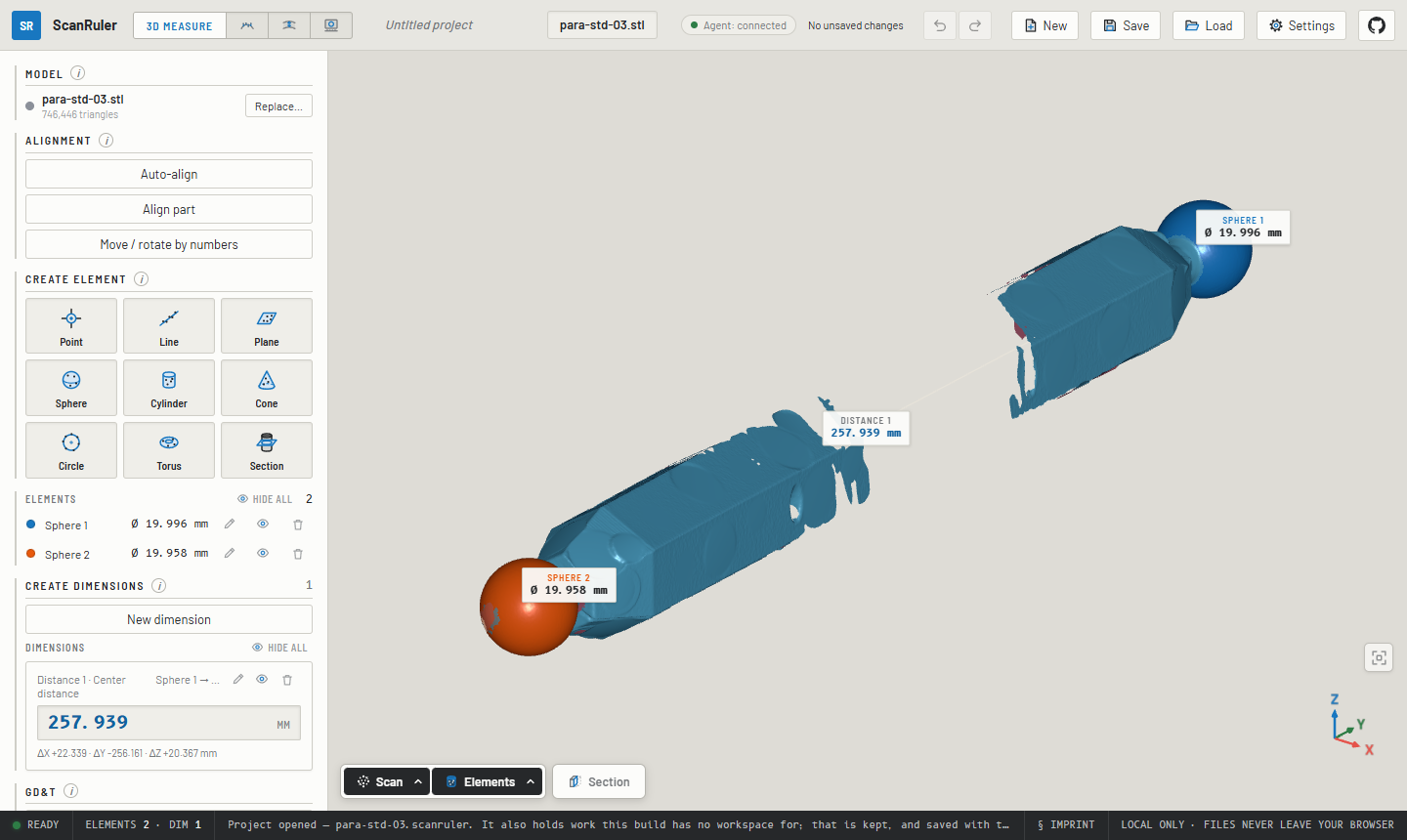
Click a feature on the scan and get a fitted sphere, cylinder, cone, torus, plane or circle: a Gaussian best fit with its σ and form error, with the surface around your click picked automatically. You can also mark the surface by hand with a brush, a window or a lasso. Build points, lines and planes from the fits, then add the distance and angle dimensions you need between them, the way GOM Inspect or PC-DMIS does it. Each dimension can be held to a nominal ± tolerance, and GD&T checks flatness, parallelism, perpendicularity, coaxiality and the rest.
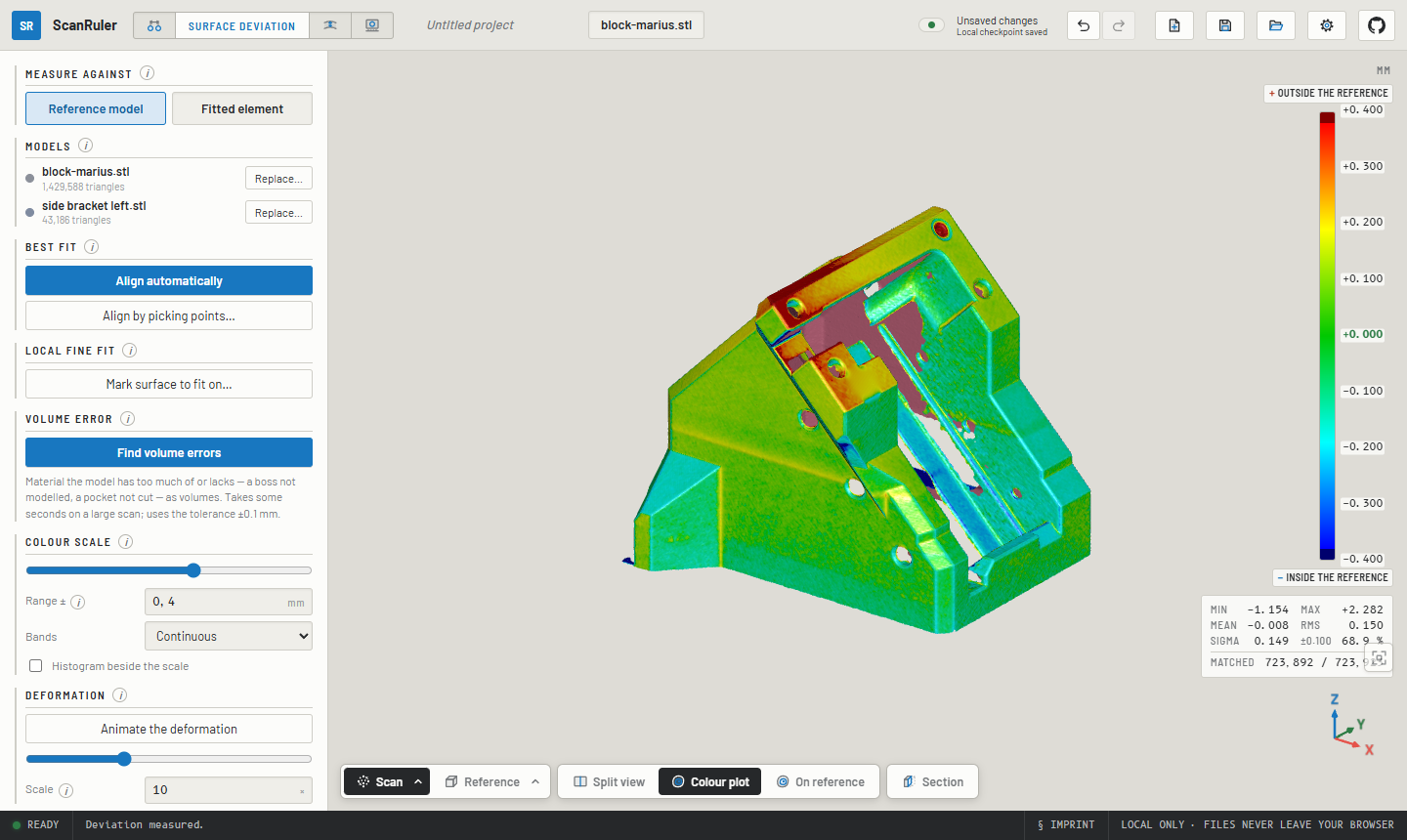
Load the nominal part as a mesh or as a STEP file straight from CAD, press Align automatically, and the scan is best-fitted onto it and painted with the signed deviation. Hover for a reading, click to pin one. If the scan carries a fixture, spray or supports that pull the fit off, align by picking points or run a local fine fit on the surface you mark. Find volume errors lists whole regions of extra or missing material, such as a boss that was never modelled or a pocket that was never cut. Animate the deformation plays the map as exaggerated motion, like an FE deformed-shape plot. Instead of a reference model, the map can also be measured against one fitted element: is this face flat, is this bore round?
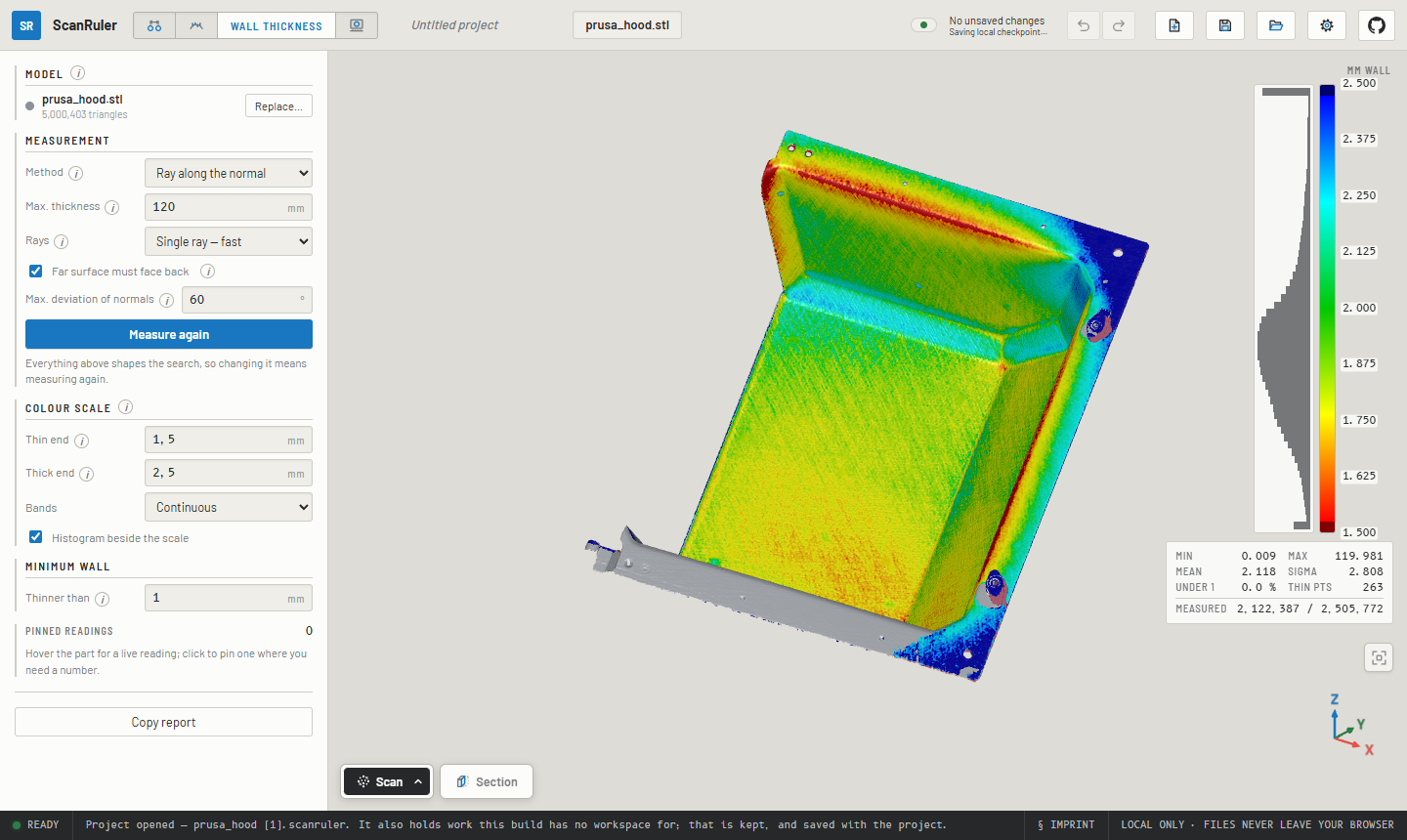
Load one file and press Measure wall thickness. There is no reference and no alignment: a ray (or a sphere) is cast across the material from every point, and the thin walls light up red.
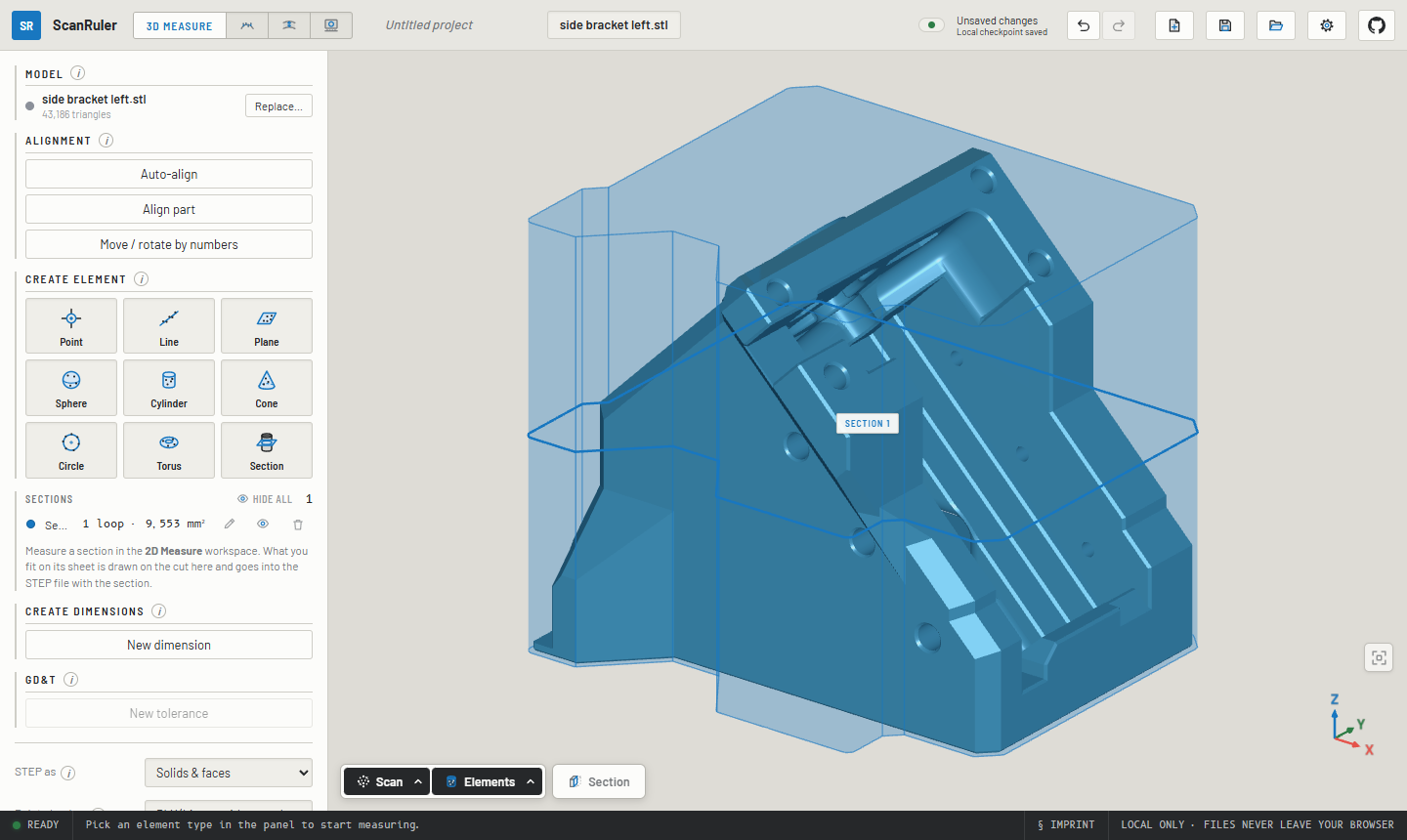
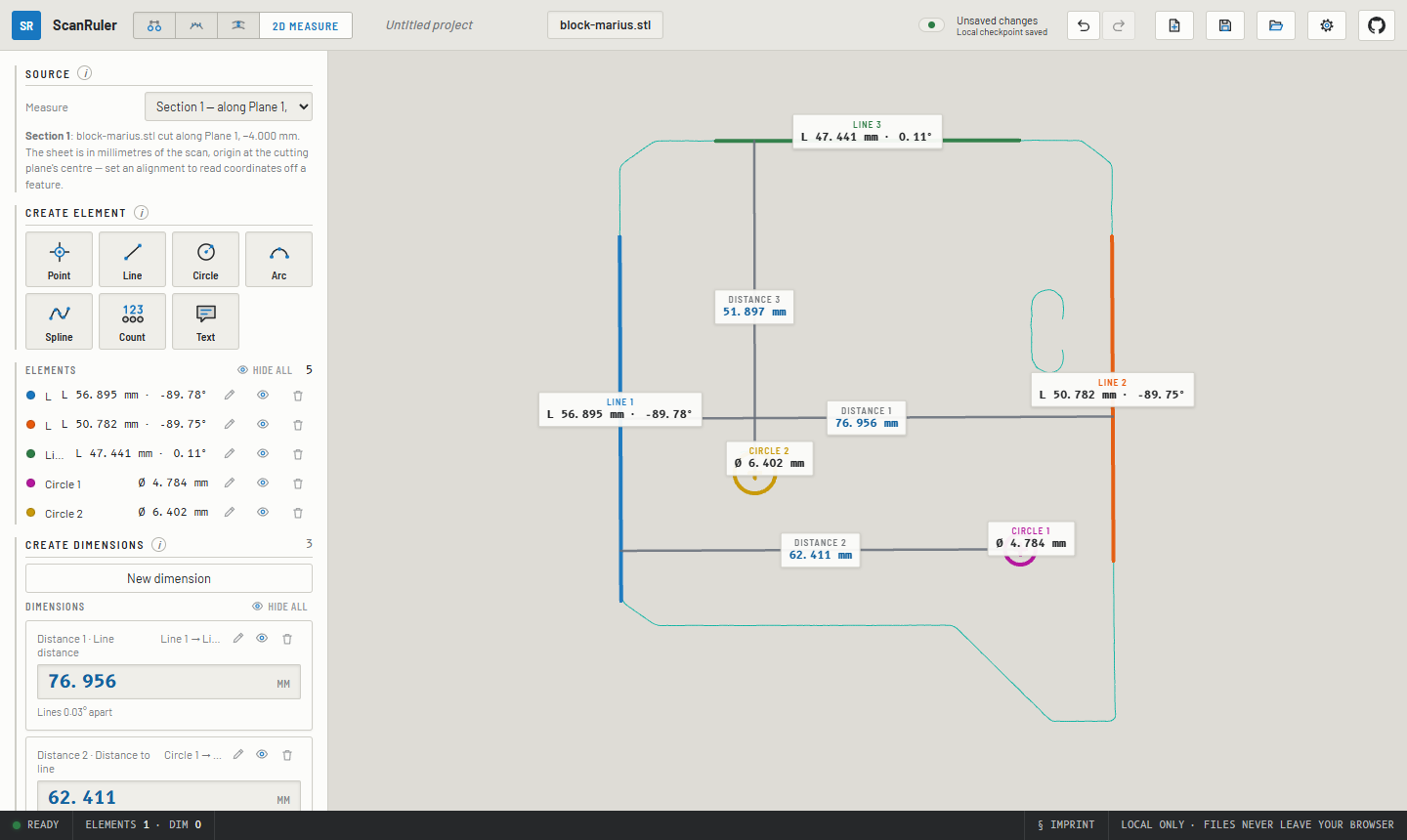
Drop in a flatbed scan of a flat part (PNG or JPEG) or pick a section cut through the 3D scan. Edges are detected to subpixel accuracy. Fit points, lines, circles, arcs and splines to them with a click, a box or picked points, dimension between them, and export the sheet at true scale as SVG, DXF or CSV. A flatbed image stays flagged UNCALIBRATED until you calibrate it against something of known size on the glass. Its scale can be saved as a scanner profile.
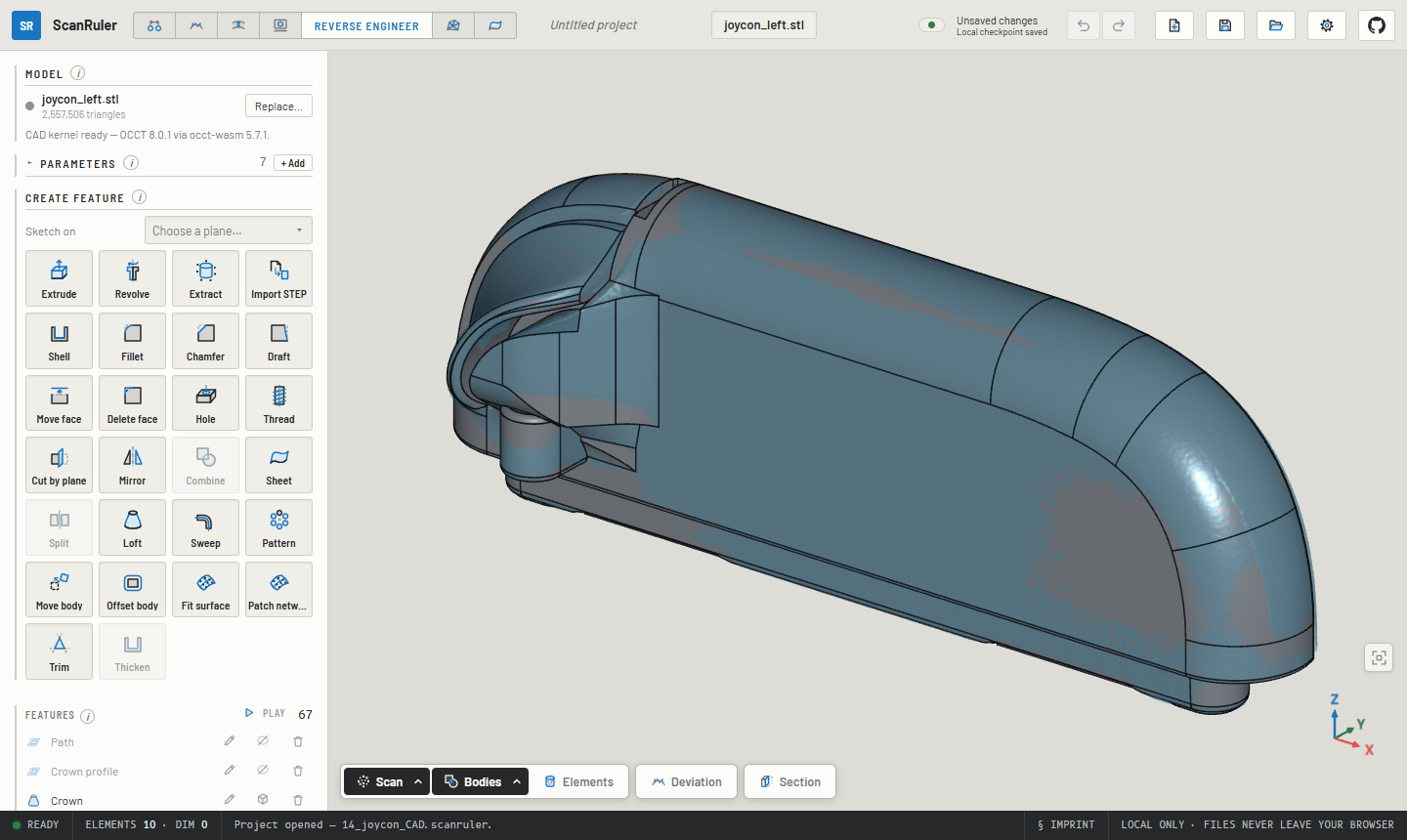
Reverse engineer turns the scan into a solid body in a STEP file that CAD opens as a part, not just datums. Sketch on a section through the scan: Fit all chains reads the slice as lines and arcs, and constraints and dimensions hold it. Then extrude or revolve it, and add fillets, chamfers, shells, holes, threads, drafts, mirrors, patterns, lofts and sweeps. Freeform parts are modelled from surfaces fitted to the scan, or a network of B-spline patches drawn over it. Compare in Deviation checks the bodies against the scan. No scan is needed to model: on a blank stage it works like a small parametric CAD tool.
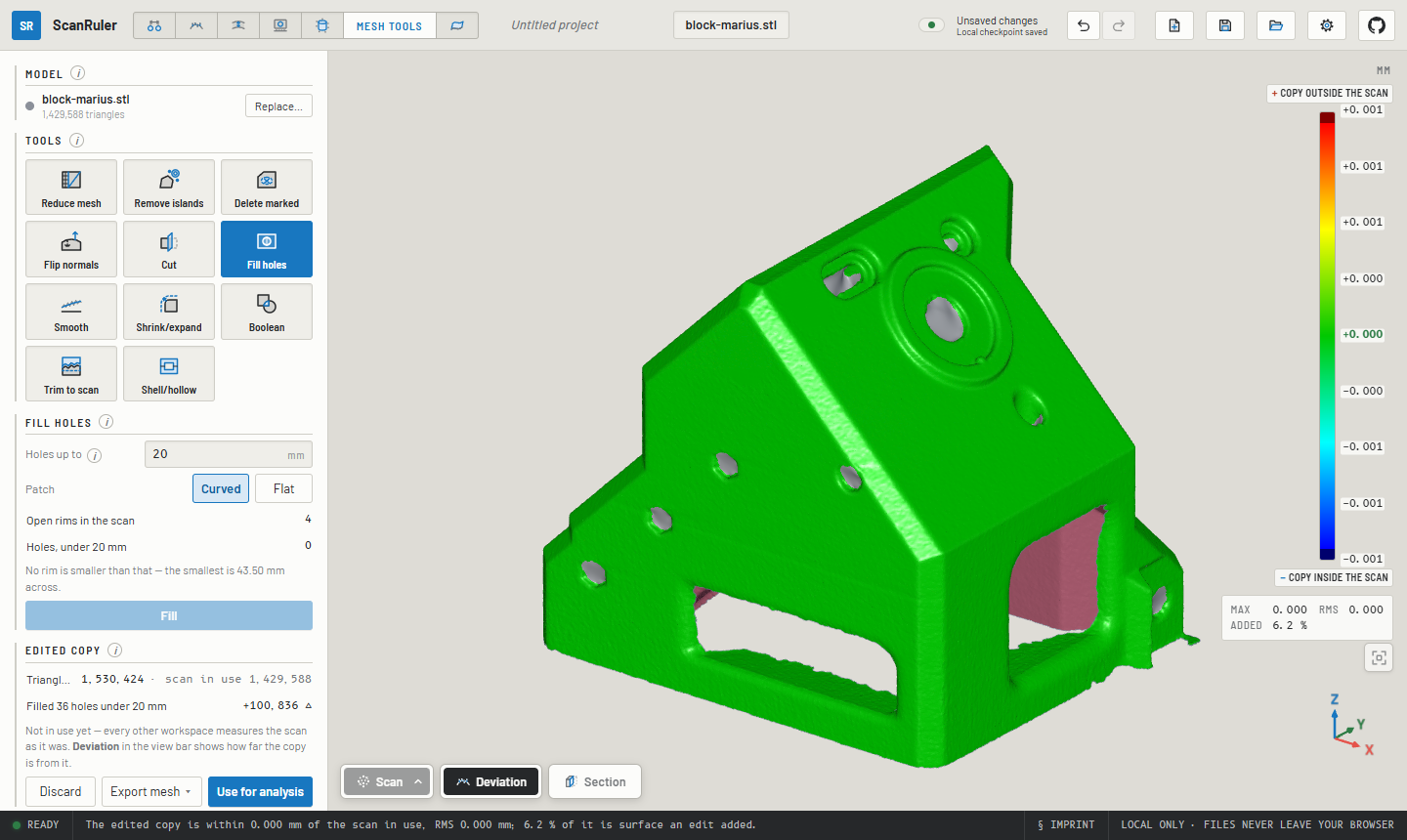
Mesh Tools works on the mesh itself:
Enter, or the middle mouse button). If the feature is broken into
patches, click each one.Ctrl+Z, Ctrl+Shift+Z) work across all workspaces..scanruler project file.New here? An amber ring points to the control to press next and retires once you have used a workspace twice. You can switch it off under ⚙ Settings. ⚙ Settings → Units shows and takes lengths in millimetres or inches; files, projects and agent answers stay in millimetres.
| Formats | |
|---|---|
| Scan | STL, PLY, OBJ (with its .mtl and texture, in colour), 3MF, STEP |
| Reference part | STL, PLY, OBJ, 3MF, STEP (tessellated in the browser by meshStep) |
| Flatbed image | PNG, JPEG (the file's dpi is read as a working scale) |
| Project | .scanruler: a plain zip of the input files and project.json |
| Elements | STEP (AP214) as analytic geometry: solids and faces, or construction surfaces |
| Scan | STL or 3MF mesh; PLY or XYZ point cloud with normals, in the pose it is aligned to |
| 2D sheet | SVG and DXF at 1:1, CSV of elements and dimensions |
| Reports | Plain text to the clipboard (Copy summary, Copy report) |
0 iso, 1 top, 3 front …). The button above the axis gizmo fits the
part back into view. ⚙ Settings → Mouse controls switches to the mouse
scheme of your CAD tool. A 3Dconnexion SpaceMouse works in Chrome and
Edge, and touch screens work too.https://scanruler.com/?open=<url-of-a-file> opens
any file the hosting server allows the app to read (CORS), and
&workspace=deviation picks where to land.An AI agent on your computer can drive the ScanRuler tab you have open: Claude Code, Codex, Claude Desktop, Cursor or anything else that speaks the Model Context Protocol. For example: "Open ballbar.stl, fit both spheres, measure the centre distance and give me the report." It works the panels step by step in front of you, and every step can be undone. It can also model a scan into a solid in Reverse engineer and clean up a scan in Mesh Tools.
You need Node.js 22 or newer and Chrome, Edge or Firefox. Add the helper to your agent once:
claude mcp add --scope user scanruler -- npx -y scanruler-mcp@latest   # Claude Code
codex mcp add scanruler -- npx -y scanruler-mcp@latest                 # Codex
For Claude Desktop, Cursor and others, add "command": "npx", "args": ["-y", "scanruler-mcp@latest"] to their MCP settings. Then say "Connect to
ScanRuler". It opens the app paired with the agent. The first time, ScanRuler
warns you what connecting means for your data (below) and connects only once
you accept; then the browser asks whether the site may reach apps and services
on this device; click Allow. After that, ask for what you want measured,
naming files by their full path.
With an agent connected, your data no longer stays on your computer. The
helper runs on your own machine and the tab talks to it on 127.0.0.1, so
ScanRuler itself sends nothing anywhere. But what the agent reads (measurements,
reports, pictures of the part, file names, notes and any file it opens itself)
is processed by the agent and goes to its model's provider, unless the model
runs on your computer. Setup per agent, troubleshooting and every option are in
mcp/README.md.
An AI agent can drive Reverse engineer from start to finish: give it a scan and it hands back a solid STEP body, an editable project and a report of how well the two agree. Connect an agent as above and ask, for example: "Reverse engineer C:\parts\bracket.stl into a solid STEP. Ask me what you need to know before you start."
Expect a long working session rather than a button. ScanRuler measures and builds; your agent, on your own model subscription, makes the decisions.
The app serves the agent a guide for the job, so the instructions always match the build in the tab. Following it, the agent:
.scanruler project with every feature
editable, deviation pictures and a report marking each feature as measured,
partly supported or inferred. The run ends when the target is met and every
listed region is built or named as skipped, or when you accept less.
Otherwise the agent is told to say "not done".Four real runs, on different builds of the app, so examples and not a benchmark. The fan, the rumble pak and the scooter cover also took notes from a person along the way.
| Part | Part type | Scan within tolerance | RMS |
|---|---|---|---|
| Die-cast fan wheel | Rotationally patterned | 96.3 % within ±0.3 mm | 0.117 mm |
| Moulded rumble pak | Moulded housing | 86.1 % within ±0.2 mm | 0.173 mm |
| Die-cast mirror holder | Smooth solid casting | 72.5 % within ±0.2 mm, reported as "not done" | 0.387 mm |
| Scooter head cover | Freeform thin shell | 68.9 % within ±0.4 mm (outer skin about 81 %) | 0.85 mm |
Work down this list, cheapest first:
CLAUDE.md, AGENTS.md) go on top of the guide the app serves on every
run: your part types, your tolerances, your order of work.Most of the guide was written from runs that went wrong, so a part that fails is useful to us. Open a feature request, and we write what it teaches into the guide, as a refinement or a new part type. It helps to include:
.scanruler project, if you are allowed to share it. Issues
are public, so a similar part you can share works too.--trace <dir> --trace-args. It holds your file paths, so read it first.Pull requests are welcome too: the measuring guides in src/commands/guides/, the Reverse engineer guides in plugins/reverse/guides/, and the code underneath. They need the CLA, see CONTRIBUTING.md.
npm install
npm --prefix mcp ci # the agent server's dependencies: its tests and the agent browser checks
npm run dev       # local dev server
npm test          # unit tests, plus acceptance tests on the local scans if present
npm run build     # type-check + production build to dist/
npm run e2e:ci    # browser tests on generated fixtures; run after building
The app is a static Vite + React + three.js build, with heavy geometry in a
Web Worker. Tests, the browser checks, releases and deployment are described
in docs/development.md. Reverse engineer and Mesh Tools
are plugins, in plugins/.
node scripts/readme-shots.mjs and node plugins/readme-shots.mjs retake the
pictures above.
AGPL-3.0-only, see LICENSE. Free to use, modify, self-host and redistribute. If you distribute it or offer it over a network (and a browser app on a web server counts), your version's complete source must be available under the same terms.
Want it inside closed-source software, or hosted without publishing your changes? Commercial exceptions are available, see COMMERCIAL.md. Contributions require the CLA in CONTRIBUTING.md, which also sets the dependency license policy: no third-party copyleft in the app, enforced in CI by license-check.yml. The STEP importer meshStep is AGPL and is allowed only because it is ours too, so a commercial exception for this app covers it as well. The one third-party exception is Reverse engineer's CAD kernel, Open CASCADE Technology (LGPL-2.1 with the Open CASCADE exception): it is loaded as a separate, replaceable file, not linked, and keeps its own license.
scanruler.com also carries a workspace in beta that is not in this repository and not under this license.
The bundled fonts are under SIL OFL 1.1 (license files in public/fonts/). The colour maps other than jet are the tables of viridisLite, MIT, © 2015 Simon Garnier; the notice is in src/core/field/colormapData.ts. The project name and the CNC Kitchen name and logo are trademarks and not covered by the code license.
By CNC Kitchen.
> Open source under the AGPL, with commercial licenses available. Want to > build ScanRuler into closed-source software, or host a modified version > without publishing its source? md.