



28.4K ·GitHub
What is this?
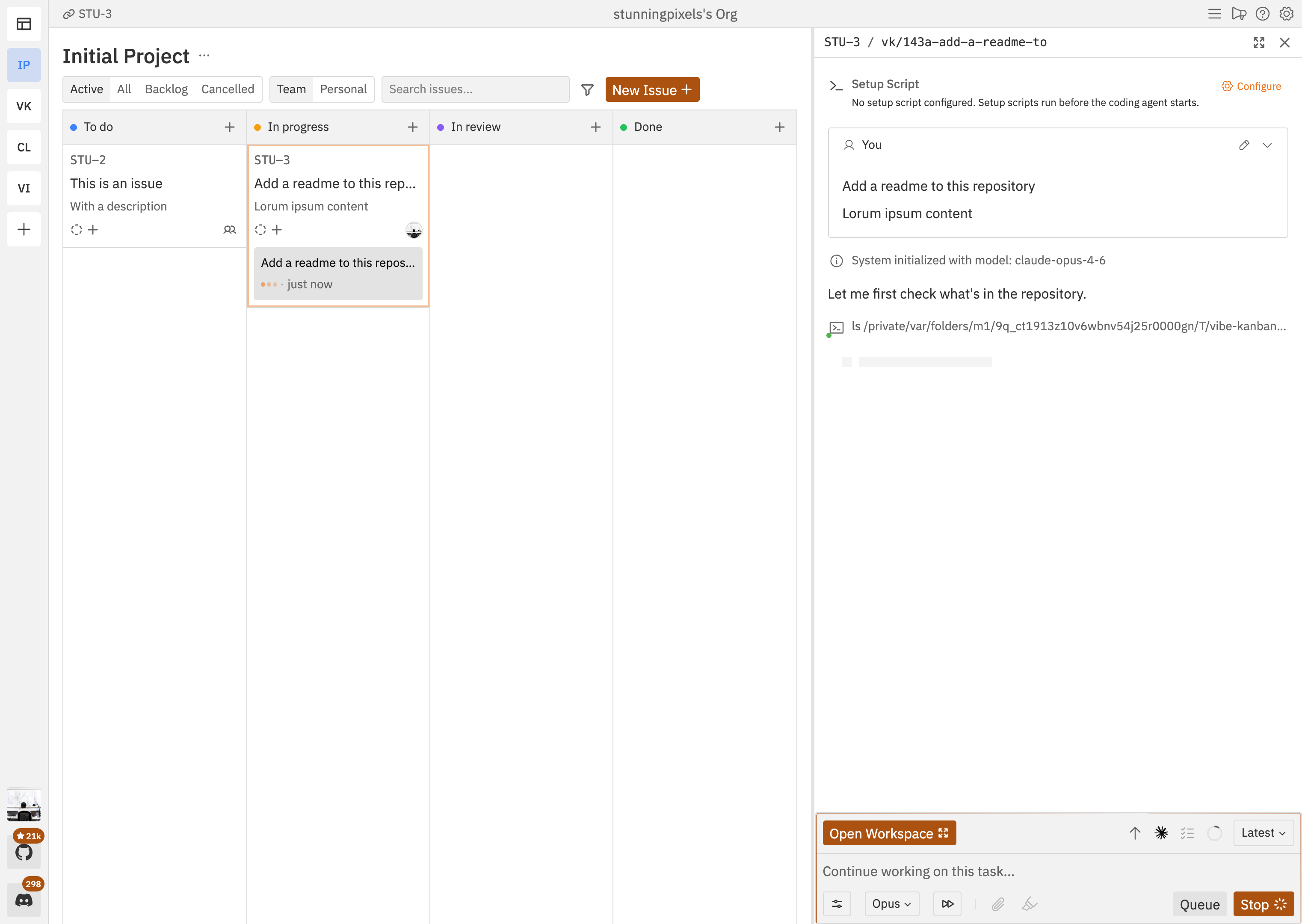
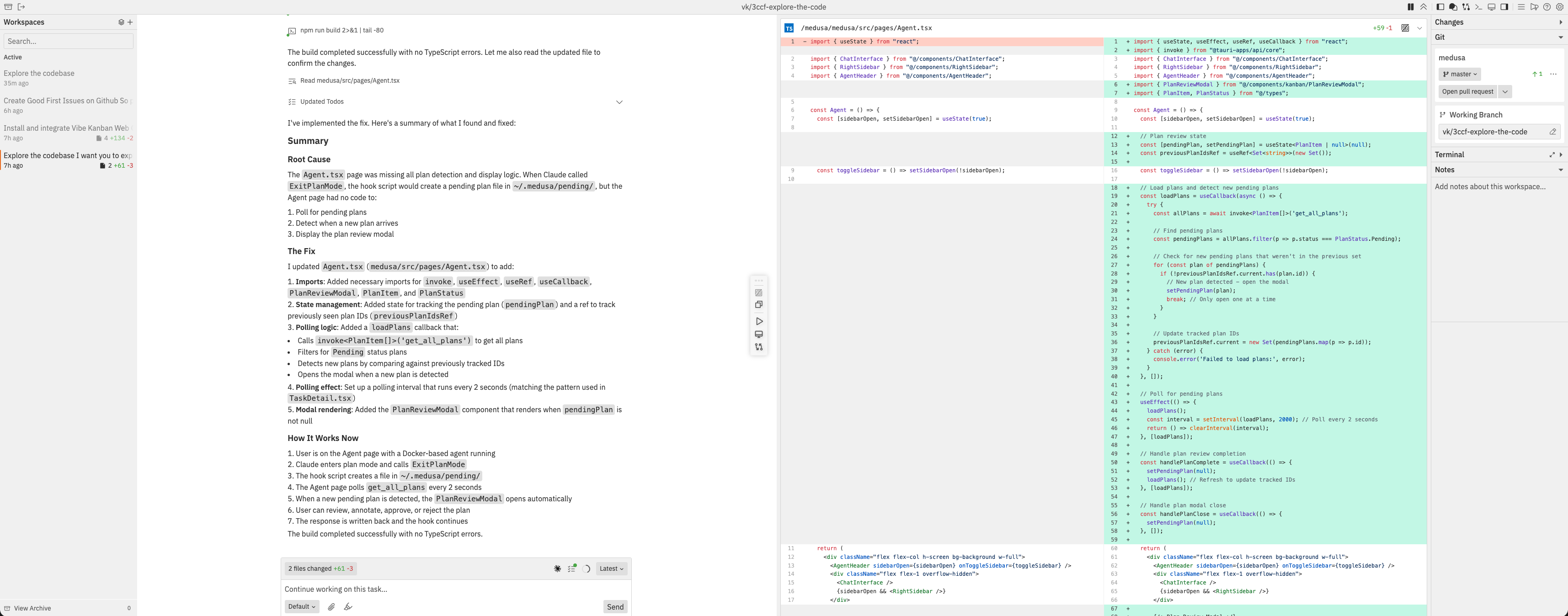
 A kanban board built around coding agents: you plan work as issues, run agents like Claude Code in isolated workspaces, review their diffs, and ship.
A kanban board built around coding agents: you plan work as issues, run agents like Claude Code in isolated workspaces, review their diffs, and ship.Is it a website, a desktop app, or a CLI tool?A local web app: an npm CLI starts a server and you use the board in your browser. It can also be self-hosted on your own server.
A local web app: an npm CLI starts a server and you use the board in your browser. It can also be self-hosted on your own server.How do I get it running?Authenticate with your favourite coding agent first, then start it with one terminal command; the website's docs cover the rest.
Authenticate with your favourite coding agent first, then start it with one terminal command; the website's docs cover the rest.Which coding agents can it drive?10+ of them: Claude Code, Codex, Gemini CLI, GitHub Copilot, Amp, Cursor, OpenCode, Droid, CCR, and Qwen Code — you can switch between them.
10+ of them: Claude Code, Codex, Gemini CLI, GitHub Copilot, Amp, Cursor, OpenCode, Droid, CCR, and Qwen Code — you can switch between them.Any reason to hesitate before adopting it?The README announces that Vibe Kanban is sunsetting — worth checking the project's current status before investing time in it.
The README announces that Vibe Kanban is sunsetting — worth checking the project's current status before investing time in it.Is this for solo developers or teams?Both — the board can be used privately or with your team, planning and assigning issues together.
Both — the board can be used privately or with your team, planning and assigning issues together.Can I run it on a server instead of my laptop?Yes — there's a self-hosting guide, and remote deployment works via systemctl, Docker, or cloud hosting with access through a tunnel like Cloudflare Tunnel or ngrok. Behind a reverse proxy you must set VK_ALLOWED_ORIGINS or API requests fail with 403.
Yes — there's a self-hosting guide, and remote deployment works via systemctl, Docker, or cloud hosting with access through a tunnel like Cloudflare Tunnel or ngrok. Behind a reverse proxy you must set VK_ALLOWED_ORIGINS or API requests fail with 403.What does it send to third-party servers?Analytics go through PostHog, and the build-time PostHog API key variables disable analytics when left empty. Otherwise the app runs locally, and self-hosting keeps it on your infrastructure.
Analytics go through PostHog, and the build-time PostHog API key variables disable analytics when left empty. Otherwise the app runs locally, and self-hosting keeps it on your infrastructure.Why build this instead of just using a regular kanban board?Because once agents write the code, an engineer's bottleneck shifts to planning and reviewing their work — the tool is built specifically to make those two steps faster.
Because once agents write the code, an engineer's bottleneck shifts to planning and reviewing their work — the tool is built specifically to make those two steps faster.Can I preview the app an agent is building without leaving the tool?Yes — there's a built-in browser preview with devtools, an inspect mode, and device emulation.
Yes — there's a built-in browser preview with devtools, an inspect mode, and device emulation.Can I open the project in my editor, including when it runs on a remote server?Yes — Settings → Editor Integration lets you configure a remote SSH host and user; with passwordless SSH keys and the VSCode Remote-SSH extension, the 'Open in VSCode' buttons open the project straight on the server.
Yes — Settings → Editor Integration lets you configure a remote SSH host and user; with passwordless SSH keys and the VSCode Remote-SSH extension, the 'Open in VSCode' buttons open the project straight on the server.Which topics is it in?task-manager, management, kanban, git-worktrees, vibe-coding, github, orchestration, git, coding-agent, rust, codex, agent
task-manager, management, kanban, git-worktrees, vibe-coding, github, orchestration, git, coding-agent, rust, codex, agent