






















27.2K ·GitHub
What is this?
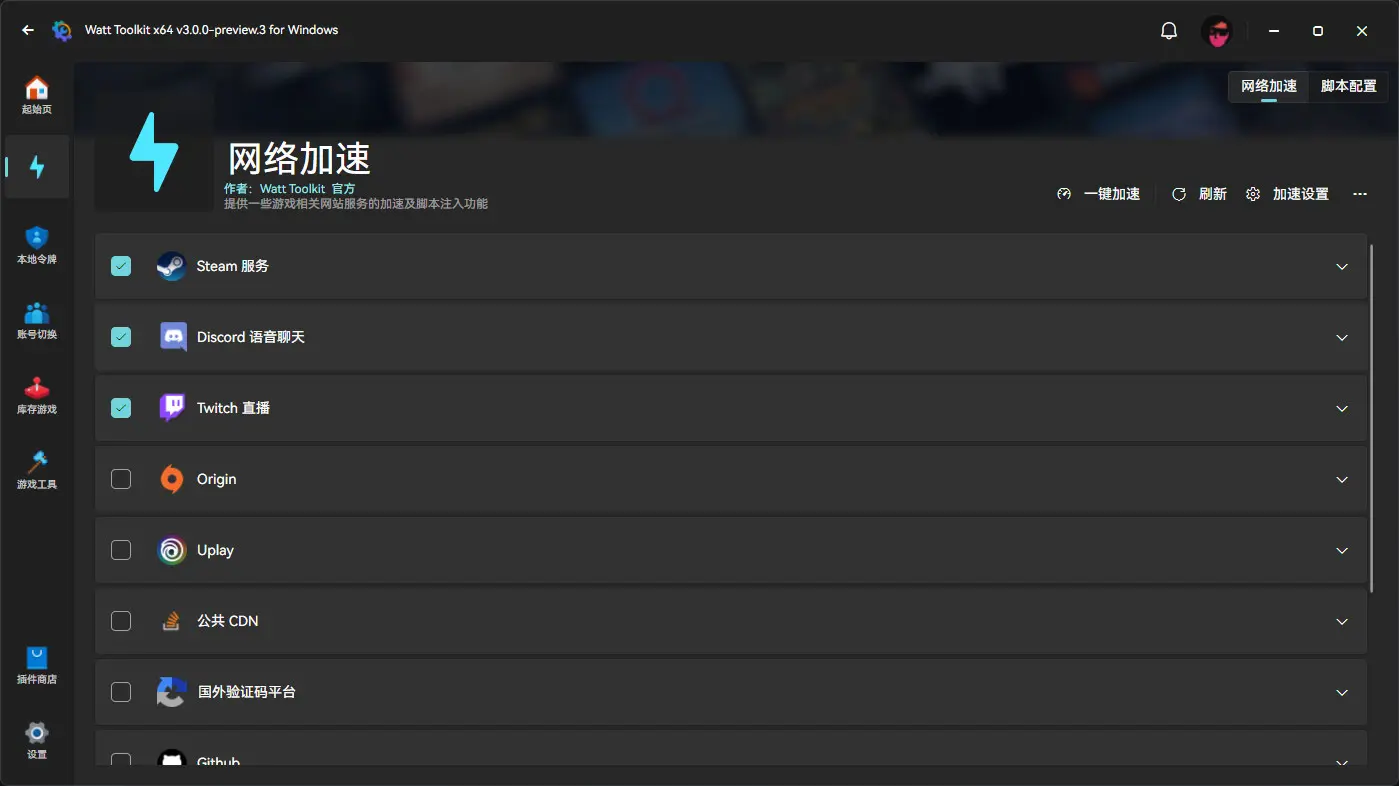
 Watt Toolkit (formerly Steam++) is an open-source, cross-platform multi-functional Steam and gaming toolbox. Version 3.0 ships its features as default plugins — network acceleration, account switching, inventory management, local authenticator tokens and game tools — which you can remove or disable.
Watt Toolkit (formerly Steam++) is an open-source, cross-platform multi-functional Steam and gaming toolbox. Version 3.0 ships its features as default plugins — network acceleration, account switching, inventory management, local authenticator tokens and game tools — which you can remove or disable.Where do I download it from?From the official website or GitHub Releases; Gitee releases and Arch User Repository packages (including a dev AUR built from the latest source) also exist. A step-by-step download guide lives in doc/download-guide.md.
From the official website or GitHub Releases; Gitee releases and Arch User Repository packages (including a dev AUR built from the latest source) also exist. A step-by-step download guide lives in doc/download-guide.md.Do I need the Steam desktop client installed for this to be useful?Yes — most of the toolbox's features require Steam to be downloaded and installed on your machine first.
Yes — most of the toolbox's features require Steam to be downloaded and installed on your machine first.Is everything in the toolbox fully working right now?Not quite — the ArchiSteamFarm-based auto card-farming feature is struck out while a new version is in development, iOS support is unfinished, and the game tools currently only force borderless windowed mode with more features pending.
Not quite — the ArchiSteamFarm-based auto card-farming feature is struck out while a new version is in development, iOS support is unfinished, and the game tools currently only force borderless windowed mode with more features pending.Is this only for Windows, or does it run on Mac and Linux too?It runs on Windows 10 (1809+) and 11, macOS 10.15+, Ubuntu 20.04+, Debian 11+, Fedora 37+ and Deepin/UOS 20+, plus an Android app for Android 5.0+. An iOS version is still in development.
It runs on Windows 10 (1809+) and 11, macOS 10.15+, Ubuntu 20.04+, Debian 11+, Fedora 37+ and Deepin/UOS 20+, plus an Android app for Android 5.0+. An iOS version is still in development.How does the network acceleration actually work?It runs a local reverse proxy based on the open-source YARP.ReverseProxy project to make access to game websites faster, and it can intercept requests to inject JS scripts into web pages — providing browser-extension-like functionality without an actual extension.
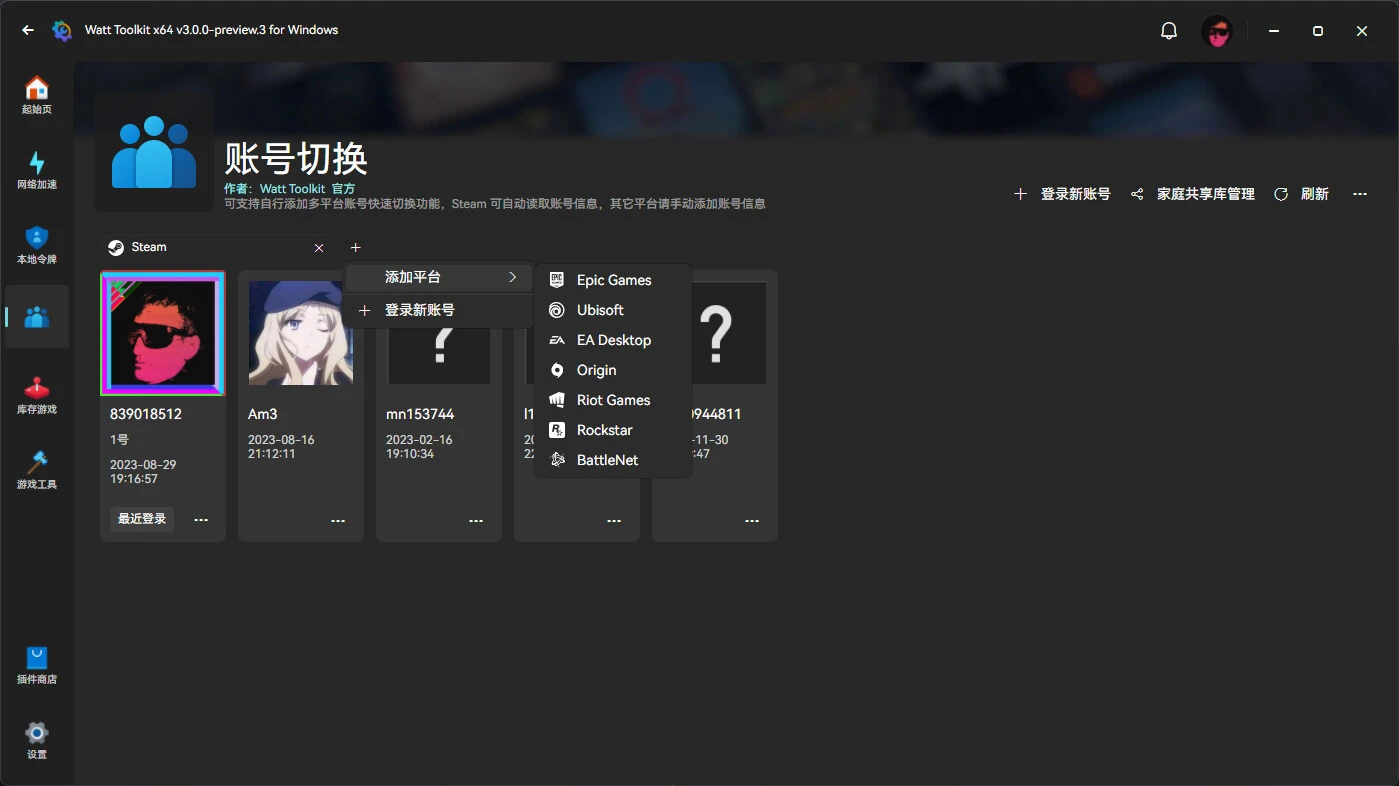
It runs a local reverse proxy based on the open-source YARP.ReverseProxy project to make access to game websites faster, and it can intercept requests to inject JS scripts into web pages — providing browser-extension-like functionality without an actual extension.Can I switch between multiple game accounts on one PC?Yes — it quickly switches between Steam, Epic, Uplay and other platform accounts that have been logged in on the current PC, and also manages Steam Family Sharing library ordering and disabling.
Yes — it quickly switches between Steam, Epic, Uplay and other platform accounts that have been logged in on the current PC, and also manages Steam Family Sharing library ordering and disabling.What are the local authenticator tokens for?They keep your phone-based login tokens on your PC: you can import generic HOTP, TOTP, Steam and Google tokens, bind a token to your Steam account, and batch-confirm Steam trades. Guides cover importing from the mobile Steam app on Android and on iOS with or without jailbreak.
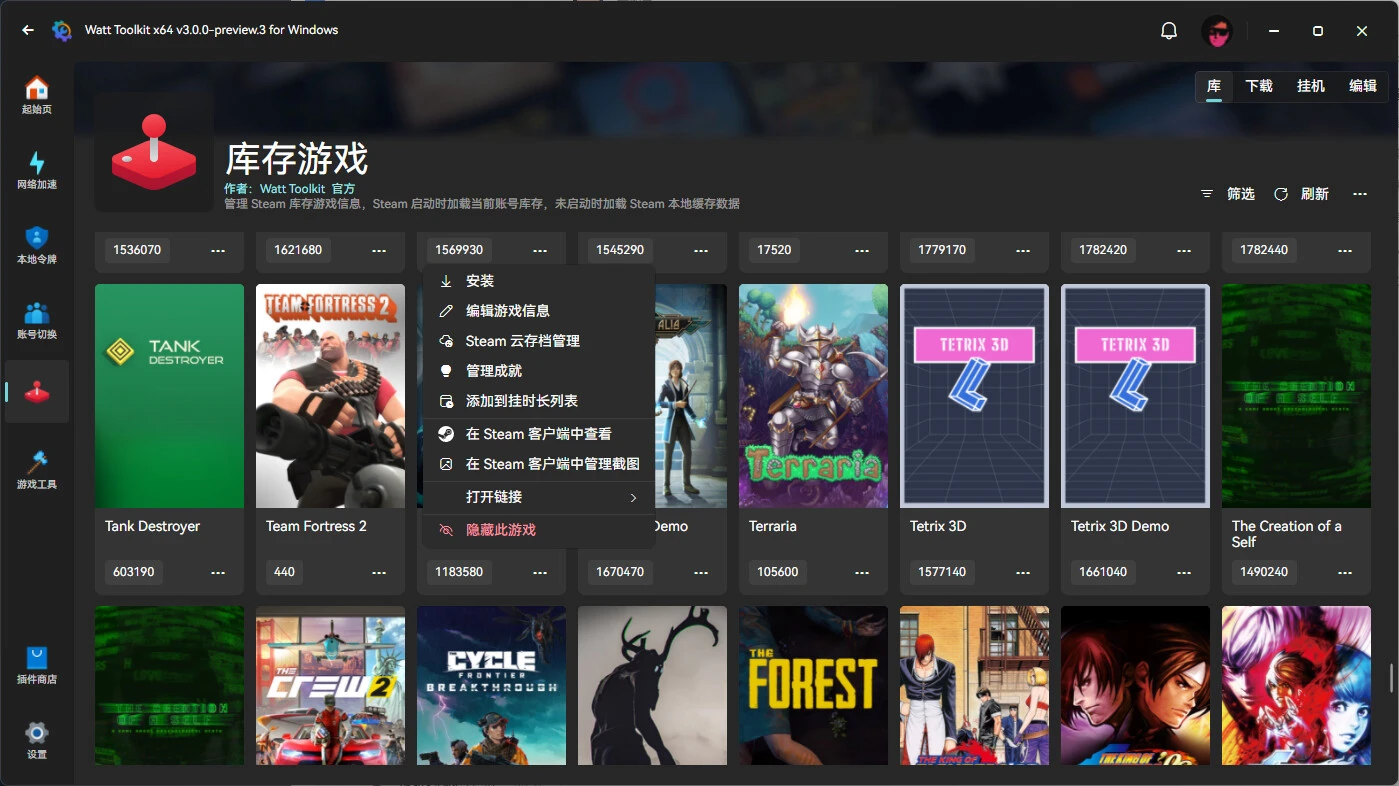
They keep your phone-based login tokens on your PC: you can import generic HOTP, TOTP, Steam and Google tokens, bind a token to your Steam account, and batch-confirm Steam trades. Guides cover importing from the mobile Steam app on Android and on iOS with or without jailbreak.Can it farm Steam trading cards without installing the games?Yes — the inventory plugin can simulate running a Steam game so you accrue playtime and card drops without downloading or installing it. The same plugin manages your library: editing game names, custom covers, Steam Cloud save management, and auto-shutdown when downloads finish.
Yes — the inventory plugin can simulate running a Steam game so you accrue playtime and card drops without downloading or installing it. The same plugin manages your library: editing game names, custom covers, Steam Cloud save management, and auto-shutdown when downloads finish.What are similar projects?Avalonia, quiver-launcher, ImageGlass, IntentRoute-AI, Playnite, CircuitLordVRModInstaller, KillerPDF, uno
Avalonia, quiver-launcher, ImageGlass, IntentRoute-AI, Playnite, CircuitLordVRModInstaller, KillerPDF, unoWhich topics is it in?accelerator, dotnetcore, xaml, avalonia, totp, mvvm, wpf, 2fa, steam, linux-app, ios-app, reverse-proxy
accelerator, dotnetcore, xaml, avalonia, totp, mvvm, wpf, 2fa, steam, linux-app, ios-app, reverse-proxy