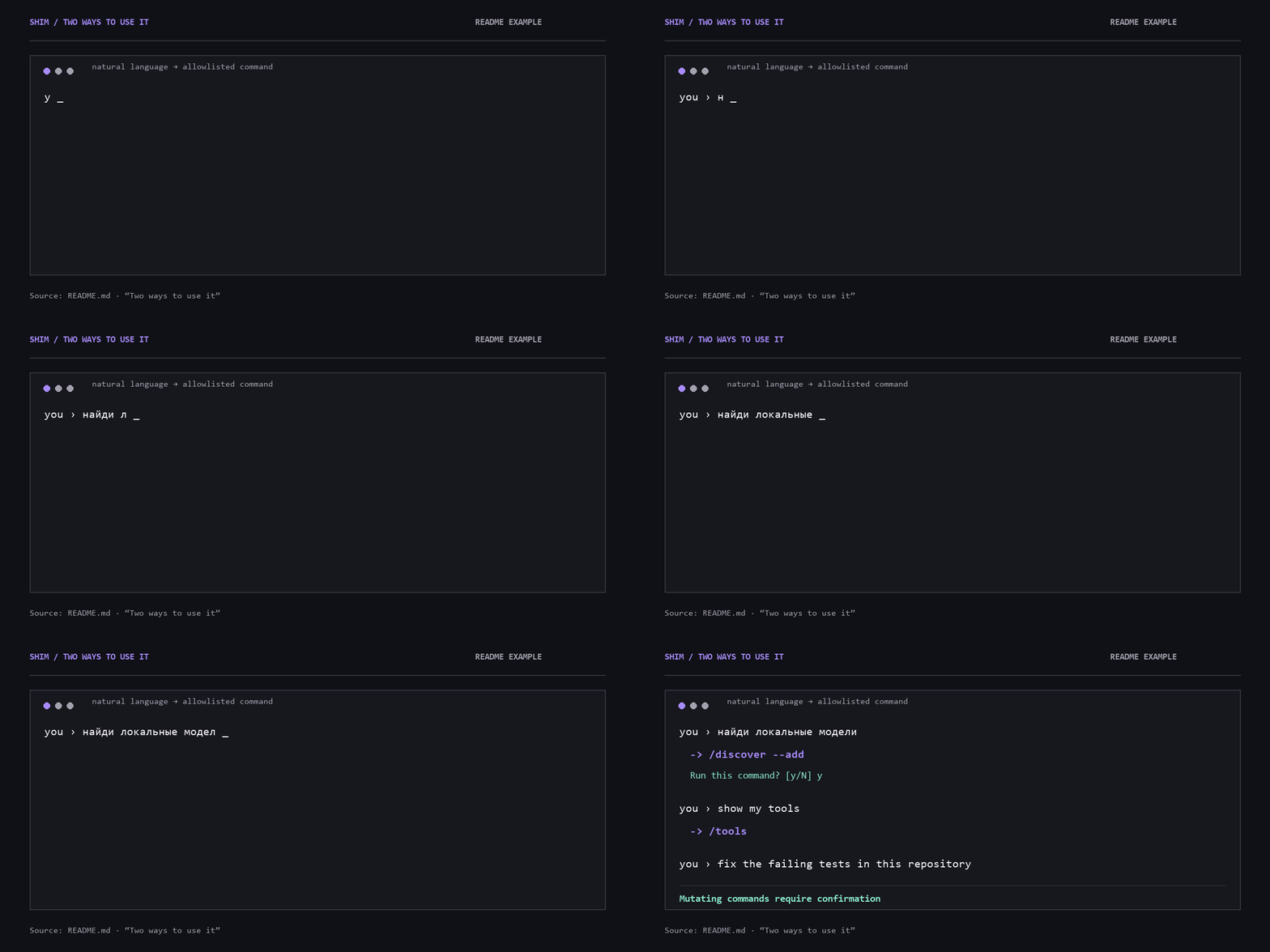
The documented CLI flow from “Two ways to use it”. Natural language becomes an allowlisted command; mutating commands require confirmation.
Why Shim?
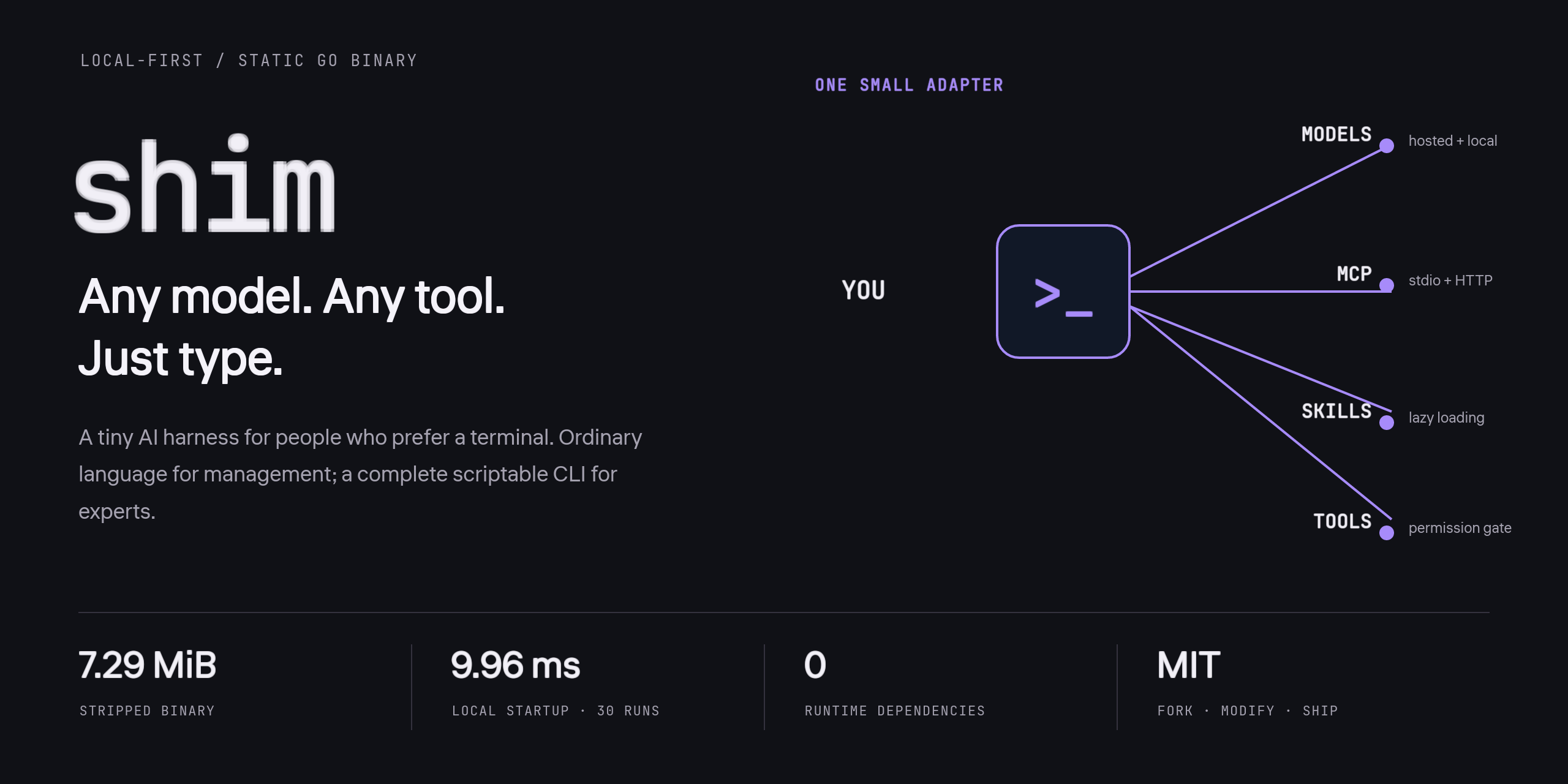
Model-agnostic coding agents are everywhere. Setting them up is still too hard: provider IDs, API endpoints, MCP JSON, skills directories, and a new interface for every tool.
Shim is the small adapter between you and all of that.
- Talk or type commands. A full scriptable CLI for experts; ordinary language for everyone else.
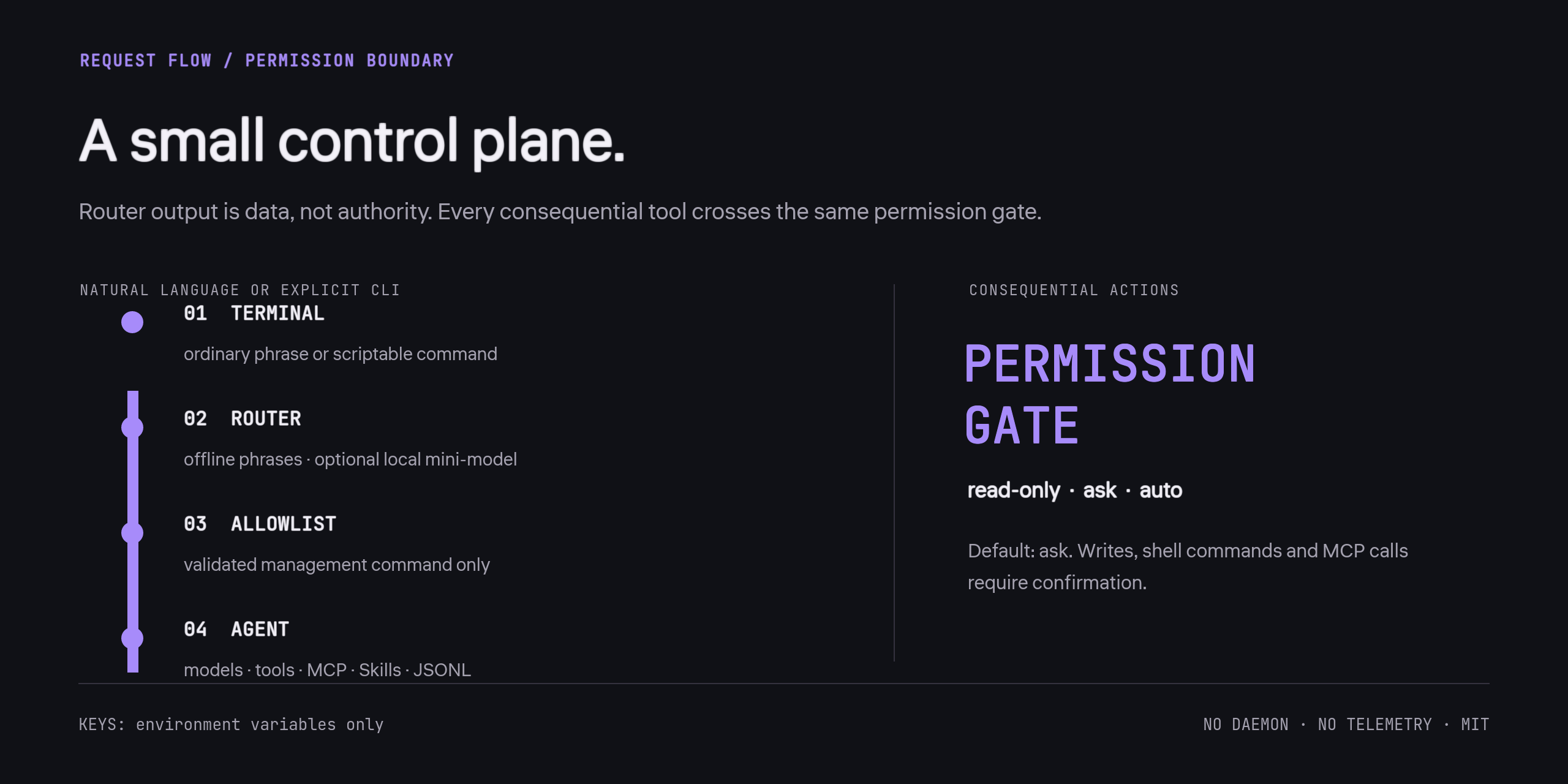
- Use a local mini-model as the command router. It translates management requests into an allowlisted command. Mutating commands require confirmation.
- Bring any model API. Native OpenAI-compatible and Anthropic adapters, plus presets for popular hosted and local providers.
- Bring any MCP server or Agent Skill. MCP over stdio and Streamable HTTP; lazy
SKILL.md loading from common directories.
- Stay light. No Electron, Node, Python, Docker, database, background daemon, or UI framework.
- Own your state. Plain JSON config and JSONL sessions. API keys come from environment variables and are never written to Shim's config.
Measured on the maintainer's Windows machine for v0.1.0: 7.29 MiB stripped binary and 9.96 ms median process startup for shim --version over 30 runs. This is a local measurement, not a cross-platform performance guarantee.
Install
Download
Get a static binary for Windows, macOS, or Linux from Releases, put it on your PATH, then run:
shim setup
shim
On PowerShell, use .\shim.exe when running the binary from the current directory.
With Go
Go 1.25+:
go install github.com/Balanov/shim/cmd/[email protected]
shim setup
From source
git clone https://github.com/Balanov/shim.git
cd shim
go test ./...
go build -trimpath -ldflags="-s -w" -o shim ./cmd/shim
./shim setup
Windows also has scripts/build.ps1; Unix has scripts/build.sh.
Two ways to use it
Just talk
you › найди локальные модели
↳ /discover --add
Run this command? [y/N] y

you › show my tools
↳ /tools

you › fix the failing tests in this repository
Shim has deterministic offline phrases for common English and Russian management commands. For other languages, assign a local model as the router:
shim router use ollama/qwen3:4b
The router sees non-command chat text so it can distinguish configuration requests from agent tasks. Use a loopback model if you want that step to stay on your machine. No model weights are bundled or silently downloaded; that would defeat the tiny-binary goal. Your primary model handles ordinary conversation in whatever language it supports.
Use the complete CLI
# Local models: discover and configure all running servers
shim model discover --add

# Hosted models
shim model add openrouter anthropic/claude-sonnet-4.5 --name claude --use
shim model add openai gpt-5 --name gpt --use
shim model add huggingface org/model --name hf --use

# Any OpenAI-compatible endpoint
shim model add custom my-model --name mine \
  --base-url http://127.0.0.1:8000/v1 --use

# One-shot agent run
shim run --read-only "explain this repository"
shim run --yes --verbose "fix the tests and verify the result"

# Interactive terminal
shim
Run shim help for the full command surface.
Model providers
| Preset |
Adapter |
Credential environment variable |
ollama |
OpenAI-compatible |
None |
lmstudio |
OpenAI-compatible |
None |
llamacpp |
OpenAI-compatible |
None |
openai |
OpenAI-compatible |
OPENAI_API_KEY |
openrouter |
OpenAI-compatible |
OPENROUTER_API_KEY |
anthropic |
Anthropic Messages |
ANTHROPIC_API_KEY |
gemini |
Gemini OpenAI-compatible endpoint |
GEMINI_API_KEY |
github |
GitHub Models |
GITHUB_TOKEN |
huggingface |
Hugging Face router |
HF_TOKEN |
custom |
OpenAI-compatible or Anthropic |
Optional, configurable |
“Any model” means any model exposed through a supported HTTP API. GGUF and other local weights run through Ollama, LM Studio, llama.cpp, or another compatible inference server; Shim is the harness, not an inference engine.
PowerShell example:
$env:OPENROUTER_API_KEY = "..."
shim model add openrouter your/model --name main --use
shim model test main
For persistent environment variables, use your OS or shell's standard secret/configuration mechanism. Do not put keys in the project config.
Skills
Shim discovers SKILL.md in:
- the global
skills/ directory next to Shim's config;
.shim/skills/;.agents/skills/;.claude/skills/.
Only names and descriptions enter the system prompt. Full instructions load on demand through load_skill.
shim skill add owner/repository
shim skill add https://github.com/owner/repository
shim skill add ./local/skill-or-collection
shim skill list
shim skill show name
shim skill remove name
Skills are untrusted instructions. Review them before use, especially when they request shell or network access.
MCP
# Stdio server
shim mcp add filesystem npx -y @modelcontextprotocol/server-filesystem .
shim mcp tools filesystem
shim mcp call filesystem list_allowed_directories '{}'

# Streamable HTTP server
shim mcp add internal https://mcp.example.com/mcp

shim mcp list
shim mcp remove filesystem
MCP tools are namespaced as mcp_<server>_<tool> and require confirmation in the default ask mode. HTTP headers and stdio environment variables can be added to the JSON config. Values support ${ENV_VAR} expansion, so secrets can stay in the environment rather than in files.
Permissions and safety
Default mode is ask:
- reading, listing, and searching workspace files: allowed;
- writing/editing files, shell commands, and MCP calls: confirmation required;
- file tools reject lexical traversal and symlink escapes from the workspace.
shim permissions read-only  # no writes, shell, or MCP
shim permissions ask        # confirm consequential actions
shim permissions auto       # allow the agent to act without prompts
For one run, prefer --read-only or --yes over changing the global default.
Shim is not an OS sandbox. Shell commands and MCP servers run with your user's permissions. Workspace path checks do not contain a malicious process. Use a container, VM, or OS sandbox for untrusted workloads. Treat model output, repository text, skills, and MCP responses as untrusted data.
Sessions and configuration
shim session list
shim session new
shim run --resume SESSION_ID "continue"
shim status
shim doctor
shim config path
shim config show
Config is at the OS user-config location in shim/config.json; override it with SHIM_CONFIG or --config. Sessions are append-only JSONL next to it. Network traffic occurs only for explicit model calls, skill downloads, local discovery, and the MCP servers you configure.
What Shim deliberately is not
| Project |
Strength |
Shim's different bet |
| OpenCode |
Full-featured provider-agnostic terminal workspace |
No TUI/server surface; conversational setup and a tiny static binary |
| Pi |
Minimal, extensible coding-agent toolkit |
Zero runtime dependencies and an allowlisted natural-language control layer |
| Goose |
Broad MCP-powered automation ecosystem |
A smaller local-first control plane with no daemon or desktop app |
| Aider |
Git-native pair programming |
General agent harness with MCP, lazy skills, and conversational management |
Shim does not try to beat foundation-model vendors at their own agent UI. It makes heterogeneous models and tools easy to wire together and easy to fork.
Development
go test ./...
go vet ./...
go fmt ./...
The codebase uses only the Go standard library. See Architecture, Contributing, and Security. Русское введение: README_RU.md.
Roadmap
- streaming token output and cancellation polish;
- OS-level sandbox profiles;
- OAuth helpers for remote MCP;
- context compaction and richer session export;
- additional deterministic language packs and provider conformance tests.
- uncut — the lossless, headless coding-agent harness.
- skein — fail-closed swarm orchestration with epoch-fenced work.
- latch — one tiny HTTPS contract between any agent and any service.
- verdict — a local semantic verifier for agent tool calls.
License
MIT. Fork it, modify it, embed it, ship it.



 一个微型的、本地优先的 AI 运行框架,适合偏好终端的用户。它以单个静态二进制文件发布,零依赖,没有 TUI,也不收集遥测数据,并通过自然语言命令行工具,把任意模型、MCP 服务器和 Agent Skills 连接在一起。