30 Days Of JavaScript
🧡🧡🧡 HAPPY CODING 🧡🧡🧡
💖 Sponsors
Our amazing sponsors for supporting my open-source contribution and the 30 Days of Challenge series!
Current Sponsor
You can support this project by becoming a sponsor on GitHub Sponsors or through PayPal.
Every contribution, big or small, makes a huge difference. Thank you for your support! 🌟
Day 2 >>
📔 Day 1
Introduction
Congratulations on deciding to participate in 30 days of JavaScript programming challenge. In this challenge, you will learn everything you need to be a JavaScript programmer, and in general, the whole concept of programming. In the end of the challenge, you will get a 30DaysOfJavaScript programming challenge completion certificate. In order to get a certificate, you have to enroll to DevOsome which is an interactive and engaging online educational platform.
In case you need help or if you would like to help others you may join the dedicated telegram group.
A 30DaysOfJavaScript challenge is a guide for both beginners and advanced JavaScript developers. Welcome to JavaScript. JavaScript is the language of the web. I enjoy using and teaching JavaScript and I hope you will do so too.
In this step by step JavaScript challenge, you will learn JavaScript, the most popular programming language in the history of mankind.
JavaScript is used to add interactivity to websites, to develop mobile apps, desktop applications, games and nowadays JavaScript can be used for server-side programming, machine learning and AI.
JavaScript (JS) has increased in popularity in recent years and has been the leading
programming language for last ten years and is the most used programming language on
GitHub.
This challenge is easy to read, written in conversational English, engaging, motivating and at the same time, it is very demanding. You need to allocate much time to finish this challenge. If you are a visual learner, you may get the video lesson on Washera YouTube channel. Subscribe the channel, comment and ask questions on YouTube vides and be proactive, the author will eventually notice you.
The author likes to hear your opinion about the challenge, share the author by expressing your thoughts about the 30DaysOfJavaScript challenge. You can leave your testimonial on this link
Requirements
No prior knowledge of programming is required to follow this challenge. You need only:
- Motivation
- A computer
- Internet
- A browser
- A code editor
Setup
I believe you have the motivation and a strong desire to be a developer, a computer and Internet. If you have those, then you have everything to get started.
Install Node.js
You may not need Node.js right now but you may need it for later. Install node.js.
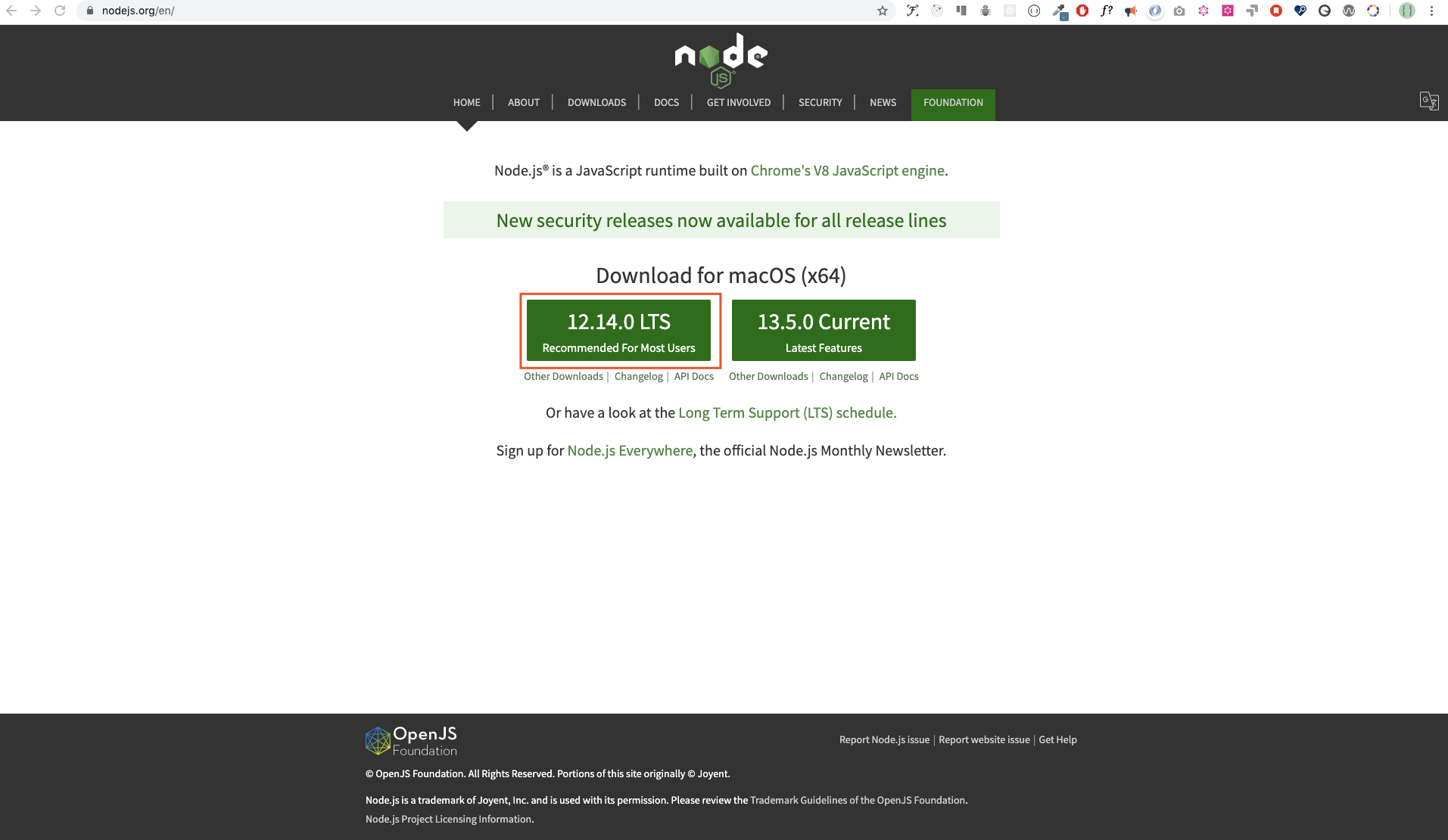
After downloading double click and install
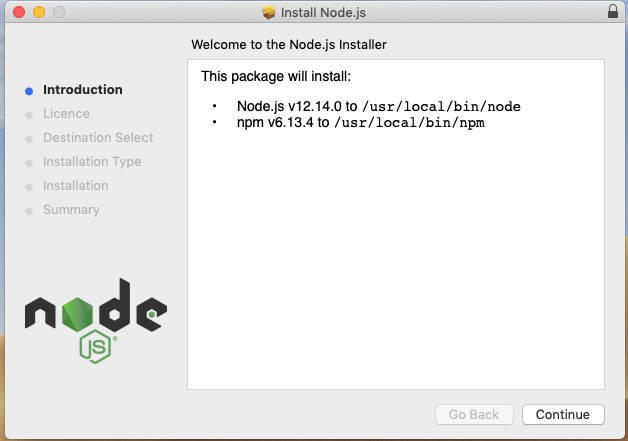
We can check if node is installed on our local machine by opening our device terminal or command prompt.
asabeneh $ node -v
v12.14.0
When making this tutorial I was using Node version 12.14.0, but now the recommended version of Node.js for download is v14.17.6, by the time you use this material you may have a higher Node.js version.
Browser
There are many browsers out there. However, I strongly recommend Google Chrome.
Installing Google Chrome
Install Google Chrome if you do not have one yet. We can write small JavaScript code on the browser console, but we do not use the browser console to develop applications.
Opening Google Chrome Console
You can open Google Chrome console either by clicking three dots at the top right corner of the browser, selecting More tools -> Developer tools or using a keyboard shortcut. I prefer using shortcuts.
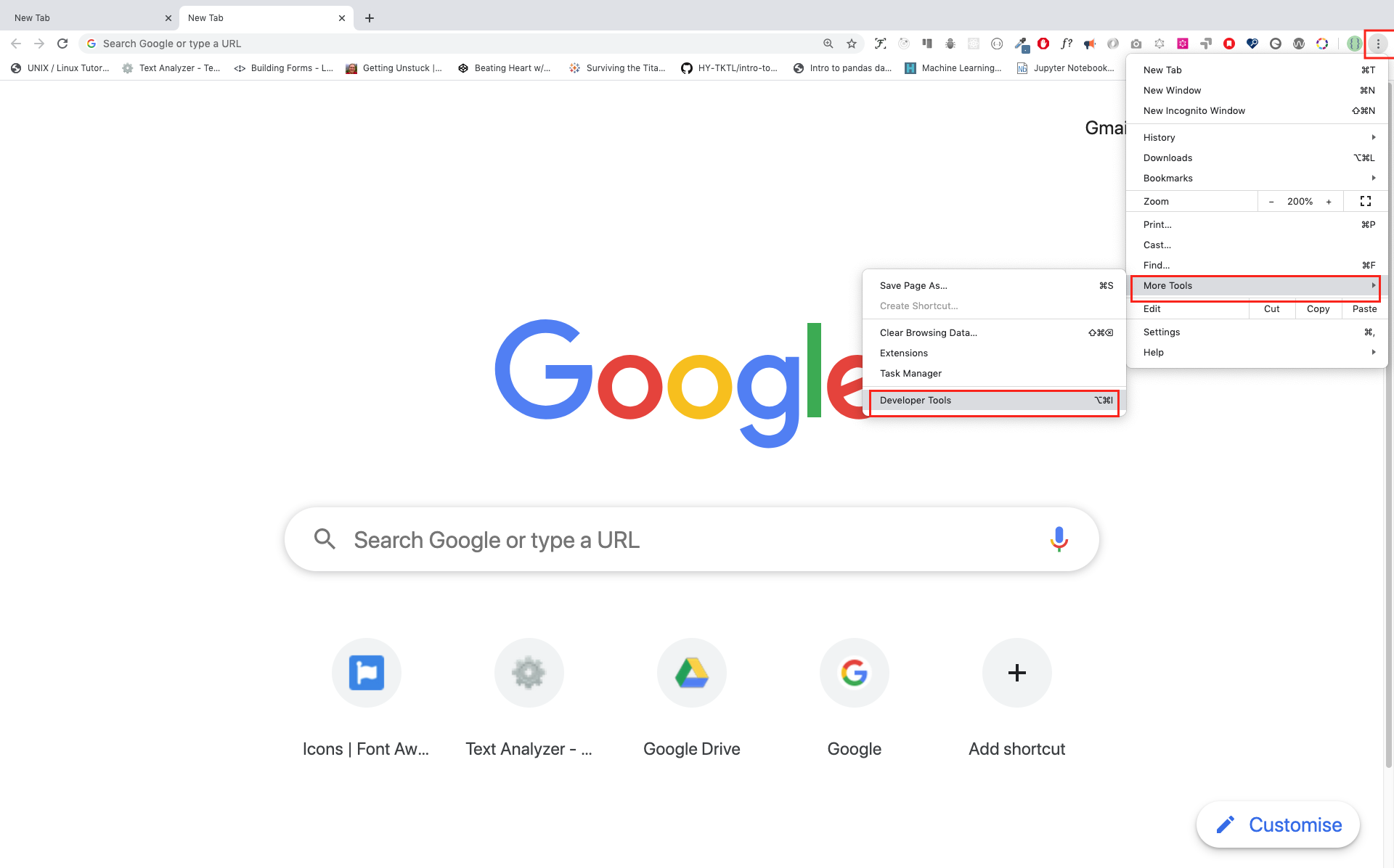
To open the Chrome console using a keyboard shortcut.
Mac
Command+Option+J

Windows/Linux:
Ctl+Shift+J
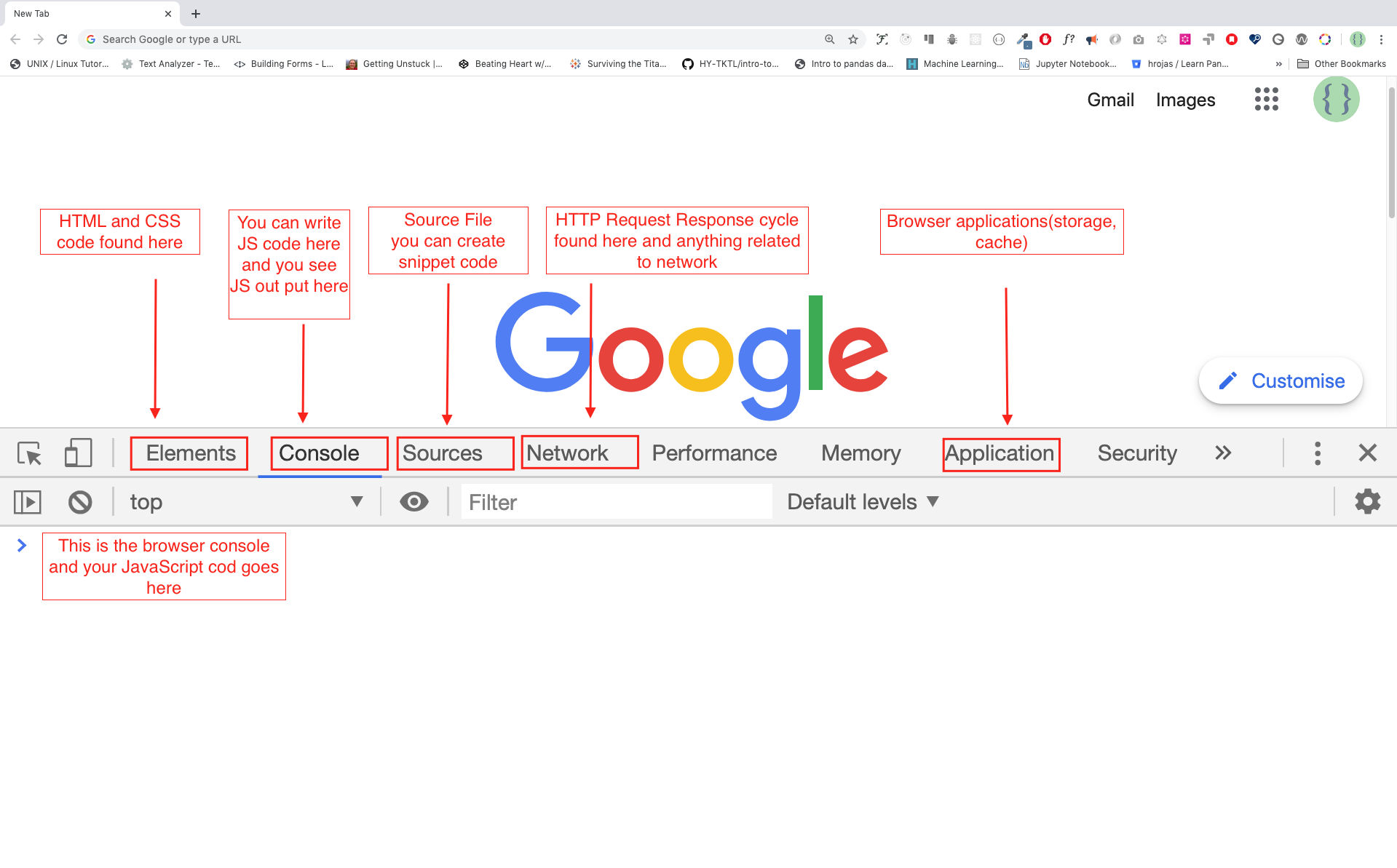
After you open the Google Chrome console, try to explore the marked buttons. We will spend most of the time on the Console. The Console is the place where your JavaScript code goes. The Google Console V8 engine changes your JavaScript code to machine code.
Let us write a JavaScript code on the Google Chrome console:
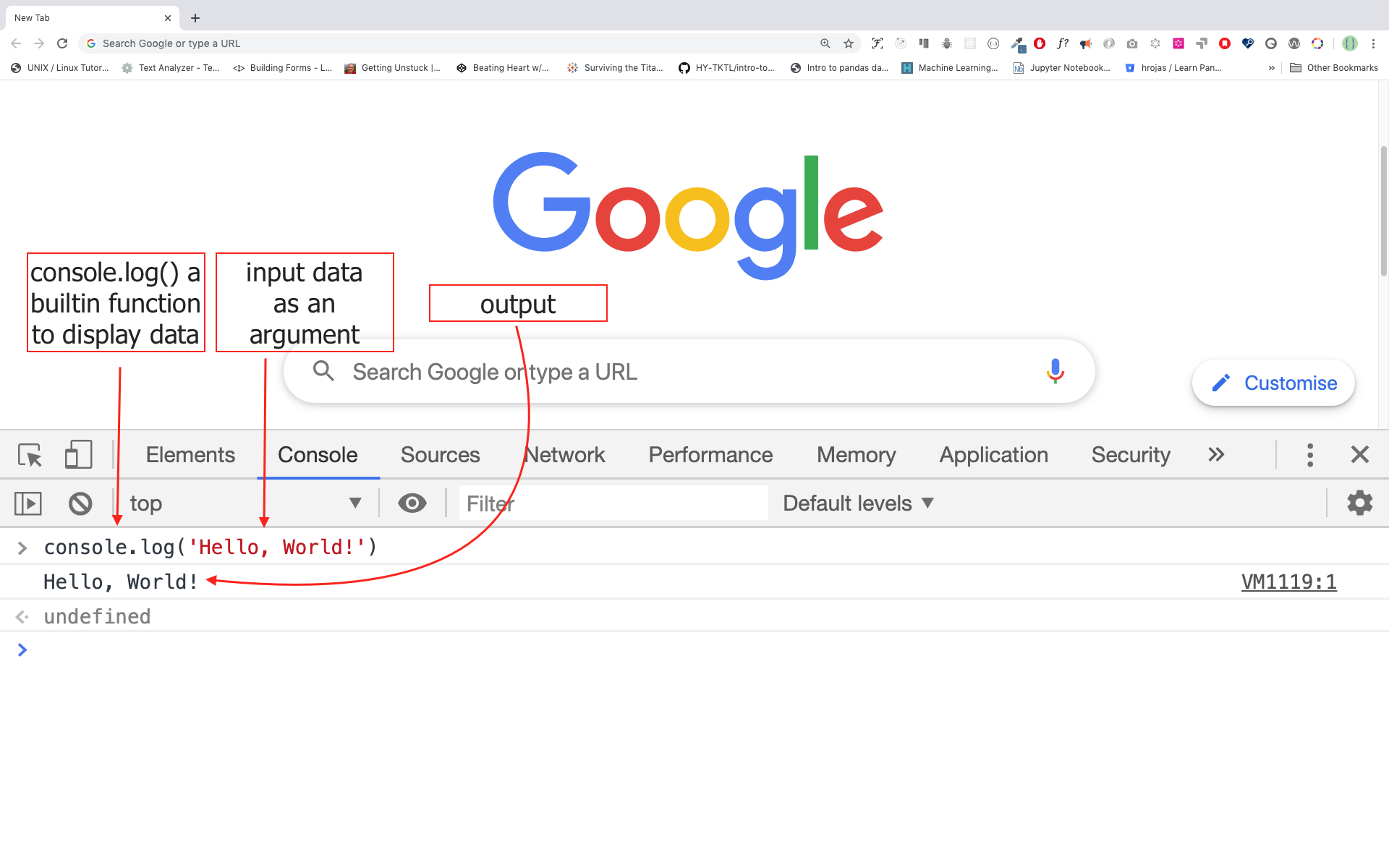
Writing Code on Browser Console
We can write any JavaScript code on the Google console or any browser console. However, for this challenge, we only focus on Google Chrome console. Open the console using:
Mac
Command+Option+I

Windows:
Ctl+Shift+I
Console.log
To write our first JavaScript code, we used a built-in function console.log(). We passed an argument as input data, and the function displays the output. We passed 'Hello, World' as input data or argument in the console.log() function.
console.log('Hello, World!')
Console.log with Multiple Arguments
The console.log() function can take multiple parameters separated by commas. The syntax looks like as follows:console.log(param1, param2, param3)
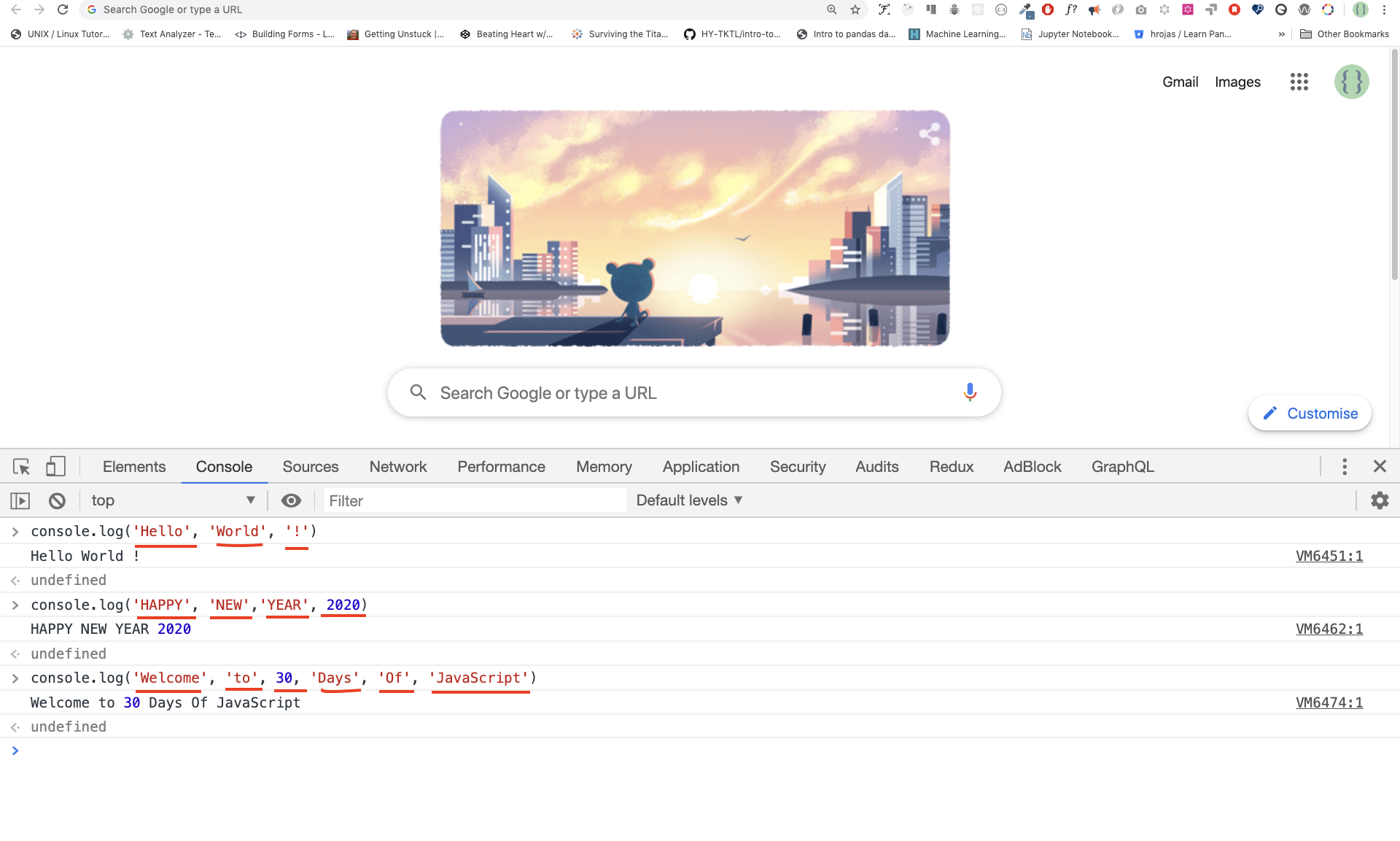
console.log('Hello', 'World', '!')
console.log('HAPPY', 'NEW', 'YEAR', 2020)
console.log('Welcome', 'to', 30, 'Days', 'Of', 'JavaScript')
As you can see from the snippet code above, console.log() can take multiple arguments.
Congratulations! You wrote your first JavaScript code using console.log().
We can add comments to our code. Comments are very important to make code more readable and to leave remarks in our code. JavaScript does not execute the comment part of our code. In JavaScript, any text line starting with // in JavaScript is a comment, and anything enclosed like this // is also a comment.
Example: Single Line Comment
// This is the first comment
// This is the second comment
// I am a single line comment
Example: Multiline Comment
/*
This is a multiline comment
 Multiline comments can take multiple lines
 JavaScript is the language of the web
 */
Syntax
Programming languages are similar to human languages. English or many other language uses words, phrases, sentences, compound sentences and other more to convey a meaningful message. The English meaning of syntax is the arrangement of words and phrases to create well-formed sentences in a language. The technical definition of syntax is the structure of statements in a computer language. Programming languages have syntax. JavaScript is a programming language and like other programming languages it has its own syntax. If we do not write a syntax that JavaScript understands, it will raise different types of errors. We will explore different kinds of JavaScript errors later. For now, let us see syntax errors.
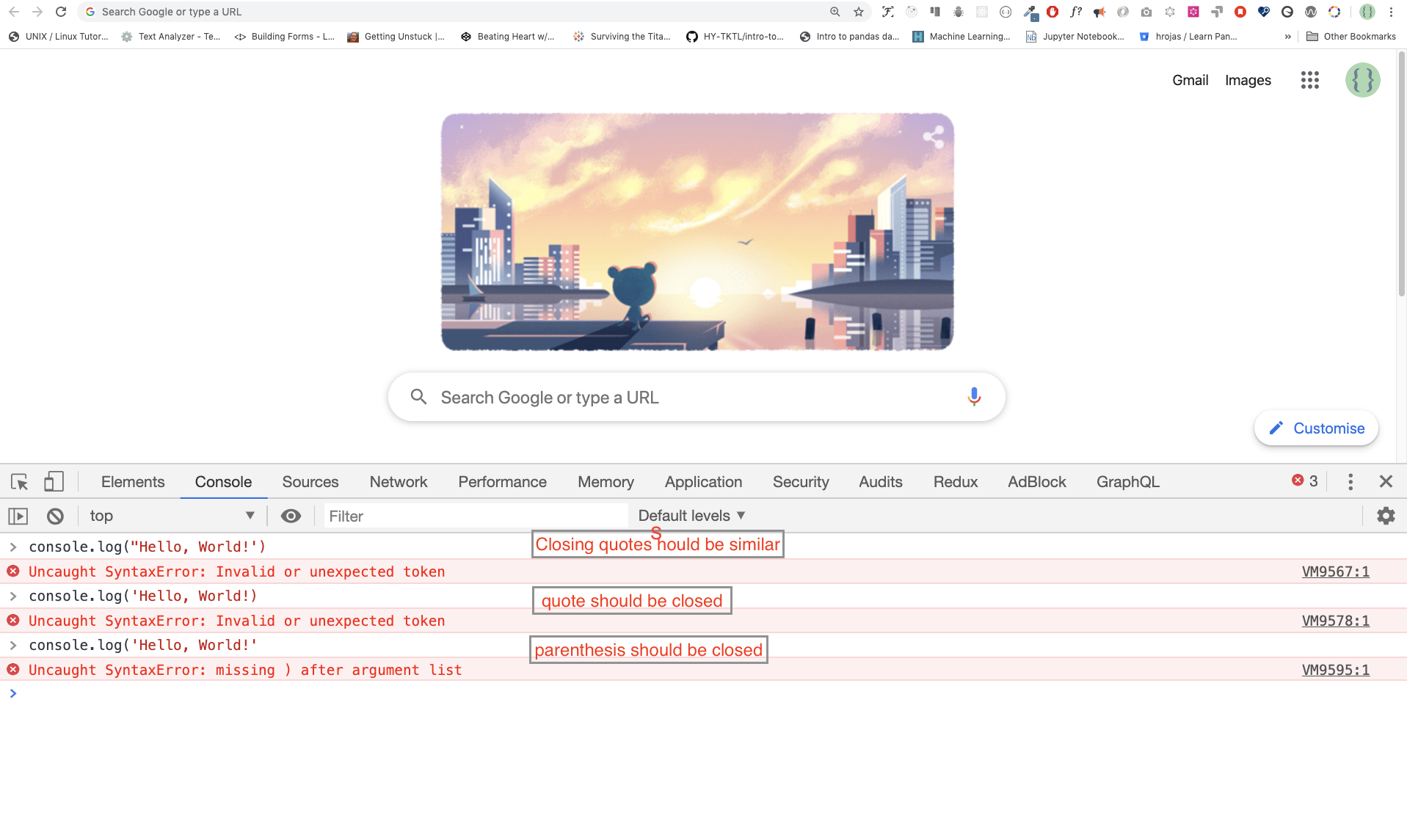
I made a deliberate mistake. As a result, the console raises syntax errors. Actually, the syntax is very informative. It informs what type of mistake was made. By reading the error feedback guideline, we can correct the syntax and fix the problem. The process of identifying and removing errors from a program is called debugging. Let us fix the errors:
console.log('Hello, World!')
console.log('Hello, World!')
So far, we saw how to display text using the console.log(). If we are printing text or string using console.log(), the text has to be inside the single quotes, double quotes, or a backtick.
Example:
console.log('Hello, World!')
console.log("Hello, World!")
console.log(`Hello, World!`)
Arithmetics
Now, let us practice more writing JavaScript codes using console.log() on Google Chrome console for number data types.
In addition to the text, we can also do mathematical calculations using JavaScript. Let us do the following simple calculations.
It is possible to write JavaScript code on Google Chrome console can directly without the console.log() function. However, it is included in this introduction because most of this challenge would be taking place in a text editor where the usage of the function would be mandatory. You can play around directly with instructions on the console.
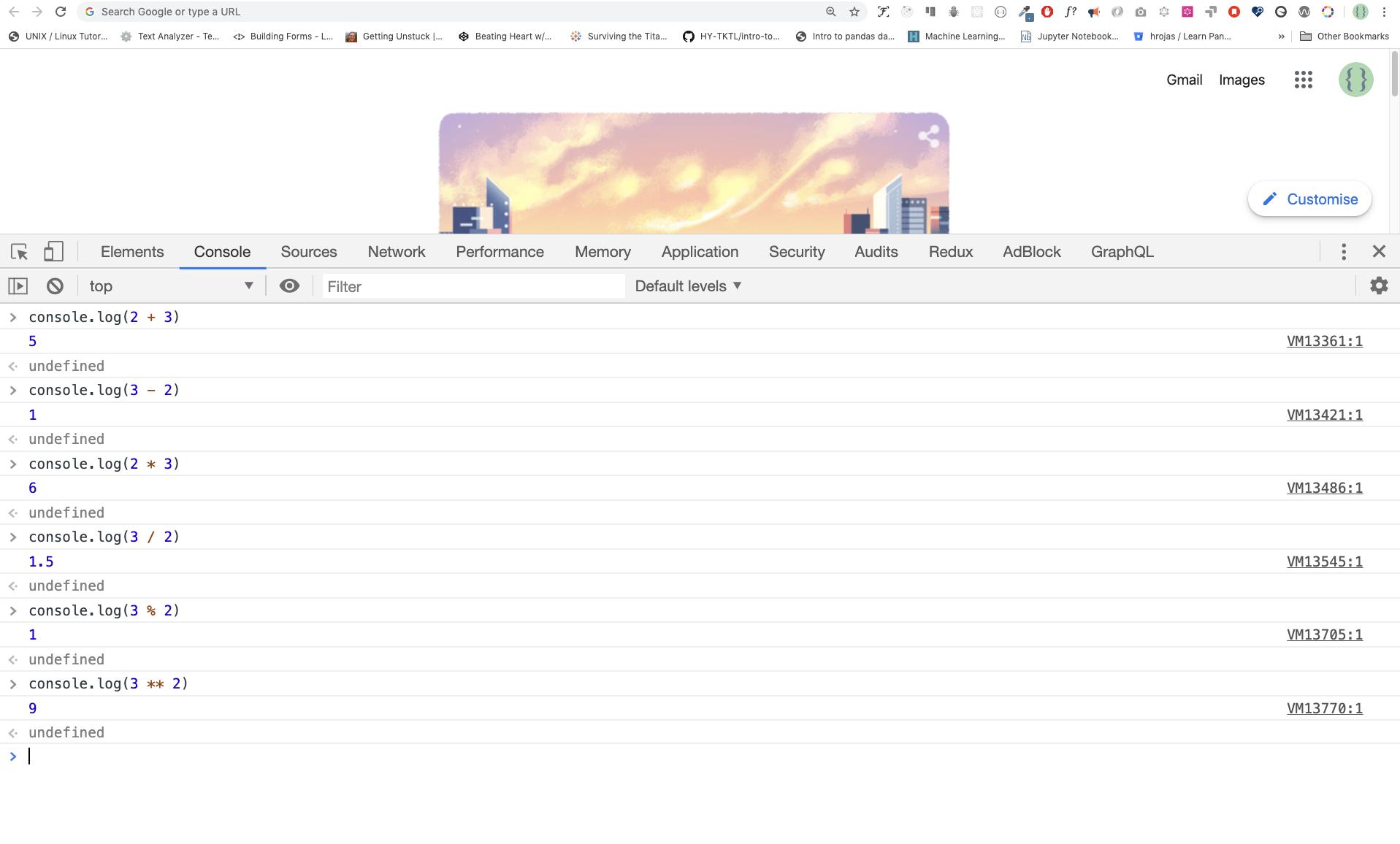
console.log(2 + 3) // Addition
console.log(3 - 2) // Subtraction
console.log(2 * 3) // Multiplication
console.log(3 / 2) // Division
console.log(3 % 2) // Modulus - finding remainder
console.log(3 ** 2) // Exponentiation 3 ** 2 == 3 * 3
Code Editor
We can write our codes on the browser console, but it won't be for bigger projects. In a real working environment, developers use different code editors to write their codes. In this 30 days of JavaScript challenge, we will be using Visual Studio Code.
Installing Visual Studio Code
Visual Studio Code is a very popular open-source text editor. I would recommend to download Visual Studio Code, but if you are in favor of other editors, feel free to follow with what you have.
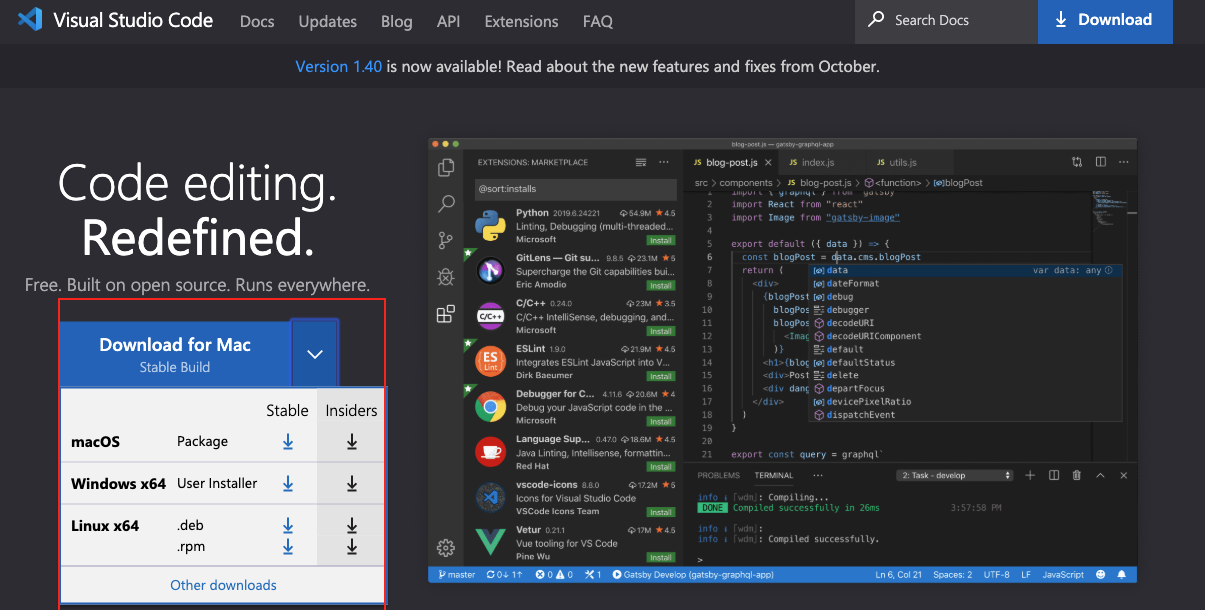
If you installed Visual Studio Code, let us start using it.
How to Use Visual Studio Code
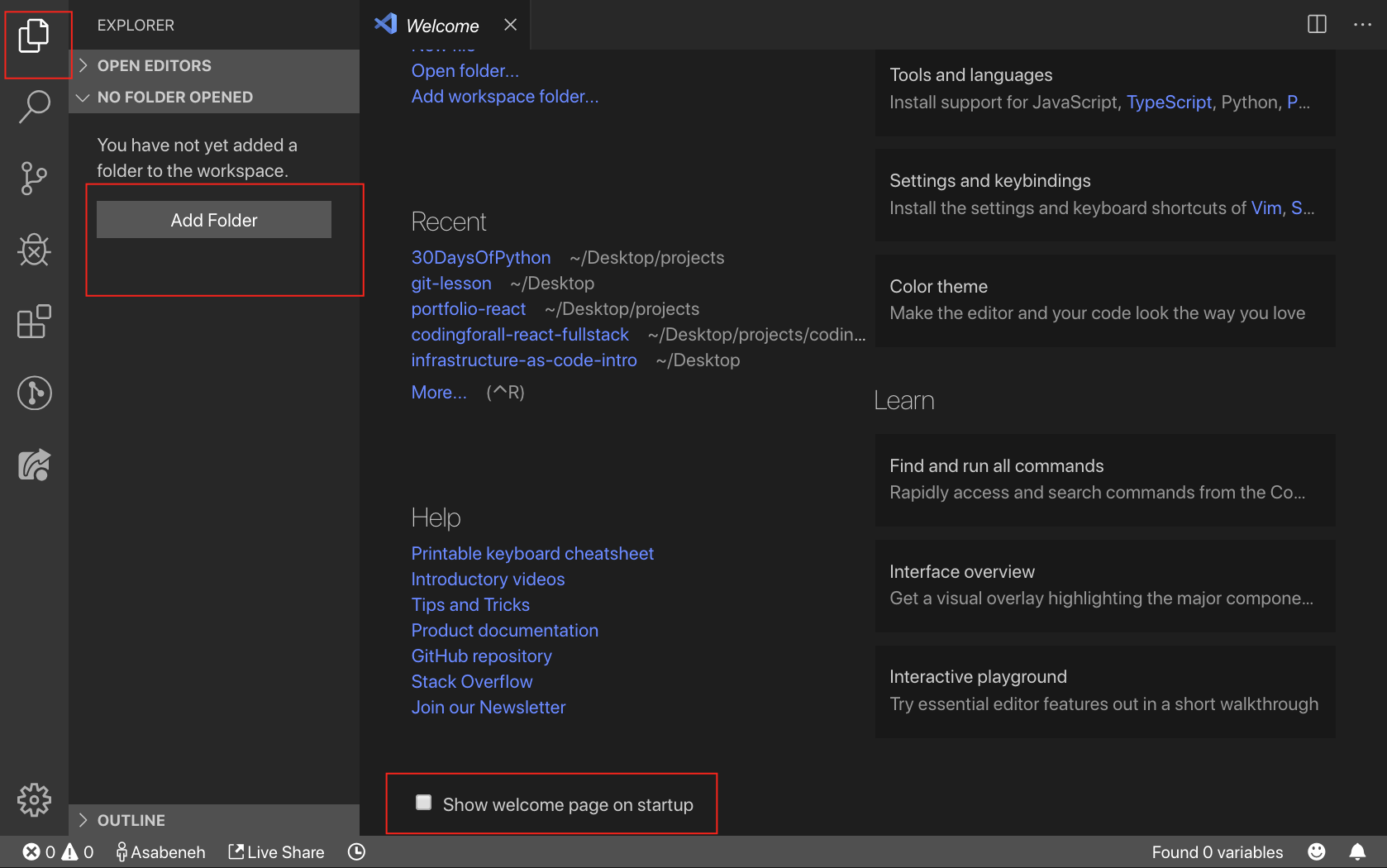
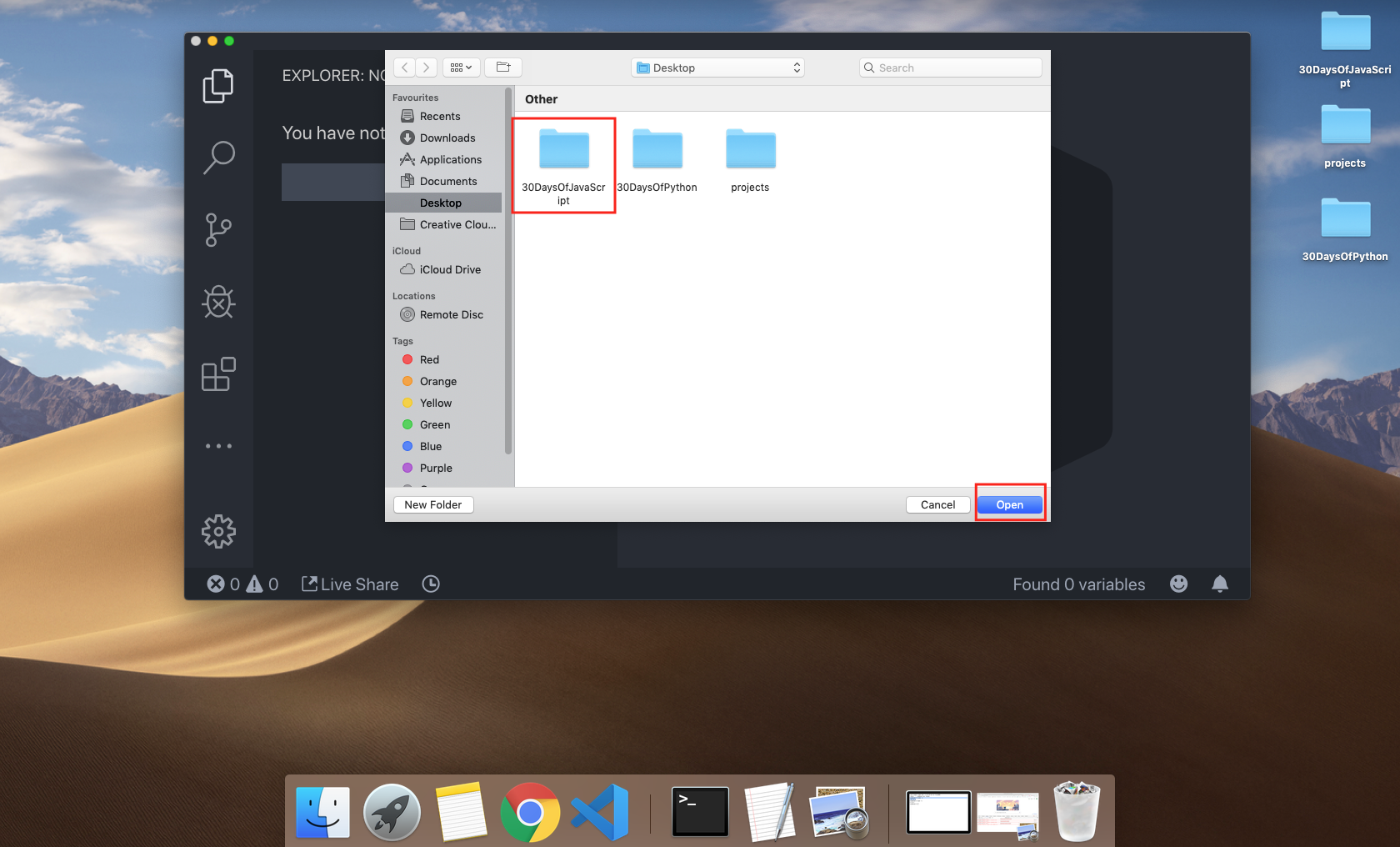
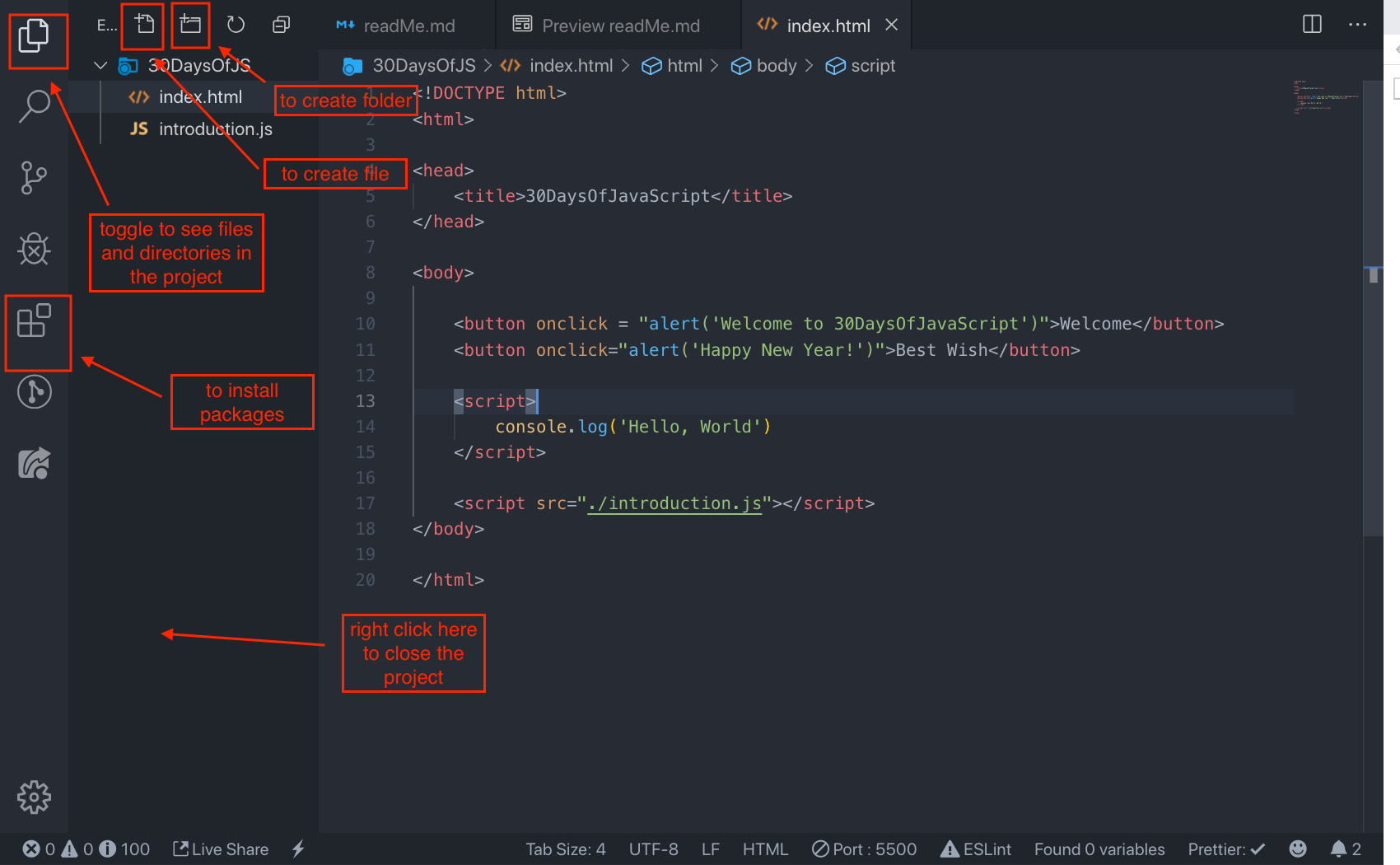
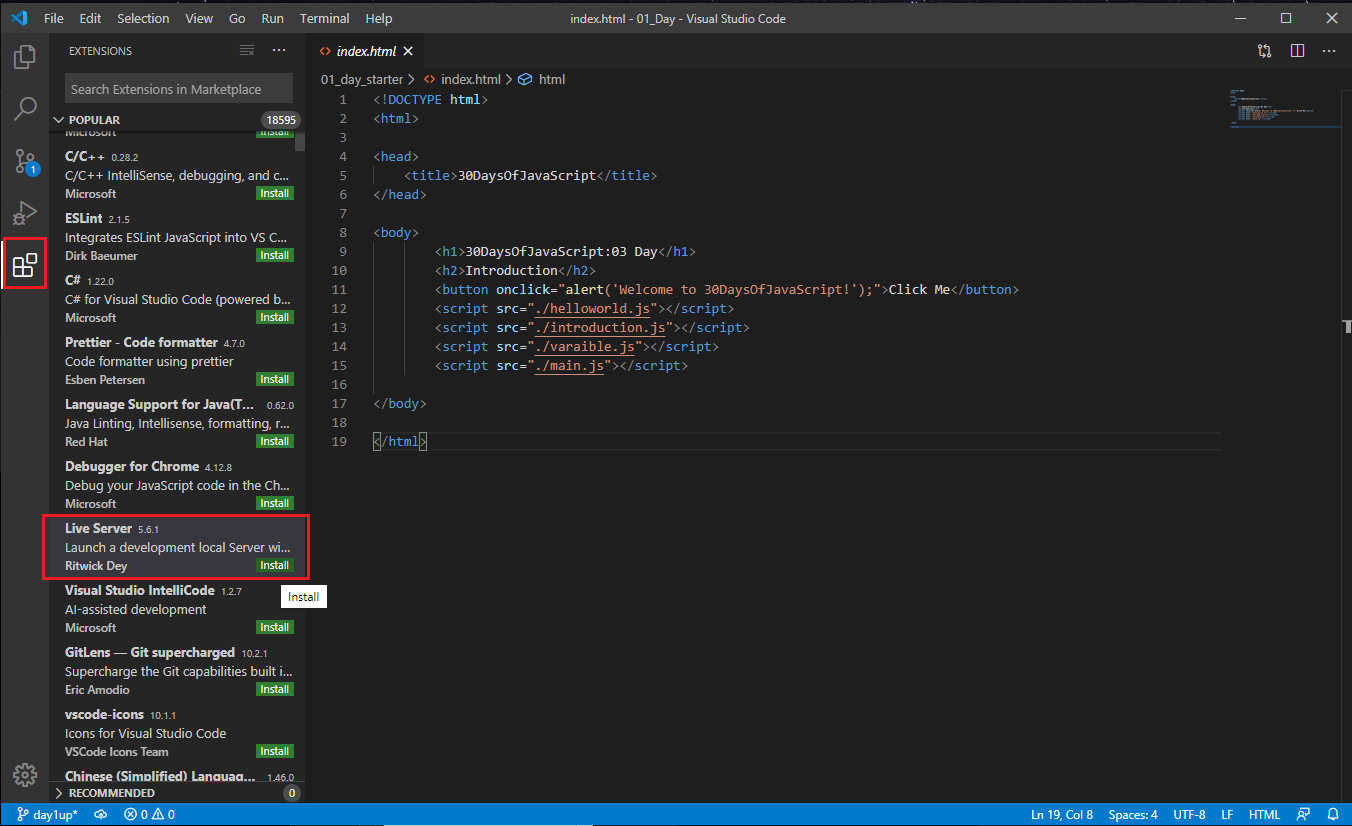
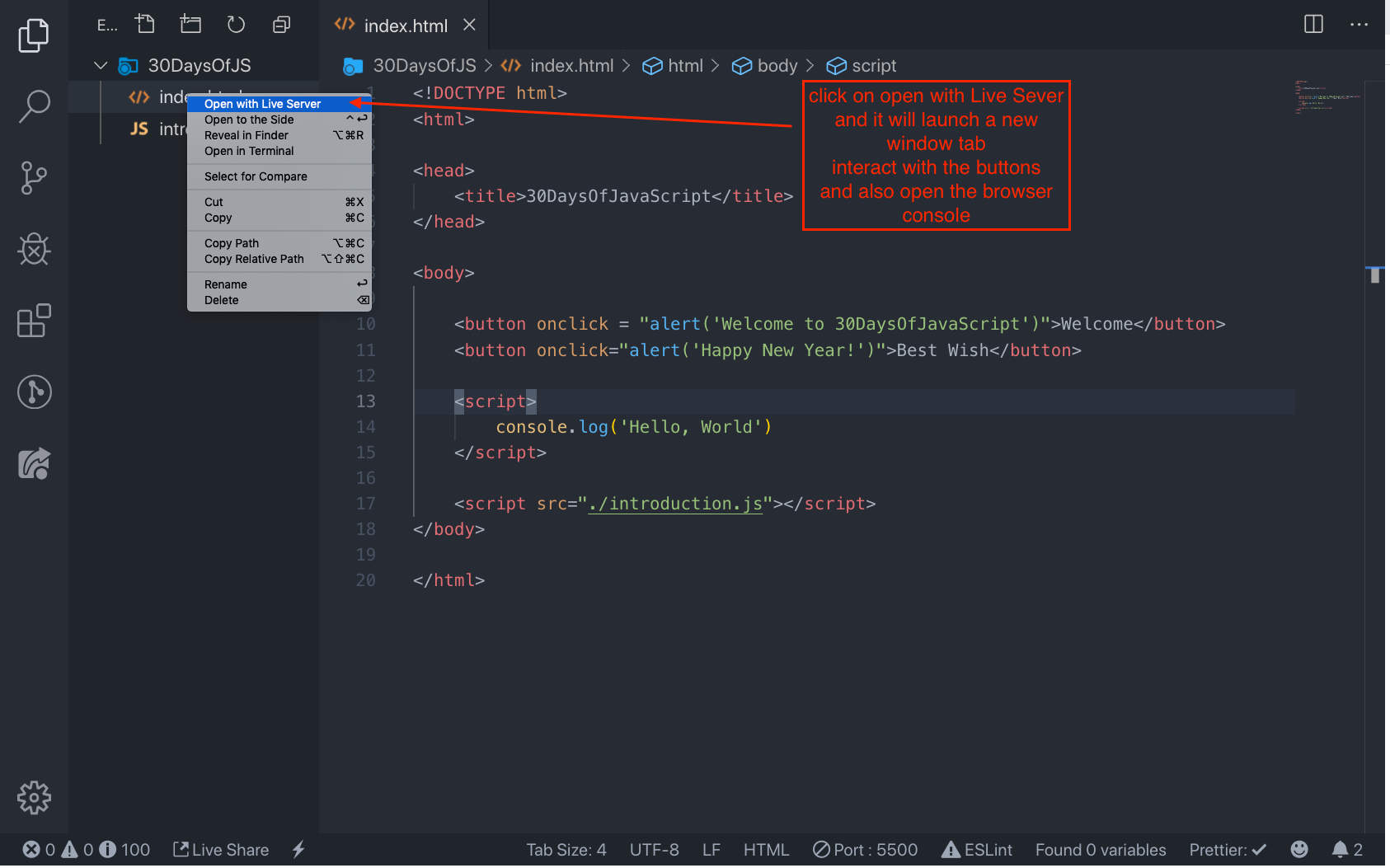
Open the Visual Studio Code by double-clicking its icon. When you open it, you will get this kind of interface. Try to interact with the labeled icons.

Adding JavaScript to a Web Page
JavaScript can be added to a web page in three different ways:
- Inline script
- Internal script
- External script
- Multiple External scripts
The following sections show different ways of adding JavaScript code to your web page.
Inline Script
Create a project folder on your desktop or in any location, name it 30DaysOfJS and create an index.html file in the project folder. Then paste the following code and open it in a browser, for example Chrome.
<!DOCTYPE html>
<html lang="en">
  <head>
    <title>30DaysOfScript:Inline Script</title>
  </head>
  <body>
    <button onclick="alert('Welcome to 30DaysOfJavaScript!')">Click Me</button>
  </body>
</html>
Now, you just wrote your first inline script. We can create a pop up alert message using the alert() built-in function.
Internal Script
The internal script can be written in the head or the body, but it is preferred to put it on the body of the HTML document.
First, let us write on the head part of the page.
<!DOCTYPE html>
<html lang="en">
  <head>
    <title>30DaysOfScript:Internal Script</title>
    <script>
      console.log('Welcome to 30DaysOfJavaScript')
    </script>
  </head>
  <body></body>
</html>
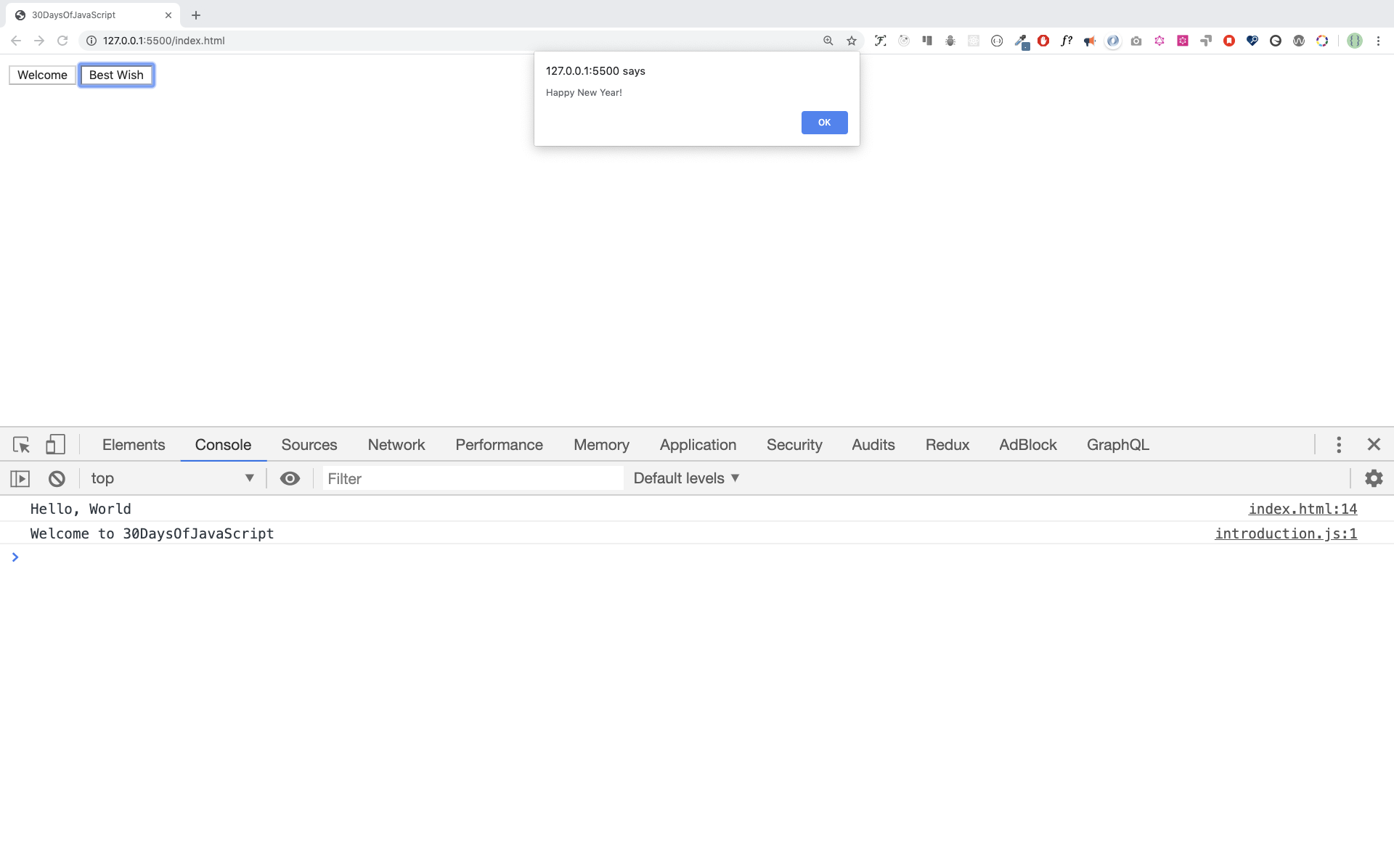
This is how we write an internal script most of the time. Writing the JavaScript code in the body section is the most preferred option. Open the browser console to see the output from the console.log().
<!DOCTYPE html>
<html



 Бесплатная программа на 30 дней в удобном для вас темпе: от основ JavaScript (типы данных, циклы, функции) через работу с DOM к нескольким мини-проектам.