




MotionShot README

The project's README from github.com/AhmadHassan-BTed/MotionShot. As one markdown file: README.md.

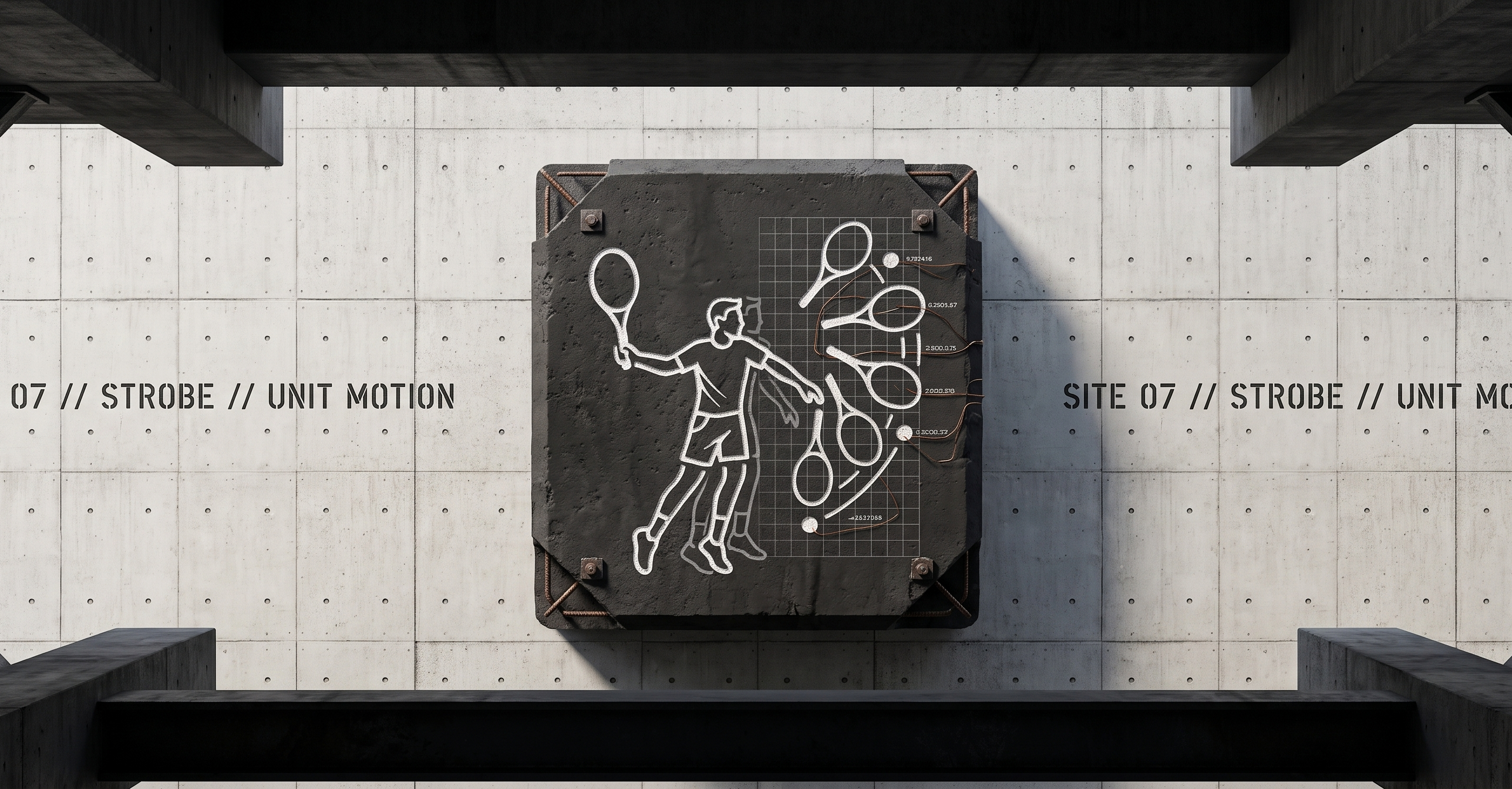
MotionShot Banner

MotionShot

High-Performance Stroboscopic Action Sequence Camera for Android

Status Platform Language UI License

Engineered and maintained by Ahmad Hassan (B-Ted)


Overview & Vision

Human movement is inherently transient. Whether an athlete sprinting, a dancer executing a spin, a gymnast mid-air, or a child jumping, fleeting physical motion unfolds and vanishes within fractions of a second.

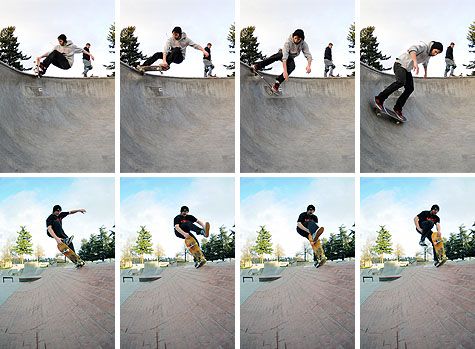
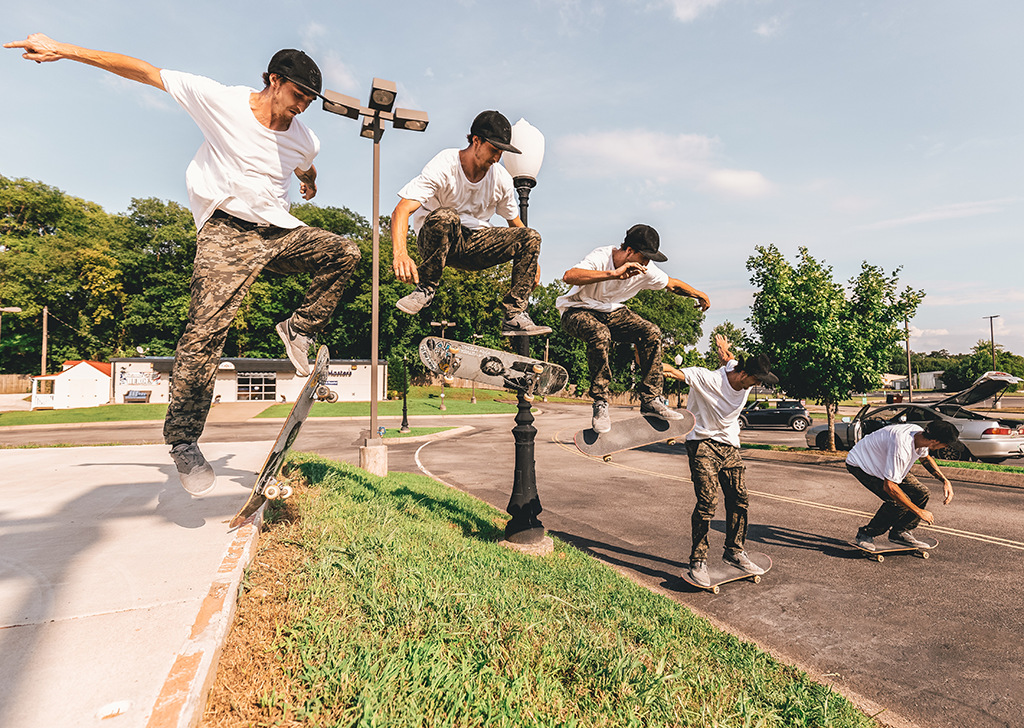
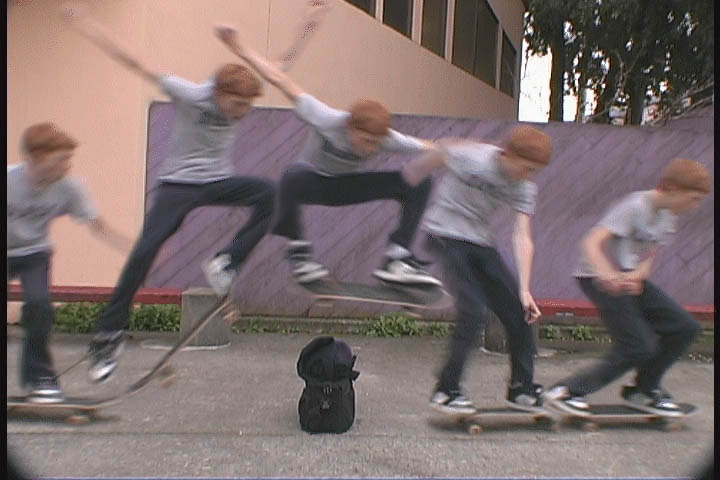
MotionShot bridges high-speed mobile computer vision with human kinetic expression. Inspired by Sony's legacy Motion Shot technology, MotionShot captures dynamic action bursts and synthesizes a single, multi-pose stroboscopic composite image directly on-device in real time.

Operating entirely offline with zero cloud latency and zero reliance on heavy AI neural networks, MotionShot renders motion as an aligned visual trajectory: sharp, stabilized, and captured in full sensor resolution.


Visual Showcase

Camera Viewfinder Hardware Sliders Step 1 Raw Gallery Composite Result
Viewfinder Sliders Raw Gallery Composite Result

Technical Specifications

Parameter Specification & Range Engineering Function
Timer Window 1s, 2s, 5s, Custom (1–60s) Dynamic sequence capture deadline
Frame Count 5, 15, 25, Custom (2–50) Trajectory density sampling points
Shutter Speed Auto, 1/30s to 1/8000s Logarithmic hardware motion-freeze slider
ISO Sensitivity Auto, ISO 50 to ISO 102,400 Continuous sensor gain boost
Stabilization $\pm 16\text{px}$ 2D translation search Sub-5ms background micro-jitter alignment
Blending Engine PorterDuff.Mode.SRC_OVER Sequential alpha layer compositing
Persistence SharedPreferences Automatic parameter restoration across sessions

Key Features


Architecture Overview

MotionShot follows a strict Contract-Based Clean Architecture, decoupling UI presentation, state orchestration, image processing algorithms, and Camera2 hardware controls.

graph TD
    subgraph Presentation["Presentation Layer (Jetpack Compose)"]
        MA[MainActivity] --> CS[CameraScreen]
        CS --> CP[CameraPreview Viewfinder]
        CS --> CC[CaptureControls Sheet & Sliders]
        CS --> RV[Step1ResultView Flipbook Gallery]
    end

    subgraph Domain["Domain Contracts & Storage"]
        VM[MotionShotViewModel] --> |Preferences| PR[PreferencesRepository]
        VM --> |Pluggable Contract| ME[MotionEngine Interface]
    end

    subgraph Engine["Image Processing Realizations"]
        ME --> FDEM[FastDifferenceMotionEngine]
        FDEM --> STAB[ImageStabilizer Engine]
        FDEM --> DIFF[FrameDifferencer Engine]
        FDEM --> MORPH[MorphologyOps Engine]
        FDEM --> CCMP[CanvasCompositor Engine]
    end

    subgraph Hardware["Hardware Capture Layer (CameraX / Camera2)"]
        VM --> FA[FrameAnalyzer]
        FA --> YR[Native C++ YuvToRgb]
        VM --> C2[Camera2Interop Control]
        C2 --> CP
    end

Technical Processing Pipeline

Each captured frame sequence moves through a zero-allocation processing pipeline:

flowchart TD
    A["Raw Frame Burst (N Frames)"] --> B["1. 2D Translation Alignment (ImageStabilizer)"]
    B --> C["2. Normalized Chromaticity Differencing (FrameDifferencer)"]
    C --> D["3. 3x3 Morphological Opening (MorphologyOps)"]
    D --> E["4. Soft Contour Edge Feathering"]
    E --> F["5. Sequence Alpha Decay (CanvasCompositor)"]
    F --> G["Final Stroboscopic Composite Image"]

Request Lifecycle & Frame Acquisition

sequenceDiagram
    autonumber
    actor User
    participant UI as CameraScreen / Controls
    participant VM as MotionShotViewModel
    participant Analyzer as FrameAnalyzer
    participant Engine as MotionEngine

    User->>UI: Tap Capture Button
    UI->>VM: onCaptureToggle()
    VM->>VM: Lock Start Time & Set Hard Deadline (T seconds)
    
    loop Dynamic Time Window (T / N-1)
        VM->>Analyzer: shouldCapture.set(true)
        Analyzer-->>VM: frameChannel.receive() [Time-Bounded Timeout Guard]
    end

    VM->>Engine: process(capturedFrames)
    Engine->>Engine: 2D Translation Alignment
    Engine->>Engine: Normalized Chromaticity Masking
    Engine->>Engine: 3x3 Morphological Noise Removal
    Engine->>Engine: Native Canvas PorterDuff Stamping
    Engine-->>VM: Return Composite Bitmap
    VM->>UI: Phase = Done (Show Result & Interactive Flipbook)

Technical Deep-Dives

1. Handheld 2D Translation Alignment Mathematics

Camera micro-jitter causes static background edges to shift between frames. MotionShot computes an optimal $(\Delta x, \Delta y)$ alignment vector over a $\pm 16\text{px}$ search window using a 4x grid subsampling strategy:

$$\Delta x, \Delta y = \arg\min_{dx, dy} \sum_{y, x} \left| \text{Base}(x, y) - \text{Curr}(x + dx, y + dy) \right|$$

Target frame pixels are shifted by $(\Delta x, \Delta y)$ prior to motion differencing, locking static background elements 100% in place.

2. Normalized Chromaticity Color Space (r, g)

Camera auto-exposure shifts brightness across frames. Simple RGB subtraction fails under exposure drift. MotionShot converts pixels to Normalized Chromaticity:

$$r = \frac{R}{R + G + B + 1}, \quad g = \frac{G}{R + G + B + 1}$$

Combining chromaticity distance $\Delta_{\text{chroma}} = |r_1 - r_0| + |g_1 - g_0|$ with BT.601 luminance separation ($\Delta_Y = |Y_1 - Y_0|$) ensures lighting fluctuations and shadows are 100% ignored.

3. Camera2 Hardware Exposure & ISO Interop

High shutter speeds (1/500s to 1/8000s) eliminate subject motion blur. CameraX parameters are applied directly to the Camera2 HAL via Camera2CameraControl:

  • CaptureRequest.CONTROL_AE_MODE: Set to OFF for manual exposure control.
  • CaptureRequest.SENSOR_EXPOSURE_TIME: Configured in nanoseconds via logarithmic slider.
  • CaptureRequest.SENSOR_SENSITIVITY: Configured up to ISO 102,400 for low-light gain compensation.

Repository Structure

bted.app.motionshot/
├── capture/
│   ├── FrameAnalyzer.kt       # CameraX ImageAnalysis analyzer
│   └── YuvToRgb.kt            # Native C++ accelerated ImageProxy to Bitmap
├── data/
│   └── PreferencesRepository.kt # SharedPreferences persistence (Timer, Count, Shutter, ISO)
├── engine/
│   ├── MotionEngine.kt        # Pluggable engine interface contract
│   ├── FastDifferenceMotionEngine.kt  # Math & Differencing engine
│   ├── MotionEngineFactory.kt # Engine registry & factory
│   └── DebugPipelineConfig.kt # Step-by-step pipeline config
├── processing/
│   ├── FrameDifferencer.kt    # Normalized chromaticity & luminance differencer
│   ├── ImageStabilizer.kt     # Pixel-to-pixel 2D handheld stabilizer
│   ├── MorphologyOps.kt       # 3x3 Erode, Dilate, and Morphological Opening
│   └── CanvasCompositor.kt    # Native Canvas PorterDuff compositing
├── ui/
│   ├── components/
│   │   ├── CaptureControls.kt # Sliders, custom input, tap-to-record button
│   │   └── LoadingOverlay.kt  # Pulsing progress overlay
│   ├── state/
│   │   ├── MotionShotUiState.kt # UI state holder & CameraParameterUtils
│   │   └── CapturePhase.kt    # Capture phase lifecycle
│   ├── theme/                 # Dark aesthetic color, typography, theme
│   ├── CameraPreview.kt       # CameraX preview + Camera2Interop hardware controls
│   └── CameraScreen.kt        # Root camera & result flipbook gallery screen
└── viewmodel/
    └── MotionShotViewModel.kt # StateFlow, preferences, capture loop, engine dispatcher

Building & Requirements

System Requirements

Local Build Commands

# Clone the repository
git clone https://github.com/AhmadHassan-BTed/MotionShot.git
cd MotionShot

# Execute unit tests
./gradlew test

# Build Debug APK
./gradlew assembleDebug

Engineered and maintained by Ahmad Hassan (B-Ted)

MotionShot (AhmadHassan-BTed/MotionShot)

android-app
Searching Database…

What is this?MotionShot is an Android camera app that captures a fast motion sequence and merges the frames into a single stroboscopic photo showing the subject at multiple points in time, powered by on-device computer vision.
Is this a standalone camera app or a library I add to my own project?It is a standalone native Android app built with Kotlin, Jetpack Compose and CameraX, not a library or plugin.
How do I build and run MotionShot?Clone the repository and open it in Android Studio Ladybug/Jellyfish or newer, then build it with Gradle 8.13+ against Compile SDK 37.
What Android version and hardware does it need?It requires Android API 24 (Min SDK 24) or newer with Camera2 HAL support, since manual shutter speed and ISO controls are applied directly through Camera2CameraControl.
Does the stabilization fix any kind of camera shake?Stabilization only corrects small handheld micro-jitter by searching a limited pixel window around static background edges; it's not meant to compensate for large deliberate camera movement.
Does it send my photos anywhere?No, everything runs locally on the device with no cloud upload and no heavy neural-network dependency.
How does it tell moving subjects from exposure or shadow changes?It converts pixels to normalized r,g chromaticity plus BT.601 luminance before diffing frames, so auto-exposure shifts and shadows do not get mistaken for motion.
Can I control the capture timing and number of frames?Yes, the timer window (1s, 2s, 5s or a custom 1-60s range) and frame count (5, 15, 25 or custom 2-50) are both adjustable before shooting.
Why does it have a pluggable MotionEngine architecture?The MotionEngine interface and MotionEngineFactory decouple the motion-processing algorithm from the UI, so a different compositing engine can be swapped in without touching app state logic.
Do my manual shutter/ISO settings get remembered?Yes, capture parameters are saved via SharedPreferences and automatically restored the next time you open the app.
Size
8.6 MB
Stars
1.1K
Updated
CommitAug 05
Age
2mo
Commits · 90 Days
