


Что это?
 Hermes Gadget SDK позволяет собирать голосовые и текстовые аппаратные устройства (платы ESP32, Linux-клиент на Raspberry Pi или настольный симулятор), которые подключаются к вашему собственному Hermes Agent: зажимаете кнопку, задаёте вопрос и слышите или видите ответ.
Hermes Gadget SDK позволяет собирать голосовые и текстовые аппаратные устройства (платы ESP32, Linux-клиент на Raspberry Pi или настольный симулятор), которые подключаются к вашему собственному Hermes Agent: зажимаете кнопку, задаёте вопрос и слышите или видите ответ.Как запустить гаджет?Если плата у вас уже есть, прошейте её через браузерный установщик (Chrome или Edge) по USB и подключите её к Wi-Fi; чтобы попробовать без железа, запустите настольный симулятор из клона репозитория с Python, CMake и компилятором C++.
Если плата у вас уже есть, прошейте её через браузерный установщик (Chrome или Edge) по USB и подключите её к Wi-Fi; чтобы попробовать без железа, запустите настольный симулятор из клона репозитория с Python, CMake и компилятором C++.Что нужно на моей машине, чтобы собрать или запустить симулятор?Для симулятора и работы с SDK нужны Python 3.10+, CMake 3.16+ и компилятор C++17; для прошивки реальной платы достаточно браузера на базе Chromium, USB data-кабеля и Wi-Fi на 2,4 ГГц.
Для симулятора и работы с SDK нужны Python 3.10+, CMake 3.16+ и компилятор C++17; для прошивки реальной платы достаточно браузера на базе Chromium, USB data-кабеля и Wi-Fi на 2,4 ГГц.Работает ли он с настоящим Hermes Agent сразу из коробки?Не полностью: для настоящих разговоров нужны Hermes Agent и плагин Gadget, а для голоса — настроенные распознавание речи и синтез речи; без этого демо-сервер отвечает только заготовленными фразами, а активация по кодовому слову вообще не входит в комплект.
Не полностью: для настоящих разговоров нужны Hermes Agent и плагин Gadget, а для голоса — настроенные распознавание речи и синтез речи; без этого демо-сервер отвечает только заготовленными фразами, а активация по кодовому слову вообще не входит в комплект.Какие платы и платформы реально поддерживаются?Прошивка нацелена на несколько плат Waveshare ESP32-S3, Espressif ESP32-S3-BOX-3 и M5Stack CoreS3 (большинство пока экспериментально), плюс экспериментальный 64-битный Linux-клиент для Raspberry Pi 4/5 под Raspberry Pi OS Lite; другие платы требуют нового портирования.
Прошивка нацелена на несколько плат Waveshare ESP32-S3, Espressif ESP32-S3-BOX-3 и M5Stack CoreS3 (большинство пока экспериментально), плюс экспериментальный 64-битный Linux-клиент для Raspberry Pi 4/5 под Raspberry Pi OS Lite; другие платы требуют нового портирования.Достаточно ли лицензии MIT, чтобы переиспользовать всё это?Собственный код и документация проекта — под MIT, но сторонние зависимости, адаптированные драйверы и графика сохраняют свои лицензии, а MIT не даёт прав на имя «Hermes» и маскота Nous Research.
Собственный код и документация проекта — под MIT, но сторонние зависимости, адаптированные драйверы и графика сохраняют свои лицензии, а MIT не даёт прав на имя «Hermes» и маскота Nous Research.Можно ли обновить прошивку без повторной прошивки по USB?Да, после первой прошивки по USB можно выполнить «hermes gadget update», чтобы передать новую прошивку по воздуху, а сборка, которая не может связаться с Hermes, сама откатывается.
Да, после первой прошивки по USB можно выполнить «hermes gadget update», чтобы передать новую прошивку по воздуху, а сборка, которая не может связаться с Hermes, сама откатывается.Может ли гаджет управлять устройствами умного дома?В репозитории есть примеры для Home Assistant и MQTT, которые открывают доступ к настроенной лампе и датчику температуры через Linux-гаджет, с инструкциями по сопряжению и локальными интеграционными тестами.
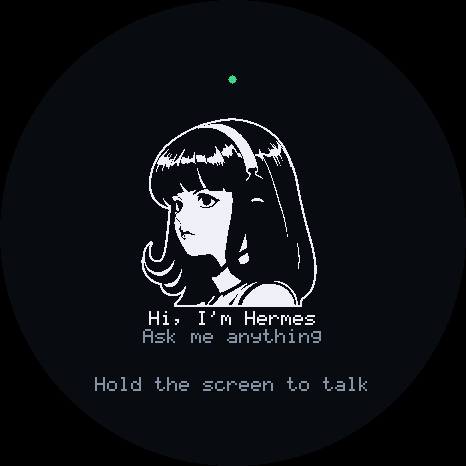
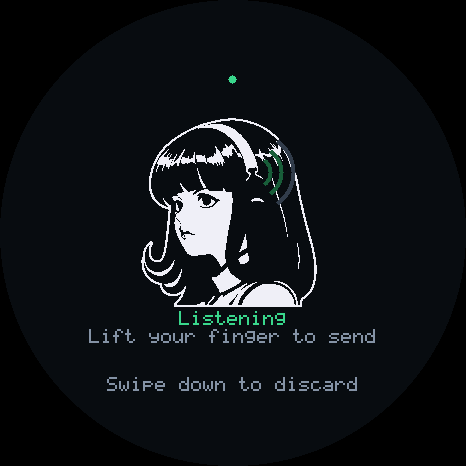
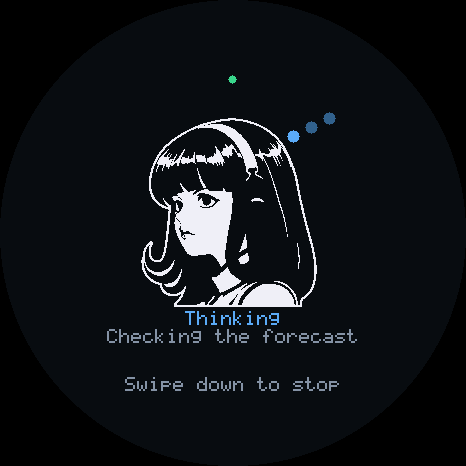
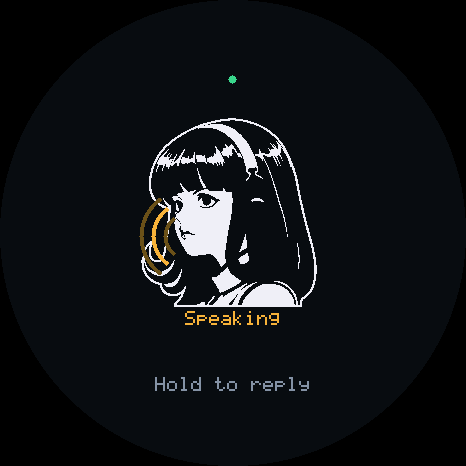
В репозитории есть примеры для Home Assistant и MQTT, которые открывают доступ к настроенной лампе и датчику температуры через Linux-гаджет, с инструкциями по сопряжению и локальными интеграционными тестами.Что на самом деле показывает экран устройства?Экран переключается между состояниями Ready, Listening, Thinking и Speaking, чтобы было видно, чем занят гаджет, пока он говорит.
Экран переключается между состояниями Ready, Listening, Thinking и Speaking, чтобы было видно, чем занят гаджет, пока он говорит.What are similar projects?arduino-esp32, muse-gadget-sdk, mongoose, ESP32Marauder, xiaozhi-esp32, esphome, WLED, awesome-esp32
arduino-esp32, muse-gadget-sdk, mongoose, ESP32Marauder, xiaozhi-esp32, esphome, WLED, awesome-esp32Which topics is it in?simulator, esp32-s3, cpp17, mqtt, home-assistant, microcontroller, esp32, voice-assistant, hermes-agent, firmware, iot, raspberry-pi
simulator, esp32-s3, cpp17, mqtt, home-assistant, microcontroller, esp32, voice-assistant, hermes-agent, firmware, iot, raspberry-pi