A fast, fully-featured browser and work environment reimagined for you and your agents
Zephium (zephium-browser/Zephium)
Searching Database…
The project's README from github.com/zephium-browser/Zephium. As one markdown file: README.md.

A fast, fully featured browser and work environment,
reimagined for you and your agents.





Website · Docs · Launch film · Download

Safari's efficiency. Brave's protection. Arc's design.
And Work, a canvas where your agents do real work in plain sight.
Zephium is an open-source browser built in Rust on your operating system's own web engine: WebKit on macOS, the engine Safari uses, and WebView2 on Windows. It is not a fork of Chromium or Firefox. It blocks ads and trackers natively, runs Chrome extensions, and puts tasks, notes and your time on the web one click away. The download is about 30 MB.
One switch away is Work. Your work already happens in the browser, where your tabs, logins and history are. Work brings agents there instead of asking you to move somewhere else, and lets you watch them do it.
Describe an outcome in your own words: plan a trip, compare vendors, design a system, fix a bug. Work takes it from there on a canvas, and you see every step.
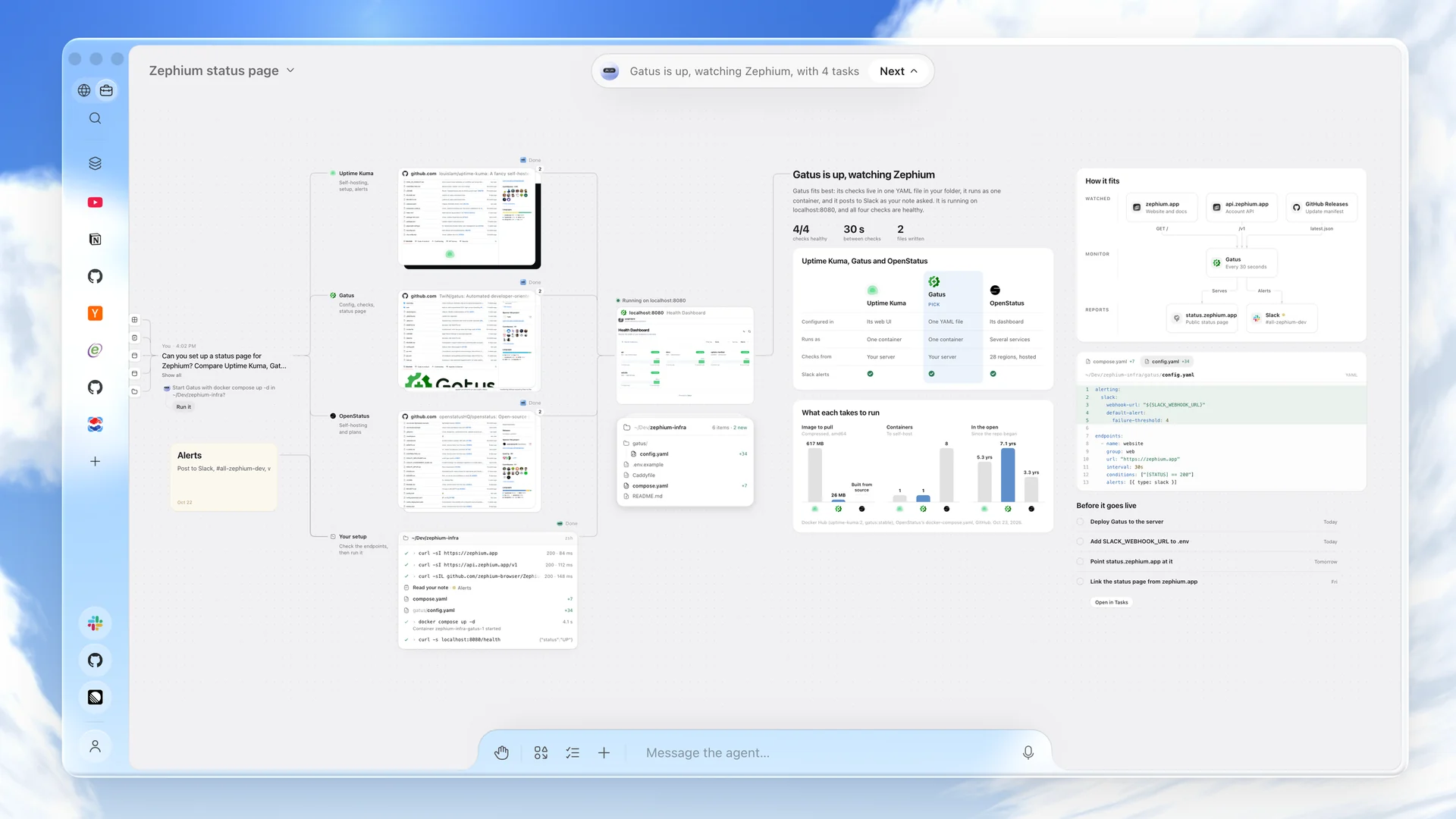
Asked for a status page, Work reads three monitors on their own sites, checks your endpoints from your machine, builds the pick, and leaves the comparison, the config and the tasks on the canvas.
gh.Work ships with 25 skills, including trip planning, research, compare and choose, plan my day, fix a bug and weekly status. You can write your own.
An assistant in the sidebar, on ⌘ E (Ctrl E on Windows). It reads the page
you are on and answers about it, points at what is worth your time, and opens
what you choose in new tabs. Ask it to take a few steps on the page, or to
restyle a site you visit every day, and it does it in place. When a job
outgrows a chat, Continue in Work carries it to the canvas, with the page
along.
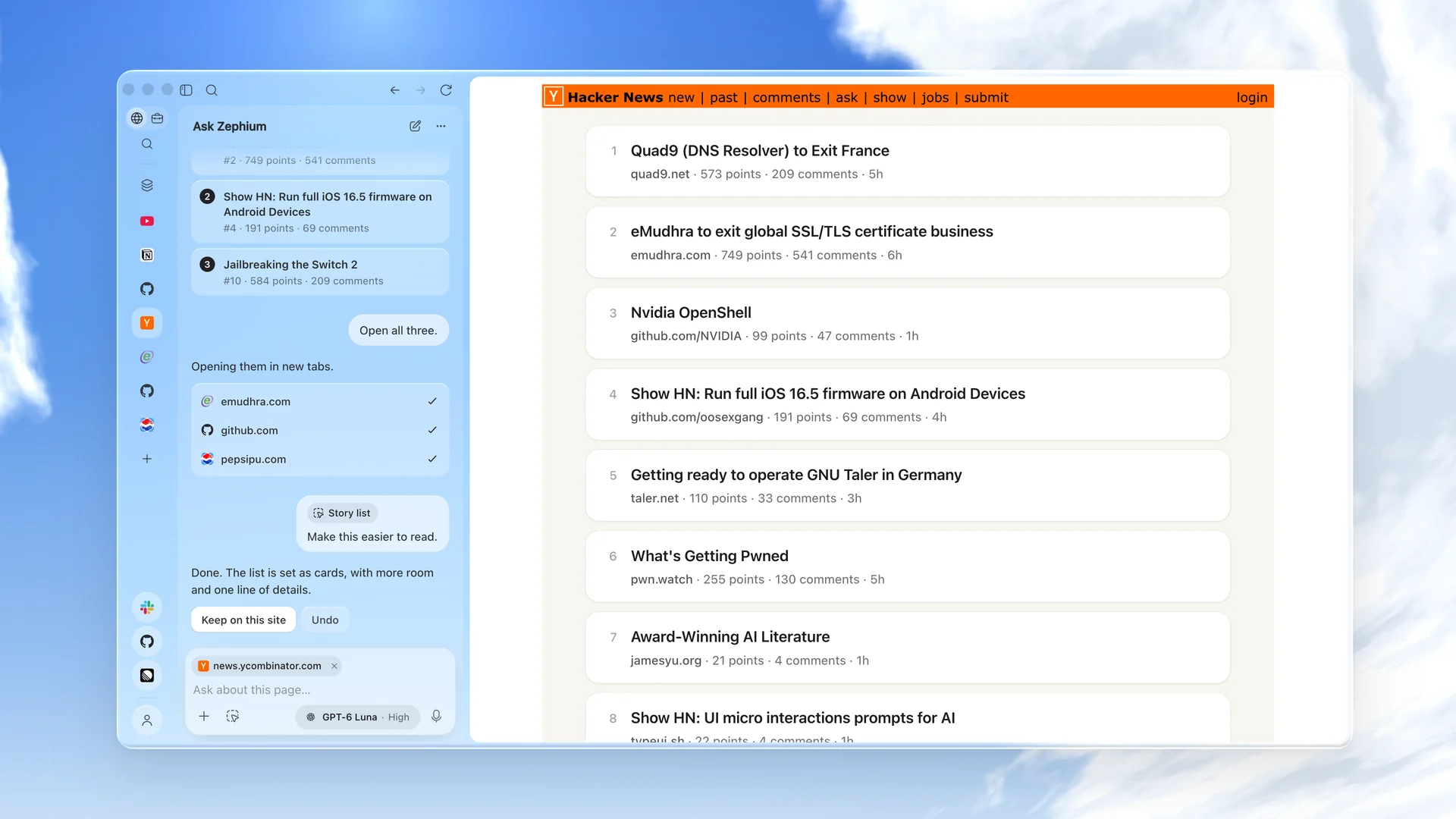
Asked what is worth reading, it picks three stories, opens them, and re-sets the front page as calm cards.
⌘ ⇧ Space (Ctrl Shift Space on Windows) reaches tabs,
history, notes and commands from anywhere on your desktop. Anything you type
there can become a task.Install extensions straight from the Chrome Web Store. Twenty popular ones are verified to work well in Zephium and are a click away in the extension manager, including 1Password, Bitwarden, Grammarly, DeepL, Dark Reader, Vimium, SponsorBlock, Raindrop.io, Notion Web Clipper and Refined GitHub.
The welcome flow imports from Chrome, Safari, Arc, Zen, Firefox, Brave and Edge.
 |
 |
 |
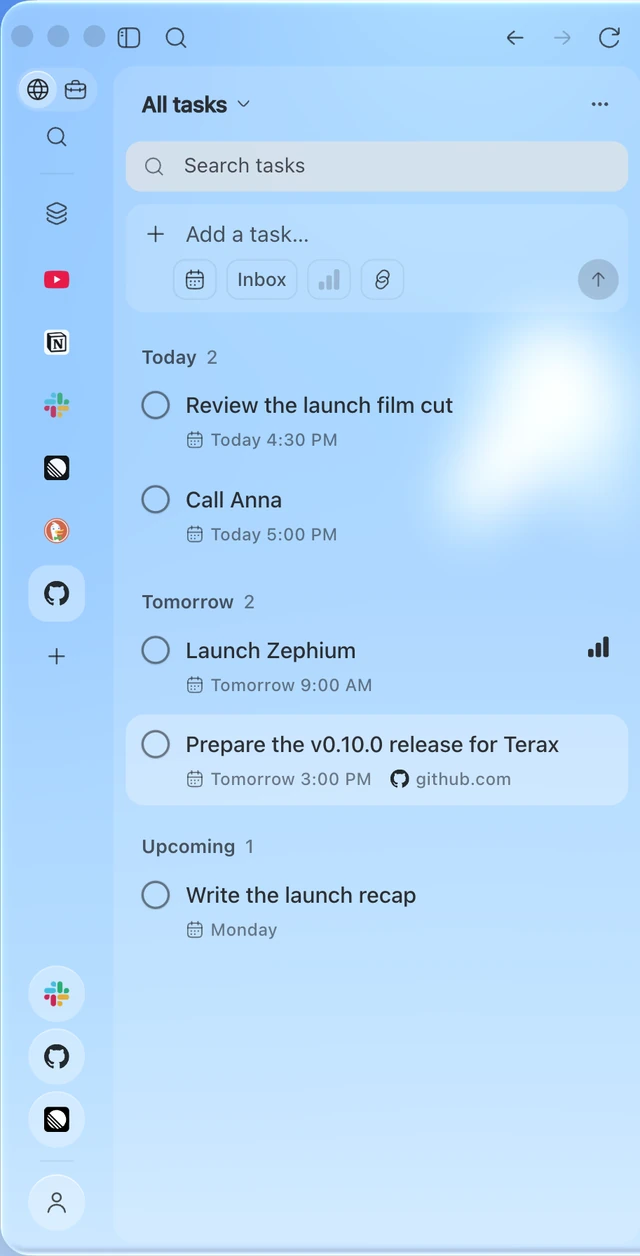
| Tasks Write them the way you would say them, like "call Anna tomorrow at 3". Lists, priorities, deadlines, subtasks, and the page you were on stays linked. |
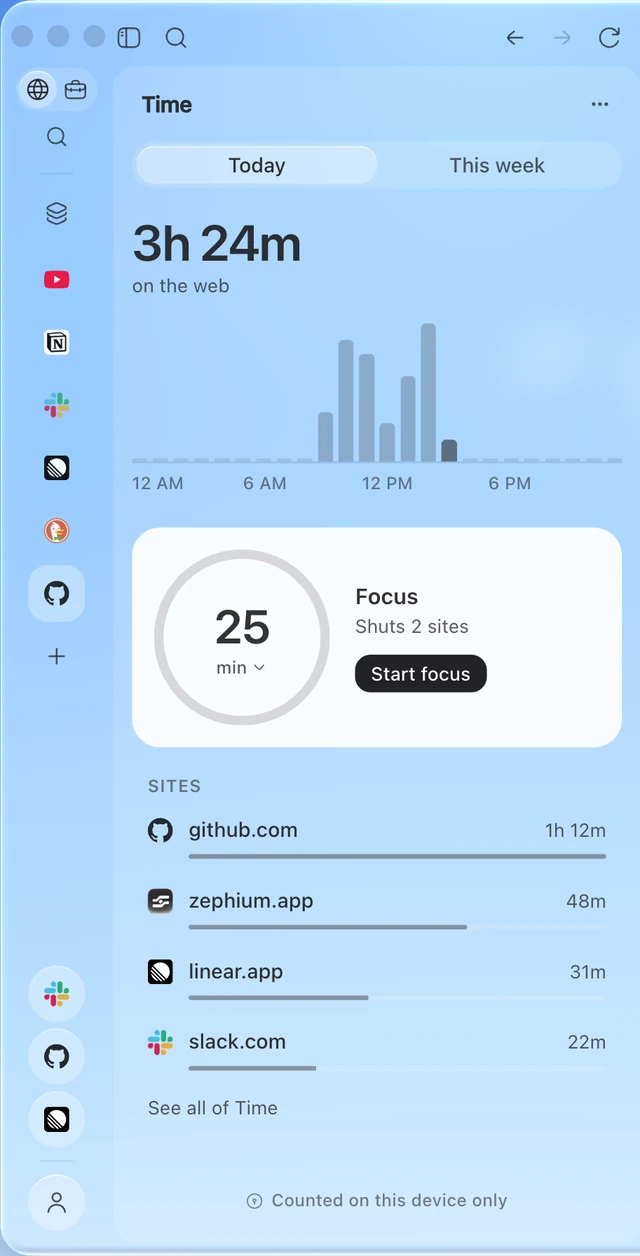
Time See where your time on the web goes, counted on this device only. Start a focus round and the sites you choose stay shut until the break. |
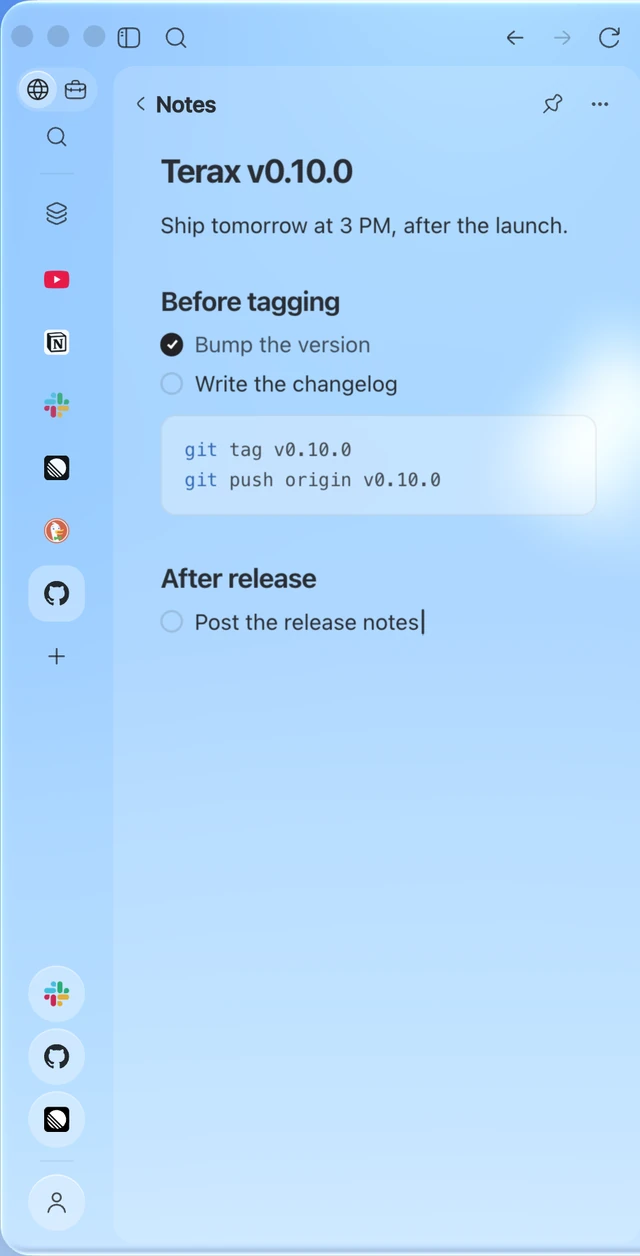
Notes Notes beside the page, each a Markdown file you own. Edits from other apps show up in Zephium. |
| Platform | Architecture | Installer | Requires |
|---|---|---|---|
| macOS | Apple Silicon | Zephium-macOS-arm64.dmg |
macOS Sonoma 14 or later |
| Windows | x64 | Zephium-Windows-x64-setup.exe |
Windows 10 or 11 |
Windows builds are not code-signed yet, so SmartScreen may show "Windows protected your PC". Choose More info, then Run anyway. Signing is on the way.
Zephium downloads updates in the background and installs them when you choose Relaunch to update. All releases are on the releases page.
Prerequisites:
rustup. The toolchain pinned in
rust-toolchain.toml installs itself on first use..node-version.corepack enable.git clone https://github.com/zephium-browser/Zephium.git
cd Zephium
pnpm install --frozen-lockfile
pnpm dev
Development builds use their own app.zephium.dev profile, so they do not
touch the data of an installed Zephium. Linux is not supported yet. See
CONTRIBUTING.md before opening a pull request.
Read more in docs/architecture.md and docs/security-model.md.
Zephium is maintained by one person with a clear product direction, so please discuss larger changes before writing them. CONTRIBUTING.md explains what gets merged and how. Questions and ideas are welcome on Discord.
Please report vulnerabilities privately, not in a public issue. See SECURITY.md.
Zephium is licensed under the Mozilla Public License 2.0.
The bundled EasyList and EasyPrivacy filter lists are used under CC BY-SA 3.0; see the notice for attribution.
The Zephium name and logo are not licensed under the MPL.
Zephium stands on Tauri, Wry, Brave's adblock-rust and EasyList.
A fast, fully-featured browser and work environment reimagined for you and your agents