Gately
English | 简体中文 | 繁體中文 | 日本語 | 한국어 | Español | Français | Deutsch | Русский | Português (Brasil)
An open-source, auditable network gateway toolkit for home networks, NAS boxes, cloud hosts, and servers of all kinds. DDNS, STUN traversal, port forwarding, reverse proxy, certificates, WAF, and more ship in a single ~32 MB file, and existing Lucky configurations can be imported.
fnOS users: Gately ships as a native fnOS app. It plugs into the fnOS unified gateway, so it opens from the fnOS desktop icon and works over the same address you use for fnOS, including your remote domain, with no extra port to open. Once enabled, fnOS administrators can sign in directly with their fnOS session, without a Gately password or two-step code. See fnOS native app.
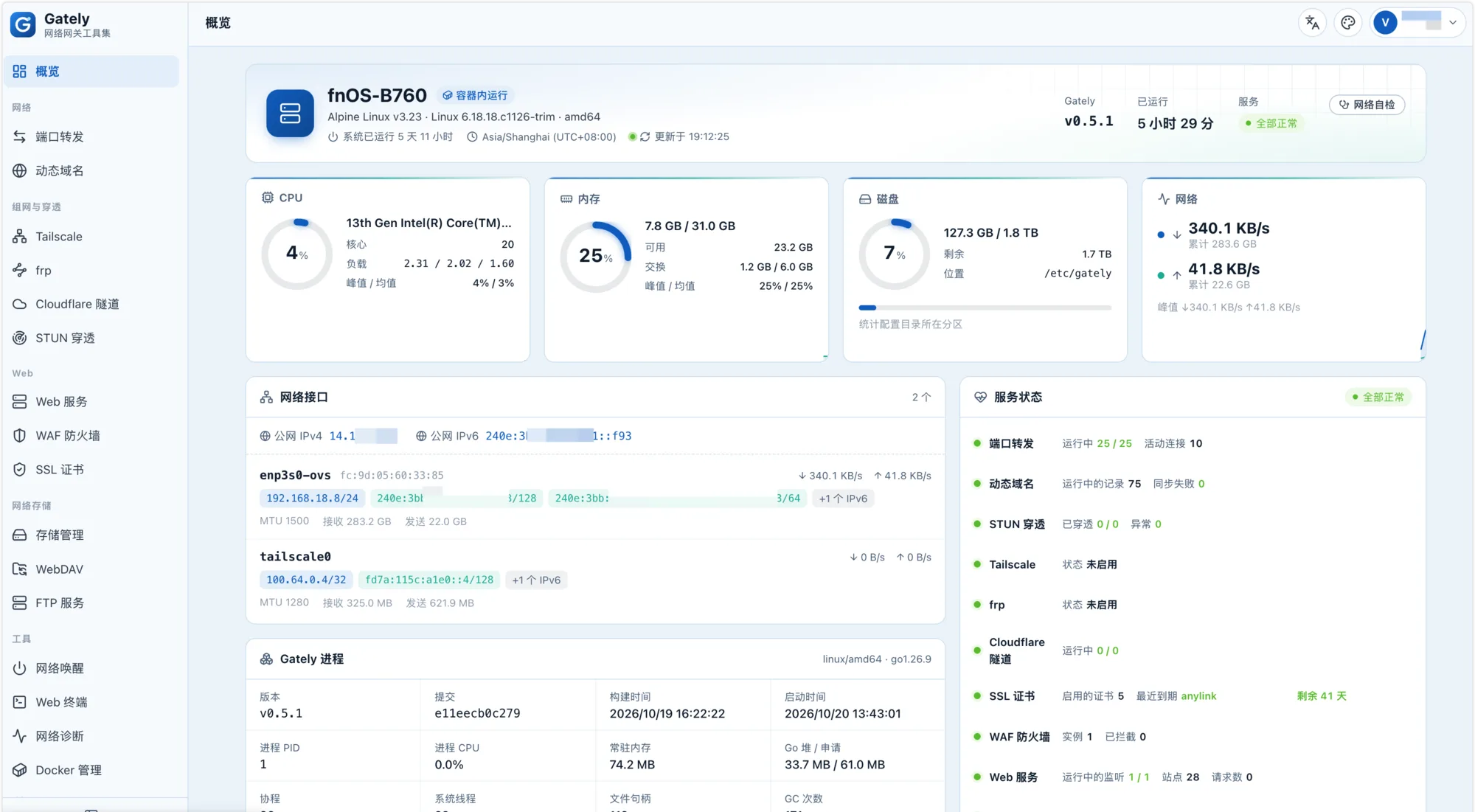
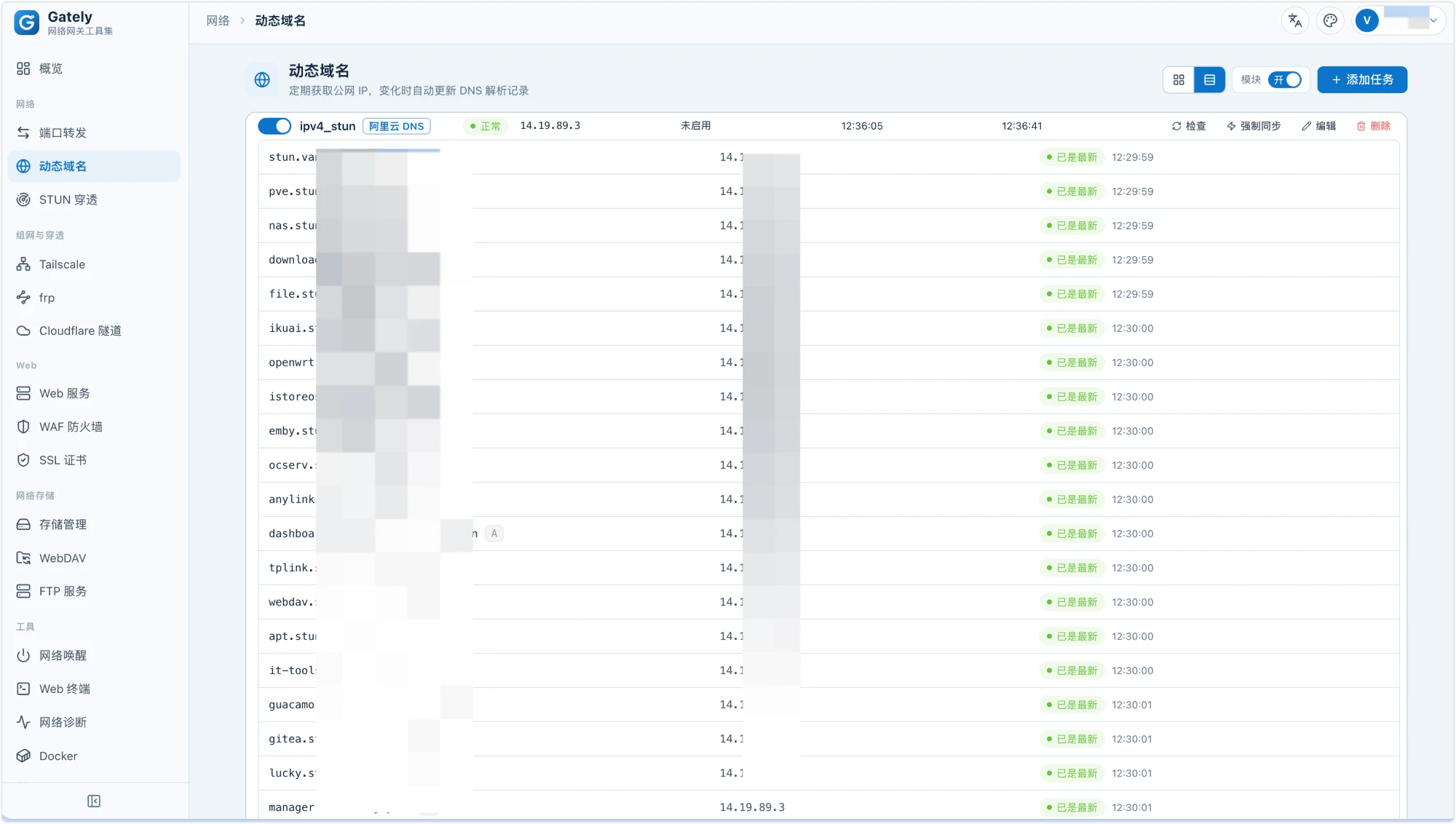
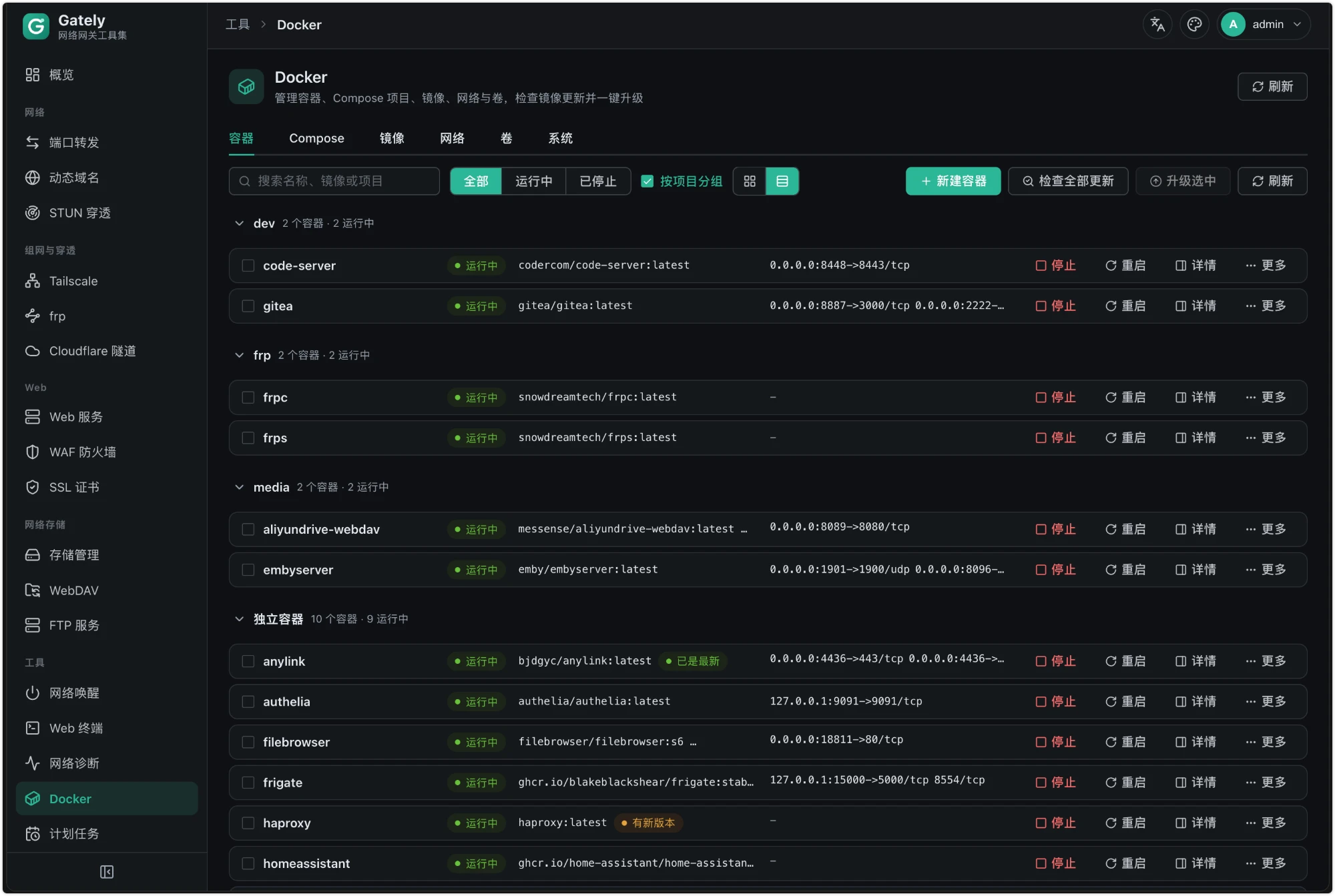
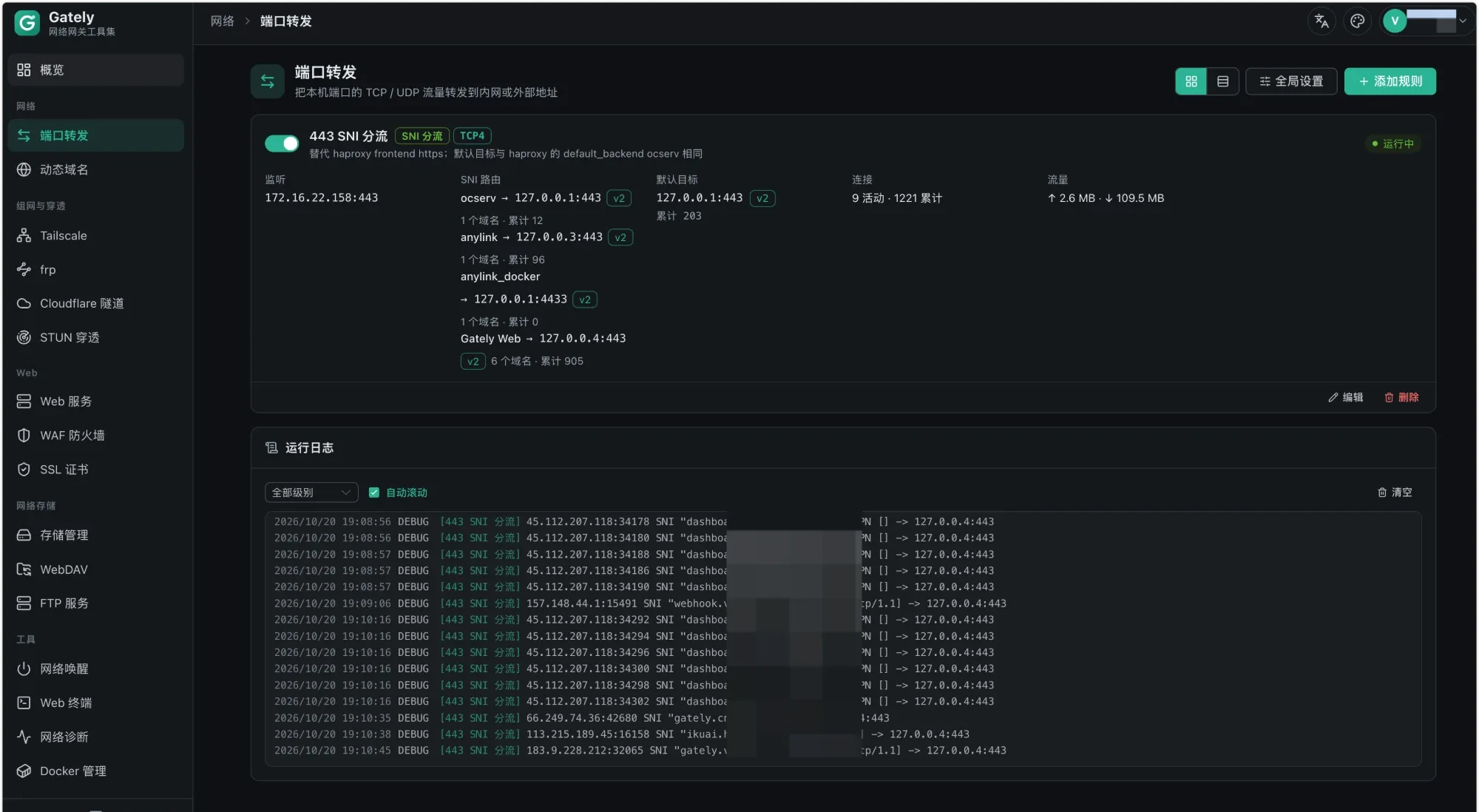
Why Gately
Gately is fully open source, so users and the community can read the source and the configuration directly. For software that sits on your network edge and holds your DNS keys and certificate private keys, open source lets you see exactly what it does. Gately's commitments:
- The source is released under Apache-2.0 and open to community review
- No connections to any project-operated server by default and no device information reported; third-party sign-in uses your own OAuth apps, with no relay in between
- Every outbound address (public IP lookup, STUN servers, and so on) is visible, editable, and can be turned off
- Configuration is plain-text JSON, so you can put it under git for auditing and rollback
Features
| Module |
Capabilities |
| Dynamic DNS |
Alibaba Cloud, Cloudflare, Tencent Cloud, DNSPod, Huawei Cloud, GoDaddy, Porkbun, dynv6, DuckDNS, Amazon Route 53, OVHcloud, Gandi, NS1, Bunny DNS, Namecheap, DynDNS2 (No-IP, Dynu, …), custom callbacks; IP discovery via URL, network interface, or command; IPv4/IPv6; webhooks |
| STUN traversal |
TCP/UDP, keep-alive, UPnP/NAT-PMP, built-in forwarding, webhooks and scripts triggered on address change |
| Port forwarding |
TCP/UDP, IPv4/IPv6, port ranges, multi-target failover, connection limits, traffic statistics, PROXY protocol v1/v2; SNI routing that lets several services share one port such as 443 (TLS passthrough by domain, a default target, PROXY protocol per route) |
| SSL certificates |
Automatic ACME issuance and renewal via DNS-01 (wildcard) or HTTP-01 (no DNS provider needed), EAB, upload, read from file, map to a directory and run a script; after renewal, push certificates to other hosts over SSH and run a command, or restart the Docker containers that use them |
| Tailscale |
Managed tailscaled (userspace networking, container-friendly) or attach to an existing system daemon; auth keys / login links, Headscale, subnet routes, exit nodes, peer list and SOCKS5 proxy, fixed port, extra tailscaled arguments and environment variables |
| frp |
frpc client (tcp/udp/http/https/stcp/xtcp proxies, changes apply instantly) and frps server (port allowlist, subdomains, dashboard); one-click import of legacy ini and new toml configs |
| Cloudflare Tunnel |
cloudflared token tunnels and trycloudflare quick tunnels, multiple tunnels, automatic restart, public address display |
| Web services |
Per-domain reverse proxy / redirect / static files / fixed text; HTTPS and HTTP/3 (QUIC); WebSocket; PROXY protocol in and out; basic auth, web auth, GitHub/Google/QQ/OIDC sign-in, shared users with TOTP two-step verification and single sign-on across subdomains, forward auth to an external service such as Authelia; IP allow/deny lists and subscribed IP lists refreshed on a schedule (such as province or city IP ranges), path rules, temporary share links, automatic ban on failed auth, GeoIP country filtering; per-path backends, HTTPS backends that receive the visited domain as SNI, backend weights / standby / load-balancing policies, active and passive health checks, compression, rate limiting, response caching, path rewriting; static sites with clean URLs and a custom 404 page; site changes apply without dropping open connections; per-minute access statistics and Prometheus metrics |
| WAF |
Coraza + OWASP CRS v4, per-file rule toggles, custom SecLang, block or detection-only mode; adjustable request body inspection limit that can inspect only the first part or skip by path, so cloud drives, WebDAV and other upload sites can sit behind the WAF |
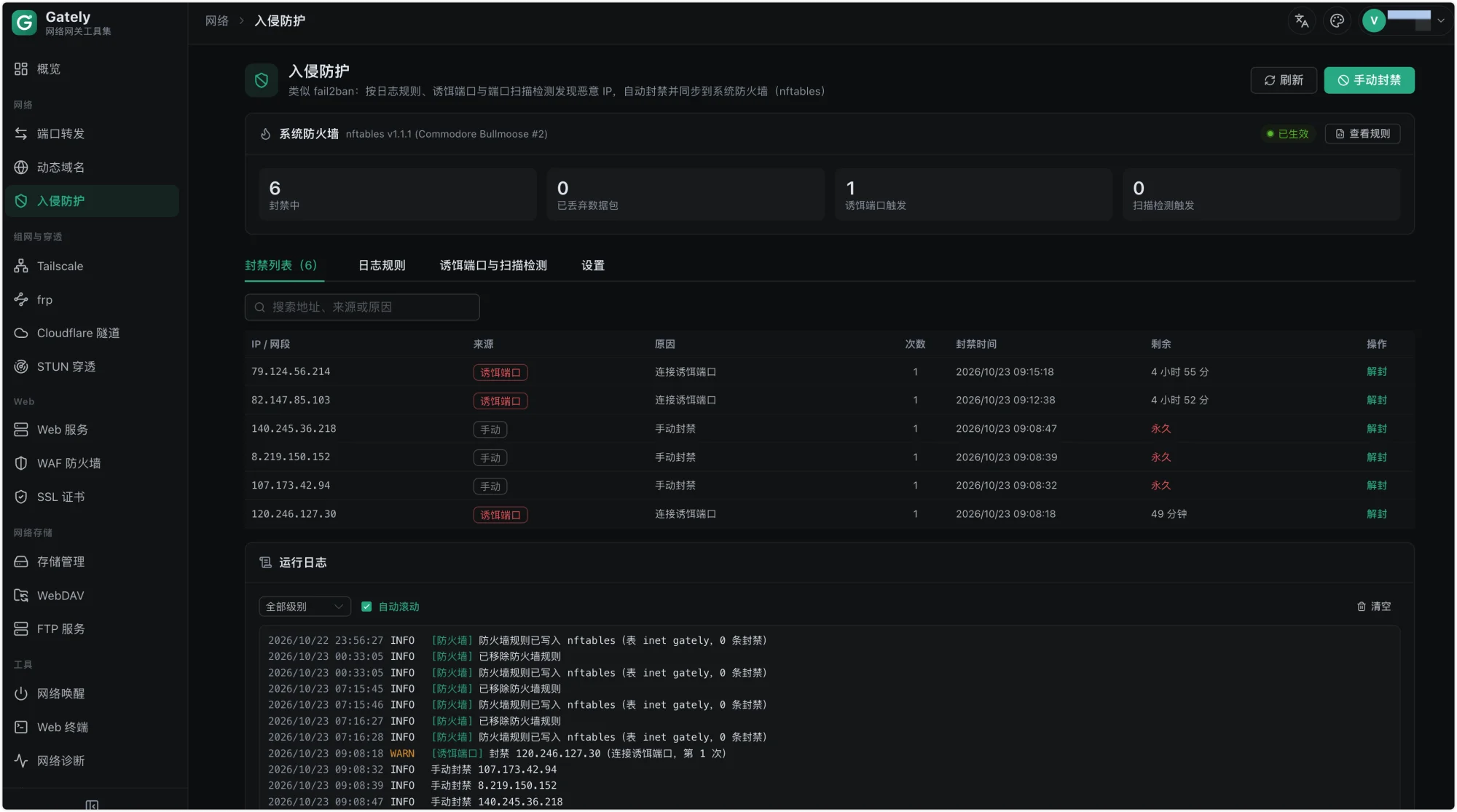
| Intrusion Prevention |
fail2ban-style log jails (log files, systemd journal, command output, Docker container logs, failed admin logins, WAF blocks) with templates for SSH, Nginx, Vaultwarden and more; trap ports and port-scan detection; one ban list with manual CIDR and permanent bans, escalating durations and a whitelist; bans are synced to the system firewall (nftables) and dropped in the kernel, or apply to Gately's own services where nftables is unavailable |
| Docker management |
Create and edit containers, logs and terminal, Compose, image update checks with one-click upgrade (automatic rollback on failure), networks and volumes |
| Web terminal |
SSH (trust host key on first use), Telnet, local shell (off by default); proxies, persistent sessions, SFTP file manager, 2FA and protocol confirmation, quick commands, split panes |
| Network diagnostics |
Ping, traceroute, port probe, DNS lookup, speed test, LAN scan |
| Notification center |
Webhook, Telegram, Bark, ntfy, Gotify, Pushover, Discord, Slack, ServerChan, PushPlus, WeCom, DingTalk, Feishu, email; severity levels, wildcard, and silencing / dedup rules; built-in rule templates (critical failures, certificate expiry, address changes, sign-ins, configuration changes) |
| Config backup |
Encrypted backups (scrypt + AES-GCM), retention policy, scheduled backups to a local directory or storage mount |
| CLI and MCP |
gately ctl talks to a running instance; gately mcp serves MCP over stdio (read-only by default) |
| Wake-on-LAN |
Magic packet broadcast, online detection |
| WebDAV |
Multiple users, per-user directories, read-only mode |
| FTP |
Multiple users, per-user directories, read-only mode, FTPS and passive port ranges |
| Storage mounts |
Local directories, remote WebDAV mounts and SMB shares, online file manager |
| Scheduled tasks |
Cron expressions, commands or HTTP requests, run history |
| Security and settings |
Passkey (WebAuthn) sign-in, two-factor authentication (TOTP), read-only accounts, login rate limiting, secure entry path, LAN-only access, HTTPS for the admin UI, multiple API tokens (per-module read/write grants), custom DNS (DoH supported), time zone, config backup and restore, real client address from trusted local reverse proxies, turn feature modules on or off (disabled modules start no services and serve no API) |
| fnOS native app |
Offline .fpk packages (x86 / ARM); integrated with the fnOS unified gateway, opens from the fnOS desktop icon and works over your remote fnOS domain; fnOS administrators can sign in with their fnOS session (off by default); runs as root to listen on 80/443 and manage Docker |
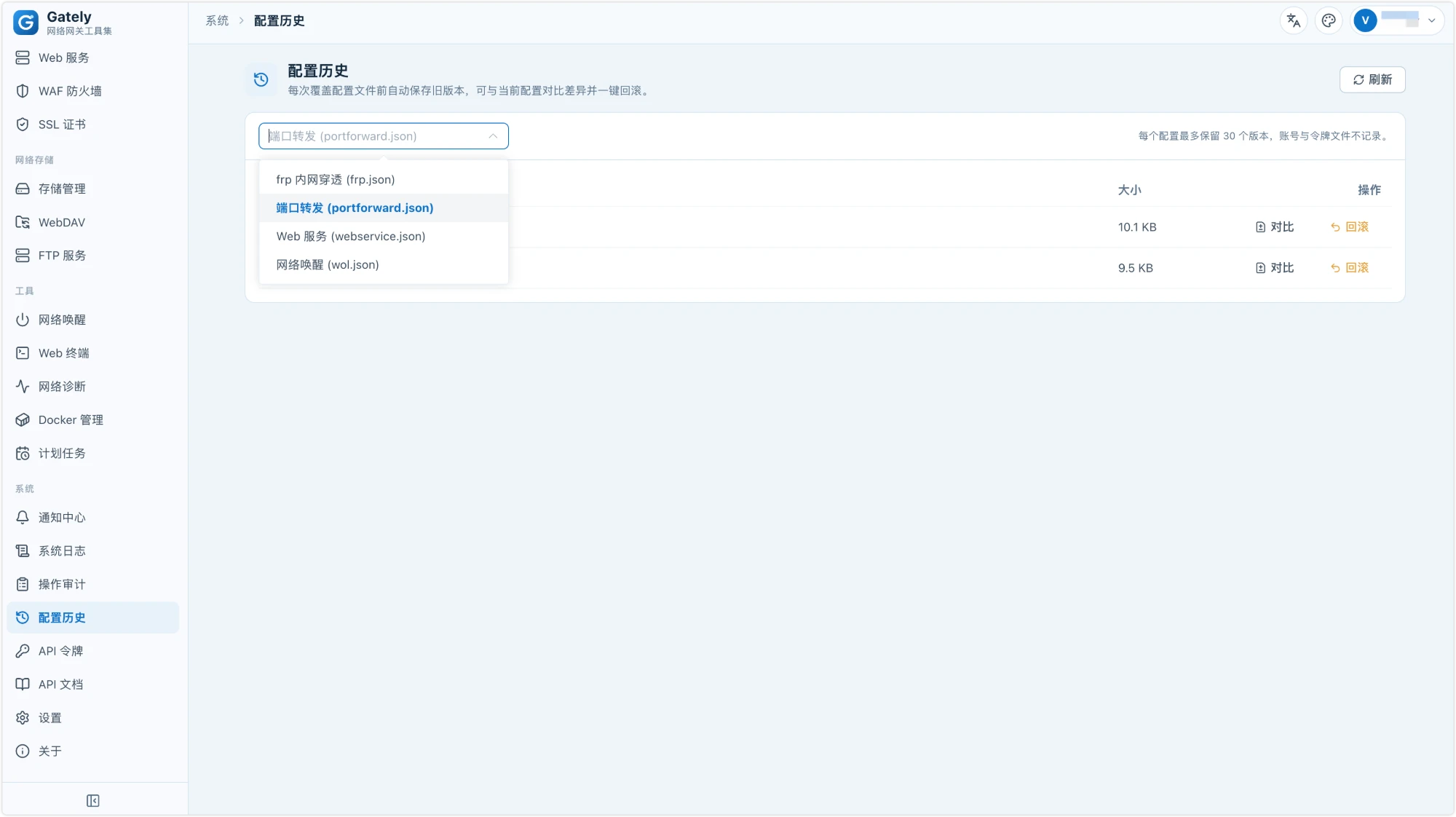
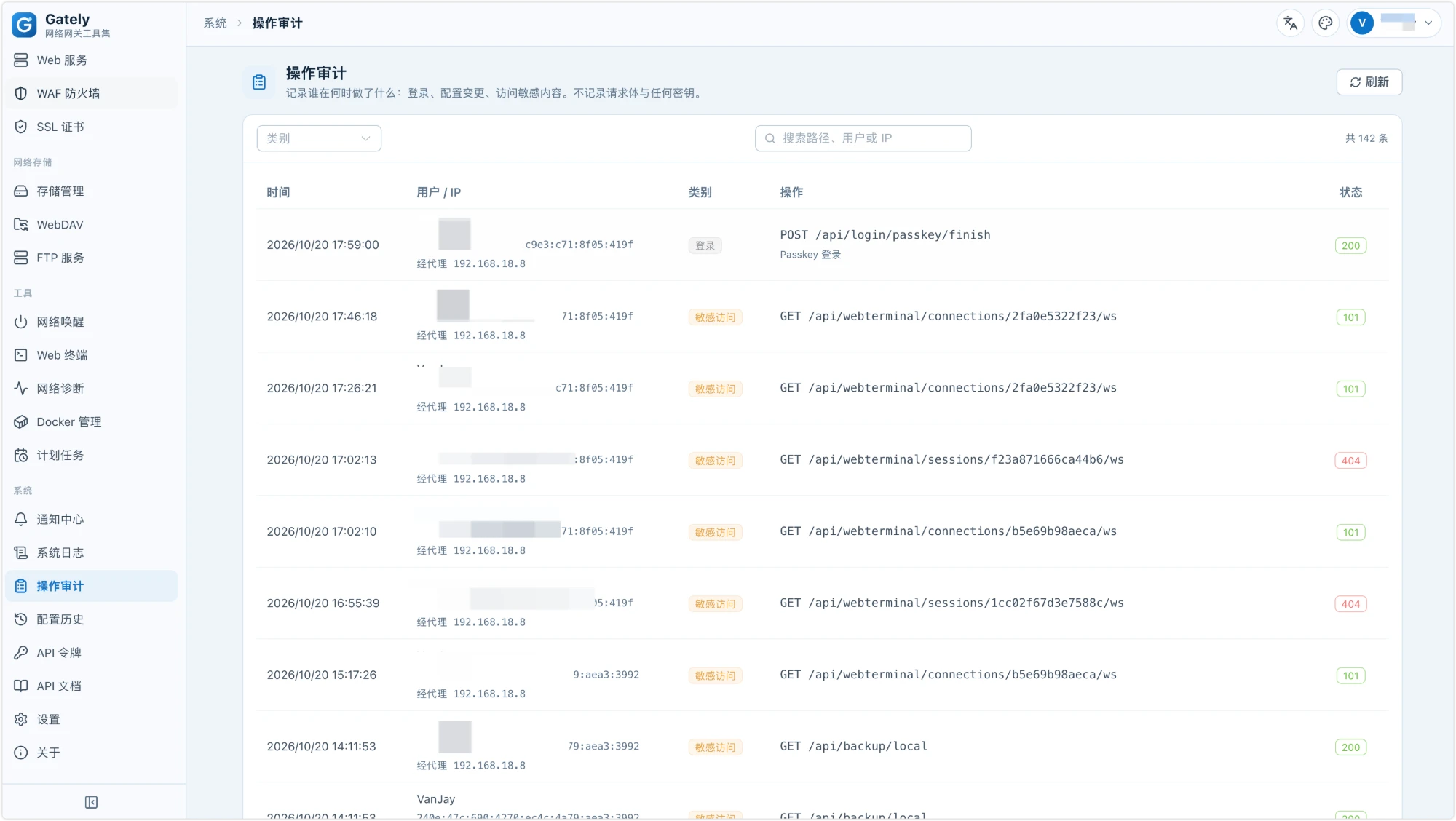
| Audit and history |
Audit log of sign-ins, configuration changes and access to sensitive content (never records request bodies or secrets); every overwritten config file keeps its previous versions with diff and one-click rollback; declarative config directory (-apply) for GitOps |
| Monitoring and self-check |
Global Prometheus endpoint /api/metrics (certificates, DDNS, STUN, port forwarding, web services) with a ready-made Grafana dashboard; one-click network self-check (public IP, CGNAT, clock, ports 80/443, DDNS resolution, certificate expiry, HTTPS sites missing a certificate, frp proxy conflicts) |
| Migration |
Import a Lucky .lkcf file or a full-site config zip: port forwarding, DDNS, STUN, certificates, reverse proxy, WAF, Wake-on-LAN, web terminal, WebDAV, basic settings; import nginx config (including nginx -T output): reverse proxies and upstreams, static directories, redirects, per-path backends, access control, with auth_request converted to forward auth |
Port forwarding with SNI routing plus Web Services can replace the common haproxy (TCP routing by SNI) + nginx (TLS and reverse proxy) pair. The numbers below compare the two on the same machine with the configuration of a real server: 90 domains routed by SNI, PROXY protocol v2 between the two hops, and an ECDSA P-256 certificate with TLS 1.3.
| Scenario |
haproxy + nginx |
Gately |
| HTTPS reverse proxy, keep-alive, 1 KB responses, 64 connections |
14,767 req/s (p99 35.9 ms) |
26,434 req/s (p99 5.7 ms) |
| The same over HTTP/2 |
not tested (the nginx config used HTTP/1.1) |
27,795 req/s |
| A new TLS connection for every request, 32 at a time |
2,557 req/s |
3,448 req/s |
| 1 MB responses, 16 connections |
1,053 MB/s |
1,585 MB/s |
| SNI passthrough of a TLS stream, 4 connections |
2,927 MB/s |
4,962 MB/s |
| SNI passthrough, new connections per second, 64 at a time |
6,334 /s |
6,266 /s (on par) |
| Memory under load |
haproxy ≈ 21 MB + nginx ≈ 21 MB |
≈ 110 MB (one process with every module) |
How it was measured:
- Host: Intel Core i5-13500T. Each stack was limited to 2 CPU cores (haproxy and nginx in Docker with
--cpuset-cpus, Gately pinned with taskset) to match a small cloud server. Backends and the load generator ran on other cores.
- haproxy used
mode tcp with req_ssl_sni rules and send-proxy-v2. nginx used worker_processes 2 and the proxy settings of the production site, which send Connection: upgrade and therefore open a new backend connection per request; a tuned nginx with upstream keep-alive would narrow the gap on small responses.
- Gately's path was the SNI rule, PROXY v2, then a Web Services listener, the same number of hops as haproxy → nginx.
- Each case ran for 10 seconds, and the cases that were repeated agreed within 3%. On a real 2 vCPU cloud host the static site served 5.5k req/s against 3.4k req/s. New TLS connections were on par (about 480–550 per second for both) when the client used X25519; with the post-quantum hybrid key exchange that Go clients and recent browsers offer, Gately completed about 13% fewer handshakes in that run.
- Results depend on hardware, configuration and traffic. Treat them as a sanity check that Gately keeps up with haproxy and nginx, and measure with your own workload.
Quick Start
Docker
Images are available for amd64, arm64, and arm/v7:
docker run -d --name gately --network host --cap-add NET_ADMIN \
  -v ./gately-data:/etc/gately \
  -v /var/run/docker.sock:/var/run/docker.sock \
  ghcr.io/wangwanjie/gately:latest
Open http://<device-ip>:16680 and sign in with the default account admin and the default password gately.cn. Then change the password and enable two-factor authentication under Settings. See deploy/docker-compose.yml for a complete Compose example.
If you forget the password or lose your authenticator, run gately reset-password or gately reset-totp on the server (docker exec -it gately gately reset-password for Docker); the change takes effect once you confirm. See Reset password and two-factor authentication.
Port forwarding, STUN, and web services listen on host ports, so --network host is recommended. If you do not need Docker management, drop the docker.sock mount. --cap-add NET_ADMIN lets Intrusion Prevention write bans to the host's nftables firewall; without it, bans still apply to Gately's own services.
Binary
Download the archive for your platform from Releases (Linux amd64/arm64/arm/mips/mipsle/riscv64, macOS, Windows, FreeBSD), extract it, and run:
./gately -c /etc/gately
Flags: -c sets the config directory (the GATELY_CONFIG_DIR environment variable also works), -listen overrides the admin UI listen address, -apply applies <name>.json files from a directory to the config directory on every start (GATELY_APPLY_DIR, handy for GitOps and Kubernetes; the account and token files cannot be overwritten), and -version prints the version. For unattended installs, set GATELY_INITIAL_PASSWORD to choose the initial admin password instead of the default gately.cn.
Service templates: systemd and OpenWrt procd. To verify downloaded archives and images (cosign signatures, build provenance, SBOM), see Verifying release artifacts.
fnOS native app
Each Release ships offline .fpk packages for fnOS: gately_<version>_fnos_x86.fpk (Intel/AMD) and gately_<version>_fnos_arm.fpk (ARM). They are not in the official App Center, so install them manually: open App Center → Manual install (the button at the bottom-left), pick the file, and finish the wizard.
- Works with the fnOS unified gateway: click the Gately icon on the fnOS desktop and the admin UI opens through the fnOS unified gateway under
/app/gately/, sharing the entry point you already use for fnOS. Both the LAN address and your remote fnOS domain work, with no need to open or forward port 16680. Access through the gateway is controlled by fnOS (only fnOS administrators can open it), so the safe entry and LAN-only settings apply only to direct access on port 16680.
- Signs fnOS administrators in with their fnOS session: turn on Settings → Access control → Sign in with fnOS and fnOS administrators who are signed in to fnOS enter Gately from the desktop icon without a password or two-step code; regular fnOS users still sign in. After you sign out, the login page offers a "Sign in as fnOS user <name>" button instead of signing you back in silently. The setting is off by default and only shown in the fnOS package.
- On the LAN the admin UI is also at
http://<NAS address>:16680. The default account is admin and the default password is gately.cn.
- The app runs as
root, so it can listen on 80/443, manage Docker through docker.sock, and open a real Web terminal. Install it only on a NAS you control.
- Config lives in the app's
var directory and is kept on uninstall unless you choose "delete all" in the uninstall wizard. Upgrading is another manual install of the newer .fpk.
- The package also adds a
gately command (/usr/local/bin/gately) for gately ctl and gately mcp.
- Port 16680 is shared with the Docker image. Stop the
gately container before starting the native app.
- Verify the download as described in Verifying release artifacts;
.fpk files are listed in checksums.txt.
OpenWrt
Each Release ships OpenWrt packages: gately_<version>_openwrt_<arch>.ipk for OpenWrt 24.10 and earlier (including iStoreOS), installed with opkg install, and .apk for OpenWrt 25.12 and later, installed with apk add --allow-untrusted. Packages cover amd64 / arm64 / arm / mipsle / mips / riscv64; pick one by DISTRIB_ARCH in /etc/openwrt_release (see the table in the install guide).
- The service is enabled and started on install; the admin UI is at
http://<router address>:16680, and the default account is admin with the password gately.cn.
- Config lives in
/etc/gately and is kept across upgrades, uninstalls and firmware upgrades (sysupgrade). To upgrade, install the newer package; the online upgrade on the About page points you to the package manager instead.
- The binary is about 32 MB, so the packages suit x86 soft routers, ARM64 boxes and other devices with ample storage; the arm package needs ARMv7 with hardware floating point.
Monitoring
Create an API token with only the metrics:read permission and point Prometheus at /api/metrics. Metrics, alert examples and the Grafana dashboard are described in Monitoring.
API usage
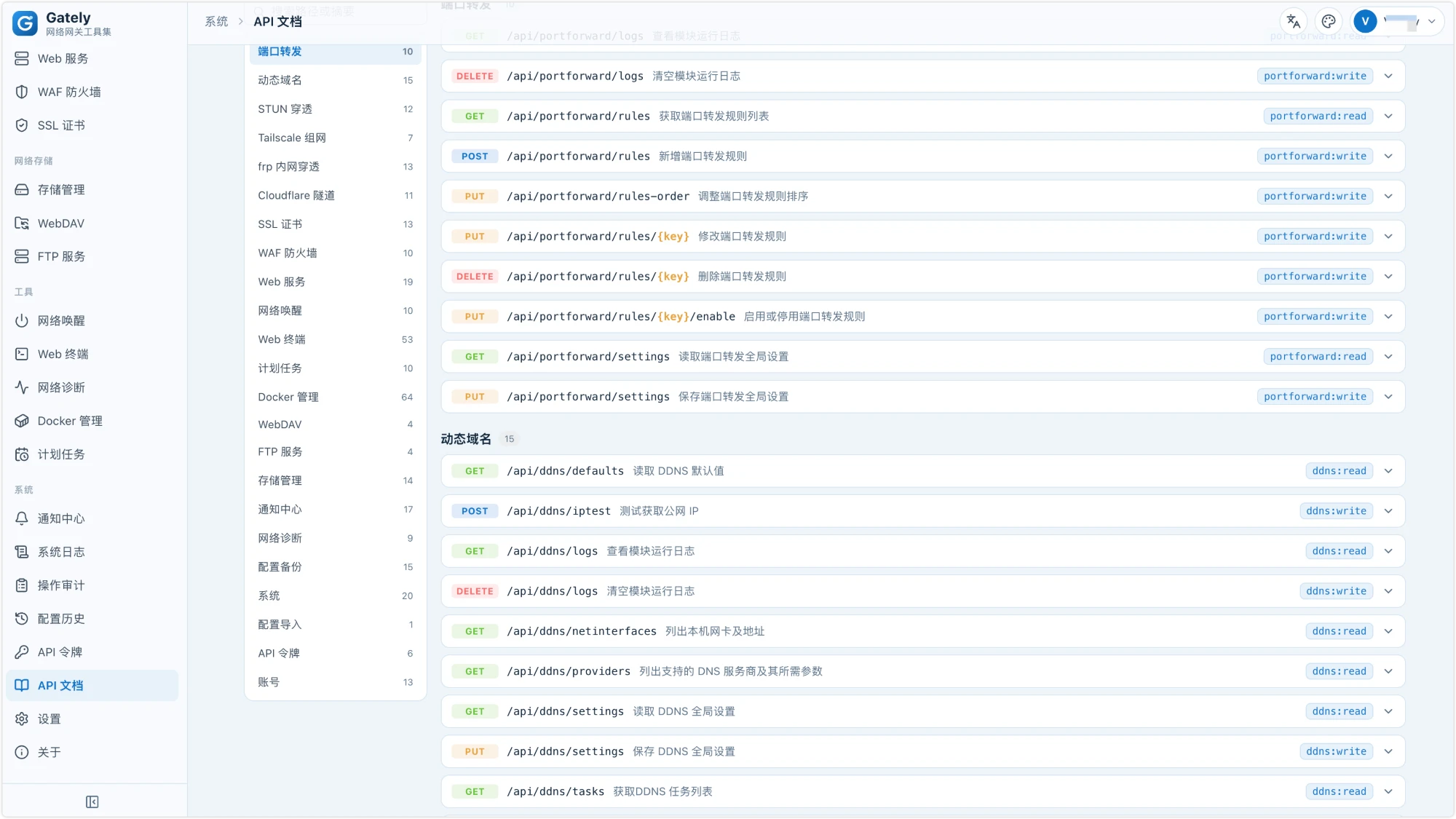
Create a token on the "API Tokens" page of the admin console. You can create several, grant each read-only or read-write access per module, set an expiry, and the plaintext is shown only once, right after creation. Scripts can then call the admin API in bulk:
curl -H "Authorization: Bearer gtl_xxxx" http://localhost:16680/api/ddns/tasks
Account, two-factor authentication, and token management, as well as the backup, restore, restart, and system settings endpoints, accept login sessions only. All endpoints, required permissions, and data schemas are listed on the "API Docs" page of the admin console. You can also export them to docs/api/en (openapi.json and API.md) with make api-docs; the website https://gately.cn references them directly when published.
When upgrading from an older version, the previous global API token becomes a "legacy token" automatically (same value, full access to every module). Tighten its permissions or replace it with a new token on the API Tokens page.
Tailscale, frp, cloudflared
These three modules manage the official external programs (automatic restart, logs aggregated in the UI). Gately does not bundle them, so you can always run the latest upstream release. Programs are located in this order: the path set in the module settings, PATH, then the bin/ subdirectory of the config directory. For Docker deployments, drop the binary into the mounted config directory, for example ./gately-data/bin/frpc; Tailscale needs both tailscale and tailscaled. Tokens and keys in config files are stored with 0600 permissions, and the cloudflared token is passed via an environment variable so it never appears in the process list.
Migrating from Lucky
See the migration guide. In short: under "Settings → Import from Lucky", choose the lucky_*.lkcf file from your Lucky config directory, preview it, then import. Imported rules are disabled by default; go module by module, disabling in Lucky and enabling in Gately.
Development
Requirements: Go 1.26+, Node.js 24+, pnpm.
make web      # build the frontend (outputs to web/dist, embedded via go:embed)
make build    # compile bin/gately
make test     # go test -race ./...
make lint     # gofmt, go vet, frontend type check
For frontend development, run cd web && pnpm dev; /api is proxied to local 127.0.0.1:16680.
Some tests are skipped by default and need extra setup:
| Test |
How to enable |
| ACME end-to-end (Pebble) |
Install pebble and pebble-challtestsrv, set GATELY_PEBBLE_BIN and GATELY_PEBBLE_SRC (runs automatically in CI) |
| Real public STUN servers |
GATELY_NET_TEST=1 |
| Import validation with a real Lucky config |
GATELY_LUCKY_SAMPLE and others, see TestImportRealSample in each module |
For the directory layout and technology choices, see docs/en/ROADMAP.md.
The website (gately.cn) source lives in website/ and is built with VitePress: cd website && pnpm install && pnpm dev; pnpm deploy:site builds and syncs it to the server.
Contributing
- Lucky compatibility is based on publicly observable behavior, interfaces, and configuration formats. Do not submit code copied from Lucky binaries or frontend bundles.
- A new module needs a config schema with validation, runtime start/stop, REST endpoints, and unit tests. Modules that can be migrated from Lucky implement
luckyimport.Importer; modules that want to show status on the overview page implement module.Summarizer.
- Code comments are written in Chinese; control statements must use braces.
Questions, feedback and usage tips are welcome in the Telegram group: t.me/gately_chat, or scan the QR code with your phone:

Please report bugs in GitHub Issues and attach a diagnostics bundle (Settings → Diagnostics); it is generated locally and contains no passwords, tokens, domains or real IPs.
Every Gately feature is free. If it helps you, you can sponsor development with USDT, Afdian or WeChat Pay; addresses and QR codes are on the sponsor page.
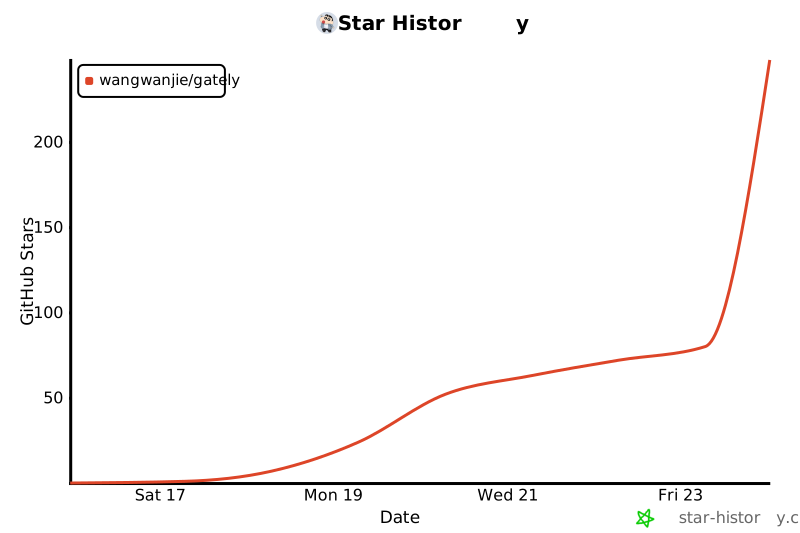
Star History
License
Apache License 2.0