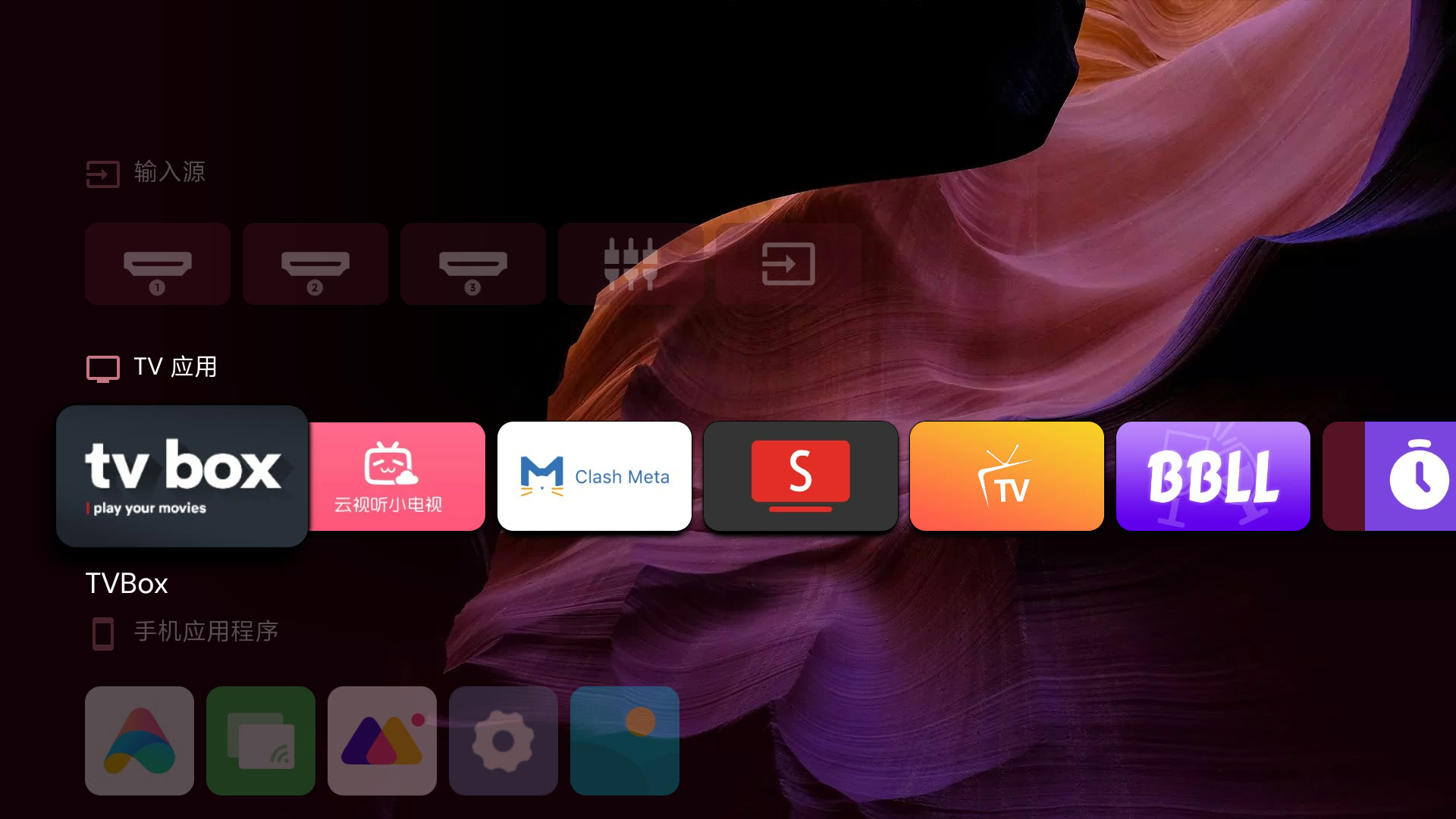
What is this?
 tv-fresh is a toolkit (and installable AI agent skill) for de-bloating Chinese-market Xiaomi MIUI TVs: it strips ad/tracking components, swaps the stock PatchWall launcher for the open-source Projectivy, sets up a Clash Meta proxy, and installs alternative streaming apps, all without rooting the device.
tv-fresh is a toolkit (and installable AI agent skill) for de-bloating Chinese-market Xiaomi MIUI TVs: it strips ad/tracking components, swaps the stock PatchWall launcher for the open-source Projectivy, sets up a Clash Meta proxy, and installs alternative streaming apps, all without rooting the device.Is this just a bash script, or does my AI assistant install it as a skill?Both: the repo is a GitHub project you can clone and run manually, but it also ships a SKILL.md plus task-specific reference docs and one-click scripts so an AI agent can install it and drive the whole process over ADB itself.
Both: the repo is a GitHub project you can clone and run manually, but it also ships a SKILL.md plus task-specific reference docs and one-click scripts so an AI agent can install it and drive the whole process over ADB itself.How do I get started on my TV?On the TV, go to Settings > About and tap the model/version number 5-7 times to unlock developer mode, then enable ADB debugging under Accounts & Security and connect from a computer on the same Wi-Fi network; the agent skill or scripts then handle removing ad packages and swapping the launcher via ADB commands.
On the TV, go to Settings > About and tap the model/version number 5-7 times to unlock developer mode, then enable ADB debugging under Accounts & Security and connect from a computer on the same Wi-Fi network; the agent skill or scripts then handle removing ad packages and swapping the launcher via ADB commands.Do I need to root the TV or use special hardware?No root is needed — everything is done through `adb` and `pm uninstall --user 0`, which only removes packages for the current user without touching the system partition, so it stays fully reversible.
No root is needed — everything is done through `adb` and `pm uninstall --user 0`, which only removes packages for the current user without touching the system partition, so it stays fully reversible.Does the de-ad setup survive reboots and firmware updates?Mostly, but on some firmware (e.g. MiTV-ASTP0) the ADB debugging toggle resets after every reboot and has to be turned back on, and OTA updates can revive removed ad components, which just means re-running the scripts.
Mostly, but on some firmware (e.g. MiTV-ASTP0) the ADB debugging toggle resets after every reboot and has to be turned back on, and OTA updates can revive removed ad components, which just means re-running the scripts.Is this guaranteed to work on any Xiaomi TV?It's confirmed working on the mainland-China MIUI TV firmware (MiTV-ASTP0, Android 9) as of October 2026; the ad-package list and some reverse-engineered steps may differ on other models or firmware versions.
It's confirmed working on the mainland-China MIUI TV firmware (MiTV-ASTP0, Android 9) as of October 2026; the ad-package list and some reverse-engineered steps may differ on other models or firmware versions.Why can't I just install the official YouTube app?The official YouTube app needs Google Mobile Services, device attestation, and Widevine DRM, none of which domestic MIUI TVs have, so the project uses SmartTube instead — an open-source, ad-free client that works without any Google services.
The official YouTube app needs Google Mobile Services, device attestation, and Widevine DRM, none of which domestic MIUI TVs have, so the project uses SmartTube instead — an open-source, ad-free client that works without any Google services.How did the author figure out how to replace the launcher without root?By dumping and disassembling the firmware's framework.jar/services.jar (which are 183-byte stub shells pointing to real code in boot-framework.vdex and services.vdex) with vdexExtractor and jadx, they traced how MIUI's PackageManagerService clamps third-party launcher priority to 0 and found a workaround.
By dumping and disassembling the firmware's framework.jar/services.jar (which are 183-byte stub shells pointing to real code in boot-framework.vdex and services.vdex) with vdexExtractor and jadx, they traced how MIUI's PackageManagerService clamps third-party launcher priority to 0 and found a workaround.Will setting up the proxy break domestic Chinese apps?No, the Clash Meta for Android config uses a GEOIP,CN,DIRECT routing rule so only non-China traffic goes through the proxy node, leaving domestic apps unaffected.
No, the Clash Meta for Android config uses a GEOIP,CN,DIRECT routing rule so only non-China traffic goes through the proxy node, leaving domestic apps unaffected.What do I use for pirated movies/shows after de-bloating?The guide covers 影视仓 (content-wall style) and FongMi/OK影视 (search style), both TVBox-compatible apps fed by community-maintained API source lists that frequently go down or get DNS-poisoned.
The guide covers 影视仓 (content-wall style) and FongMi/OK影视 (search style), both TVBox-compatible apps fed by community-maintained API source lists that frequently go down or get DNS-poisoned.What are similar projects?cleanyourtv, dumbtv, free-my-tv, quiet-tizen, android-ad-cleaner, tvbox, cleanyourtv-app, clashctl
cleanyourtv, dumbtv, free-my-tv, quiet-tizen, android-ad-cleaner, tvbox, cleanyourtv-app, clashctlWhich topics is it in?no-root, tvbox, shell-script, xiaomi, bloatware-removal, smart-tv, clash-meta, adb, debloat, android-tv, tv, vpn-client
no-root, tvbox, shell-script, xiaomi, bloatware-removal, smart-tv, clash-meta, adb, debloat, android-tv, tv, vpn-client