 Vicoa
Vicoa






What is this?
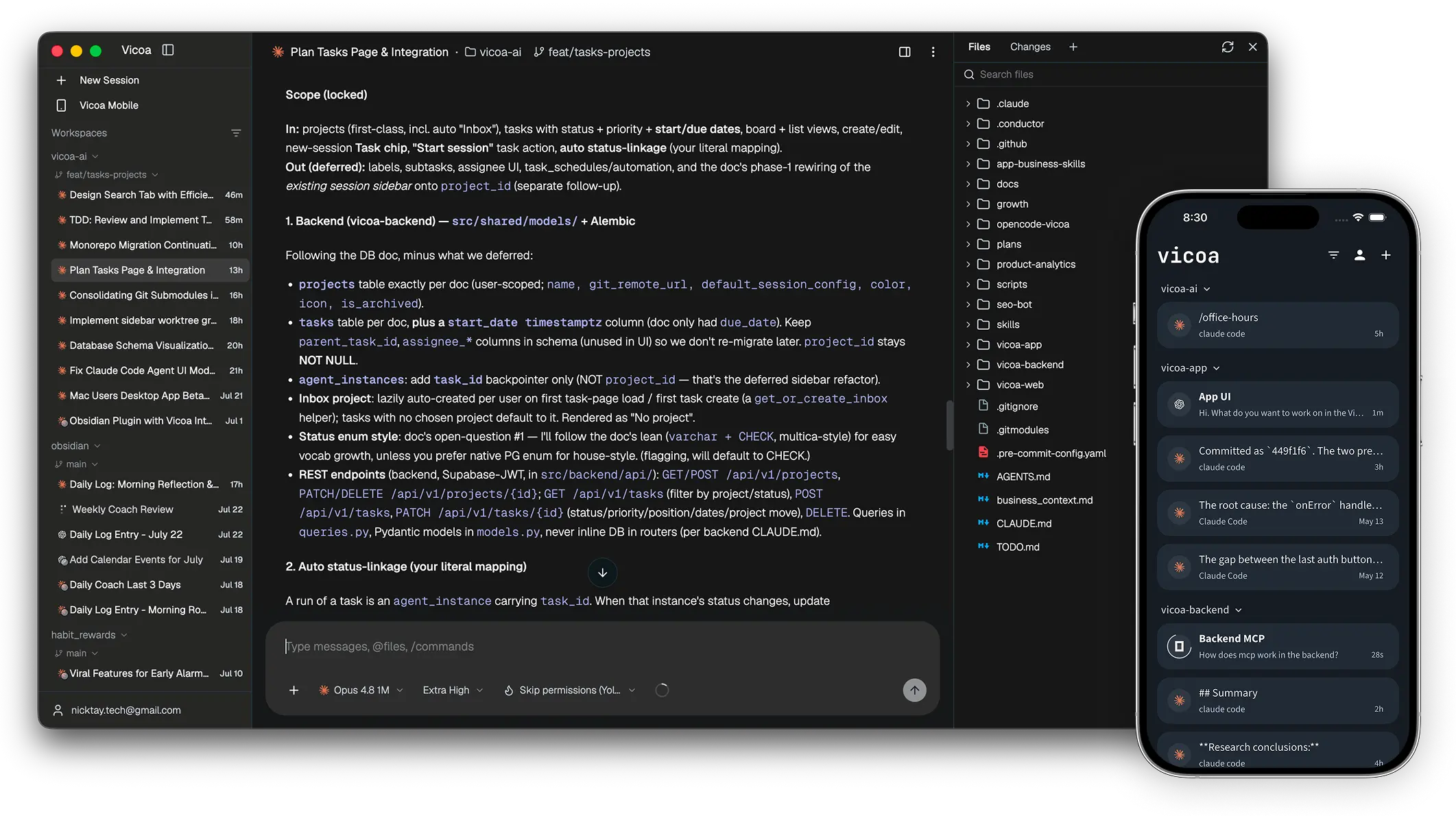
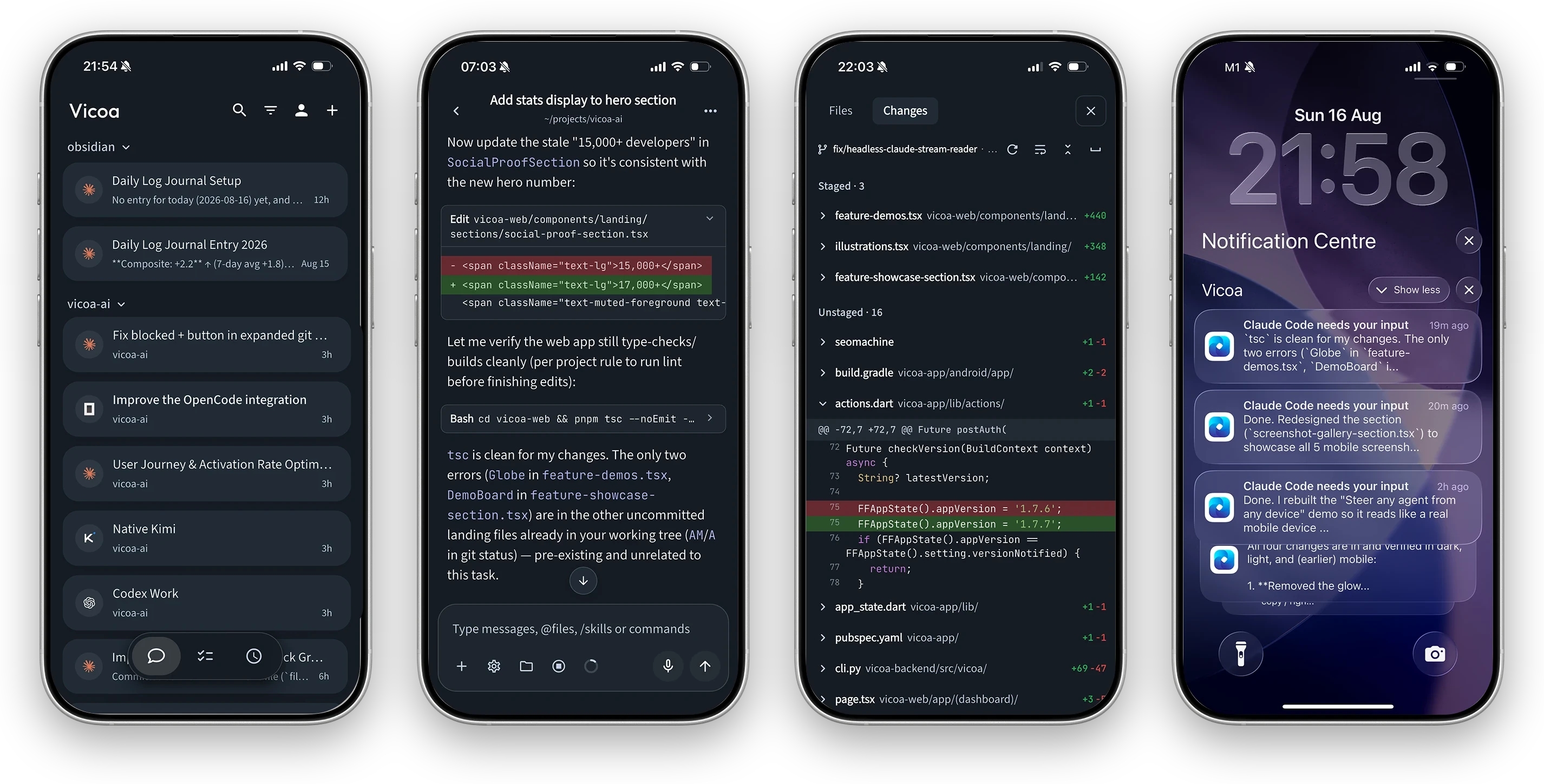
 Vicoa is an open-source AI orchestrator that lets you run and manage a team of coding agents (Claude Code, Codex, Cursor, and more) from your desktop, phone, or a VPS, with sessions synced across devices.
Vicoa is an open-source AI orchestrator that lets you run and manage a team of coding agents (Claude Code, Codex, Cursor, and more) from your desktop, phone, or a VPS, with sessions synced across devices.Is this a chat app, or does it actually run my coding agents?It actually launches the real agent CLIs (claude, codex, cursor-agent, etc.) on a machine you control and gives you sessions, live git diffs, a file browser, and push notifications, not just a chat window.
It actually launches the real agent CLIs (claude, codex, cursor-agent, etc.) on a machine you control and gives you sessions, live git diffs, a file browser, and push notifications, not just a chat window.How do I get it running?Download Vicoa Desktop for macOS, Windows, or Linux; it auto-detects agent CLIs on that machine. Then click New Session, pick the machine and agent, and type your first prompt; install the iOS/Android app to keep steering the same session from your phone.
Download Vicoa Desktop for macOS, Windows, or Linux; it auto-detects agent CLIs on that machine. Then click New Session, pick the machine and agent, and type your first prompt; install the iOS/Android app to keep steering the same session from your phone.Do I need Claude Code or Codex already installed?Yes, Vicoa doesn't ship its own model; it launches agent CLIs you already have installed and signed in on the machine, such as claude, codex, cursor-agent, or opencode.
Yes, Vicoa doesn't ship its own model; it launches agent CLIs you already have installed and signed in on the machine, such as claude, codex, cursor-agent, or opencode.Does Vicoa include its own AI model, or do I need my own subscription?It's BYO-key: Vicoa orchestrates sessions but you supply your own agent and model subscriptions or API keys.
It's BYO-key: Vicoa orchestrates sessions but you supply your own agent and model subscriptions or API keys.Which devices can I use to steer a session?A session started on the Mac/Windows/Linux desktop app can be picked up from the iOS or Android app or the web client, since running sessions sync automatically across devices once you sign in with the same account.
A session started on the Mac/Windows/Linux desktop app can be picked up from the iOS or Android app or the web client, since running sessions sync automatically across devices once you sign in with the same account.Which coding agents does Vicoa support?Claude Code, Codex, OpenCode, Gemini, Cursor, GitHub Copilot, Kimi, Hermes, Pi, and Oh My Pi can all run side by side; Claude Code, Codex, Pi, and Oh My Pi have native integrations while the rest connect over the Agent Client Protocol (ACP).
Claude Code, Codex, OpenCode, Gemini, Cursor, GitHub Copilot, Kimi, Hermes, Pi, and Oh My Pi can all run side by side; Claude Code, Codex, Pi, and Oh My Pi have native integrations while the rest connect over the Agent Client Protocol (ACP).Why does each agent get its own git worktree?So several agents can work on the same repo at once without stepping on each other, since each session runs on its own git worktree and branch.
So several agents can work on the same repo at once without stepping on each other, since each session runs on its own git worktree and branch.What's included if I self-host the stack?The full stack: a CLI plus local daemon, a Python/FastAPI backend with PostgreSQL, and the web, Electron desktop, and Flutter mobile clients, deployed with Docker as described in SELFHOSTING.md.
The full stack: a CLI plus local daemon, a Python/FastAPI backend with PostgreSQL, and the web, Electron desktop, and Flutter mobile clients, deployed with Docker as described in SELFHOSTING.md.What else can I do besides chat with an agent?You also get inline file diffs, a file browser, an in-app terminal, a mobile live preview of your local dev server, a task board, and cron-based automations so agents can pick up work on their own.
You also get inline file diffs, a file browser, an in-app terminal, a mobile live preview of your local dev server, a task board, and cron-based automations so agents can pick up work on their own.What are similar projects?orca, paseo, claude_codex_bridge, Ghostex, oh-my-openagent, zuse, hapi, ordewell
orca, paseo, claude_codex_bridge, Ghostex, oh-my-openagent, zuse, hapi, ordewellWhich topics is it in?ade, agent-client-protocol, git-worktrees, kimi, task-management, vibe-coding, hermes-agent, flutter, github-copilot, agplv3, fastapi, opencode
ade, agent-client-protocol, git-worktrees, kimi, task-management, vibe-coding, hermes-agent, flutter, github-copilot, agplv3, fastapi, opencode