
15.8K ·GitHub
What is this?
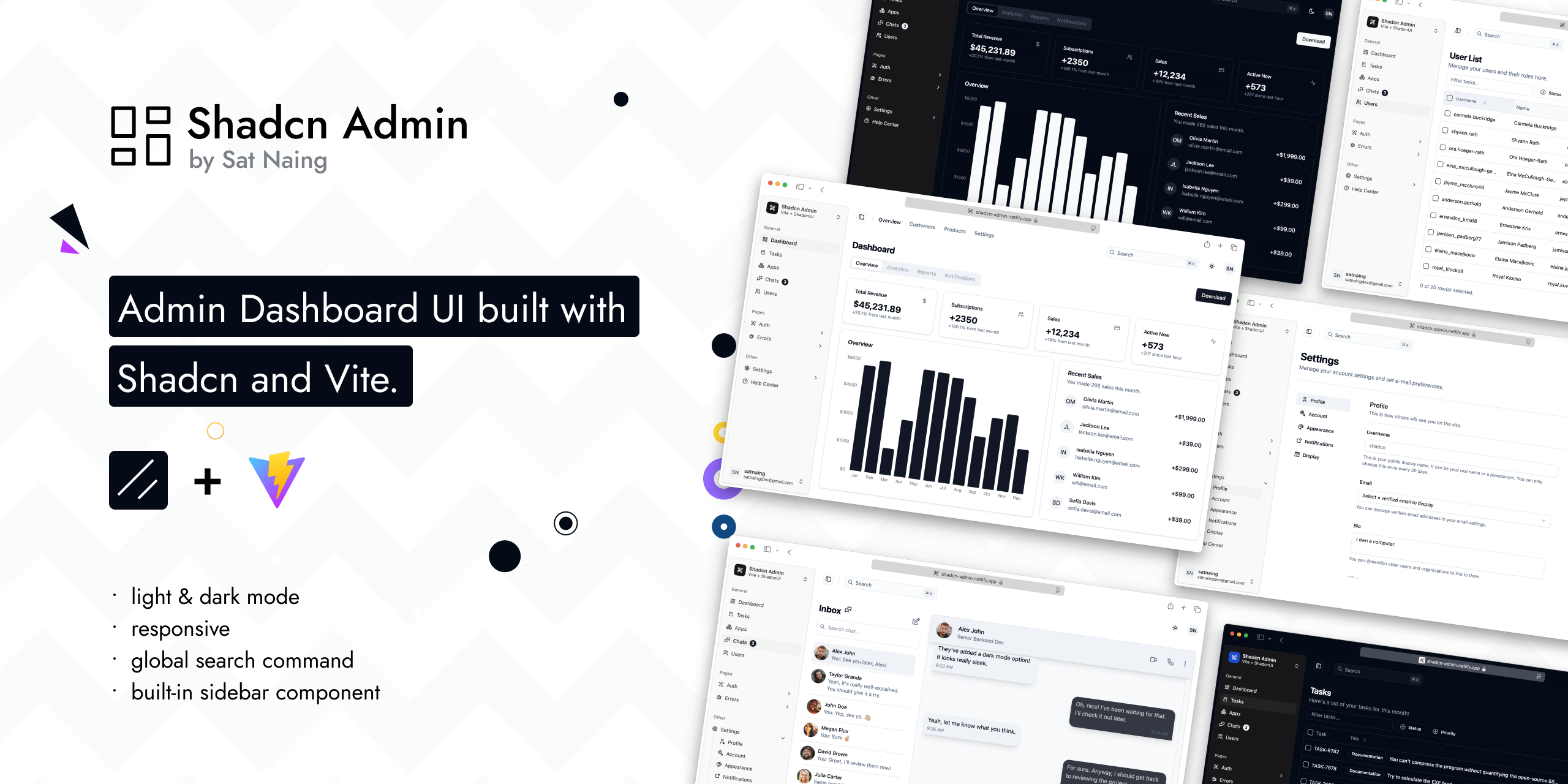
 An open-source admin dashboard UI built with Shadcn UI (TailwindCSS + Radix) and Vite — a reusable collection of dashboard screens the author adapts for his own projects.
An open-source admin dashboard UI built with Shadcn UI (TailwindCSS + Radix) and Vite — a reusable collection of dashboard screens the author adapts for his own projects.Is this a starter template I can scaffold from, or a finished dashboard?It is a complete, cloneable web app rather than a scaffold. The author explicitly notes it is not a starter template, though he may turn it into one in the future.
It is a complete, cloneable web app rather than a scaffold. The author explicitly notes it is not a starter template, though he may turn it into one in the future.How do I get it running locally?Clone the repo, enter the directory, install dependencies and start the Vite dev server (npm run dev). Scripts for build, preview, lint, formatting and Vitest tests are included too.
Clone the repo, enter the directory, install dependencies and start the Vite dev server (npm run dev). Scripts for build, preview, lint, formatting and Vitest tests are included too.What is it built on — do I need anything special like an auth account?A Vite + React stack: Shadcn UI (TailwindCSS + Radix UI), TanStack Router, TypeScript, ESLint/Prettier and Lucide/Tabler icons. Auth is partially wired to Clerk, so that part expects a Clerk setup.
A Vite + React stack: Shadcn UI (TailwindCSS + Radix UI), TanStack Router, TypeScript, ESLint/Prettier and Lucide/Tabler icons. Auth is partially wired to Clerk, so that part expects a Clerk setup.Can I safely update the Shadcn components with the Shadcn CLI?Mostly, but not blindly. A few components (scroll-area, sonner, separator) are modified and ten others carry RTL fixes, so updating those via the CLI may require manual merging to keep the changes.
Mostly, but not blindly. A few components (scroll-area, sonner, separator) are modified and ten others carry RTL fixes, so updating those via the CLI may require manual merging to keep the changes.What do I get out of the box?10+ pages with a built-in sidebar and a global search command, light/dark mode, RTL support and extra custom components — all responsive and accessible.
10+ pages with a built-in sidebar and a global search command, light/dark mode, RTL support and extra custom components — all responsive and accessible.Why did the author build this?He kept creating dashboard UIs for work and personal projects and wanted a reusable collection to lean on for future projects instead of starting over each time.
He kept creating dashboard UIs for work and personal projects and wanted a reusable collection to lean on for future projects instead of starting over each time.Is there any testing or code-quality tooling?Yes. The repo ships Vitest browser tests plus ESLint and Prettier scripts, and knip for spotting unused code.
Yes. The repo ships Vitest browser tests plus ESLint and Prettier scripts, and knip for spotting unused code.What are similar projects?vuestic-admin, arc-library, AdminLTE, tabler, Monocharts, ui, gentelella, full-stack-fastapi-template
vuestic-admin, arc-library, AdminLTE, tabler, Monocharts, ui, gentelella, full-stack-fastapi-templateWhich topics is it in?command-palette, tanstack-router, admin-panel, shadcn, shadcn-ui, responsive, admin-dashboard, dark-mode, accessibility, tailwindcss, vite, component-library
command-palette, tanstack-router, admin-panel, shadcn, shadcn-ui, responsive, admin-dashboard, dark-mode, accessibility, tailwindcss, vite, component-library