What is this?
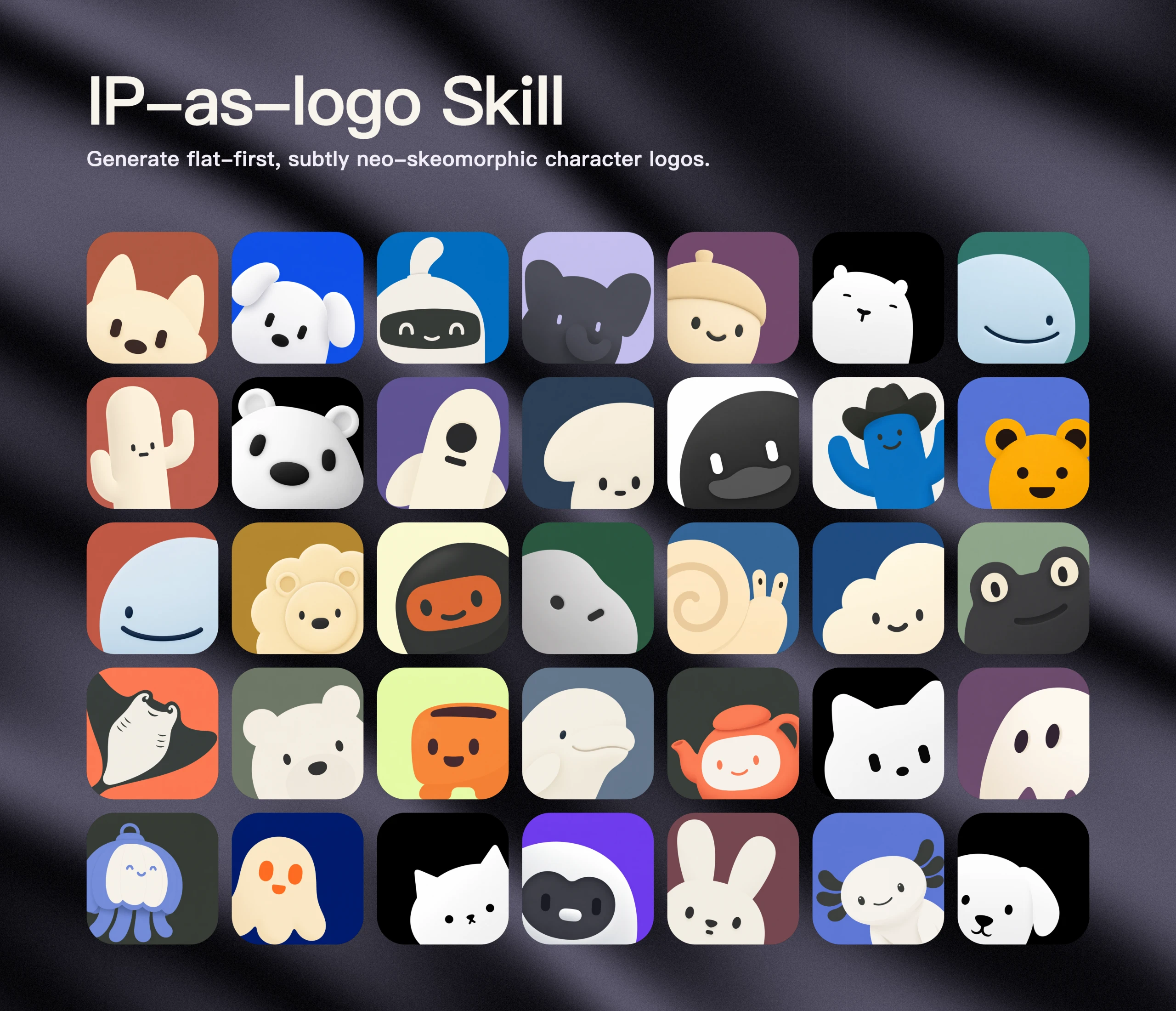
 ip-as-logo is a compact Agent Skill that guides an AI agent to generate extremely simple, cute, company-ready IP mascot logos with a rounded, subtly neo-skeuomorphic style.
ip-as-logo is a compact Agent Skill that guides an AI agent to generate extremely simple, cute, company-ready IP mascot logos with a rounded, subtly neo-skeuomorphic style.Is this an app, or just an instruction file my agent reads?It is a single instruction document (SKILL.md) following the open Agent Skills format, not a standalone app or script bundle; it works with any compatible AI agent rather than one specific product.
It is a single instruction document (SKILL.md) following the open Agent Skills format, not a standalone app or script bundle; it works with any compatible AI agent rather than one specific product.How do I install this skill?Run the Agent Skills CLI, which detects the repo's root SKILL.md, lets you pick a supported coding agent, and installs the full ip-as-logo directory with its assets; add --global to make it available across all your projects.
Run the Agent Skills CLI, which detects the repo's root SKILL.md, lets you pick a supported coding agent, and installs the full ip-as-logo directory with its assets; add --global to make it available across all your projects.Which agents and image models does it need?It works with Codex, Coze, Doubao, YouMind, Manus, Gemini Apps, or Replit Agent, and the agent needs a top-tier image model such as GPT Image 2, Seedance 5.0 Pro, Nano Banana Pro, or Nano Banana 2 (or an API key for one).
It works with Codex, Coze, Doubao, YouMind, Manus, Gemini Apps, or Replit Agent, and the agent needs a top-tier image model such as GPT Image 2, Seedance 5.0 Pro, Nano Banana Pro, or Nano Banana 2 (or an API key for one).Will it fall back to a vector logo if no good image model is available?No, the skill never produces an SVG fallback; a lower-tier image model may only be used with the user's explicit consent and there is no guarantee of equivalent quality, and generated results are returned as-is without any automatic retries or quality filtering.
No, the skill never produces an SVG fallback; a lower-tier image model may only be used with the user's explicit consent and there is no guarantee of equivalent quality, and generated results are returned as-is without any automatic retries or quality filtering.What does a default batch of logos look like?By default it produces six independent full-resolution square candidates across three design directions (A1/A2, B1/B2, C1/C2), split evenly between mascots emerging from the lower-left and lower-right corners, each filling 85-95% of the frame with just three semantic colors.
By default it produces six independent full-resolution square candidates across three design directions (A1/A2, B1/B2, C1/C2), split evenly between mascots emerging from the lower-left and lower-right corners, each filling 85-95% of the frame with just three semantic colors.Can I get a mascot logo without any of the supported coding agents?Yes, the project also runs a free IP as Logo Skill website, a searchable library backed by Cloudflare R2 and Supabase, where you can download ready-made logos free for commercial use.
Yes, the project also runs a free IP as Logo Skill website, a searchable library backed by Cloudflare R2 and Supabase, where you can download ready-made logos free for commercial use.Does it favor animal mascots or will it draw objects and machines?In open-ended requests 95-100% of candidates are familiar animal mascots tied to a product trait; objects, vehicles, tools, or fantasy creatures are only used sparingly when there is a clear product reason.
In open-ended requests 95-100% of candidates are familiar animal mascots tied to a product trait; objects, vehicles, tools, or fantasy creatures are only used sparingly when there is a clear product reason.What are similar projects?logo-design-skill, kid-papercraft, gc-minimal-zine-poster, gathered-scenes-zine-skill, travel-memory-sticker-card, ian-xiaohei-illustrations, photo-abstract-editorial, RuiC-card-skill
logo-design-skill, kid-papercraft, gc-minimal-zine-poster, gathered-scenes-zine-skill, travel-memory-sticker-card, ian-xiaohei-illustrations, photo-abstract-editorial, RuiC-card-skillWhich topics is it in?icon, branding, design-tool, creative-tools, codex-skill, ai-tools, agent-skill, gpt, image-generation, design, prompt-engineering, gemini
icon, branding, design-tool, creative-tools, codex-skill, ai-tools, agent-skill, gpt, image-generation, design, prompt-engineering, gemini