Download · Install · Add a second connection · Troubleshooting · How it works
net-merge (rohit267/net-merge)
Searching Database…
The project's README from github.com/rohit267/net-merge. As one markdown file: README.md.

Use all your internet connections at the same time.
Combine Wi-Fi, Ethernet and phone hotspots, so downloads, games and browsers get the speed of every connection added up.
Download · Install · Add a second connection · Troubleshooting · How it works







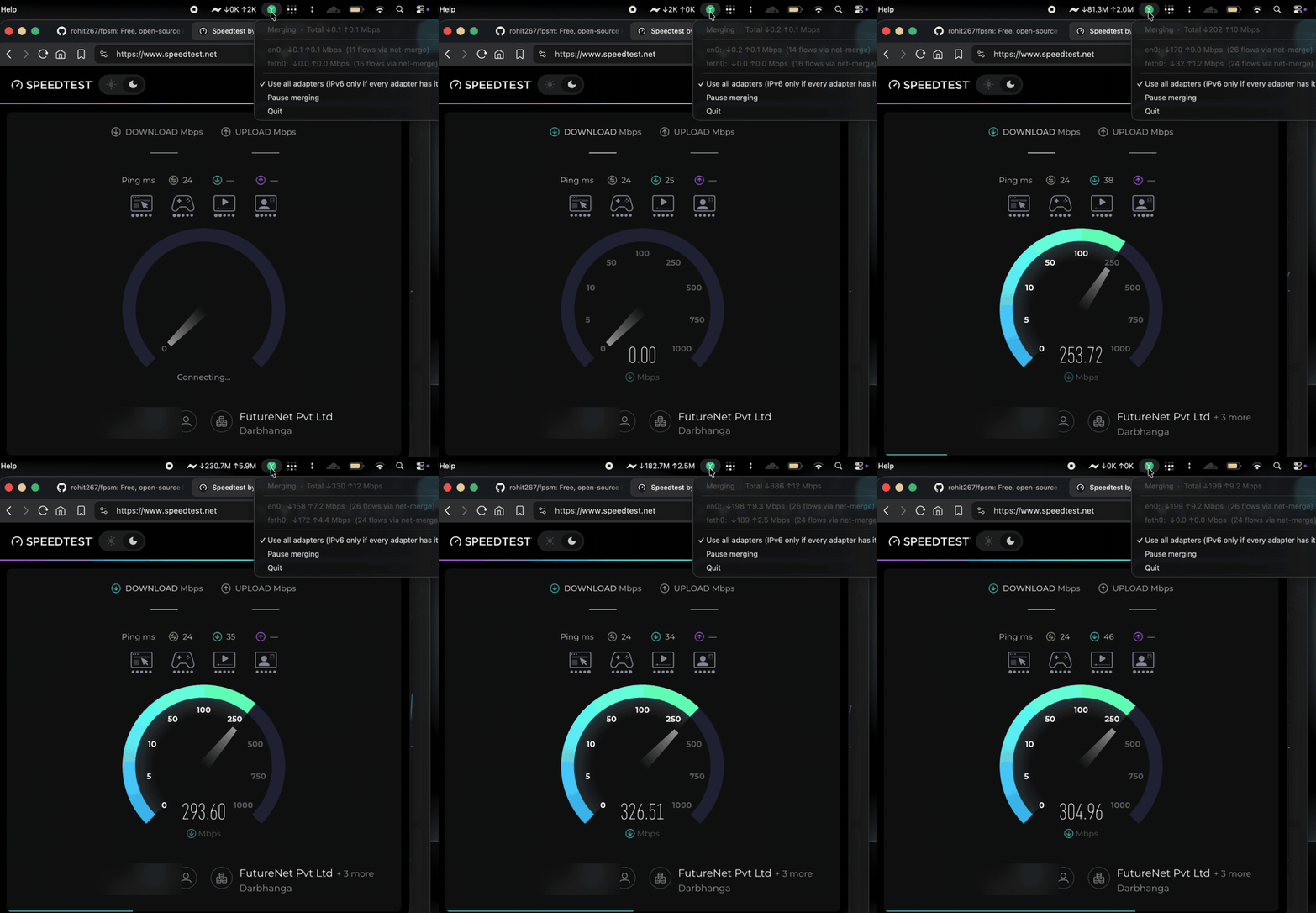
A Mac with Wi-Fi + an Android phone. The menu shows both connections working at once. Watch the full 45-second video.
net-merge uses all your network adapters together. It works on Windows, macOS and Linux. It is free. There is no account, no server and no VPN.
A real test with Wi-Fi + an Android USB tether + an iPhone hotspot, 9 downloads at once: 232-303 Mbit/s. The fastest connection alone gave about 121 Mbit/s.
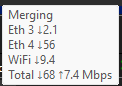
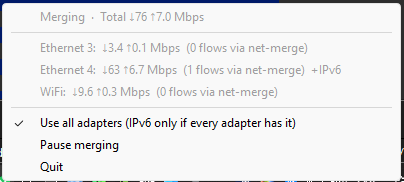
| Windows: hover the icon | Windows: the menu | macOS: the menu bar |
|---|---|---|
 |
 |
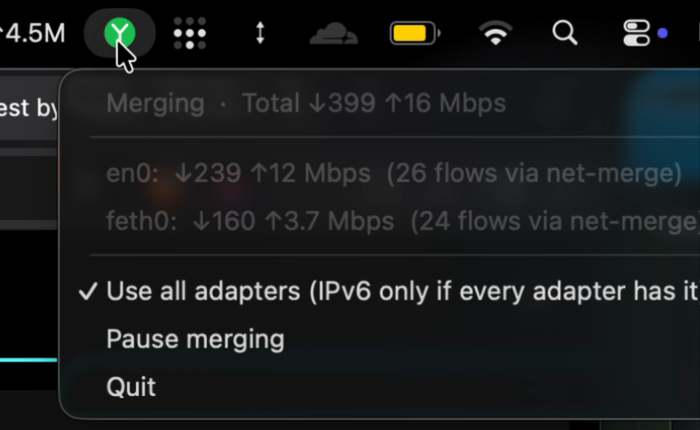 |
net-merge gives every new connection to one of your links. When an app opens many connections, they spread over all your links.
macOS and Linux: paste this into a terminal.
curl -fsSL https://raw.githubusercontent.com/rohit267/net-merge/main/install.sh | sh
Windows: paste this into PowerShell.
irm https://raw.githubusercontent.com/rohit267/net-merge/main/install.ps1 | iex
That's it: net-merge is installed and its icon appears in the menu bar or tray. On Linux the script
uses your package manager (apt, dnf, zypper, apk or pacman) and on macOS Homebrew when you have it, so
net-merge updates with the rest of your system. To start it at sign-in: net-merge autostart on.
Homebrew (macOS):
brew install rohit267/tap/net-merge && sudo "$(brew --prefix)/bin/net-merge" install && net-merge tray
macOS without Homebrew:
curl -fsSL https://github.com/rohit267/net-merge/releases/latest/download/net-merge-macos-universal.tar.gz | tar -xz -C /tmp net-merge && sudo /tmp/net-merge install && net-merge tray
Debian, Ubuntu, Linux Mint, Pop!_OS, Raspberry Pi OS (apt):
curl -fsSL https://rohit267.github.io/net-merge/apt/key.gpg | sudo tee /usr/share/keyrings/net-merge.gpg >/dev/null
echo "deb [signed-by=/usr/share/keyrings/net-merge.gpg] https://rohit267.github.io/net-merge/apt stable main" | sudo tee /etc/apt/sources.list.d/net-merge.list
sudo apt update && sudo apt install -y net-merge
Fedora, RHEL, Rocky, Alma (dnf):
sudo curl -fsSL -o /etc/yum.repos.d/net-merge.repo https://rohit267.github.io/net-merge/rpm/net-merge.repo && sudo dnf install -y net-merge
openSUSE (zypper):
sudo zypper addrepo https://rohit267.github.io/net-merge/rpm/net-merge.repo && sudo zypper --gpg-auto-import-keys install -y net-merge
Arch, Manjaro, EndeavourOS (pacman):
curl -fsSL https://rohit267.github.io/net-merge/apt/key.asc | sudo pacman-key --add - && sudo pacman-key --lsign-key 0168C7AB77721656904811AE904F61E7F4F1C2A1
printf '\n[net-merge]\nSigLevel = Required\nServer = https://rohit267.github.io/net-merge/arch/$arch\n' | sudo tee -a /etc/pacman.conf
sudo pacman -Sy --noconfirm net-merge
Alpine (apk):
sudo wget -O /etc/apk/keys/net-merge.rsa.pub https://rohit267.github.io/net-merge/apk/net-merge.rsa.pub
echo https://rohit267.github.io/net-merge/apk | sudo tee -a /etc/apk/repositories && sudo apk add net-merge
Homebrew (Linux):
brew install rohit267/tap/net-merge && sudo setcap cap_net_admin,cap_net_raw+ep "$(readlink -f "$(brew --prefix)/bin/net-merge")"
Any other Linux (any CPU):
curl -fsSL https://github.com/rohit267/net-merge/releases/latest/download/net-merge-linux-$(uname -m).tar.gz | tar -xz -C /tmp net-merge && sudo install -m 755 /tmp/net-merge /usr/local/bin/ && sudo setcap cap_net_admin,cap_net_raw+ep /usr/local/bin/net-merge
Windows by hand: download net-merge-setup.exe and run it. Windows may warn because the app is not signed yet: click More info, then Run anyway. There is also a portable zip.
Then start it with net-merge tray (Linux, macOS) or from the Start menu (Windows).
setcap), and on
macOS net-merge install adds one rule so that only net-merge tray can run as root without a password.net-merge interface
(for example firewall-cmd --zone=trusted --add-interface=net-merge).packaging/apt-signing-key.asc, fingerprint
0168 C7AB 7772 1656 9048 11AE 904F 61E7 F4F1 C2A1.sudo apt remove net-merge, brew uninstall net-merge, ...) or
Windows' Installed apps. On macOS also net-merge autostart off and sudo net-merge uninstall.# flake.nix
inputs.net-merge.url = "github:rohit267/net-merge";
# configuration.nix (with `inputs` passed via specialArgs)
imports = [ inputs.net-merge.nixosModules.default ];
programs.net-merge = {
enable = true;
autostart = true; # optional: start the tray in every graphical session
};
To try it without installing: sudo nix run github:rohit267/net-merge -- run.
net-merge needs two or more real connections. Use Wi-Fi plus one of these: a phone (USB tethering or hotspot), an Ethernet cable, or a second Wi-Fi. Plug it in and net-merge adds it within a few seconds. When you unplug it, its connections move to the others.
Windows and Linux: plug the phone in and turn on USB tethering (Android) or Personal Hotspot (iPhone). That is all.
Mac with an iPhone (nothing extra to install)
Mac with an Android phone (needs the app TetherKit)
macOS cannot use Android USB tethering by itself. The app TetherKit adds that support.
Start net-merge first, then connect the Android phone. macOS drops the TetherKit connection each time net-merge starts or quits. Pausing and resuming is safe: net-merge keeps its virtual adapter while paused. If the phone link disappears, click Apply in TetherKit again. The iPhone is not affected.
A phone uses its mobile data, so part of your traffic goes through it while net-merge runs. Quit net-merge when you do not want that.
net-merge tray -auto-pause=false.net-merge autostart on.Tips:
net-merge list shows which connections are used and why others are skipped. net-merge status
shows live numbers.You only gain speed when each connection reaches the internet by its own path. Wi-Fi from your home router plus a phone on mobile data works. Wi-Fi and Ethernet plugged into the same router do not: they share one internet line, so the total stays the same.
Also remember that one connection always uses one link. Many parallel connections (Steam, browsers,
download managers) are what speed up. Run net-merge status to see how many connections each link carries.
Run net-merge list. It shows which connections are used and why the others are skipped, for example
"no default gateway" (the link has no internet yet).
macOS drops the TetherKit connection each time net-merge starts or quits (pausing and resuming is safe). Start net-merge first, then connect the phone. If it vanishes, click Apply in TetherKit again.
Windows can switch Wi-Fi off when Ethernet is plugged in. Open the Group Policy Editor (gpedit.msc),
go to Computer Configuration > Administrative Templates > Network > Windows Connection Manager, and set
Minimize the number of simultaneous connections to the Internet or a Windows domain to Disabled.
The apps are not code-signed yet. On macOS run xattr -d com.apple.quarantine net-merge. On Windows click
More info, then Run anyway.
net-merge only has something to do with two or more connections that have internet, so it waits. Plug in or connect the second one (see Add a second connection) and it starts by itself after a few seconds. To merge anyway, choose Start merging (it then stays on until a second connection has come and gone), or untick Pause when there is only one connection.
Switching merging on or off cuts the connections that are open at that moment, which is why it waits 10 seconds with nothing moving before pausing (2 minutes if a download or upload is still going) and 3 seconds before resuming, and never switches by itself more than once every 30 seconds.
On Windows it may be behind the ^ arrow next to the clock. On macOS it is in the menu bar. On Linux the
desktop needs StatusNotifierItem support (KDE, XFCE, Cinnamon, LXQt, Budgie, or GNOME with the AppIndicator
and KStatusNotifierItem Support extension).
net-merge may use a different IP for each connection, and some sites tie your login to one IP. That is a limit of splitting connections over several links.
net-merge tray            tray icon (the normal way to run it)
net-merge on | off        start / pause merging in the running tray
net-merge quit            pause and close the tray
net-merge status | list   live numbers / which connections are used
net-merge autostart on|off|status
net-merge socks           plain SOCKS5 proxy on 127.0.0.1:1080 (no admin, per app)
net-merge cleanup         remove leftover routes after a crash
net-merge install         macOS only: `sudo net-merge install` (see above)
More flags and details are in docs/DEVELOPING.md.
CAP_NET_ADMIN (Linux) or sudo net-merge install once (macOS).LICENSE. Third-party parts: THIRD-PARTY-NOTICES.md.net-merge is free. If it saves you time, you can buy me a coffee or donate with PayPal. Thank you!
Download · Install · Add a second connection · Troubleshooting · How it works