






What is this?
 Reflex is a library for building full-stack web apps in pure Python: you write the frontend and the backend in Python, with no need to learn Javascript.
Reflex is a library for building full-stack web apps in pure Python: you write the frontend and the backend in Python, with no need to learn Javascript.Even the frontend? Do I have to write any JavaScript at all?No — pure Python is the headline feature: your app's frontend and backend are both written in Python.
No — pure Python is the headline feature: your app's frontend and backend are both written in Python.How do I get my first app running?Install the reflex package in a virtual environment, then create a project, add Reflex and start the dev server with uv — edit myappname/myappname.py and fast refreshes show changes instantly.
Install the reflex package in a virtual environment, then create a project, add Reflex and start the dev server with uv — edit myappname/myappname.py and fast refreshes show changes instantly.What do I need installed before starting?Python, plus the reflex package; the README strongly recommends a virtual environment so the reflex command is available in your PATH, and the quickstart uses uv.
Python, plus the reflex package; the README strongly recommends a virtual environment so the reflex command is available in your PATH, and the quickstart uses uv.Is it meant for quick prototypes or for complex, serious apps?Both: Reflex is easy to get started with but also scales to complex apps, and there is an architecture page explaining how it works under the hood.
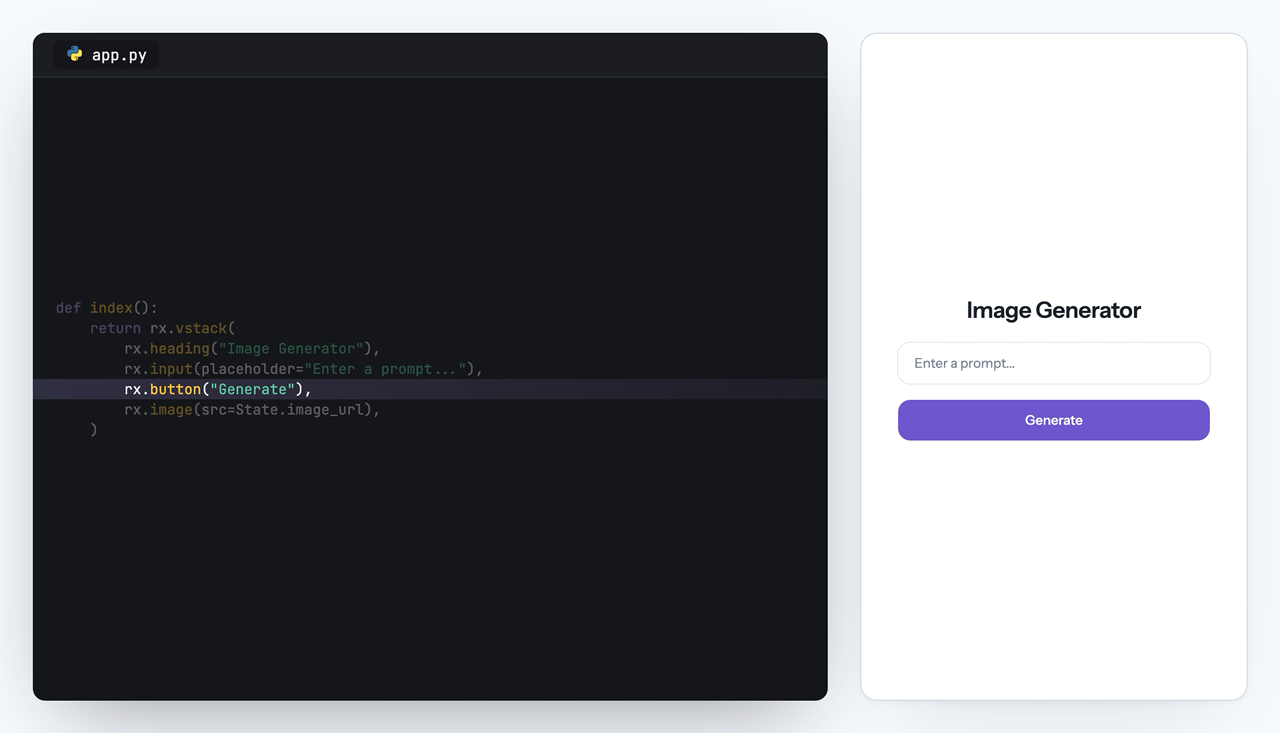
Both: Reflex is easy to get started with but also scales to complex apps, and there is an architecture page explaining how it works under the hood.What does a real app built with Reflex look like?The README's example is an image generation app: you define the UI, manage state in a Python class, and call an image model from an event handler.
The README's example is an image generation app: you define the UI, manage state in a Python class, and call an image model from an event handler.What is the AI Builder?A Reflex offering that generates full-stack Reflex apps in seconds, listed alongside the Agent Toolkit and App Management as tools to build faster.
A Reflex offering that generates full-stack Reflex apps in seconds, listed alongside the Agent Toolkit and App Management as tools to build faster.What is the Agent Toolkit?It connects MCP and Skills to your coding assistant so AI agents can work with Reflex, while App Management handles deploying and managing your Reflex apps.
It connects MCP and Skills to your coding assistant so AI agents can work with Reflex, while App Management handles deploying and managing your Reflex apps.How do I put a finished app online?The README advertises deploying in seconds, and its App Management service deploys and manages your Reflex apps.
The README advertises deploying in seconds, and its App Management service deploys and manages your Reflex apps.Which topics is it in?fullstack, webapp, pypi, full-stack, data-analysis, state-management, deployment, web-framework, data-visualization, data-science, beginner-friendly, dashboard
fullstack, webapp, pypi, full-stack, data-analysis, state-management, deployment, web-framework, data-visualization, data-science, beginner-friendly, dashboard