Playport runs Windows games, 64-bit and 32-bit, on a stock, non-jailbroken
iPhone. Install a game from Steam, GOG or Epic Games, or bring your own, pick up
a controller and press Play. The game runs on the phone's own CPU and GPU: no
PC, no cloud, no stream.
New in 0.4: GOG, Epic Games and your own games. Sign in to GOG or Epic
Games beside Steam, or add a DRM-free game from Files, and games now sign in to
their store as they would on a PC. See the release notes.
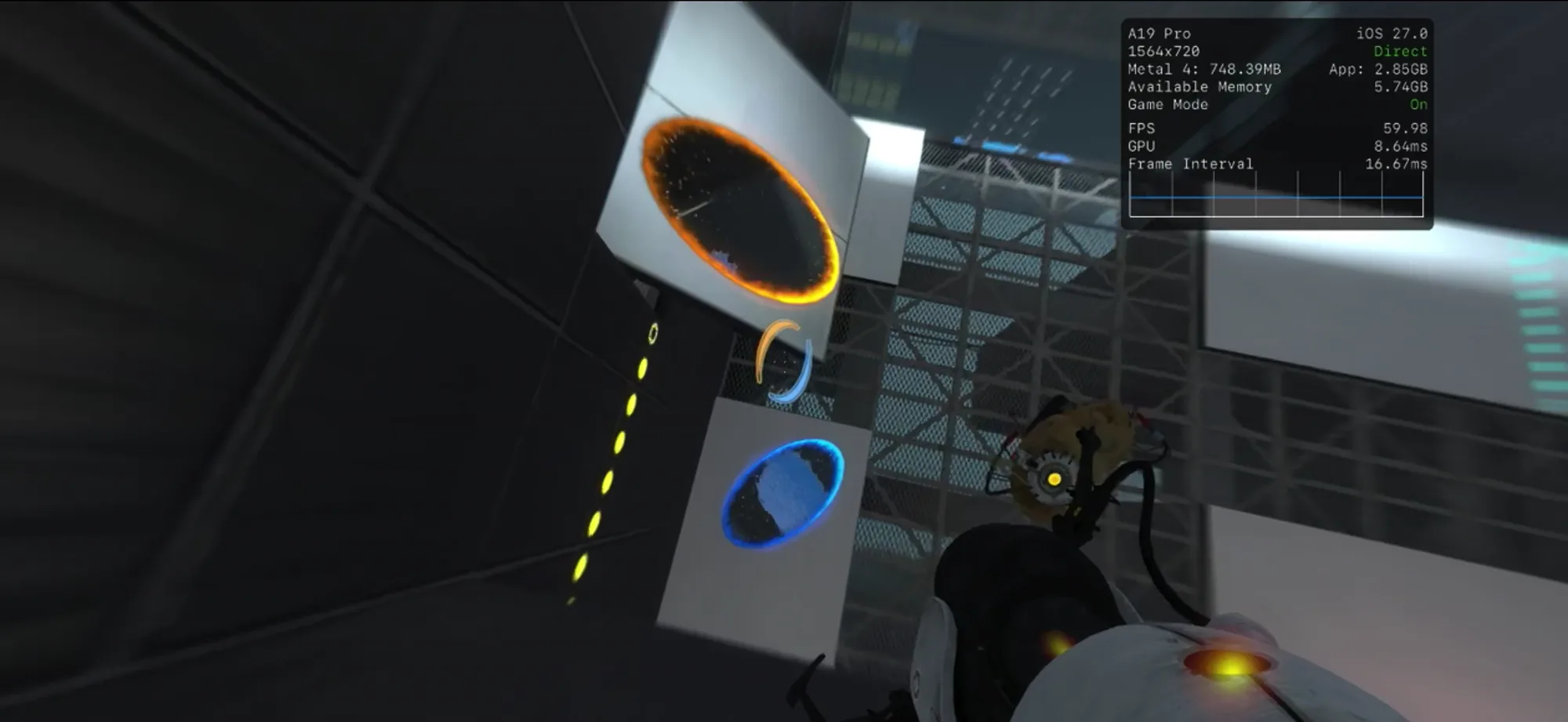
Portal 2, a 32-bit Direct3D 9 game, at 60 fps through DXVK and KosmicKrisp. Watch the uncut recording: Home to Play to a test chamber (MP4).
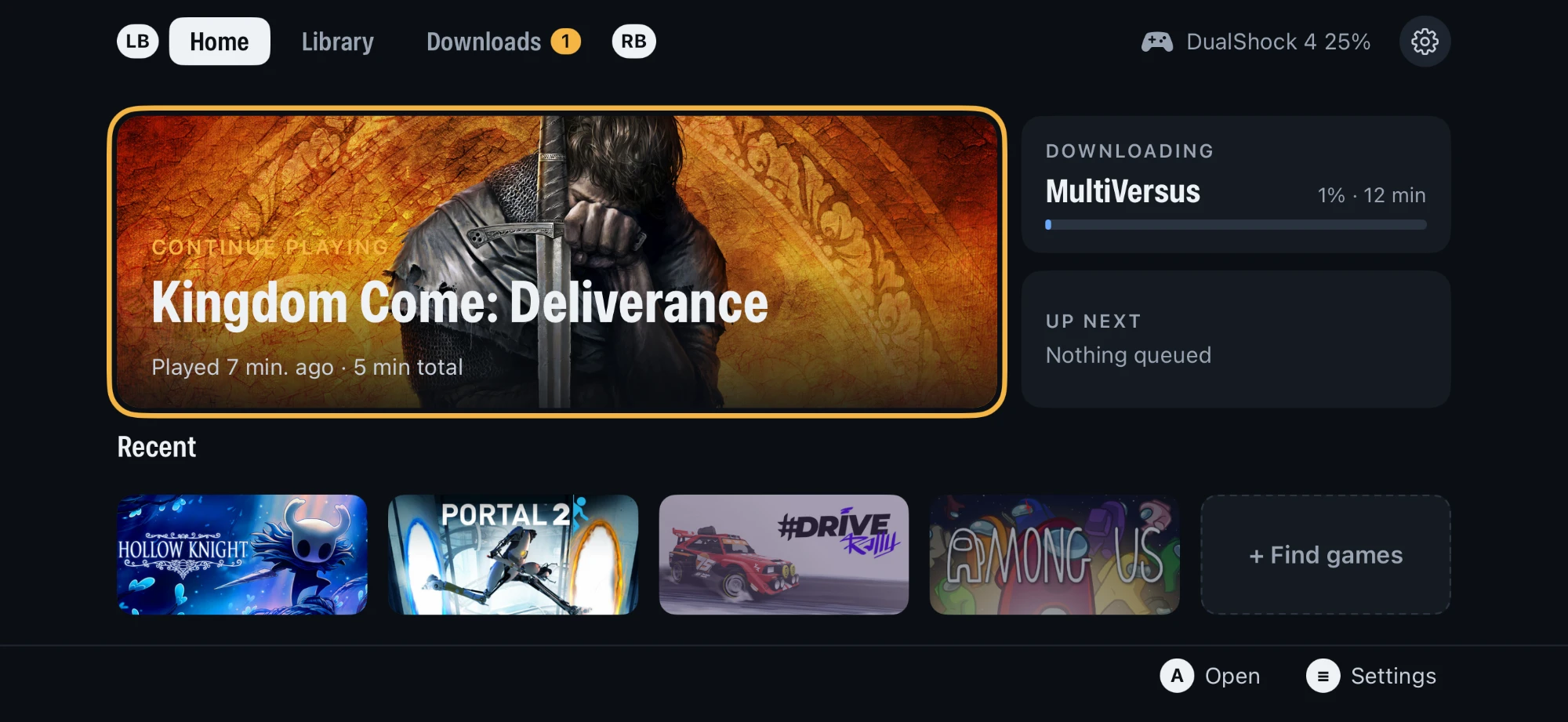
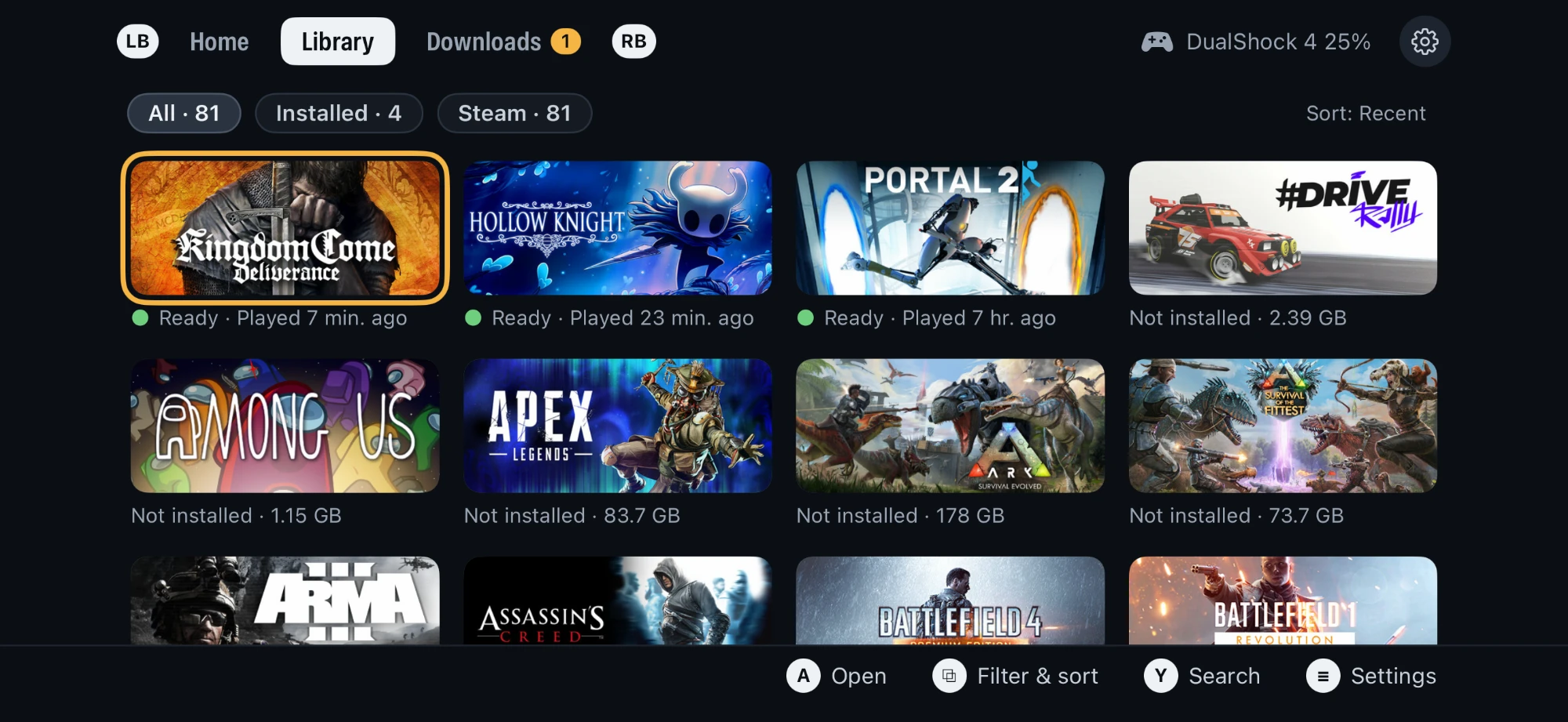 |
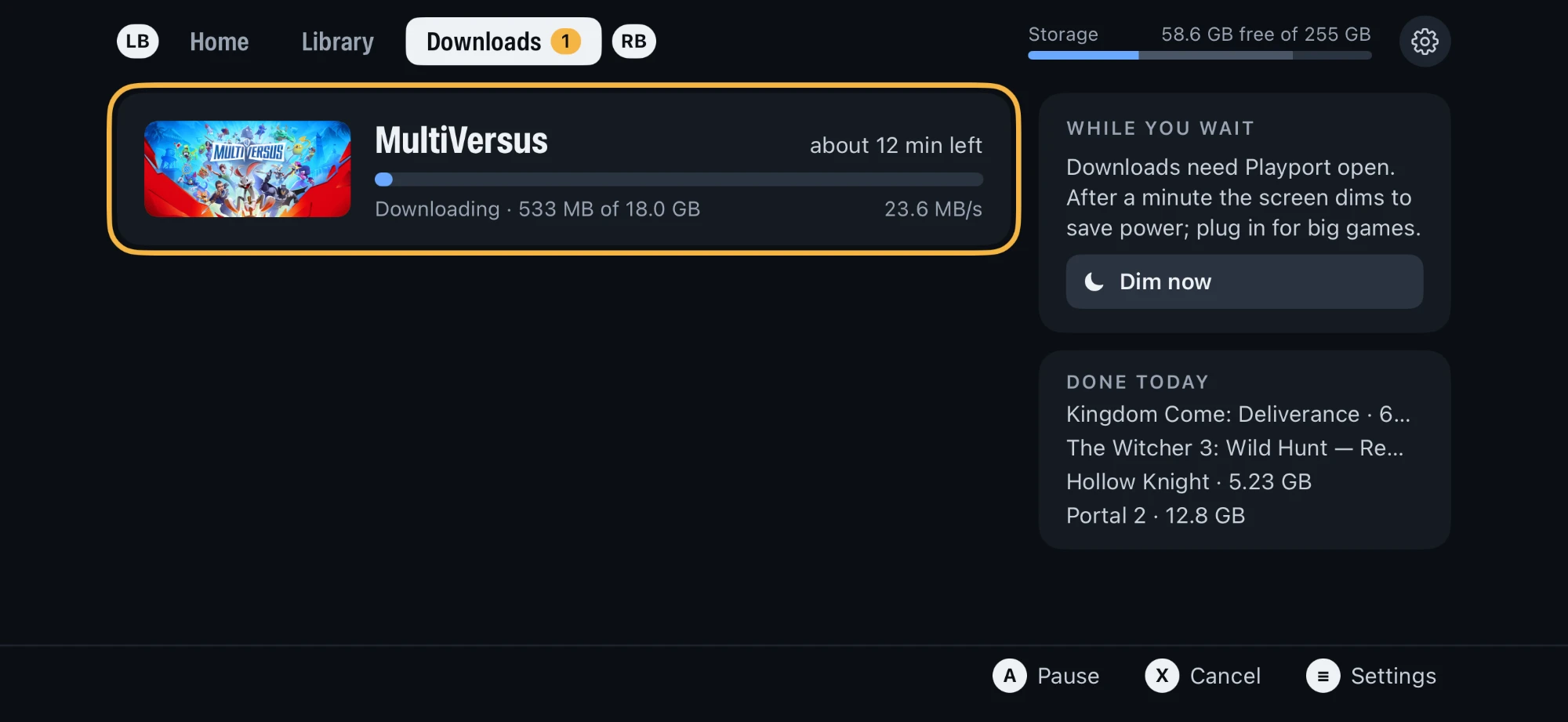 |
| Library: everything you own, installed or not |
Downloads: straight from your store onto the phone |
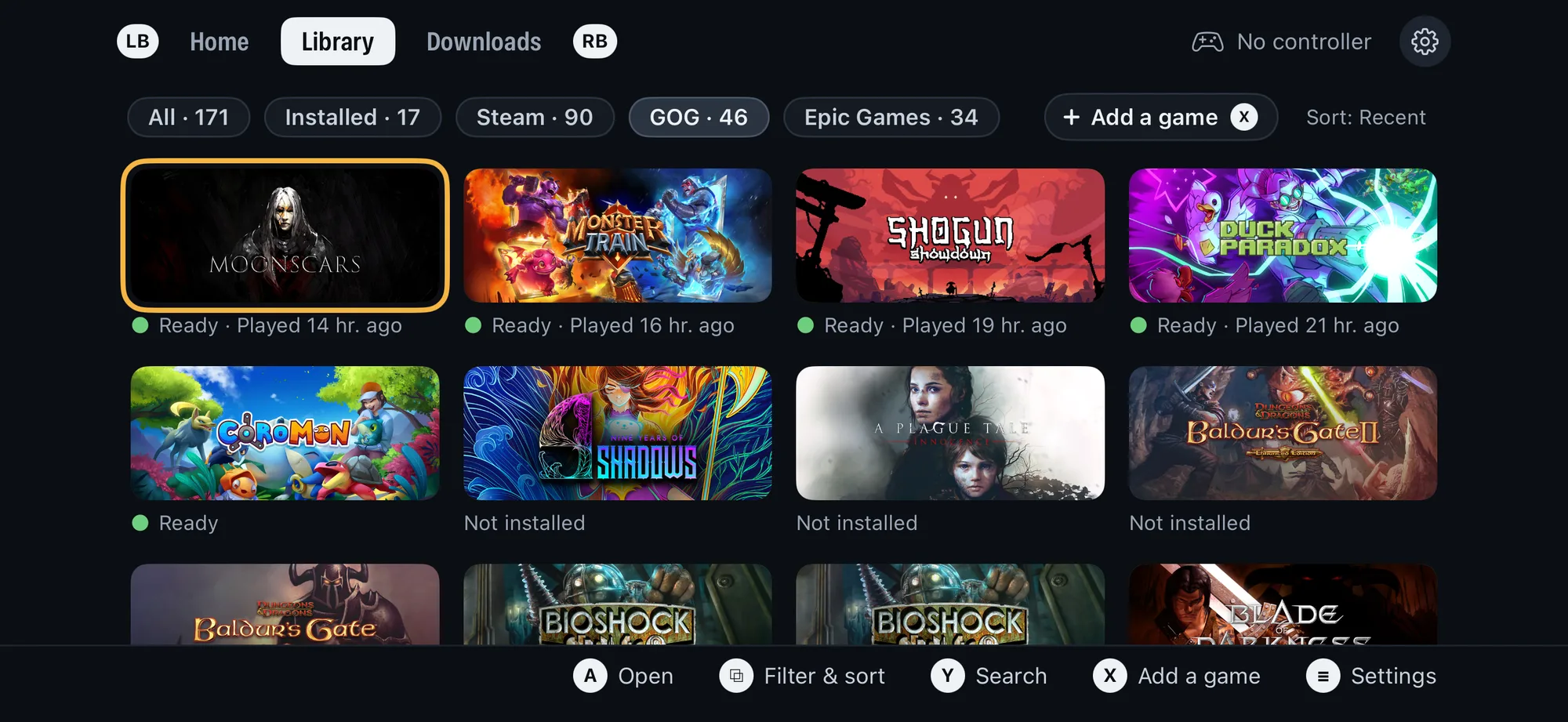 |
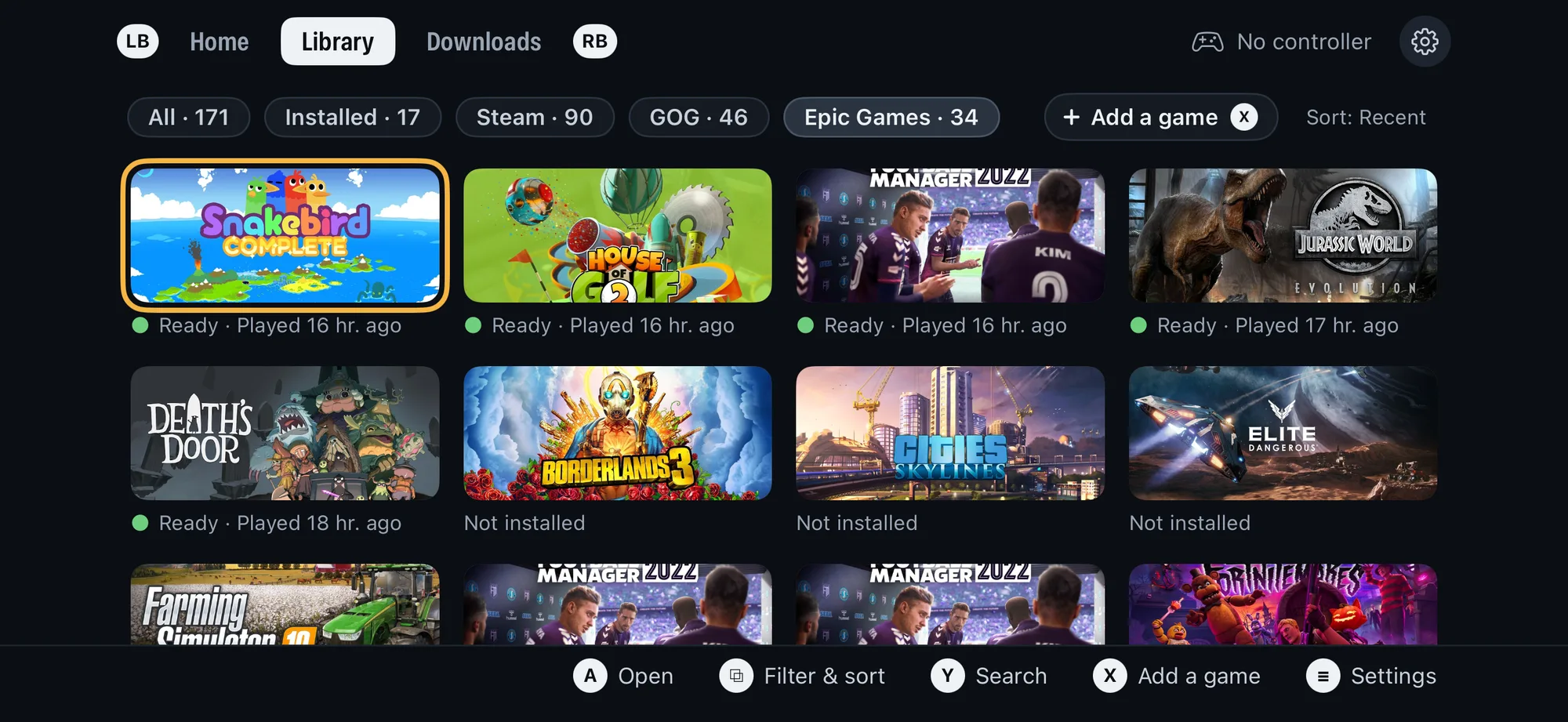 |
| GOG: your GOG games in the same Library (new in 0.4) |
Epic Games: Epic games install and start signed in (new in 0.4) |
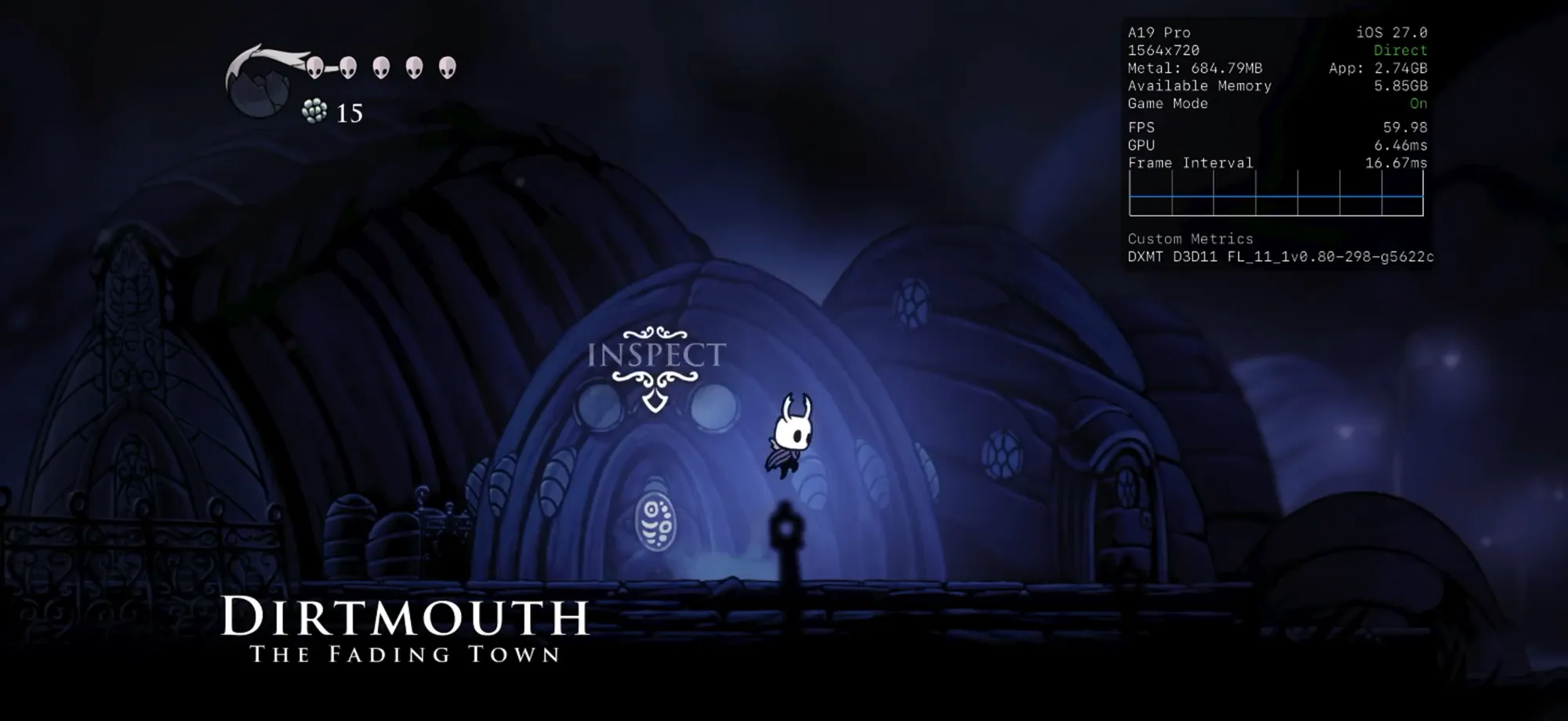
Watch the uncut recording: Library to Play to Hollow Knight at 60 fps, then Quit back to Home (MP4).
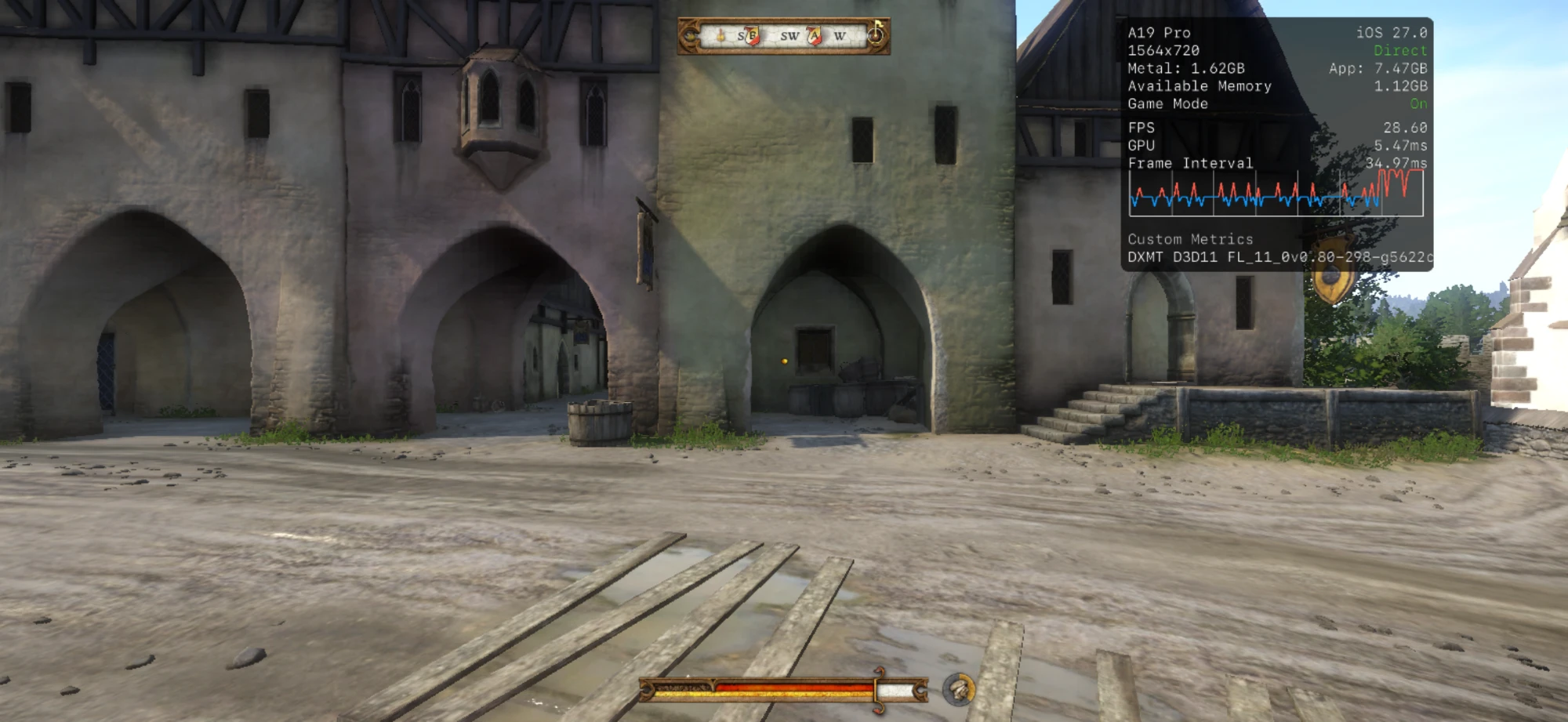
Kingdom Come: Deliverance: Rattay through DXMT's Direct3D 11, about 29 fps at 720 rows
 |
 |
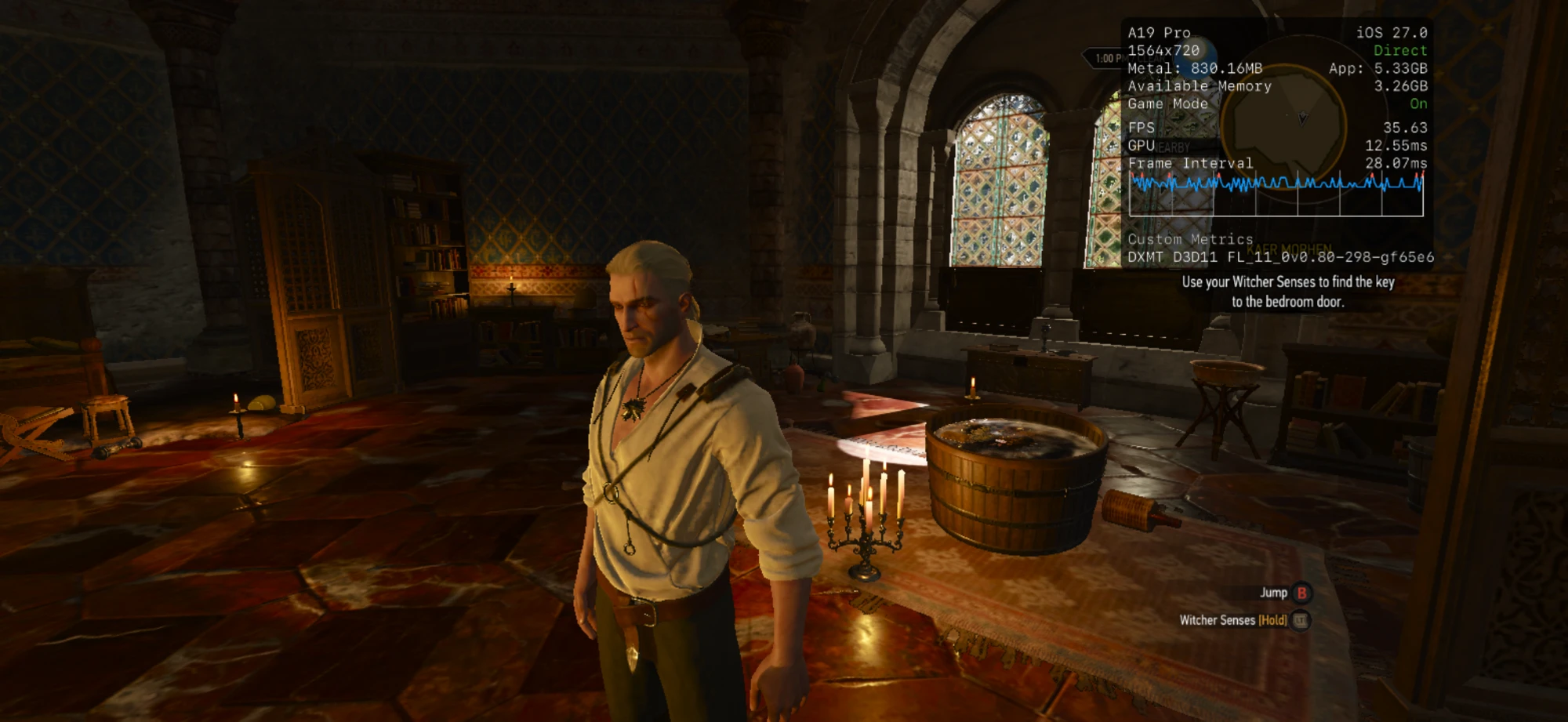
| The Witcher 3: Wild Hunt: Direct3D 11 through DXMT, about 36 fps |
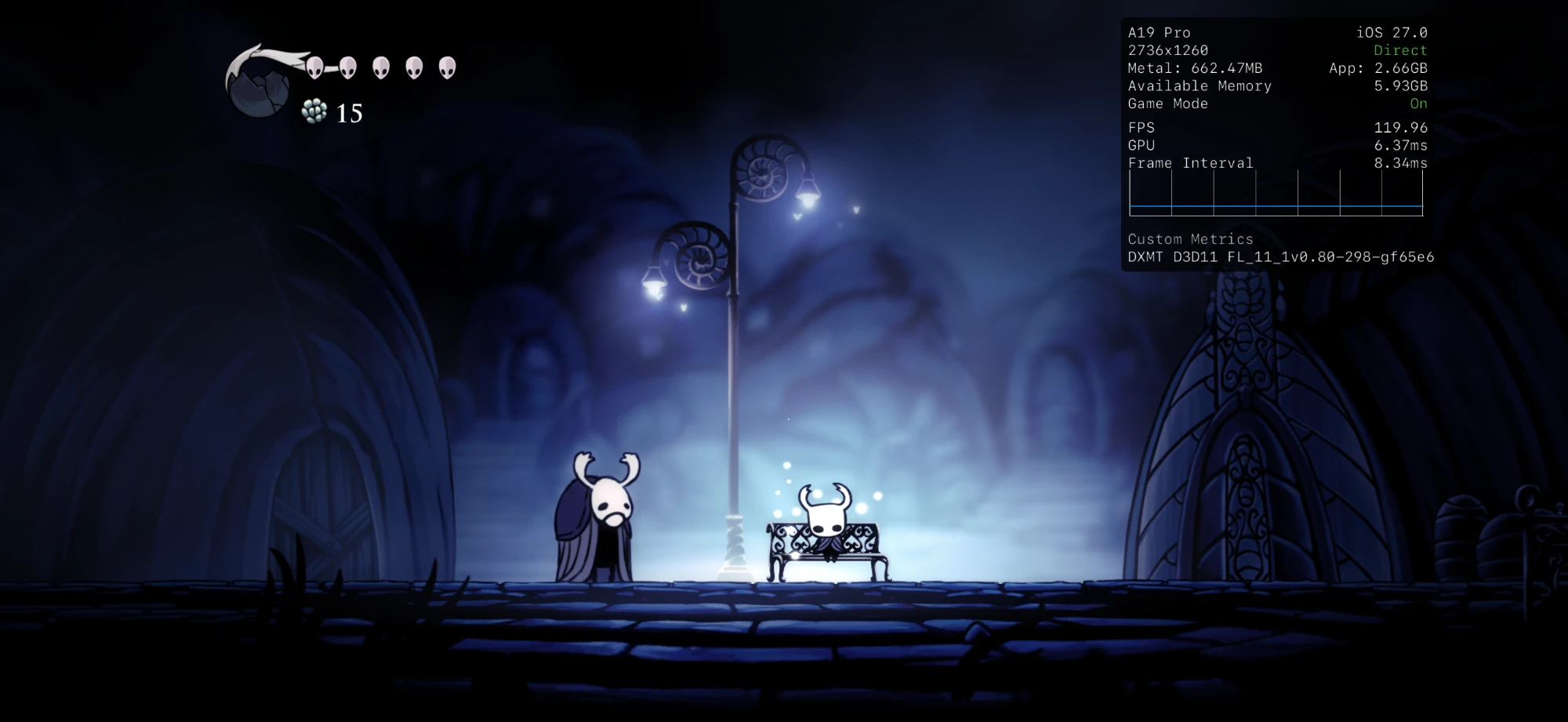
Hollow Knight: the full 2736×1260, up to 120 fps |
On an A19 Pro iPhone, iOS 27.0, with Metal's performance HUD.
Features
- Steam, GOG and Epic Games. Sign in to any of them in Settings › Accounts;
your Windows games from each show up in one Library with the store's artwork.
Install, Update, Verify and Repair go through one Downloads queue onto the
phone. Steam brings cloud saves and achievements. New in 0.4: GOG and Epic.
- Add a game from Files. A DRM-free game's folder or
.zip joins the
Library under Local. Installers are not run. New in 0.4.
- Games sign in to their store. A game gets what its store's launcher would
give it: Epic's sign-in, Steam's app and session tickets, GOG Galaxy's sign-in.
A sign-in page a game opens shows in a panel over the play. New in 0.4.
- 32-bit and 64-bit games. Each 32-bit game gets its own 4 GB window above the
memory iOS keeps for itself; Portal 2 plays at about 60 fps at 720p.
- Native on the phone. Wine, the FEX x86 translator and DXMT run inside one
iOS app; Direct3D 10 and 11 render to Metal through DXMT.
- Vulkan through KosmicKrisp (experimental): Direct3D 9 through DXVK and
Direct3D 12 through vkd3d-proton, chosen per game automatically.
- Made for a controller. A landscape, gamepad-first app with an in-game menu
to pause, resume or quit; controllers reach the game as XInput.
- JIT your way. A built-in JIT helper after a one-time pairing, or JIT from
StikDebug or LiveContainer.
- Help when a game fails. A game page's Report a problem shares one zip of
its logs, and the compatibility list
shows what runs.
More than a repackage. Over 200 of our own patches on Wine,
FEX, DXMT, KosmicKrisp, vkd3d-proton, DXVK and the Steam API emulator: the
32-bit runtime, performance work (faster FEX translation for Unity games, x87
math at native precision, lossless texture compression kept on in DXMT and
KosmicKrisp, geometry shaders in KosmicKrisp), dozens of bug fixes, and the
diagnostics behind them. Each one is a reviewable patch with the evidence for it.
Install
Playport is not on the App Store: you sideload the .ipa yourself, with your
own Apple ID (a free one works).
- Download the
.ipa from Releases.
It is signed ad hoc (no certificate) and asks for Increased Memory Limit;
your sideloader signs it for your iPhone.
- Sideload it with a tool that keeps Increased Memory Limit (below). If the
tool asks whether to keep app extensions, keep them: Playport's JIT helper
is one.
- Turn on Developer Mode (Settings › Privacy & Security), and install
LocalDevVPN from the App Store for JIT.
- Open Playport and follow its first-run checklist: pairing, LocalDevVPN,
Memory and Accounts. Memory has a green tick when the signature kept Increased
Memory Limit.
Already enable JIT with StikDebug, or run apps in LiveContainer? Settings ›
Setup check › JIT method (or X on the checklist's first step) takes JIT from
StikDebug or from another app instead, with StikDebug's universal.js script.
Inside LiveContainer, launch Playport with JIT from LiveContainer.
A free Apple ID signs the app for seven days, so re-sign it once a week; your
games and saves stay on the phone.
Why pairing, JIT and LocalDevVPN
Playport translates a game's x86 code to ARM while it runs, which needs JIT,
and iOS allows JIT only in an app a debugger has attached to. Pairing makes
Playport's built-in JIT helper that debugger: on iOS 27 you pair once, with a code
in Settings › Privacy & Security › Developer Mode, and LocalDevVPN carries the
connection on the phone itself, so no computer is involved after the install.
On iOS 26, import a pairing file in Settings › Setup check instead.
Do I need a computer?
To install, yes, once: every sideloader that signs with a free Apple ID starts
from a computer. After that it depends on the tool. SideStore re-signs on the
phone every week, AltStore re-signs through AltServer on your computer, and
Impactor, Sideloadly and Xcode re-install from the computer. Playport itself,
pairing included, then needs no computer.
Your first game
The checklist's Accounts step signs in to Steam, GOG or Epic Games (more
accounts are in Settings › Accounts, and Add a game takes a DRM-free game's folder or .zip
from Files). Pick a game in the library, Install it (it downloads to the
phone), then Play. Connect a
controller before you press Play, and keep Playport in front while the game
starts. A game page's Report a problem shares its log when something goes
wrong (below).
Which sideloaders keep the memory limit
iOS closes an app that uses more memory than its limit, and Playport's JIT
memory, the runtime and the game all share that one limit. With Increased
Memory Limit our 12 GB test iPhone gives Playport 6 to 8 GB; without it an
8 GB iPhone gives about 3.3 GB, and Playport will not start a game known to
need more. The .ipa asks for it, but iOS grants it only when the sideloader
also turns the capability on for the app's App ID at Apple, and not every
sideloader does.
| Sideloader |
Keeps Increased Memory Limit |
| AltStore Classic 2.2 or later |
yes |
| Impactor, from a computer |
yes |
| Xcode with a Personal Team |
yes |
| SideStore 0.7.0, free Apple ID |
no: do the one-time fix below |
| Sideloadly and others |
check the Memory step |
Whatever you use, Playport tells you: the first-run checklist's Memory
step has a green tick, and Settings › Setup check shows Increased Memory Limit
On. If it is Off, the step's How to fix shows what to do; Not now puts
it off, and smaller games still play.
SideStore: when Memory has no tick
SideStore asks for Increased Memory Limit but does not turn it on for a free
Apple ID (SideStore#1616),
so Playport's App ID gets it once with GetMoreRam:
- Install Playport with SideStore as usual, so its App ID exists.
- Sideload GetMoreRam and, in its
Settings, sign in with the same Apple ID SideStore uses.
- On its App IDs page tap Refresh, tap Playport's App ID, then Add
Increased Memory Limit.
- Reinstall Playport from SideStore. It upgrades in place: your games and
saves stay.
- Open Playport: the Memory step has its tick, and Settings › Setup check
shows Increased Memory Limit On.
The capability stays on the App ID, so SideStore's weekly refresh keeps it. If
the tick ever goes away, repeat steps 3 and 4. GetMoreRam takes one of a free
Apple ID's three app slots; delete it afterwards to free the slot.
Game compatibility
Which games run, and how well: the compatibility list
has every game we have played and every one players have reported, with its status,
searchable and filtered by first letter or status (its data is
site/compatibility/games.json). Played a game,
working or not? Report it
and it goes on the list.
Reporting a problem
Open a GitHub issue
and attach the log; that is the one place we read them all. On the game's page,
Report a problem shares the logs as one .zip: save it to Files, then drag it
into the issue (GitHub takes files up to 25 MB, so it fits where Pastebin does
not). Before 0.4.0 it shares the bare log: long-press it in Files and choose
Compress first. The form asks for your
device, iOS and Playport versions, sideloader and JIT method.
Release status and support
This is a development project, not a supported general-purpose Windows
compatibility layer or an approved public IPA distribution route. Hollow Knight
is the reference phone-test title; AGENTS.md and
docs/evidence/ describe the checks. Games, Steam accounts and
pairing material are not supplied. Support is best-effort: redact account,
device, pairing and session data before sharing logs.
Public CI checks source and host tests only; it does not build, sign, install,
test on a phone or upload IPAs. A green check is not release approval. The
recipient source-bundle build and public signing workflow remain untested;
DISTRIBUTION.md is the release procedure.
The Linux pipeline uses Apple's SDK and ld64: a working build or Personal Team
signature does not settle Apple's SDK, provisioning, JIT or delivery terms.
Good to know
- Playport is early and is tested on one phone: an A19 Pro iPhone (iPhone18,4) on iOS 27.0
(known-good versions).
- 32-bit games are new: Portal 2 is the only one tested so far. They run on
the Vulkan backend, which is experimental.
- A free Apple ID signs apps for seven days, so refresh the app once a week
(SideStore can do it on the phone, after the one-time
memory step). Your games and saves stay on the phone.
Playport takes one of the free account's three app slots; its JIT helper takes
no slot but is one of the ten App IDs the account may register a week.
- How it works: architecture, building,
the phone, and the decisions behind it.
Local development
Start with ./pp test --quick (Python and available host C tests, no Apple
account or phone) and ./pp --help. For an app build, obtain the toolchains
in BUILDING.md, run ./pp setup, then ./pp build.
./pp install upgrades the paired phone in place; phone setup is in
DEVICE.md. A source checkout alone is not sufficient.
These are technical instructions, not permission to distribute: giving an IPA
to even one tester requires the source and notices in
DISTRIBUTION.md and LICENSING.md.
AGENTS.md is the contributor guide.
Credits
Every component keeps its own licence; see LICENSING.md and
NOTICES.md.
Licence
GNU General Public License, version 3 or (at your option) any later version
(LICENSE), with an additional permission under section 7 for
Playport's own code (LICENSE-EXCEPTION.md).
Copyright (C) 2026 The Playport authors.






 Playport runs Windows games, including 32-bit and 64-bit titles, natively on a stock, non-jailbroken iPhone, using the phone's own CPU and GPU with no PC, cloud, or streaming involved.