



















What is this?
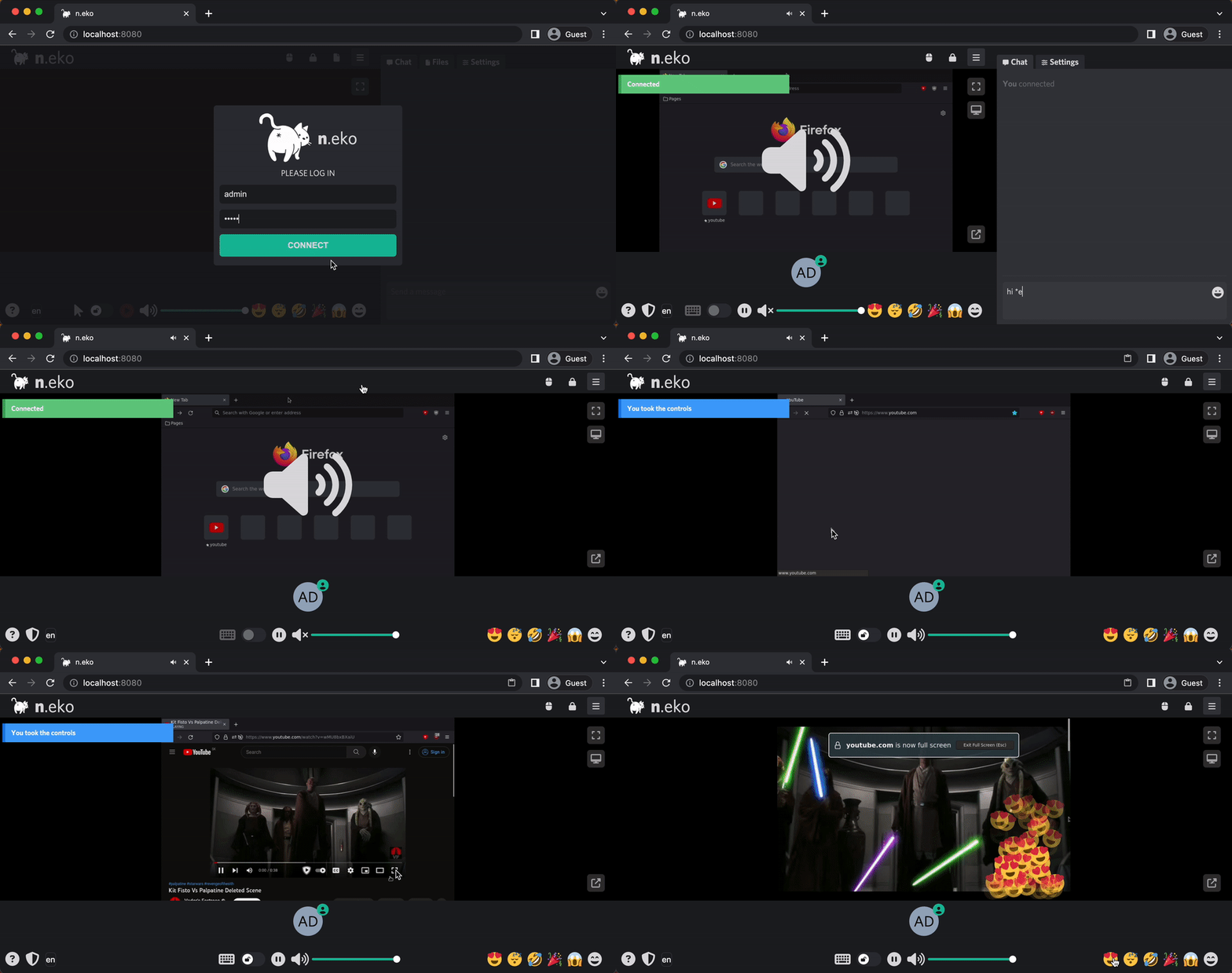
 Neko is a self-hosted virtual browser that runs in Docker and streams its screen to viewers over WebRTC, so several people can browse and interact together in real time.
Neko is a self-hosted virtual browser that runs in Docker and streams its screen to viewers over WebRTC, so several people can browse and interact together in real time.Is it locked to a browser, or can it run other things?It can run anything that runs on Linux, such as VLC, or a full desktop environment like XFCE or KDE. It can also skip the container entirely and connect to your host's X server.
It can run anything that runs on Linux, such as VLC, or a full desktop environment like XFCE or KDE. It can also skip the container entirely and connect to your host's X server.How do I set it up for me and my friends?Run the Neko Docker image on your own server and share the room's web link. The separate neko-rooms companion manages multiple rooms and offers a zero-knowledge installation with HTTPS.
Run the Neko Docker image on your own server and share the room's web link. The separate neko-rooms companion manages multiple rooms and offers a zero-knowledge installation with HTTPS.What do I need to host it, and what do my guests need to join?You need a server with Docker to host it. Guests only need a device with a WebRTC-capable browser, since the session is streamed as video to a web page — nothing to install on their side.
You need a server with Docker to host it. Guests only need a device with a WebRTC-capable browser, since the session is streamed as video to a web page — nothing to install on their side.What happens to my cookies and login data?No state is left on your host browser after the session ends, and sensitive data like cookies never leaves the server — only the video stream is shared. Tor Browser or a VPN can be run inside for extra anonymity.
No state is left on your host browser after the session ends, and sensitive data like cookies never leaves the server — only the video stream is shared. Tor Browser or a VPN can be run inside for extra anonymity.Why did the author build this?The original author made it after rabb.it shut down, because his internet could not handle streaming and Discord kept crashing — he just wanted to watch anime with friends. m1k1o forked it because he liked collaborative browsing, and the upstream project was later archived.
The original author made it after rabb.it shut down, because his internet could not handle streaming and Discord kept crashing — he just wanted to watch anime with friends. m1k1o forked it because he liked collaborative browsing, and the upstream project was later archived.Can I broadcast or record a session?Yes. Room content can be broadcast over RTMP to services like Twitch or YouTube, and that RTMP stream can be saved to a file with something like nginx-rtmp — handy for recording tutorials in a clean environment without hiding bookmarks.
Yes. Room content can be broadcast over RTMP to services like Twitch or YouTube, and that RTMP stream can be saved to a file with something like nginx-rtmp — handy for recording tutorials in a clean environment without hiding bookmarks.Can I embed the virtual browser in my own web app?Yes, embedding is an advertised use case — an open source alternative to the hyperbeam API. Rooms can also be requested via an API through neko-rooms, and people have even run Neko inside VR Chat to watch the web together.
Yes, embedding is an advertised use case — an open source alternative to the hyperbeam API. Rooms can also be requested via an API through neko-rooms, and people have even run Neko inside VR Chat to watch the web together.Is it only useful for groups, or does it make sense to run it solo?Solo too: a persistent browser with your cookies available anywhere, a throwaway browser for planning secret gifts, a jump host to reach internal apps without a VPN, and automated browsing with Playwright or Puppeteer that you can intercept live.
Solo too: a persistent browser with your cookies available anywhere, a throwaway browser for planning secret gifts, a jump host to reach internal apps without a VPN, and automated browsing with Playwright or Puppeteer that you can intercept live.Which topics is it in?rtmp, remote-desktop, remote-control, video-streaming, webrtc, realtime, collaboration, golang, streaming, vue, browser, go
rtmp, remote-desktop, remote-control, video-streaming, webrtc, realtime, collaboration, golang, streaming, vue, browser, go