




-2E6A45)

9.5K ·GitHub
What is this?
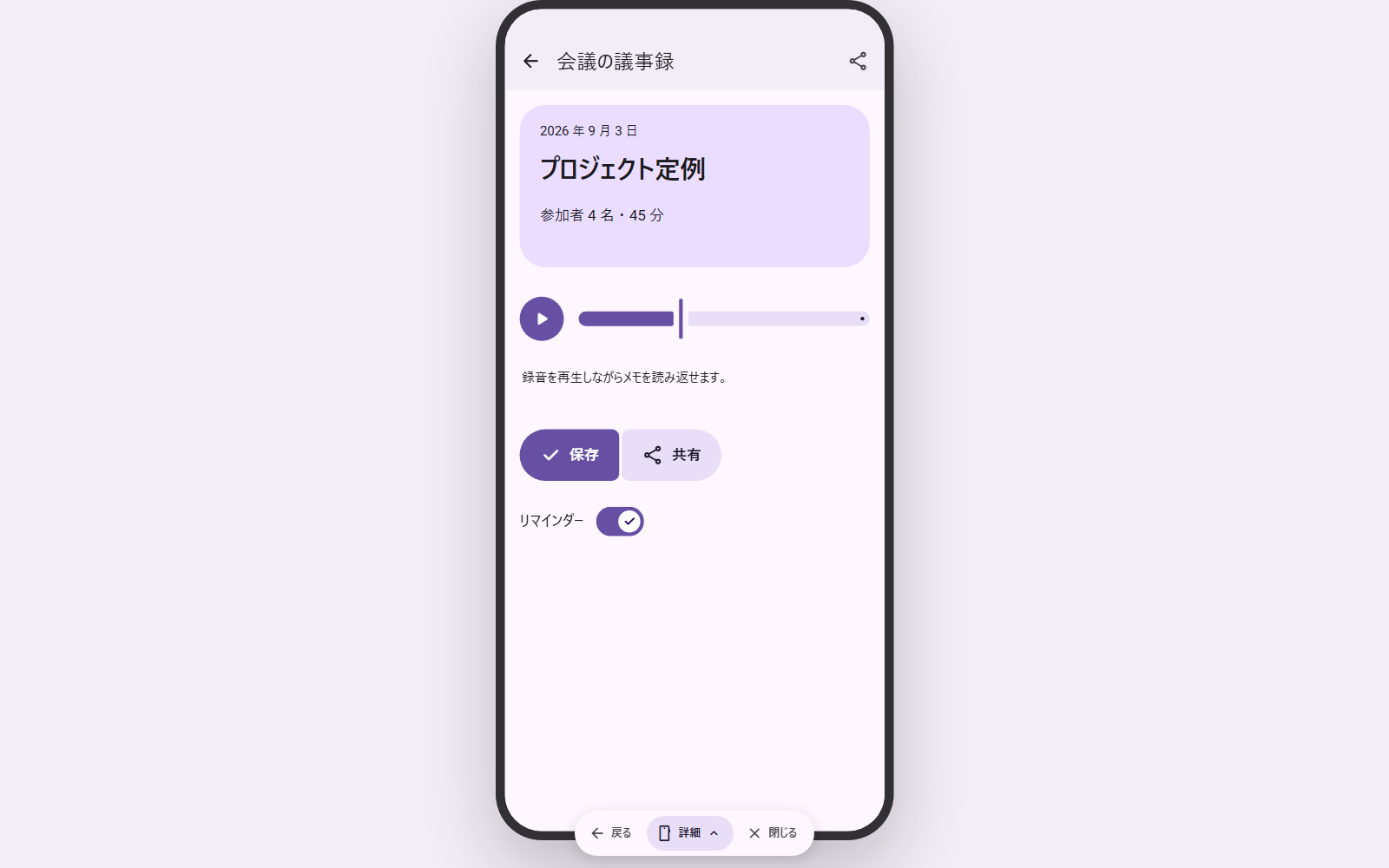
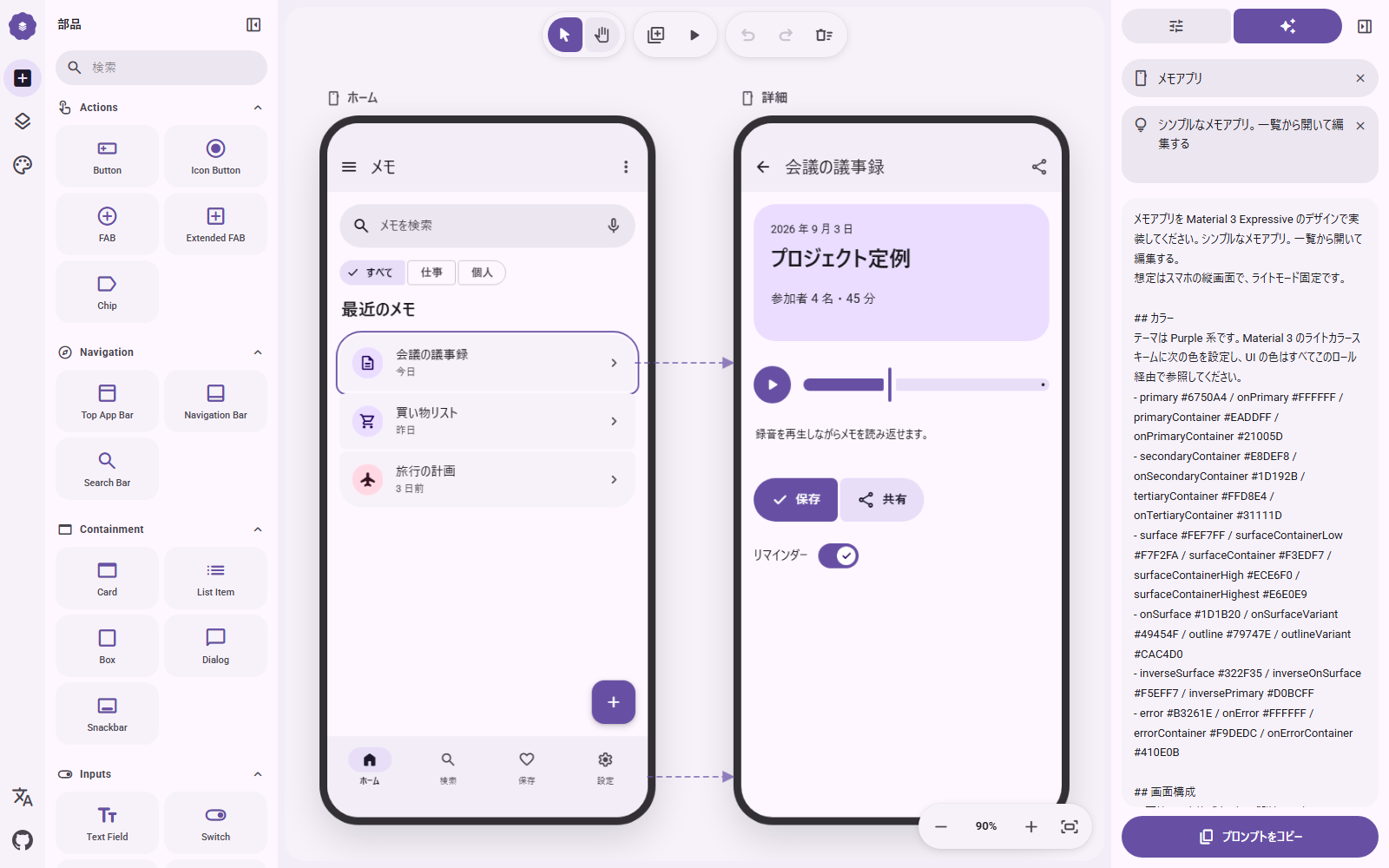
 M3E Canvas lets you sketch Material 3 Expressive screens in the browser, link and tap through them, and turn the whole design into a natural-language prompt for an AI coding tool.
M3E Canvas lets you sketch Material 3 Expressive screens in the browser, link and tap through them, and turn the whole design into a natural-language prompt for an AI coding tool.Is this a design tool or does it write the app code itself?It's a browser-based visual sketch tool, not a code generator: it outputs a concise text prompt describing your design, which you then hand to an AI coding tool like Claude Code, Codex, Gemini CLI or Cursor to actually build the app.
It's a browser-based visual sketch tool, not a code generator: it outputs a concise text prompt describing your design, which you then hand to an AI coding tool like Claude Code, Codex, Gemini CLI or Cursor to actually build the app.How do I start using it?Open the hosted web app and start dragging parts onto a canvas; to run it locally, clone the repo and use the Next.js scripts (npm run dev / npm run build), since the app is just a static Next.js export.
Open the hosted web app and start dragging parts onto a canvas; to run it locally, clone the repo and use the Next.js scripts (npm run dev / npm run build), since the app is just a static Next.js export.Do I need an API key to use it?No, the core canvas and prompt output need nothing. A key is only needed for the optional AI helper, where you bring your own OpenAI, Claude, Gemini or DeepSeek key to auto-write a part's behavior note or a screen's description.
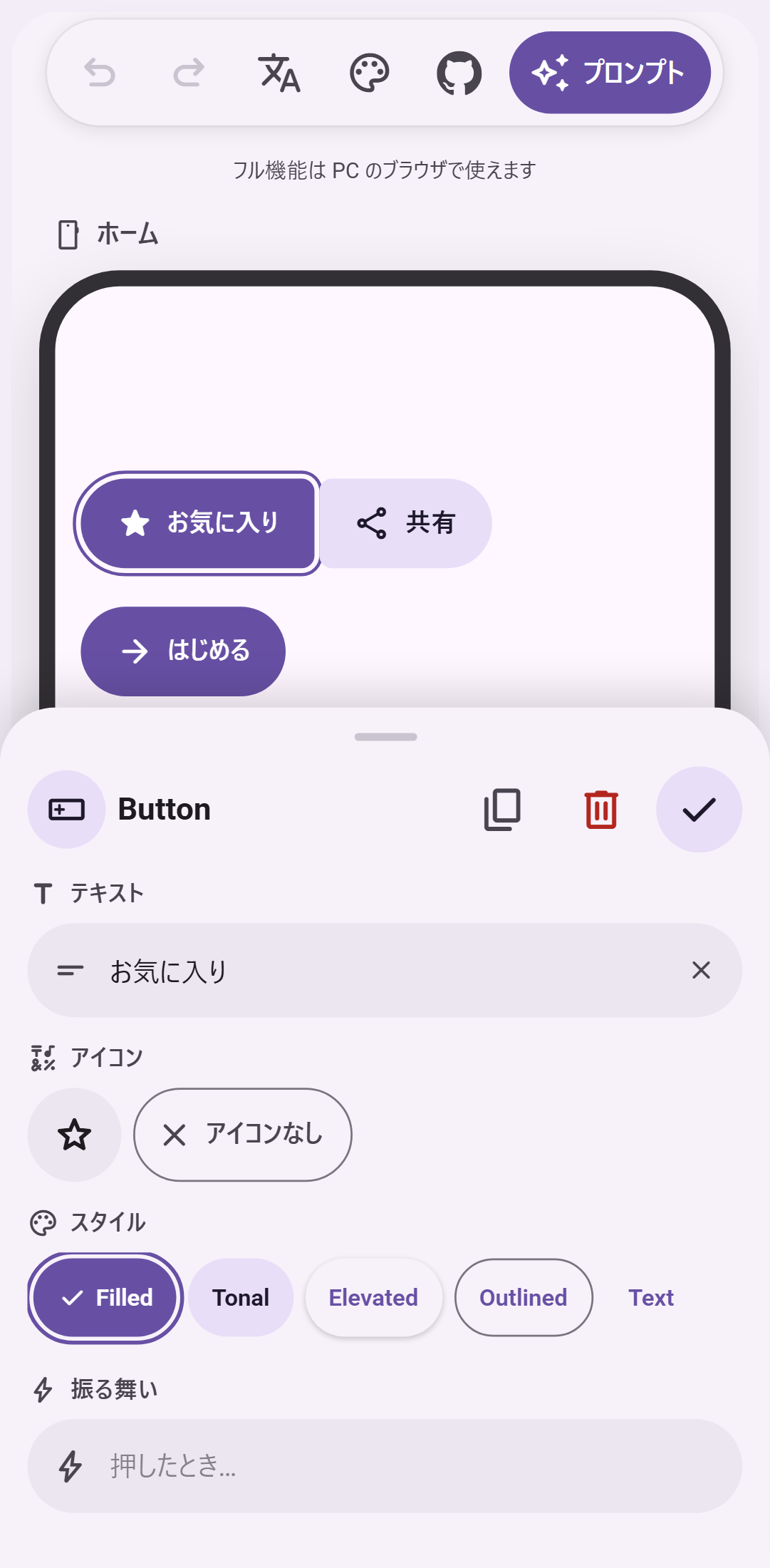
No, the core canvas and prompt output need nothing. A key is only needed for the optional AI helper, where you bring your own OpenAI, Claude, Gemini or DeepSeek key to auto-write a part's behavior note or a screen's description.Does it build the app for me, or just the design?It only produces a prompt and a clickable preview; you still paste the prompt into an AI coding tool and run the generated app yourself. On a phone you also only get a simplified, buttons-only single-screen editor instead of the full multi-screen desktop tool.
It only produces a prompt and a clickable preview; you still paste the prompt into an AI coding tool and run the generated app yourself. On a phone you also only get a simplified, buttons-only single-screen editor instead of the full multi-screen desktop tool.Where does my design and any AI key end up?Everything is saved only in your browser's localStorage, and if you use the optional AI helper your key never leaves the browser — requests go straight to the provider with no server in between.
Everything is saved only in your browser's localStorage, and if you use the optional AI helper your key never leaves the browser — requests go straight to the provider with no server in between.Is it free to use?Yes, it's MIT-licensed and stays free, and no feature is gated behind sponsorship.
Yes, it's MIT-licensed and stays free, and no feature is gated behind sponsorship.What is Material 3 Expressive?It's Google's latest Material Design 3 style, with bouncier shapes, spring-based motion and richer theming, which this tool lets you prototype visually before writing any code.
It's Google's latest Material Design 3 style, with bouncier shapes, spring-based motion and richer theming, which this tool lets you prototype visually before writing any code.Can I target the web instead of Android?Yes, when generating the prompt you can pick Android (the default) or the web as the target, and the prompt is written to ask for the matching stack.
Yes, when generating the prompt you can pick Android (the default) or the web as the target, and the prompt is written to ask for the matching stack.How do I share a design with someone else?You can copy a share link that opens your design on anyone else's canvas, or copy an AI-draft instruction so a coding agent reads agent.md, sketches what you described, and replies with such a link.
You can copy a share link that opens your design on anyone else's canvas, or copy an AI-draft instruction so a coding agent reads agent.md, sketches what you described, and replies with such a link.What happens when I drag two buttons close together?They magnetically fuse into one connected group and their corners soften where they meet, and this grouping is explicitly described in the generated prompt so the layout isn't lost.
They magnetically fuse into one connected group and their corners soften where they meet, and this grouping is explicitly described in the generated prompt so the layout isn't lost.What are similar projects?onlook, ui-ux-pro-max-skill, tweakcn, vivi-music, MaterialDesign, material-ui, awesome-design-md, rubrictrail
onlook, ui-ux-pro-max-skill, tweakcn, vivi-music, MaterialDesign, material-ui, awesome-design-md, rubrictrailWhich topics is it in?design-tool, material3, design-tools, ui-design, vibe-coding, prompt, material-design, ai-tools, i18n, design, nextjs, local-first
design-tool, material3, design-tools, ui-design, vibe-coding, prompt, material-design, ai-tools, i18n, design, nextjs, local-first