


What is this?
 A free open-source Chinese-language book, 《这本书能让你连接互联网》 (This Book Can Get You Online), about getting online under censorship: hands-on setup for popular circumvention tools plus the principles behind proxies, tunnels, VPNs and GFW blocking.
A free open-source Chinese-language book, 《这本书能让你连接互联网》 (This Book Can Get You Online), about getting online under censorship: hands-on setup for popular circumvention tools plus the principles behind proxies, tunnels, VPNs and GFW blocking.So is it a paper book, a PDF, or a website?A website: the book is a docsify documentation project you read on GitHub Pages. You can also fork the repo and deploy your own copy, convert it to GitBook format, or export it as a PDF.
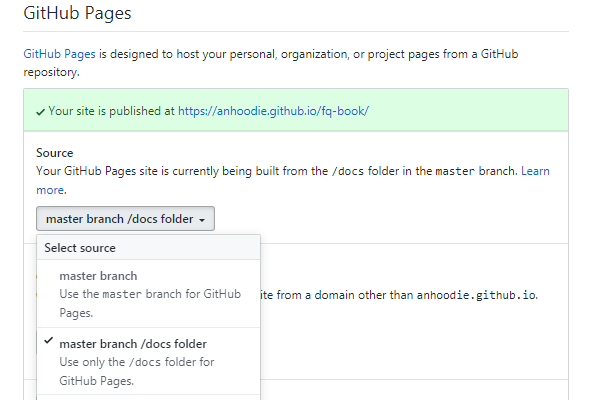
A website: the book is a docsify documentation project you read on GitHub Pages. You can also fork the repo and deploy your own copy, convert it to GitBook format, or export it as a PDF.How do I start reading it right now?Fork the repo, edit docs/index.html to point the repo field inside window.$docsify at your fork, then enable GitHub Pages on the master branch /docs folder — your own copy of the site goes live immediately.
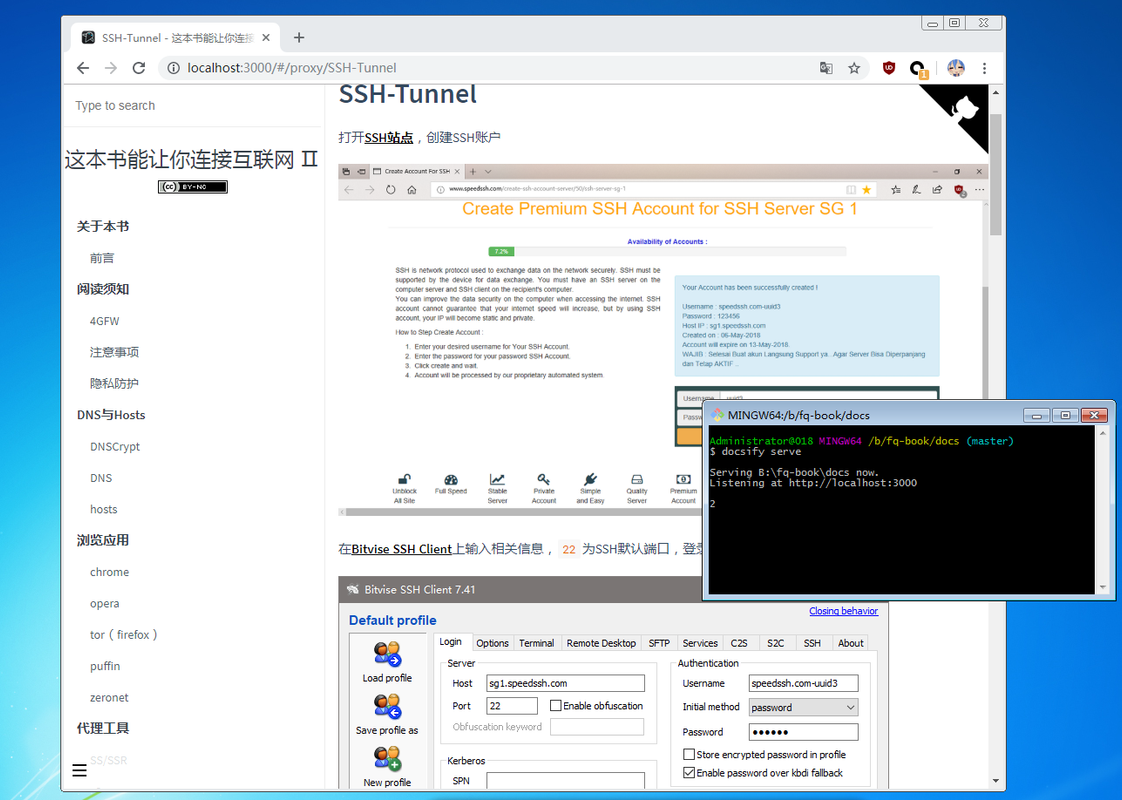
Fork the repo, edit docs/index.html to point the repo field inside window.$docsify at your fork, then enable GitHub Pages on the master branch /docs folder — your own copy of the site goes live immediately.Do I need to install anything to keep a local copy?Only git and node for local reading: install docsify-cli globally (npm i docsify-cli -g), then run docsify init . and docsify serve in the docs folder and open localhost:3000.
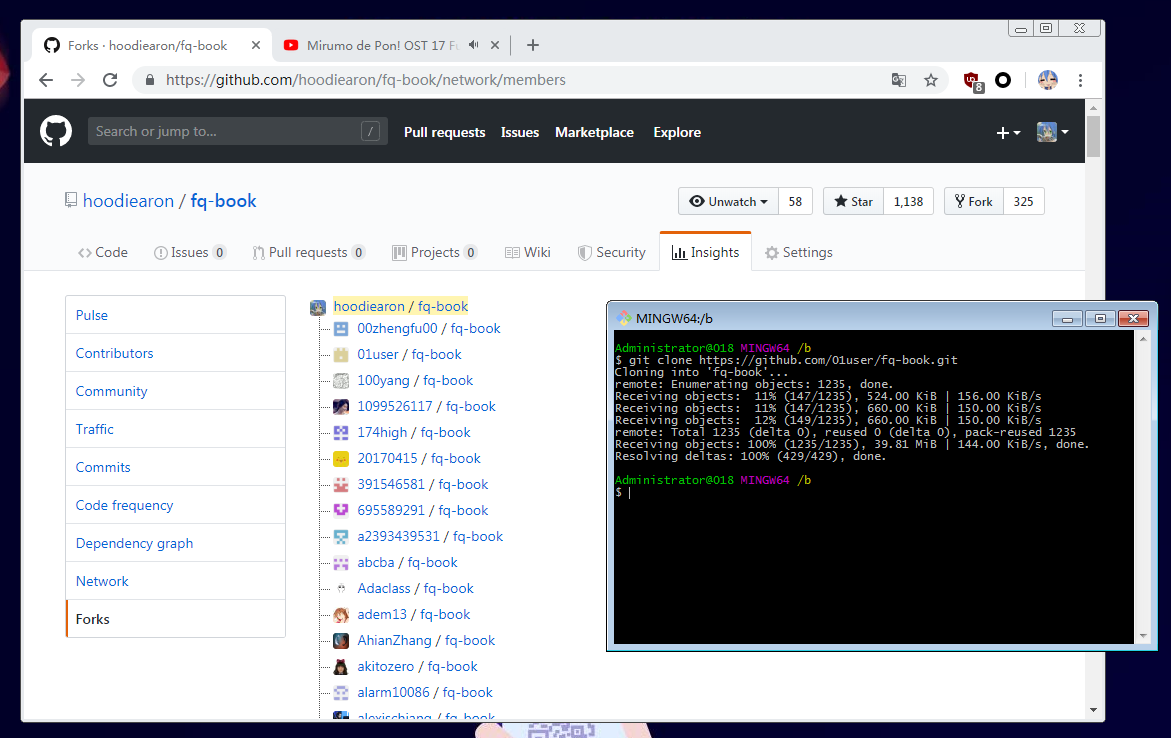
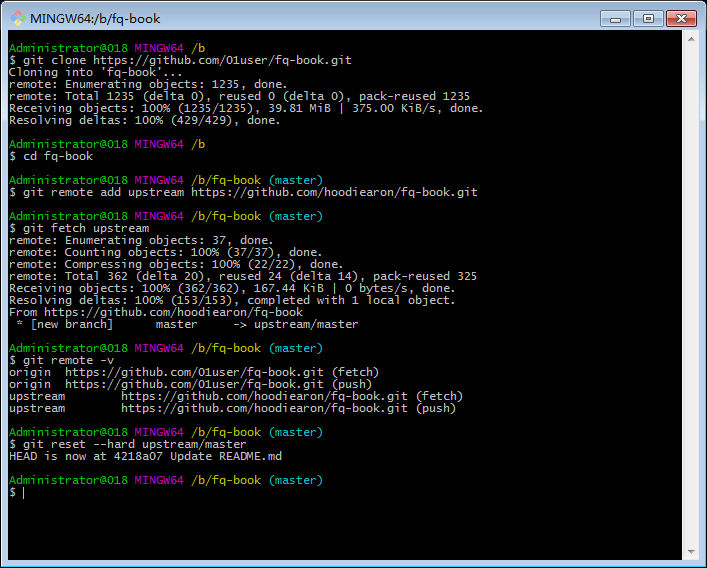
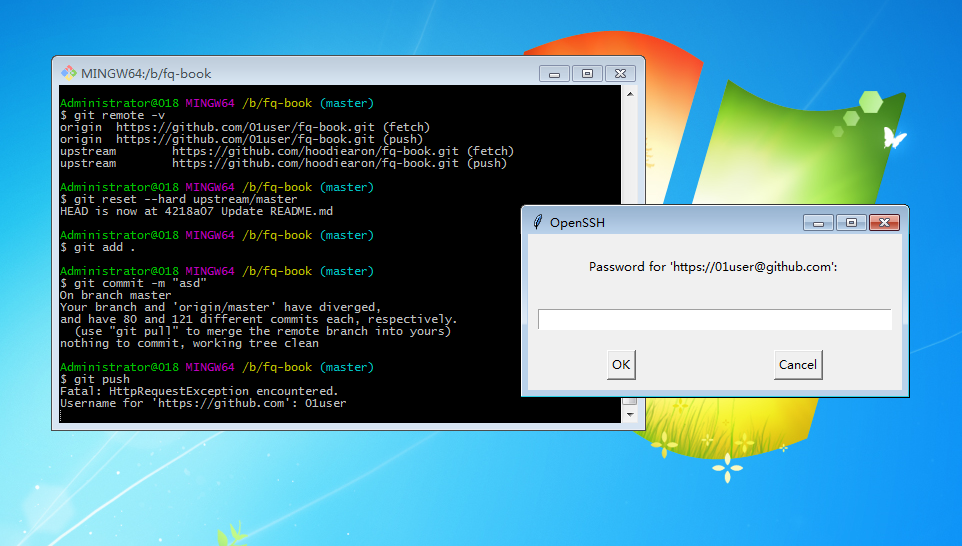
Only git and node for local reading: install docsify-cli globally (npm i docsify-cli -g), then run docsify init . and docsify serve in the docs folder and open localhost:3000.Does content like this go stale?Constantly — the author notes older editions already suffered dead image links, so images moved to postimages hosting and the repo shrank from 30MB to 144KB. You stay current by syncing your fork with upstream via git and pushing to your own repo.
Constantly — the author notes older editions already suffered dead image links, so images moved to postimages hosting and the repo shrank from 30MB to 144KB. You stay current by syncing your fork with upstream via git and pushing to your own repo.Is this written for users inside China or for the diaspora?For overseas Chinese users, explicitly framed as research-and-study material only; the disclaimer goes as far as asking mainland-China residents to close the book and delete all related content within 24 hours.
For overseas Chinese users, explicitly framed as research-and-study material only; the disclaimer goes as far as asking mainland-China residents to close the book and delete all related content within 24 hours.What if github.io itself is unreachable — can I still read it?Yes: the whole site can be downloaded for offline viewing with Offline Explorer, and the docsify source can be converted to GitBook format to build a PDF.
Yes: the whole site can be downloaded for offline viewing with Offline Explorer, and the docsify source can be converted to GitBook format to build a PDF.What does the book teach beyond tool setup?A quick-start circumvention chapter, plus practical tricks: virtual phone numbers for registrations, the new Google account sign-up route, using a web time machine to find similar sites, and relaying traffic through a personal blog. It also covers fixes for real failures like crxheaderinvalid and VPN-connected-but-no-pages.
A quick-start circumvention chapter, plus practical tricks: virtual phone numbers for registrations, the new Google account sign-up route, using a web time machine to find similar sites, and relaying traffic through a personal blog. It also covers fixes for real failures like crxheaderinvalid and VPN-connected-but-no-pages.Does it explain how the blocking actually works?Yes — for example it breaks down the NET::ERR_CERT_AUTHORITY_INVALID case: the ISP's DNS serves a wrong root certificate, so the fix is switching to third-party DNS (Baidu 180.76.76.76, Ali 223.5.5.5, Tencent 119.29.29.29) and flushing the cache with ipconfig/flushdns.
Yes — for example it breaks down the NET::ERR_CERT_AUTHORITY_INVALID case: the ISP's DNS serves a wrong root certificate, so the fix is switching to third-party DNS (Baidu 180.76.76.76, Ali 223.5.5.5, Tencent 119.29.29.29) and flushing the cache with ipconfig/flushdns.Any companion tools the author recommends?Ip-Switch for HOSTS switching and DNSCrypt for DNS — in the author's view these two stay useful no matter how proxy and VPN software churn. Most URLs referenced in the book are collected in the companion hamuleite list.
Ip-Switch for HOSTS switching and DNSCrypt for DNS — in the author's view these two stay useful no matter how proxy and VPN software churn. Most URLs referenced in the book are collected in the companion hamuleite list.Does it point to actual node sources and clients?It name-checks free node lists (Pawdroid/Free-servers, YoulianBoshi/vpn), Cloudflare-based nodes via LancelotRar/free-subs, a low-cost paid provider (DiningFactory/panda-vpn-pro), and notes that clash-verge-rev with its thousands of mihomo configs is worth a look.
It name-checks free node lists (Pawdroid/Free-servers, YoulianBoshi/vpn), Cloudflare-based nodes via LancelotRar/free-subs, a low-cost paid provider (DiningFactory/panda-vpn-pro), and notes that clash-verge-rev with its thousands of mihomo configs is worth a look.What are similar projects?panda-vpn-pro, fanqiang, russia-mobile-internet-whitelist, clash, Open-Box, Shadowrocket-ADBlock-Rules, back4app-vless, supvpn
panda-vpn-pro, fanqiang, russia-mobile-internet-whitelist, clash, Open-Box, Shadowrocket-ADBlock-Rules, back4app-vless, supvpnWhich topics is it in?gfwlist, ipfs, fanqiang, censorship, tcp, bypass, https, github-pages, gfw, shadowsocks, tunnel, ssr
gfwlist, ipfs, fanqiang, censorship, tcp, bypass, https, github-pages, gfw, shadowsocks, tunnel, ssr