




What is this?
 Leviathan turns your records (JSONL, JSON, CSV/TSV, SQLite, or anything a database CLI can export) into a single-file, ranked full-text search index so an AI agent gets the few records that answer a question instead of grepping through raw history.
Leviathan turns your records (JSONL, JSON, CSV/TSV, SQLite, or anything a database CLI can export) into a single-file, ranked full-text search index so an AI agent gets the few records that answer a question instead of grepping through raw history.Is this a database, or does it sit on top of data I already have?It is not a database itself — it builds one SQLite file with an FTS5 index from data you export, and any source database works as long as its own CLI can dump records; Leviathan never touches or stores the original database's credentials.
It is not a database itself — it builds one SQLite file with an FTS5 index from data you export, and any source database works as long as its own CLI can dump records; Leviathan never touches or stores the original database's credentials.How do I get it running?Grab a prebuilt binary from GitHub Releases, map your fields (only id is required) with init, build the index, then query it with search.
Grab a prebuilt binary from GitHub Releases, map your fields (only id is required) with init, build the index, then query it with search.Do I need to run a server or any other service alongside it?No — there are no runtime dependencies, the entire index lives in a single SQLite file, and Leviathan just reads whatever your own database CLI exports.
No — there are no runtime dependencies, the entire index lives in a single SQLite file, and Leviathan just reads whatever your own database CLI exports.What happens if I search for an unknown or ambiguous group?Leviathan never guesses: unknown or ambiguous -g values list the matching candidates and exit with code 3 instead of silently picking one.
Leviathan never guesses: unknown or ambiguous -g values list the matching candidates and exit with code 3 instead of silently picking one.Does my data or source-database credentials ever leave my machine?Leviathan is built to be read-only and offline, operating on a local SQLite index it builds itself, and it never holds the credentials of the database it exported from.
Leviathan is built to be read-only and offline, operating on a local SQLite index it builds itself, and it never holds the credentials of the database it exported from.How fast and token-efficient is it compared to grep?On a synthetic 1M-record benchmark, Leviathan answers questions with a median of 436 tokens and 33ms latency, versus about 107,000 tokens and 92ms for the best grep strategy, while returning the relevant record in the top 5 results 99% of the time.
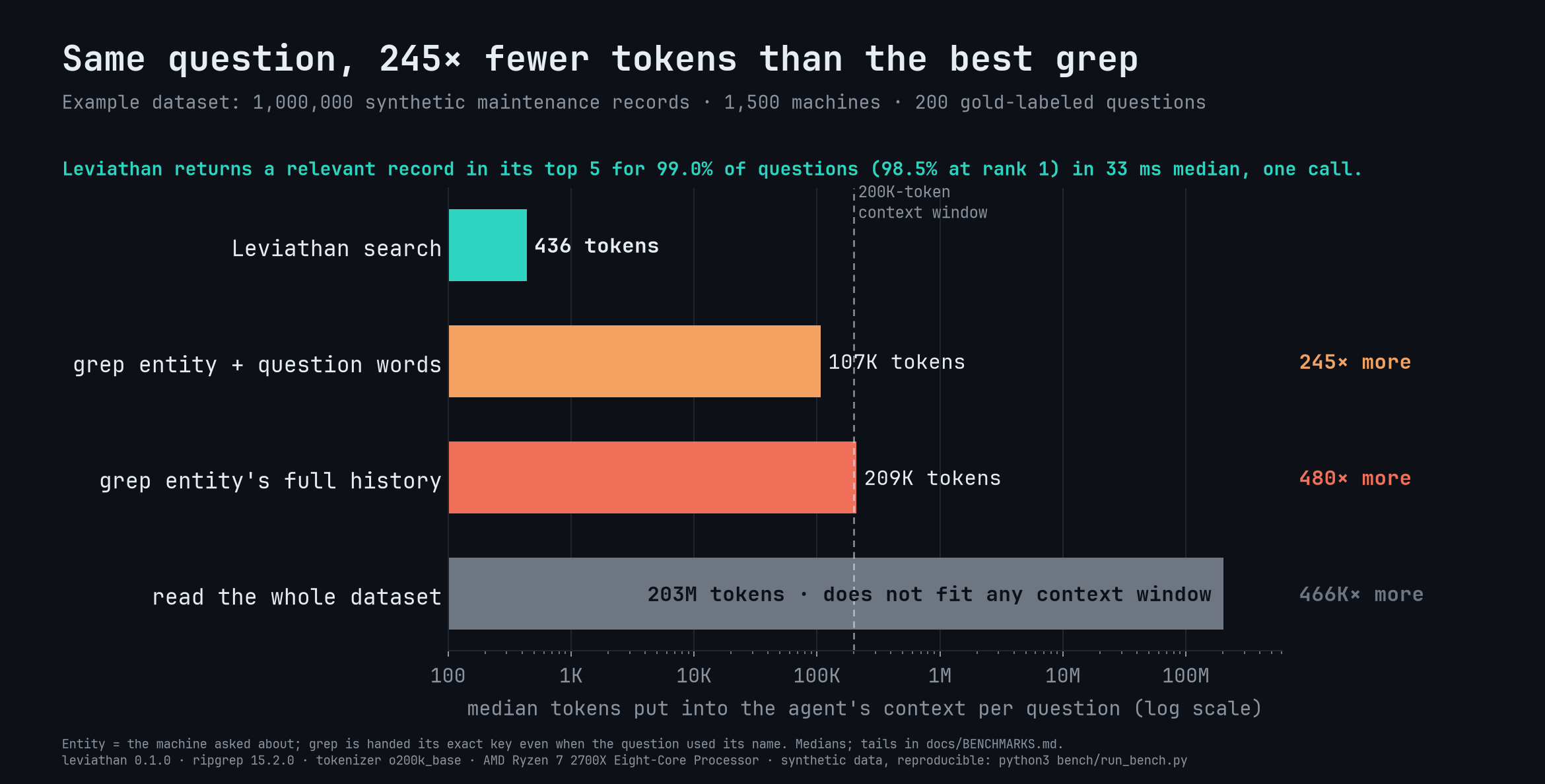
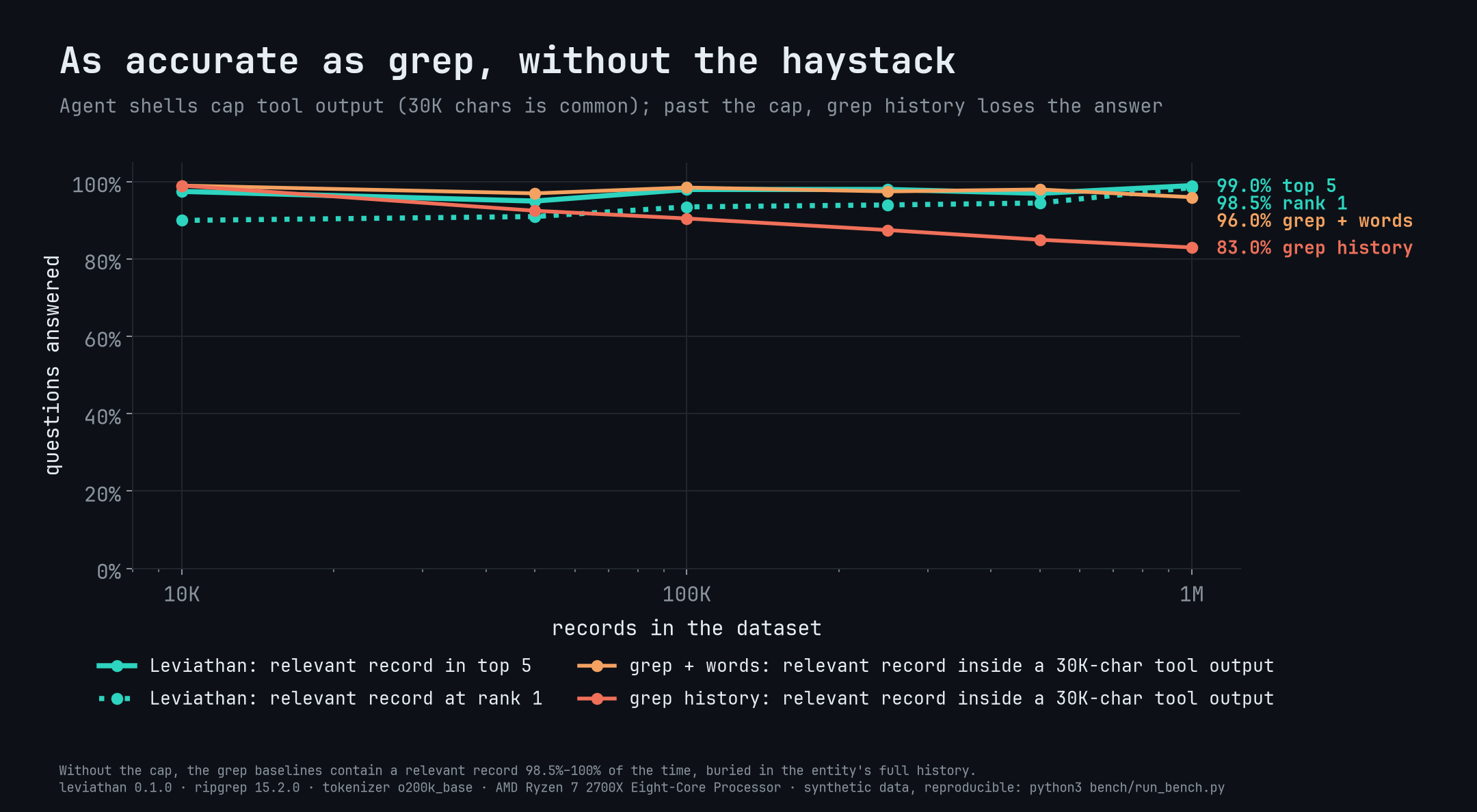
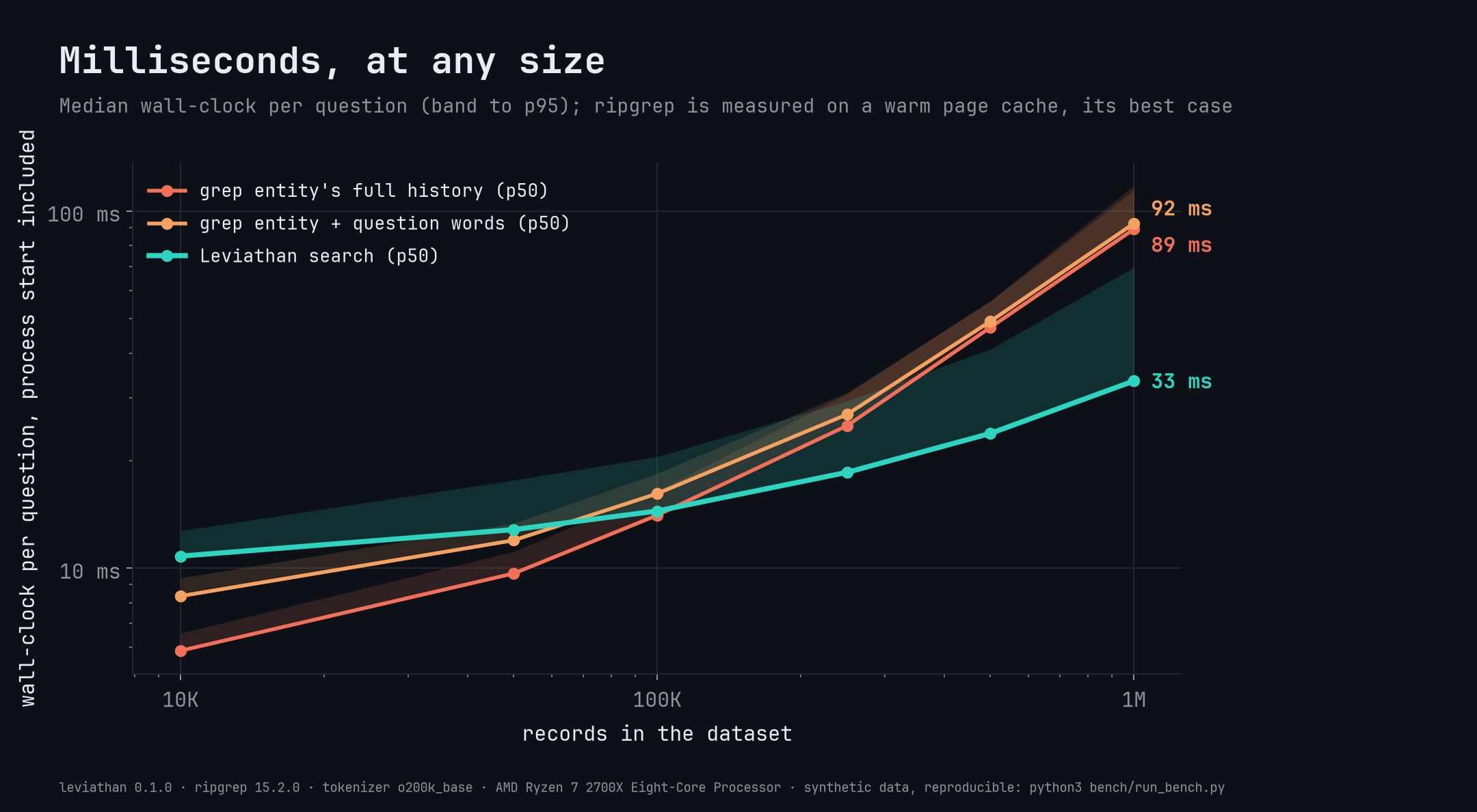
On a synthetic 1M-record benchmark, Leviathan answers questions with a median of 436 tokens and 33ms latency, versus about 107,000 tokens and 92ms for the best grep strategy, while returning the relevant record in the top 5 results 99% of the time.What does a search result look like?Searches return short, cited result cards (about 450 tokens per answer no matter the dataset size) ranked by BM25 with field boosts, and each one reports 'shown N of M' so an agent can tell no-match from no-data.
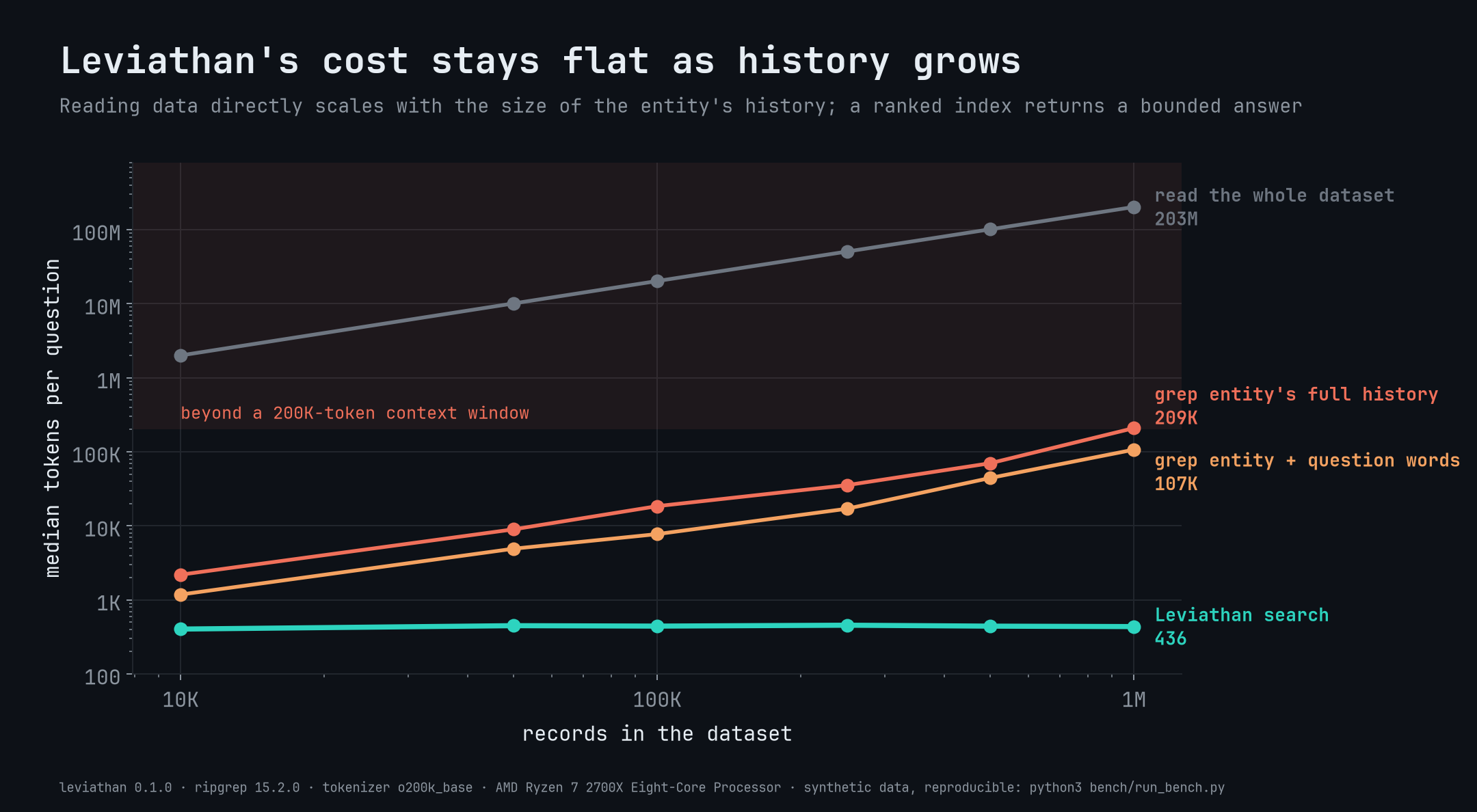
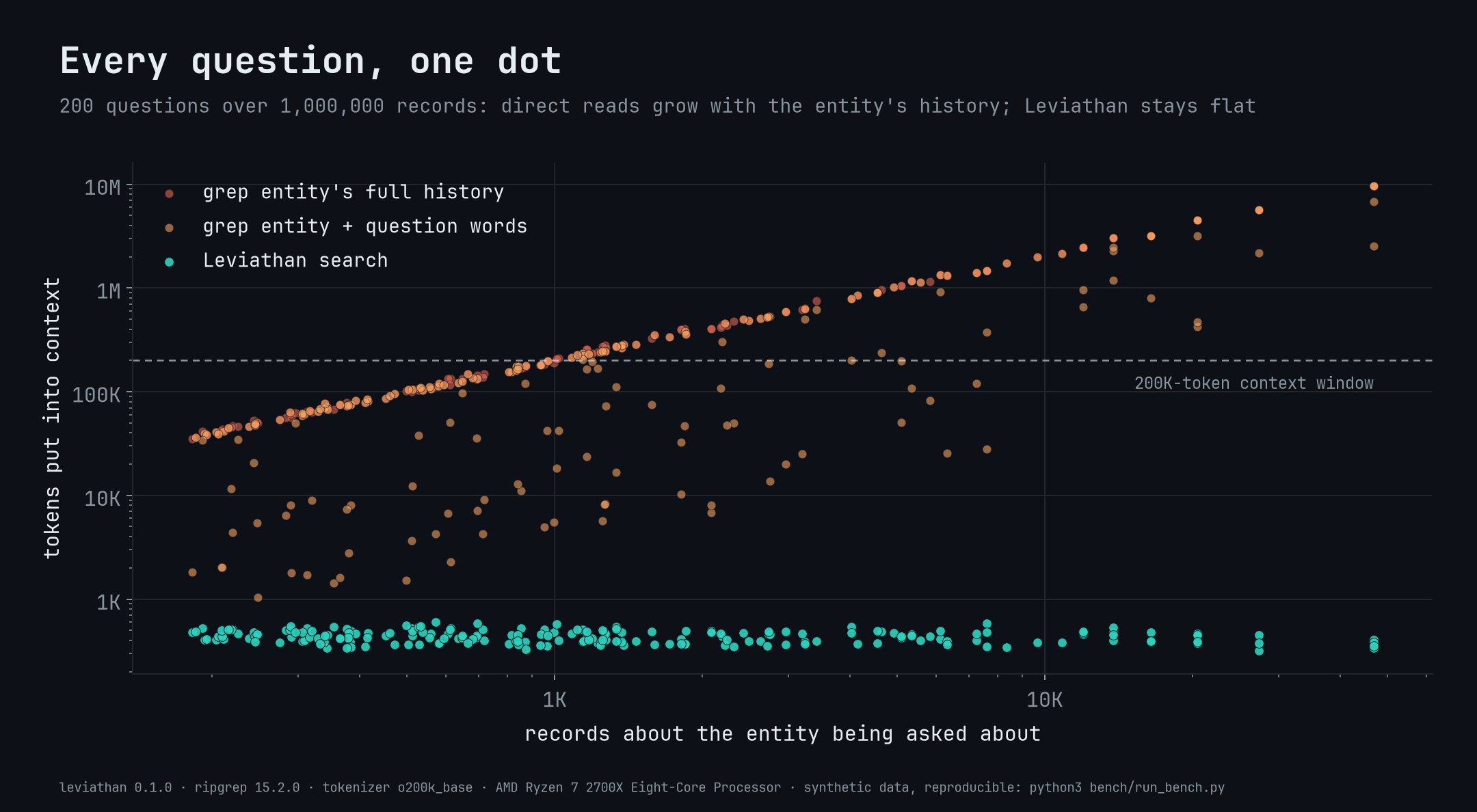
Searches return short, cited result cards (about 450 tokens per answer no matter the dataset size) ranked by BM25 with field boosts, and each one reports 'shown N of M' so an agent can tell no-match from no-data.Can I update the index without rebuilding it from scratch?Yes, upsert and delete update records in place, and a full build is atomic and skipped entirely if nothing changed since the last run.
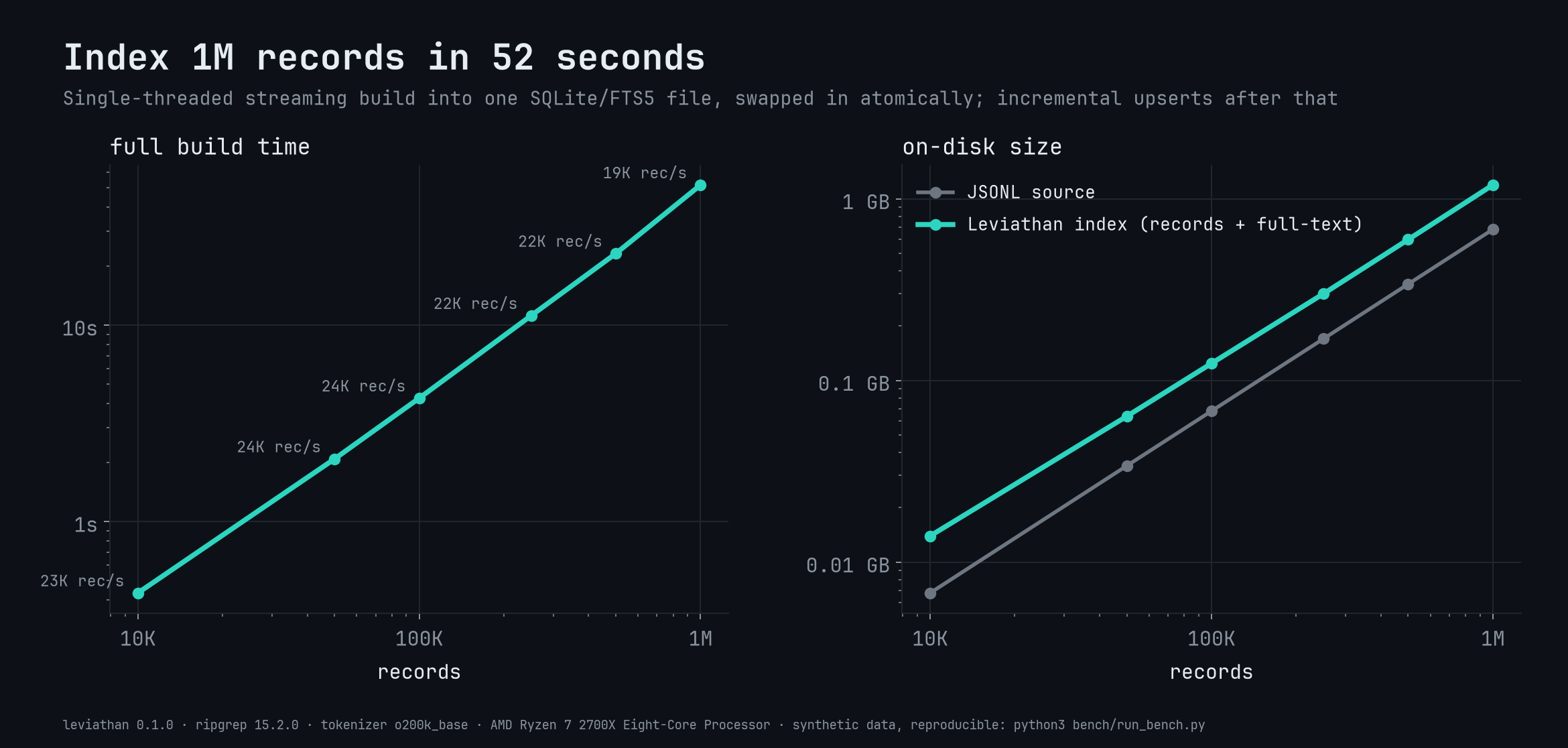
Yes, upsert and delete update records in place, and a full build is atomic and skipped entirely if nothing changed since the last run.What is the MCP mode for?Running leviathan mcp exposes four read-only stdio tools (search, resolvegroup, get, describe) for MCP-compatible agents, at a one-time cost of about 640 tokens per session to describe the dataset.
Running leviathan mcp exposes four read-only stdio tools (search, resolvegroup, get, describe) for MCP-compatible agents, at a one-time cost of about 640 tokens per session to describe the dataset.Which topics is it in?bm25, agent-tools, full-text-search, search-engine, no-dependencies, knowledge-management, agent-memory, model-context-protocol, cli-tool, offline, sqlite, agents
bm25, agent-tools, full-text-search, search-engine, no-dependencies, knowledge-management, agent-memory, model-context-protocol, cli-tool, offline, sqlite, agents