




15.6K ·GitHub
What is this?
 It's a Python automation tool that publishes your videos to major Chinese and international platforms — Douyin, Bilibili, Xiaohongshu, Kuaishou, WeChat Channels, Weibo, TikTok, YouTube and more — with support for scheduled posting.
It's a Python automation tool that publishes your videos to major Chinese and international platforms — Douyin, Bilibili, Xiaohongshu, Kuaishou, WeChat Channels, Weibo, TikTok, YouTube and more — with support for scheduled posting.So is it a web app, a CLI tool, or a library I'd code against?Primarily a CLI: the sau CLI is the current mainline, and the project also ships skills for AI agents. An older web interface still exists in the code, but it's no longer the mainline and isn't guaranteed to run.
Primarily a CLI: the sau CLI is the current mainline, and the project also ships skills for AI agents. An older web interface still exists in the code, but it's no longer the mainline and isn't guaranteed to run.What's involved in installing and running it?Install, update and environment prep are consolidated in the repo's docs, and the recommended path uses uv plus the sau CLI. If you use an agent client, you can hand it the repo together with the project's Agent Bootstrap Prompt and it handles setup for you.
Install, update and environment prep are consolidated in the repo's docs, and the recommended path uses uv plus the sau CLI. If you use an agent client, you can hand it the repo together with the project's Agent Bootstrap Prompt and it handles setup for you.Do I need to install anything besides Python itself?Almost nothing: requirements.txt is only kept for legacy paths, and the Bilibili uploader (biliup) is downloaded and auto-updated on first run. The TikTok flow runs through the Chrome browser.
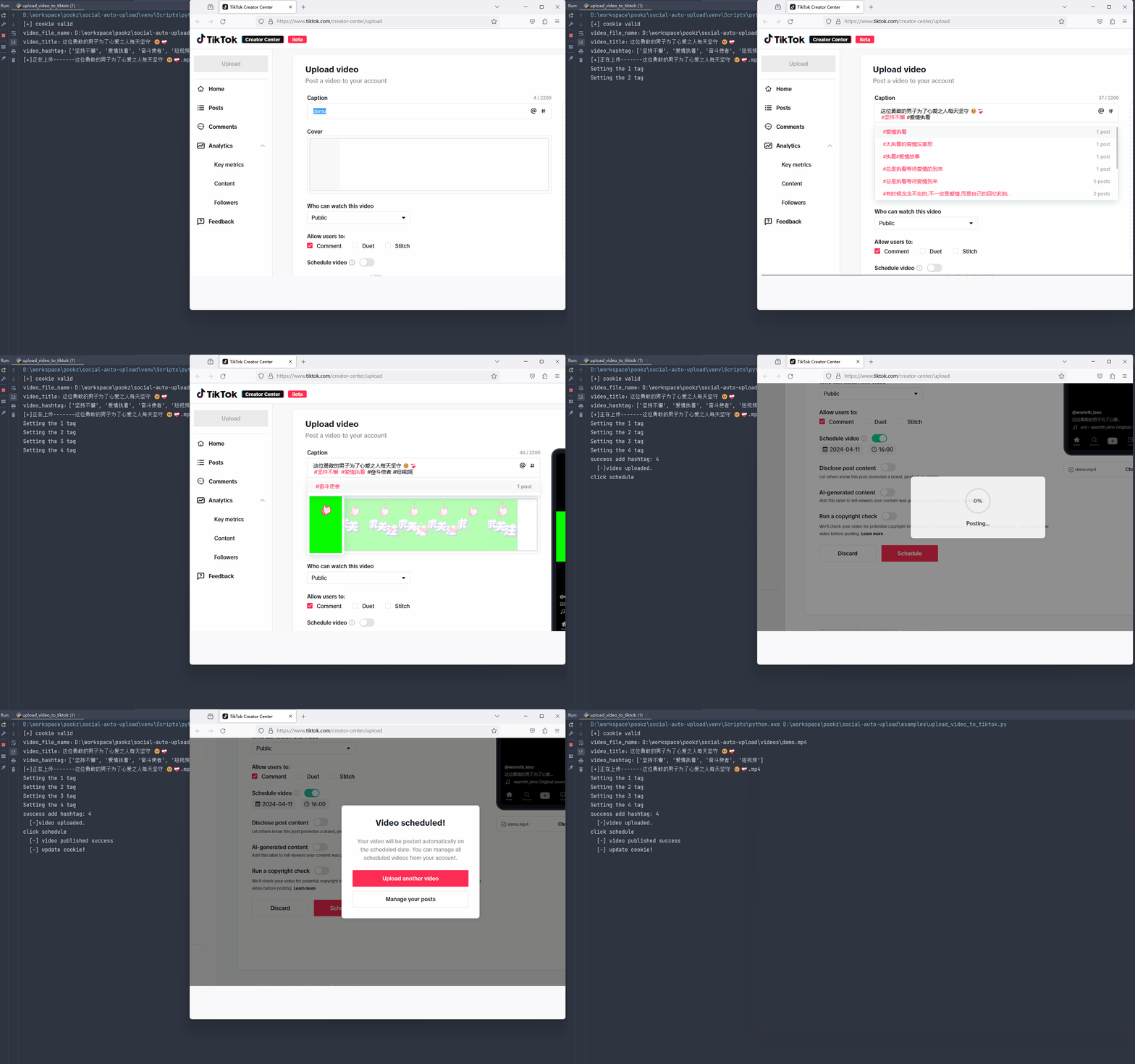
Almost nothing: requirements.txt is only kept for legacy paths, and the Bilibili uploader (biliup) is downloaded and auto-updated on first run. The TikTok flow runs through the Chrome browser.What should I watch out for in its current state?It's mid-refactor: the detailed docs lag the code, the legacy web UI isn't guaranteed to work, and coverage is uneven — TikTok has no CLI yet, and image-text posts only work on Douyin, Xiaohongshu and Kuaishou. Scheduled-posting logic was also written around next-day timing.
It's mid-refactor: the detailed docs lag the code, the legacy web UI isn't guaranteed to work, and coverage is uneven — TikTok has no CLI yet, and image-text posts only work on Douyin, Xiaohongshu and Kuaishou. Scheduled-posting logic was also written around next-day timing.Will it run on my machine, or is it tied to one OS?It's Python plus browser automation, so it runs wherever Python and a browser do — Windows, macOS and Linux. There's also a Dockerfile in the repo for containerized runs.
It's Python plus browser automation, so it runs wherever Python and a browser do — Windows, macOS and Linux. There's also a Dockerfile in the repo for containerized runs.Which platforms are fully covered, and which are missing features like scheduling or image posts?All eleven platforms handle login and video upload, but the matrix is uneven: image-text posts only work on Douyin, Xiaohongshu and Kuaishou; scheduled publishing covers Douyin, Bilibili, Xiaohongshu, Kuaishou, WeChat Channels and TikTok; and TikTok is the only platform without a CLI path yet. Douyin is described as the most complete mainline implementation, while Bilibili uploads build on the biliup project.
All eleven platforms handle login and video upload, but the matrix is uneven: image-text posts only work on Douyin, Xiaohongshu and Kuaishou; scheduled publishing covers Douyin, Bilibili, Xiaohongshu, Kuaishou, WeChat Channels and TikTok; and TikTok is the only platform without a CLI path yet. Douyin is described as the most complete mainline implementation, while Bilibili uploads build on the biliup project.Can it run headless on a server without popping up a browser window?Headless mode is the mainline focus of the ongoing refactor: the browser runs in the background while the automation flow continues, aimed at CLI, server-side, scheduled-task and agent scenarios. The project is also switching to the patchright driver to improve compatibility and make automation harder for platforms to detect.
Headless mode is the mainline focus of the ongoing refactor: the browser runs in the background while the automation flow continues, aimed at CLI, server-side, scheduled-task and agent scenarios. The project is also switching to the patchright driver to improve compatibility and make automation harder for platforms to detect.Why does YouTube uploading go through a browser instead of YouTube's official API?Because API projects that haven't passed Google's compliance audit get their uploads force-locked to private with no way to make them public, which is impractical for personal channels. Driving YouTube Studio in a browser lifts that restriction, adds --playlist and --visibility options, and waits for the upload to reach 100% before publishing. In regions where YouTube is blocked, you set an explicit YTPROXY in conf.py.
Because API projects that haven't passed Google's compliance audit get their uploads force-locked to private with no way to make them public, which is impractical for personal channels. Driving YouTube Studio in a browser lifts that restriction, adds --playlist and --visibility options, and waits for the upload to reach 100% before publishing. In regions where YouTube is blocked, you set an explicit YTPROXY in conf.py.Why not just have a browser agent upload each video manually?An agent has to re-parse the page, take screenshots and improvise on every single run, while this project encodes each upload flow into scripts that were validated once and then repeat deterministically. The author's point: high-frequency, repetitive, boring work belongs to scripts. Agents aren't excluded, though — the repo ships per-platform upload skills so Claude Code, Codex and OpenClaw can drive it.
An agent has to re-parse the page, take screenshots and improvise on every single run, while this project encodes each upload flow into scripts that were validated once and then repeat deterministically. The author's point: high-frequency, repetitive, boring work belongs to scripts. Agents aren't excluded, though — the repo ships per-platform upload skills so Claude Code, Codex and OpenClaw can drive it.What are similar projects?AiToEarn, catbus, MediaCrawler, chubbyskills, autoclip, Agent-Reach, xiaohongshu-mcp, linkedin-skills
AiToEarn, catbus, MediaCrawler, chubbyskills, autoclip, Agent-Reach, xiaohongshu-mcp, linkedin-skillsWhich topics is it in?schedule, kuaishou, weibo, social-media-automation, multi-platform, douyin, tiktok, xiaohongshu, bilibili, headless, social-media, youtube
schedule, kuaishou, weibo, social-media-automation, multi-platform, douyin, tiktok, xiaohongshu, bilibili, headless, social-media, youtube