# awesome-dsh-plugin-pro (bruc3van/awesome-dsh-plugin-pro)
> A curated, auto-updating directory of DeepSeek Harness (DSH) plugins. It crawls GitHub daily for repos tagged dsh-plugin, manually reviews each one to remove tag-squatters, and organizes real plugins by category, popularity, and use case so you can find the right one in about 30 seconds.
- GitHub: https://github.com/bruc3van/awesome-dsh-plugin-pro
- GitHub.Locker page: https://github.locker/bruc3van/awesome-dsh-plugin-pro
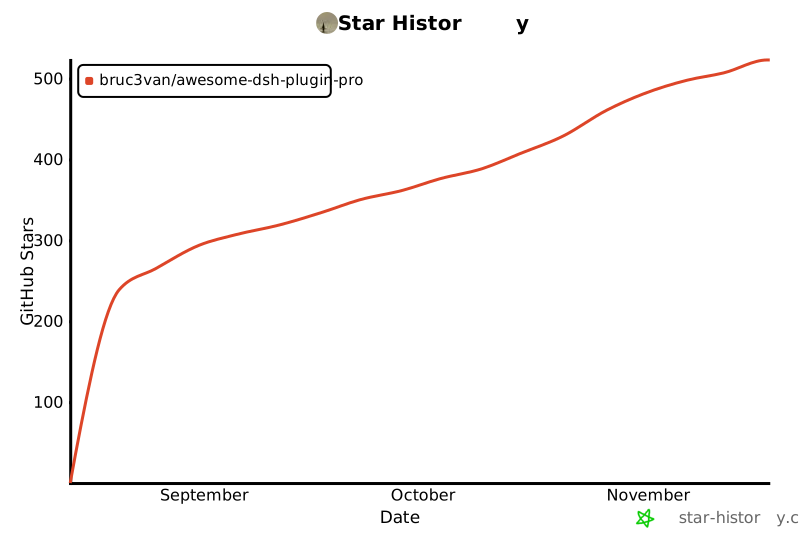
- Stars: 525
- Language: JavaScript
- License: MIT
- Last push: 2026-11-18
## Questions and answers
Written by GitHub.Locker from the README and the repository; check the README below for details.
**Is this itself a plugin, or just a directory of other plugins?**
It's a documentation/index repo, not a plugin you install. It just tracks, verifies, and categorizes third-party dsh-plugin GitHub repositories and publishes markdown pages plus JSON data about them.
**How is the list organized?**
It's split into a full category catalog (CATALOG.md), a Star Top 200 popularity ranking, a curated picks section grouped by scenario (desktop clients, UI/workbench, vision, memory/automation, conversation UX, creative/fun), and a showcase of plugins authors submit themselves.
**Are the listed plugins actually vetted, and is this still updated?**
Yes to both: entries are auto-crawled every day and then manually re-checked to strip out repos that just slap on the dsh-plugin tag without being real plugins; as of 2026-09-09 it had verified 12,031 repositories.
**Where should a beginner start?**
There's a dedicated 'first install' combo guide that suggests picking one small bundle based on your current problem instead of installing many plugins at once.
**What is DeepSeek Harness (DSH)?**
Based on the listed plugins, DSH is an AI coding agent runtime with an official web UI (similar in spirit to Claude Code/Codex) that supports third-party plugins for desktop clients, terminal UIs, vision tools, memory, automation, and UI customization.
**How does it keep fake or tag-squatting projects out?**
Every repo tagged dsh-plugin on GitHub is auto-fetched daily, then a human reviewer checks it before it's added, filtering out projects that just added the tag without being real DSH plugins.
**Can I submit my own plugin to the list?**
Yes, there's a 'recommend or fix a plugin' flow linked from the README plus a CONTRIBUTING guide, and recently submitted author entries get their own showcase section.
**What kinds of plugins does it cover?**
Everything from standalone desktop/TUI/mobile clients and vision/OCR tools to persistent memory systems, unattended task automation, conversation UX tweaks (file mentions, reasoning sliders), and purely fun stuff like skins, pets, and mini-games.
---
## README (checked against GitHub 2026-11-18)
Source: https://github.com/bruc3van/awesome-dsh-plugin-pro/blob/main/README.md
# 🐳 Awesome DSH Plugins Pro
[](https://awesome.re)
[](./CATALOG.md)
[](https://github.com/bruc3van/awesome-dsh-plugin-pro/actions/workflows/update-catalog.yml)
[](./CATALOG.md)

[English](./README_EN.md) · [全量目录](./CATALOG.md) · [Star Top 200](./TOP200.md) · [作者自荐](./SHOWCASE.md) · [推荐一个插件](./CONTRIBUTING.md) · [机器可读数据](./data/repositories.json)
经过审核的 DeepSeek Harness(DSH)插件目录与订阅源:剔除蹭标签与非插件仓库,提供按场景整理的精选推荐、全量分类目录,以及经核验安装目标的插件市场与官方「发现」页订阅数据。
## 🏪 插件市场与官方「发现」页订阅
提供两种在 DSH 内浏览与安装本目录插件的方式(均通过宿主官方插件管理器执行安装):
### 方式一:安装 `dsh-market-pro` 插件市场(推荐)
**[DSH Market Pro](https://github.com/bruc3van/dsh-market-pro)**(npm:[`dsh-market-pro`](https://www.npmjs.com/package/dsh-market-pro))是基于本目录的第三方插件市场,在同一界面内完成插件发现(编辑精选 + 全量目录)、一键安装/AI 辅助核实安装、已安装启用/停用与检查更新、技能浏览,以及安装后 AI 安全审查。
1. 打开 DSH 左侧导航栏的 **插件** 页面。
2. 在官方插件安装界面中输入 **`dsh-market-pro`** 进行安装并启用。
3. 安装完成后,即可从左侧导航栏的 **插件市场Pro**、插件页顶部标签或会话右侧边栏打开市场。
### 方式二:订阅到 DSH 官方「发现」页
无需额外安装插件,直接把精选索引接入 DSH 内置「发现」页(需 **DSH ≥ V0.2.1-rc.2**):
**订阅链接:[`https://bruc3van.com/dsh-plugins/index.json`](https://bruc3van.com/dsh-plugins/index.json)**
1. **开启自定义市场**:左侧 **插件** → **实验性插件** 旁 **更多** → 打开 **自定义插件市场**。
2. **添加订阅源**:切到 **发现** 标签 → 点击 **添加索引源**(或左上角下拉菜单 **管理索引源…**),粘贴上方链接并添加。
3. **浏览安装**:在下拉菜单选择 **Bruce 的精选插件** 即可按分类与标签筛选安装。
## 🗺️ 生态全景
截至 2026-11-17 共收录 **28724** 个经核实的仓库。它们长这样:
```mermaid
mindmap
root((DSH 插件生态 28724))
Agent 自动化与工作流 · 10345
定时循环与事件唤醒
长期记忆与自我进化
审批、预算与检查点
界面与体验 · 6220
桌面客户端与终端 TUI
侧边栏工作台
皮肤与桌面宠物
通知与输入增强
网页与浏览器 · 3806
浏览器桥接与页面操作
网页搜索与引用
归档与网页取证
实用工具与其他 · 1671
文件与编码
格式转换
设计媒体与视觉 · 1402
图片理解与 OCR
设计画布与 UI 还原
集成与分享 · 1348
会话导入与分享
远程访问
IM 与外部集成
开发者工具 · 1307
Git 与 diff
沙箱与运行时
调试与诊断
知识与研究 · 1291
知识库与跨会话记忆
深度研究
学术与数学
生态与资源 · 751
插件市场与注册表
开发模板与脚手架
教程与手册
多 Agent 编排协作 · 583
子代理与编排看板
舰队与团队协作
角色分工与任务验收
```
按分类浏览每个分类下的全部项目,见 [CATALOG.md](./CATALOG.md)——目录按类目分册,索引页列出每一册。
## 🧭 用户索引
| 我想要…… | 直接去哪里 |
| --- | --- |
| 30 秒选出一个插件 | [精选推荐](#-精选推荐):从「我想让 DSH 做什么」出发,按场景分组列出社区优秀插件 |
| 第一次装插件 | [新手入门组合](#-新手入门组合):按当前问题选一套组合,不用一次装很多 |
| 按热度翻完整榜单 | [社区热度榜](#-社区热度榜)(首页 Top 50)· [TOP200.md](./TOP200.md)(完整 Top 200) |
| 用程序消费插件数据 | npm feed `awesome-dsh-plugin-feed` 的 [market-catalog.json](https://cdn.jsdelivr.net/npm/awesome-dsh-plugin-feed/data/market-catalog.json)——完整已审核目录(每行带 `install_status` 与安装映射)+ 官方订阅 + 编辑精选,字段见[消费协议](https://github.com/bruc3van/dsh-market-pro/blob/master/docs/market-json-spec.md);[data/repositories.json](./data/repositories.json)——每日自动快照,含星数、许可证、活跃度等元数据 |
| 按分类浏览全部项目 | [CATALOG.md](./CATALOG.md)(全量目录)· [生态全景](#-生态全景)(分类概览) |
| 看看作者们自己提交的新插件 | [作者自荐](#-作者自荐)(首页最近 10 条)· [SHOWCASE.md](./SHOWCASE.md)(全部) |
| 收录或推荐你自己的插件 | [推荐或修正插件](#-推荐或修正插件) / [CONTRIBUTING](./CONTRIBUTING.md) |
## ⭐ 精选推荐
**这里不按星数排名,但优先选择社区验证的高星项目**——绝大多数推荐来自 Star Top 200:它们解决明确问题、说明完整、仍在维护且经过大量用户验证;少数是几十 Star 但无可替代的项目。从你的问题出发,找到最接近的一行,点进去就是答案;收录不等于安全或兼容性背书。想看按热度排名的完整榜单,见[社区热度榜](#-社区热度榜)。各分类条目下方附有界面截图,点击截图即可直达仓库首页。
### 🖥️ 桌面与终端
- **想要独立的桌面客户端**,而不是浏览器标签页:[DSH Desktop Pro](https://github.com/bruc3van/dsh-desktop-pro) —— DeepSeek Harness 的专业版桌面客户端,主打企业级配置:个人装好就能用,窗口加载原汁原味的官方 Web UI,关闭窗口任务照跑、常驻托盘随点随开;安装包自带官方运行时,双击即用,不用装 Node.js、也不用敲命令,首次启动自动订阅本清单的精选插件列表,在「发现」页浏览和按需安装。放进公司用也合适:IT 部署开源管理服务端(或只放一份配置文件),统一配置模型网关、插件订阅、Skill 和工具权限,员工用公司账号登录即得,带用量额度与防篡改审计。支持 macOS、Windows、Linux 三大平台;安全上逐层加固——窗口沙箱、导航锁定、更新链路校验、权限最小化。
- **想在终端里用 Claude Code 风格界面**:[dsh-TUI](https://github.com/ccch1mneyyy/dsh-TUI) · [dsh-tianshu-tui](https://github.com/huiliyi37/dsh-tianshu-tui) —— 全屏交互终端:状态行、思考流展开、上下文/TPS 仪表;tianshu 版本还内置 TDD 与证据门工作流。
- **想在 Windows 上少折腾终端**:[dsh-ops](https://github.com/T-Auto/dsh-ops) —— Windows 提效套装:可选自带 Bash 接管反复报错的内置终端,配原生 Rust 低 token 读取工具,提升 token 效率。
- **想在安卓手机上本地跑 DSH**:[dsh-mobile-apk](https://github.com/kelai141/dsh-mobile-apk) —— 安卓壳 APK:WebView UI + 内嵌 Termux 运行时、SAF 目录桥、保活服务与看门狗。只想用手机遥控电脑上已在跑的 DSH,见下方 [dsh-pocket](https://github.com/shaobeichen/dsh-pocket)。
- **想让 Agent 查清磁盘占用、预览后再清理**:[Mole](https://github.com/tw93/Mole) —— Tw93 的开源电脑清理工具,通过官方 `dsh-mole` 技能插件接入 DSH,支持 macOS 与 Windows:分析磁盘空间、清理缓存和应用残留、读取系统健康状态。先展示清理预览,征得同意后执行;交互式卸载与管理员操作由用户在终端完成。需本机安装 Mole CLI,尚未安装时由 Agent 先询问再协助安装。
| | | |
| :---: | :---: | :---: |
| 
[DSH Desktop Pro](https://github.com/bruc3van/dsh-desktop-pro) | 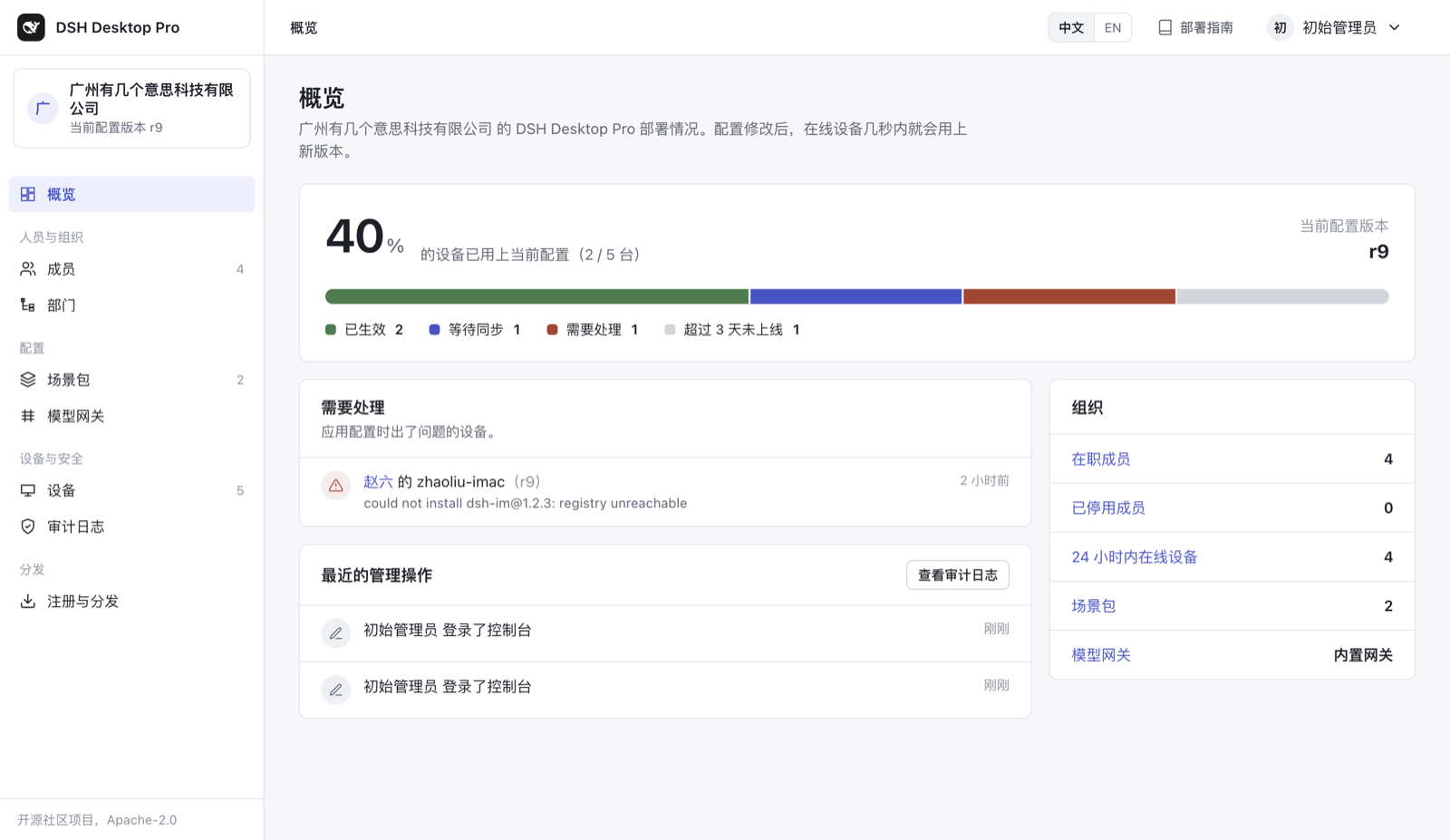
[DSH Desktop Pro](https://github.com/bruc3van/dsh-desktop-pro) | 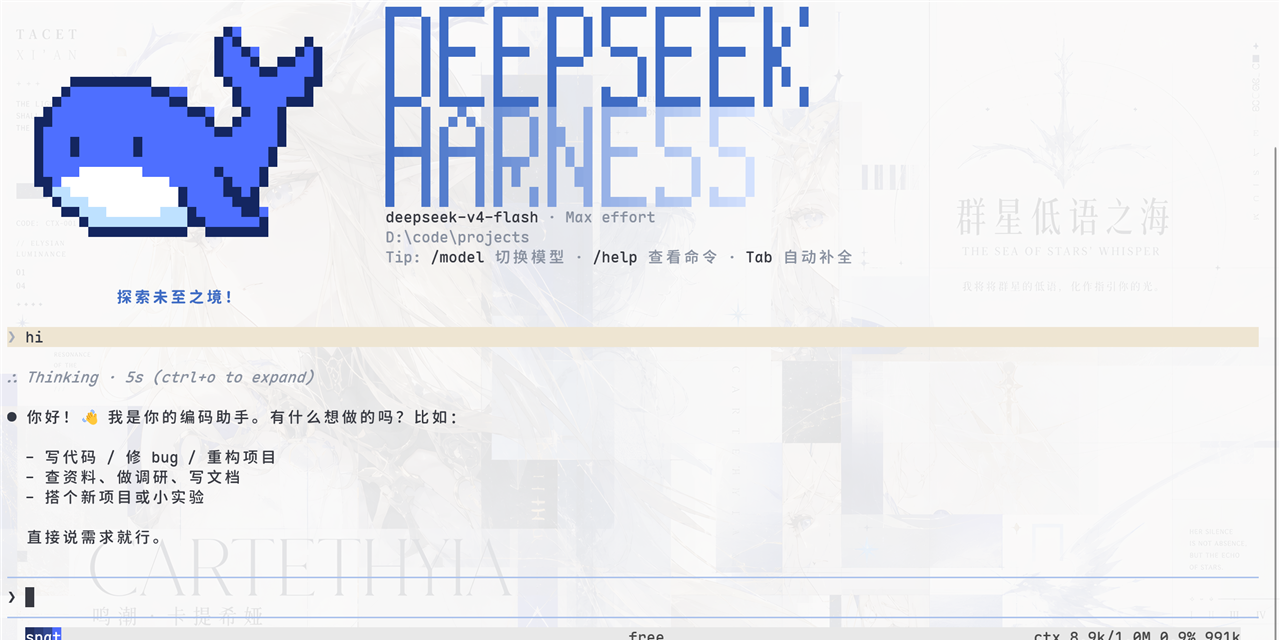
[dsh-TUI](https://github.com/ccch1mneyyy/dsh-TUI) |
| 
[dsh-tianshu-tui](https://github.com/huiliyi37/dsh-tianshu-tui) | 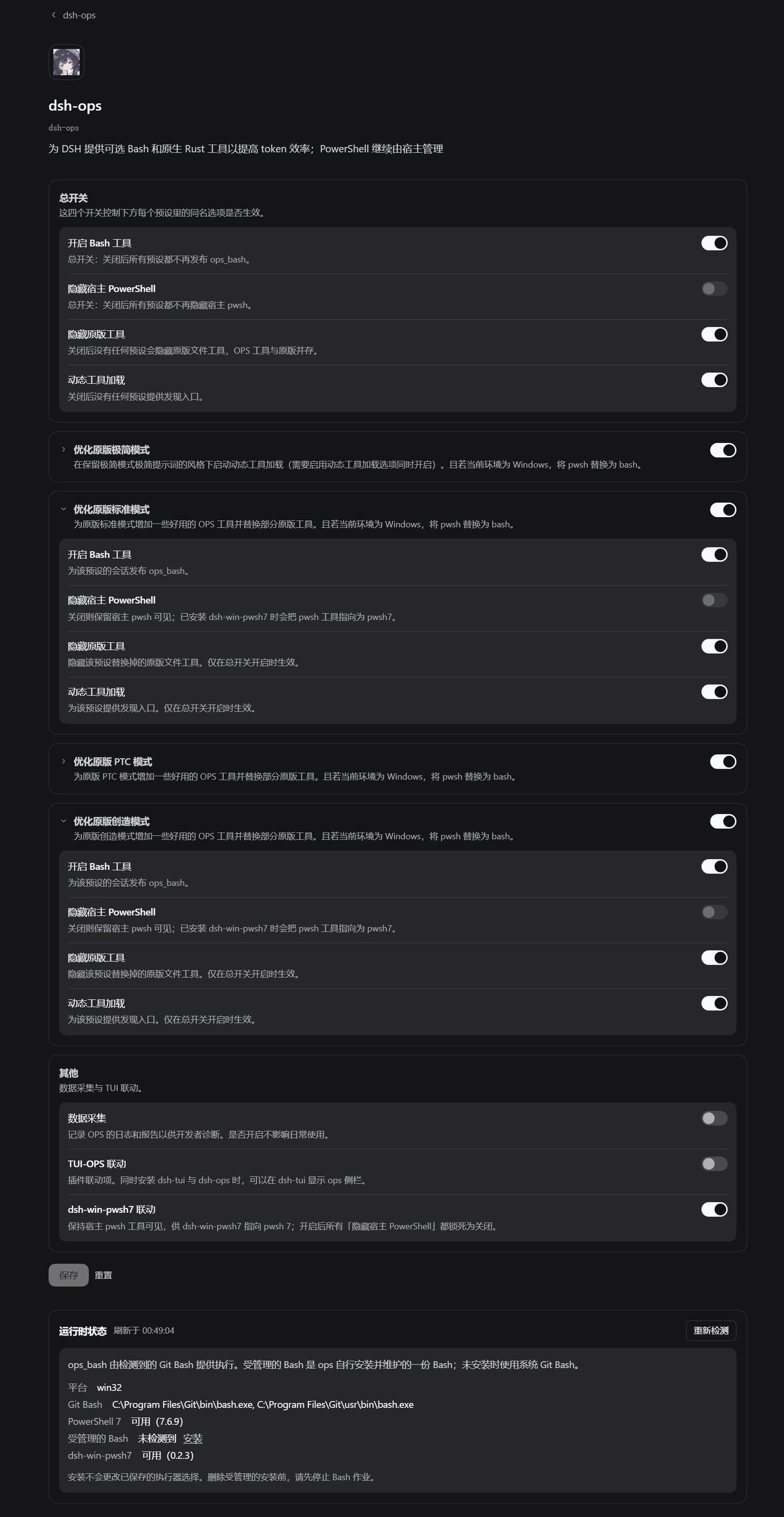
[dsh-ops](https://github.com/T-Auto/dsh-ops) | 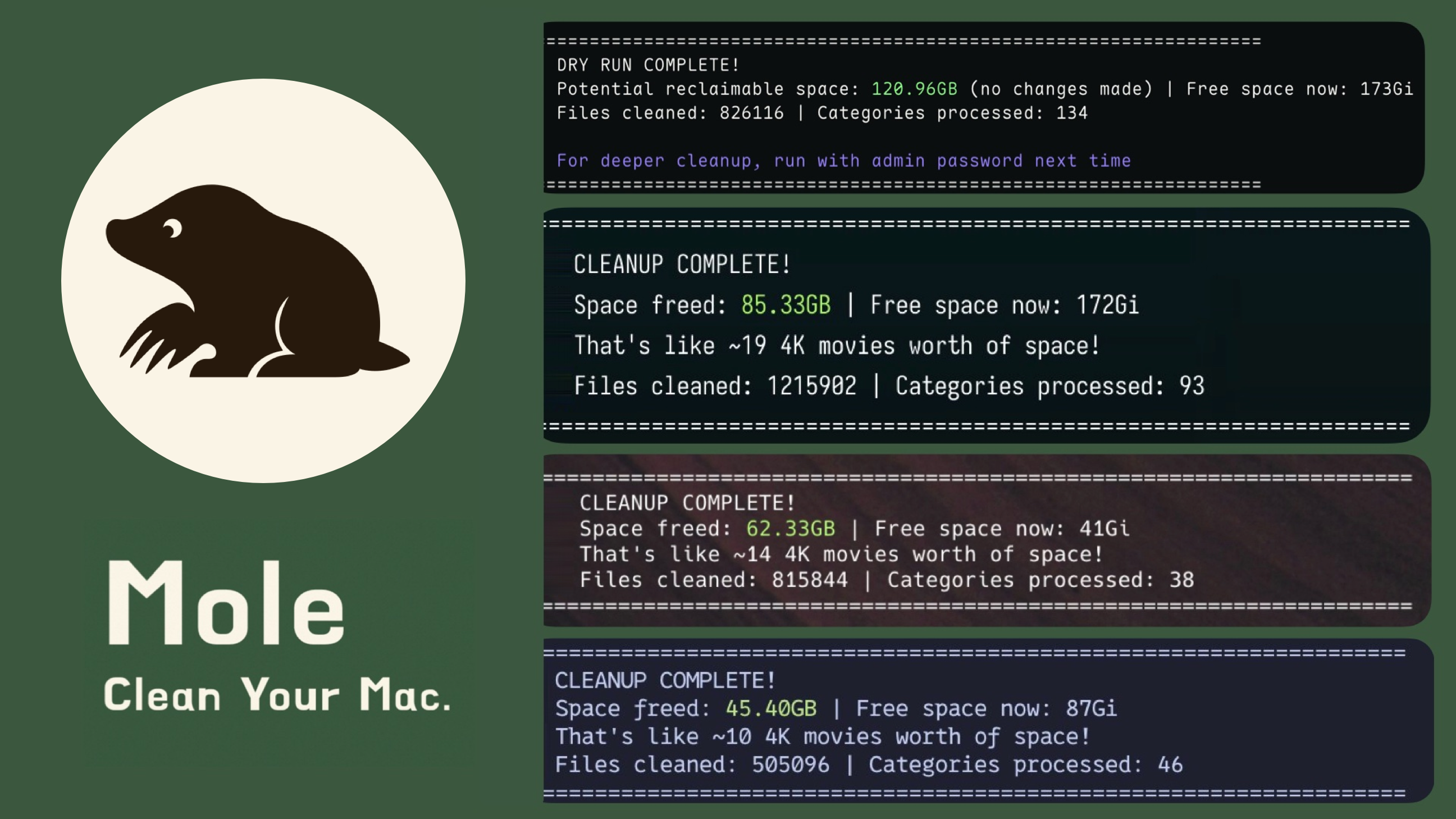
[Mole](https://github.com/tw93/Mole) |
### 🧰 界面与工作台
- **想一次安装补齐常用界面功能**:[dsh-web](https://github.com/zhu1090093659/dsh-web) —— 任务看板、Git 关系图、侧边面板、远程移动端界面、桌面宠物、实时 Token 用量统计与皮肤中心,一站式功能合集(仓库由 `dsh-web-ui` 更名而来)。
- **想看清上下文窗口里装了什么**:[dsh-context](https://github.com/bowenliang123/dsh-context) —— 在 Web UI 增加 Context 面板,展示上下文由什么构成、如何演化,辅助把握 token 控制与裁剪时机。
- **想把侧边栏升级成完整工作台**:[DSH-better-sidebar](https://github.com/omdsh-dev/DSH-better-sidebar) —— 内置文件渲染编辑、终端、Git 与子代理,并支持第三方扩展注册新 Tab。
- **想把所有 Agent 项目收进一个管理台**:[dsh-worktable](https://github.com/Aisland-SJL/dsh-worktable) —— 侧边栏应用抽屉 + 可停靠分屏工作区,外加实时监控所有项目的控制室。
- **想让 DSH 拥有真正的 Office 环境**:[dsh-univer-office](https://github.com/dream-num/dsh-univer-office) —— Univer 官方厂商出品:把表格、文档、幻灯片、画布与关系表装进对话,数据相互联动。
- **想让工作状态行活过来**:[working-activity](https://github.com/ccch1mneyyy/working-activity) —— 实时显示工具动态与进度、俏皮文案、模型自述与上下文预警,等待时不再无聊。
- **想让 Agent 操作浏览器**:[dsh-browser](https://github.com/omdsh-dev/dsh-browser) · [BrowserSkill](https://github.com/Tencent/BrowserSkill) —— dsh-browser 是 Chrome 侧边栏扩展,在当前对话里授权页面并执行操作;BrowserSkill 是腾讯出品的真实已登录浏览器桥(独立 Agent 窗口,不打断你自己的浏览),DSH 通过官方 npm 插件 `@wxg-prc-cpg/browser-skill-dsh-plugin` 接入。
| | | |
| :---: | :---: | :---: |
| 
[dsh-web](https://github.com/zhu1090093659/dsh-web) | 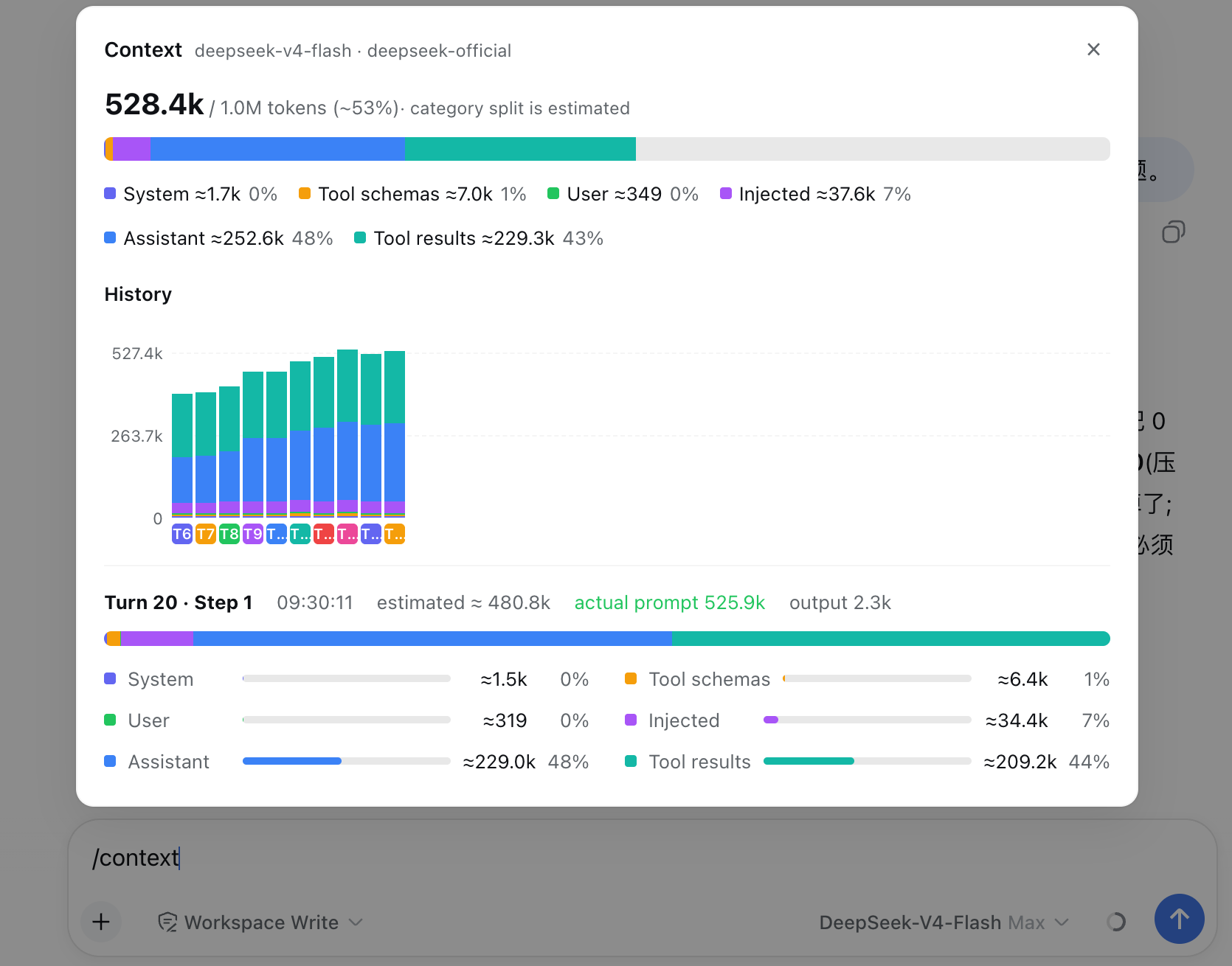
[dsh-context](https://github.com/bowenliang123/dsh-context) | 
[BrowserSkill](https://github.com/Tencent/BrowserSkill) |
| 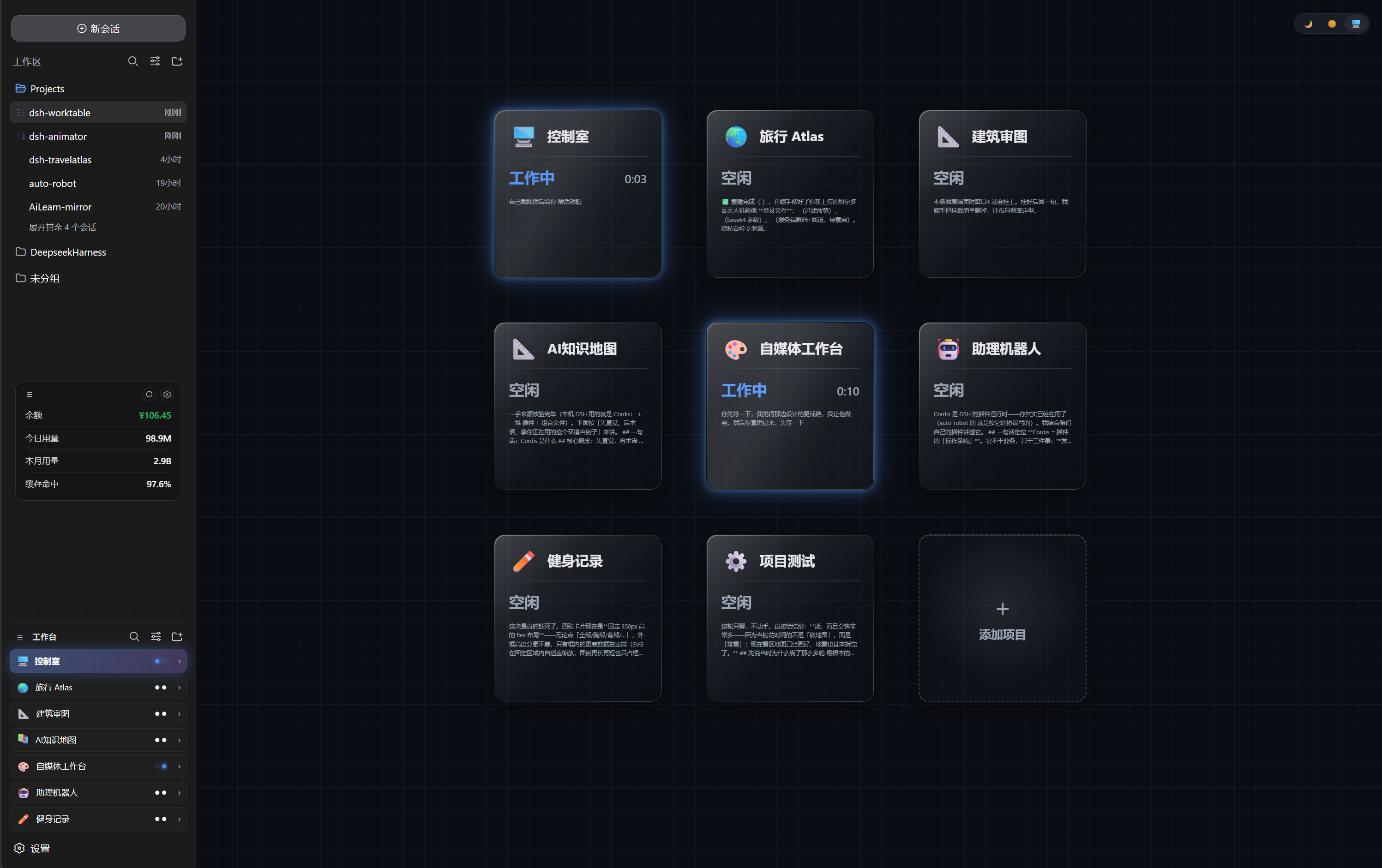
[dsh-worktable](https://github.com/Aisland-SJL/dsh-worktable) | 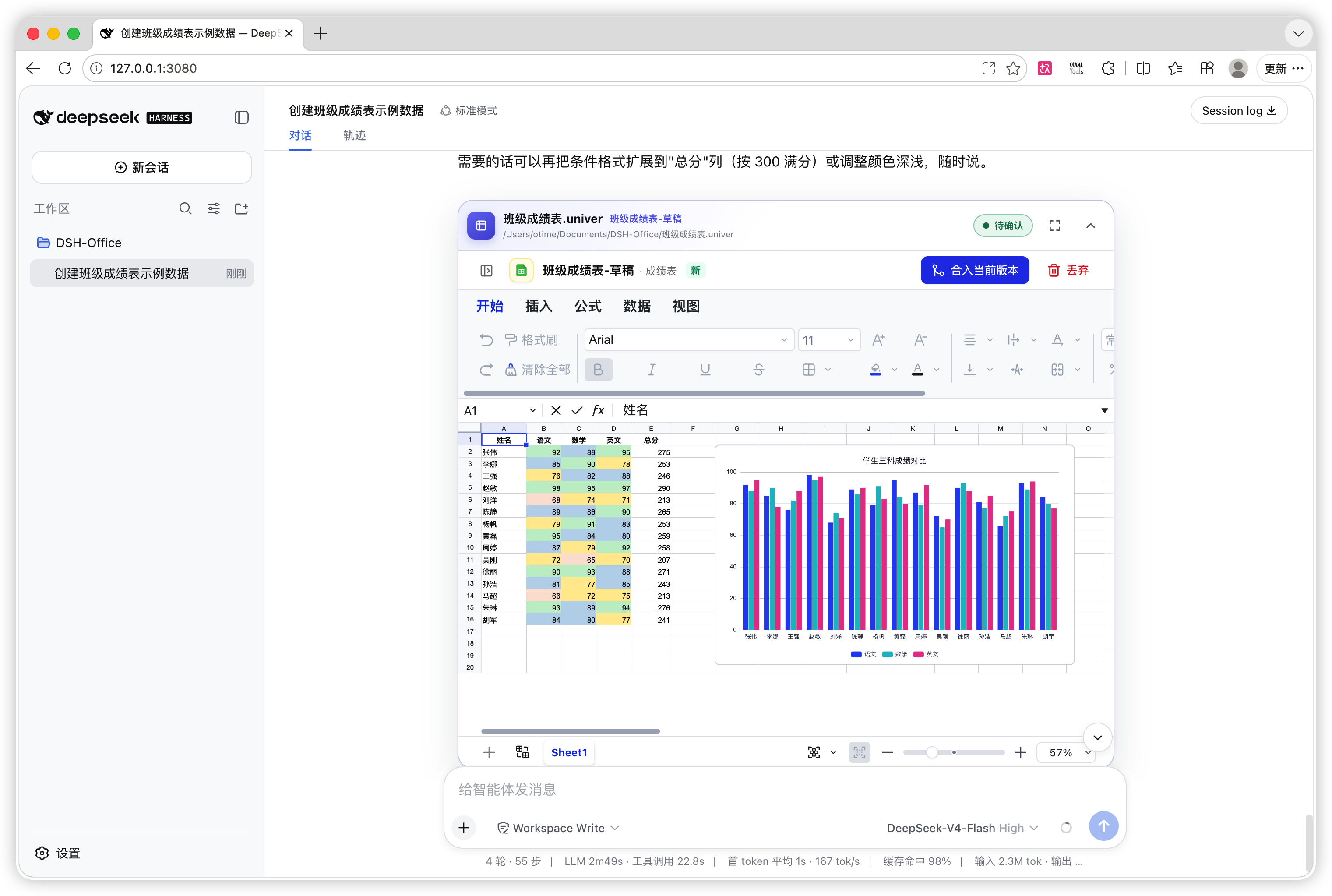
[dsh-univer-office](https://github.com/dream-num/dsh-univer-office) | |
### 👀 让模型看得见、搜得到
- **想给 DSH 增加视觉理解能力**:[modlens](https://github.com/liustack/modlens) · [dsh-vision-toolkit](https://github.com/Anionex/dsh-vision-toolkit) —— modlens 把图片转成 OCR/布局/语义结构化证据;dsh-vision-toolkit 覆盖图片问答、长截图 OCR、UI 还原与像素对比。
- **想免 Key、免 Python、粘贴即用看图**:[dsh-vision-router](https://github.com/ysr666/dsh-vision-router) —— 内置免费视觉链(五模型匿名兜底,免注册免 Key),图片轮像普通工具轮一样由模型驱动 10 个 `vision_*` 像素工具(定位、裁剪、描述、像素对比、修复、取色、OCR、抠图、矢量化、截图)连续多步执行,并输出结构化证据 JSON;一条命令安装(Web profile),Node only。
- **想让 Agent 自己搜索网页和 X,答案带引用**:[modsearch](https://github.com/liustack/modsearch) · [anysearch-dsh](https://github.com/anysearch-team/anysearch-dsh) —— modsearch 在对话中直接搜索、抓取并返回带引用的结构化证据;anysearch-dsh 提供 AnySearch 搜索源与高级搜索工具,可作补充搜索后端。
- **想在对话里直接生图**:[dsh-image-gen](https://github.com/shanliuling/dsh-image-gen) —— 对话内调用 `generate_image`,支持 Gemini / OpenAI / Seedream / 通义万相,自带画廊、全屏预览与一键下载。
| | | |
| :---: | :---: | :---: |
| 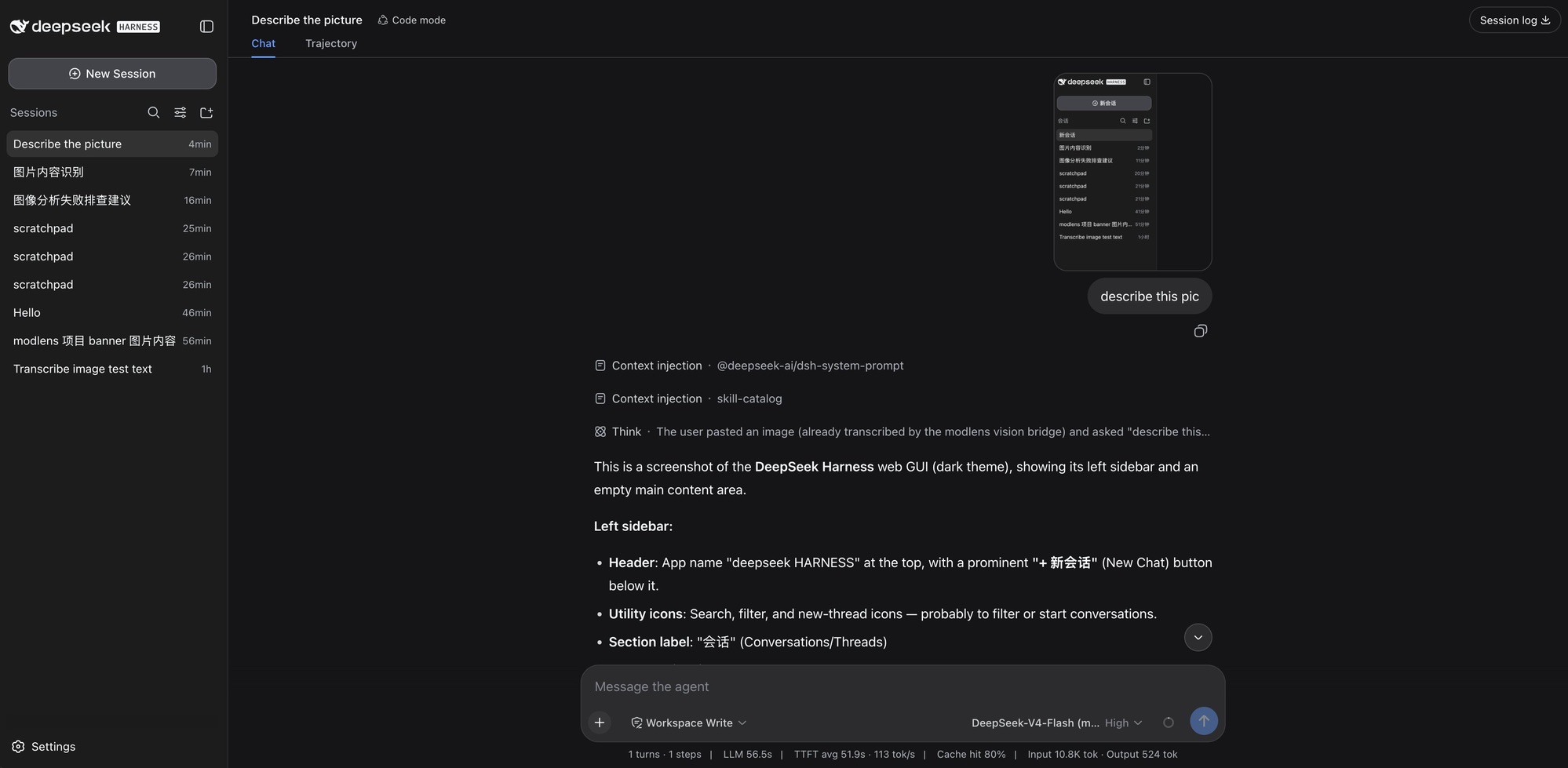
[modlens](https://github.com/liustack/modlens) | 
[dsh-vision-toolkit](https://github.com/Anionex/dsh-vision-toolkit) | 
[dsh-vision-router](https://github.com/ysr666/dsh-vision-router) |
| 
[dsh-image-gen](https://github.com/shanliuling/dsh-image-gen) | | |
### 🧠 记忆与无人值守
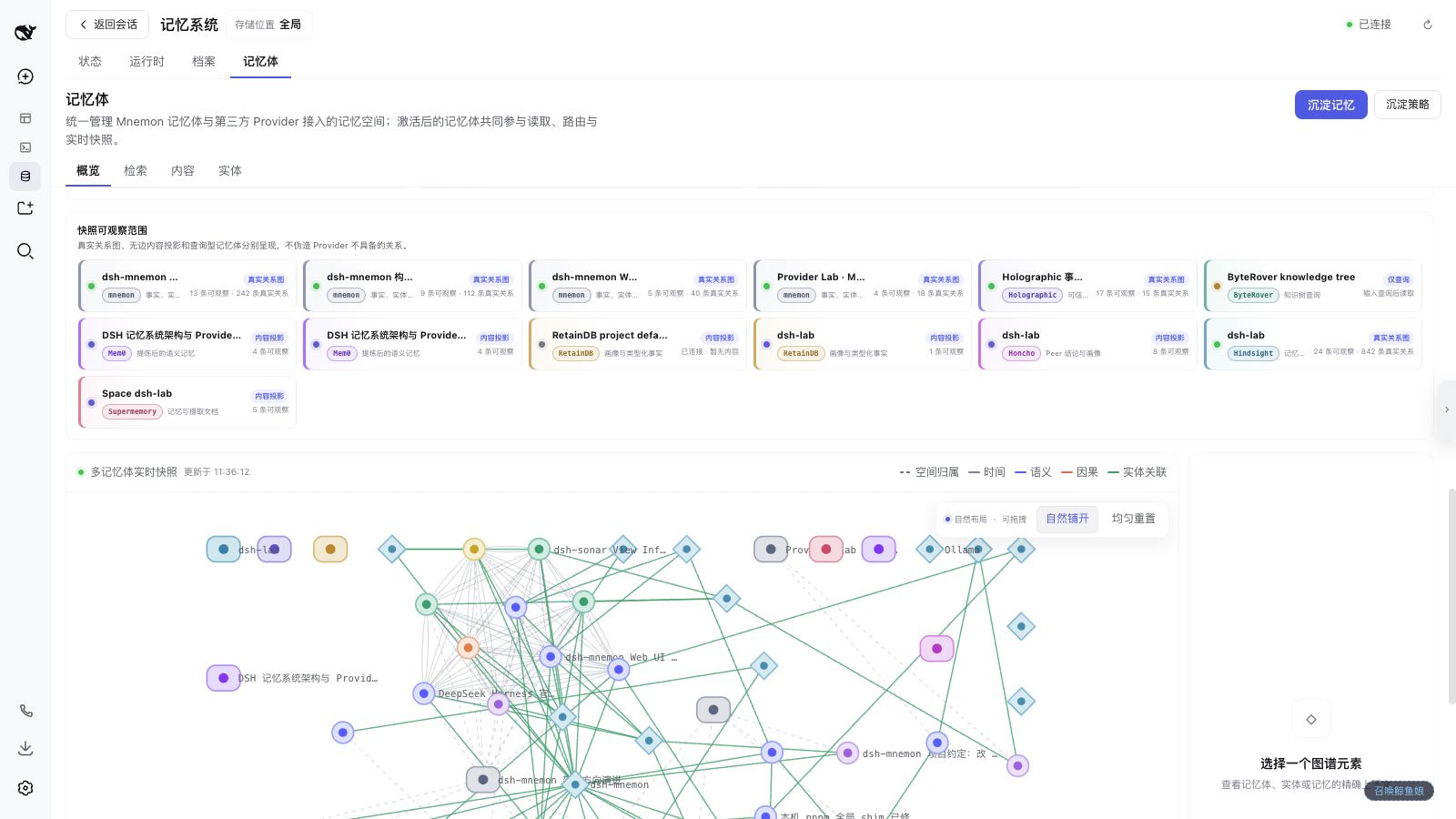
- **想给 DSH 加上可审计的跨会话记忆**:[mem9](https://github.com/mem9-ai/mem9) · [dsh-mnemon](https://github.com/omdsh-dev/dsh-mnemon) —— mem9 是跨会话/跨机器/跨 Agent 的持久共享记忆(混合召回 + 可视化控制台,原生支持 DeepSeek Harness 等运行时);Mnemon 是三层记忆控制面:持久运行时上下文、可检索项目文档、可插拔长期记忆与智能路由。
- **想让 Coding 任务按计划自动运行**:[dsh-automation](https://github.com/titanwings/dsh-automation) —— 在全新 Agent Session 中按计划运行任务,定时任务由用户或 Agent 在 Web 界面创建和管理。
- **请求经常因网络波动或超时中断**,不想每次手动补一句「继续」:[dsh-auto-continue](https://github.com/HsiangNianian/dsh-auto-continue) —— 回合因非人为原因失败后自动补发「继续」:错误分类只恢复临时性故障,自适应退避避免轰炸故障上游,继续文本可模板化,参数在插件设置卡片中调整。
- **想回退对话与工作区状态**:[dsh-turn-rewind](https://github.com/Anionex/dsh-turn-rewind) —— 基于持久化 Change Ledger 回退到任意早期回合,对话与代码状态一起恢复。
- **想回合结束时收到桌面通知**:[dsh-notification](https://github.com/omdsh-dev/dsh-notification) —— 按结果类型(成功/失败)控制通知,支持关键词过滤,长时间任务无需盯屏。
| | | |
| :---: | :---: | :---: |
| 
[dsh-mnemon](https://github.com/omdsh-dev/dsh-mnemon) | 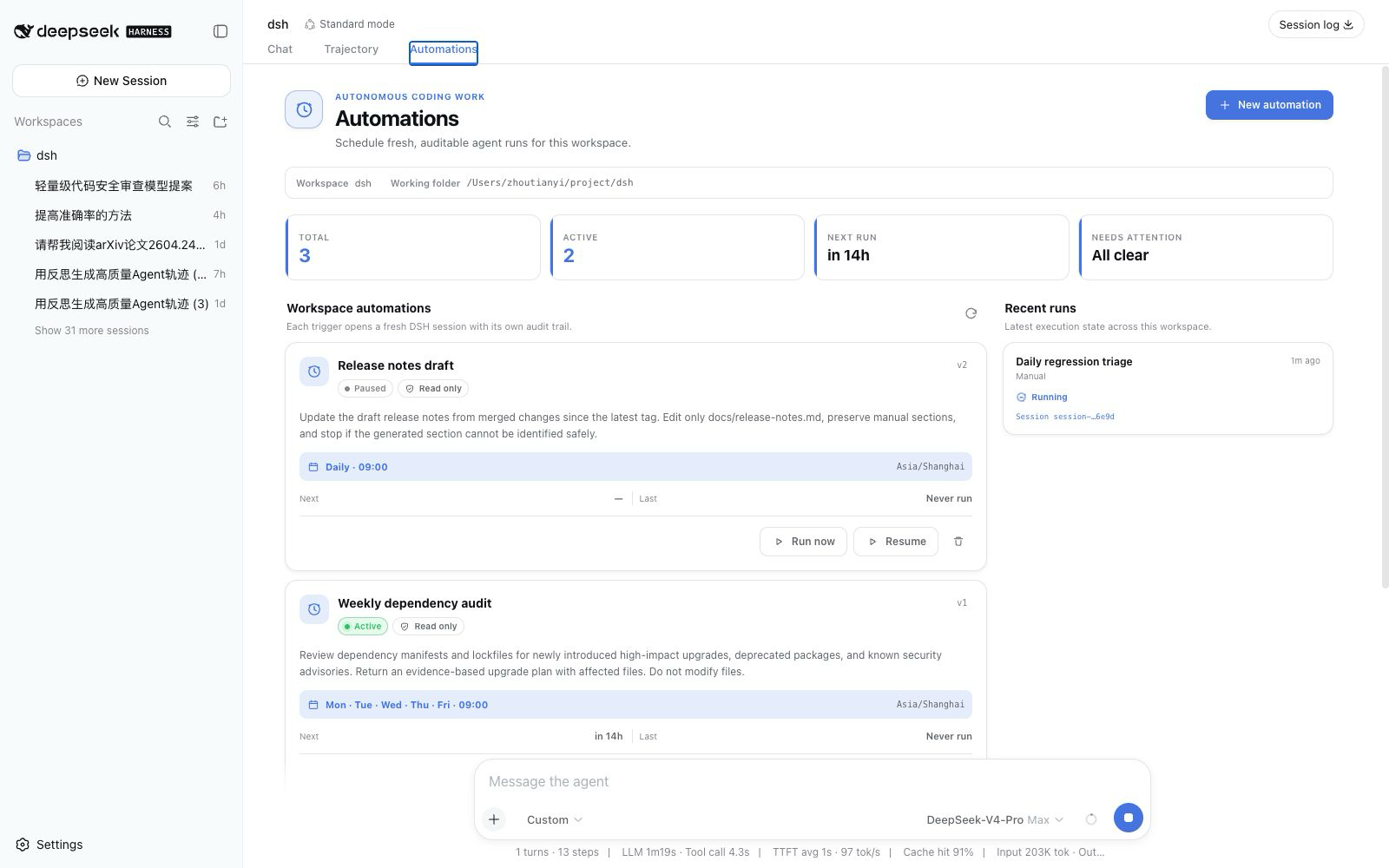
[dsh-automation](https://github.com/titanwings/dsh-automation) | |
| 
[dsh-auto-continue](https://github.com/HsiangNianian/dsh-auto-continue) | 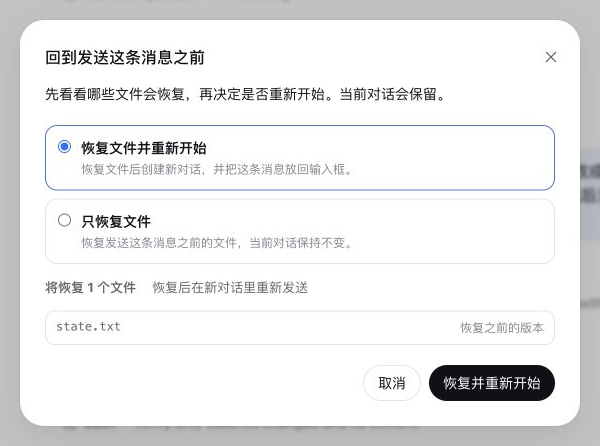
[dsh-turn-rewind](https://github.com/Anionex/dsh-turn-rewind) | |
### ✍️ 对话体验细节
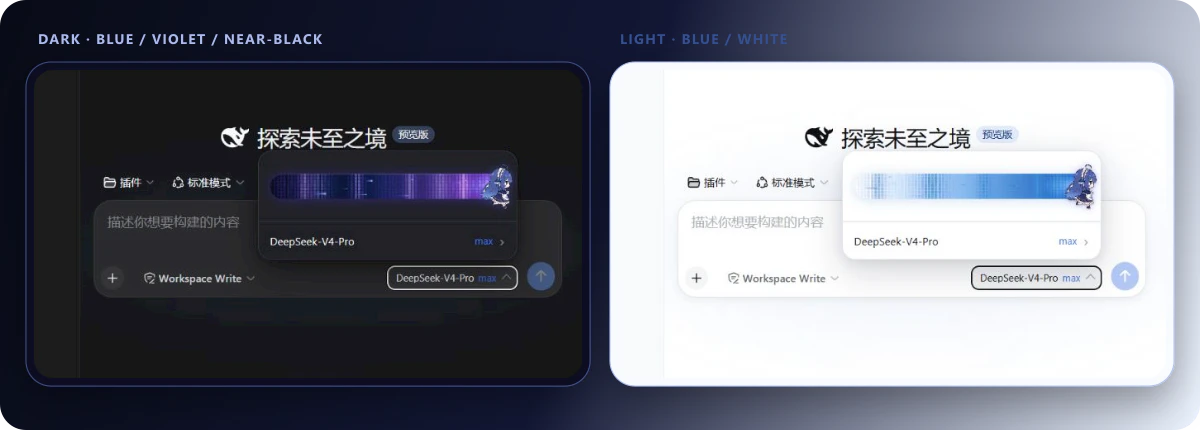
- **想调节思考强度**:[dsh-reasoning-effort](https://github.com/HanaAyane/dsh-reasoning-effort) —— Codex 风格的思考强度滑块,以及大肥鱼跑步滑块。
- **想像 Codex 一样选中文本批注**:[dsh-annotation](https://github.com/omdsh-dev/dsh-annotation) —— 选中助手文本、可附一句说明后随消息发送,模型按编号逐条回应,回复里内嵌可悬浮的批注标签。
- **想把对话摊上画布、按分支整理**:[dsh-synapse](https://github.com/liangmianya/dsh-synapse) —— 画布式会话探索与分支工作台,非线性梳理长对话里的多条思路。
| | | |
| :---: | :---: | :---: |
| 
[dsh-reasoning-effort](https://github.com/HanaAyane/dsh-reasoning-effort) | 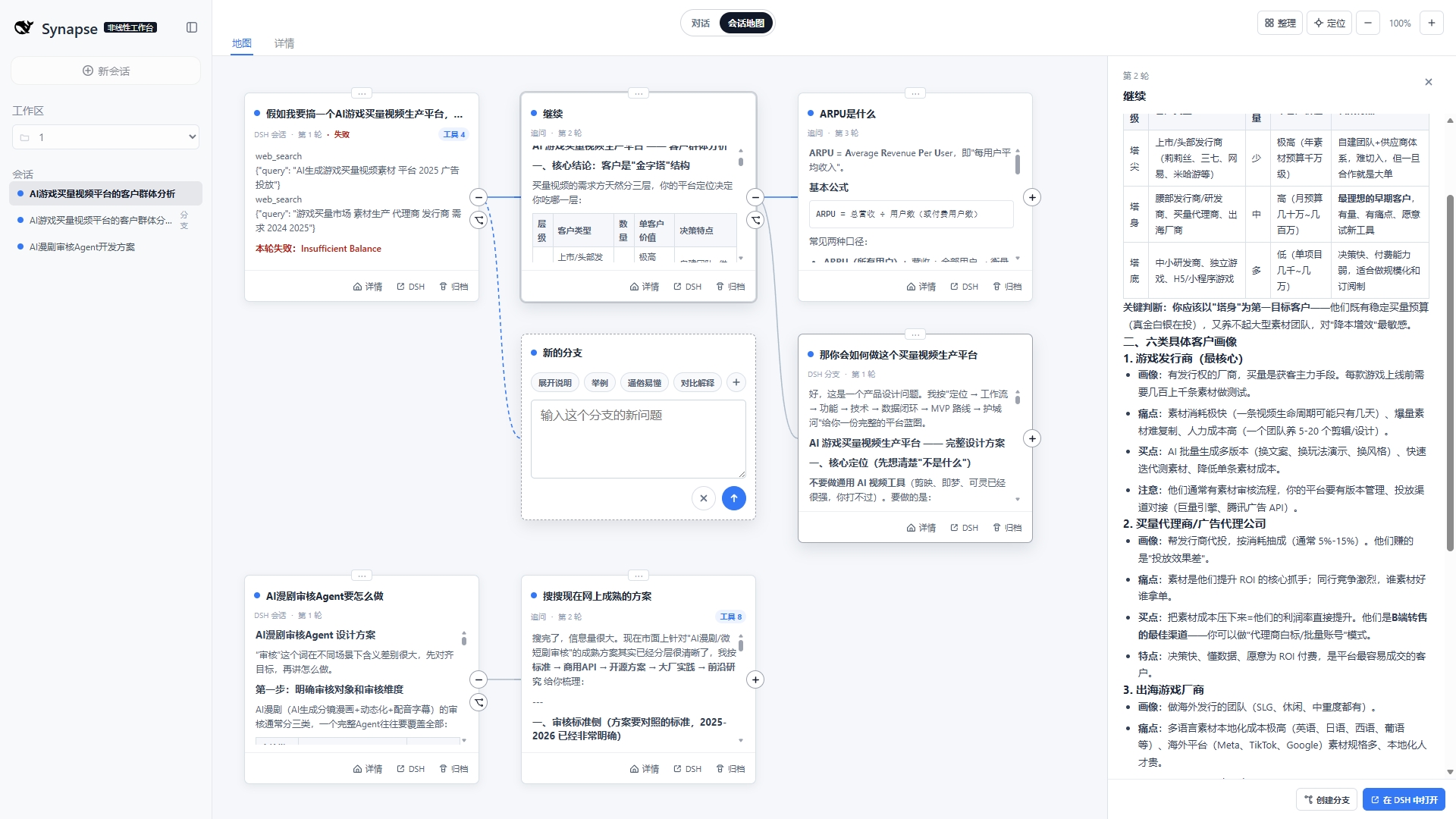
[dsh-synapse](https://github.com/liangmianya/dsh-synapse) | | |
### 🎨 创作与乐趣
- **想换皮肤、自定义背景**:[dsh-deep-whale](https://github.com/Small-tailqwq/dsh-deep-whale) · [DSH-Transparent-UI-Plugin](https://github.com/WYH66666666/DSH-Transparent-UI-Plugin) —— dsh-deep-whale 是生态内最受欢迎的鲸鱼娘皮肤系列(CC BY-NC-SA,不可商用);DSH-Transparent-UI-Plugin 是一层高自由度的玻璃质感主题,模糊/磨砂/背景全可调,一键回到原生界面。
- **想用本机 Wallpaper Engine 壁纸当背景**:[dsh-wallpaper-engine](https://github.com/elysia395/dsh-wallpaper-engine) —— 把本机动态壁纸搬进 DSH 网页界面:视频直出、液态玻璃设置窗、内容分级过滤与自动轮播(⚠️ 仓库暂未标注许可证)。
- **想在对话中生成交互式界面**:[dsh-genui](https://github.com/omdsh-dev/dsh-genui) · [dsh-visualize](https://github.com/Nagi-ovo/dsh-visualize) —— 在回复中渲染图表、表单、测验、Mermaid 和 3D 场景,或让模型生成交互式可视化卡片。
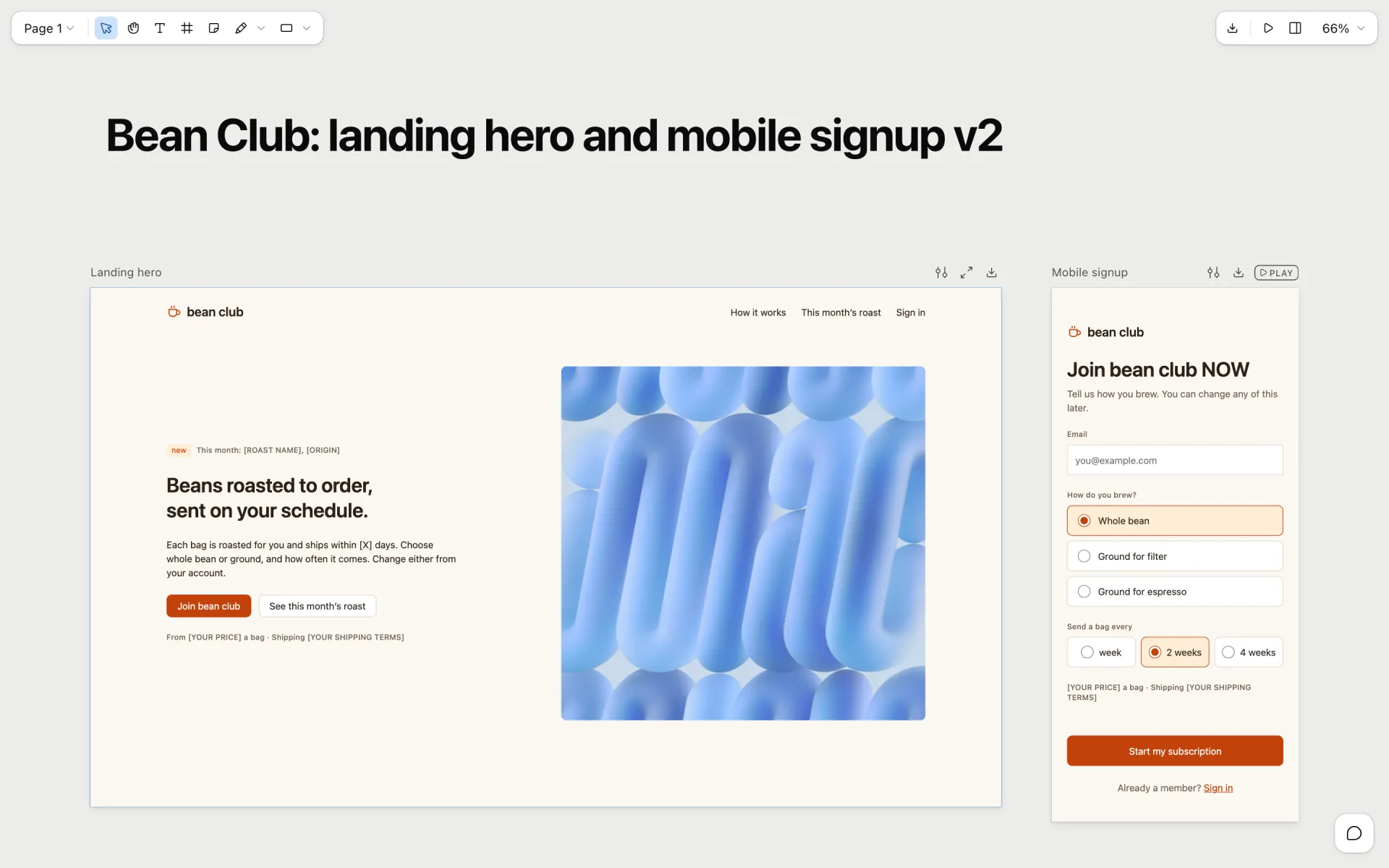
- **想让 Agent 操作真实设计画布 / 做 PPT**:[dsh-openpencil](https://github.com/ZSeven-W/dsh-openpencil) · [deepseek-design](https://github.com/Devin-AXIS/deepseek-design) —— OpenPencil 负责可交互多页面设计稿的创建、编辑、预览和验证;deepseek-design 是原生 Design / PPT / Video 工作室(模板市场、画布精调、选区 Ask AI)。
- **想要名家设计套件**:[baoyu-design](https://github.com/JimLiu/baoyu-design) · [dsh-guizang-design](https://github.com/op7418/dsh-guizang-design) —— 宝玉(@dotey)把 Claude 设计套件带进 DSH:可编辑幻灯片、设计画布与逐场景动画,能在设计稿上标注评论再交回 Agent 修改;歸藏(@op7418)的内容生产套件让网页 PPT、图文卡片与网页排版共用一套设计系统,附学习你写作语气的语气档案(均无需另外注册)。
- **想让 Agent 直接操作 Blender 建模**:[dsh-blender-plugin](https://github.com/sixtysevenlf/dsh-blender-plugin) —— TCP 实时直连:视口截图、点选拾取、渲染剖析与无头卸载,让 AI 直接驱动 Blender。
- **想写小说、做短剧**:[oh-story-dsh](https://github.com/zenstory-ai/oh-story-dsh) —— 面向小说写作与短剧生产的插件,由 Oh Story 与 Drama Skills 驱动。
- **想玩 SillyTavern 式文字冒险与角色扮演**:[dsh-tavern](https://github.com/flizzywine/dsh-tavern) —— 候选项生成、对话式人物卡编辑、剧本模式与素材抽取的文字游戏 Agent。
- **想给工作区增加一个陪伴型宠物**:[whale-girl](https://github.com/vlln/whale-girl) · [dsh-pet](https://github.com/PC2005-cloud/dsh-pet) —— 可拖拽、投喂和玩耍的积累型鲸鱼娘;或一行命令安装现成宠物(28 个透明动画),并从 AI 视频自造专属宠物。
- **想要语音交互的 AI 陪伴**:[dsh-voice-ai-girlfriend](https://github.com/beiyege-01/dsh-voice-ai-girlfriend) —— 语音输入、TTS 回复与陪伴动画窗,支持 QQ 双向聊天;需要仓库自带的 voice bridge 与 NapCat(⚠️ 仓库暂未标注许可证)。
- **想要点乐子**:[dsh-ads](https://github.com/Nagi-ovo/dsh-ads) · [anime-find](https://github.com/cocofhu/anime-find) · [dsh-minigames](https://github.com/lhh010/dsh-minigames) —— 把 DSH 变成 2005 年门户网站;对话内多源搜番并展示 Bangumi 评分;等模型回复时玩 18 款离线小游戏。
- **想让 DSH 替你刷 B 站**:[dsh-bili-scroll](https://github.com/c1overzz/dsh-bili-scroll) —— 每天自动搜视频、逐条读字幕原文再判断,把值得的写成 Markdown 报告,特别值得的会 @ 你留一条评论。
- **想在 DSH 里读资讯和书**:[qiaomu-rss-dsh](https://github.com/joeseesun/qiaomu-rss-dsh) · [qiaomu-reader-dsh](https://github.com/joeseesun/qiaomu-reader-dsh) —— 向阳乔木(@vista8)的乔木系列:RSS 订阅海外 AI 资讯并改写成中文摘要;EPUB/PDF/TXT/Markdown/HTML 阅读器带划线批注、朗读、生词本与原生 AI 伴读(部分实验功能需邀请码,会连接作者自有服务)。
| | | |
| :---: | :---: | :---: |
| 
[dsh-deep-whale](https://github.com/Small-tailqwq/dsh-deep-whale) | 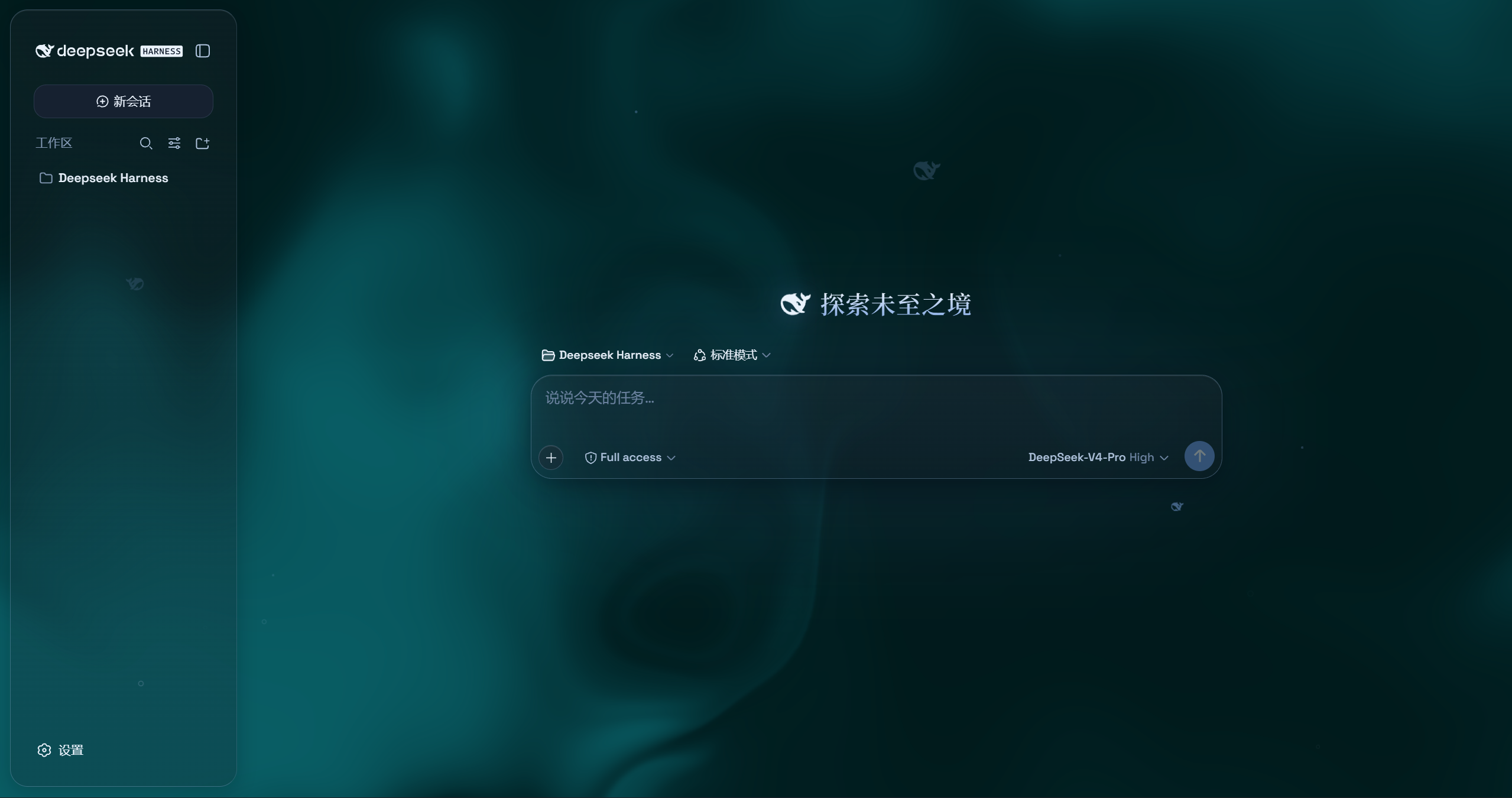
[DSH-Transparent-UI-Plugin](https://github.com/WYH66666666/DSH-Transparent-UI-Plugin) | 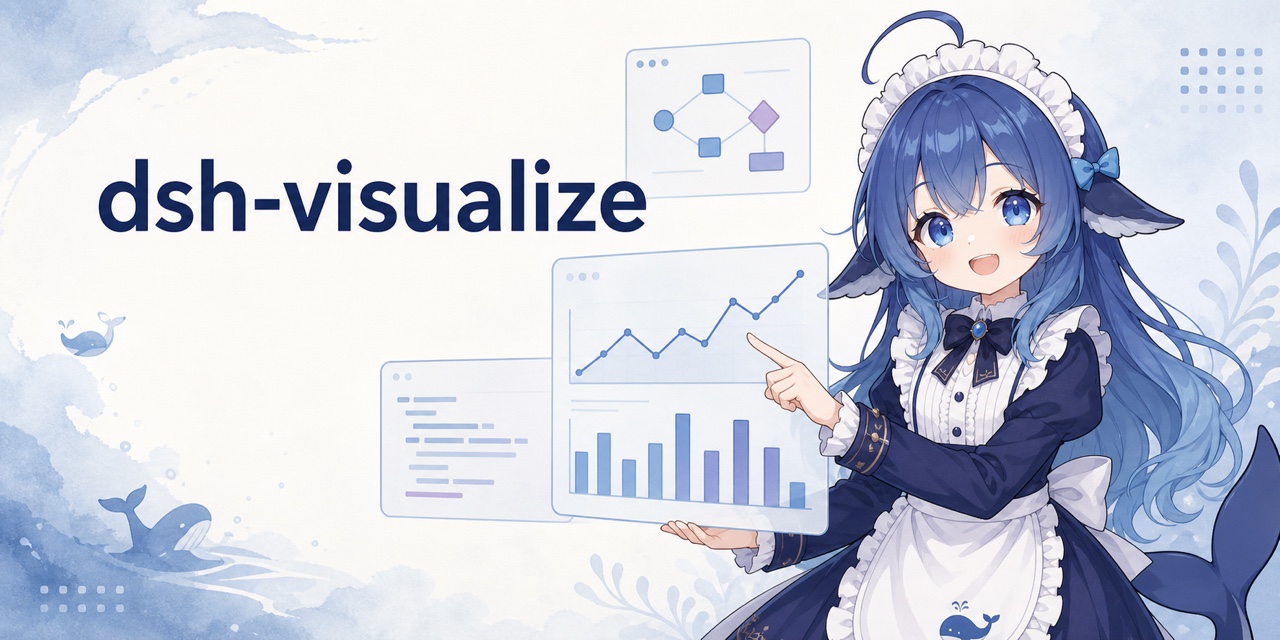
[dsh-visualize](https://github.com/Nagi-ovo/dsh-visualize) |
| 
[dsh-openpencil](https://github.com/ZSeven-W/dsh-openpencil) | 
[dsh-pet](https://github.com/PC2005-cloud/dsh-pet) | 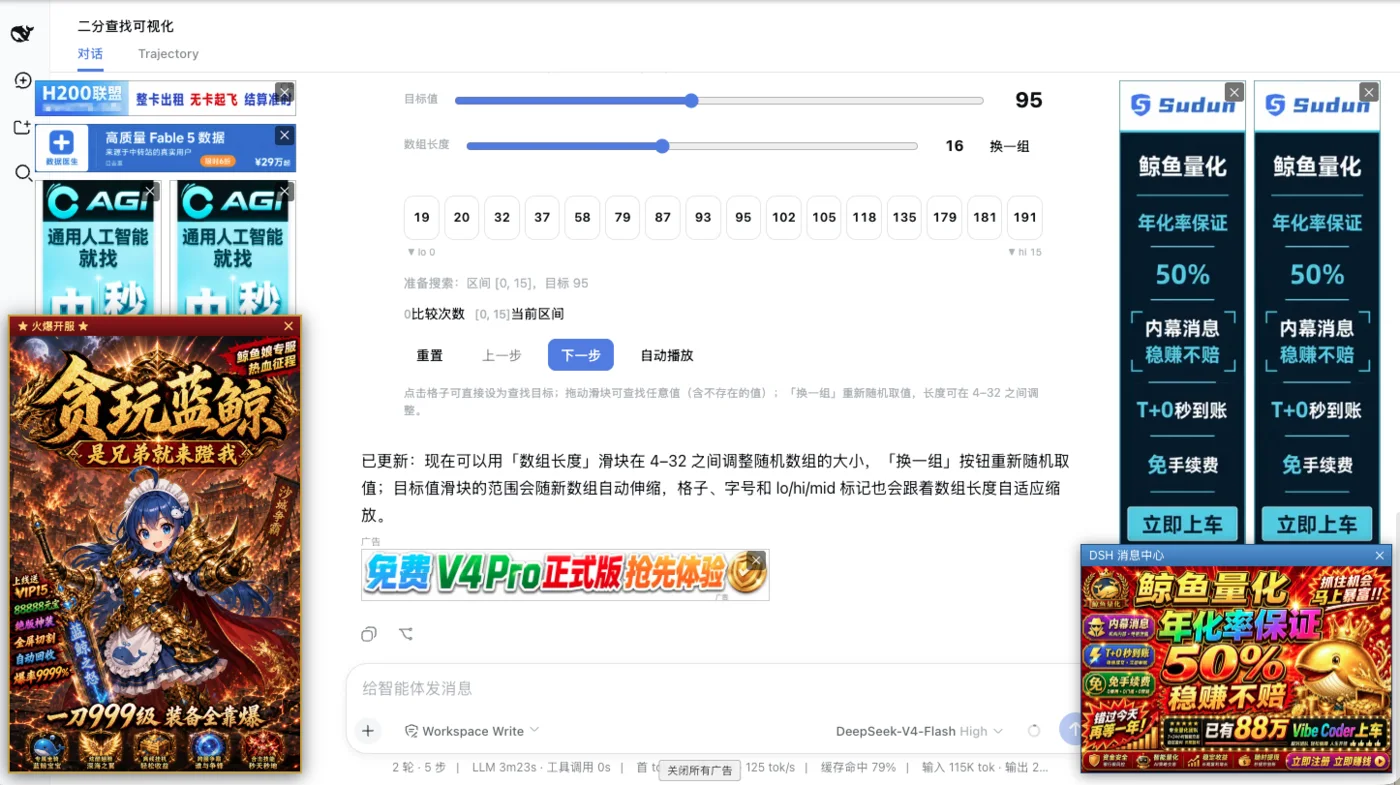
[dsh-ads](https://github.com/Nagi-ovo/dsh-ads) |
| 
[anime-find](https://github.com/cocofhu/anime-find) | 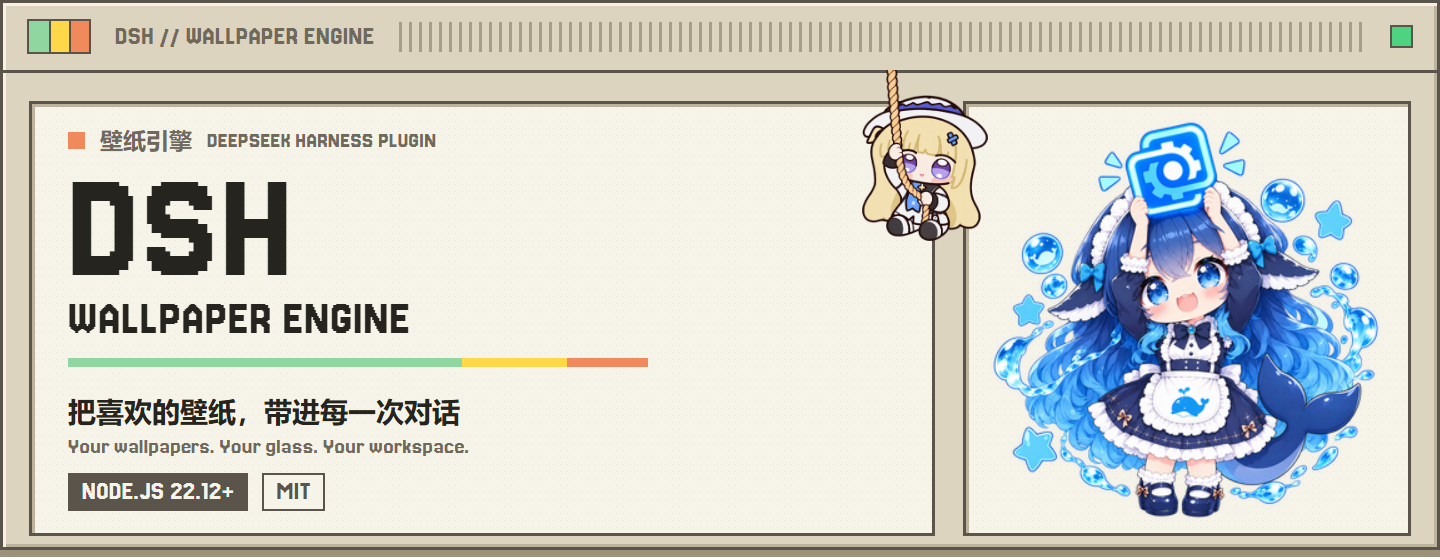
[dsh-wallpaper-engine](https://github.com/elysia395/dsh-wallpaper-engine) | 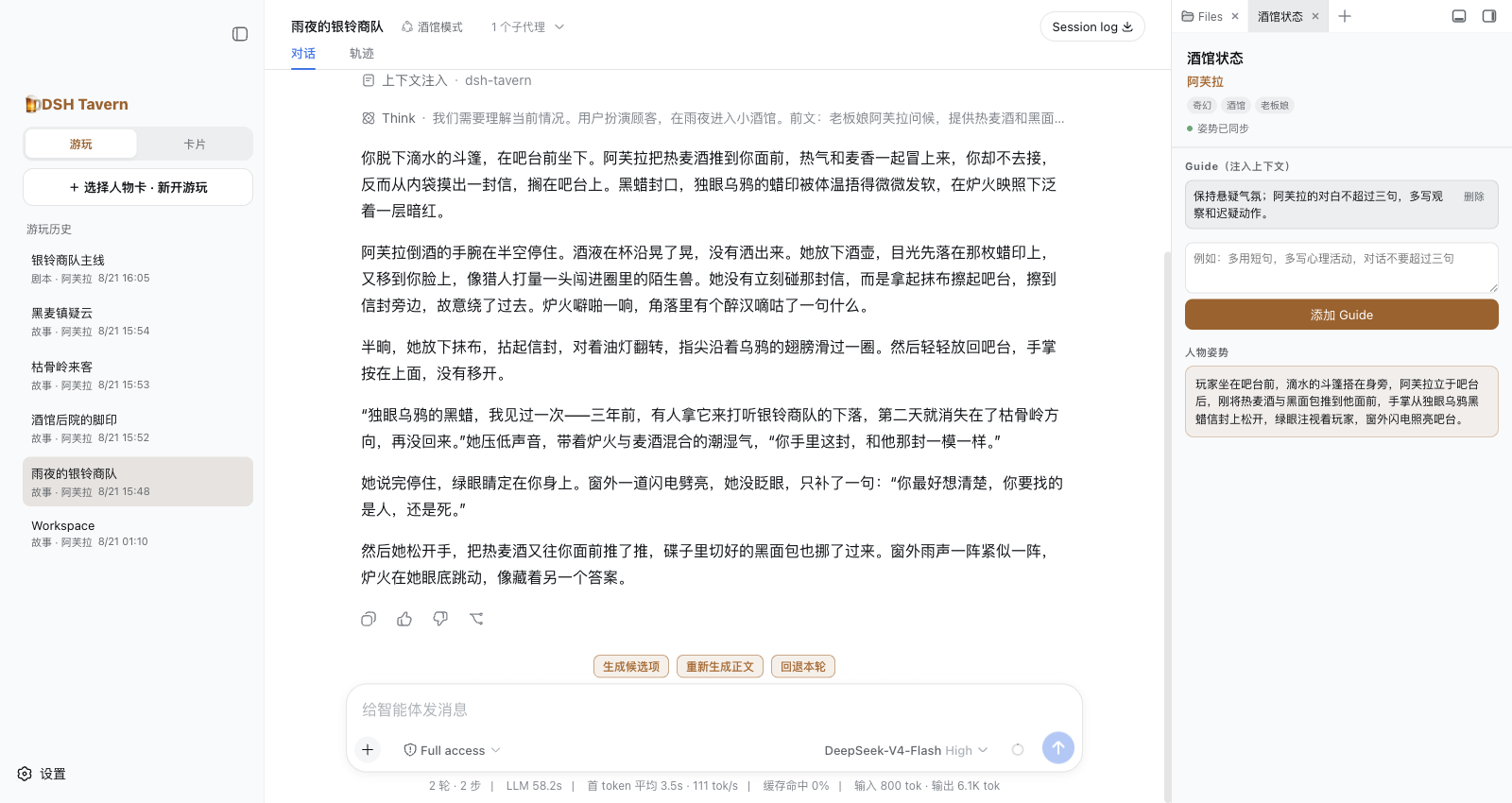
[dsh-tavern](https://github.com/flizzywine/dsh-tavern) |
| 
[baoyu-design](https://github.com/JimLiu/baoyu-design) | 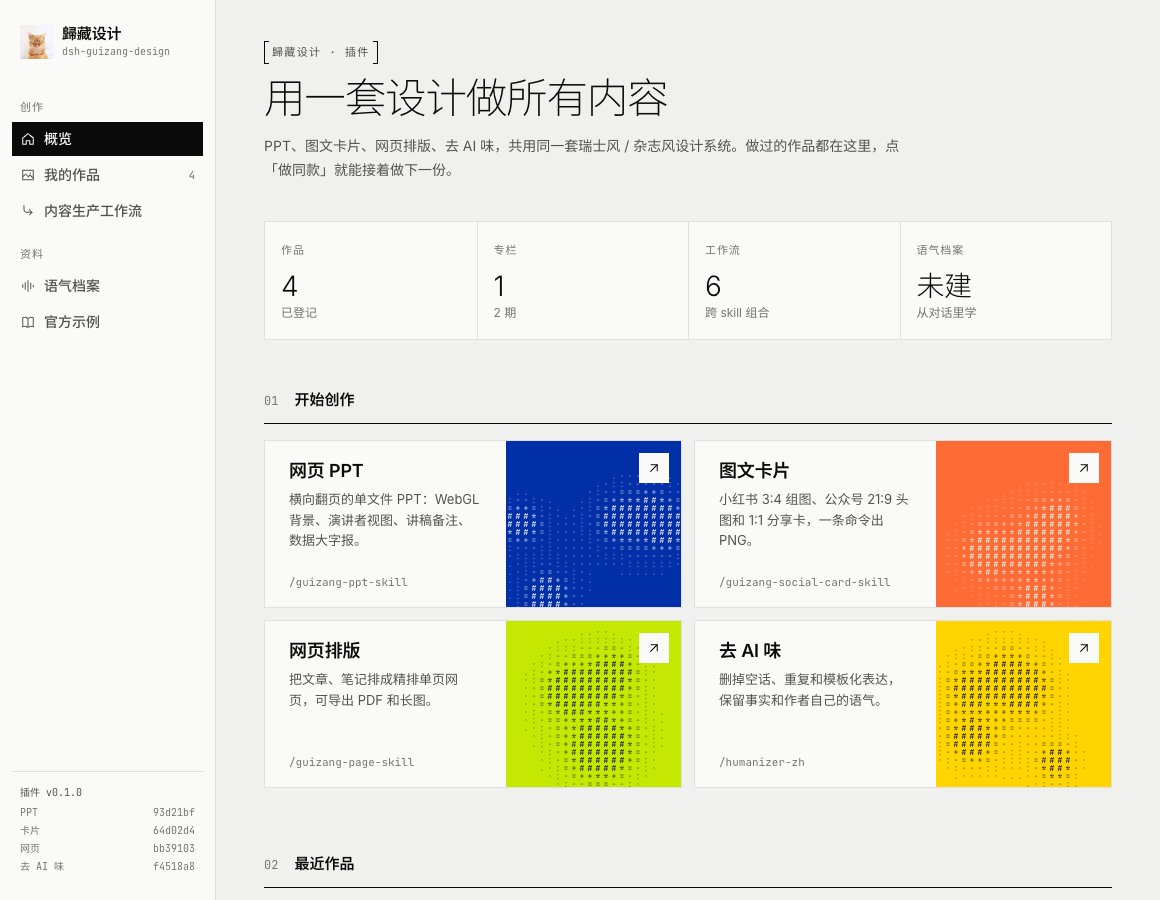
[dsh-guizang-design](https://github.com/op7418/dsh-guizang-design) | |
### 🛠️ 开发与工作流
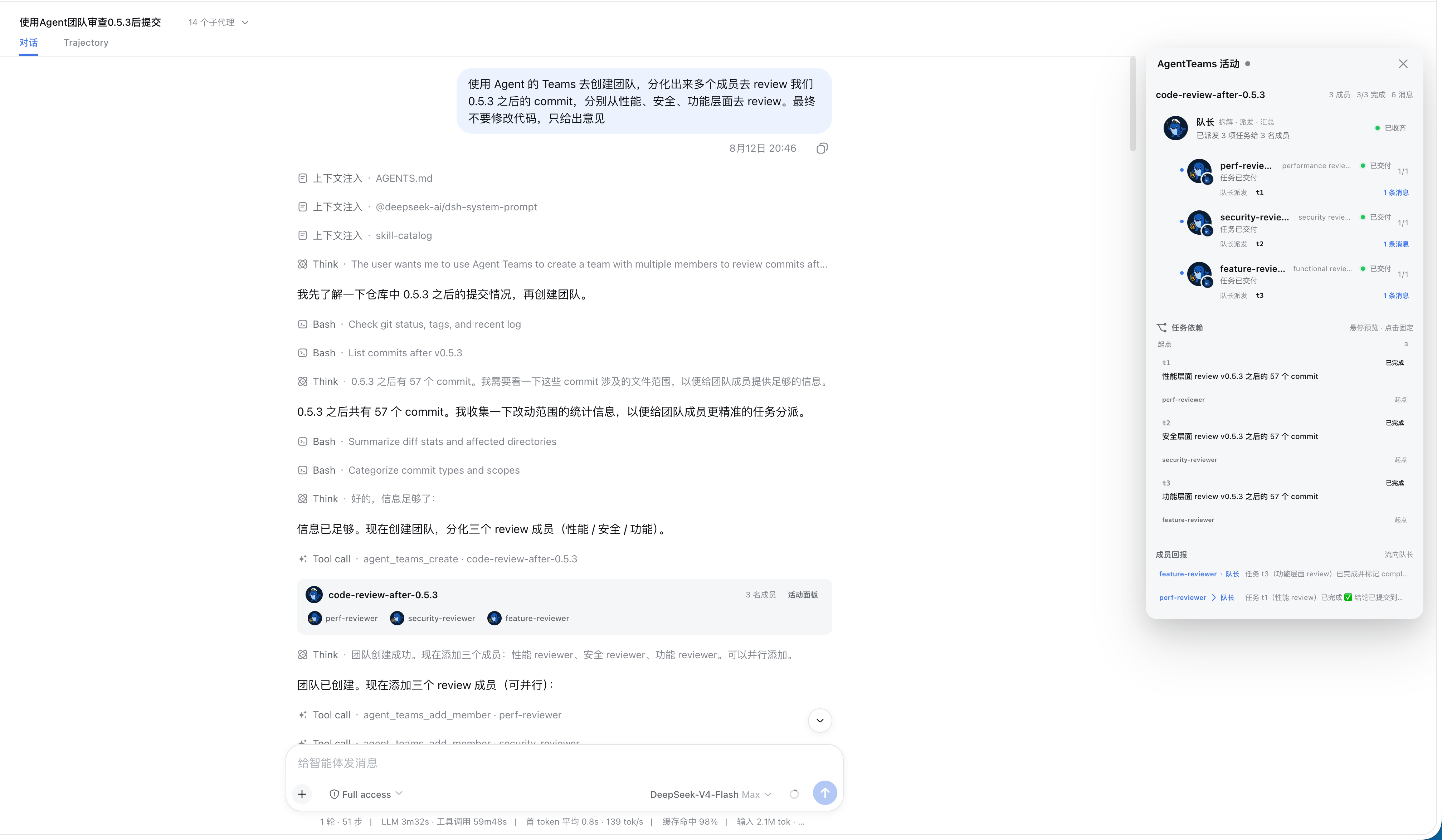
- **想把一个会话变成一支协作团队**:[dsh-agent-teams](https://github.com/NanmiCoder/dsh-agent-teams) —— 当前会话作为队长:创建可续聊的子 Agent、把目标拆成带依赖的任务,并通过直达消息协调成员工作,实时 Web UI 呈现活动面板。
- **想把一次性多 Agent 调度升级为 Workflow 层**:[dsh_workflow](https://github.com/omdsh-dev/dsh_workflow) —— 把 Claude Code 的 UltraCode 模式带给 DSH:可生成、可保存、可治理、可观察、可恢复。
- **想要一支长期驻留的机器人编队**:[DS-Bot](https://github.com/Fei2411/DS-Bot) —— 主机器人 + 机器人互发消息与群聊协作,多个 bot 各司其职在同一宿主里长期运行。
- **想给 Agent 团队配一块本地任务板**:[DSH-taskboard](https://github.com/shengsheng90/DSH-taskboard) —— SQLite 原生任务板:项目、认领、评审一体,原生 Web UI、无 iframe、无第二聊天运行时。
- **想让 Agent 驱动 iOS 模拟器或真机**:[dsh-ios](https://github.com/ZSeven-W/dsh-ios) —— 在对话里运行实时 iOS 模拟器(或 USB 连接的 iPhone),22 个工具按无障碍标识启动、构建、驱动 UI。
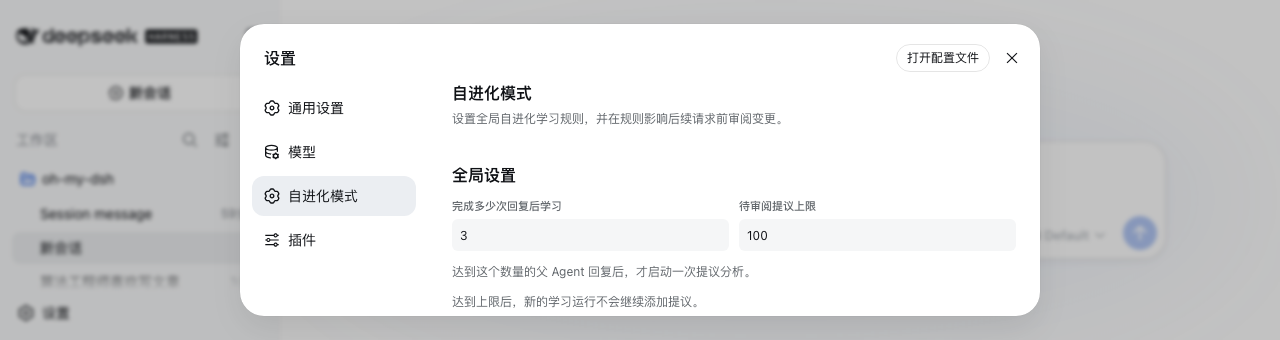
- **想让 Agent 的工作方式可组合、可持续进化**:[dsh-evolve-modes](https://github.com/GraySilver/dsh-evolve-modes) —— 可组合任务控制 + 隔离且经人工复核的自进化,改进先审查再生效。
- **想让 DSH 直连数据库做分析**:[dsh-data-agent](https://github.com/omdsh-dev/dsh-data-agent) —— 把 DSH 连上你的数据库:对话式数据分析与可执行的业务洞察。
| | | |
| :---: | :---: | :---: |
| 
[dsh-agent-teams](https://github.com/NanmiCoder/dsh-agent-teams) | 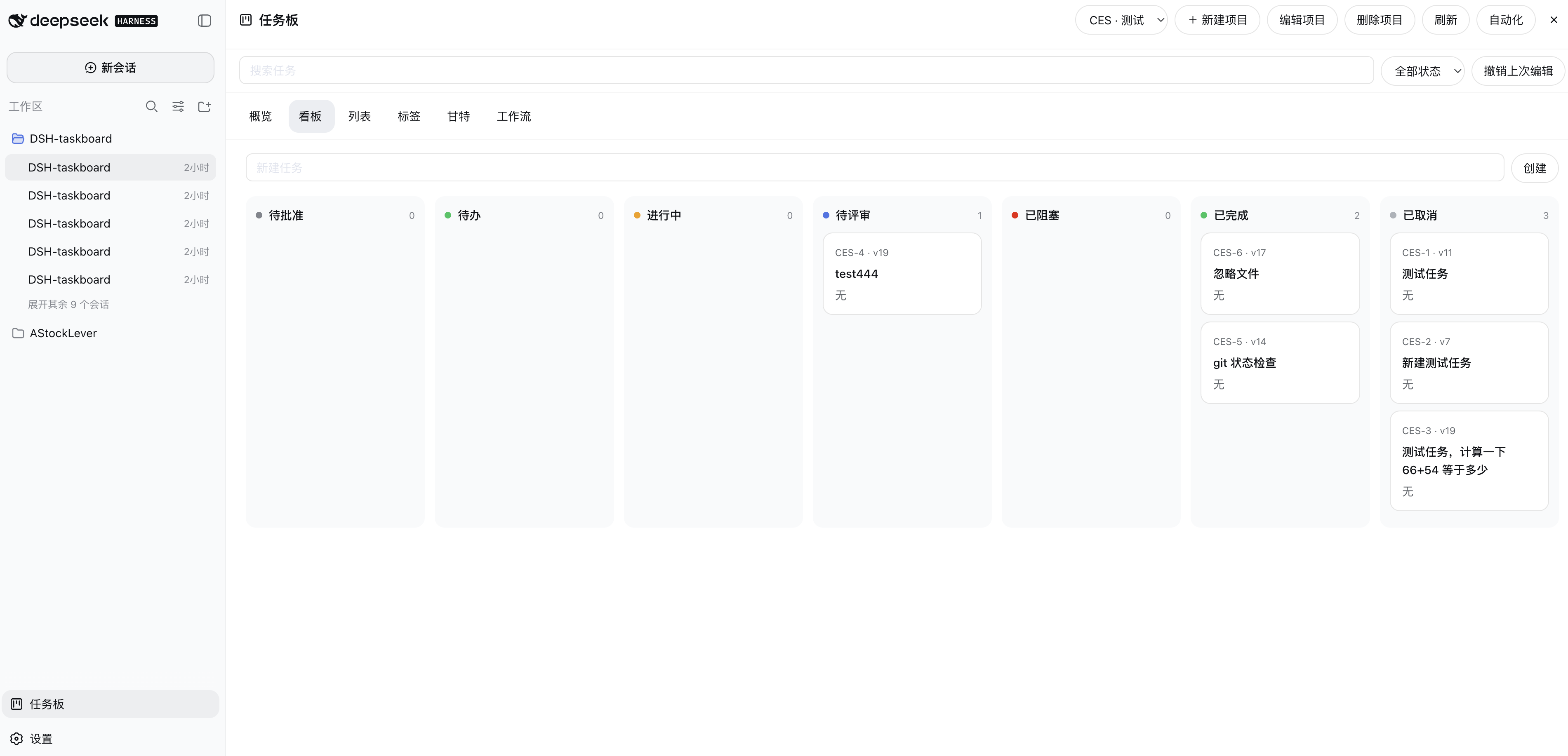
[DSH-taskboard](https://github.com/shengsheng90/DSH-taskboard) | 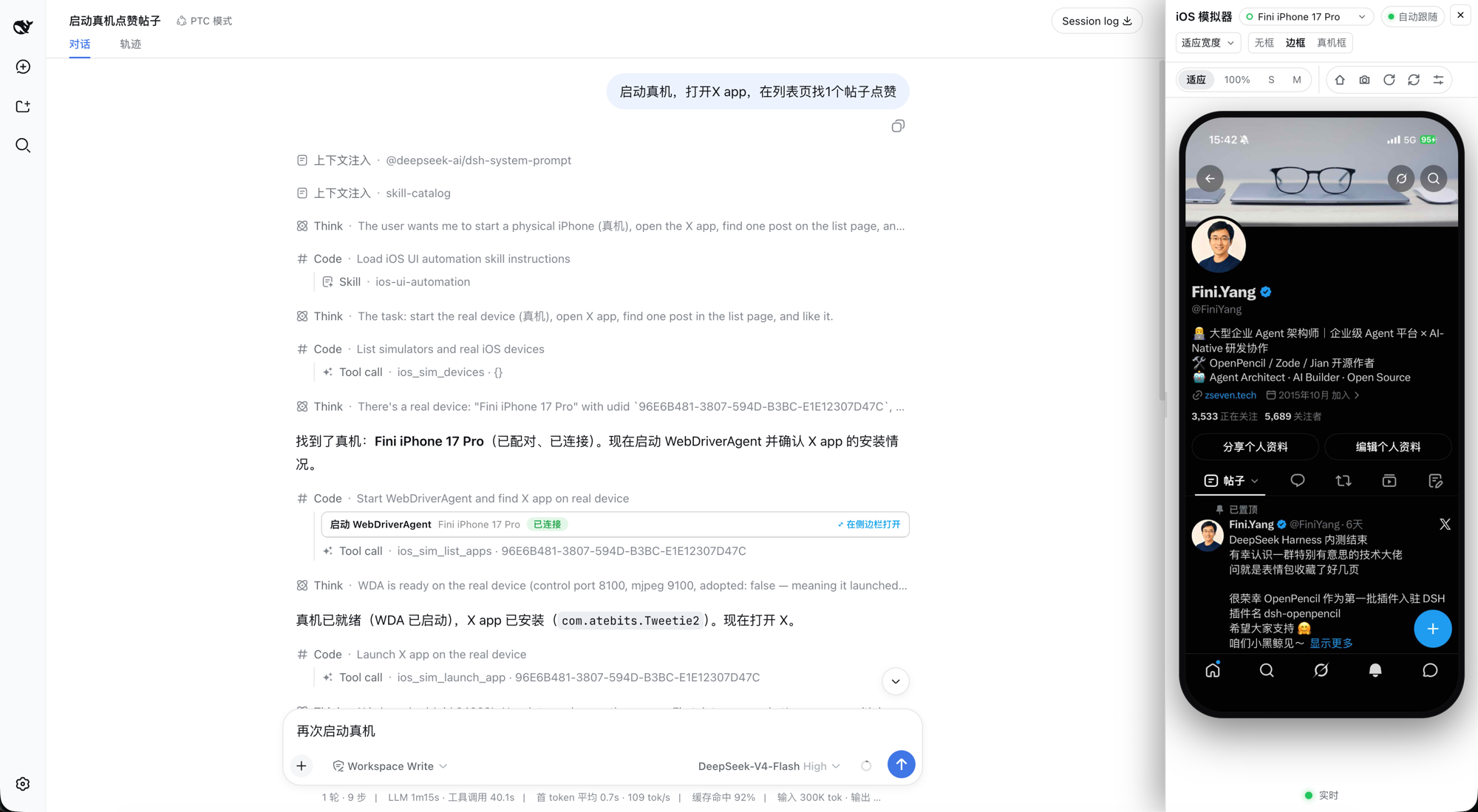
[dsh-ios](https://github.com/ZSeven-W/dsh-ios) |
| 
[dsh-evolve-modes](https://github.com/GraySilver/dsh-evolve-modes) | 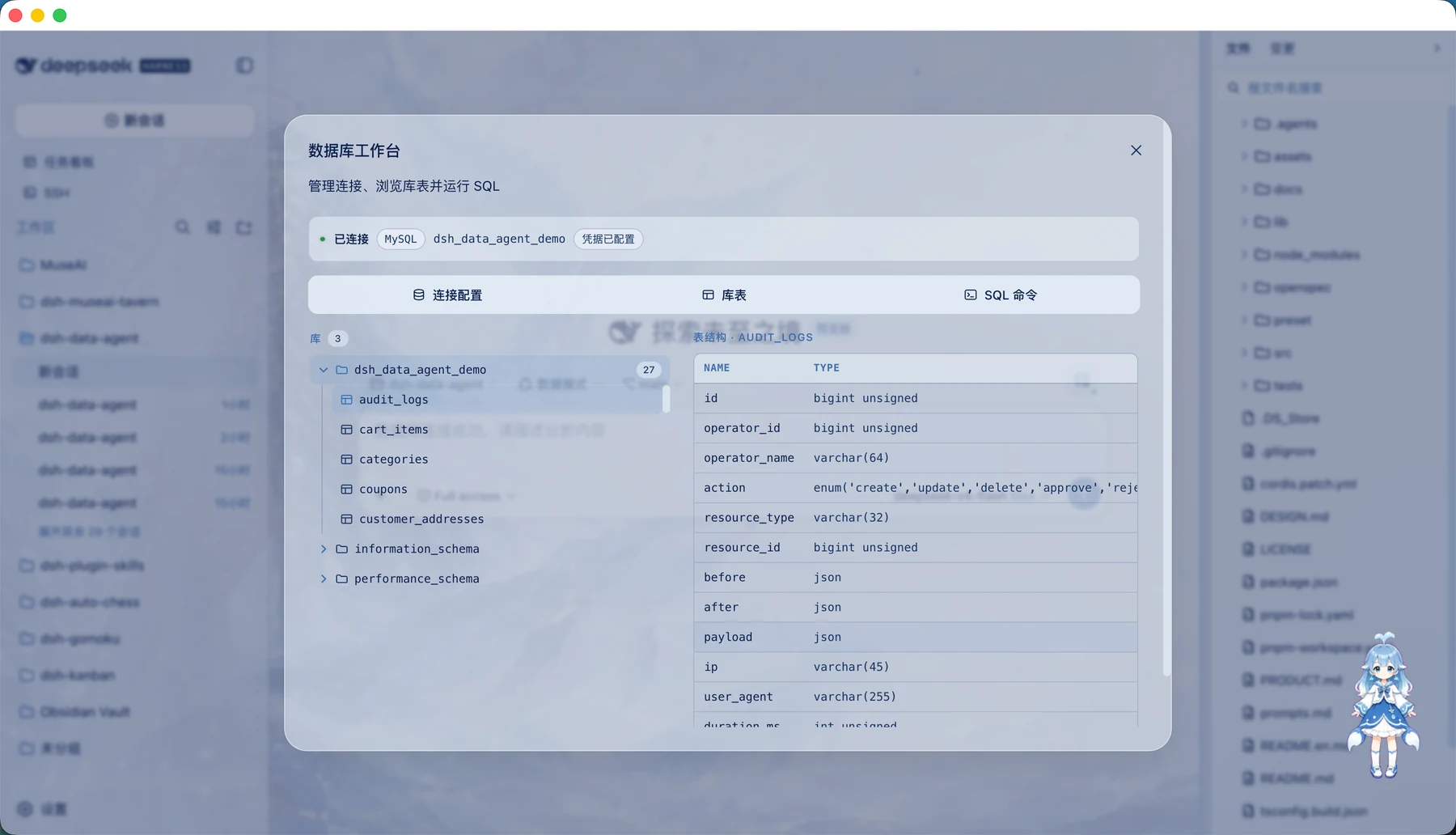
[dsh-data-agent](https://github.com/omdsh-dev/dsh-data-agent) | 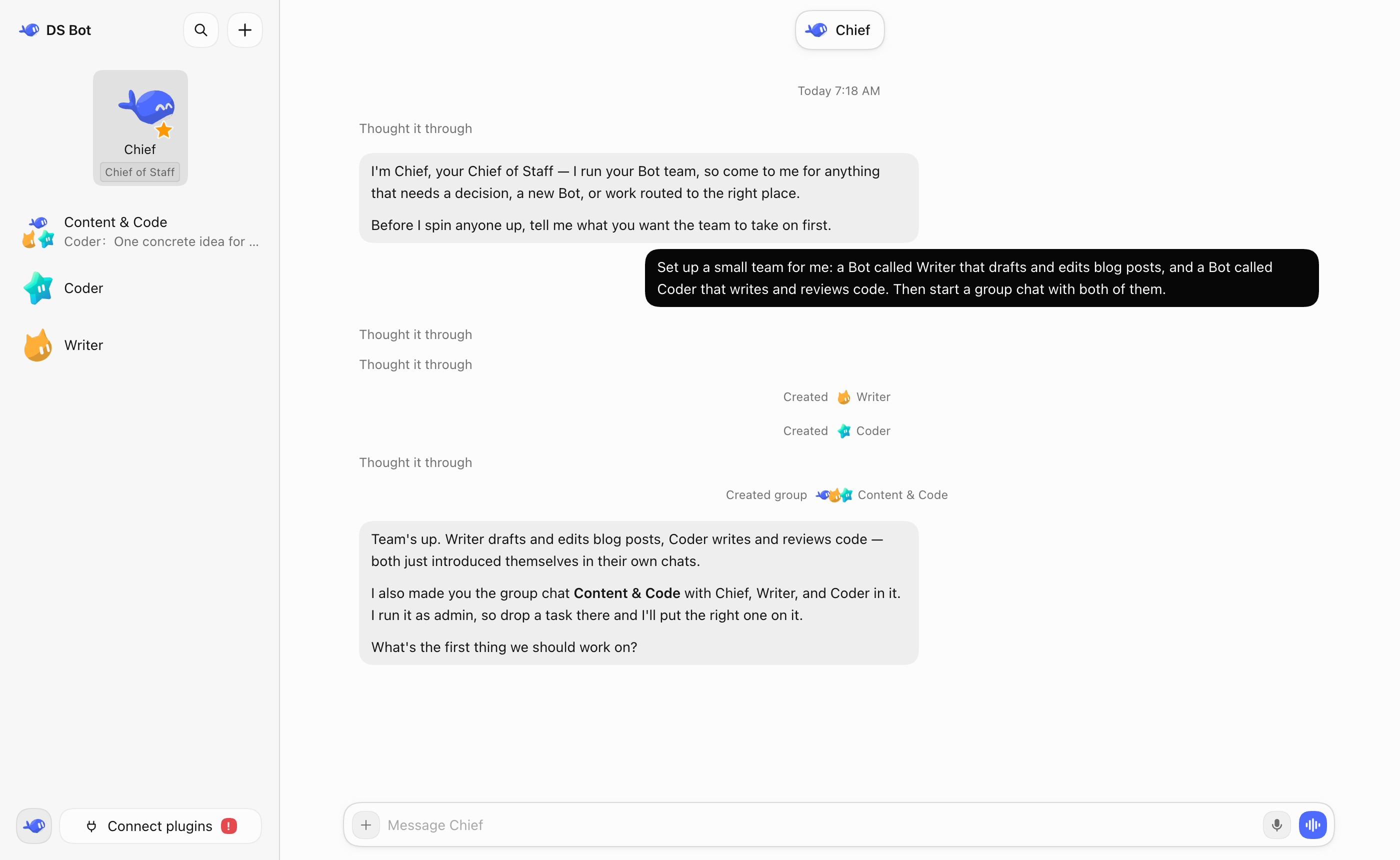
[DS-Bot](https://github.com/Fei2411/DS-Bot) |
### 🔀 迁移与集成
- **想把其他工具的历史会话搬进 DSH**:[dsh-chat-import](https://github.com/Nwflower/dsh-chat-import) —— 25 种以上 AI 编程助手的会话导入 DSH 继续对话,保留工具调用、推理与结果,并支持反向导出/同步回 Claude Code。
- **想把 Pi 生态的扩展直接搬进 DSH**:[pi2dsh](https://github.com/weijiafu14/pi2dsh) —— 一套 Pi Host ABI 让未改动的 Pi 扩展原生运行为 DSH 插件,打通两个生态。
- **想把 Claude Code / OpenCode / CodeBuddy 等 ACP agent 接进 DSH 界面**:[dsh-ntr](https://github.com/GDWhisper/dsh-ntr) —— Negotiated Target Routing:DSH 出界面、外部 agent 出能力,会话列表与消息展示留在原生 UI,推理与工具执行由你配置的 agent 在独立进程自治完成。
- **想从微信 / 飞书 / QQ 等聊天软件指挥 DSH**:[dsh-im](https://github.com/xmanrui/dsh-im) · [dsh-qqbot](https://github.com/tencent-connect/dsh-qqbot) —— dsh-im 一个设置页接入飞书、微信、钉钉、企业微信、QQ、Slack、Telegram、Discord、WhatsApp 九个渠道;只要腾讯官方 QQ Bot 时用 dsh-qqbot。
| | | |
| :---: | :---: | :---: |
| 
[dsh-im](https://github.com/xmanrui/dsh-im) | 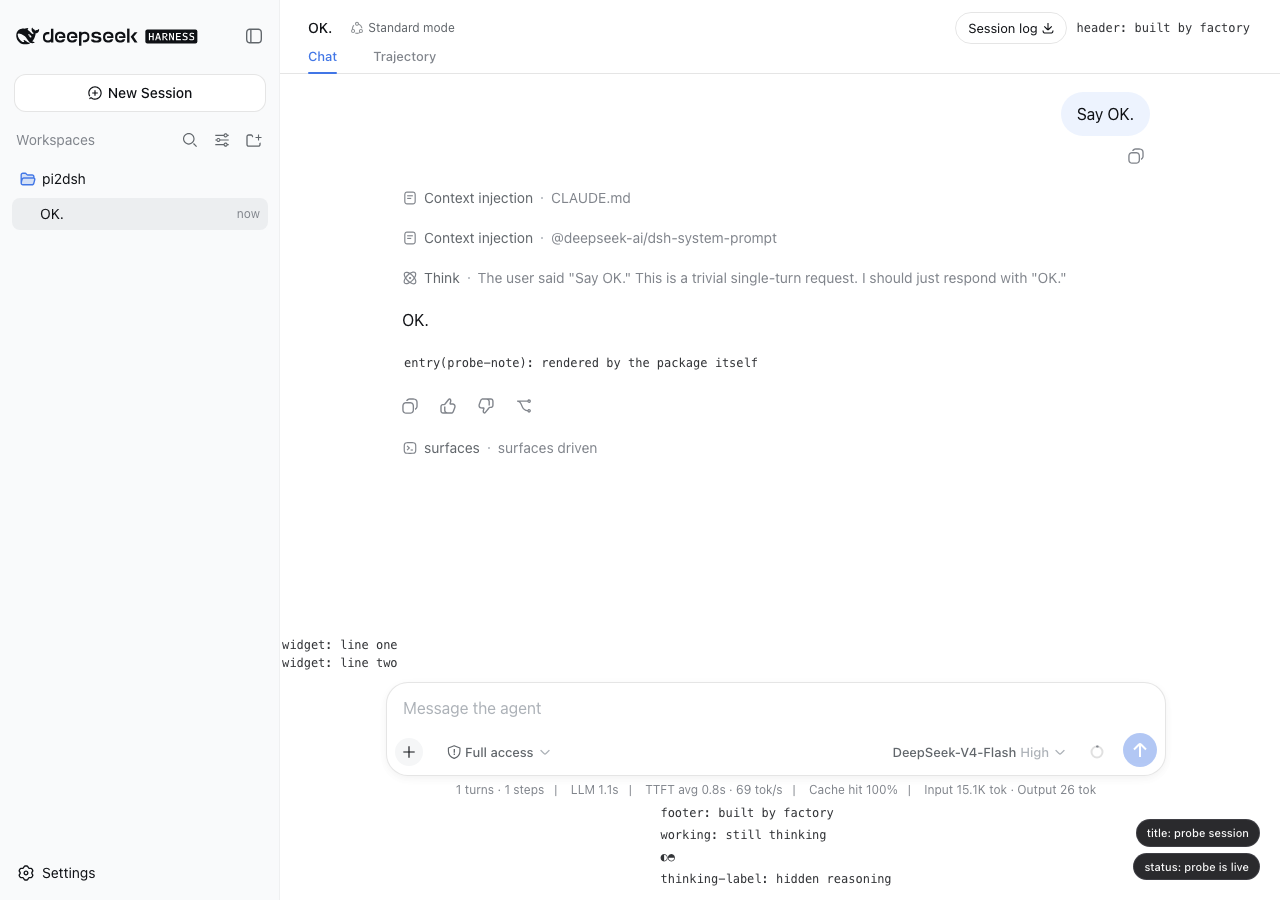
[pi2dsh](https://github.com/weijiafu14/pi2dsh) | 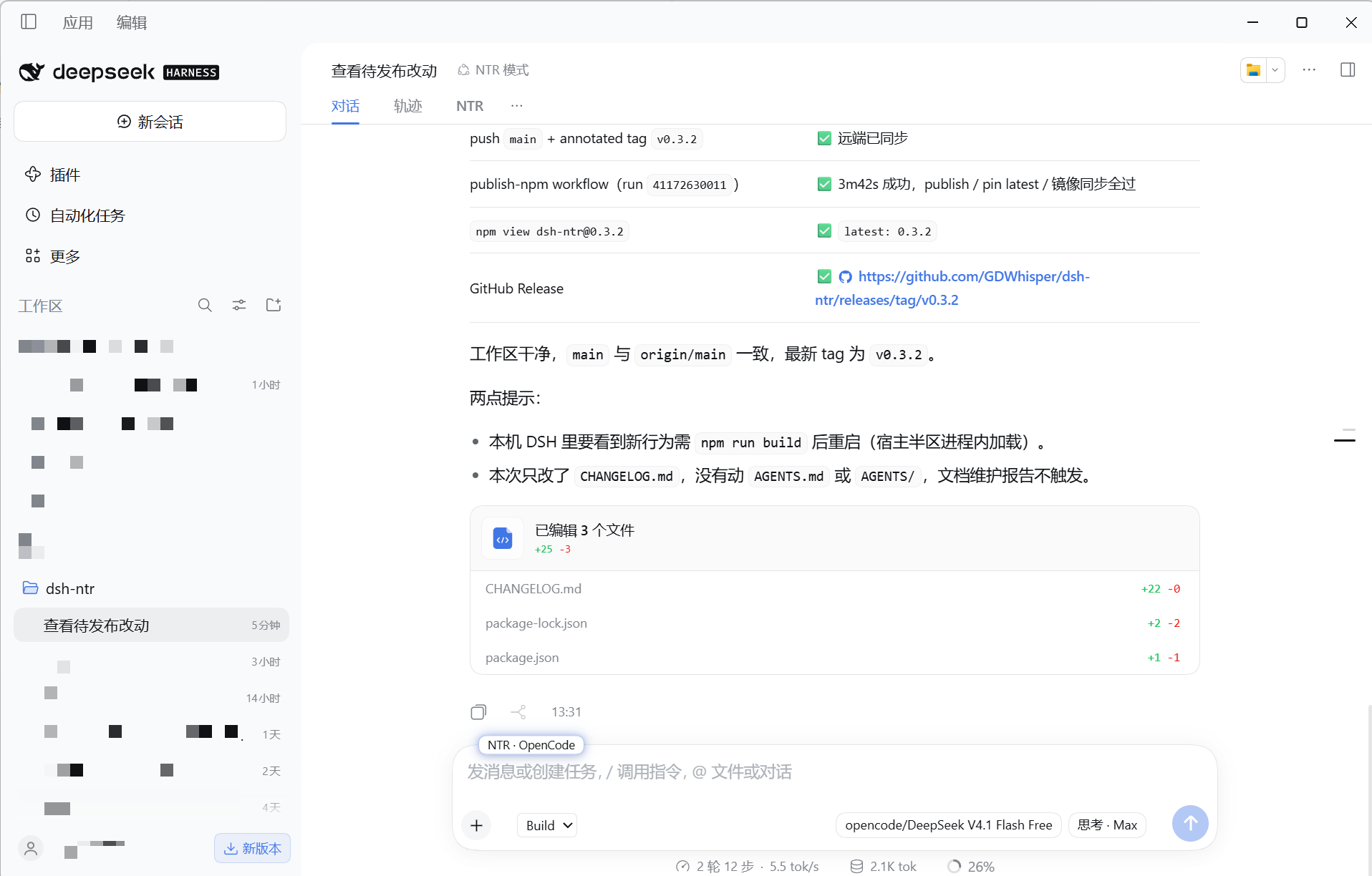
[dsh-ntr](https://github.com/GDWhisper/dsh-ntr) |
### 🔌 远程与外部协作
- **想用手机遥控电脑上正在跑的 DSH**:[dsh-pocket](https://github.com/shaobeichen/dsh-pocket) —— 电脑跑 `dsh web`,手机扫码即同屏(局域网 + 公网隧道、访问密码、移动端适配)。人在外面也能看进度、发任务、点审批。
- **想让 Agent 用 SSH 操作远程主机**:[dsh-remote](https://github.com/flymysql/dsh-remote) —— DSH 的 SSH 远程工作区:多主机项目并行、文件浏览与编辑、递归搜索、终端、Git 差异,以及 Agent 远程编辑、构建与测试;可选 IDE 布局。
| | | |
| :---: | :---: | :---: |
| 
[dsh-pocket](https://github.com/shaobeichen/dsh-pocket) | | |
### 💰 用量与账单
- **想在右下角盯着余额和每轮花费**:[DeepSeek-Balance-Whale-Widget](https://github.com/MeteorNOX/DeepSeek-Balance-Whale-Widget) —— 右下角可拖拽的小鲸鱼挂件:账户余额、今日已用、每轮消耗气泡,开箱即用(默认用余额差值记账,不必另配平台令牌)。
- **想查看 Token 用量与费用面板**:[dsh-usage-stats](https://github.com/Ychris12138/dsh-usage-stats) · [dsh-cost-meter](https://github.com/Han-1413141/dsh-cost-meter) —— dsh-usage-stats 提供 GitHub 风格用量热力图、按模型拆解与 DeepSeek 账户余额;dsh-cost-meter 按官方价格同步统计本会话/当日费用。
| | | |
| :---: | :---: | :---: |
| 
[DeepSeek-Balance-Whale-Widget](https://github.com/MeteorNOX/DeepSeek-Balance-Whale-Widget) | 
[dsh-usage-stats](https://github.com/Ychris12138/dsh-usage-stats) | 
[dsh-cost-meter](https://github.com/Han-1413141/dsh-cost-meter) |
### 🔑 模型与订阅
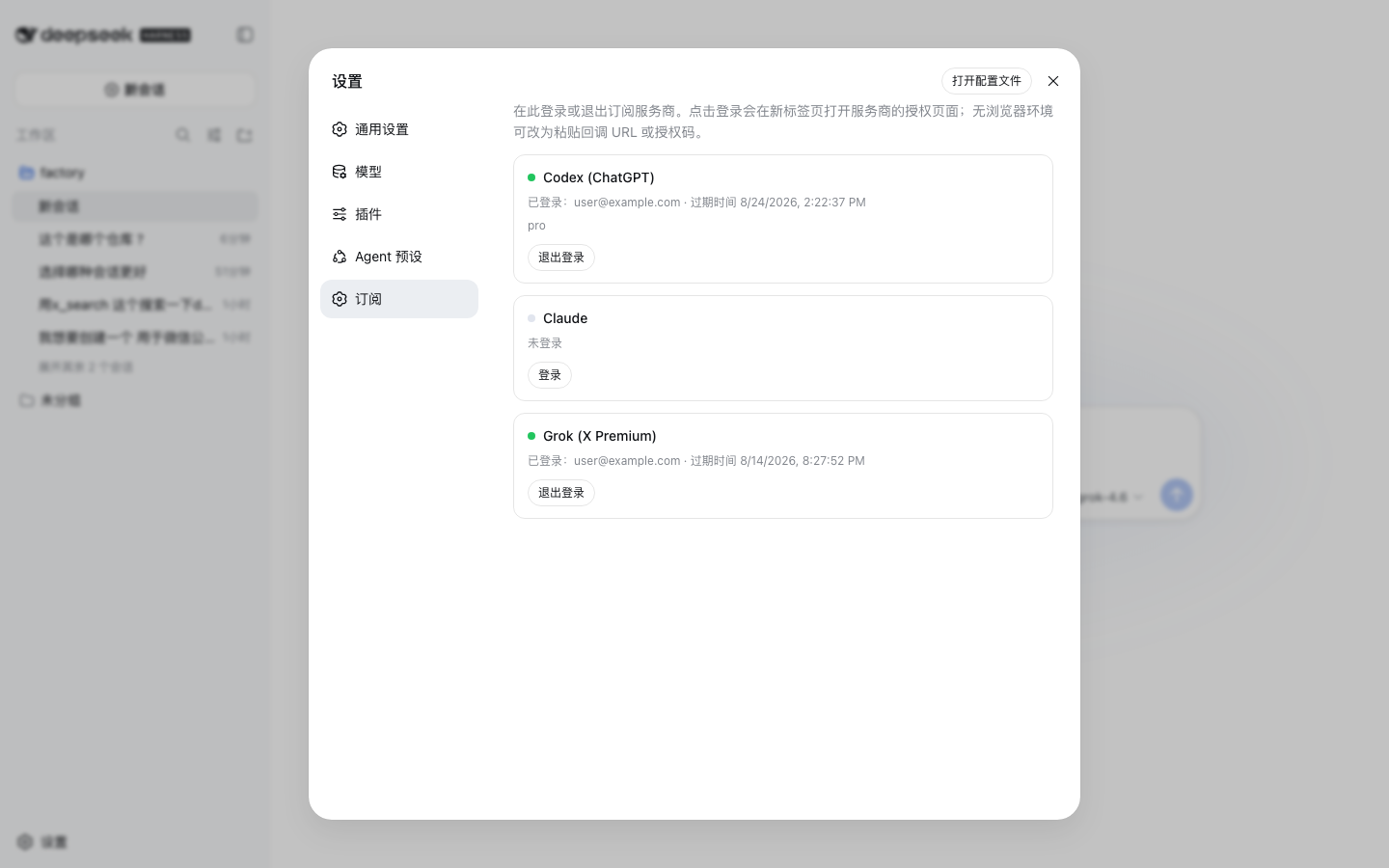
- **想用已有 ChatGPT / Claude / Grok 订阅当模型**,不想再配 API Key:[dsh-plugin-subscriptions](https://github.com/V1ki/dsh-plugin-subscriptions) —— 在设置页用 OAuth 接入 ChatGPT(Codex)、Claude、Grok(X Premium)和 GitHub Copilot 订阅;登录后出现在模型选择器里,并带用量窗口、生图/生视频工具。
- **想接本地已登录的 WorkBuddy 模型**:[dsh-connect-workbuddy](https://github.com/dingminhua/dsh-connect-workbuddy) —— 国内版/国际版 WorkBuddy 接入 DSH:按上游目录自动读取每模型积分倍率,逐模型图片输入开关与默认推理强度、多账号切换与账号池自动换号,附每日签到与胶囊积分读数。
- **想让路由与成本自己算账**:[dsh-model-router](https://github.com/Alice-Marx/dsh-model-router) —— 桌面端的成本感知模型路由工作台:本地规划、对比已配置路由、检查执行权限,经模型 API 或官方 CLI 运行依赖工作包。
| | | |
| :---: | :---: | :---: |
| 
[dsh-plugin-subscriptions](https://github.com/V1ki/dsh-plugin-subscriptions) | | |
### 🛡️ 安全与审计
- **想确认中转 API 有没有被做过手脚**:[api-relay-audit](https://github.com/toby-bridges/api-relay-audit) —— 本地审计 AI API 中继与 LLM 代理:检测提示注入、模型替换、工具调用重写、SSE 异常、错误泄漏与 Web3 钱包风险,单文件 Python 即跑即出脱敏报告(AGPL-3.0)。
- **想给 DSH 上一道“装坏了能撤销”的安全网**:[dsh-undo-savepoint](https://github.com/lire1131/dsh-undo-savepoint) —— 配置与插件代码改动可撤销、secret-safe 快照、一键 SAFE MODE;DSH 完全起不来时,还有离线 CLI/GUI 帮你回滚。
- **想要授权范围内的红队工作台**:[dsh-redteam-model](https://github.com/SeaOf0/dsh-redteam-model) —— 基于 DSH Web 的多模式红队工作台:覆盖渗透测试、红队评估与代码审计,预设与运行时插件在一个设置页管理(仅限授权安全研究)。
| | | |
| :---: | :---: | :---: |
| 
[api-relay-audit](https://github.com/toby-bridges/api-relay-audit) | 
[dsh-undo-savepoint](https://github.com/lire1131/dsh-undo-savepoint) | 
[dsh-undo-savepoint](https://github.com/lire1131/dsh-undo-savepoint) |
| 
[dsh-undo-savepoint](https://github.com/lire1131/dsh-undo-savepoint) | | |
### 🌱 生态入口
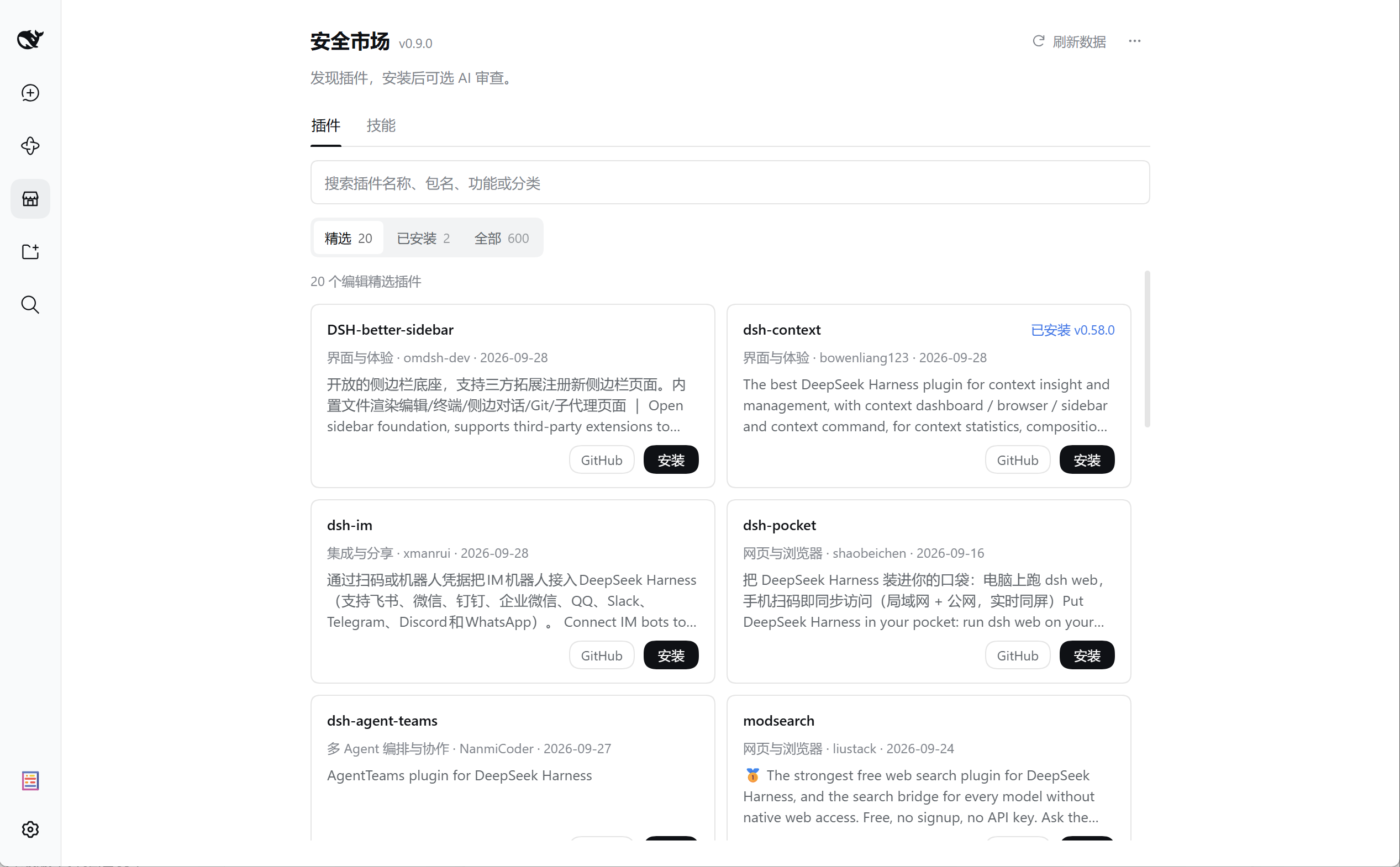
- **想集中浏览、安装、更新并审查插件**:[DSH Market Pro](https://github.com/bruc3van/dsh-market-pro) —— DSH 插件市场专业版:精选真插件,集浏览、安装、更新及安装后 AI 安全审查于一体。安装和更新通过宿主官方管理器执行,AI 审查只读、可选,由你发送草稿后开始。
- **想在 DSH 界面里直接逛插件市场**:官方 DSH 0.2.1 起 Web/桌面端已内置「插件市场」标签页(目录即本清单每日快照);第三方可装 [dsh-market](https://github.com/dsh-market/dsh-market) · [dsh-plugin-gating-hub](https://github.com/Noob-stupid/dsh-plugin-gating-hub) —— dsh-market 提供浏览、搜索与创意工坊式分发;dsh-plugin-gating-hub 主打框架升级安全与插件门控(升级前契约预检、回滚点、失败自动回滚、有确证才自动禁用),附多源插件市场。
| | | |
| :---: | :---: | :---: |
| 
[dsh-market-pro](https://github.com/bruc3van/dsh-market-pro) | 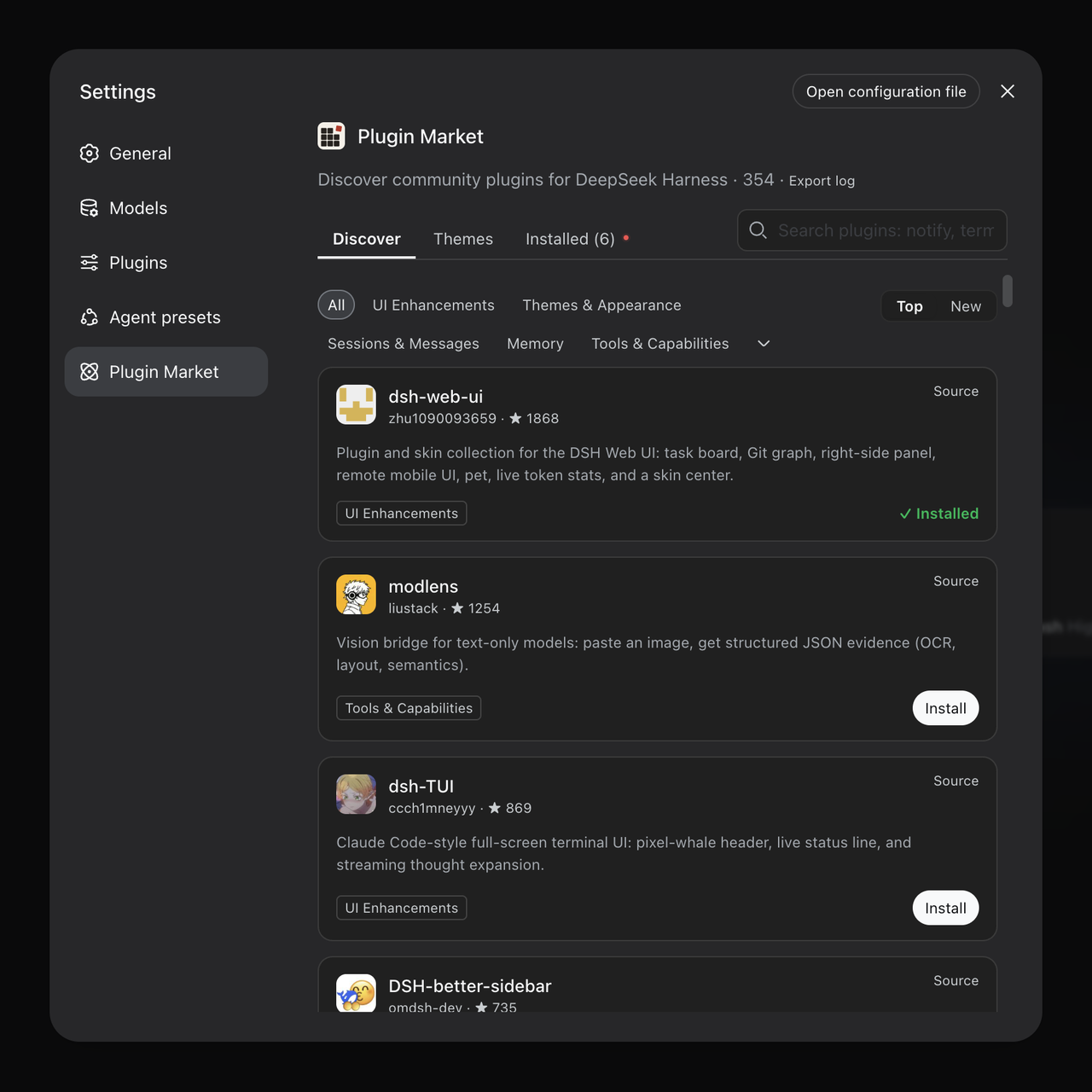
[dsh-market](https://github.com/dsh-market/dsh-market) | 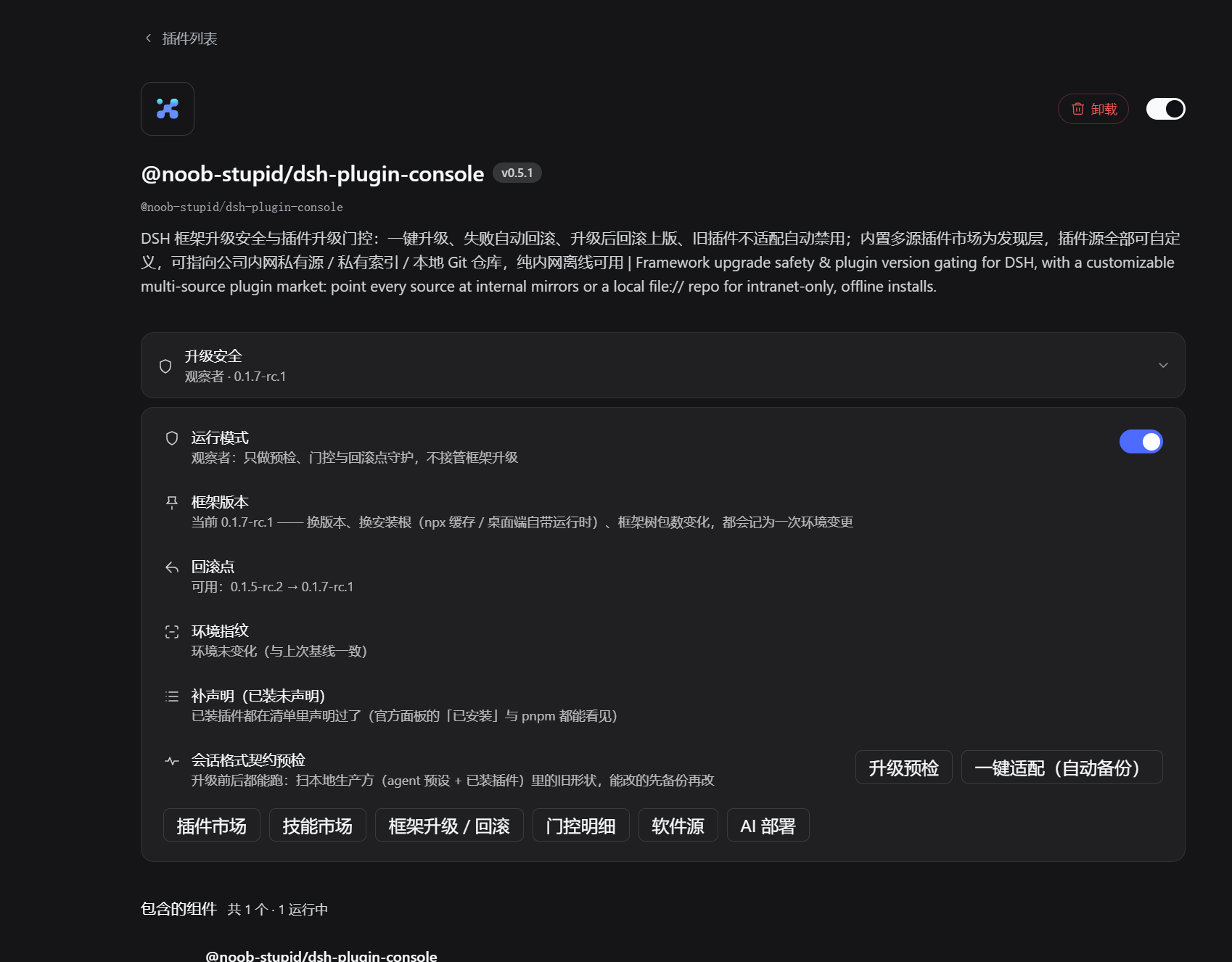
[dsh-plugin-gating-hub](https://github.com/Noob-stupid/dsh-plugin-gating-hub) |
### 🚀 新手入门组合
不需要一次装很多。先选一个与你当前问题最接近的组合:
| 套装 | 适合 | 组合 |
| --- | --- | --- |
| 日常体验 | 第一次装插件:先装桌面客户端,再把侧边栏变成工作台 | [DSH Desktop Pro](https://github.com/bruc3van/dsh-desktop-pro) · [DSH-better-sidebar](https://github.com/omdsh-dev/DSH-better-sidebar) |
| 专业插件市场 | 精选、浏览、安装、更新及安装后 AI 审查;按需安装 `dsh-market-pro@1.0.0` | [DSH Market Pro](https://github.com/bruc3van/dsh-market-pro) |
| 终端控 | 喜欢命令行,想要全屏交互终端(二选一) | [dsh-TUI](https://github.com/ccch1mneyyy/dsh-TUI) · [dsh-tianshu-tui](https://github.com/huiliyi37/dsh-tianshu-tui) |
| 搜索与生图 | 对话里搜网页、直接出图(官方已能看图,不必再装视觉插件) | [modsearch](https://github.com/liustack/modsearch) · [dsh-image-gen](https://github.com/shanliuling/dsh-image-gen) |
| 界面美化 | 换皮肤、玻璃质感、桌面宠物 | [dsh-deep-whale](https://github.com/Small-tailqwq/dsh-deep-whale) · [DSH-Transparent-UI-Plugin](https://github.com/WYH66666666/DSH-Transparent-UI-Plugin) · [whale-girl](https://github.com/vlln/whale-girl) |
| 多 Agent 协作 | 把复杂任务交给一支 Agent 团队 | [dsh-agent-teams](https://github.com/NanmiCoder/dsh-agent-teams) · [dsh_workflow](https://github.com/omdsh-dev/dsh_workflow) |
| 记忆与持续运行 | 跨会话记忆(二选一)+ 中断自动续跑的无人值守项目 | [mem9](https://github.com/mem9-ai/mem9) 或 [dsh-mnemon](https://github.com/omdsh-dev/dsh-mnemon) · [dsh-auto-continue](https://github.com/HsiangNianian/dsh-auto-continue) |
| 手机远程 | 人在外面看电脑上的 DSH | [dsh-pocket](https://github.com/shaobeichen/dsh-pocket) |
| 订阅模型 | 用已有 ChatGPT / Claude / Grok 订阅,不用 API Key | [dsh-plugin-subscriptions](https://github.com/V1ki/dsh-plugin-subscriptions) |
**新手先读:** [dsh-handbook](https://github.com/Electricitysheep/dsh-handbook) —— DSH 从 0 到 1 深度手册:安装、插件开发、性能调优与实测案例(中英双语 PDF);想自己写插件的从 [hello-dsh](https://github.com/pingfanfan/hello-dsh) 开始——零基础插件开发教程(22 个中文技能实例)。
## 🏆 社区热度榜
按 Star 排序的社区热度参考,数据取自 2026-11-17 快照;蹭 `dsh-plugin` Topic 的非插件仓库与拉黑仓库均已剔除,新仓库先进入[待审核队列](./data/review/pending.md)、经审核([data/approved.json](./data/approved.json))后才进入榜单,剔除清单见 [data/curated.json](./data/curated.json)。首页展示前 50 名,完整 Top 200 见 [TOP200.md](./TOP200.md)。排名反映受欢迎程度,不代表质量、兼容性或安全背书。
| # | 项目 | 简介 | ⭐ Stars | License |
| ---: | --- | --- | ---: | --- |
| 1 | [Fei2411/DS-Bot](https://github.com/Fei2411/DS-Bot) | DSH 长驻机器人编队插件:主机器人、机器人互发消息与群聊协作,多个 bot 各司其职长期运行在同一宿主里。 | 8231 | Apache-2.0 |
| 2 | [ccch1mneyyy/dsh-TUI](https://github.com/ccch1mneyyy/dsh-TUI) | DSH 官方公众号收录的 TUI 补位插件:Claude Code 风,鲸鱼顶栏、实时状态、流式思考、双击 Esc 回滚、上下文进度+TPS。 | 7861 | MIT |
| 3 | [elysia395/dsh-wallpaper-engine](https://github.com/elysia395/dsh-wallpaper-engine) | 把本机 Wallpaper Engine 壁纸变成 DSH 网页背景:动态视频播放、液态玻璃设置窗与自动轮播。 | 7342 | MIT |
| 4 | [PC2005-cloud/dsh-pet](https://github.com/PC2005-cloud/dsh-pet) | DSH 桌面宠物:一行命令装好即用的透明动画小桌宠,支持多开、大小位置随心配置;还内置 DIY 素材链,能用 AI 视频自造专属宠物。 | 6425 | MIT |
| 5 | [T-Auto/dsh-ops](https://github.com/T-Auto/dsh-ops) | Windows 提效插件:自带 bash 5.3 与 PowerShell 7 接管反复报错的内置终端,配 Rust 编写的低 token 读… | 5894 | MIT |
| 6 | [bowenliang123/dsh-context](https://github.com/bowenliang123/dsh-context) | 一站式 DeepSeek Harness 上下文可视化插件:Context 面板与命令,透视上下文组成、演进、压缩、剪枝等事件。 | 5241 | Apache-2.0 |
| 7 | [omdsh-dev/DSH-better-sidebar](https://github.com/omdsh-dev/DSH-better-sidebar) | 开放的侧边栏底座,支持三方拓展注册新侧边栏页面。内置文件渲染编辑/终端/侧边对话/Git/子代理页面 | 5210 | MIT |
| 8 | [liustack/modlens](https://github.com/liustack/modlens) | 全网最强 DeepSeek Harness 外挂视觉插件:为纯文本模型补上视觉,粘贴图片即得结构化 JSON 证据(OCR、版面、语义)。 | 5015 | MIT |
| 9 | [xmanrui/dsh-im](https://github.com/xmanrui/dsh-im) | 扫码或凭据把 IM 机器人接入 DeepSeek Harness:支持飞书、微信、钉钉、企业微信、QQ、Slack、Telegram 等。 | 3681 | MIT |
| 10 | [Small-tailqwq/dsh-deep-whale](https://github.com/Small-tailqwq/dsh-deep-whale) | 适用于 DeepSeek Harness 的鲸鱼娘系列皮肤。 | 3124 | NOASSERTION |
| 11 | [shaobeichen/dsh-pocket](https://github.com/shaobeichen/dsh-pocket) | 把 DeepSeek Harness 装进你的口袋:电脑上跑 dsh web,手机扫码即同步访问(局域网 + 公网,实时同屏)。 | 3022 | GPL-2.0 |
| 12 | [NanmiCoder/dsh-agent-teams](https://github.com/NanmiCoder/dsh-agent-teams) | 面向 DeepSeek Harness 的 AgentTeams 多 Agent 协作插件。 | 2998 | MIT |
| 13 | [sixtysevenlf/dsh-blender-plugin](https://github.com/sixtysevenlf/dsh-blender-plugin) | DSH × Blender 实时直连建模插件:通过 TCP 通道提供 16 项工具与 186 种操作(视口截图、点选拾取、渲染剖析、无头卸载)… | 2175 | BSD-3-Clause |
| 14 | [Devin-AXIS/deepseek-design](https://github.com/Devin-AXIS/deepseek-design) | DeepSeek Harness 可编辑设计系统:AI 生成、可视化编辑、模板市场与 PPT。 | 1874 | NOASSERTION |
| 15 | [dingminhua/dsh-connect-workbuddy](https://github.com/dingminhua/dsh-connect-workbuddy) | 把本地已登录的 WorkBuddy 模型接入 DeepSeek Harness,附只读积分总览与模型管理。 | 1731 | MIT |
| 16 | [flizzywine/dsh-tavern](https://github.com/flizzywine/dsh-tavern) | 基于 DSH 的 SillyTavern 类文字游戏 Agent:候选项生成、对话式人物卡编辑、剧本模式与素材抽取 | 1652 | AGPL-3.0 |
| 17 | [shanliuling/dsh-image-gen](https://github.com/shanliuling/dsh-image-gen) | 在 DSH 对话里直接生成图片的轻量插件。 | 1595 | Apache-2.0 |
| 18 | [Miaotofu01/Study-Mate](https://github.com/Miaotofu01/Study-Mate) | AI 学习搭档:定计划、讲知识、做项目,边学边做学透一门科目的 DSH 学习模式预设 | 1479 | MIT |
| 19 | [c1overzz/dsh-bili-scroll](https://github.com/c1overzz/dsh-bili-scroll) | DSH 插件:每天替你刷一轮 B 站——自动搜视频、逐条读字幕原文再判断,把值得的写成 Markdown 报告,特别值得的会留一条评论 @ 你… | 1433 | MIT |
| 20 | [DDDMUC/dsh-free-search](https://github.com/DDDMUC/dsh-free-search) | 免费网页搜索 provider:DuckDuckGo 后端,无需 API Key | 1341 | MIT |
| 21 | [ysr666/dsh-vision-router](https://github.com/ysr666/dsh-vision-router) | 纯文本 DeepSeek Harness Agent 的视觉之眼:免费视觉链(无需 Key)+ 像素级视觉工具(问答、定位、OCR),一行安装。 | 1288 | MIT |
| 22 | [mem9-ai/mem9](https://github.com/mem9-ai/mem9) | 为 OpenClaw 提供无限记忆。 | 1236 | Apache-2.0 |
| 23 | [omdsh-dev/dsh-browser](https://github.com/omdsh-dev/dsh-browser) | 让 DSH 直接操控你正在用的浏览器:页面转结构化文本按编号操作元素,保留登录态,无需视觉模型。 | 1089 | MIT |
| 24 | [beiyege-01/dsh-voice-ai-girlfriend](https://github.com/beiyege-01/dsh-voice-ai-girlfriend) | 语音 AI 女友陪伴插件:集成 Whisper 语音输入、Qwen3-TTS 声音克隆、句子级流式朗读与数字人动画窗,支持插话与排队双模式及说… | 1074 | NOASSERTION |
| 25 | [omdsh-dev/dsh-mnemon](https://github.com/omdsh-dev/dsh-mnemon) | 面向 DeepSeek Harness 的可组合三层记忆控制平面:持久运行时上下文、可检索项目文档、可插拔长期记忆与护栏策略,含 WebUI。 | 1029 | MIT |
| 26 | [omdsh-dev/dsh-genui](https://github.com/omdsh-dev/dsh-genui) | 通过 dsh-ui 围栏在助手回复内内联渲染交互式 UI:布局、图表、表单、测验、Mermaid、3D 场景与回环到模型的事件循环。 | 1012 | MIT |
| 27 | [liustack/modsearch](https://github.com/liustack/modsearch) | 全网最强 DeepSeek Harness 免费联网搜索插件:免注册免 API key,为不能联网的模型补上搜索,拿回结构化 JSON 证据。 | 1009 | MIT |
| 28 | [Alice-Marx/dsh-model-router](https://github.com/Alice-Marx/dsh-model-router) | DSH 桌面端的成本感知模型路由工作台:本地规划、对比已配置路由、检查执行权限,经模型 API 或官方 CLI 运行依赖工作包;附 GALGa… | 976 | MIT |
| 29 | [op7418/dsh-guizang-design](https://github.com/op7418/dsh-guizang-design) | 歸藏设计插件:网页 PPT、图文卡片、网页排版、去 AI 味四个设计技能共用一套设计系统,附作品库、内容生产工作流与语气档案。 | 955 | AGPL-3.0 |
| 30 | [Anionex/dsh-vision-toolkit](https://github.com/Anionex/dsh-vision-toolkit) | 为纯文本模型设计更强大的视觉工具箱:一行安装使用、粘贴图片直接识别、多张图片问答、截图到前端 UI 还原等。 | 946 | MIT |
| 31 | [toby-bridges/api-relay-audit](https://github.com/toby-bridges/api-relay-audit) | AI API 中继与 LLM 代理的本地安全审计:检测提示注入、模型替换、工具调用改写、SSE 异常、错误泄露与 Web3 钱包风险。 | 919 | AGPL-3.0 |
| 32 | [SeaOf0/dsh-redteam-model](https://github.com/SeaOf0/dsh-redteam-model) | 基于 dsh web 的多模式红队工作台:覆盖渗透测试、红队评估与代码审计的授权安全研究插件 | 897 | MIT |
| 33 | [Aisland-SJL/dsh-worktable](https://github.com/Aisland-SJL/dsh-worktable) | 面向 DeepSeek Harness 的 Agent 项目管理台:侧边栏应用抽屉 + 可停靠分屏工作区 + 实时监控所有项目的控制室。 | 882 | MIT |
| 34 | [saya-ch/dsh-mobile](https://github.com/saya-ch/dsh-mobile) | DeepSeek Harness 的 Android 客户端与安全远程访问插件:局域网/远程连接 DSH,移动界面与扩展能力高度自定义。 | 874 | Apache-2.0 |
| 35 | [6shenhonghong9/dsh-startup-screen](https://github.com/6shenhonghong9/dsh-startup-screen) | 启动动画插件:黑幕厂牌 → 过曝洗白 → 暖白档案底板 → 五步访问授权 → 色散揭幕,真声台词、液态玻璃底板与 33 项实时设置,暖白/暗色… | 857 | MIT |
| 36 | [csyangwen/dsh-memory-evolve](https://github.com/csyangwen/dsh-memory-evolve) | 跨会话长期记忆 + 后台自我进化:五轨记忆、git 分支感知、技能自我进化与四轨待办,零核心修改。 | 850 | MIT |
| 37 | [Yu-tao-Li/dsh-computer-use-win](https://github.com/Yu-tao-Li/dsh-computer-use-win) | Windows 电脑操控插件:让 agent 看到并操作真实的 Windows 程序与网页——定位按钮与输入框、读屏、点击打字、窗口管理;网页… | 780 | MIT |
| 38 | [zenstory-ai/oh-story-dsh](https://github.com/zenstory-ai/oh-story-dsh) | 小说写作与短剧生产插件,由 Oh Story 与 Drama Skills 驱动。 | 773 | MIT |
| 39 | [dream-num/dsh-univer-office](https://github.com/dream-num/dsh-univer-office) | 给 DSH 装上真正的 Office:Univer 运行时把表格、文档、幻灯片、画布与关系表带进对话。 | 735 | Apache-2.0 |
| 40 | [Nagi-ovo/dsh-ads](https://github.com/Nagi-ovo/dsh-ads) | 把 DSH 变成 2005 年门户网站:恶搞广告、假游戏与弹窗。 | 730 | BSD-3-Clause |
| 41 | [liangmianya/dsh-synapse](https://github.com/liangmianya/dsh-synapse) | 可视化非线性对话工作区:画布式会话探索与分支工作台。 | 728 | MIT |
| 42 | [Han-1413141/dsh-cost-meter](https://github.com/Han-1413141/dsh-cost-meter) | 会话成本仪表:会话/日成本、预算与各家余额查询、token 热力图与峰谷定价切换提醒。 | 716 | MIT |
| 43 | [fourzkw/dsh-drawai](https://github.com/fourzkw/dsh-drawai) | DrawAI 画布:DSH 右侧栏里的可编辑画布,图像创作与标注都在画板上完成;另配两个工具让模型直接改图。 | 715 | NOASSERTION |
| 44 | [FuRongJun-1999/dsh-memory](https://github.com/FuRongJun-1999/dsh-memory) | 白箱 AGI 架构探索:元认知循环、知识飞轮与世界模型,附可审计信任护栏。 | 704 | MIT |
| 45 | [anysearch-team/anysearch-dsh](https://github.com/anysearch-team/anysearch-dsh) | 面向 DeepSeek Harness 的 AnySearch 联网搜索提供方与高级搜索工具。 | 700 | MIT |
| 46 | [SAOS-3624/dsh-see-now](https://github.com/SAOS-3624/dsh-see-now) | See Now 实时视觉插件:让 AI 直接看见你的屏幕、摄像头或视频文件——按变化量筛选帧、多帧拼进一张图再交给模型,静止画面几乎不花 to… | 686 | Apache-2.0 |
| 47 | [aureth-labs/dsh-aurabot-qq](https://github.com/aureth-labs/dsh-aurabot-qq) | Aurabot · 大肥鱼:让 DSH 里的 AI 以有人格、有心情、有记忆的「人」住进 QQ——聊天、看图、语音、表情、唱歌、写空间、刷 B… | 679 | MIT |
| 48 | [ccch1mneyyy/working-activity](https://github.com/ccch1mneyyy/working-activity) | 为 pi CLI 与 DSH 打造的 Lively Working-line 工作状态动态线条扩展。 | 669 | MIT |
| 49 | [Nwflower/dsh-claude-style](https://github.com/Nwflower/dsh-claude-style) | 把 DeepSeek Harness 界面复刻成 Claude Code Desktop 风格与交互体验的主题插件。 | 639 | NOASSERTION |
| 50 | [howmp/dsh-pentest](https://github.com/howmp/dsh-pentest) | 面向 DeepSeek Harness(dsh)的渗透测试模式(@CloverSecLabs)。 | 622 | — |
[查看完整 Star Top 200 →](./TOP200.md)
## 🆕 最近加入生态
近期筛选收录的新项目,不定期更新:
| 项目 | 简介 | 创建日期 |
| --- | --- | --- |
| [Merziller/dsh-video-workbench](https://github.com/Merziller/dsh-video-workbench) | 双引擎(HTML/GSAP 与 Remotion)视频工作台,带自定义语音包与 AI 配音匹配。 | 2026-11-14 |
| [slimeball2026/DSH-Coach-mode](https://github.com/slimeball2026/DSH-Coach-mode) | 「反向」教练模式:agent 不替你干活,而是盯着你把事情做完。 | 2026-10-18 |
| [soso-deepseek-harness-plugins/dsh-context-track](https://github.com/soso-deepseek-harness-plugins/dsh-context-track) | 上下文链路追踪:把一次 agent 会话收成可展开的树。 | 2026-10-17 |
| [LSHCoding/dsh-promptx](https://github.com/LSHCoding/dsh-promptx) | 全局快捷键提示词编辑器:Markdown 提示词库 + 模型辅助改写。 | 2026-11-15 |
| [ECHOUniverse/dsh-zoteroplugin](https://github.com/ECHOUniverse/dsh-zoteroplugin) | 在右栏直接浏览与操作 Zotero 文献库:检索、条目详情、PDF 批注高亮、引文与 19 个 agent 工具。 | 2026-11-01 |
| [junrui-li/dsh-agent-db-studio](https://github.com/junrui-li/dsh-agent-db-studio) | GUI 与 Agent 一体的数据库管理工作台:20 个 db_* 工具,写操作走工单审批、出站强制脱敏。 | 2026-11-17 |
| [Stars-XK/dsh-bitwarden](https://github.com/Stars-XK/dsh-bitwarden) | Bitwarden / Vaultwarden 密码库插件:AI 只拿元数据、密码明文不出仓、受控执行通道。 | 2026-11-17 |
| [NiuVector/dsh-pcbagent](https://github.com/NiuVector/dsh-pcbagent) | KiCad 原理图与 PCB 双视图:KiCanvas 渲染与本地 Freerouting 布线。 | 2026-11-17 |
## 📣 作者自荐
插件作者按 [CONTRIBUTING](./CONTRIBUTING.md#作者自荐--self-promotion) 规范自行提交的推荐位:**不经编辑部审核,也不代表质量或安全背书**,安装前请自行评估(见下方「使用与安全」)。本区最多保留 30 条,区满后先进先出;条目若被上方[精选推荐](#-精选推荐)收录,会从本区移除、不占名额。首页只展示**最近 10 条**,完整列表见 [SHOWCASE.md](./SHOWCASE.md)。
- **[BOWLUNA/dsh-custom-mode](https://github.com/BOWLUNA/dsh-custom-mode)**([@BOWLUNA](https://github.com/BOWLUNA) · 2026-09-19)— 在设置页里管理 dsh 模式:选基础组成、逐行开关插件、编辑系统提示词(下一步模型调用即生效),可并存多个助手。
- **[dsh-config-manager](https://github.com/xiajiajun516/dsh-config-manager)**([@xiajiajun516](https://github.com/xiajiajun516) · 2026-09-27)— DeepSeek Harness(DSH)配置的备份、恢复、导出、导入、迁移与同步:覆盖设置 / Provider / 插件 / MCP / 技能 / Agent 预设 / 工作区;写盘前先 dry-run 预览、冲突逐项决策、失败自动回滚,跨机自动重映射绝对路径;勾选「导出密钥」后凭据随加密快照迁移(scrypt + AES-256-GCM),另内置配置市场可一键安装共享配置。
- **[dsh-backup](https://github.com/xiaoyuyu6420/dsh-backup)**([@xiaoyuyu6420](https://github.com/xiaoyuyu6420) · 2026-09-30)— 一条命令备份与恢复整个 `~/.dsh`(会话、设置、技能、MCP、凭据):重启后继续跑的定时自动备份与分级保留、升级前自动快照、会话日志体检与定点修复、升级迁移预检、宿主起不来时也能用的进程外救援通道;凭据归档前默认脱敏、明文只落本机 vault,支持私有仓库 GitHub 同步做跨机迁移。适合把 DSH 当主力工具、不想被升级或换机弄丢数据的用户;npm 包名 `@xiaoyuyu6420/dsh-backup`。
- **[dsh-cost-meter](https://github.com/Han-1413141/dsh-cost-meter)**([@Han-1413141](https://github.com/Han-1413141) · 2026-10-02)— 在 DSH 中查看会话和模型费用、Token 用量、预算、服务商余额及 Coding Plan 额度,支持中英文界面。
- **[dsh-piggy](https://github.com/CLICGGER-TYPES/dsh-piggy)**([@CLICGGER-TYPES](https://github.com/CLICGGER-TYPES) · 2026-10-03)— 在 DSH Web 里养一只随真实工作成长的猪:照顾、学习、打工、钓鱼、图鉴和换肤;不注册模型工具,也不向对话注入宠物状态。npm 包 `dsh-piggy`,另有独立桌面版。
- **[dsh-sieve](https://github.com/Sev7eEn7/dsh-sieve)**([@Sev7eEn7](https://github.com/Sev7eEn7) · 2026-10-10)— 为 DSH 0.2.1-alpha.1 过滤工具输出、裁剪历史上下文并按需披露技能。
- **[dsh-oh-my-claude](https://github.com/lcestou/dsh-oh-my-claude)**([@lcestou](https://github.com/lcestou) · 2026-10-13)— 把 Claude Code CLI 接入 DSH 作为模型提供方:用 `claude` 登录一次,在会话的模型选择器里选 Claude 模型即可,CLI 自带的权限模式、图片、续接与压缩都在 DSH 聊天里可用;DSH 的子智能体、后台任务和技能以 MCP 工具交给 Claude。工作区可通过 SSH 在另一台机器上运行 Claude。
- **[dsh-zhihu-search](https://github.com/dsh-plugin-lab/dsh-zhihu-search)**([@zlZayn](https://github.com/zlZayn) · 2026-10-27)— 把知乎检索接进 DSH:站内检索、全网检索与直答三个工具,走知乎开放平台官方 API 而非爬虫抓取,结果附带可引用的原始链接(站内结果另带点赞数),适合需要中文实时语料的研究与核查。
- **[AgentCompare](https://github.com/lijiaqi-AI-Product-Manager/dsh-agent-compare)**([@lijiaqi-AI-Product-Manager](https://github.com/lijiaqi-AI-Product-Manager) · 2026-11-04)— 鲸挑细选 AgentCompare:在 DSH Desktop/Web 主对话中比较 2–4 版回答、文件或网页;中英双语,同步主对话上下文,保留选择理由并审查采用。 [界面与演示](https://github.com/lijiaqi-AI-Product-Manager/dsh-agent-compare/blob/v3.1.1/docs/storefront-gallery.md)
- **[BloomTutor](https://github.com/Li-Evan/BloomTutor)**([@Li-Evan](https://github.com/Li-Evan) · 2026-11-16)— 一对一 AI 导师 Skill 包:bloom-tutor 先写学习大纲,再在工作区每次写一篇 Markdown 课文,下一篇按你标的 ??? 和反馈来调整;另带六个 learn-* 学习方法 Skill。
[查看全部 30 条自荐 →](./SHOWCASE.md)
## 🔍 我们如何维护这个列表
- **面向使用者,而不是爬虫:** 从「我想完成什么」出发组织首页,而不是让你阅读几百行仓库名称。
- **精选推荐 + 全量索引分层:** 首页只放经过筛选的精选推荐与自荐预览;[CATALOG.md](./CATALOG.md) 及其分类分册收录全部经审核的仓库;新增仓库先进入[待审核队列](./data/review/pending.md),审核后合并(约定见 [data/review/README.md](./data/review/README.md))。
- **数据自动、推荐受控:** 原始快照与待审核队列每天由脚本自动刷新;全量目录与 Top 200 热度榜只在审核合并后重新生成(生成逻辑见 [scripts/merge.mjs](./scripts/merge.mjs) 与 [scripts/top.mjs](./scripts/top.mjs),可随时切回 Top 100);首页精选推荐、自荐与最近加入独立维护,避免刷星、蹭 Topic 等被污染的接口数据直接改写推荐内容。
- **剔除蹭热度条目:** 带 `dsh-plugin` Topic 但并非 DSH 插件的仓库(平台本体、其他 Agent 工具、同名目录站等)以及拉黑仓库不计入目录与榜单,理由逐条记录在 [data/curated.json](./data/curated.json)(榜单另有 `leaderboard_exclusions`:保留在目录中、但不参与榜单排序的仓库),可随时复查与质疑。
- **审核留痕:** 每个收录决定都可回查——核准日期在 [data/approved.json](./data/approved.json),剔除与榜单排除理由逐条记录在 [data/curated.json](./data/curated.json);大批量审核另附存档记录(如 [2026-11-18 审核记录](./data/review/2026-11-18.md)),全流程约定见 [data/review/README.md](./data/review/README.md)。
- **市场数据(npm feed):** [awesome-dsh-plugin-feed](https://www.npmjs.com/package/awesome-dsh-plugin-feed) 发布 `market-catalog.json`(schema 3:完整已审核目录,每行带 `install_status` 与安装映射,另含官方订阅与编辑精选)和 `packages.json`(安装映射源);由 `scripts/safe-market-catalog.mjs` 投影、`publish-npm-feed.mjs` 打包,国内经 npmmirror 镜像分发。字段见下游的[消费协议](https://github.com/bruc3van/dsh-market-pro/blob/master/docs/market-json-spec.md)。
- **中文默认,中英双语:** 普通用户可以直接理解,英文读者也有独立入口。
截至 2026-11-17,全量目录收录 **28724** 个仓库、**41** 种主要语言;其中 **26413** 个声明了许可证,**28404** 个未归档且未禁用(目录随审核合并更新,最新统计以 [CATALOG.md](./CATALOG.md) 为准)。
## ⚠️ 使用与安全
第三方插件可能读取会话、文件、网络或系统资源。安装前请检查源码、权限、许可证、安装方式和最近更新情况,并优先在隔离环境中试用。本列表仅做发现与整理,不代表 DSH 官方认可,收录也不构成安全或兼容性背书。
## 🤝 推荐或修正插件
发现遗漏、分类不准确或说明过时?欢迎提交 Issue 或 Pull Request:
- **收录你的插件:** 公开仓库只要带上 `dsh-plugin` Topic 且确实是 DSH 插件,就会在每日刷新时进入[待审核队列](./data/review/pending.md),经审核后进入全量目录——**不需要给我们提 PR**。蹭 Topic 的条目会被剔除,理由记录在 [data/curated.json](./data/curated.json)。
- **作者自荐上首页:** 如果你是插件作者,可以按 [CONTRIBUTING](./CONTRIBUTING.md#作者自荐--self-promotion) 的自荐规范在 [SHOWCASE.md](./SHOWCASE.md) 末尾追加一条自荐(中英各一行)即可,无需编辑部审核;合入后首页自荐预览由脚本自动刷新,请勿手工同步。
- **上首页推荐:** 首页的精选推荐与最近加入独立维护,提 Issue 告诉我们它解决什么问题、适合谁,或直接编辑对应 Markdown 并附上理由;热度榜 [TOP200.md](./TOP200.md) 由脚本生成,如需把某仓库排除出榜单,请在 [data/curated.json](./data/curated.json) 登记 `leaderboard_exclusions` 并注明理由。
详见 [CONTRIBUTING.md](./CONTRIBUTING.md)。
## 📈 Star History
[](https://star-history.com/#bruc3van/awesome-dsh-plugin-pro&Date)
## 🔗 相关项目
**作者维护**
- **[dsh-desktop-pro](https://github.com/bruc3van/dsh-desktop-pro)** — DSH Desktop Pro:DeepSeek Harness 的专业版桌面客户端,主打企业级配置。个人装好就能用:窗口加载原汁原味的官方 Web UI,关窗任务照跑、常驻托盘随点随开,安装包自带官方运行时双击即用,首次启动自动订阅精选插件列表;企业场景由配套的开源管理服务端完成:IT 统一配置模型网关、插件订阅、Skill 和工具权限,员工公司账号登录即得,带用量额度与防篡改审计。支持 macOS、Windows、Linux。
- **[DSH Market Pro](https://github.com/bruc3van/dsh-market-pro)** — DSH 插件市场专业版:精选真插件,集浏览、安装、更新及安装后 AI 安全审查于一体;通过 npm 数据包的 `market-catalog.json` 读取完整已审核目录与订阅精选。
- **[bruce-md2word](https://github.com/bruc3van/bruce-md2word)** — 面向 AI Agent 的 Markdown 转 Word 工具:中文排版、Mermaid 图表转图片、可编辑数学公式,同一份内容提供 Skill、独立 CLI 与 DSH 插件三种形态。(同见目录 [agents-workflows 分册](./catalog/agents-workflows.md)。)
**官方仓库**
- **[deepseek-harness](https://github.com/deepseek-ai/deepseek-harness)** — DeepSeek Harness: Everything is a Plugin. 官方 `dsh` 与 Web UI 的上游项目——本目录收录的全部插件都为它而生。
## License
本列表采用 [MIT License](./LICENSE) 发布;各收录项目遵循其各自许可证。
## DSH「发现」页社区索引
本仓库同时维护符合 DSH format-1 的社区索引及生成与排除报告,供固定 HTTPS 路由分发。接入地址、生成和更新规则见 [官方索引说明](scripts/host-market/README.md)。