




What is this?
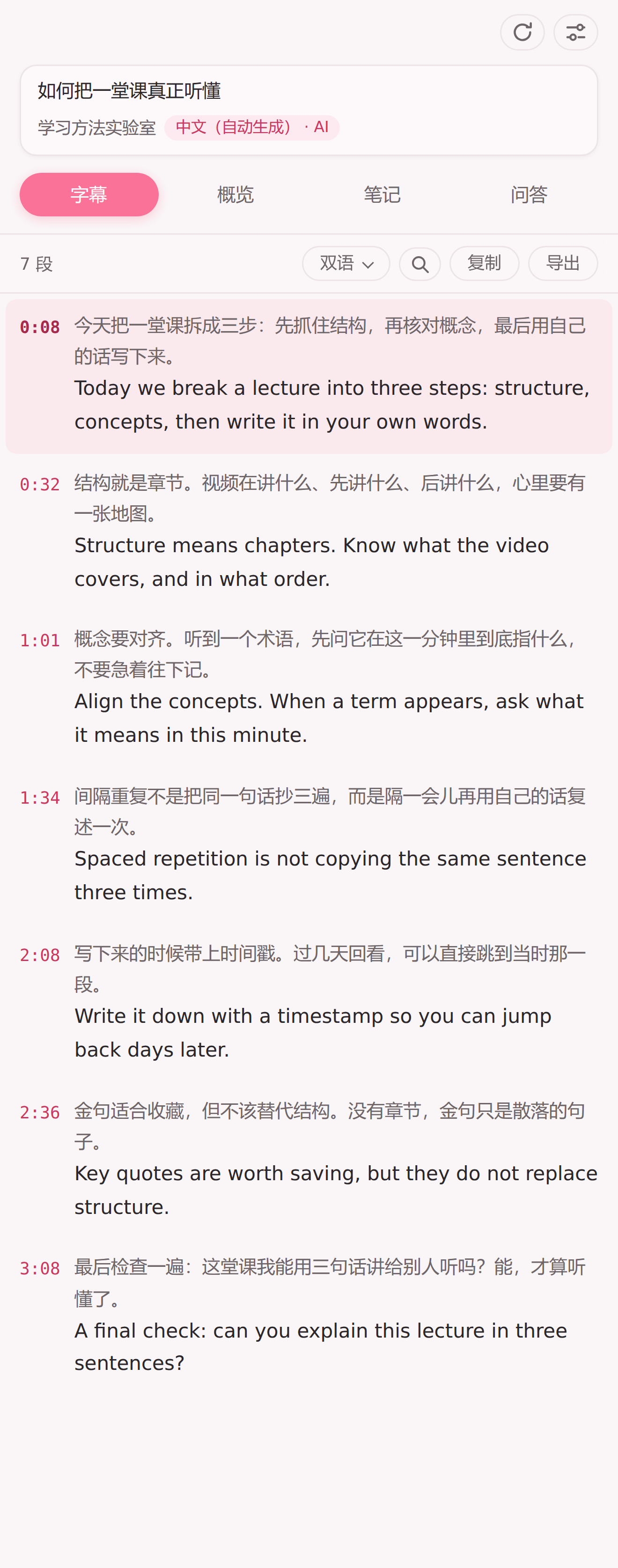
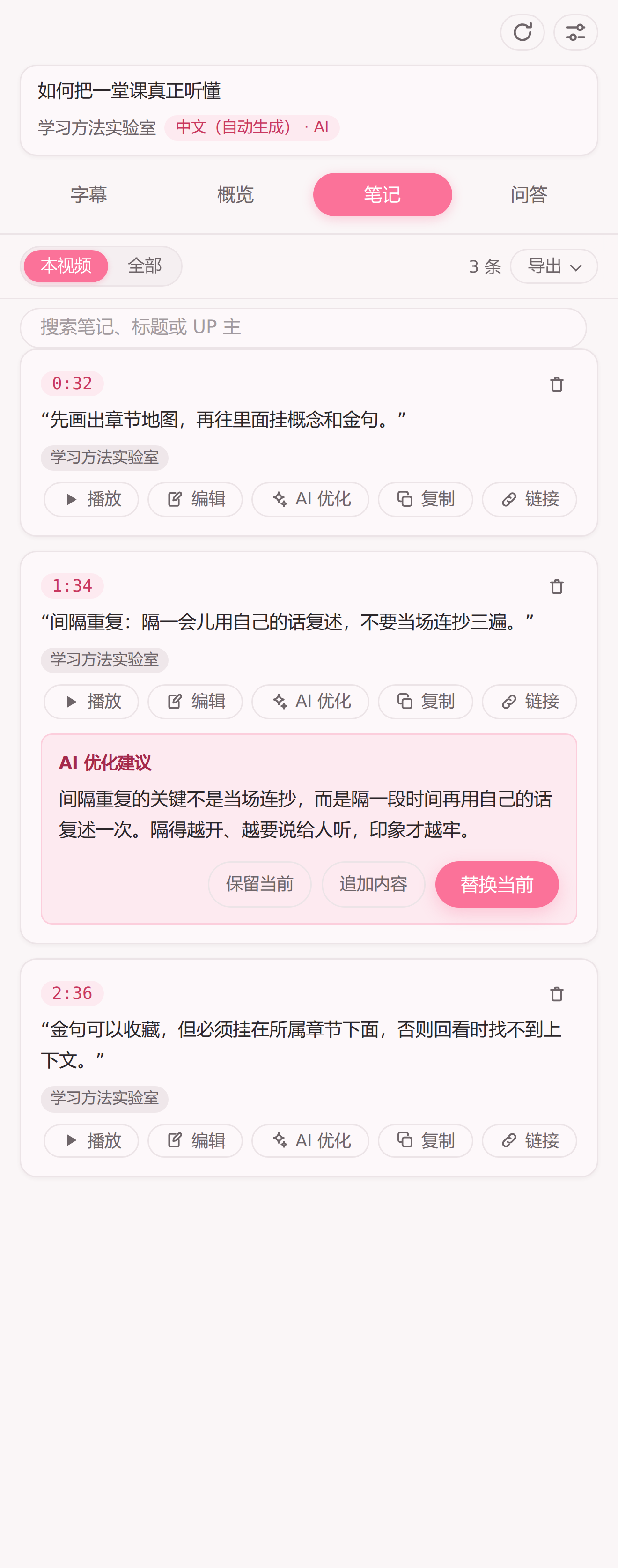
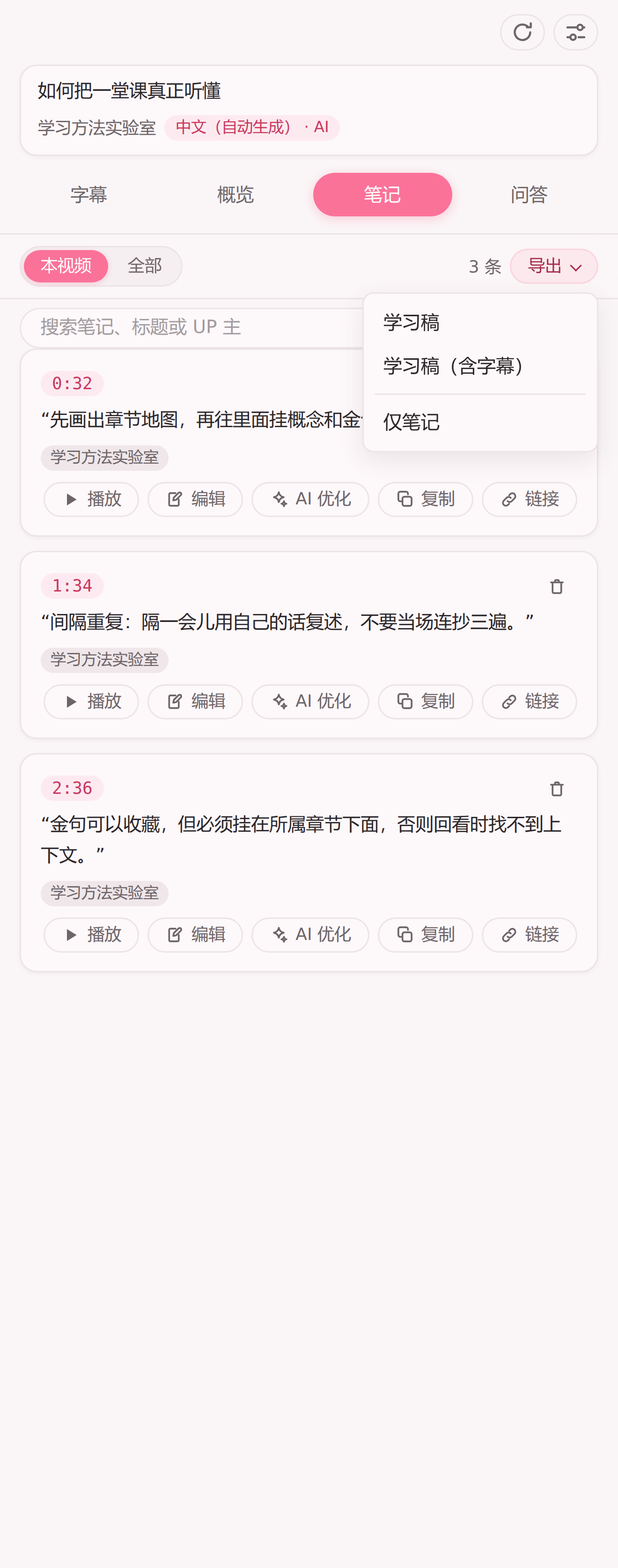
 A Chrome/Edge browser extension that turns Bilibili videos into a study tool: it opens a sidebar on the video page for reading subtitles, comparing bilingual translations, generating AI chapter overviews, explaining selected terms, and taking timestamped notes.
A Chrome/Edge browser extension that turns Bilibili videos into a study tool: it opens a sidebar on the video page for reading subtitles, comparing bilingual translations, generating AI chapter overviews, explaining selected terms, and taking timestamped notes.Is this a standalone app or just a browser extension?It's just a lightweight Chrome/Edge extension that injects a sidebar into Bilibili's own video pages, with no separate app or backend server; it's a remake of the youtube-digest project adapted to Bilibili's web player.
It's just a lightweight Chrome/Edge extension that injects a sidebar into Bilibili's own video pages, with no separate app or backend server; it's a remake of the youtube-digest project adapted to Bilibili's web player.Do I need an API key to use it?Subtitle reading works out of the box, but sentence cleanup, translation, chapter overviews, word explanations, note polishing and Q&A all require entering your own AI model endpoint and API key in the settings page first.
Subtitle reading works out of the box, but sentence cleanup, translation, chapter overviews, word explanations, note polishing and Q&A all require entering your own AI model endpoint and API key in the settings page first.Does it need a specific browser version?It requires Chrome or Edge version 116 or newer; the exact same package and features work identically in both browsers.
It requires Chrome or Edge version 116 or newer; the exact same package and features work identically in both browsers.What can the AI Q&A feature do?You can ask free-form questions about the current video; the AI searches the subtitles for relevant passages first, then answers with timestamped citations you can click to jump to that moment, saying 'not found' instead of inventing an answer when the subtitles don't cover it.
You can ask free-form questions about the current video; the AI searches the subtitles for relevant passages first, then answers with timestamped citations you can click to jump to that moment, saying 'not found' instead of inventing an answer when the subtitles don't cover it.How are the chapter overviews generated?The AI reads the whole subtitle track and produces timestamped chapters with key quotes attached beneath each one; long videos are split into overlapping chunks that can be stopped, resumed, or regenerated individually if a chunk fails.
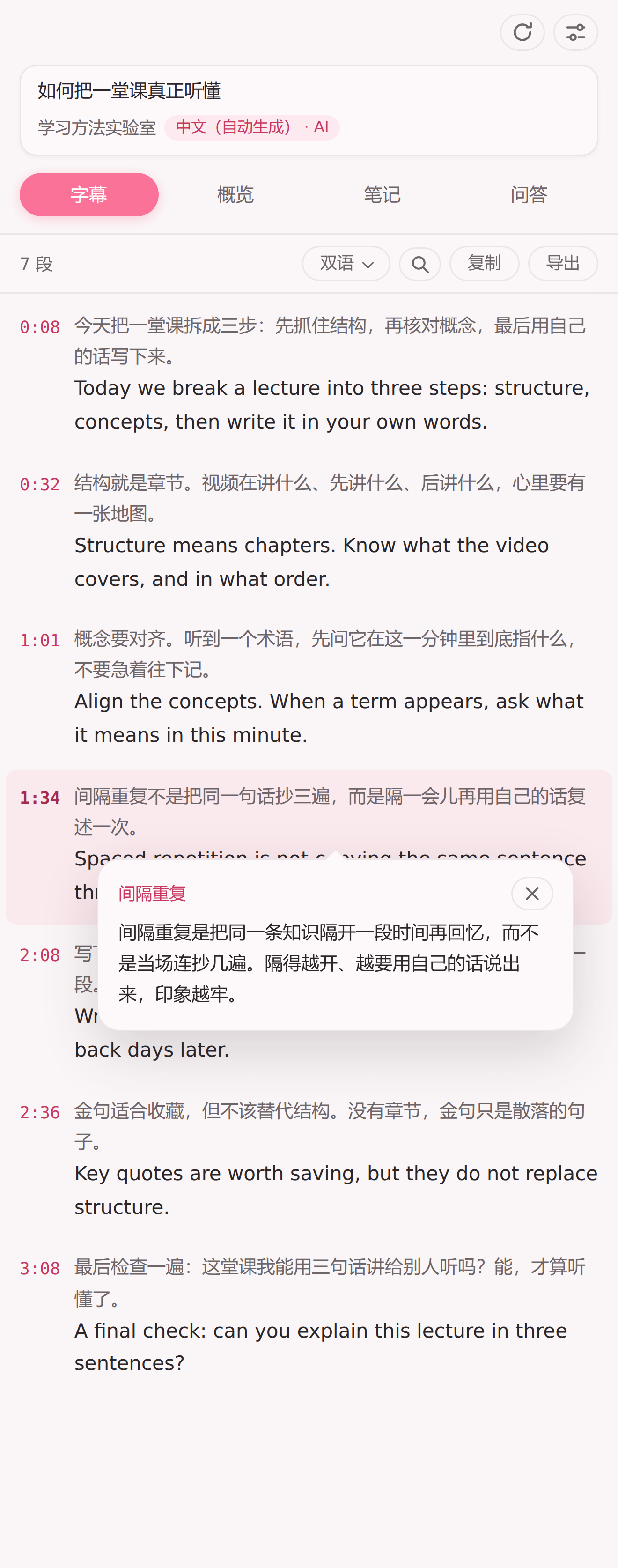
The AI reads the whole subtitle track and produces timestamped chapters with key quotes attached beneath each one; long videos are split into overlapping chunks that can be stopped, resumed, or regenerated individually if a chunk fails.What happens when I click 'explain' on a word?Selecting a term or phrase in the subtitles and clicking 'Explain' triggers the AI to give a plain-language, context-aware explanation shown in a popup right next to the selected text.
Selecting a term or phrase in the subtitles and clicking 'Explain' triggers the AI to give a plain-language, context-aware explanation shown in a popup right next to the selected text.Can I export my notes somewhere else?Yes, notes can be exported as a Markdown list with timestamped links, and you can also export a full study document combining chapters, key quotes, notes and optionally the current subtitle view.
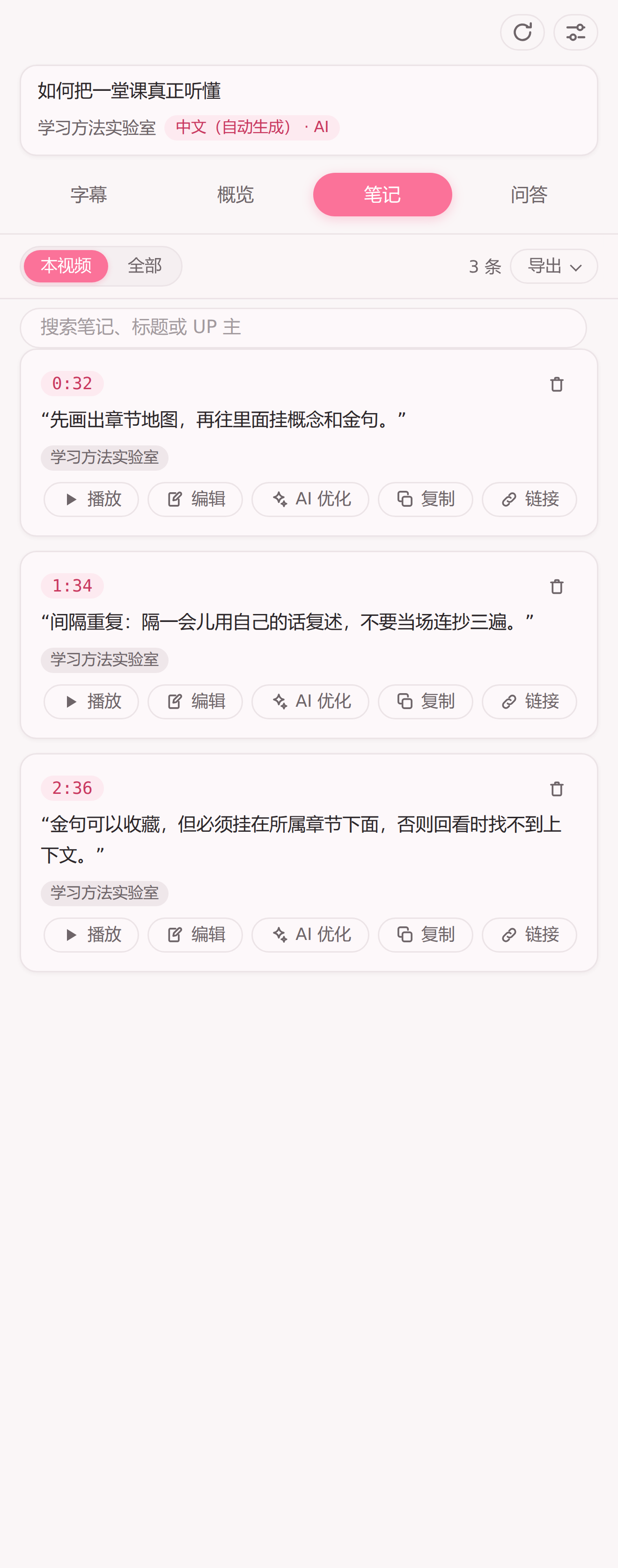
Yes, notes can be exported as a Markdown list with timestamped links, and you can also export a full study document combining chapters, key quotes, notes and optionally the current subtitle view.What are similar projects?qiaomu-clipper, FluentRead, integrity_baozi-, chatGPTBox, Card-master-browser-extension-public, chathub, video_vip, nextai-translator
qiaomu-clipper, FluentRead, integrity_baozi-, chatGPTBox, Card-master-browser-extension-public, chathub, video_vip, nextai-translatorWhich topics is it in?transcript, edge-extension, language-learning, bilibili, subtitles, dark-mode, note-taking, chrome-extension, browser-extension, translation, search, openai-compatible
transcript, edge-extension, language-learning, bilibili, subtitles, dark-mode, note-taking, chrome-extension, browser-extension, translation, search, openai-compatible