

axton-obsidian-visual-skills README

The project's README from github.com/axtonliu/axton-obsidian-visual-skills. As one markdown file: README.md.

Obsidian Visual Skills Pack

License: MIT Status: Experimental

中文文档

Visual Skills Pack for Obsidian: generate Canvas, Excalidraw, and Mermaid diagrams from text with Claude Code.

Next Step: Want to turn Skills from demo to asset? Check out Agent Skills Resource Library (includes slides, PDF, diagnostics)

Demo

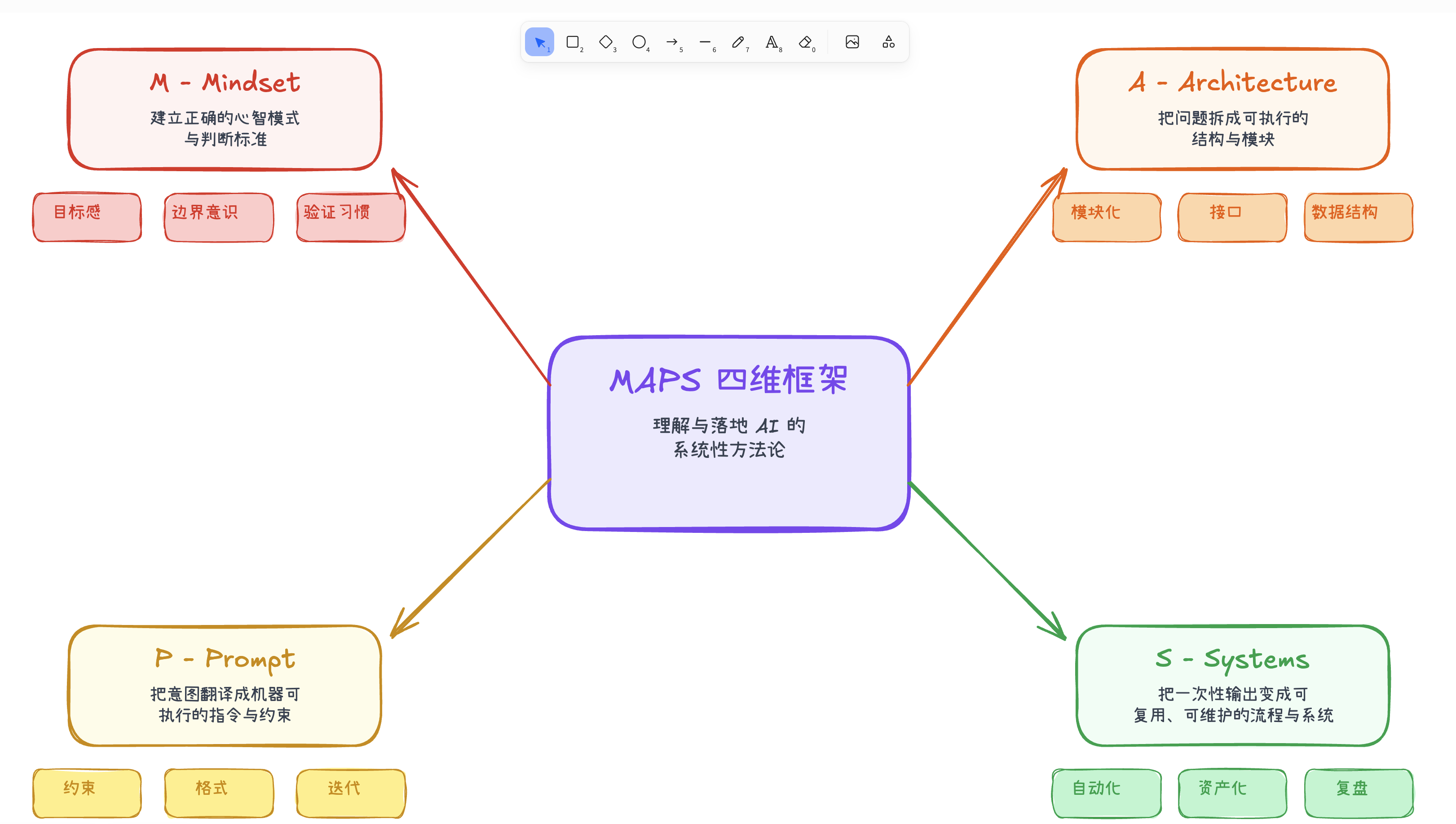
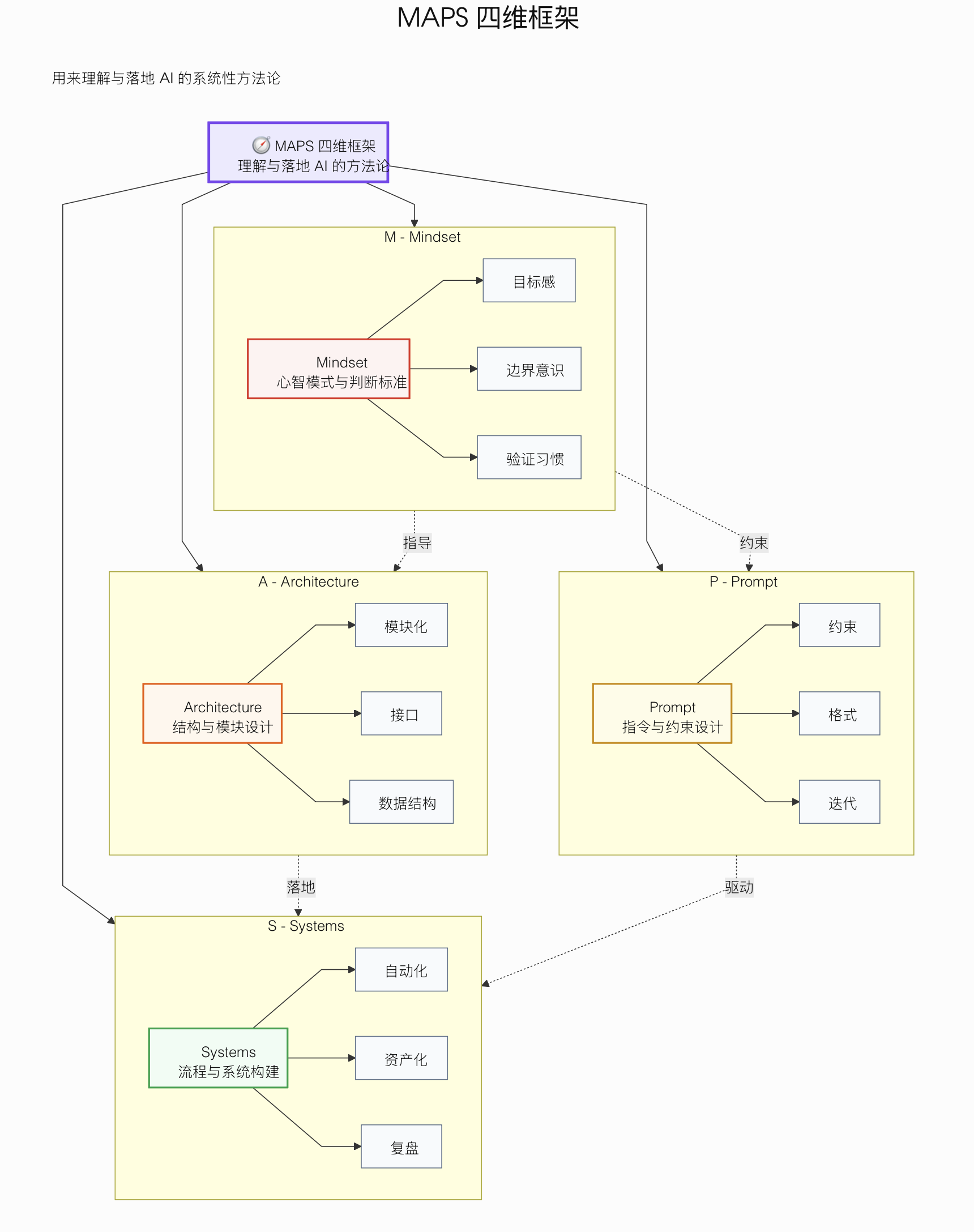
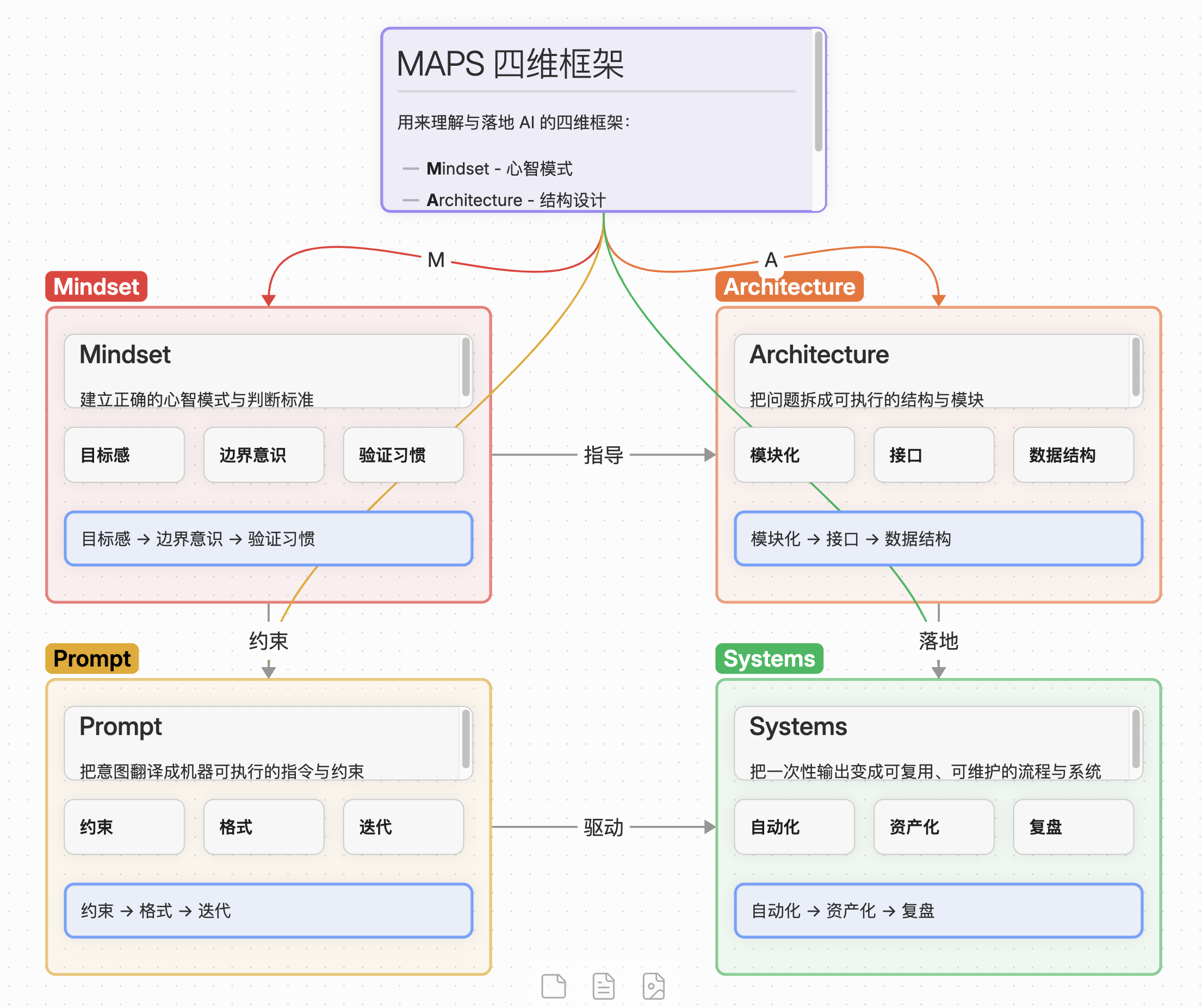
Excalidraw Mermaid Canvas
Excalidraw Demo Mermaid Demo Canvas Demo
Hand-drawn style Hierarchical flowchart Colorful card layout

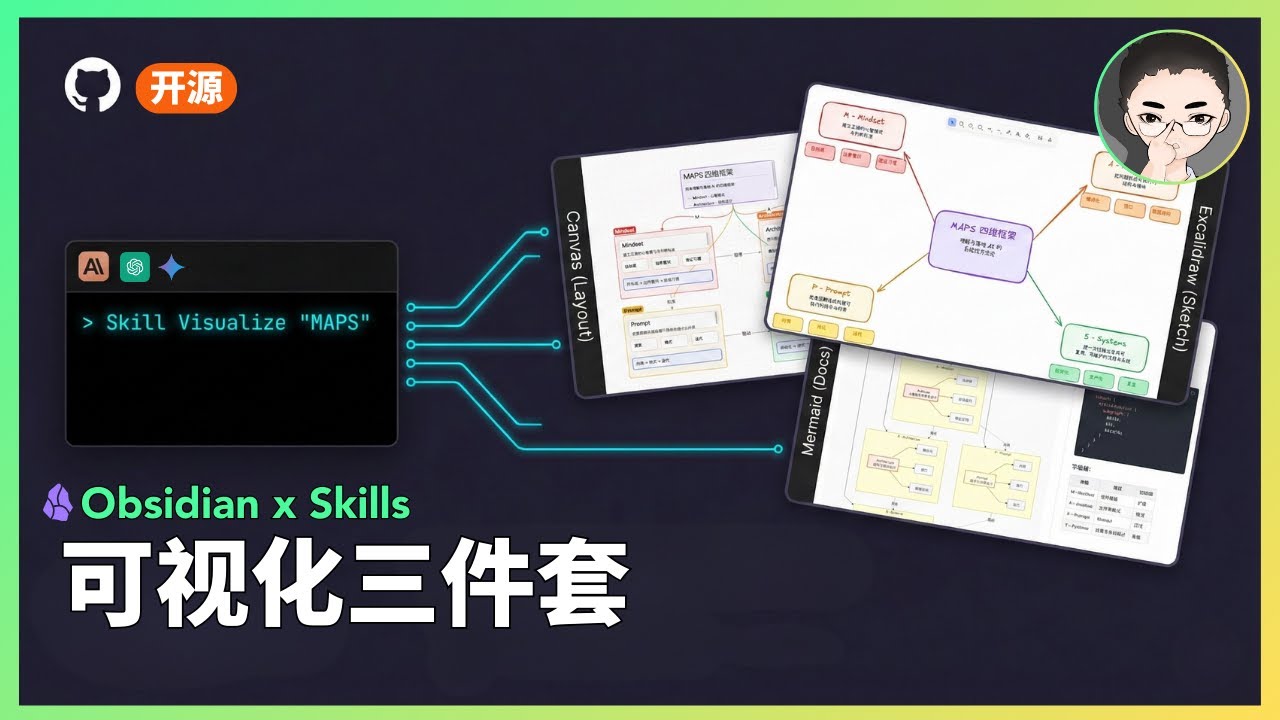
Video Demo

Watch the demo

Status

Status: Experimental

  • This is a public prototype that works for my demos, but does not yet cover all input scales and edge cases.
  • Output quality varies based on model version and input structure; results may fluctuate.
  • My primary focus is demonstrating how tools and systems work together, not maintaining this codebase.
  • If you encounter issues, please submit a reproducible case (input + output file + steps to reproduce).

What Are Skills?

Skills are prompt-based extensions for Claude Code that give Claude specialized capabilities. Unlike MCP servers that require complex setup, skills are simple markdown files that Claude loads on demand.

Included Skills

1. Excalidraw Diagram Generator

Generate hand-drawn style diagrams with three output modes:

Mode Output Use Case
Obsidian (default) .md Open directly in Obsidian
Standard .excalidraw Open/edit/share on excalidraw.com
Animated .excalidraw Generate animations with excalidraw-animate

Supported Diagram Types:

Type Best For
Flowchart Step-by-step processes, workflows, task sequences
Mind Map Concept expansion, topic categorization, brainstorming
Hierarchy Org charts, content levels, system decomposition
Relationship Dependencies, influences, interactions between elements
Comparison Side-by-side analysis of approaches or options
Timeline Event progression, project milestones, evolution
Matrix 2D categorization, priority grids, positioning
Freeform Scattered ideas, initial exploration, free-form notes

Key Features:

Trigger words:

2. Mermaid Visualizer

Transform text content into professional Mermaid diagrams optimized for presentations and documentation. Includes built-in syntax error prevention for common pitfalls.

Supported Diagram Types:

Key Features:

Trigger words: Mermaid, visualize, flowchart, sequence diagram, 可视化

3. Obsidian Canvas Creator

Create interactive Obsidian Canvas (.canvas) files with MindMap or freeform layouts. Outputs valid JSON Canvas format that opens directly in Obsidian.

Layout Modes:

Mode Structure Best For
MindMap Radial hierarchy from center Brainstorming, topic exploration, hierarchical content
Freeform Custom positioning, flexible connections Complex networks, non-hierarchical content, custom arrangements

Key Features:

Trigger words: Canvas, mind map, visual diagram, 思维导图

Installation

Prerequisites

Install via Claude Code's plugin system:

/plugin marketplace add axtonliu/axton-obsidian-visual-skills
/plugin install obsidian-visual-skills

Then restart Claude Code to load the skills.

Option B: Manual Installation

Copy the skill folders to your Claude Code skills directory:

# Clone the repository
git clone https://github.com/axtonliu/axton-obsidian-visual-skills.git

# Copy skills to Claude Code directory
cp -r axton-obsidian-visual-skills/excalidraw-diagram ~/.claude/skills/
cp -r axton-obsidian-visual-skills/mermaid-visualizer ~/.claude/skills/
cp -r axton-obsidian-visual-skills/obsidian-canvas-creator ~/.claude/skills/

Or copy individual skills as needed.

Usage

Once installed, Claude Code will automatically use these skills when you ask for visualizations:

# Excalidraw
"Create an Excalidraw flowchart showing the CI/CD pipeline"
"Draw a mind map about machine learning concepts"
"用 Excalidraw 画一个商业模式关系图"

# Mermaid
"Visualize this process as a Mermaid diagram"
"Create a sequence diagram for the API authentication flow"
"把这个工作流程转成 Mermaid 图表"

# Canvas
"Turn this article into an Obsidian Canvas"
"Create a mind map canvas for project planning"
"把这篇文章整理成 Canvas 思维导图"

File Structure

axton-obsidian-visual-skills/
├── excalidraw-diagram/
│   ├── SKILL.md              # Main skill definition
│   ├── assets/               # Example outputs
│   └── references/           # Excalidraw JSON schema
├── mermaid-visualizer/
│   ├── SKILL.md
│   └── references/           # Syntax rules & error prevention
├── obsidian-canvas-creator/
│   ├── SKILL.md
│   ├── assets/               # Template canvas files
│   └── references/           # Canvas spec & layout algorithms
├── README.md
├── README_CN.md
└── LICENSE

Troubleshooting

Excalidraw: Chinese text not showing as handwriting font

The skill correctly sets fontFamily: 5 (Excalifont). However, Excalifont only covers Latin characters — CJK handwriting font (Xiaolai) is loaded dynamically from the network.

Why it works for me: My Chinese text displays in handwriting style because the font loads successfully from Excalidraw.com.

Why it might not work for you:

Solutions:

Option A (Online): Ensure your network can access Excalidraw.com

Option B (Offline):

  1. Download CJK font files from Excalidraw GitHub
  2. Place them in your vault's Excalidraw/CJK Fonts folder
  3. In Excalidraw plugin settings, enable "Load Chinese fonts from file at startup"
  4. Restart Obsidian (required for settings to take effect)

Contributing

Contributions welcome (low-maintenance project):

Note: Feature requests may not be acted on due to limited maintenance capacity.

Acknowledgments

This project builds upon these excellent open-source tools and specifications:

License

MIT License - see LICENSE for details.


Author

Axton Liu - AI Educator & Creator

Learn More


© AXTONLIU™ & AI 精英学院™ 版权所有

axton-obsidian-visual-skills (axtonliu/axton-obsidian-visual-skills)

diagram
Searching Database…

What is this?A Visual Skills Pack that gives Claude Code the ability to turn plain text into Obsidian Canvas, Excalidraw, and Mermaid diagrams on request.
Is this an Obsidian plugin or something that runs through Claude Code?It is not an Obsidian plugin — it's a set of prompt-based Skills (plain markdown files) that Claude Code loads on demand to generate diagram files, which you then open in Obsidian.
Do I need the Obsidian Excalidraw plugin too?You need Claude Code CLI installed, and for the Excalidraw skill specifically you also need the Excalidraw plugin inside Obsidian.
Is this stable enough to rely on?No, the project is explicitly marked Experimental: it's a public prototype that works for the author's demos but doesn't cover all input scales or edge cases, and output quality can vary by model version.
Does the Excalidraw skill work fully offline?Mostly, but the Chinese handwriting font (Xiaolai) for Excalidraw is loaded dynamically from Excalidraw.com, so offline or firewalled setups need to manually download and load the CJK font files locally.
What kinds of diagrams can the Excalidraw skill draw?Flowcharts, mind maps, hierarchies, relationship diagrams, comparisons, timelines, matrices, and freeform layouts, output as Obsidian markdown, standard .excalidraw files, or animated versions.
What can the Mermaid skill generate?Process flows, circular flows, comparison diagrams, mindmaps, sequence diagrams, and state diagrams, with built-in syntax checks to avoid common Mermaid pitfalls.
What does the Obsidian Canvas Creator produce?Valid JSON Canvas (.canvas) files in either a radial mind-map layout or a freeform layout, with automatic node sizing, spacing, and labeled edges.
Creator
axtonliu
Size
1.1 MB
Stars
3.7K
Age
9mo
Commits · 90 Days