
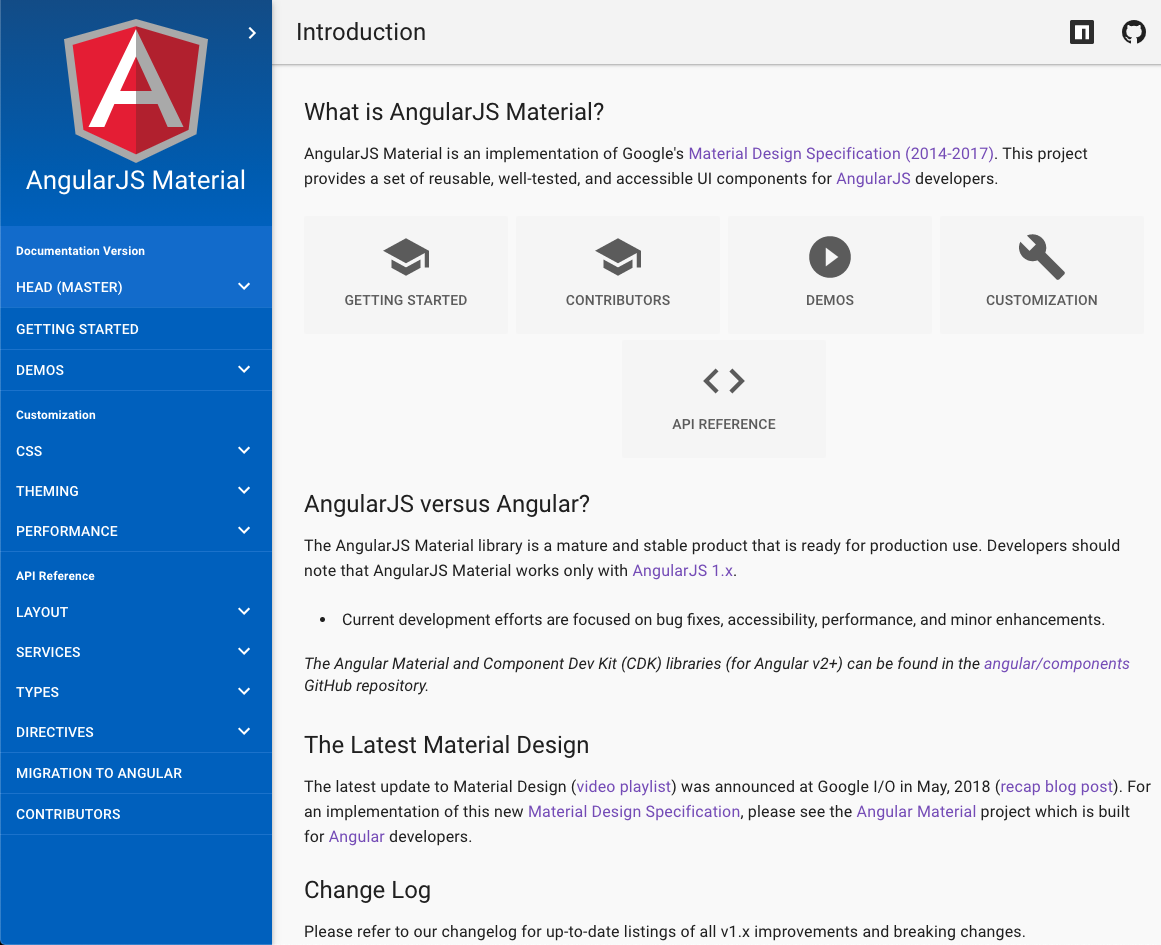

material README

The project's README from github.com/angular/material. As one markdown file: README.md.

Material Design for AngularJS Apps

npm version Build Status

Material Design is a specification for a unified system of visual, motion, and interaction design that adapts across different devices. Our goal is to deliver a lean, lightweight set of AngularJS-native UI elements that implement the material design specification for use in AngularJS single-page applications (SPAs).

AngularJS Material is an implementation of Google's Material Design Specification (2014-2017) for AngularJS (v1.x) developers.

For an implementation of the Material Design Specification (2018+), please see the Angular Material project which is built for Angular (v2+) developers.

End-of-Life

AngularJS Material support has officially ended as of January 2022. See what ending support means and read the end of life announcement. Visit material.angular.io for the actively supported Angular Material.

Find details on reporting security issues here.

venn diagram

AngularJS Material includes a rich set of reusable, well-tested, and accessible UI components.

Quick Links:

Please note that using the latest version of AngularJS Material requires the use of AngularJS 1.7.2 or higher.

AngularJS Material supports the browser versions defined in the browserslist field of our package.json. Find out more on our docs site.

AngularJS Material supports the screen reader versions listed here.

Online Documentation and Demos


Building

Developers can build AngularJS Material using NPM and gulp.

First install or update your local project's npm dependencies:

npm install

Install Gulp v3 globally:

npm install -g gulp@3

Then run the gulp tasks:

# To build `angular-material.js/.css` and `Theme` files in the `/dist` directory
gulp build

# To build the AngularJS Material Docs and Demos in `/dist/docs` directory
gulp docs

For development, use the docs:watch NPM script to run in dev mode:

# To build the AngularJS Material Source, Docs, and Demos in watch mode
npm run docs:watch

For more details on how the build process works and additional commands (available for testing and debugging) developers should read the Build Guide.

Installing Build (Distribution Files)

NPM

For developers not interested in building the AngularJS Material library... use NPM to install and use the AngularJS Material distribution files.

Change to your project's root directory.

# To get the latest stable version, use NPM from the command line.
npm install angular-material --save

# To get the most recent, latest committed-to-master version use:
npm install http://github.com/angular/bower-material#master --save

Other Dependency Managers

Visit our distribution repository for more details on how to install and use the AngularJS Material distribution files within your local project.

CDN

CDN versions of AngularJS Material are available.

With the Google CDN, you will not need to download local copies of the distribution files. Instead, simply reference the CDN urls to easily use those remote library files. This is especially useful when using online tools such as CodePen or Plunker.

  <head>

    <!-- AngularJS Material CSS now available via Google CDN; version 1.2.1 used here -->
   <link rel="stylesheet" href="https://ajax.googleapis.com/ajax/libs/angular_material/1.2.1/angular-material.min.css">

  </head>
  <body>

    <!-- AngularJS Material Dependencies -->
    <script src="https://ajax.googleapis.com/ajax/libs/angularjs/1.8.2/angular.min.js"></script>
    <script src="https://ajax.googleapis.com/ajax/libs/angularjs/1.8.2/angular-animate.min.js"></script>
    <script src="https://ajax.googleapis.com/ajax/libs/angularjs/1.8.2/angular-aria.min.js"></script>
    <script src="https://ajax.googleapis.com/ajax/libs/angularjs/1.8.2/angular-messages.min.js"></script>

    <!-- AngularJS Material Javascript now available via Google CDN; version 1.2.1 used here -->
    <script src="https://ajax.googleapis.com/ajax/libs/angular_material/1.2.1/angular-material.min.js"></script>
  </body>

Developers seeking the latest, most-current build versions can use GitCDN.xyz to pull directly from our distribution repository:

  <head>

    <!-- AngularJS Material CSS using GitCDN to load directly from `bower-material/master` -->
    <link rel="stylesheet" href="https://gitcdn.xyz/cdn/angular/bower-material/master/angular-material.css">

  </head>
  <body>

    <!-- AngularJS Material Dependencies -->
    <script src="https://ajax.googleapis.com/ajax/libs/angularjs/1.8.2/angular.js"></script>
    <script src="https://ajax.googleapis.com/ajax/libs/angularjs/1.8.2/angular-animate.js"></script>
    <script src="https://ajax.googleapis.com/ajax/libs/angularjs/1.8.2/angular-aria.js"></script>
    <script src="https://ajax.googleapis.com/ajax/libs/angularjs/1.8.2/angular-messages.min.js"></script>

    <!-- AngularJS Material Javascript using GitCDN to load directly from `bower-material/master` -->
    <script src="https://gitcdn.xyz/cdn/angular/bower-material/master/angular-material.js"></script>

  </body>

Once you have all the necessary assets installed, add ngMaterial and ngMessages as dependencies for your app:

angular.module('myApp', ['ngMaterial', 'ngMessages']);

material (angular/material)

angularjs
Searching Database…

16.4K ·GitHub
archived
What is this?AngularJS Material is a UI component library that implements Google's Material Design specification (2014-2017) for AngularJS 1.x single-page apps.
Is it a framework, or something I add to an app I already have?A library, not a framework: a lean set of AngularJS-native UI components that you wire into an existing AngularJS app as ngMaterial and ngMessages dependencies.
Which version of AngularJS does it need?The latest version of AngularJS Material requires AngularJS 1.7.2 or higher.
Is this project still maintained?No. Official support ended in January 2022 and the repository is archived. For Angular (v2+) projects, use the actively supported Angular Material at material.angular.io instead.
Which browsers does it work in?Whatever the browserslist field in its package.json allows; the docs site also lists the supported screen reader versions.
Where can I see the components in action before installing?material.angularjs.org hosts the API reference, live demos and guides on the layout system, theming and typography. CDN builds also make it easy to experiment in CodePen or Plunker.
What does end-of-life mean for apps already using it?No new releases, fixes or official security support since January 2022, and the repo is archived. Existing apps keep working, but nothing will be patched, so plan a move to Angular Material if you upgrade to Angular v2+.
Are the components accessible?Yes. The README describes the set as reusable, well-tested and accessible UI components, and the docs list which screen reader versions are supported.
Creator
angular
Size
49.5 MB
Stars
16.4K
Age
12y
Commits · 90 Days