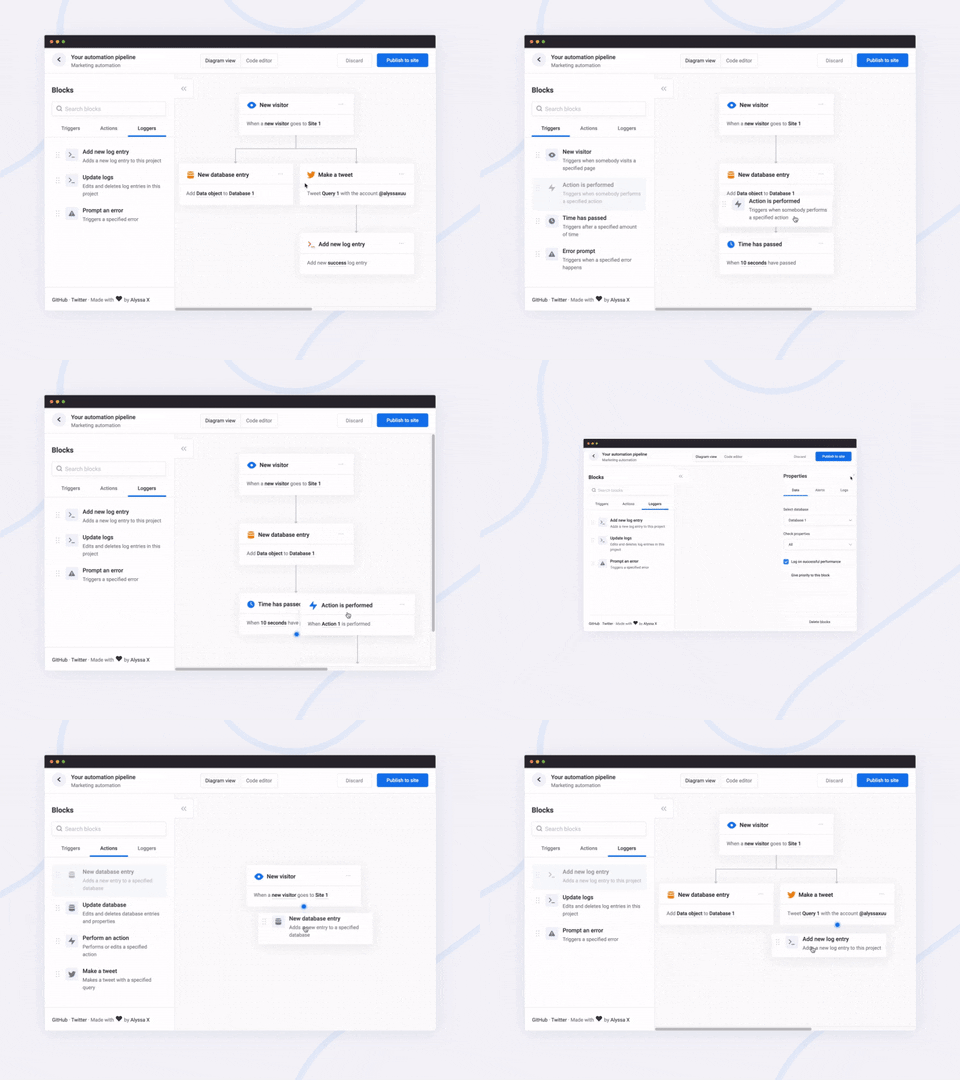
What is this?
 Flowy is a minimal JavaScript library for building flowcharts in web apps: users drag blocks onto a canvas, snap them together, and rearrange them.
Flowy is a minimal JavaScript library for building flowcharts in web apps: users drag blocks onto a canvas, snap them together, and rearrange them.Is it a standalone flowchart app, or a library I embed in my own web app?A library, not a standalone app — you drop it into your own web page, point it at a canvas element, and it turns that element into an interactive flowchart canvas.
A library, not a standalone app — you drop it into your own web page, point it at a canvas element, and it turns that element into an interactive flowchart canvas.How do I add it to a project?Link flowy.min.js and flowy.min.css (jsDelivr works), create a canvas element, give the draggable blocks the .create-flowy class, then initialize Flowy on that canvas.
Link flowy.min.js and flowy.min.css (jsDelivr works), create a canvas element, give the draggable blocks the .create-flowy class, then initialize Flowy on that canvas.Do I need npm, a bundler, or any other JavaScript libraries first?None — it's vanilla JavaScript with no dependencies, and there's no npm package yet, so you just link the two files directly into your page.
None — it's vanilla JavaScript with no dependencies, and there's no npm package yet, so you just link the two files directly into your page.Can I delete a single block from the canvas?No — there's no method to remove individual blocks yet. You can either delete all blocks at once or rearrange and split branches manually.
No — there's no method to remove individual blocks yet. You can either delete all blocks at once or rearrange and split branches manually.Does it work on mobile browsers?Yes — mobile support is one of Flowy's listed features, and the drag and drop is responsive, so it's built with touch in mind.
Yes — mobile support is one of Flowy's listed features, and the drag and drop is responsive, so it's built with touch in mind.What can I build with Flowy?Anything that needs a flowchart UI: the README suggests automation software, mind mapping tools, or simple programming platforms, implemented into your own project in minutes.
Anything that needs a flowchart UI: the README suggests automation software, mind mapping tools, or simple programming platforms, implemented into your own project in minutes.Can I adjust the spacing between blocks?Yes — at initialization you can set spacingx and spacingy, which default to 20px horizontal and 80px vertical between blocks.
Yes — at initialization you can set spacingx and spacingy, which default to 20px horizontal and 80px vertical between blocks.What does the exported flowchart JSON contain?Each block has an id, its parent's id (-1 if none), arrays of input name/value pairs, and its data attributes, alongside the canvas HTML and the library's internal block arrays.
Each block has an id, its parent's id (-1 if none), arrays of input name/value pairs, and its data attributes, alongside the canvas HTML and the library's internal block arrays.Why does the README warn about the import method?Importing accepts raw HTML and does not sanitize it, so loading untrusted data can expose your app to XSS — only import output you absolutely trust.
Importing accepts raw HTML and does not sanitize it, so loading untrusted data can expose your app to XSS — only import output you absolutely trust.What are similar projects?mermaid, dragula, list.js, xyflow, not-paid, skrollr, flatpickr, LogicFlow
mermaid, dragula, list.js, xyflow, not-paid, skrollr, flatpickr, LogicFlowWhich topics is it in?diagramming, mindmap, minimal, flowchart, marketing-automation, engine, diagrams, vanilla-javascript, drag-and-drop, no-dependencies, marketing, visualization
diagramming, mindmap, minimal, flowchart, marketing-automation, engine, diagrams, vanilla-javascript, drag-and-drop, no-dependencies, marketing, visualization