


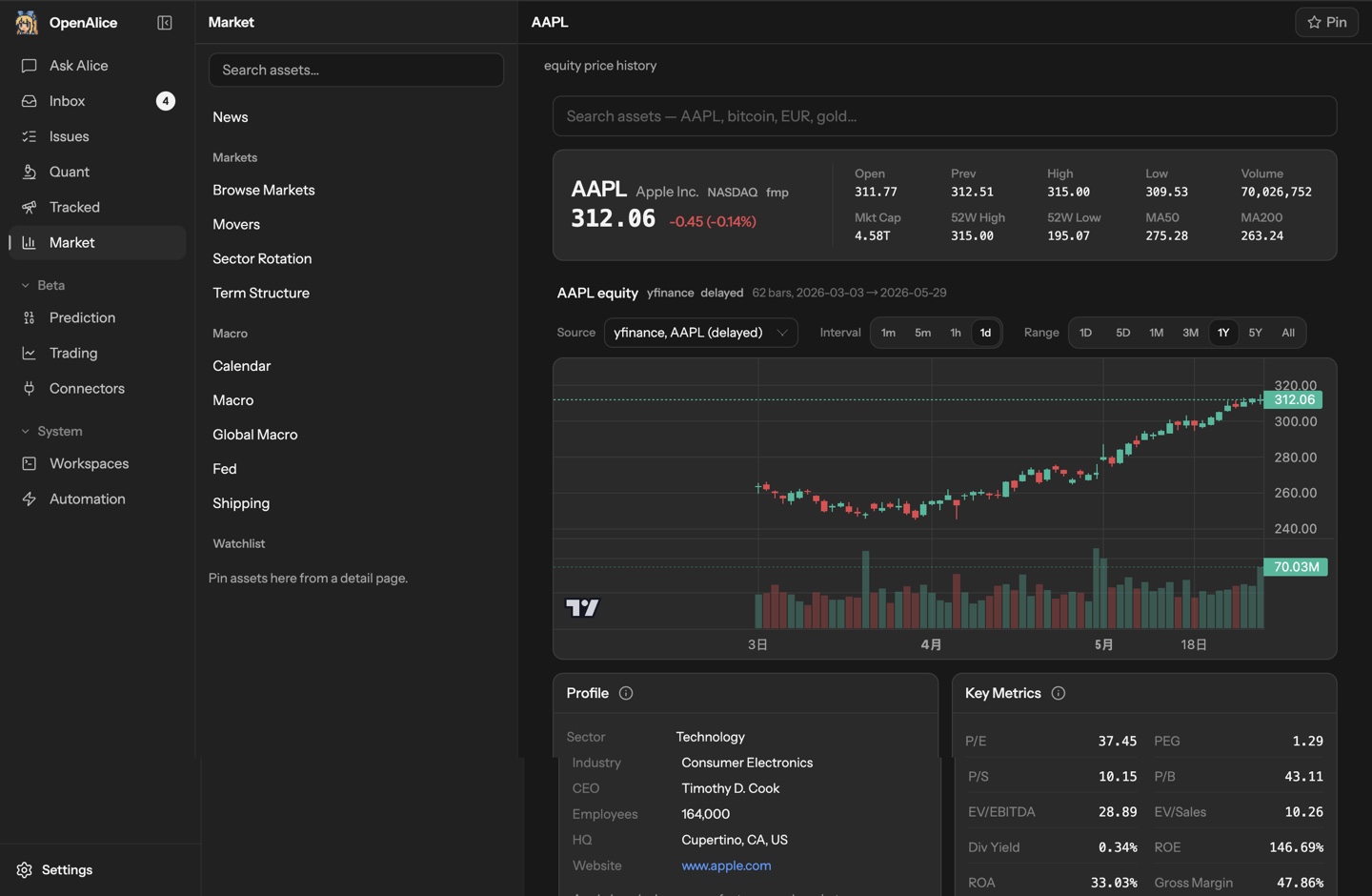








What is this?
 An AI trading orchestrator for a one-person desk: it connects coding agents you already use to market data, research workspaces, scheduled tasks, and trading accounts, covering the path from research and thesis-building through position entry, management, and exit.
An AI trading orchestrator for a one-person desk: it connects coding agents you already use to market data, research workspaces, scheduled tasks, and trading accounts, covering the path from research and thesis-building through position entry, management, and exit.Is this a desktop app, a server, or a CLI tool?All three: a desktop app for macOS and Windows that ships with the Pi agent, plus a CLI installer, remote quickstart, and Docker setup if you prefer a terminal or a server.
All three: a desktop app for macOS and Windows that ships with the Pi agent, plus a CLI installer, remote quickstart, and Docker setup if you prefer a terminal or a server.How do I get it running?Download the desktop app, connect a model credential or supported login, and try a first task in Ask Alice — you do not need a broker account to start researching.
Download the desktop app, connect a model credential or supported login, and try a first task in Ask Alice — you do not need a broker account to start researching.Which AI agents can I plug into it?Native agents you already have: Claude Code, Codex, OpenCode, Pi, Oh My Pi, and others, each with its own model credentials or login. Available market data depends on the providers you configure.
Native agents you already have: Claude Code, Codex, OpenCode, Pi, Oh My Pi, and others, each with its own model credentials or login. Available market data depends on the providers you configure.Can I let it trade real money today?Trading execution is in beta: start with simulator, paper, demo, or testnet accounts. OpenAlice is experimental software with no guarantees of correctness, reliability, or profitability — use real funds only if you accept the risks.
Trading execution is in beta: start with simulator, paper, demo, or testnet accounts. OpenAlice is experimental software with no guarantees of correctness, reliability, or profitability — use real funds only if you accept the risks.Where does my data and account access live?It runs locally by default: workspaces are Git repositories you can inspect and back up, state lives under ~/.openalice, and broker credentials are sealed at rest — though your chosen agents and data providers still call their own configured services.
It runs locally by default: workspaces are Git repositories you can inspect and back up, state lives under ~/.openalice, and broker credentials are sealed at rest — though your chosen agents and data providers still call their own configured services.Is there anything unusual about its license?AGPL-3.0, a strong copyleft license: modified versions you distribute or run as a network service must be released under the same terms.
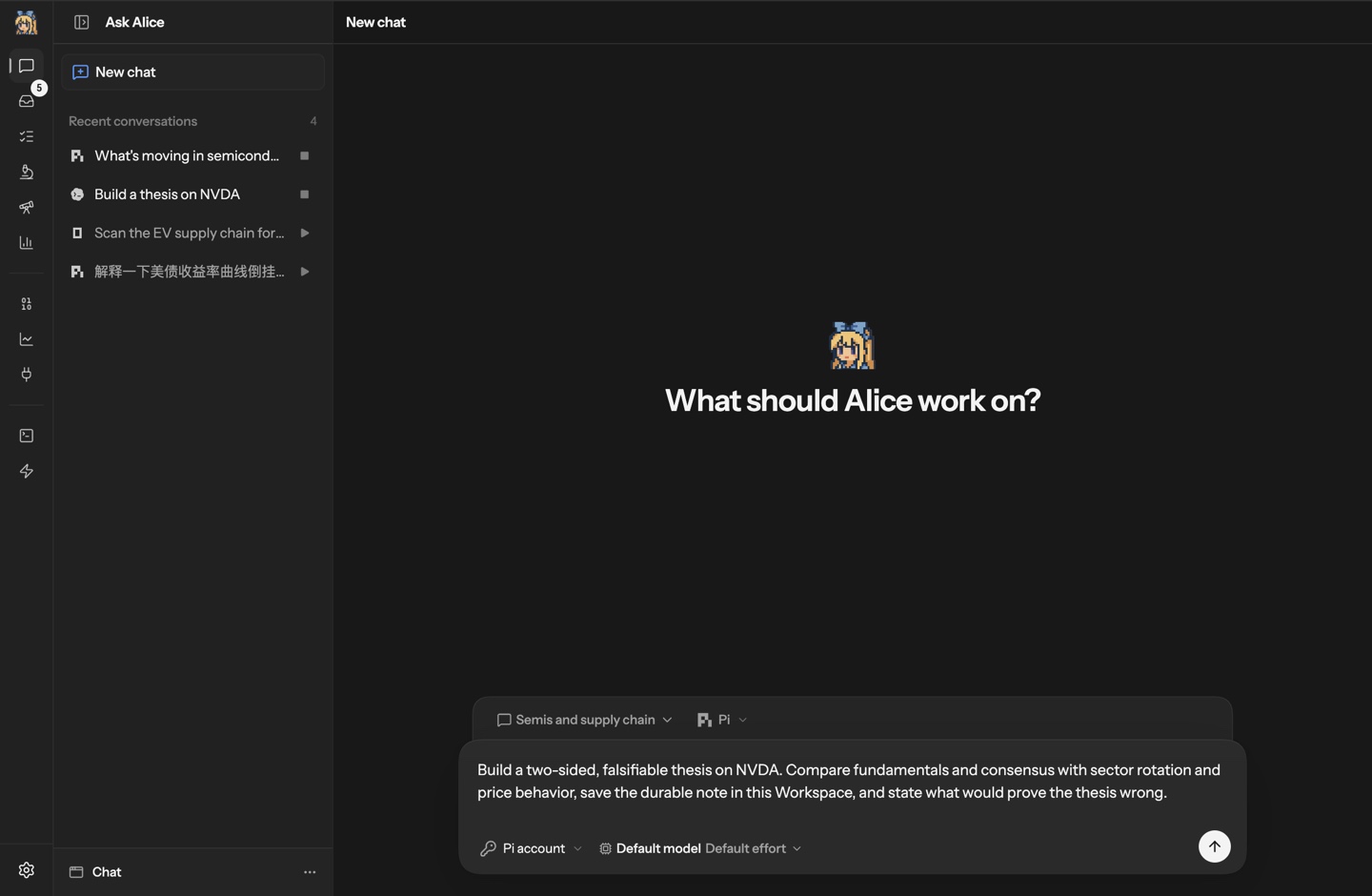
AGPL-3.0, a strong copyleft license: modified versions you distribute or run as a network service must be released under the same terms.What would my first task in it look like?Ask Alice to build a thesis on NVDA: compare fundamentals with sector trends and price behavior, save the research in the workspace, and spell out what would prove the thesis wrong. You can then continue the thread, turn it into a recurring Issue, or take it into AutoQuant.
Ask Alice to build a thesis on NVDA: compare fundamentals with sector trends and price behavior, save the research in the workspace, and spell out what would prove the thesis wrong. You can then continue the thread, turn it into a recurring Issue, or take it into AutoQuant.What are Chat, AutoQuant, and Auto Prediction?Reusable Workspaces for different kinds of work: Chat for general research, AutoQuant for quantitative projects and experiments, Auto Prediction for prediction-market research. Each keeps conversations, files, and Git history between sessions and has its own Studio interface.
Reusable Workspaces for different kinds of work: Chat for general research, AutoQuant for quantitative projects and experiments, Auto Prediction for prediction-market research. Each keeps conversations, files, and Git history between sessions and has its own Studio interface.How does an agent actually place a trade?Brokers connect through the Unified Trading Account, where you can inspect holdings, orders, and account state. With AI trading enabled, agents stage proposed operations and commit their rationale, and you review and approve execution through Trading as Git.
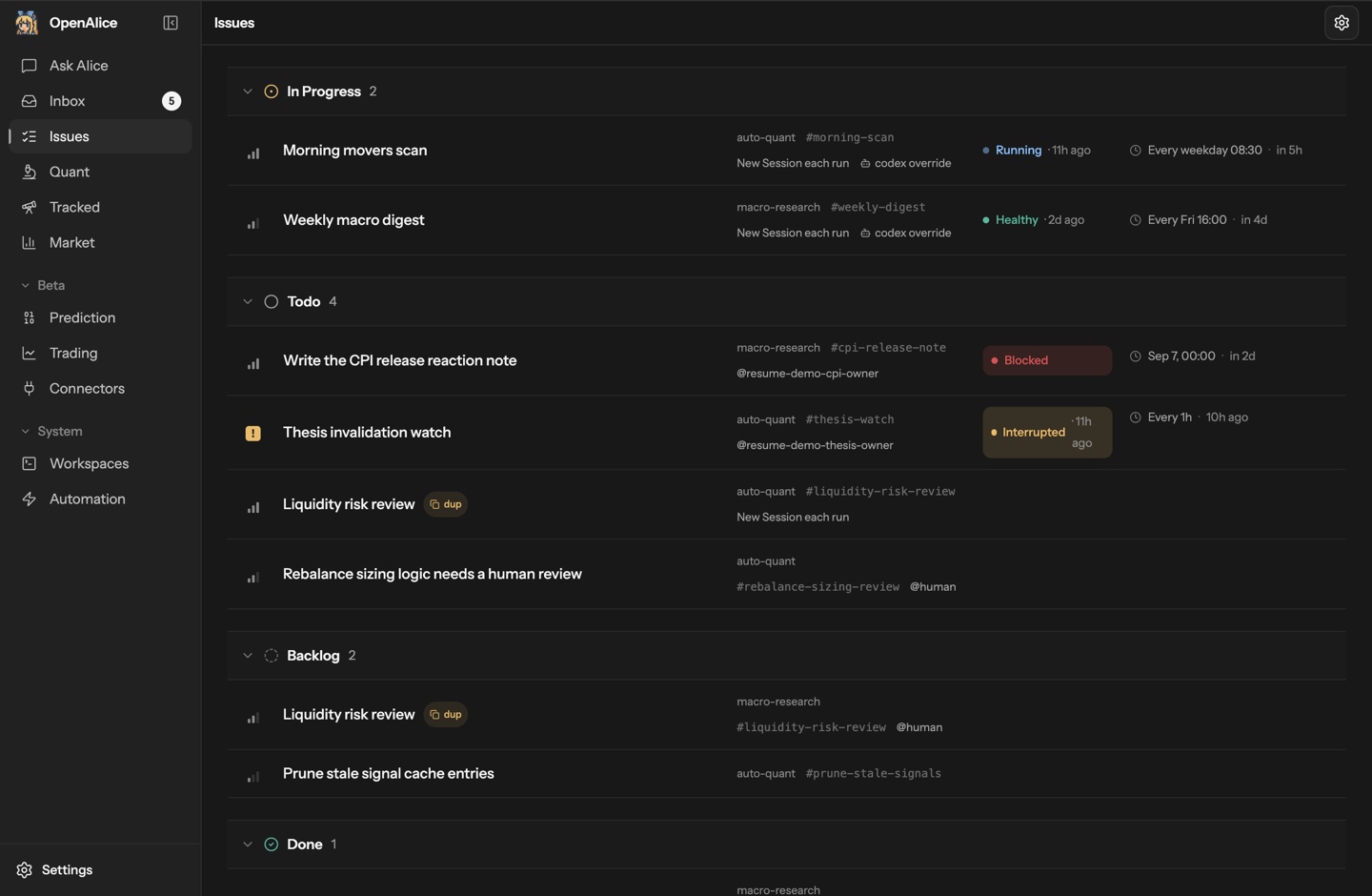
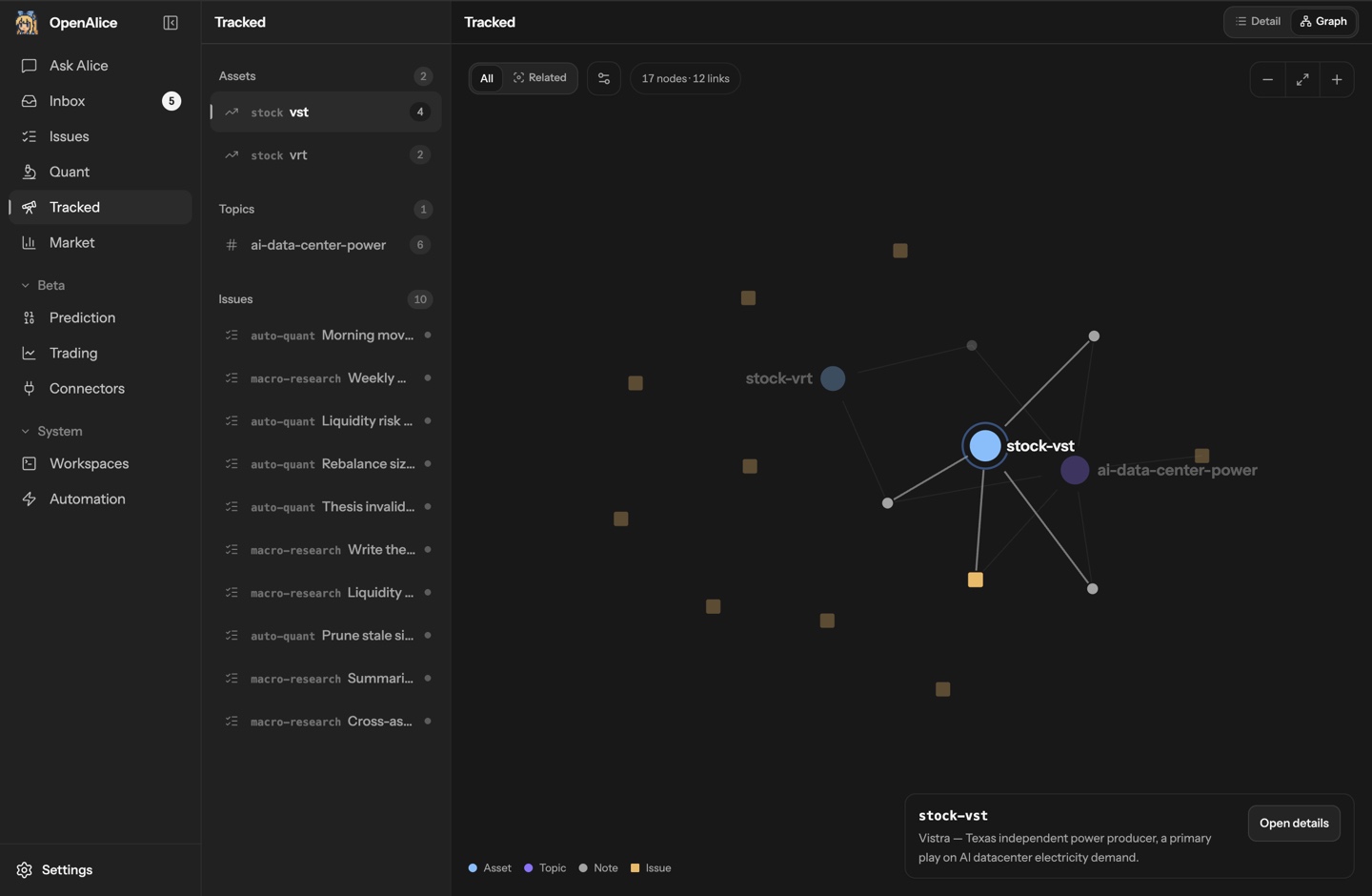
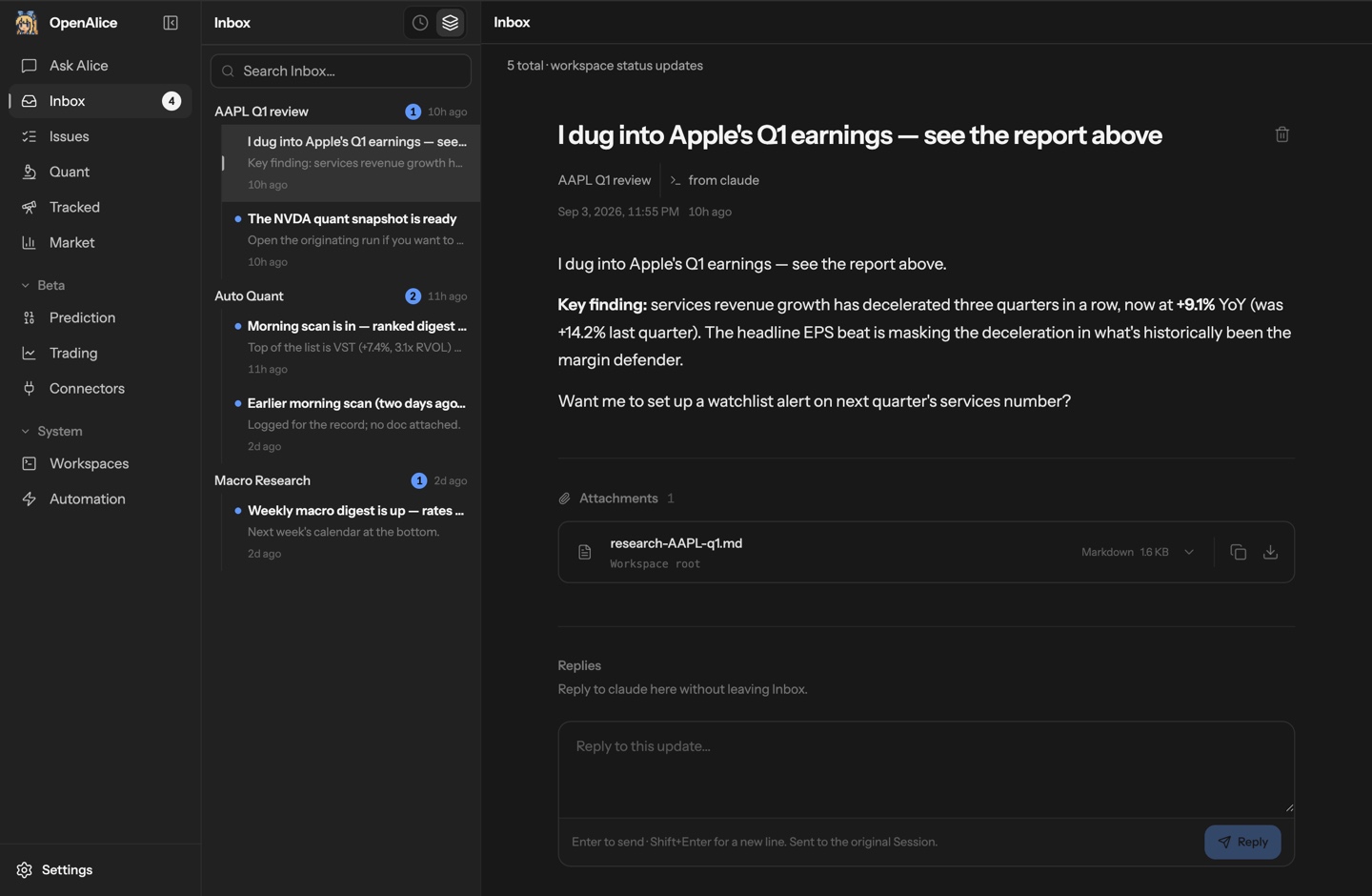
Brokers connect through the Unified Trading Account, where you can inspect holdings, orders, and account state. With AI trading enabled, agents stage proposed operations and commit their rationale, and you review and approve execution through Trading as Git.How does it keep long-running ideas on track?Tracked links research to assets and topics, and follow-ups become scheduled Issues — a morning scan, a weekly macro review, a recurring thesis check — run with the workspace's agent and context. Results land in the Inbox with a path back to the session that produced them.
Tracked links research to assets and topics, and follow-ups become scheduled Issues — a morning scan, a weekly macro review, a recurring thesis check — run with the workspace's agent and context. Results land in the Inbox with a path back to the session that produced them.What are similar projects?astra-quant-agent, FQGate-agent, OpenTrade-Agent, emdash, nofx, freqtrade, gekko, TradingView-API
astra-quant-agent, FQGate-agent, OpenTrade-Agent, emdash, nofx, freqtrade, gekko, TradingView-APIWhich topics is it in?quantitative-trading, market-data, trading-bot, trading, cryptocurrency, finance, orchestration, agpl, git, local-first, codex, privacy
quantitative-trading, market-data, trading-bot, trading, cryptocurrency, finance, orchestration, agpl, git, local-first, codex, privacy