230 ·GitHub
What is this?
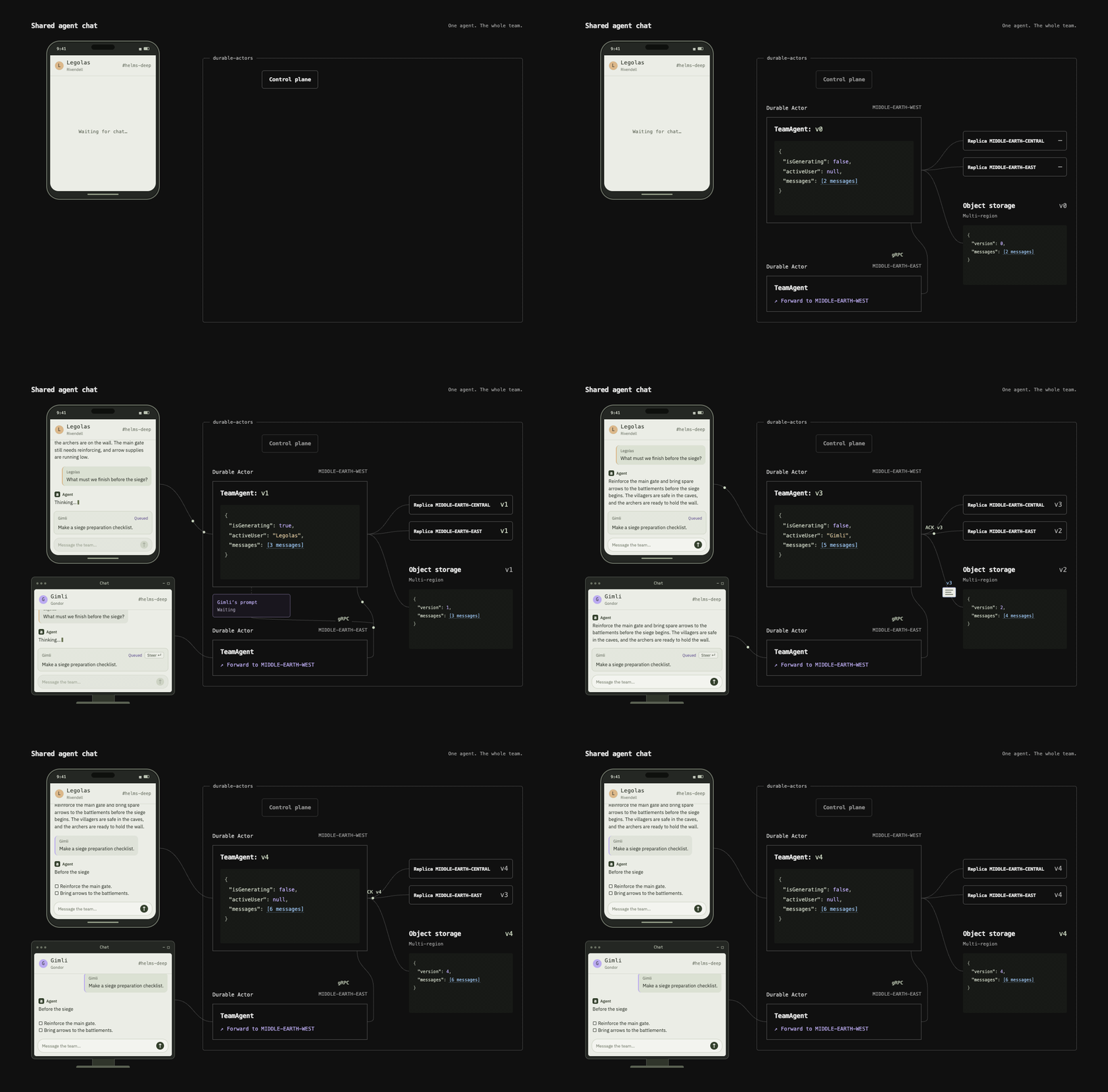
 Durable Actors is an open-source alternative to Cloudflare Durable Objects for building real-time, multi-agent coordinated systems like chat apps, collaboration tools, and agent swarms, with durable state and WebSocket support.
Durable Actors is an open-source alternative to Cloudflare Durable Objects for building real-time, multi-agent coordinated systems like chat apps, collaboration tools, and agent swarms, with durable state and WebSocket support.Is this a hosted service or something I run myself?It is a self-hostable actor runtime with type-safe SDK clients generated for your backend; you develop locally with one command and later self-host the runtime, currently documented for GCP.
It is a self-hostable actor runtime with type-safe SDK clients generated for your backend; you develop locally with one command and later self-host the runtime, currently documented for GCP.How do I get started building an actor?Install Bun 1.4.2+, define actors in your project's 'src/actors.ts' (the entrypoint loaded by 'durable-actors dev'), then generate the type-safe client to connect your backend and frontend over a WebSocket.
Install Bun 1.4.2+, define actors in your project's 'src/actors.ts' (the entrypoint loaded by 'durable-actors dev'), then generate the type-safe client to connect your backend and frontend over a WebSocket.Do I need Bun installed before starting?Yes, you need Bun version 1.4.2 or later to create and run a Durable Actors project.
Yes, you need Bun version 1.4.2 or later to create and run a Durable Actors project.Can I self-host this on any cloud, or just GCP?The README only documents self-hosting the runtime on GCP; other providers are not mentioned.
The README only documents self-hosting the runtime on GCP; other providers are not mentioned.Which languages can I write clients in?The SDK currently supports Python and TypeScript, with automatic type-safe client generation for both.
The SDK currently supports Python and TypeScript, with automatic type-safe client generation for both.What exactly is an 'actor' here?An actor is a class with durable state that survives crashes and restarts, plus serialized execution so concurrent callers can safely update it, like a chat-history actor or a Notion-style document actor.
An actor is a class with durable state that survives crashes and restarts, plus serialized execution so concurrent callers can safely update it, like a chat-history actor or a Notion-style document actor.What kind of apps is this built for?Real-time apps needing coordinated multi-agent state, such as ChatGPT-style chat, Notion-like collaborative documents, and Devin-style agent swarms.
Real-time apps needing coordinated multi-agent state, such as ChatGPT-style chat, Notion-like collaborative documents, and Devin-style agent swarms.Does it help with debugging actors in production?Yes, it includes built-in observability features for monitoring and debugging actors while they run.
Yes, it includes built-in observability features for monitoring and debugging actors while they run.Are there ready-made examples to learn from?Yes, the repo ships complete sample apps for AI Chat, Collaborative Documents, and a Chatroom.
Yes, the repo ships complete sample apps for AI Chat, Collaborative Documents, and a Chatroom.What are similar projects?spring-ai-alibaba, ruflo, jarviscore-framework, harness-sdk, relay, overstory, hive, open-multi-agent
spring-ai-alibaba, ruflo, jarviscore-framework, harness-sdk, relay, overstory, hive, open-multi-agentWhich topics is it in?actor-model, sqlite3, gcp, multi-agent-systems, bun, collaboration, websocket, agent-orchestration, observability, real-time, distributed-systems, chatbot
actor-model, sqlite3, gcp, multi-agent-systems, bun, collaboration, websocket, agent-orchestration, observability, real-time, distributed-systems, chatbot