






What is this?
 InkOS is an open-source story-creation AI agent system: it plans, writes, reviews and revises long serialized novels, short stories, screenplays, storyboards, interactive film-games and translations, all from one workbench.
InkOS is an open-source story-creation AI agent system: it plans, writes, reviews and revises long serialized novels, short stories, screenplays, storyboards, interactive film-games and translations, all from one workbench.Do I run it in a browser, on my desktop, or in the terminal?All three share one core: Studio (a web workbench), a full-screen TUI, and a CLI. Studio Chat, the TUI and inkos interact all go through the same pi-agent execution loop, so it behaves the same everywhere.
All three share one core: Studio (a web workbench), a full-screen TUI, and a CLI. Studio Chat, the TUI and inkos interact all go through the same pi-agent execution loop, so it behaves the same everywhere.How do I get it running and start my first book?Install Node.js 22 or newer, add InkOS via npm or by cloning the repo, then open Studio's model config: pick a provider, paste your API key, hit Test Connection, choose a model and start writing.
Install Node.js 22 or newer, add InkOS via npm or by cloning the repo, then open Studio's model config: pick a provider, paste your API key, hit Test Connection, choose a model and start writing.Which AI models can I plug into it?A built-in provider bank covers Google Gemini, Moonshot (Kimi), MiniMax, Zhipu, DeepSeek, SiliconFlow, Volcano, Tencent Hunyuan, iFlytek, OpenRouter, kkaiapi, Ollama, LM Studio and CodingPlan, plus any custom OpenAI-compatible endpoint. Different agents can even be routed to different models to balance quality and cost.
A built-in provider bank covers Google Gemini, Moonshot (Kimi), MiniMax, Zhipu, DeepSeek, SiliconFlow, Volcano, Tencent Hunyuan, iFlytek, OpenRouter, kkaiapi, Ollama, LM Studio and CodingPlan, plus any custom OpenAI-compatible endpoint. Different agents can even be routed to different models to balance quality and cost.Is it built for Chinese web novels, or can I write in English?It grew out of Chinese web-novel creation, but native English novel writing is now supported — just set --lang en. It also handles long-text translation between languages.
It grew out of Chinese web-novel creation, but native English novel writing is now supported — just set --lang en. It also handles long-text translation between languages.How does it keep a long novel from falling apart halfway through?It tracks characters, settings, foreshadowing and story state, retrieved through a local SQLite FTS5/BM25 index, with context layered as protected vs compressible. Chapters move through a write-review-revise loop inside a safe workspace with atomic commits, so a failure can't leave the state advanced while the text was never saved.
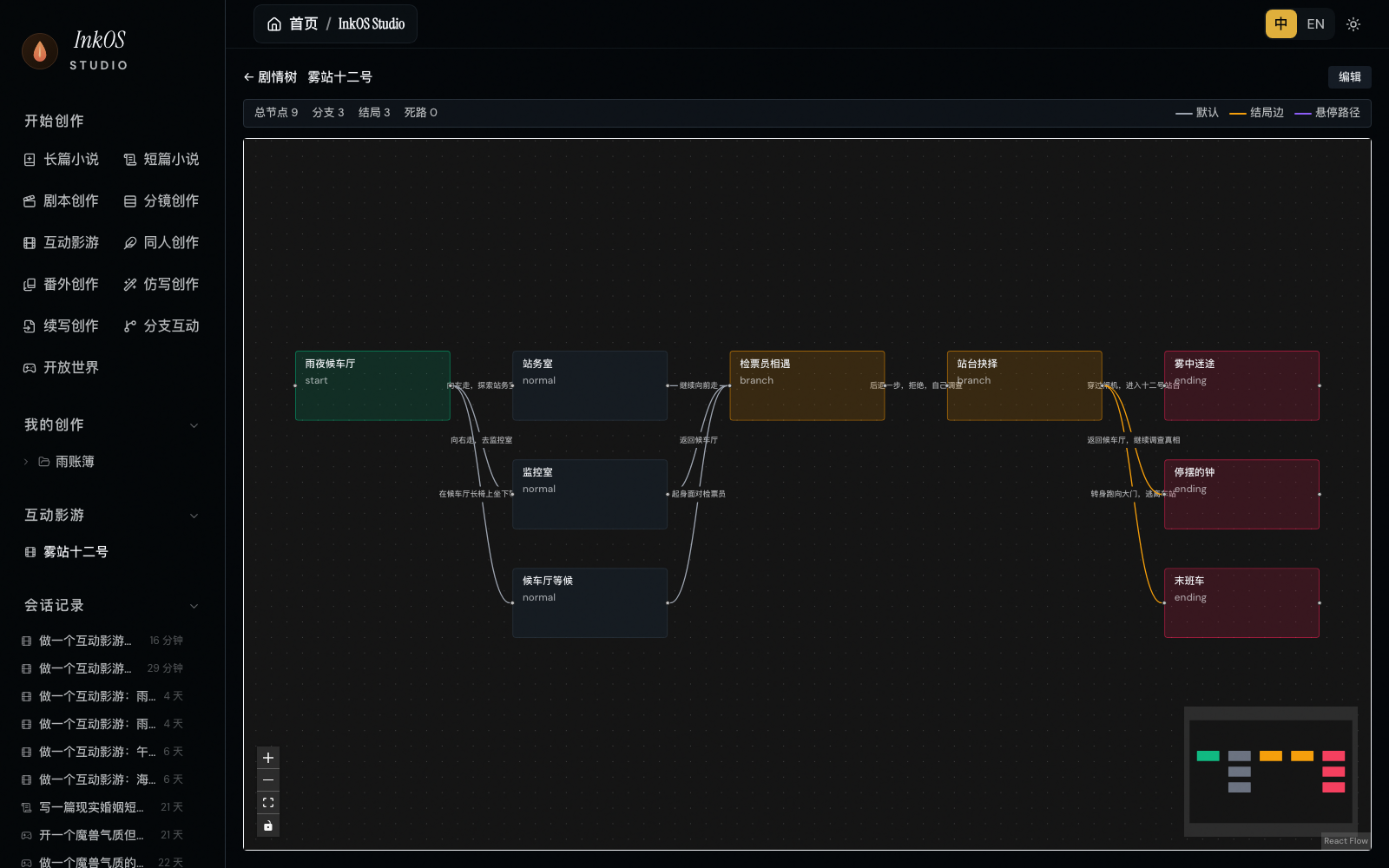
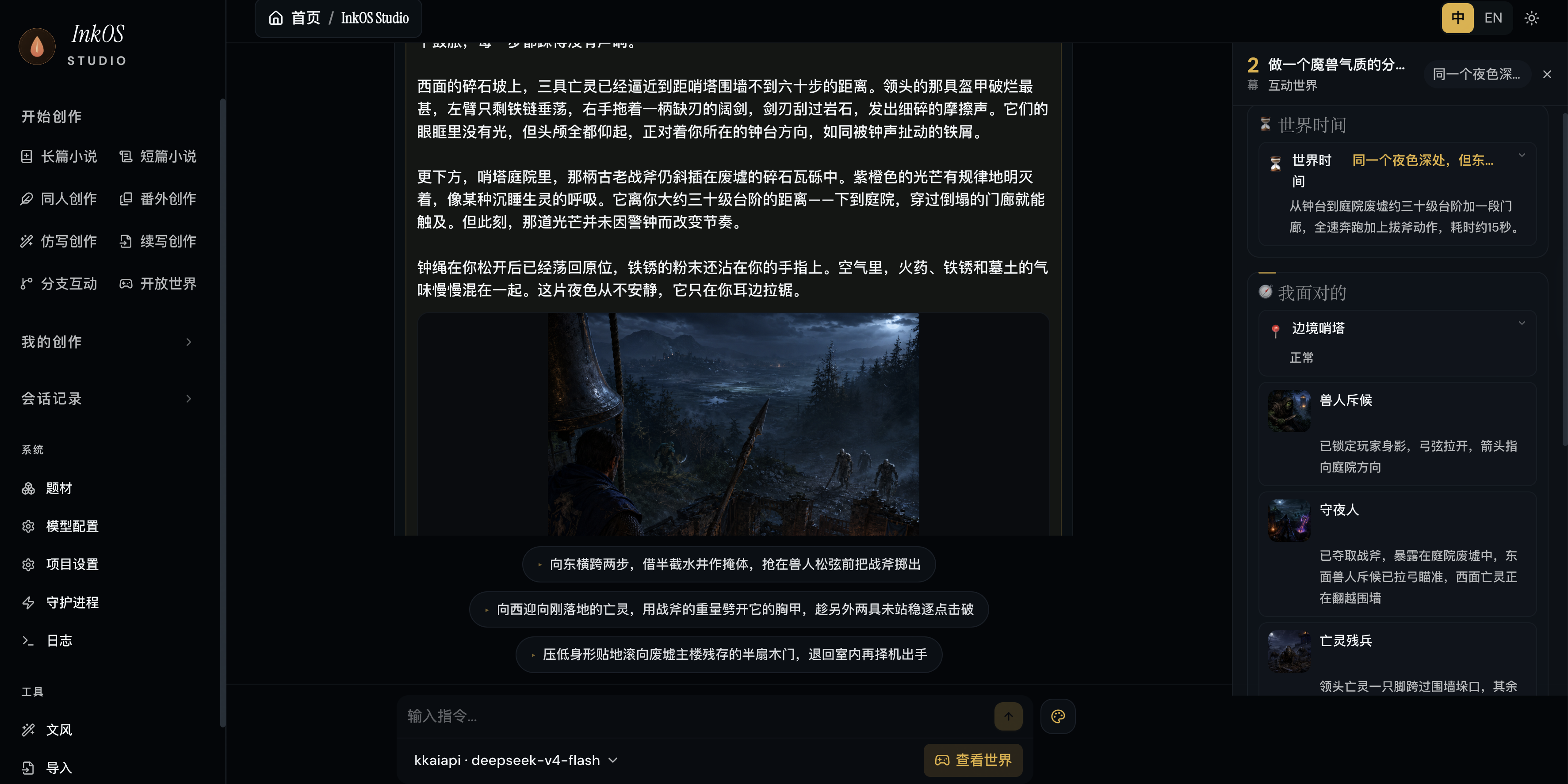
It tracks characters, settings, foreshadowing and story state, retrieved through a local SQLite FTS5/BM25 index, with context layered as protected vs compressible. Chapters move through a write-review-revise loop inside a safe workspace with atomic commits, so a failure can't leave the state advanced while the text was never saved.What is InkOS Play?An open-world and branching-interactive mode: you describe the world contract, time progression, character agents, item/evidence/relationship rules and visual style in natural language, and InkOS maintains world state with clickable choices, free actions, a HUD and auto-generated illustrations.
An open-world and branching-interactive mode: you describe the world contract, time progression, character agents, item/evidence/relationship rules and visual style in natural language, and InkOS maintains world state with clickable choices, free actions, a HUD and auto-generated illustrations.Can it generate cover art for my stories?Yes — after configuring a cover service and key in Studio, it produces covers/ /cover-prompt.md plus cover.png, either standalone or as part of a short-story package. You can then refine the prompt by chat (e.g. 'move the character closer, larger title, colder expression') and it regenerates without rewriting the story.
Yes — after configuring a cover service and key in Studio, it produces covers/ /cover-prompt.md plus cover.png, either standalone or as part of a short-story package. You can then refine the prompt by chat (e.g. 'move the character closer, larger title, colder expression') and it regenerates without rewriting the story.Can coding agents like Claude Code or OpenClaw drive InkOS?Yes. InkOS ships as an OpenClaw Skill — skills/SKILL.md comes bundled with the npm install or clone, no ClawHub download needed — and any compatible agent can call it via inkos interact --json --message, sharing the same execution kernel as Studio and the TUI.
Yes. InkOS ships as an OpenClaw Skill — skills/SKILL.md comes bundled with the npm install or clone, no ClawHub download needed — and any compatible agent can call it via inkos interact --json --message, sharing the same execution kernel as Studio and the TUI.What are similar projects?Baize, oh-story-claudecode, Raven, chinese-novelist-skill, brigade, BrowserOS, jiuwenswarm, ordewell
Baize, oh-story-claudecode, Raven, chinese-novelist-skill, brigade, BrowserOS, jiuwenswarm, ordewellWhich topics is it in?chinese-novel, lmstudio, storyboard, short-drama, ai-writing, kimi, writing, agplv3, translation, openclaw, tui, openai-compatible
chinese-novel, lmstudio, storyboard, short-drama, ai-writing, kimi, writing, agplv3, translation, openclaw, tui, openai-compatible