
22.3K ·GitHub
What is this?
 Homebrew Cask extends Homebrew so you can install and manage prebuilt software from vendors — GUI apps, CLI tools, fonts, plugins — with quick terminal commands instead of dragging icons into Applications.
Homebrew Cask extends Homebrew so you can install and manage prebuilt software from vendors — GUI apps, CLI tools, fonts, plugins — with quick terminal commands instead of dragging icons into Applications.So is it a separate app, or part of Homebrew itself?It's not a standalone app: it plugs into Homebrew, and this repository holds the default casks (install recipes for packaged software). Everything runs through the usual brew command line.
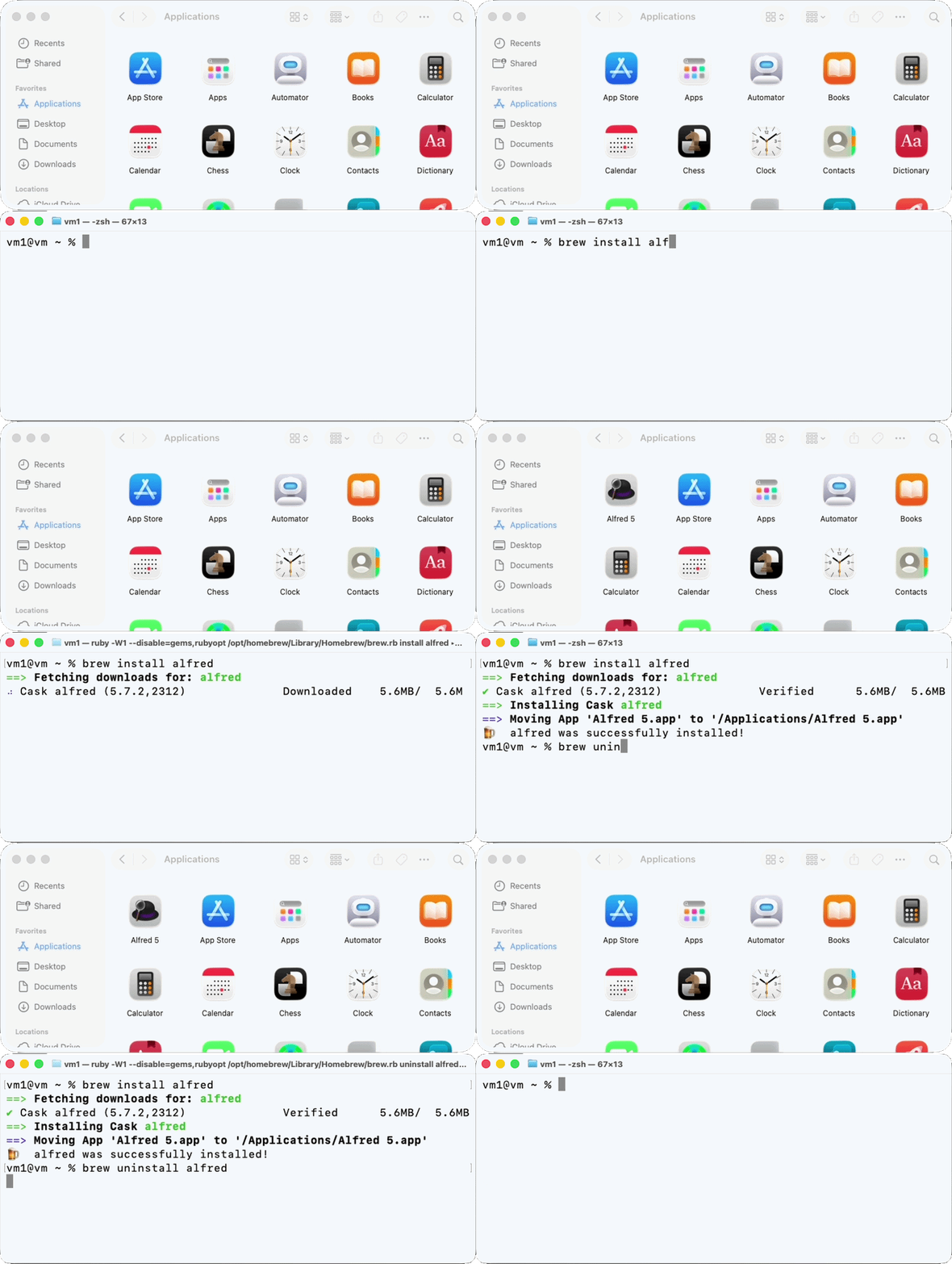
It's not a standalone app: it plugs into Homebrew, and this repository holds the default casks (install recipes for packaged software). Everything runs through the usual brew command line.How do I install my first app with it?Install Homebrew — that's all you need first. After that an app goes in with one quick command: no clicking, no dragging, no dropping through vendor installers.
Install Homebrew — that's all you need first. After that an app goes in with one quick command: no clicking, no dragging, no dropping through vendor installers.Do I need anything else besides Homebrew?No. Homebrew is the only prerequisite mentioned, and casks ship prebuilt binaries packaged by the upstream vendors, so there is nothing to compile.
No. Homebrew is the only prerequisite mentioned, and casks ship prebuilt binaries packaged by the upstream vendors, so there is nothing to compile.What should I do if an install goes wrong?First run brew update-reset && brew update and try again — that resets all your taps and rules out an outdated local setup. If the problem persists, check the README's common-errors guides before opening an issue, or it may be closed without review.
First run brew update-reset && brew update and try again — that resets all your taps and rules out an outdated local setup. If the problem persists, check the README's common-errors guides before opening an issue, or it may be closed without review.Does it work only on Macs, or on Linux too?macOS and Linux are the two supported systems — Homebrew Cask provides its CLI workflow on both. Windows is not mentioned.
macOS and Linux are the two supported systems — Homebrew Cask provides its CLI workflow on both. Windows is not mentioned.What kinds of software can I install with it?Prebuilt artifacts distributed by upstream vendors: GUI applications, command-line tools, fonts, plugins, and other packaged software — each one installed through its cask recipe.
Prebuilt artifacts distributed by upstream vendors: GUI applications, command-line tools, fonts, plugins, and other packaged software — each one installed through its cask recipe.Why use this instead of downloading installers manually?One command does the whole job — no clicking through wizards or dragging icons. The same brew workflow also handles later management of those artifacts, not just installation.
One command does the whole job — no clicking through wizards or dragging icons. The same brew workflow also handles later management of those artifacts, not just installation.The app I want isn't in the catalog — can I request it?No — issues requesting new casks are closed. To get a cask into the main repositories you submit a pull request; feature requests have their own issue template.
No — issues requesting new casks are closed. To get a cask into the main repositories you submit a pull request; feature requests have their own issue template.Is it free to use?Yes. The code is under the BSD 2 Clause (NetBSD) license, so both the tool and its catalog of casks are free to use.
Yes. The code is under the BSD 2 Clause (NetBSD) license, so both the tool and its catalog of casks are free to use.