Part of the SwitchGamesRecomp work (same runtime, see docs/FRAMEWORK.md); this repo follows Wonder alone. Living log: PROGRESS.md.
SuperMarioWonderRecomp (BelmanteGu/SuperMarioWonderRecomp)
Searching Database…
The project's README from github.com/BelmanteGu/SuperMarioWonderRecomp. As one markdown file: README.md.

A Projeto Belmante project · youtube.com/@belmante
Static recompilation of Super Mario Bros. Wonder (Nintendo Switch, 1.0.0, title ID 010015100B514000) to native
code. No emulator runs: the game's AArch64 machine code becomes C++ compiled for the host, and its system and graphics
calls (NVN, Nintendo's own API) are implemented natively on Vulkan (MoltenVK on the Mac).
Part of the SwitchGamesRecomp work (same runtime, see docs/FRAMEWORK.md); this repo follows Wonder alone. Living log: PROGRESS.md.
[!NOTE] No game files are included. This repository holds no game code, assets, keys or firmware, and no build made from them. Everything derived from the game stays in
private/(gitignored). You need your own legally dumped copy of Wonder 1.0.0, plus your own keys and firmware. Instructions on how to obtain them are not provided.
[!IMPORTANT] This project was made with a lot of AI and a lot of study. Most of the code, tooling and documentation was written with AI assistance (Anthropic's Claude), directed, tested and reviewed by a human who spent a great deal of time studying the Switch's CPU, OS and graphics stack (AArch64, NVN, Maxwell shaders, Vulkan) to guide it. If you don't agree with the use of AI or don't trust AI-written code, that is your right; you run the code at your own discretion.
[!IMPORTANT] A note on the history of this repo. The project was developed across several computers, and files were lost when moving between them. Part of the code had to be rewritten from scratch, and some early notes, test scripts and intermediate results no longer exist. If something in PROGRESS.md or the docs refers to a file you cannot find, that is probably why. Bug reports about gaps like this are welcome.
| Platform | Status | Graphics |
|---|---|---|
| macOS (Apple Silicon) | works, the reference platform | Vulkan on Metal through MoltenVK |
| Windows (x86-64) | works, tested on NVIDIA (RTX 3050) and Intel GPUs | native Vulkan 1.3 |
| Android (arm64) | works, tested on a Galaxy S23 | native Vulkan 1.3 |
| Linux (x86-64) | works since 2026-10-17, tested on Ubuntu 26.04: NVIDIA RTX 3050 laptop GPU, and 60 fps on an Intel UHD integrated GPU (720p) | native Vulkan 1.3 |
Linux support was added on 2026-10-17 by BelmanteGu (Projeto Belmante): the
platform layer runtime/src/platform_linux.cpp (SDL3 window, gamepad, keyboard and audio, Vulkan surface through
SDL, crash handler) and memguard_linux.cpp, a Linux branch in CMakeLists.txt and tools/wonder_linux.sh. The
recompiled code and the translated shaders built on Linux are byte for byte the Mac's. See Linux.
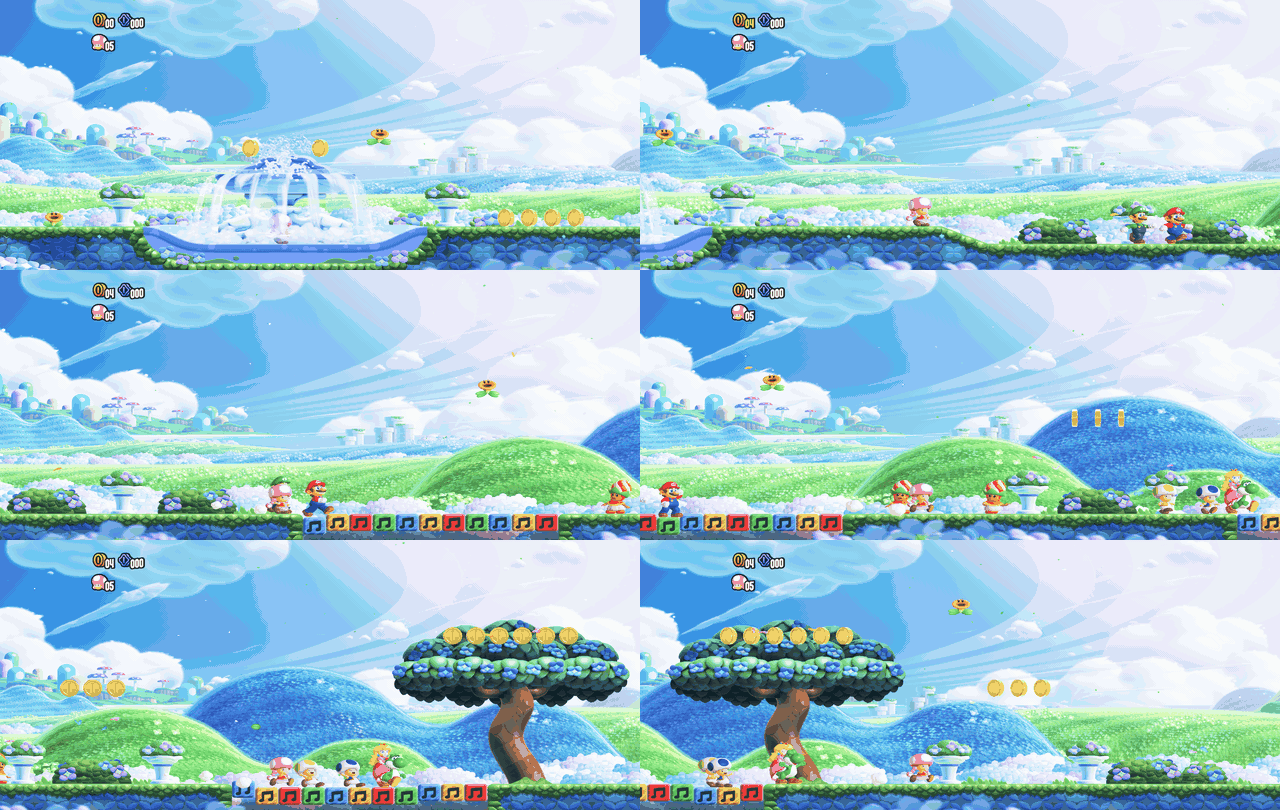
The Flower Kingdom intro on Linux, NVIDIA RTX 3050, ultrawide 21:9 (NX_ULTRAWIDE=1, 2560x1080; GIF at 15 fps).
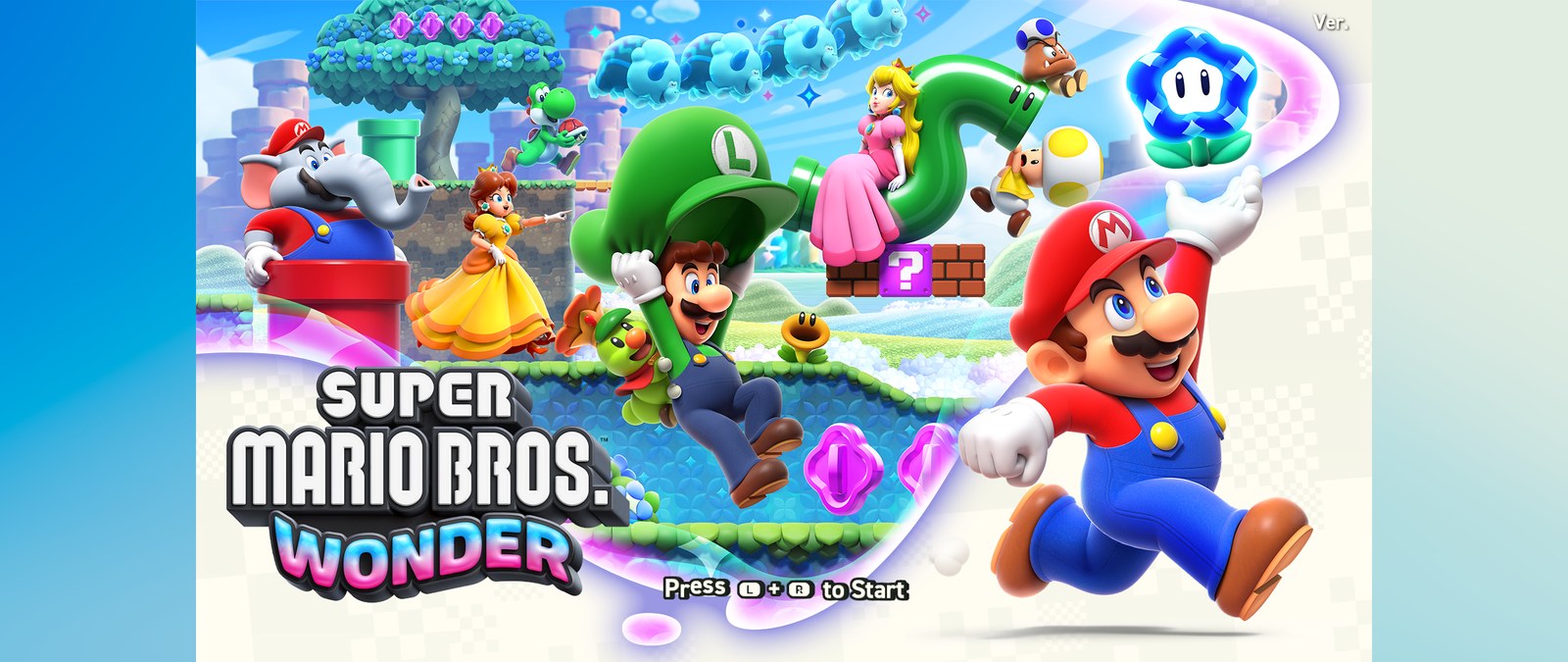
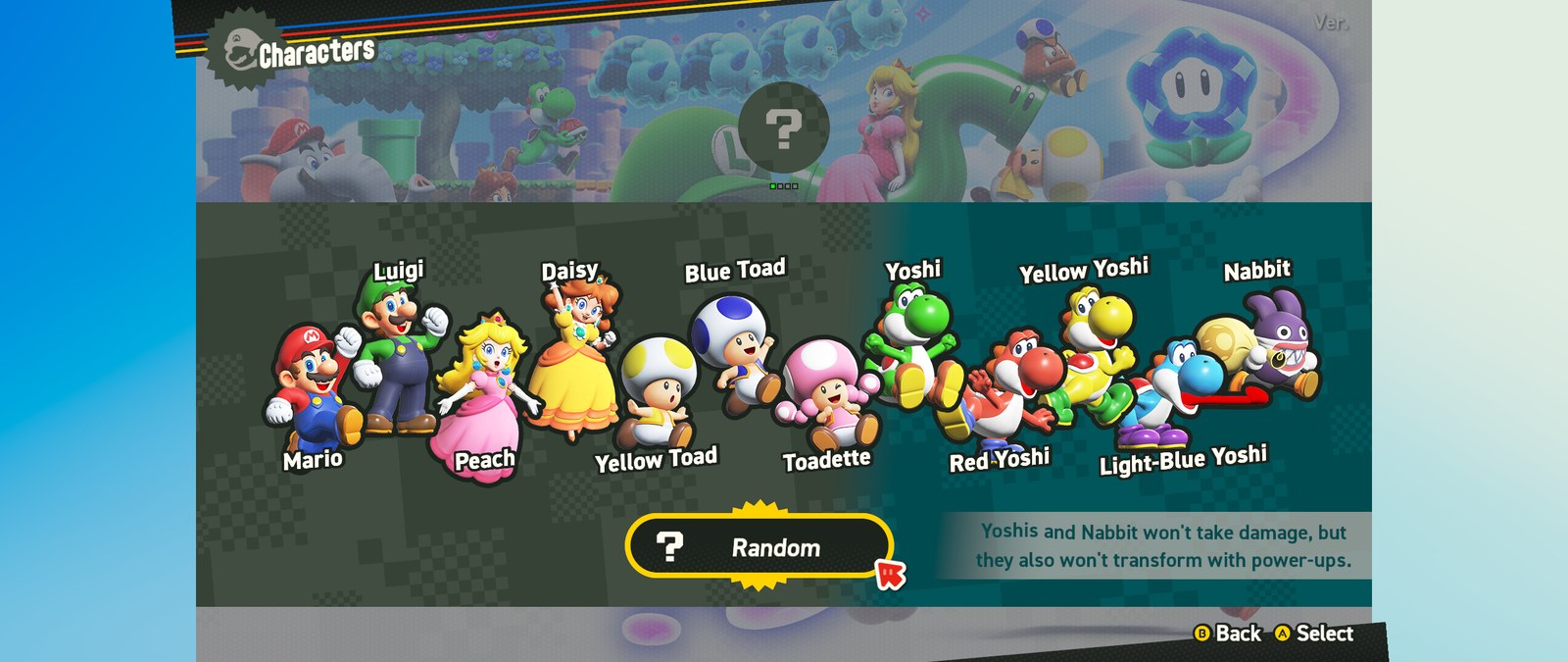
| Title | Character select |
|---|---|
 |
 |
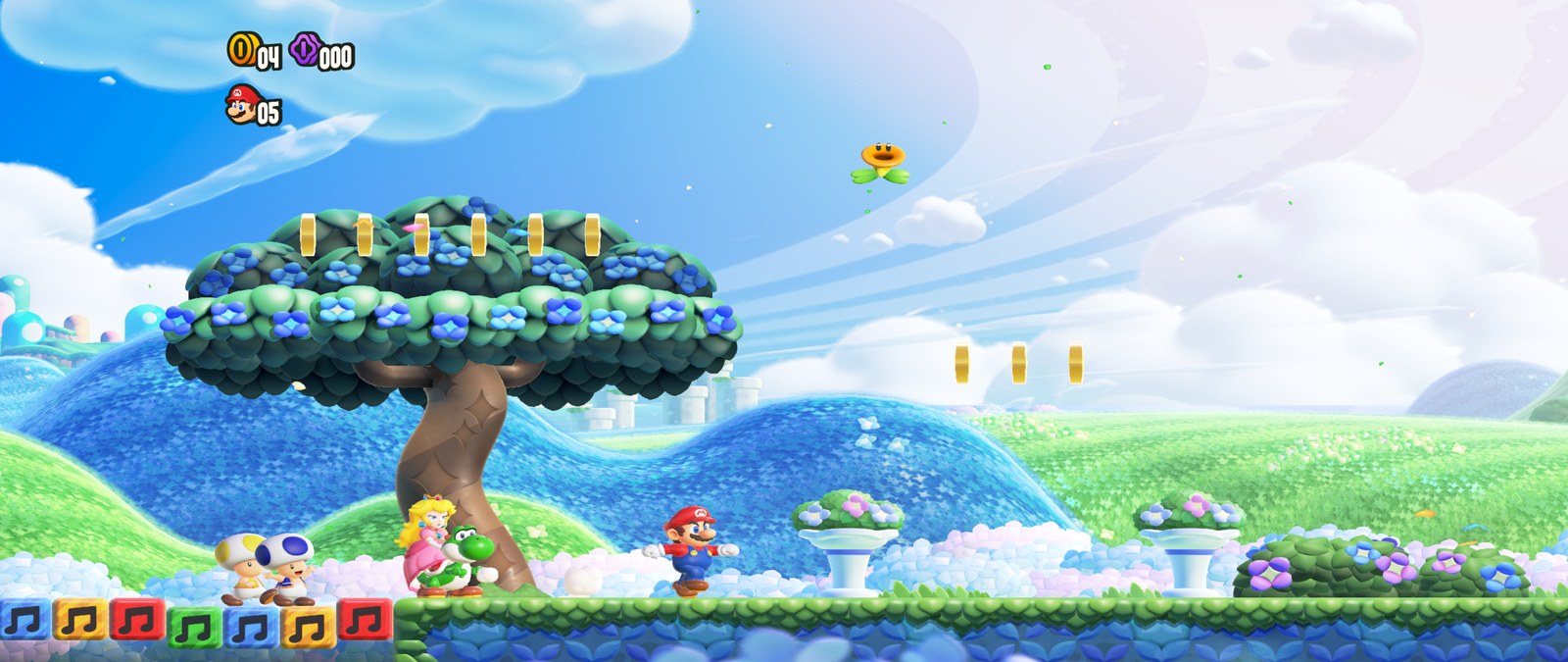
| Flower Kingdom intro | Opening at the castle |
 |
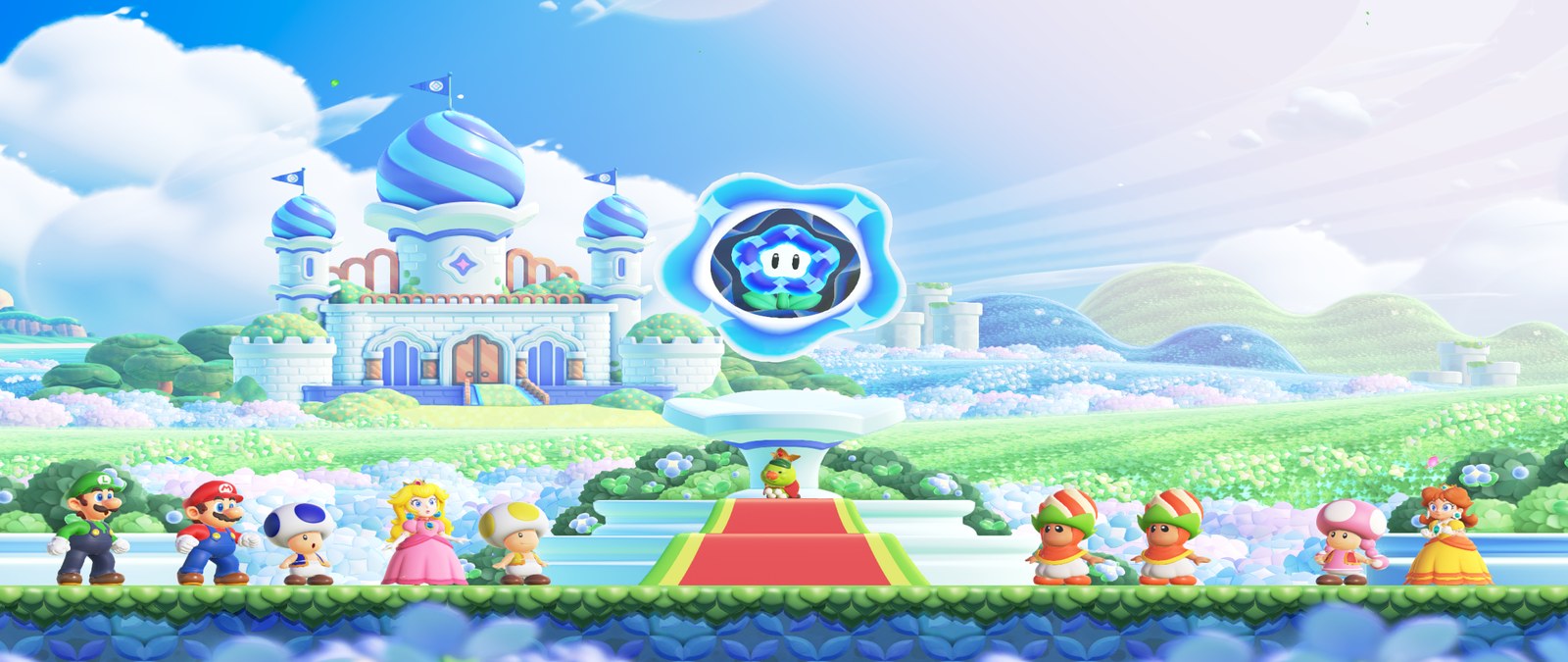 |
All four on Linux, RTX 3050, ultrawide 2560x1080. Gameplay gets a wider view of the level; menus stay a centred 16:9 area with the backdrop's edges at the sides (see Ultrawide, frame rate and integrated GPUs).
main and the SDK are recompiled: 17.8M AArch64 instructions, 250k functions, about 1.4 GB of generated C++.
The game runs its whole frame loop natively on macOS.nvn* functions are implemented on
the host: recorded command buffers are replayed into Vulkan, running on Metal through MoltenVK.tools/fonts/make_button_font.py).The details are in the GitHub milestones.
Studied, implemented and measured on 2026-10-17 on the Linux port (summary and numbers in docs/nvn/studies/summary-1710.md; the three studies: ultrawide, fps unlock, Intel iGPU).
NX_ULTRAWIDE=1): the render targets are widened to the window's shape and the game's cameras get
the wider aspect, so 21:9 and 32:9 show more of the level instead of stretching or bars. Off by default and free
when off.NX_FPS_CAP=30 holds the game's own 30 fps mode (flat 30.0 on both GPUs, less CPU). Running
above 60 is not possible by a switch: the simulation advances once per frame (NX_DISPLAY_HZ exists only as an
experiment and speeds the game up).NX_ZERO_VS_OUTPUTS=0 turns it off; not on Apple).NX_POWER_PROFILE=0 never asks, =1 asks on
any GPU). Under the power-saver profile the CPU replay of a frame took 12 ms; under performance, 5 ms.NX_PIPELINED=0 to turn off) and bound buffers are no
longer padded where the GPU bound-checks (NX_PAD_BUFFERS=1 to restore).tools/wonder_linux.sh intel (720p, pipelined, performance profile, no fps cap) and lightest (+ FSR).Flower Kingdom intro, unattended runs, uncapped (median fps in gameplay; Intel UHD ADL-S GT0.5 and RTX 3050 Laptop, same machine):
| Configuration | Intel | RTX 3050 |
|---|---|---|
| before the 2026-10-17 work (docked 1080p) | 26.4 (picture wrong) | 29.5 |
| handheld 720p before | 35.9 (picture wrong) | - |
| now: handheld 720p, defaults | 60.0 (14 of 14 windows at 58+, picture right) | 53.2 |
| now: docked 1080p | 38.9 | 30.5 |
NX_FPS_CAP=30 |
30.0 flat | 30.0 flat |
| ultrawide 2560x1080, handheld 720p | 59.0 (14 of 14 windows at 58+) | 52.8 |
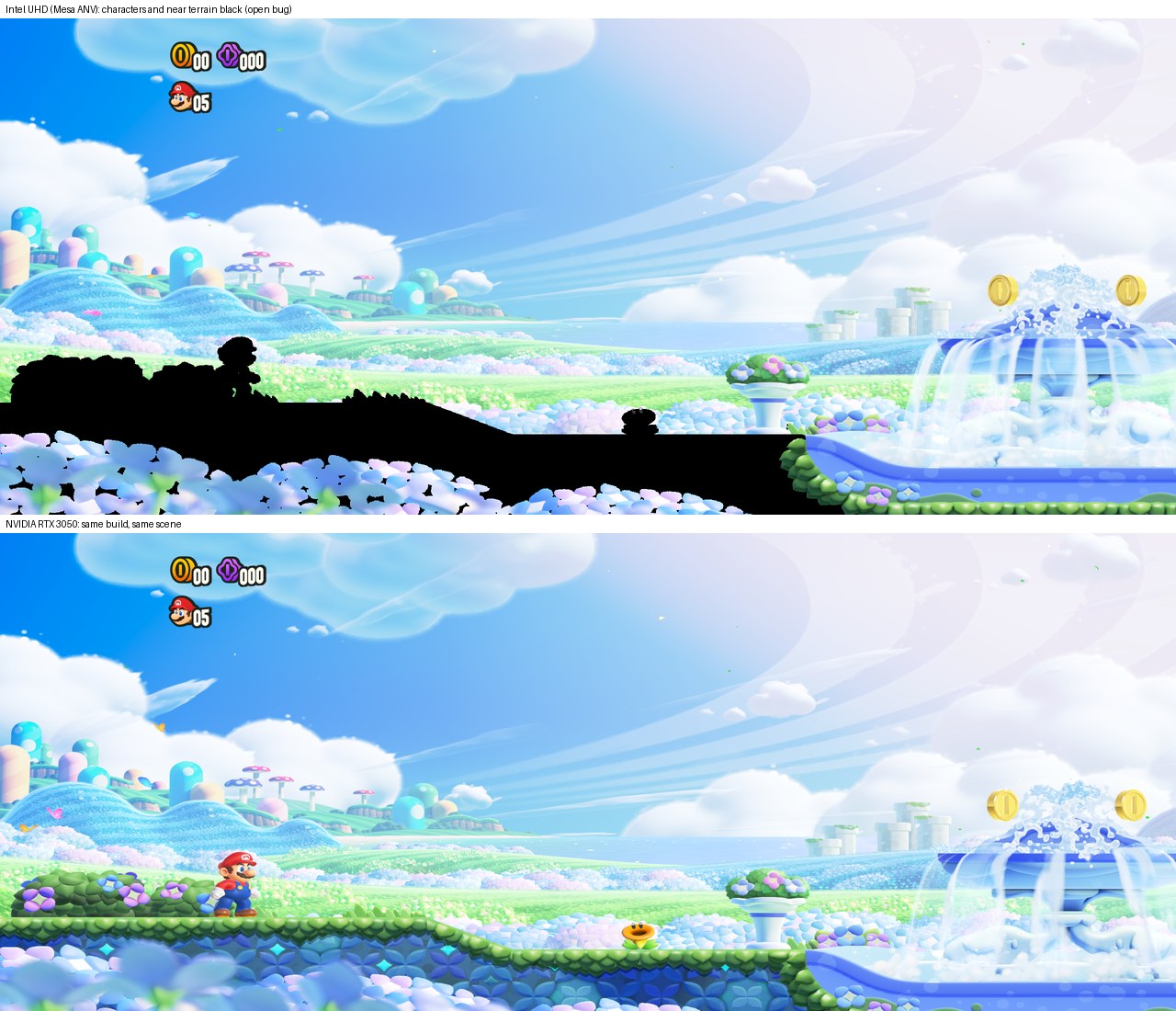
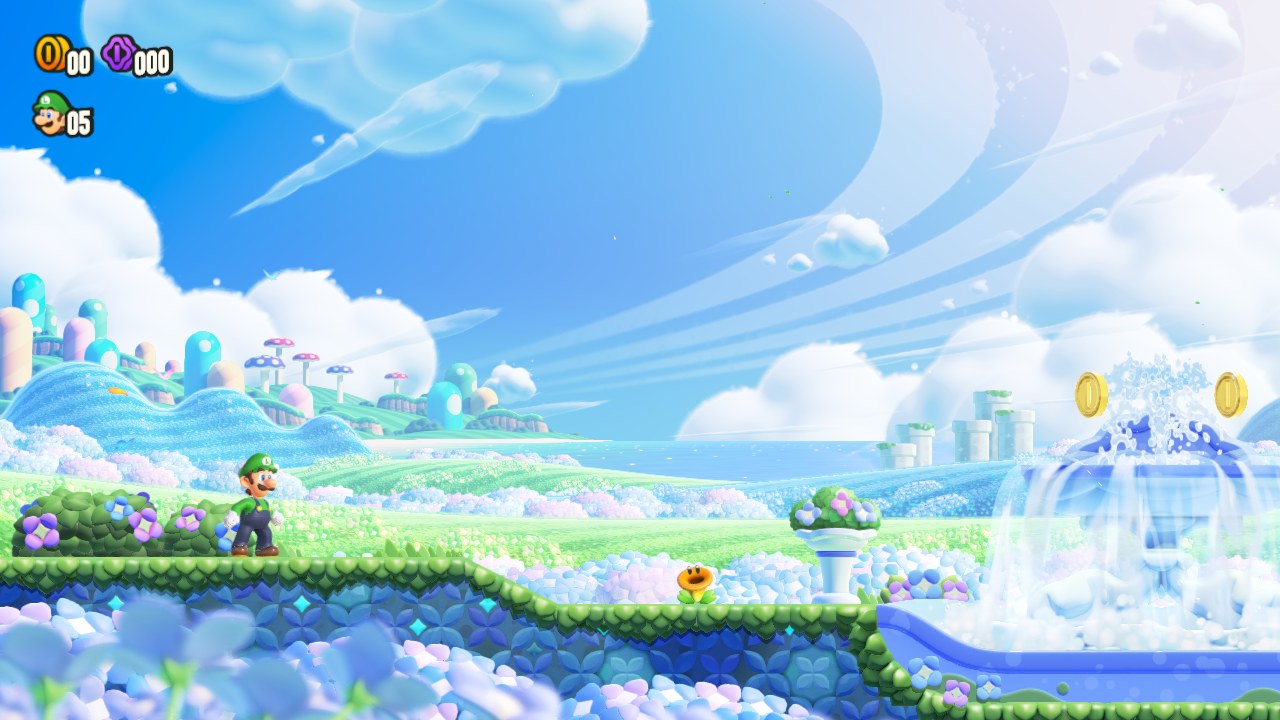
Before the fix (top: Intel, characters and terrain black; bottom: RTX), and after it on the Intel:
Wonder runs on Windows 10/11 with a Vulkan 1.3 GPU (tested on an NVIDIA RTX 3050 and on Intel). The port is
described in docs/nvn/WINDOWS-PORT.md and WINDOWS-PLAN.md,
the PC quality work in docs/nvn/pc-quality/. dev.ps1 sets up the build environment
(Visual Studio Build Tools, clang, CMake, Ninja, Vulkan SDK) and tools/pack_pc_wonder.py packs your own data for
the PC. The recompile, shader and build steps are the same as in the macOS section below.
The complete step-by-step guide (Linux, macOS, Windows, Android, with the expected checks and troubleshooting) is docs/BUILD.md, based on the community guide by ouni666 (#8).
Wonder runs on Linux x86-64 with a Vulkan 1.3 GPU (tested on Ubuntu 26.04, NVIDIA RTX 3050 laptop GPU, driver 595).
Nothing needs root: every tool can live under private/third_party/.
Requirements: clang, CMake, Ninja, the Vulkan loader, SDL 3 (the distribution's, or built from source with
-DCMAKE_INSTALL_PREFIX=private/third_party/sdl3), the Vulkan headers 1.4.357 (runtime/src/vk_gen.h was
generated from them; older distribution headers miss some types), .NET SDK 10 (tarball) and a Python 3 venv with
capstone lz4 zstandard fonttools.
--exefs also keeps the raw NSOs the
recompiler reads:cmake -S android/wonder/importer -B private/build/importer -G Ninja && ninja -C private/build/importer
private/build/importer/nximport --exefs --out private/wonder prod.keys title.keys MarioWonder.xci
cp android/wonder/assets/fonts/shared_5.ttf private/wonder/fonts/.T=$PWD/private/third_party
CC=clang CXX=clang++ cmake -S . -B private/wonder/build -G Ninja -DNX_GAME=wonder -DCMAKE_BUILD_TYPE=Release \
-DCMAKE_PREFIX_PATH=$T/sdl3 -DNX_VULKAN_INCLUDE=$T/Vulkan-Headers-1.4.357/include
ninja -C private/wonder/build -j6 wonder
tools/wonder_linux.sh [quality|balanced|performance] (uses the discrete GPU; F11 or Alt+Enter for
full screen).The same recompiled code runs on arm64 phones with a native Vulkan 1.3 driver. On a Galaxy S23 (Snapdragon 8 Gen 2) the game runs with drawn touch controls, a present pass rotated to the display (16:9 with bars), a pipeline cache on disk and ADPF performance hints. Progress, the test list and the performance phases are in docs/nvn/ANDROID-PORT.md.
Build and install (macOS or Linux, Android SDK with NDK 28.2):
private/venv/bin/python tools/pack_phone_wonder.py        # your data -> private/wonder/Wonder-data.zip (~4 GB)
CMAKE_BUILD_PARALLEL_LEVEL=4 bash android/build_apk.sh --game wonder   # -> private/wonder/apk/wonder.apk
bash tools/wonder_push_android.sh <adb serial>             # install + data to Internal storage + all-files access
bash tools/wonder_run_android.sh <adb serial> 90 run1      # start, wait, save the log, pull frame dumps
Without a computer, copy the APK and the zip to the phone:
Super Mario Bros. Wonder/.The APK contains recompiled game code built from your own dump. It is for you only: never share or publish it.
The APK has its own launcher (android/wonder/, see docs/WONDER-ANDROID-OPTIONS.md): it imports
the game on the phone from a folder with your prod.keys and your XCI/NSP, has the options screen and the touch layout editor.
LAUNCHER_ONLY=1 bash android/build_apk.sh --game wonder builds it without the game library (the UI and the import work, Play does not).
prod.keys + XCI or NSP; the APK carries no game data, keys or firmware.??. The launcher now installs a stand-in button font (drawn by tools/fonts/make_button_font.py
on Fredoka, OFL, 56 KB). The title shows "Press (L) + (R) to Start" with the icons.NX_HANDHELD=0) really renders 1080p; mute and the touch layout keys now work.NX_PIPELINED=2 ("GPU submits in flight = 2" in Settings > Performance):
replay 20.6 to 9.7 ms and GPU wait 12.7 to 1.3 ms per frame, because the CPU replay and the GPU no longer run in series.
Since 2026-10-17 it is on by default on integrated GPUs, phones included ("Automatic"); it once drew exploded meshes
in some courses, so "Synchronous" in the same setting is the way back if the geometry breaks.
The 30 fps limit and the docked mode have not been timed on a phone yet.Touch controls:
A Bluetooth or USB controller works too, and the touch controls hide while it is in use.
Requirements: Xcode command line tools, CMake, Ninja, Homebrew sdl3 + vulkan-headers + vulkan-loader + molten-vk, Python 3 venv
in private/venv.
private/wonder/exefs and
private/wonder/romfs with nstool.main:private/venv/bin/python -m recomp private/wonder/exefs/main private/wonder/gen/main --name main --base 0x4000000000
private/venv/bin/python -m recomp private/wonder/exefs/sdk private/wonder/gen/sdk --name sdk --base 0x4010000000
tools/maxwell/containers.py, then translate them
with the harness in tools/maxwell/spirv_harness. This writes private/wonder/spirv/<hash>.spv. See
docs/nvn/TRANSLATOR.md.private/venv/bin/python tools/fonts/make_button_font.py
cmake -S . -B private/wonder/build -G Ninja -DNX_GAME=wonder -DCMAKE_BUILD_TYPE=Release
ninja -C private/wonder/build -j6 wonder
NX_LOG=private/wonder/nx.log private/wonder/build/wonder
Useful switches:
| Switch | What it does |
|---|---|
NX_MEM_LIMIT_GB=<n> |
memory guard, ends the process past this footprint (default 8) |
NX_LANGUAGE=<code> |
the game's language, as the console spells it: es, es-419, en-US, en-GB, fr, fr-CA, de, it, nl, pt, pt-BR, ru, ja, ko, zh-Hans, zh-Hant (es-ES and other ISO names are accepted as aliases). Falls back to <data root>/language.txt, else en-US |
NX_HEADLESS=1 |
no window, for unattended test runs |
NX_MUTE=1 |
no sound |
NX_HANDHELD=1 |
handheld mode, 720p |
NX_PIPELINED=0 |
waits for every submit, as before 60 fps (diagnosis); integrated GPUs pipeline by default |
NX_ULTRAWIDE=1 |
ultrawide: a wider view to the window's shape (=2560x1080 or =21:9 to force one) |
NX_FPS_CAP=30 |
the game's own 30 fps mode, always (steady, lighter) |
NX_PAD_BUFFERS=1 |
pads bound buffers again (if HUD text or characters glitch on a GPU) |
NX_DISPLAY_HZ=<hz> |
experimental: vsync at another rate; the game runs faster or slower, not smoother |
NX_ZERO_VS_OUTPUTS=0 |
keeps unwritten vertex outputs undefined (the fix for black characters on Intel is on by default, not on Apple) |
NX_POWER_PROFILE=0/1 |
Linux: never / always hold the performance power profile while playing (default: on integrated GPUs) |
Every debug switch (draw traces, snapshots, bisecting toggles) is listed in docs/nvn/SWITCHES.md.
| Document | What |
|---|---|
| PROGRESS.md | living log, newest first, with screenshots |
| docs/NVN.md | the NVN → Vulkan plan: phases N0-N7, where to cut, ground rules |
| docs/nvn/WONDER.md | facts about the game: modules, RomFS, recompilation numbers, the host GPU |
| docs/nvn/SHADERS.md, TRANSLATOR.md | shader containers, and Maxwell → SPIR-V |
| docs/nvn/TILING.md | block-linear texture layouts |
| docs/nvn/DEBUG.md, DEBUG-2.md | every rendering bug found so far (67 entries): symptom, cause, fix, switch |
| docs/nvn/GLITCH-PLAN.md, PERF-PLAN.md | glitch and performance studies and plans |
| docs/nvn/ANDROID-PORT.md | study for the Android port: gaps, risks, milestones A0-A7 |
Ground rules for this track:
| Path | What |
|---|---|
recomp/ |
the AArch64 → C++ recompiler (Python) |
runtime/ |
shared runtime: kernel, IPC, nn::* HLE, memory, platform layers (Windows, macOS, Linux, Android) |
runtime/src/nvn/ |
NVN over Vulkan (Wonder) |
games/<game>/ |
per-game glue (entry, patches, mods) |
tools/ |
extraction, shader and font tools, packaging |
android/ |
Android project and build script |
docs/ |
findings, plans, debug history, screenshots (docs/media/) |
docs/BUILD.md) - based on the community guide by ouni666,
#8.NX_LANGUAGE, the set service, Language.bat) - LokiCode404,
PR #4.games/hades/mods/hephaistos/LICENSE) - the Lua widescreen mod served to Hades by the shared runtime. It is not
used by Wonder.This is a fan project. It is not affiliated with, endorsed by or sponsored by Nintendo. Super Mario Bros. Wonder and Nintendo Switch are trademarks of Nintendo. No game files, game code, assets, keys, firmware or fonts are included, in this repository or in any release. You must provide your own legally obtained copy of the game. The APK or data zip you build from your own dump contains Nintendo's code and data: it is for you only, never share or publish it. The API (NVN) is reverse engineered from binaries; no leaked NVN headers are used.
The code in this repository is open source under the MIT License. Third-party components keep their own licenses (see Credits). The license covers this project's code only and grants nothing for Nintendo's game. See CONTRIBUTING.md to report bugs or contribute.
Part of the SwitchGamesRecomp work (same runtime, see docs/FRAMEWORK.md); this repo follows Wonder alone. Living log: PROGRESS.md.